TL;DR

Get home appliances delivered free with Prime
- Fast, free delivery on millions of items
- Prime Video, Amazon Music and more included
- Member-only deals all year
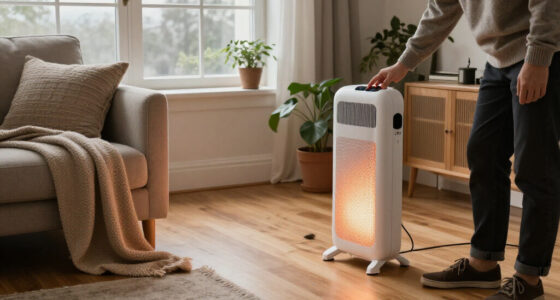
Smart space heaters are portable electric heaters with connected features such as app control, schedules, and sometimes voice commands. Those features can help you avoid unnecessary run time, but they do not make the heater inherently cheaper or safer; check its wattage, safety certification, operating instructions, and offline controls before buying.
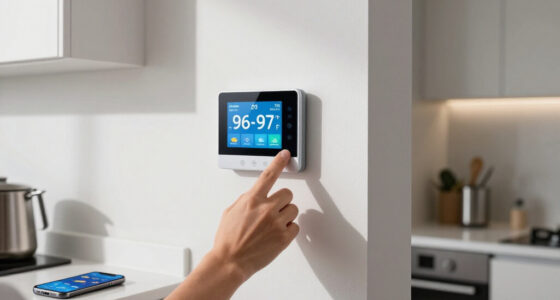
A heater you can switch off from the grocery store sounds convenient, but Wi-Fi does not change how much heat a heater makes per watt. It changes how you control it. A smart model may let you set a schedule, check its status, or adjust the temperature from your phone while you’re still on the bus.
This guide explains what smart space heaters are, what their connected features can and cannot do, and how to think through room size, running costs, and safety. You’ll also get a practical way to choose a model that fits your room and your routine. Think of the connected controls as a dimmer on your daily habits: useful when you use them, but no substitute for the right heater and careful setup.
Smart controls add convenience and scheduling; they don’t inherently make resistance heating cheaper, more powerful, or safer.
A 1,500-watt heater uses 1.5 kWh per hour at full draw; multiply kilowatts by hours and your local electricity rate to estimate cost.
Use the manufacturer’s room-size guidance and account for insulation, drafts, ceiling height, and how the room is laid out.
Check independent safety certification, clearance rules, cord and circuit instructions, and whether the manual permits your intended use.
Before paying extra for an app, check which features work offline and whether the model supports your Wi-Fi and smart-home setup.
What Smart Space Heaters Actually Add to a Room
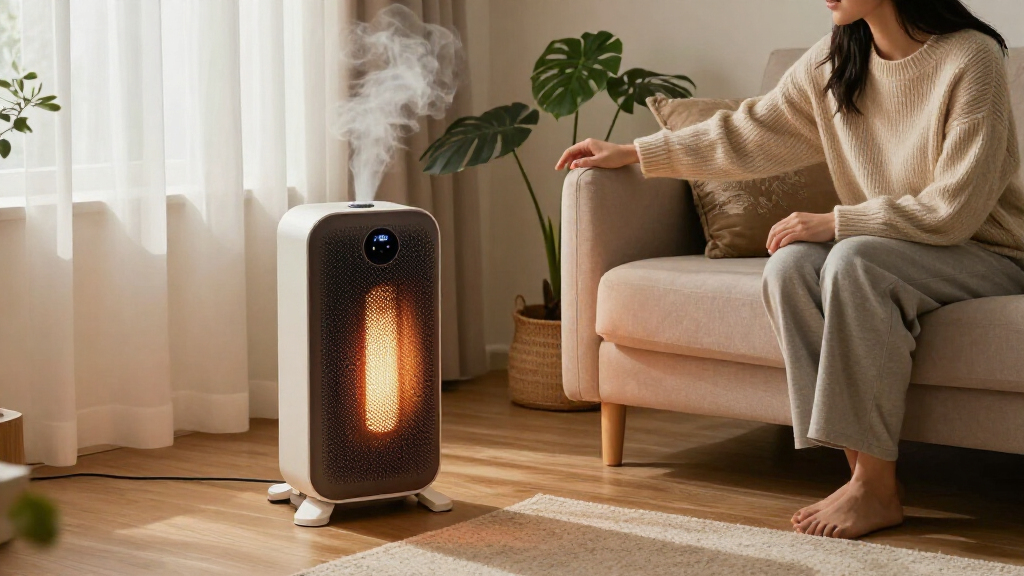
Smart space heaters are portable electric heaters that add app-based or connected controls to familiar heating features. Depending on the model, you may get Wi-Fi, remote on and off, temperature settings, schedules, voice commands, or a link to a wider smart-home system. The “smart” part describes how you control the heater, not a new way of making heat.
Most still use electric resistance heating, with ceramic or infrared elements, or an oil-filled radiator. Imagine a small desk heater in a drafty home office: a schedule can turn it on before your 9 a.m. meeting, so the room is comfortable when you sit down. That’s a real convenience. It doesn’t mean the heater warms the entire house or produces more heat than a comparable conventional model.
Some models report energy use, connect to voice assistants, or join routines that switch them off when you leave home. Features vary, and an app’s energy estimate may not match a utility meter. Before buying, check whether the exact model works with your preferred assistant and what you can still control if Wi-Fi drops.
Products Worth Considering

Philips Hue Festavia 130-Foot Indoor/Outdoor Smart String Lights, 500 LEDs

Samsung 85-Inch QN70H Neo QLED 4K Smart TV (2026)

Philips Hue Essential Starter Kit – Bridge and 4 E26 Smart Bulbs
As an affiliate, we earn on qualifying purchases.
Estimate Running Cost Before You Set a Schedule
Smart features don’t automatically reduce electricity use; the heater’s wattage and run time determine its energy consumption. A common maximum for North American plug-in heaters is 1,500 watts. At that setting, one hour uses 1.5 kilowatt-hours (kWh), and four hours uses 6 kWh.
To estimate cost, multiply the heater’s kilowatts by its run time in hours and your electricity price per kWh. For example, if your rate is 20 cents per kWh, a 1.5-kilowatt heater running for four hours costs about $1.20: 1.5 × 4 × $0.20. Your rate may differ, and a thermostat that cycles the heater can reduce the time it draws full power.
A schedule can help when it prevents forgetfulness. Say you warm a basement desk for two hours each evening, but occasionally leave the heater running after dinner. A weekday schedule or remote shutoff could trim wasted hours. The savings come from changed run time, not from Wi-Fi; resistance heaters convert nearly all the electricity they draw into heat at the point of use.
Match the Heater to Your Room and Routine
Choose by the room you want to warm and how you’ll use it, then check the manufacturer’s wattage and room-size guidance. A heater may add welcome warmth to an occupied bedroom or office, but the result depends on insulation, ceiling height, outdoor temperature, drafts, and layout. A cold, high-ceilinged living room can lose heat far faster than a compact office with the door closed.
As a practical comparison, think about how each heating style feels during an ordinary evening. A ceramic heater may warm the air quickly near a reading chair; infrared heat can feel direct on your hands; an oil-filled radiator may keep giving off warmth after its element cycles off. These are differences in heat delivery and comfort. Electric resistance models generally convert electricity into heat at similar point-of-use efficiency.
| What to compare | Why it matters |
|---|---|
| Wattage and room guidance | Helps you judge whether the model suits the space. |
| Thermostat and sensor placement | A draft near the sensor can affect cycling and comfort. |
| Schedules and offline controls | Shows whether daily use remains simple if Wi-Fi fails. |
| App, assistant, and service support | Connected features can vary by model and may depend on cloud services. |
For instance, if you want to warm just one side of a chilly home office, direct heat near your chair may matter more than a feature-rich app. Follow the maker’s room guidance, and treat a portable heater as supplemental heat unless the product is explicitly designed for broader use.
Use Connected Controls Without Guessing About Safety
Remote control does not automatically make a heater safe to leave on. Check the manual and product certification guidance before relying on remote, sleeping, or unattended operation. Look for recognized independent safety certification, overheat protection, stable construction, and tip-over shutoff where appropriate. These features support safe use; they don’t replace it.
Picture a heater beside a bedroom curtain. A phone app may show that it is running, but it cannot tell you whether fabric has drifted against the grille. Place the unit on a stable, level surface and observe the manufacturer’s required clearance from bedding, furniture, curtains, and other combustibles. Keep it uncovered, and never use a heater with a damaged cord or plug.
High-wattage heaters place a substantial load on household wiring. Follow the manufacturer’s plug and circuit instructions, and avoid extension cords or power strips unless the manual specifically permits them. A smart plug is not a universal workaround: the heater maker may prohibit one, and the plug, outlet, and circuit must all suit the load.
Before using app controls, check whether the manufacturer explicitly supports the way you plan to operate the heater. If the manual doesn’t permit unattended operation, switch it off when you leave or go to sleep.
If you’re installing new wiring, altering a circuit, or dealing with other electrical work, use a licensed professional. Turn off power before authorized electrical work, use appropriate PPE, and follow local code and permit requirements.
Set Up a Schedule That Helps Instead of Wasting Heat
Use the schedule to warm an occupied space for a defined window, then adjust it after you see how the room behaves. A built-in thermostat can cycle the heater to maintain a set temperature, but its sensor may read differently from the far end of the room. Nearby drafts or a cold window can skew that reading.
- Pick the room and time window. For example, warm your home office from 8:40 to 11:00 a.m. on weekdays.
- Choose a modest setpoint. Start with a comfortable temperature rather than leaving the heater at maximum output.
- Place it on a clear, stable surface. Follow the manual’s clearance guidance and keep cords away from walkways.
- Check the room after a few days. If the heater runs constantly, reassess room heat loss, placement, and the manufacturer’s room-size guidance.
- Test the offline controls. Confirm you can still operate the heater manually if your router or the company’s service is unavailable.
For example, an office that reaches a comfortable temperature in 20 minutes may not need a two-hour preheat. A schedule saves energy only when it stops unneeded operation; a too-early start can just make an empty room warm for longer.
Know When the App Is Worth the Extra Complexity
A connected model is most useful when remote access or repeat schedules solve a real problem for you. If you regularly forget to switch off a heater, a status check from your phone can help. If you want warmth before arriving at a chilly home office, a schedule may fit your routine. A person who prefers a simple dial and never changes settings may get little value from an app.
The tradeoff is dependence on software and services. Setup may require a particular Wi-Fi band, an account, or app permissions, and voice-assistant support might provide only basic on and off commands. A manufacturer can also discontinue cloud services. In that case, manual controls may remain while remote features disappear, so check the model’s offline functions and support information before you buy.
Imagine a heater that joins a “leave home” routine. It could switch off when your phone signals that you’ve left, but that routine depends on the model, smart-home ecosystem, and connection all working as expected. Energy-use displays are estimates on some models, not necessarily utility-grade measurements. Treat them as a way to compare your own patterns, not as a guaranteed bill calculator.
Smart controls can make supplemental heating easier to manage, but the heater may still cost more to run than your home’s primary heating system. That depends on local energy prices and the equipment you already use. Compare your actual costs and comfort rather than assuming the connected model will be cheaper.
Frequently Asked Questions
Do smart space heaters use less electricity?
Not simply because they have an app. Scheduling and remote shutoff can reduce wasted run time, but the heater’s wattage determines its draw while it heats.
How much does a 1,500-watt heater cost to run?
At full draw, it uses 1.5 kWh per hour. Multiply 1.5 by the hours it runs and your electricity price per kWh; four hours uses 6 kWh.
Can I leave a smart heater on while I’m away or asleep?
Remote controls do not automatically make unattended operation safe. Follow the manual and certification guidance, and leave it off if the manufacturer does not explicitly support that use.
Can I plug a smart space heater into a smart plug?
Check the heater and smart plug instructions before doing so; heater makers often discourage or prohibit this setup. Use the heater’s own connected controls when available, and follow its electrical ratings and circuit guidance.
Will a smart heater work without Wi-Fi?
Many models retain manual controls, but app access, remote status, and voice commands may stop working. Check what functions remain available offline before you buy.
Can a portable heater warm a whole room?
It can provide useful heat in a suitably sized room, but results depend on heat loss, insulation, drafts, and layout. Follow the manufacturer’s room-size guidance and use it as supplemental heat unless the product is designed for more.
Conclusion
Choose a smart space heater for a room you actually occupy, then use its controls to limit when it runs. Check the wattage, room guidance, independent safety certification, electrical instructions, and offline controls before you buy. Those details matter more than the word “smart” on the box.
A good schedule should warm the chair where you’ll sit, then let the room settle into quiet. Keep the heater clear, follow its manual, and let convenience serve comfort—not replace common sense.