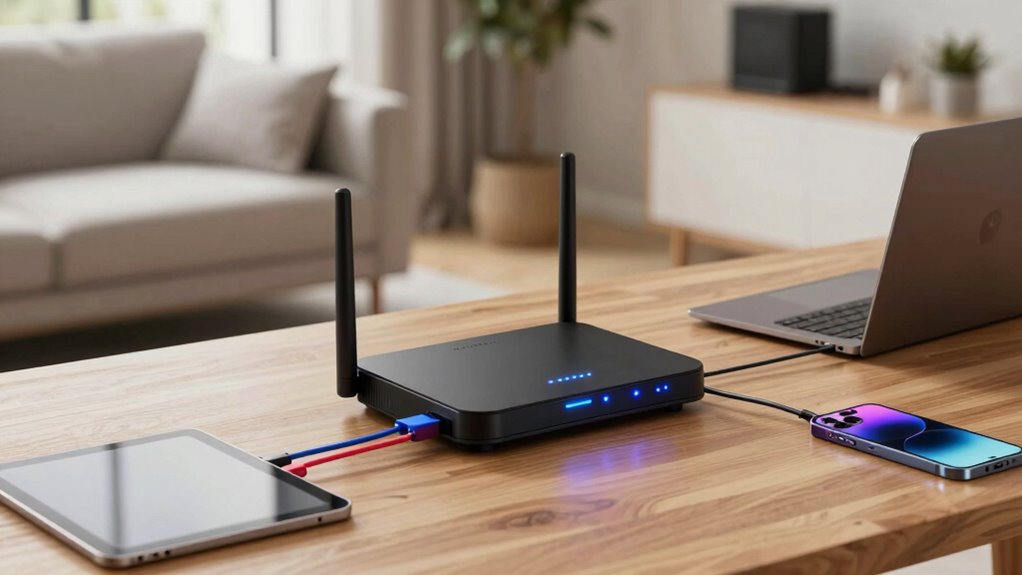

If you need a router that can manage many devices simultaneously, you’re looking for a model with strong multi-device performance, reliable coverage, and advanced technology. The TP-Link AXE5400 Tri-Band WiFi 6E Router stands out as the best overall choice, thanks to its tri-band setup and WiFi 6E support. For portable needs, the GL.iNet GL-BE3600 Slate 7 Travel Router offers impressive flexibility, while the NETGEAR Nighthawk WiFi 7 Router provides the latest WiFi 7 technology for future-proofing. The main tradeoffs in this category often come down to cost versus coverage and speed, especially when supporting many devices at once. Keep reading for a detailed breakdown of each option and what suits different user needs best.

Get home appliances delivered free with Prime
- Fast, free delivery on millions of items
- Prime Video, Amazon Music and more included
- Member-only deals all year
Complete the kit


Key Takeaways
- Tri-band routers generally handle more devices better by distributing traffic across multiple bands.
- WiFi 7 models offer the latest speeds and capacity, but often come at a higher price and may be overkill for casual users.
- Portable travel routers are surprisingly capable for multi-device scenarios on the go, but may lack coverage for large homes.
- Choosing a router with multiple high-speed ports can improve performance for wired devices in busy networks.
- Higher-priced models tend to offer better coverage, more features, and future-proofing, but affordable options can still support many devices well.
| TP-Link AXE5400 Tri-Band WiFi 6E Router (Archer AXE75) |  | Best Overall for High-Performance, Future-Proof Networks | WiFi Speed: up to 5400 Mbps | Bands: Tri-Band (6 GHz, 5 GHz, 2.4 GHz) | Processor: 1.0 GHz dual-core CPU | VIEW ON AMAZON | See Our Full Breakdown |
| NETGEAR Nighthawk WiFi 7 Router, Up to 2,500 sq ft, 9.3 Gbps |  | Best for Large, Demanding Smart Homes with Extensive Coverage | Coverage: 2,500 sq ft | Speed: 9.3 Gbps | Bands: Tri-band (2.4 GHz, 5 GHz, 6 GHz) | VIEW ON AMAZON | See Our Full Breakdown |
| GL.iNet GL-BE3600 Slate 7 Wi-Fi 7 Travel Router with Touchscreen |  | Best for Travelers Needing Secure, Portable Wi-Fi 7 | Wireless Speed: 688 Mbps (2.4G) + 2882 Mbps (5G) | Ethernet Ports: 2.5G Ethernet (WAN and LAN) | USB Port: USB 3.0 | VIEW ON AMAZON | See Our Full Breakdown |
| NETGEAR Nighthawk WiFi 6 Router R6700AX, Up to 1,500 sq ft, 1.8 Gbps |  | Best for Small to Medium Homes on a Budget | WiFi Standard: WiFi 6 | Max Speed: 1.8 Gbps | Coverage Area: 1500 sq ft | VIEW ON AMAZON | See Our Full Breakdown |
| NETGEAR Nighthawk WiFi 7 Router RS140 |  | Best for Busy, Device-Heavy Environments with Extensive Coverage | WiFi Standard: WiFi 7 | Max Speed: 5 Gbps | Coverage: 2,250 sq ft | VIEW ON AMAZON | See Our Full Breakdown |
| NETGEAR Nighthawk WiFi 7 Router RS90, Up to 2,000 sq ft, 3.6 Gbps |  | Best Overall for High-Speed, Reliable Coverage | Maximum Speed: 3.6 Gbps | Coverage: Up to 2,000 sq ft | Bands: Dual-band (2.4 GHz and 5 GHz) | VIEW ON AMAZON | See Our Full Breakdown |
| Roam 7 BE3600 Wi-Fi 7 Portable Travel Router Dual-Band, 2.5G Port, USB 3.0 |  | Best for Travel and On-the-Go Connectivity | Wi-Fi Standard: Wi-Fi 7 | Max Speed (5 GHz): 2882 Mbps | Max Speed (2.4 GHz): 688 Mbps | VIEW ON AMAZON | See Our Full Breakdown |
| GL.iNet GL-BE9300 Flint 3 Tri-Band Wi-Fi 7 Router |  | Best for High-Performance Large Networks | Speed: up to 9 Gbps | Coverage: Up to 2,000 sq ft | Number of Bands: Tri-Band | VIEW ON AMAZON | See Our Full Breakdown |
| TP-Link Tri-Band WiFi 7 Router (Archer BE550) |  | Best for Future-Proof, High-Speed Home Networks | WiFi Standard: WiFi 7 | Speed: up to 9.2 Gbps | Bands: Tri-band | VIEW ON AMAZON | See Our Full Breakdown |
| TP-Link Tri-Band WiFi 7 Router (Archer BE600) |  | Best for Large Homes Needing Extensive Coverage and Speed | Speed: up to 5,765 Mbps | Coverage: Up to 2,600 sq ft | Antennas: 6 external | VIEW ON AMAZON | See Our Full Breakdown |
| Roam 6 AX1500 Portable Wi-Fi 6 Travel Router Dual-Band USB C 3.0 |  | Best for Travel and Remote Work | Wi-Fi Speed: up to 1,201 Mbps (5 GHz) and 300 Mbps (2.4 GHz) | Number of Devices: up to 60 | Ports: 1 Gbps WAN/LAN, 1 Gbps LAN | VIEW ON AMAZON | See Our Full Breakdown |
| TP-Link AX1800 WiFi 6 Router (Archer AX21 V5) |  | Best for Whole-Home Coverage and Multiple Devices | Technology: Wi-Fi 6 (802.11ax) | Bands: Dual-band | Total Bandwidth: 1.8 Gbps | VIEW ON AMAZON | See Our Full Breakdown |
| NETGEAR Nighthawk WiFi 6 Router (RAX36) – AX3000 Dual-Band Gigabit Wireless Router |  | Best for High-Speed Gaming and Streaming in Medium to Large Homes | Coverage: 2,000 sq. ft. | Device Support: up to 25 devices | Wireless Speed: AX3000 3Gbps | VIEW ON AMAZON | See Our Full Breakdown |
| GL.iNet GL-MT6000 Flint 2 Wi-Fi 6 Gaming Router Dual 2.5G Ports |  | Best for Gaming and Heavy Device Support | Wi-Fi Standard: Wi-Fi 6 | Max Speed: 6 Gbps | RAM: 1GB DDR4 | VIEW ON AMAZON | See Our Full Breakdown |
| TP-Link BE6500 Dual-Band WiFi 7 Router (BE400) |  | Best for Future-Proof High-Speed Coverage | Wi-Fi Technology: Wi-Fi 7 | Maximum Speed: up to 5764 Mbps | Coverage: up to 2,400 sq. ft. | VIEW ON AMAZON | See Our Full Breakdown |
| router for many device | Ports | Security |
|---|---|---|
| TP-Link AXE5400 Tri-Band WiFi | — | — |
| NETGEAR Nighthawk WiFi 7 Route | Two 2.5 Gig LAN, two 1 Gig Ethernet LAN, 2.5 Gig WAN | NETGEAR Armor (trial) |
| GL.iNet GL-BE3600 Slate 7 Wi-F | — | — |
| NETGEAR Nighthawk WiFi 6 Route | — | WPA3, NETGEAR Armor (trial) |
| NETGEAR Nighthawk WiFi 7 Route | 1x 2.5 Gbps WAN, 3x 1 Gbps LAN | Advanced Router Protection, NETGEAR Armor trial |
| NETGEAR Nighthawk WiFi 7 Route | — | NETGEAR Armor, automatic firmware updates |
| Roam 7 BE3600 Wi-Fi 7 Portable | — | — |
| GL.iNet GL-BE9300 Flint 3 Tri- | — | — |
| TP-Link Tri-Band WiFi 7 Router | 1 x 2.5G WAN, 4 x 2.5G LAN | WPA3, HomeShield |
| TP-Link Tri-Band WiFi 7 Router | 1 x 10 Gbps WAN, 3 x 2.5G LAN | HomeShield, VPN support |
| Roam 6 AX1500 Portable Wi-Fi 6 | 1 Gbps WAN/LAN, 1 Gbps LAN | Supports OpenVPN and WireGuard |
| TP-Link AX1800 WiFi 6 Router | — | — |
| NETGEAR Nighthawk WiFi 6 Route | 4 x 1G Ethernet | — |
| GL.iNet GL-MT6000 Flint 2 Wi-F | Dual 2.5G Ethernet | — |
| TP-Link BE6500 Dual-Band WiFi | 1 x 2.5 Gbps WAN/LAN, 1 x 2.5 Gbps LAN, 3 x 1 Gbps LAN | WPA3, HomeShield |
More Details on Our Top Picks
TP-Link AXE5400 Tri-Band WiFi 6E Router (Archer AXE75)
This router stands out for its combination of blazing speeds up to 5400 Mbps, thanks to tri-band WiFi 6E, and extensive device capacity. Unlike the NETGEAR Nighthawk RS140, which excels in large households but offers slightly lower speeds, the Archer AXE75 provides a more balanced mix of speed and coverage for demanding smart homes. Its support for the new 6 GHz band drastically reduces latency, making it ideal for intense gaming or HD streaming. However, its advanced features, such as VPN and HomeShield security, could be overwhelming for casual users who prefer simple setups. It requires a separate modem, which adds to the initial cost, but the high throughput and seamless coverage make this a top-tier choice for tech-savvy households needing reliable, high-speed connectivity across many devices.
Pros:- Speeds up to 5400 Mbps across three bands, including the new 6 GHz for low latency
- Supports EasyMesh for expanded coverage with compatible extenders
- High-performance dual-core CPU and 512 MB RAM for reliable multitasking
- Built-in VPN server and client support for enhanced privacy
Cons:- Requires a separate modem for most internet providers, increasing setup complexity
- Advanced features may be too complex for non-technical users
Best for: Tech enthusiasts or large households seeking a future-proof, high-speed, whole-home network
Not ideal for: Casual users or those with simple internet needs who prefer plug-and-play simplicity
- WiFi Speed:up to 5400 Mbps
- Bands:Tri-Band (6 GHz, 5 GHz, 2.4 GHz)
- Processor:1.0 GHz dual-core CPU
- Memory:512 MB high-speed RAM
- Compatibility:EasyMesh-compatible
- VPN Support:Yes (OpenVPN, PPTP, L2TP)
Our verdict“This router is best suited for users who demand high speeds, extensive device capacity, and future-ready features, despite its complexity.”
NETGEAR Nighthawk WiFi 7 Router, Up to 2,500 sq ft, 9.3 Gbps
Compared with the TP-Link AXE75, the NETGEAR Nighthawk WiFi 7 Router offers higher maximum speeds of 9.3 Gbps and broader coverage up to 2,500 sq ft. Its tri-band setup supports up to 100 devices, making it ideal for large households with many smart gadgets, gaming consoles, and streaming devices. The easy setup via the Nighthawk app simplifies initial configuration, but the actual speeds will depend heavily on compatible devices and internet plans. Its multiple wired ports support high-speed connections, but the need for a subscription after the 30-day free NETGEAR Armor trial can be a downside for budget-conscious users. Overall, this model excels for households that prioritize raw speed and extensive coverage but are willing to manage subscription costs and potential complexity.
Pros:- Maximum speeds up to 9.3 Gbps across three bands
- Coverage up to 2,500 sq ft, suitable for multi-story homes
- Multiple wired ports for high-speed device connections
- Easy app-based setup and management
Cons:- Real-world performance depends on connected device capabilities and plan
- Requires a subscription for continued NETGEAR Armor security after trial
Best for: Large homes with demanding streaming, gaming, and smart device requirements
Not ideal for: Small apartments or users with basic internet needs who won’t utilize the full coverage or speed
- Coverage:2,500 sq ft
- Speed:9.3 Gbps
- Bands:Tri-band (2.4 GHz, 5 GHz, 6 GHz)
- Ports:Two 2.5 Gig LAN, two 1 Gig Ethernet LAN, 2.5 Gig WAN
- Device Capacity:Up to 100 devices
- Security:NETGEAR Armor (trial)
Our verdict“Best suited for large households looking for top-tier speed and coverage, accepting the ongoing security subscription costs.”
GL.iNet GL-BE3600 Slate 7 Wi-Fi 7 Travel Router with Touchscreen
This compact travel router excels for those who need fast, secure Wi-Fi on the go, with dual-band speeds up to 2882 Mbps on 5G and 688 Mbps on 2.4 GHz. Its standout feature is the intuitive touchscreen interface, making network management straightforward even for non-technical users. Unlike larger home routers like the NETGEAR RS140, the GL-BE3600 prioritizes portability and security, supporting WPA3 and VPN features with OpenWrt firmware, ideal for international travelers. The tradeoff is that VPN setup and speed stability can vary based on network conditions, and active VPN subscriptions are required for full security benefits. This router makes sense for travelers who want robust Wi-Fi in a small package, with advanced security options.
Pros:- High-speed dual-band Wi-Fi 7 with fast 5G support
- User-friendly touchscreen for easy network control
- Supports WPA3 and VPN with OpenWrt for advanced security
- Compact and travel-friendly design
Cons:- Requires active VPN subscription for full functionality
- Speed and performance can vary depending on network environment
- Setup may be complex for non-technical users
Best for: Travelers and remote workers needing secure, high-speed Wi-Fi anywhere
Not ideal for: Home users seeking large coverage or simple plug-and-play setup
- Wireless Speed:688 Mbps (2.4G) + 2882 Mbps (5G)
- Ethernet Ports:2.5G Ethernet (WAN and LAN)
- USB Port:USB 3.0
- Firmware:OpenWrt 23.05
- Security Protocols:WPA3, DNS over HTTPS, IPv6
- Size:Travel-friendly portable design
Our verdict“Ideal for security-conscious travelers needing fast Wi-Fi in a portable, easy-to-manage device.”
NETGEAR Nighthawk WiFi 6 Router R6700AX, Up to 1,500 sq ft, 1.8 Gbps
Compared to the high-end Gigabit routers like the NETGEAR RS140, the R6700AX offers reliable WiFi 6 speeds up to 1.8 Gbps and covers up to 1,500 sq ft. It’s a solid choice for users who want good performance without the complexity or cost of WiFi 7 models. Its setup process via the Nighthawk app is straightforward, but its coverage may fall short in larger or multi-story homes, which could require additional extenders or mesh systems. The security features, including WPA3, are included, but continued protection through NETGEAR Armor requires a subscription. For those who need a dependable, easy-to-manage router for a moderate-sized home, this model hits the right balance of speed, coverage, and affordability.
Pros:- Fast WiFi 6 speeds up to 1.8 Gbps suitable for streaming and gaming
- Easy setup and management via the Nighthawk app
- WPA3 security for enhanced privacy
- Affordable price point for reliable performance
Cons:- Limited coverage for larger or multi-story homes
- Security protection requires a subscription after the trial period
Best for: Small to medium-sized households or apartments seeking reliable WiFi 6 performance on a budget
Not ideal for: Large homes or users with high device counts who need more coverage or faster speeds
- WiFi Standard:WiFi 6
- Max Speed:1.8 Gbps
- Coverage Area:1500 sq ft
- Number of Devices:Up to 20
- Ethernet Ports:4 Gigabit LAN, 1 Gigabit WAN
- Security:WPA3, NETGEAR Armor (trial)
Our verdict“A dependable choice for smaller households or apartments that want solid WiFi 6 performance without extra complexity.”
NETGEAR Nighthawk WiFi 7 Router RS140
While the RS140 offers impressive speeds up to 5 Gbps and covers up to 2,250 sq ft, it primarily targets households with high device counts, supporting up to 80 devices simultaneously. Compared to the Archer AXE75, which emphasizes speed and security, the RS140 focuses on managing many connections efficiently without sacrificing overall performance. Its user-friendly app simplifies management, but the need for a separate modem can complicate setup, especially for non-technical users. This router suits busy households or small offices where multiple devices need reliable internet, but it may be overkill for lighter use or smaller spaces.
Pros:- Supports speeds up to 5 Gbps for demanding applications
- Covers up to 2,250 sq ft, suitable for multi-room setups
- Supports up to 80 devices simultaneously
- Easy management via the Nighthawk app
Cons:- Requires a separate modem or gateway for internet access
- Advanced security features require a subscription post-trial
- Setup can be complex for non-technical users
Best for: Large households or small offices with many smart devices and high bandwidth needs
Not ideal for: Individuals or small households with modest internet demands who prefer simple setups
- WiFi Standard:WiFi 7
- Max Speed:5 Gbps
- Coverage:2,250 sq ft
- Device Capacity:Up to 80 devices
- Ports:1x 2.5 Gbps WAN, 3x 1 Gbps LAN
- Security:Advanced Router Protection, NETGEAR Armor trial
Our verdict“Best for high-demand households needing extensive coverage and high device capacity, accepting extra setup steps and subscription costs.”
NETGEAR Nighthawk WiFi 7 Router RS90, Up to 2,000 sq ft, 3.6 Gbps
The NETGEAR Nighthawk RS90 stands out for its combination of WiFi 7 speeds and broad coverage, making it a top choice for households with numerous devices. Compared to the GL.iNet GL-BE9300, it offers more straightforward setup and better overall security, but it doesn’t match the ultra-fast speeds of tri-band options like the GL.iNet Flint 3. Its dual-band design is sufficient for most streaming and gaming needs, yet larger or multi-story homes might find it less effective without a mesh system. The four Gigabit LAN ports and 2.5G WAN port support multi-gig wired connections, ideal for high-bandwidth devices, though real speeds depend on your internet plan and hardware. The security suite is comprehensive but requires a subscription after a trial. Overall, it’s best suited for busy households seeking reliable WiFi 7 performance with easy management, accepting some limitations in speed and coverage scalability.
Pros:- Fast WiFi 7 speeds ideal for streaming and gaming
- Coverage up to 2,000 sq ft for most homes
- Supports multiple devices simultaneously with MU-MIMO and OFDMA
- Ease of setup and management via the Nighthawk app
Cons:- Real-world speeds depend on device capabilities and internet plan
- Mesh expansion needed for larger homes
- NETGEAR Armor security requires subscription after trial
Best for: Families or small offices needing dependable, fast WiFi 7 with broad coverage and simple management
Not ideal for: Large multi-story homes or users seeking tri-band speeds beyond 3.6 Gbps, due to coverage limits and lack of mesh support
- Maximum Speed:3.6 Gbps
- Coverage:Up to 2,000 sq ft
- Bands:Dual-band (2.4 GHz and 5 GHz)
- Ethernet Ports:Four 1 Gigabit LAN, one 2.5 Gigabit WAN
- Compatibility:Most cable, fiber, DSL, satellite
- Security:NETGEAR Armor, automatic firmware updates
Our verdict“This router offers balanced performance for households that need reliable WiFi 7 coverage without complex setup or extreme speed demands.”
Roam 7 BE3600 Wi-Fi 7 Portable Travel Router Dual-Band, 2.5G Port, USB 3.0
The Roam 7 BE3600 is designed for portability, offering WiFi 7 speeds and multiple modes including router, hotspot, and access point. Unlike the NETGEAR RS90, it sacrifices some coverage for mobility, making it ideal for travelers needing reliable internet in hotels or airports. Its dual-band support provides speeds up to 2882 Mbps on 5 GHz, but it lacks the 6 GHz band that newer routers like the GL.iNet Flint 3 include, which could limit peak performance in congested environments. The device supports up to 90 connected devices, with VPN support for secure browsing, yet setup can be complex for non-technical users and requires an external power source via USB-C. It’s perfect for users who prioritize flexibility and secure, fast connections while traveling, despite some setup complexity and limited coverage compared to home-oriented models.
Pros:- Supports Wi-Fi 7 for faster speeds and higher device capacity
- Multiple operation modes for versatile connectivity
- High device capacity up to 90 devices
- Built-in VPN for privacy on the move
Cons:- No support for 6 GHz Wi-Fi band, limiting future-proofing
- Requires external USB-C power source
- Setup can be complex for non-technical users
Best for: Travelers needing a multi-mode, secure WiFi 7 router capable of supporting many devices on the go
Not ideal for: Home users seeking broad coverage or multi-story networks, as portability limits range and ease of integration into larger setups
- Wi-Fi Standard:Wi-Fi 7
- Max Speed (5 GHz):2882 Mbps
- Max Speed (2.4 GHz):688 Mbps
- WAN Port:2.5 Gbps
- LAN Port:1 Gbps
- Supported Modes:Router, Hotspot, AP, RE, Client
Our verdict“This portable router is best suited for frequent travelers who need secure, multi-mode WiFi 7 on the go, accepting some setup and coverage limitations.”
GL.iNet GL-BE9300 Flint 3 Tri-Band Wi-Fi 7 Router
The GL.iNet Flint 3 delivers tri-band WiFi 7 speeds up to 9 Gbps, making it ideal for extensive networks with many devices, such as large homes or small offices. Compared to the dual-band NETGEAR RS90, it offers an extra band and more advanced features like MLO and OFDMA, which enhance throughput and efficiency. Its multiple 2.5G Ethernet ports support high-speed wired devices, but the initial setup requires a firmware update, potentially challenging for less tech-savvy users. Despite a complex start, its coverage and capacity make it suitable for demanding environments, with over 100 connected devices supported. This model suits tech enthusiasts and larger households needing top-tier speeds and extensive device support, accepting the setup hurdles.
Pros:- Ultra-fast Wi-Fi 7 speeds up to 9 Gbps for gaming and streaming
- Supports over 100 devices simultaneously
- Advanced tech like MLO and OFDMA for efficiency
- Multiple 2.5G Ethernet ports for wired connections
Cons:- Requires firmware update at setup for optimal performance
- Complex initial setup process
- Higher price point than simpler routers
Best for: Large households or small offices with many devices that need high-speed, tri-band WiFi 7 performance
Not ideal for: Casual users or small apartments due to complex setup and higher cost, as they won’t fully utilize the advanced features or coverage
- Speed:up to 9 Gbps
- Coverage:Up to 2,000 sq ft
- Number of Bands:Tri-Band
- Ethernet Ports:5 x 2.5G
- VPN Speed:up to 680 Mbps
- Device Capacity:over 100 devices
Our verdict“This router excels in large or demanding networks requiring maximum speed and device support, despite a more involved setup process.”
TP-Link Tri-Band WiFi 7 Router (Archer BE550)
The TP-Link Archer BE550 offers speeds up to 9.2 Gbps across tri-bands, making it a strong choice for users seeking future-proof, high-performance WiFi 7. Its support for features like Multi-Link Operation and EasyMesh, along with robust security including WPA3 and HomeShield, sets it apart from many competitors like the NETGEAR RS90. The setup via the Tether app is straightforward, but actual performance may vary based on your existing modem and ISP compatibility. This model is suited for tech-savvy users who want a reliable, high-speed network that can adapt to future devices, though it comes at a higher price and requires a compatible modem for optimal performance.
Pros:- High speeds up to 9.2 Gbps for demanding activities
- Future-proof features like Multi-Link Operation and EasyMesh
- Strong security with WPA3 and HomeShield
- Simple setup via Tether app
Cons:- Performance varies depending on ISP and modem compatibility
- Premium price point
- Requires compatible modem for most providers
Best for: Tech enthusiasts or households aiming for future-proof, high-speed WiFi with easy app-based setup
Not ideal for: Budget-conscious users or those with incompatible modems, as premium features and setup requirements may be limiting
- WiFi Standard:WiFi 7
- Speed:up to 9.2 Gbps
- Bands:Tri-band
- Maximum Speed (6 GHz):5760 Mbps
- Ports:1 x 2.5G WAN, 4 x 2.5G LAN
- Security:WPA3, HomeShield
Our verdict“Ideal for users seeking cutting-edge WiFi 7 speeds and features with straightforward setup, despite higher costs and compatibility considerations.”
TP-Link Tri-Band WiFi 7 Router (Archer BE600)
The TP-Link Archer BE600 delivers multi-gig speeds up to 5,765 Mbps and extensive coverage up to 2,600 sq ft, making it a strong contender for large households or multi-device environments. Its combination of six external antennas and multiple multi-gig ports, including a 10 Gbps WAN port, provide flexible wired and wireless connections. Compared to the NETGEAR RS90, it offers higher speeds and more advanced port options, but the setup can be complex, especially for non-technical users. Its security features and VPN support add to its appeal, yet the size and cost might be overkill for smaller spaces or less demanding users. This router is best for those who need high throughput and coverage, accepting a more involved installation process.
Pros:- High multi-gig speeds up to 5,765 Mbps
- Coverage up to 2,600 sq ft for large spaces
- Multiple multi-gig ports including 10 Gbps WAN
- Enhanced security with VPN and cybersecurity features
Cons:- Complex setup process for non-technical users
- Premium price may be prohibitive for some
- Large physical size requiring significant space
Best for: Large homes or small offices requiring high-speed, extensive coverage, and multiple wired options
Not ideal for: Smaller apartments or budget-conscious households, as setup complexity and size may be drawbacks
- Speed:up to 5,765 Mbps
- Coverage:Up to 2,600 sq ft
- Antennas:6 external
- Ports:1 x 10 Gbps WAN, 3 x 2.5G LAN
- Security:HomeShield, VPN support
- Setup:Tether app, web interface
Our verdict“This router is well-suited for large homes and demanding environments needing extensive coverage and high-speed wired connections, despite setup challenges.”
Roam 6 AX1500 Portable Wi-Fi 6 Travel Router Dual-Band USB C 3.0
The Roam 6 AX1500 stands out for its portability combined with Wi-Fi 6 speeds up to 1,201 Mbps on 5 GHz, making it ideal for travelers needing secure, fast internet on the go. Unlike bulkier routers like the TP-Link BE6500, this device fits easily into a bag but sacrifices some coverage and device support—up to 60 devices—still enough for most remote work setups. It offers multiple modes, including AP and repeater, and VPN support, which enhances security during travel. However, its reliance on external power and lack of support for custom firmware like OpenWrt might limit advanced users. Compared to larger, stationary options, this router’s strength lies in mobility rather than raw coverage or extensive device capacity. It’s a smart choice for frequent travelers who need quick setup and secure, high-speed Wi-Fi anywhere, but less suited for home use with many smart devices.
Pros:- Supports Wi-Fi 6 with high-speed connectivity on the go
- Compact, lightweight design ideal for travel
- Multiple connection modes and VPN support for security
Cons:- Requires external power source via USB-C, limiting placement options
- Does not support OpenWrt firmware for advanced customization
- Limited to Wi-Fi 6 devices for full performance
Best for: Frequent travelers needing a portable, high-speed Wi-Fi 6 router for multiple devices on the road.
Not ideal for: Home users with extensive smart home devices or those seeking robust, permanent coverage across a large property.
- Wi-Fi Speed:up to 1,201 Mbps (5 GHz) and 300 Mbps (2.4 GHz)
- Number of Devices:up to 60
- Ports:1 Gbps WAN/LAN, 1 Gbps LAN
- Power Source:USB-C port, 5V/3A PD
- Security:Supports OpenVPN and WireGuard
- Modes:Router, AP, Repeater, Client
Our verdict“This router is perfect for travelers who want secure, fast Wi-Fi on the move, but less suitable for extensive home networks.”
TP-Link AX1800 WiFi 6 Router (Archer AX21 V5)
The TP-Link Archer AX21 V5 offers a robust dual-band Wi-Fi 6 experience with a total bandwidth of 1.8 Gbps, making it suitable for homes with many connected devices. Compared with the NETGEAR RAX36, it may not reach the same maximum speeds, but its extensive coverage—thanks to four high-gain antennas and beamforming—provides reliable performance across larger spaces. It supports OFDMA and MU-MIMO technology, allowing multiple devices to stream and game simultaneously without significant slowdown. While setup is generally straightforward, non-technical users might find configuring advanced security or parental controls less intuitive. Unlike the NETGEAR RAX36, it requires a separate modem, which could be inconvenient for some. This model is suited for large households needing stable, high-speed Wi-Fi for many devices, but not for those who prefer an all-in-one modem-router solution.
Pros:- Fast dual-band Wi-Fi 6 speeds for streaming and gaming
- Extensive coverage with high-gain antennas and beamforming
- Supports multiple devices simultaneously with OFDMA and MU-MIMO
Cons:- Requires a separate modem for internet connection
- Setup can be complex for non-technical users
Best for: Homeowners with many smart devices and high-bandwidth needs demanding reliable Wi-Fi coverage.
Not ideal for: Apartment dwellers with limited space or those seeking an all-in-one device with built-in modem.
- Technology:Wi-Fi 6 (802.11ax)
- Bands:Dual-band
- Total Bandwidth:1.8 Gbps
- 5 GHz Speed:up to 1200 Mbps
- 2.4 GHz Speed:up to 574 Mbps
- Antennas:4 high-gain
Our verdict“Ideal for large households seeking reliable, high-speed Wi-Fi across a wide area with many devices, but needs a separate modem.”
NETGEAR Nighthawk WiFi 6 Router (RAX36) – AX3000 Dual-Band Gigabit Wireless Router
The NETGEAR Nighthawk RAX36 delivers speeds up to 3 Gbps and covers up to 2,000 sq. ft., supporting up to 25 devices. It’s a solid choice for users who prioritize fast, reliable Wi-Fi for gaming, streaming, and video conferencing, especially compared to the TP-Link AX1800, which offers slightly lower speeds and coverage. Its four Ethernet ports facilitate wired connections for devices demanding extra bandwidth. However, it doesn’t include a modem, requiring users to have their own, which might be an extra step for some. The setup is straightforward but may be less approachable for those unfamiliar with network configurations. Designed for households with high bandwidth demand and multiple devices, it’s less ideal for users needing an all-in-one solution or extremely large coverage areas.
Pros:- Fast Wi-Fi 6 speeds up to 3 Gbps
- Supports up to 25 devices with reliable performance
- Multiple Ethernet ports for wired connections
Cons:- Does not include a modem, requiring additional equipment
- Limited coverage compared to larger mesh systems
Best for: Gamers and streamers in medium-sized homes looking for fast Wi-Fi with wired options for gaming consoles or PCs.
Not ideal for: Large homes requiring coverage beyond 2,000 sq. ft. or users who need an all-in-one modem-router device.
- Coverage:2,000 sq. ft.
- Device Support:up to 25 devices
- Wireless Speed:AX3000 3Gbps
- Ports:4 x 1G Ethernet
- Technology:WiFi 6
- Compatibility:Supports cable, satellite, fiber, DSL
Our verdict“A great choice for high-speed Wi-Fi in medium homes with multiple devices, but not for very large spaces or integrated modem setups.”
GL.iNet GL-MT6000 Flint 2 Wi-Fi 6 Gaming Router Dual 2.5G Ports
The GL.iNet GL-MT6000 Flint 2 is tailored for gaming and high-performance needs, offering impressive speeds up to 6 Gbps thanks to Wi-Fi 6 and dual 2.5G ports. Its support for over 100 devices, combined with low latency, makes it a strong contender for busy households or gaming setups. Compared to the TP-Link AX1800, it surpasses typical speeds, especially for demanding gaming and streaming, but requires a firmware update initially, which could be a hurdle for some. The device’s built-in VPN and ad-blocking features—like AdGuard Home—add layers of security and control, ideal for tech-savvy users. Its high capacity and performance come with a tradeoff of increased complexity in setup and potential performance variability depending on network environment. This router makes the most sense for gamers or users with very high network demand and multiple devices, but less for simple browsing needs.
Pros:- High speeds up to 6 Gbps with Wi-Fi 6
- Supports over 100 devices simultaneously
- Built-in VPN with fast speeds and ad-blocking
Cons:- Requires firmware update upon initial setup
- Performance may vary based on environment
- More complex setup process
Best for: Heavy gamers, streamers, and tech enthusiasts needing ultra-fast speeds and support for many devices.
Not ideal for: Users seeking a plug-and-play solution or less tech-savvy households that prioritize simple setup.
- Wi-Fi Standard:Wi-Fi 6
- Max Speed:6 Gbps
- RAM:1GB DDR4
- Ports:Dual 2.5G Ethernet
- Device Capacity:Over 100 devices
- Storage:8GB eMMC
Our verdict“Perfect for gaming and high-demand households that need ultra-fast, low-latency Wi-Fi supporting many devices, but with a steeper setup curve.”
TP-Link BE6500 Dual-Band WiFi 7 Router (BE400)
The TP-Link BE6500 leverages the latest Wi-Fi 7 technology to deliver speeds up to 5.764 Gbps on 5 GHz and 688 Mbps on 2.4 GHz, supporting up to 90 devices across a sizable home of 2,400 sq. ft. It incorporates advanced features like Multi-Link Operation, MU-MIMO, and OFDMA, ensuring smooth streaming, gaming, and smart device operation simultaneously. Its setup via the Tether app is straightforward, and security is bolstered with WPA3 and HomeShield. Compared to Wi-Fi 6 routers like the AX1800, it offers higher speeds and future-proof capabilities, but it is not compatible with mesh systems such as Deco. The need for a separate modem remains, which could be inconvenient for some. This router is best suited for users who want cutting-edge Wi-Fi technology and high device support for demanding home networks, but it might be overkill for simpler setups or smaller spaces.
Pros:- Supports cutting-edge Wi-Fi 7 for very high speeds
- Easy setup via Tether app
- Enhanced security features including WPA3
Cons:- Requires a separate modem for internet access
- Not compatible with mesh systems like Deco
- Limited detailed information on firmware updates
Best for: Tech-savvy users seeking the latest Wi-Fi 7 speeds and high device support for large, smart homes.
Not ideal for: Users with smaller homes or those preferring an all-in-one modem-router solution without additional equipment.
- Wi-Fi Technology:Wi-Fi 7
- Maximum Speed:up to 5764 Mbps
- Coverage:up to 2,400 sq. ft.
- Ports:1 x 2.5 Gbps WAN/LAN, 1 x 2.5 Gbps LAN, 3 x 1 Gbps LAN
- Device Support:up to 90
- Security:WPA3, HomeShield
Our verdict“A future-proof choice for high-speed, device-rich homes that want the latest Wi-Fi standard, but with additional setup requirements.”

How We Picked
To determine the best routers for many devices, I focused on performance metrics such as maximum throughput, band support, and simultaneous device capacity. Build quality, ease of setup, and user interface also played a role, as these affect everyday use. I prioritized models that explicitly advertise multi-device handling, especially those with advanced WiFi standards like WiFi 6 and WiFi 7. Price-to-performance ratio was a key factor, along with the breadth of coverage and port options. The ranking reflects a balance between cutting-edge technology and practical usability for diverse environments.
Factors to Consider When Choosing Router For Many Devices
When selecting a router for many devices, it’s important to consider several factors that influence performance and usability. A router’s ability to handle multiple connections without slowdown depends on both hardware specifications and network technology. Compatibility with your existing devices, future-proofing features, and coverage area also matter. Making the right choice involves understanding your specific needs, whether for a large home, a busy office, or portable use, and balancing cost with performance.Number of Bands and Speed
Routers with tri-band or quad-band setups distribute device connections across multiple frequencies, reducing congestion and improving overall speed. While dual-band routers may suffice for smaller setups, multi-band models excel in busy environments with many connected devices. Higher speeds, enabled by WiFi 6 and WiFi 7, support streaming, gaming, and large data transfers simultaneously. Be wary of choosing a high-speed router if your internet plan doesn’t match its capabilities, as this can lead to underutilized performance.
Coverage Area and Antenna Design
The physical coverage of your router depends on its antenna design and power. Larger homes or offices require models with multiple antennas or mesh compatibility to ensure consistent signal strength everywhere. Avoid routers with limited coverage if you have many devices spread over a large area, as dead zones will hinder performance. Mesh systems or routers with high-gain antennas can help extend coverage without sacrificing speed.
Number and Type of Ports
In environments with many wired devices, a router with multiple gigabit Ethernet ports or even multi-Gig ports offers a significant advantage. Wired connections are more stable and faster, especially when supporting bandwidth-intensive activities. Some routers include USB ports for network sharing or connecting storage devices, which can ease data management. Assess your wired device count and needs before choosing a model, as port availability directly impacts multi-device performance.
Ease of Setup and Management
An intuitive setup process and user-friendly management interface make maintaining a busy network easier. Features like mobile app control, mesh integration, and guest networks add value for multi-user households or offices. Be cautious of overly complicated setups or limited support options, which can slow down troubleshooting. Prioritize models with clear documentation and reliable firmware updates to keep your network running smoothly over time.
Price and Future-Proofing
Investing in a more expensive router often means better hardware, longer support for new standards, and increased longevity. WiFi 6 and WiFi 7 routers tend to be more future-proof, supporting higher speeds and more simultaneous connections. However, if your current needs are modest, a mid-range model may suffice. Avoid overspending on features you won’t use, but also resist the temptation to buy the cheapest option, which may struggle under heavy multi-device loads.
Frequently Asked Questions
How many devices can a typical WiFi 6 router support simultaneously?
A WiFi 6 router can typically support between 50 to 100 devices depending on the model and network usage. Its improved efficiency allows multiple devices to connect without significant slowdown, making it suitable for busy households or small offices. However, actual performance depends on factors such as device type, bandwidth demands, and network configuration. For very large setups, choosing a router with higher capacity and multi-band support ensures more stable, faster connections across all devices.
Is WiFi 7 worth it for supporting many devices now?
WiFi 7 offers notable improvements in speed, capacity, and latency, but its advantages are most apparent when multiple high-bandwidth devices are in use simultaneously. For many users, WiFi 6 remains sufficient for everyday tasks, and WiFi 7’s scarcity and cost may not justify an upgrade yet. If you anticipate hosting many 4K streams, gaming, or smart home devices, and want maximum future-proofing, investing in WiFi 7 can be worthwhile. Otherwise, a high-quality WiFi 6 router remains a practical choice for most multi-device environments.
Should I prioritize wired ports or WiFi performance for many devices?
Both wired ports and WiFi performance are important, but the decision depends on your specific setup. Wired connections provide more stable, faster bandwidth, ideal for stationary devices like desktops or media servers. Wireless connections offer flexibility and ease of placement but can be affected by interference and distance. For environments with many mobile devices, prioritize a router with strong WiFi capacity and multiple ports to balance wired stability with wireless convenience. Combining both approaches often yields the best overall experience.
How do I choose a router if I have a large home and many devices?
In a large home with many devices, focus on routers with extensive coverage—either via high-gain antennas or mesh compatibility. Tri-band or quad-band models help distribute traffic effectively, reducing congestion. Consider multi-Gigabit ports for wired connections and support for WiFi 6 or WiFi 7 for future-proofing. Positioning the router centrally and using range extenders or mesh systems can further improve signal strength. Balancing these features ensures a reliable, fast network across your entire space.
Are mesh routers better than traditional routers for many devices?
Mesh routers excel at providing seamless coverage across large or multi-story homes, reducing dead zones and maintaining consistent speeds. They are generally better suited for environments with many devices spread over a wide area, as they can dynamically allocate bandwidth and extend coverage. Traditional routers can still perform well in smaller spaces or with a single access point, but may struggle to maintain coverage when many devices connect simultaneously. For complex setups, a mesh system often offers a more scalable and reliable solution.
Conclusion
For users with a busy household or small office, the TP-Link AXE5400 Tri-Band WiFi 6E Router stands out as the best overall choice, combining speed, capacity, and future-proofing. If budget is a concern but you still need multi-device support, the NETGEAR Nighthawk WiFi 6 Router RAX36 provides solid performance at a lower price. Tech enthusiasts and those seeking maximum speed might prefer the latest NETGEAR Nighthawk WiFi 7 Router or GL.iNet GL-BE3600 Slate 7 for portability. Beginners or smaller setups should consider simpler, user-friendly models, while larger homes or professional environments will benefit from mesh or high-capacity options. Ultimately, your choice depends on your specific needs for coverage, speed, and future expansion.
Halloween Picks
halloween
As an affiliate, we earn on qualifying purchases.