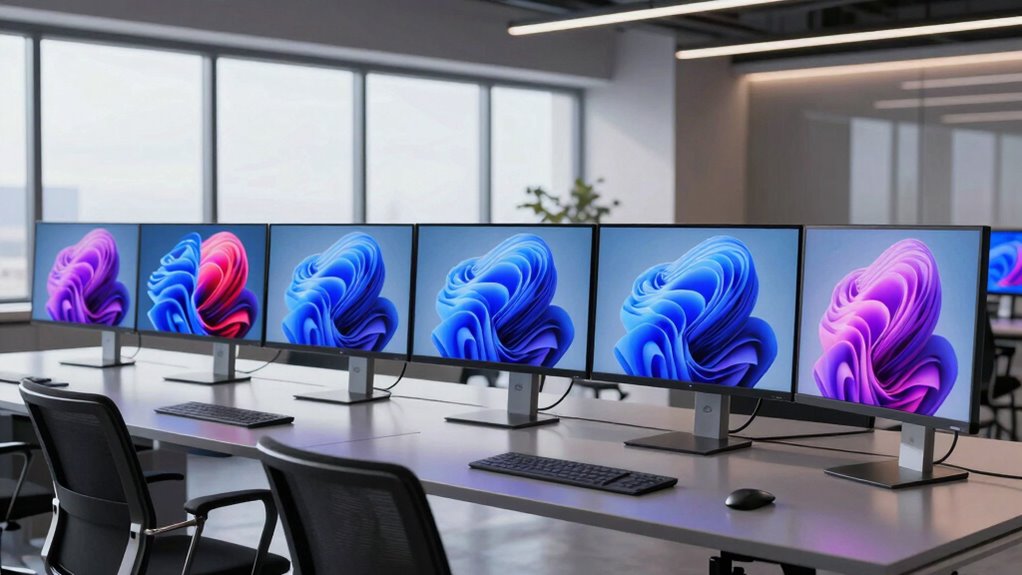

For most desk workers, the Dell S2725QS is my best overall pick: its 27-inch 4K IPS panel pairs work-friendly sharpness with a 120Hz refresh rate. The Dell UltraSharp U3226QER is the stronger fit for a premium, connected workstation, while the Samsung ViewFinity S7 offers a more straightforward 27-inch office option. The main tradeoffs are screen size and desk space, high refresh rates versus simpler setups, and whether built-in connectivity justifies a more specialized monitor. Read on for how all 10 options compare and which one best matches your work.

Get home appliances delivered free — and shop member deals
- Fast, free delivery on millions of items
- Access to Prime Big Deal Days deals on October 6–7
- Prime Video, Amazon Music and more included
Complete the kit


Key Takeaways
The Dell S2725QS leads for mixed work. Its 27-inch 4K IPS display and 120Hz refresh rate balance fine text and smooth movement without requiring a 32-inch desk footprint.
Two Dell models serve different workstation needs. The 27-inch S2725QS suits general desk work; the 32-inch UltraSharp U3226QER is aimed at people who need a larger workspace and integrated Thunderbolt hub connectivity.
A 32-inch screen can help with side-by-side tasks. The Sceptre and Dell S3225QS offer more visible workspace than the 27-inch picks, but need more desk depth and viewing distance.
Refresh rate separates the faster options. The Dell S2725QS, Dell S3225QS, and Acer Nitro VG270K list 120Hz, while several office-oriented alternatives run at 60Hz or 70Hz.
Several lower-profile listings leave details unclear. The generic 32-inch, Gawfolk, and CUNPU options list useful panel specifications, but sparse model details make them harder to compare on connectivity and support.
| LG 27US500-W UltraFine 27-Inch 4K UHD HDR10 IPS Monitor – White |  | Best for Color-Aware Office Work | Screen size: 27 inches | Resolution: 3840 × 2160 (4K UHD) | Panel: IPS | VIEW ON AMAZON | See Our Full Breakdown |
| Samsung 27-Inch ViewFinity S7 4K UHD Monitor |  | Best for Matte-Screen Office Work | Screen size: 27 inches | Resolution: 3840 × 2160 (4K UHD) | Panel: IPS | VIEW ON AMAZON | See Our Full Breakdown |
| Sceptre 32-Inch 4K UHD 70Hz IPS Monitor with Built-In Speakers |  | Best for a Spacious Workstation | Screen size: 32 inches | Resolution: 3840 × 2160 (4K UHD) | Refresh rate: Up to 70 Hz | VIEW ON AMAZON | See Our Full Breakdown |
| 32 Inch 4K UHD IPS Monitor (3840×2160), 60Hz, 120% sRGB, AMD FreeSync – Black |  | Best for Wide-Gamut Work on a Budget | Screen size: 32 inches | Resolution: 3840 × 2160 (4K UHD) | Panel: IPS | VIEW ON AMAZON | See Our Full Breakdown |
| Gawfolk 27 Inch 4K IPS Monitor 60Hz, UHD 3840 x 2160p |  | Best for Multiple Desk Connections | Screen size: 27 inches | Resolution: 3840 × 2160 (4K UHD) | Panel: IPS (LED) | VIEW ON AMAZON | See Our Full Breakdown |
| CUNPU 27″ 4K 70Hz IPS Ultra-Slim Bezel Photo/Video Editing Monitor |  | Best for Color-Sensitive Work | Screen size: 27 inches | Resolution: 3840 x 2160 (4K UHD) | Panel: IPS | VIEW ON AMAZON | See Our Full Breakdown |
| Dell 27-Inch S2725QS 4K UHD IPS Monitor, 120Hz, FreeSync Premium |  | Best 27-Inch Everyday Work Pick | Model: S2725QS | Screen size: 27 inches | Resolution: 4K UHD | VIEW ON AMAZON | See Our Full Breakdown |
| Dell S3225QS 32″ 4K UHD Monitor, 120Hz, AMD FreeSync Premium |  | Best for a Spacious Desktop | Screen size: 32 inches | Resolution: 3840 x 2160 (4K UHD) | Panel: VA | VIEW ON AMAZON | See Our Full Breakdown |
| Acer Nitro VG270K 27-Inch 4K UHD IPS Gaming Monitor |  | Best for a Mixed Work and Gaming Desk | Screen size: 27 inches | Resolution: 3840 x 2160 | Panel: IPS | VIEW ON AMAZON | See Our Full Breakdown |
| Dell UltraSharp 32 Thunderbolt Hub Monitor U3226QER |  | Best Premium Workstation Hub | Screen size: 31.5 inches | Resolution: 4K UHD | Panel: Enhanced IPS Black LCD | VIEW ON AMAZON | See Our Full Breakdown |
| 4k monitors for work | Screen size | Resolution | Panel | Refresh rate |
|---|---|---|---|---|
| LG 27US500-W UltraFine 27-Inch | 27 inches | 3840 × 2160 (4K UHD) | IPS | — |
| Samsung 27-Inch ViewFinity S7 | 27 inches | 3840 × 2160 (4K UHD) | IPS | 60 Hz |
| Sceptre 32-Inch 4K UHD 70Hz IP | 32 inches | 3840 × 2160 (4K UHD) | IPS LCD | Up to 70 Hz |
| 32 Inch 4K UHD IPS Monitor | 32 inches | 3840 × 2160 (4K UHD) | IPS | 60 Hz |
| Gawfolk 27 Inch 4K IPS Monitor | 27 inches | 3840 × 2160 (4K UHD) | IPS (LED) | 60 Hz |
| CUNPU 27" 4K 70Hz IPS Ultra-Sl | 27 inches | 3840 x 2160 (4K UHD) | IPS | 70 Hz |
| Dell 27-Inch S2725QS 4K UHD IP | 27 inches | 4K UHD | IPS | Up to 120 Hz |
| Dell S3225QS 32" 4K UHD Monito | 32 inches | 3840 x 2160 (4K UHD) | VA | 120 Hz |
| Acer Nitro VG270K 27-Inch 4K U | 27 inches | 3840 x 2160 | IPS | Up to 72 Hz at 4K; 144 Hz at 1080p with DFR |
| Dell UltraSharp 32 Thunderbolt | 31.5 inches | 4K UHD | Enhanced IPS Black LCD | 120 Hz |
More Details on Our Top Picks
LG 27US500-W UltraFine 27-Inch 4K UHD HDR10 IPS Monitor – White
The LG 27US500-W suits desk work that includes reviewing images, layouts, or other color-sensitive material. Its 27-inch 4K IPS panel keeps text and fine details crisp while offering wide viewing angles, and up to 90% DCI-P3 coverage gives it a broader color range than a basic office display. Compared with the Samsung 27-Inch ViewFinity S7, the LG’s listed color gamut is a clearer draw for creative tasks, while Samsung lists a higher contrast ratio. HDR10 support adds compatible content support, but the 1000:1 contrast and modest stand limit its appeal for dark-room work or users who need easy height adjustment. I’d choose it for a color-aware home office, but pair it with an adjustable arm if screen positioning matters.
Pros:- 4K resolution makes dense documents and detailed images easier to inspect
- Up to 90% DCI-P3 color coverage suits color-aware creative tasks
- IPS panel provides wide viewing angles
- Reader Mode and Flicker Safe offer eye-comfort options for long work sessions
Cons:- Stand offers tilt adjustment only, limiting ergonomic positioning
- 1000:1 contrast is modest compared with the Samsung ViewFinity S7’s listed 3000:1
Best for: Home-office users who edit photos or review design work and want a compact 4K IPS display with broad color coverage
Not ideal for: People who need a height-adjustable stand or strong contrast for frequent work in dim rooms
- Screen size:27 inches
- Resolution:3840 × 2160 (4K UHD)
- Panel:IPS
- HDR:HDR10
- Color gamut:Up to 90% DCI-P3
- Contrast ratio:1000:1
- Connectivity:HDMI, DisplayPort
Our verdict“Choose the LG for a compact, color-aware work display if you can accommodate its tilt-only stand.”
Samsung 27-Inch ViewFinity S7 4K UHD Monitor
The Samsung ViewFinity S7 is a straightforward fit for document-heavy desks where reflections and viewing angles matter. Its matte 27-inch IPS screen helps keep overhead lights less distracting, while 4K resolution gives spreadsheets and small text a sharp presentation. Samsung lists a 3000:1 contrast ratio, higher than the LG 27US500-W’s 1000:1, though the two figures may reflect different measurement conventions. The 60 Hz refresh rate is standard for office work, but it offers little for smoother motion, and the listed single HDMI port may constrain a desk with several connected devices. The S7 makes sense for focused office use; compared with the larger Sceptre 32-inch, it takes less desk space but gives less room for side-by-side windows.
Pros:- Matte finish helps limit distracting reflections
- 4K resolution provides sharp text and detailed workspaces
- IPS viewing angles are listed at 178 degrees
- Eye Saver Mode reduces blue light and screen flicker
Cons:- 60 Hz refresh rate is suited to routine office work rather than fast motion
- Only one HDMI port is listed
Best for: Office workers with a 27-inch desk setup who read documents for long stretches under bright or variable lighting
Not ideal for: Users who need multiple HDMI connections, a larger canvas for split-screen work, or high-refresh motion
- Screen size:27 inches
- Resolution:3840 × 2160 (4K UHD)
- Panel:IPS
- Screen finish:Matte
- Refresh rate:60 Hz
- Brightness:300 cd/m²
- Connectivity:1 HDMI, DisplayPort
Our verdict“Pick the ViewFinity S7 for a reflection-conscious 27-inch office setup with sharp 4K detail.”
Sceptre 32-Inch 4K UHD 70Hz IPS Monitor with Built-In Speakers
For buyers who want room to keep several work windows visible, the Sceptre 32-inch offers a larger canvas than the 27-inch LG and Samsung models. Its 4K resolution spreads that extra space across a detailed image, and two HDMI plus two DisplayPort inputs make it easier to leave multiple computers connected. Built-in speakers can cover calls or basic audio without adding desk equipment. The listed refresh rate reaches 70 Hz, a small step above the 60 Hz office monitors here, though it is not a major reason to choose it for productivity. The tradeoff is physical size and a listed brightness value without a unit, which makes that figure hard to compare. I’d favor it for a roomy desk, but skip it if you need a compact screen or clearly specified brightness.
Pros:- 32-inch 4K screen gives more room for side-by-side work
- Two HDMI and two DisplayPort inputs support multiple connected devices
- Built-in speakers handle basic audio without separate speakers
- VESA 100 × 100 mm mounting support allows arm or wall mounting
Cons:- The listed brightness value has no unit, making it difficult to compare
- 70 Hz refresh rate remains limited for users seeking high-refresh motion
- Larger footprint takes more desk space than the 27-inch options
Best for: Multitaskers with enough desk space who keep several document or browser windows open and want basic built-in audio
Not ideal for: Small-desk users or buyers who need clearly stated brightness specifications before choosing a display
- Screen size:32 inches
- Resolution:3840 × 2160 (4K UHD)
- Refresh rate:Up to 70 Hz
- Panel:IPS LCD
- Color gamut:100% sRGB
- Ports:2 × DisplayPort, 2 × HDMI
- Speakers:Built-in
Our verdict“Choose the Sceptre if you want a roomy 32-inch 4K workspace with multiple inputs and basic built-in audio.”
32 Inch 4K UHD IPS Monitor (3840×2160), 60Hz, 120% sRGB, AMD FreeSync – Black
This 32-inch monitor is the lineup’s pick for buyers who want a large 4K screen and a broad listed color gamut without moving to a more specialized display. Its 120% sRGB coverage is aimed at vivid color, while the IPS panel’s 178-degree viewing angle helps when sharing the screen. Compared with the Sceptre 32-inch, this model lists a contrast ratio and brightness with units, but it gives up Sceptre’s built-in speakers and 70 Hz ceiling for a 60 Hz refresh rate. AMD FreeSync may smooth compatible motion, though office users will get more practical value from the dual HDMI and DisplayPort connections. At 250 cd/m² and with no speakers, it is better suited to a controlled desk setup than a bright room or audio-first workspace.
Pros:- 32-inch 4K panel provides a large workspace for documents and creative applications
- Listed 120% sRGB gamut supports vivid color presentation
- Two HDMI ports plus DisplayPort accommodate multiple devices
- VESA mounting and tilt adjustment offer setup flexibility
Cons:- 250 cd/m² brightness may be limiting in bright workspaces
- No built-in speakers
- 60 Hz refresh rate is basic for motion-heavy use
Best for: Design and media workers who want a large 4K canvas with wide listed sRGB coverage and plan to use headphones or separate speakers
Not ideal for: Users in bright rooms who need stronger stated brightness, built-in audio, or a higher refresh rate
- Screen size:32 inches
- Resolution:3840 × 2160 (4K UHD)
- Panel:IPS
- Refresh rate:60 Hz
- Color gamut:120% sRGB
- Brightness:250 cd/m²
- Ports:2 HDMI, DisplayPort, 3.5 mm audio jack, USB 2.0
Our verdict“Choose this model for a large, vivid 4K work surface if your room is controlled and you already have audio covered.”
Gawfolk 27 Inch 4K IPS Monitor 60Hz, UHD 3840 x 2160p
The Gawfolk 27-inch is a practical choice for a compact desk where several devices need to stay plugged in. Its two HDMI 2.0 and two DisplayPort 1.4 inputs give it more connection flexibility than the Samsung ViewFinity S7, which lists one HDMI port. The matte 4K IPS screen and 178-degree viewing angle suit everyday office work, while Flicker-Free and Low Blue Light features offer additional comfort options. AMD FreeSync is available for compatible motion, but the 60 Hz refresh rate keeps this firmly in standard productivity territory. Its 292 cd/m² brightness is close to Samsung’s listed 300 cd/m², and neither figure suggests a standout bright-room advantage. I’d choose Gawfolk for port variety; buyers focused on color work may prefer the LG’s stated DCI-P3 coverage.
Pros:- Four video inputs provide flexibility for multiple devices
- 4K IPS display offers sharp detail and wide viewing angles
- Matte finish helps manage reflections
- Flicker-Free and Low Blue Light features support extended work sessions
Cons:- 60 Hz refresh rate is limited for users who want smoother motion
- No specific color-gamut figure is provided in the supplied specifications
- Matte finish may not suit buyers who prefer a glossy screen
Best for: Home-office or school users who switch among several computers or other HDMI and DisplayPort devices on a compact desk
Not ideal for: Creative professionals who need a specifically stated wide color gamut or users seeking higher refresh rates
- Screen size:27 inches
- Resolution:3840 × 2160 (4K UHD)
- Panel:IPS (LED)
- Refresh rate:60 Hz
- Brightness:292 cd/m²
- Screen finish:Matte
- Connectivity:2 × HDMI 2.0, 2 × DisplayPort 1.4, 3.5 mm audio out
Our verdict“Choose Gawfolk for a compact 4K office monitor with unusually flexible device connections.”
CUNPU 27″ 4K 70Hz IPS Ultra-Slim Bezel Photo/Video Editing Monitor
The CUNPU stands out for wide DCI-P3 coverage and stated Delta E < 2 accuracy, which make it a more color-focused work pick than the Dell S2725QS and its 99% sRGB coverage. Its 27-inch 4K screen gives documents and detailed images a crisp workspace, while Picture-by-Picture and Picture-in-Picture let you keep two connected sources visible for research or review. The 70Hz refresh rate is a modest step above standard office use, but it does not match the Dell models’ 120Hz smoothness. Connectivity is also lean: there is just one HDMI port alongside DisplayPort. I’d choose it for photo and video tasks where color coverage matters more than high refresh rates or a broad port selection.
Pros:- 100% DCI-P3 coverage and stated Delta E < 2 accuracy suit color-conscious image work
- Picture-by-Picture and Picture-in-Picture support two-source workflows
- 27-inch 4K IPS display provides a sharp image with wide viewing angles
- Three-sided slim bezel fits neatly into multi-monitor setups
Cons:- 70Hz refresh rate is below the 120Hz offered by the Dell S2725QS and S3225QS
- One HDMI port limits convenient connections to multiple devices
- 300-nit brightness is modest for bright rooms and HDR content
Best for: Photo editors and content creators who want a compact 4K workspace with wide-gamut color and two-source viewing modes.
Not ideal for: People who switch among several HDMI devices or want especially smooth motion for fast gaming; it has one HDMI port and a 70Hz refresh rate.
- Screen size:27 inches
- Resolution:3840 x 2160 (4K UHD)
- Panel:IPS
- Refresh rate:70 Hz
- Color gamut:100% DCI-P3
- Color accuracy:Delta E < 2
- Brightness:300 nits
- Ports:1 x DisplayPort 1.4, 1 x HDMI 2.0, headphone jack
Our verdict“Choose the CUNPU for color-focused creative work and two-source viewing if its single HDMI port and 70Hz ceiling fit your desk.”
Dell 27-Inch S2725QS 4K UHD IPS Monitor, 120Hz, FreeSync Premium
The Dell S2725QS is the straightforward choice for a sharp, compact desktop workspace that also feels fluid when scrolling or moving between windows. Its 120Hz refresh rate gives it a clear motion advantage over the CUNPU 27-inch monitor, while ComfortView Plus is aimed at reducing blue-light emissions without sacrificing color accuracy. The 99% sRGB coverage is a good fit for office documents and general creative work, though the CUNPU’s stated 100% DCI-P3 coverage makes that model the more specialized option for wide-gamut editing. Dell lists HDR readiness, but the supplied details do not establish strong HDR performance. Connectivity information is also absent, so I’d favor it for a simple desk setup where refresh rate and eye-comfort features matter more than confirmed port flexibility.
Pros:- 120Hz refresh rate supports smoother scrolling and window movement than the CUNPU
- 99% sRGB coverage suits everyday office and general creative work
- ComfortView Plus reduces blue-light emissions while preserving color accuracy
- Ultra-thin bezels and re-engineered audio suit a tidy, self-contained desk
Cons:- HDR is described only as readiness, with no brightness detail supplied
- Connectivity details are not provided, making port planning difficult
- 99% sRGB is less expansive than the CUNPU’s stated DCI-P3 coverage
Best for: Office workers and hybrid users who want a 27-inch 4K screen with smooth 120Hz motion and a low-blue-light feature.
Not ideal for: Buyers who need confirmed connection options or broad-gamut color for demanding photo and video grading.
- Model:S2725QS
- Screen size:27 inches
- Resolution:4K UHD
- Panel:IPS
- Refresh rate:Up to 120 Hz
- Color coverage:99% sRGB
- Adaptive sync:AMD FreeSync Premium
- Contrast ratio:1500:1
Our verdict“Pick the S2725QS for a 27-inch 4K office display with smooth 120Hz motion and eye-comfort features, provided its unspecified ports meet your needs.”
Dell S3225QS 32″ 4K UHD Monitor, 120Hz, AMD FreeSync Premium
For buyers who want room to spread out documents, timelines, or side-by-side windows, the Dell S3225QS adds a 32-inch 4K canvas and stronger stated contrast than the 27-inch Dell S2725QS. Its VA panel and 1500:1 contrast ratio can give dark interface elements and video more depth, while 99% sRGB and 95% DCI-P3 cover a broad range of everyday and creative work. The tradeoff is that this larger VA display is not the same kind of color-work choice as the CUNPU, which lists Delta E < 2 accuracy. At 300 nits, HDR readiness also comes with limited brightness headroom. I’d pick the S3225QS for workspace and all-around media, not for a compact desk or calibrated color-critical production.
Pros:- 32-inch 4K panel gives documents and side-by-side windows more room than the 27-inch Dell
- 120Hz refresh rate and FreeSync Premium support smooth motion
- 99% sRGB and 95% DCI-P3 cover a broad range of work and media
- ComfortView Plus, built-in speakers, and DisplayPort and HDMI support a practical desk setup
Cons:- VA panel may show slower dark-pixel response than IPS alternatives
- 300-nit brightness limits the impact of HDR-ready content
- Its 32-inch size needs more desk depth than the 27-inch options
Best for: Multitaskers, analysts, and hybrid workers who want a large 4K screen for parallel documents, spreadsheets, and video calls.
Not ideal for: Color-critical editors who need stated factory accuracy, or buyers with a shallow desk and limited screen space.
- Screen size:32 inches
- Resolution:3840 x 2160 (4K UHD)
- Panel:VA
- Refresh rate:120 Hz
- Color gamut:99% sRGB, 95% DCI-P3
- Brightness:300 nits
- Connectivity:DisplayPort, HDMI
- Weight:19.3 pounds
Our verdict“Choose the S3225QS if desk space for multitasking matters more than a compact footprint or the CUNPU’s stated color accuracy.”
Acer Nitro VG270K 27-Inch 4K UHD IPS Gaming Monitor
The Acer Nitro VG270K earns a place for buyers who share a monitor between office tasks and gaming, with 4K at up to 72Hz for work and a separate DFR mode that reaches 144Hz at 1080p. That split makes it a different proposition from the Dell S2725QS, which reaches 120Hz without switching away from 4K. The Acer’s IPS panel, 95% DCI-P3 coverage, FreeSync, and two HDMI ports give it useful flexibility for a PC and another device. Its 0.5ms GTG response claim and HDR10 support are gaming-facing features, but they don’t change the main productivity tradeoff: refresh rate drops to 72Hz at native resolution. I’d pick it when gaming flexibility matters alongside crisp work text, not when high-refresh 4K is the priority.
Pros:- 4K IPS resolution keeps text and detailed work sharp
- DFR offers a 144Hz mode at 1080p for gaming
- 95% DCI-P3 coverage and HDR10 support add media-oriented features
- Two HDMI ports and DisplayPort support multiple connected devices
Cons:- Refresh rate is limited to 72Hz at native 4K resolution
- The 144Hz mode requires dropping to 1080p
- Product details do not specify brightness or contrast
Best for: Workers who also game and are comfortable choosing between native 4K resolution and higher refresh at 1080p.
Not ideal for: People who want consistently high refresh at 4K for work and play; the Dell S2725QS reaches 120Hz while retaining 4K resolution.
- Screen size:27 inches
- Resolution:3840 x 2160
- Panel:IPS
- Refresh rate:Up to 72 Hz at 4K; 144 Hz at 1080p with DFR
- Response time:Up to 0.5 ms GTG
- Color gamut:95% DCI-P3
- Ports:1 x DisplayPort 1.4, 2 x HDMI 2.0
- VESA mount:100 x 100 mm
Our verdict“Choose the Acer if your desk serves both work and gaming and you accept switching to 1080p to reach 144Hz.”
Dell UltraSharp 32 Thunderbolt Hub Monitor U3226QER
The UltraSharp U3226QER is the most workstation-focused option here: its Thunderbolt 4 hub sends video, data, and up to 140W of laptop power over one cable, while built-in KVM switching lets one keyboard and mouse serve two computers. That setup is a more complete desk solution than the Dell S3225QS, whose listed connections are DisplayPort and HDMI. The 31.5-inch Enhanced IPS Black panel also pairs 3000:1 contrast with 99% Display P3 coverage and factory-calibrated Delta E < 1.5 accuracy, making it better suited to demanding creative and professional work than the general-purpose Dell models. The tradeoff is that this is a more elaborate setup, and fine-tuning requires Dell Display and Peripheral Manager. I’d choose it when the hub and color credentials justify the added complexity.
Pros:- Thunderbolt 4 carries video, data, and up to 140W charging over one cable
- Built-in KVM switches between two computers using one keyboard and mouse
- Factory-calibrated Delta E < 1.5 accuracy and 99% Display P3 coverage suit color-sensitive work
- 3000:1 contrast and 600-nit brightness exceed the listed S3225QS figures
Cons:- Fine-tuning requires Dell Display and Peripheral Manager
- Its hub and KVM features may be unnecessary for a single-computer setup
- Product details do not specify the complete port list
Best for: Creators, developers, and office professionals who connect two computers and want laptop charging, switching, and color-focused work in one display.
Not ideal for: Buyers who need only a basic monitor or do not need Thunderbolt docking, KVM switching, or factory-calibrated wide-gamut color.
- Screen size:31.5 inches
- Resolution:4K UHD
- Panel:Enhanced IPS Black LCD
- Refresh rate:120 Hz
- Contrast ratio:3000:1
- Color gamut:99% Display P3
- Color accuracy:Delta E < 1.5, factory calibrated
- Connectivity and power:Thunderbolt 4 hub, Ethernet, up to 140W power delivery
Our verdict“Choose the U3226QER if you want one display to serve as a calibrated creative screen and a Thunderbolt workstation hub.”

How We Picked
I ranked these monitors around the demands of work: legible text, enough screen area for common workflows, comfortable everyday use, and features that make a desk setup easier to manage. I gave weight to 4K resolution and IPS panels for clear detail and broad viewing angles, then considered refresh rate, screen size, and stated connectivity where the listings provided that information. Since the supplied descriptions do not establish every model’s port selection, adjustability, or color accuracy, I avoid treating unlisted features as strengths.
The Dell S2725QS ranks first because its 27-inch size, 4K resolution, IPS panel, and 120Hz refresh rate make a balanced case for varied desk work. I placed the Dell UltraSharp U3226QER high for buyers who need a larger, hub-centered setup, though its 32-inch format is less suitable for every desk. The remaining order reflects clearer work-specific advantages—such as a larger panel or faster refresh rate—alongside how much the listing leaves uncertain; that is why the less-documented alternatives are more cautious picks.
| 4k monitors for work | Panel |
|---|---|
| LG 27US500-W UltraFine 27-Inch | IPS |
| Samsung 27-Inch ViewFinity S7 | IPS |
| Sceptre 32-Inch 4K UHD 70Hz IP | IPS LCD |
| 32 Inch 4K UHD IPS Monitor | IPS |
| Gawfolk 27 Inch 4K IPS Monitor | IPS (LED) |
| CUNPU 27" 4K 70Hz IPS Ultra-Sl | IPS |
| Dell 27-Inch S2725QS 4K UHD IP | IPS |
| Dell S3225QS 32" 4K UHD Monito | VA |
| Acer Nitro VG270K 27-Inch 4K U | IPS |
| Dell UltraSharp 32 Thunderbolt | Enhanced IPS Black LCD |
Factors to Consider When Choosing 4k Monitors For Work
Choosing a work monitor means matching the screen to your desk, your daily applications, and the way you connect your devices. These broader checks can help you avoid paying for a feature that does not solve your actual workspace problem.
Choose screen size around viewing distance
A 27-inch 4K monitor can keep text and interface details sharp while fitting many standard desks. A 32-inch screen gives windows more room, which can reduce the need to rearrange documents during side-by-side work. That extra area only helps if you can sit far enough back to scan the whole display comfortably. Measure your available desk depth and check where the stand will place the panel before choosing a larger model. If you often use a laptop beside the monitor, include that space in your layout. Do not assume the biggest screen is automatically the most productive one.
Set text scaling before judging 4K
4K resolution adds fine detail, but menus and text can appear too small at native scaling on a compact screen. Operating system scaling enlarges interface elements while retaining much of the extra sharpness, though the usable desktop area then depends on the apps you run. Check how your main software handles scaling, especially older business tools or remote desktop sessions. If you read dense documents all day, prioritize comfortable text size over maximizing the number of visible windows. A sharp display that makes you squint is a poor fit for long work sessions. Try your preferred scaling setting before deciding that you need a larger panel.
Treat refresh rate as a comfort and workflow choice
A higher refresh rate can make scrolling, cursor movement, and window dragging feel smoother. That can benefit everyday office work even if you never play games. It should not outrank resolution, viewing comfort, or connectivity if your tasks mostly involve static documents and spreadsheets. Check that your computer can output the monitor’s resolution at the refresh rate you want, since the cable, port, and graphics hardware all play a part. The 60Hz and 70Hz listings may suit conventional office tasks, while 120Hz models offer more fluid motion. Choose based on how you use your computer rather than the number alone.
Map ports to your actual desk setup
List every device you expect to connect: computer, laptop, webcam, storage, and any second display. Then compare that list with the monitor’s documented ports and hub features. A Thunderbolt hub can simplify a laptop desk by combining display and peripheral connections, but it is useful only when it matches your computer and accessories. Do not infer USB-C charging, Ethernet, or a particular number of video inputs from a product name or screen resolution. If the listing does not specify a port, check the manufacturer’s model page before buying. A basic connection plan can prevent a monitor from creating extra adapters and cable clutter.
Check stand ergonomics and mounting early
Resolution and panel size do not tell you whether a monitor will sit at a comfortable height. Look for confirmed stand adjustment details, including height, tilt, swivel, and pivot, based on how your desk is arranged. If the included stand offers limited positioning, confirm the monitor’s VESA mounting pattern and the arm’s load capacity. A 32-inch screen can be especially difficult to position well when the desk is shallow or shared. Also leave room for the stand base, which can take more space than the display itself. These checks matter more for daily comfort than a cosmetic bezel detail.
Pay for color claims only when your work needs them
Photo and video work can make color coverage and calibration more important than a high refresh rate. A stated gamut such as 120% sRGB describes coverage in a color space; it does not by itself confirm accurate, consistent color. Check for independent calibration information or professional color controls if client-facing output depends on matching color. For documents, coding, and general office tasks, a comfortable IPS panel may matter more than broad color claims. HDR labels also do not tell the whole story about brightness or local dimming. Match the display’s verified color capabilities to the consequences of getting color wrong in your work.
Frequently Asked Questions
Is a 27-inch 4K monitor a better work choice than a 32-inch one?
It depends on your desk and whether you value compact sharpness or room for more windows. A 27-inch screen is easier to fit into a typical workstation and keeps detail dense, while 32 inches can make side-by-side documents and large timelines easier to view. The Dell S2725QS represents the smaller, faster option in this lineup; the Dell S3225QS and Sceptre offer larger panels. Check your viewing distance and desk depth before choosing. If your desk is shallow, 32 inches may feel less comfortable despite the added workspace.
Should I choose a 120Hz monitor for spreadsheets and office work?
A 120Hz refresh rate can make scrolling and moving windows feel smoother, so it can be useful beyond gaming. It does not make spreadsheet calculations finish faster or guarantee better text clarity. The Dell S2725QS and S3225QS pair 4K with 120Hz, while several other listed options are 60Hz or 70Hz. Prioritize the higher rate if you notice motion judder or spend much of the day scrolling. If your work is mostly static, panel comfort, stand positioning, and ports may matter more.
Can I run a 4K monitor from my work laptop?
Many recent laptops can drive a 4K display, but the usable refresh rate and available ports depend on the laptop’s graphics hardware and outputs. Check the laptop specifications and confirm that its HDMI, DisplayPort, or USB-C connection supports the resolution and refresh rate you want. For USB-C, confirm both video output and charging support rather than assuming every USB-C port does both. The Dell UltraSharp U3226QER’s Thunderbolt hub design may suit a compatible laptop-centered desk, but compatibility still needs checking. You may need a suitable cable or dock to connect reliably.
Do I need a monitor with a USB-C or Thunderbolt hub for work?
A hub is most useful when you regularly connect a laptop and want one place for display and peripherals. It can simplify a desk, but only if the monitor provides the specific connections and power delivery your setup requires. In this roundup, the Dell UltraSharp U3226QER is the clearest hub-focused option by name. For a desktop computer with peripherals already connected directly, a hub may add little value. Verify the port list and charging wattage on the exact model before making that feature a deciding factor.
Are lesser-known 4K monitor listings a safe choice for a work setup?
They may fit a simple setup, but the product description alone can leave important questions open. For the generic 32-inch, Gawfolk, and CUNPU listings here, confirm exact ports, stand adjustments, warranty terms, and support details before buying. Those details affect whether a display fits a docking setup or can be positioned comfortably for daily use. A more established model can be easier to compare when documentation and service access matter to your workplace. If you choose a less-documented option, base the decision on verified specifications rather than the headline resolution or color claim.
Conclusion
For most people choosing a 4K work monitor, I recommend the Dell S2725QS as the best overall thanks to its 27-inch IPS format and 120Hz refresh rate. The LG 27US500-W is my best value-style pick for a straightforward 27-inch 4K IPS setup, while the Dell UltraSharp U3226QER is the best premium choice for buyers who need a larger screen and Thunderbolt hub features. For beginners, the Samsung ViewFinity S7 is a sensible starting point if a conventional office monitor is the priority. Choose the Dell S3225QS or Sceptre 32-inch when you want more screen area; favor the Acer Nitro VG270K if work and gaming both matter. Check model-specific ports, ergonomics, and color documentation before settling on any option.
Halloween Picks
halloween
As an affiliate, we earn on qualifying purchases.