
TL;DR

Get home appliances delivered free with Prime
- Fast, free delivery on millions of items
- Prime Video, Amazon Music and more included
- Member-only deals all year
Smart home security cameras blend video, AI, and automation to boost home protection. Choosing the right system depends on video quality, privacy, reliability, and smart features, not just resolution. Local storage and cybersecurity are key for privacy and resilience.
Imagine your home’s security system as a vigilant eye—never blinking, always watching. But not all cameras are created equal. Some capture crisp details even at night, while others miss the face of a package thief hiding in shadows.
In this guide, you’ll learn what makes a smart home security camera truly effective—beyond just megapixels. We’ll explore how to pick the right features, avoid common pitfalls, and use your cameras to actually protect your home, not just record it.
Prioritize detection accuracy and low false alarms over resolution alone.
Choose between cloud and local storage based on privacy and resilience needs.
Proper placement and lighting dramatically improve footage clarity and usefulness.
Secure your cameras with strong passwords, updates, and encryption to prevent hacking.
Stay aware of privacy laws and always notify household members and guests about recordings.
What Makes a Security Camera Actually Work When It Matters?
Smart home security cameras are more than just gadgets—they’re your eyes on the home, especially during emergencies. The key is understanding what features really deliver. For example, a 4K resolution camera sounds impressive, but if it struggles in low light or has poor lens quality, details like license plates or faces might remain a blur.
Look for cameras with high dynamic range (HDR). HDR balances bright and dark areas—imagine catching a face at your front door despite the glaring sunset behind it. Lens quality, bitrate, and image processing matter more than resolution alone.
When choosing a camera, ask yourself: Can it identify a person in shadow? Will it pick up a license plate at night? These practical questions guide you toward a model that actually helps you identify threats.
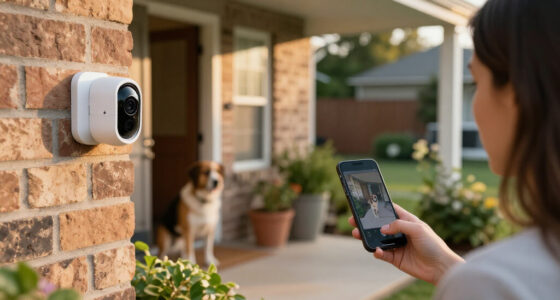
4K outdoor security camera with night vision
As an affiliate, we earn on qualifying purchases.
As an affiliate, we earn on qualifying purchases.
How Night Vision and Lighting Impact Your Camera’s Effectiveness
Night performance can make or break your security setup. Infrared night vision is common—producing monochrome footage that’s discreet but sometimes fuzzy. For example, you might see a shadowy figure, but facial details are lost.
Color night vision, on the other hand, uses ambient light or spotlights to give you more detail—like seeing the color of a jacket or a license plate. But it often needs some light or an obvious spotlight, which could alert intruders that they’re being watched.
Think about your yard’s lighting: a porch with a motion-activated floodlight can turn a black-and-white clip into a colorful ID shot. Decide whether you want discreet infrared or active lighting based on your privacy preferences and threat level.
Understanding these differences is crucial because the choice impacts how well you can identify threats at night. Infrared is stealthy but can be less reliable in fog or rain, whereas color night vision offers richer details but may require additional lighting that could compromise discretion. Your environment and threat perception influence which option best balances security needs and privacy concerns.
home security camera with local storage
As an affiliate, we earn on qualifying purchases.
As an affiliate, we earn on qualifying purchases.
Why Detection Accuracy Can Save Your Peace of Mind
Modern cameras aren’t just recording devices—they’re smart enough to tell a person from a squirrel. Better detection accuracy means fewer false alarms—no more waking up to alerts about passing cars or waving trees.
Features like activity zones let you focus on critical areas, like your front door or driveway, ignoring the rest. Face recognition can alert you if your kid’s friend arrives, but beware: it’s not perfect and can misidentify.
Choosing a camera with robust AI detection isn’t just about convenience; it’s about reliability. Accurate detection reduces false alarms, which saves you time and prevents alert fatigue—when you start ignoring notifications because they’re often wrong. This tradeoff means investing in AI that learns and adapts to your environment, helping you distinguish between harmless motion and genuine threats, ultimately giving you peace of mind and a more efficient security setup.
smart home security camera with HDR
As an affiliate, we earn on qualifying purchases.
As an affiliate, we earn on qualifying purchases.
Should You Pay for Cloud Storage or Go Local? The Pros and Cons
Cloud storage offers easy remote access and backup—your footage is safe even if the camera is stolen. However, it usually costs money every month, and your data is stored on third-party servers.
Local storage—via microSD cards, network-attached storage (NAS), or home hubs—gives you more control and privacy. Imagine a camera recording directly onto a microSD card hidden inside the device, immune to hacking or internet outages.
For example, a homeowner might prefer local storage to keep sensitive footage private, especially if they’re concerned about data sharing or legal issues. But local storage can be vulnerable if someone steals the device or the storage media. It’s important to weigh the security advantages against the risk of physical theft or damage, and consider redundancy options like backups or dual storage methods. This decision impacts your privacy, cost, and resilience—so evaluate what matters most to your security priorities.
Many systems now support both, offering a backup if one fails. When choosing, think about your privacy comfort, budget, and resilience needs.
wireless security camera with motion detection
As an affiliate, we earn on qualifying purchases.
As an affiliate, we earn on qualifying purchases.
How to Keep Your Camera System Safe from Hackers
- Use strong, unique passwords—think of it as locking every door with a different key.
- Enable two-factor authentication—adding a second layer of security that’s like a security guard checking your ID.
- Keep firmware and apps updated—these patches fix vulnerabilities, just like reinforcing a lock after a break-in.
- Turn on end-to-end encryption—making sure your footage is unreadable to outsiders.
- Place cameras in visible, well-lit spots to deter hackers and intruders from tampering.
For example, a homeowner who changed default passwords and kept the firmware current drastically reduced their risk of hacking. Remember, your network security is just as important as the camera’s features. Cybersecurity isn’t just about the device—your entire network must be secure. Use strong Wi-Fi passwords, enable network encryption, and consider segmenting your home network to isolate security devices from your main devices. These measures significantly decrease the risk of intrusion, ensuring that your security system remains a trustworthy guardian rather than a vulnerability.
Always verify whether your camera provider supports these protections before buying.
Picking the Perfect Spot: Placement Tips That Make a Difference
Placement is everything. A camera pointed at a busy street might capture endless motion but miss the crucial detail—like the face of a package thief hiding behind a bush.
Position outdoor cameras about 9–10 feet high—high enough to avoid tampering but low enough for clear facial shots. Place indoor cameras where they can see entrances, living rooms, or valuables without invading privacy.
For example, a doorbell camera angled slightly downward captures visitors’ faces and packages, while an outdoor camera aimed at the driveway covers cars and yard activity. Avoid pointing cameras directly into the sun or bright lights, which causes glare and washed-out footage.
Obstructions like trees or hanging plants can block views—think of each camera as a pair of eyes that need a clear line of sight. Proper placement ensures maximum coverage and clarity, but also considers environmental factors such as weather, lighting, and potential tampering zones. Balancing these elements can be the difference between a useless blurry shot and a clear, actionable image that helps identify intruders or incidents.
How Well Do These Cameras Play Nice With Your Smart Home?
Compatibility matters. A smart home security camera that integrates seamlessly with your existing system makes automation smoother. For instance, a camera that triggers porch lights when it detects motion can double as a deterrent.
Popular platforms like Alexa, Google Home, and Apple HomeKit support many cameras, but features don’t always translate perfectly across ecosystems. Confirm that live viewing, notifications, and automation triggers work with your setup.
For example, a homeowner with Alexa-enabled devices can set their outdoor camera to turn on porch lights when motion is detected, creating a more intimidating environment for intruders. Always check compatibility before buying, especially if you plan to expand your smart home later.
Choosing a camera that plays well with your existing devices ensures your security system works as a cohesive whole. Incompatibility can lead to frustration, missed alerts, or the need for costly replacements. Compatibility isn’t just about features; it’s about creating a reliable, integrated security environment that responds intuitively to your needs and adapts as your smart home grows.
Legal, Ethical, and Privacy Rules You Can’t Ignore
Privacy laws vary by location, but common sense applies everywhere. Avoid filming neighbors’ private yards or shared spaces where people expect privacy. Recording audio often comes with stricter rules—many places require consent from everyone involved.
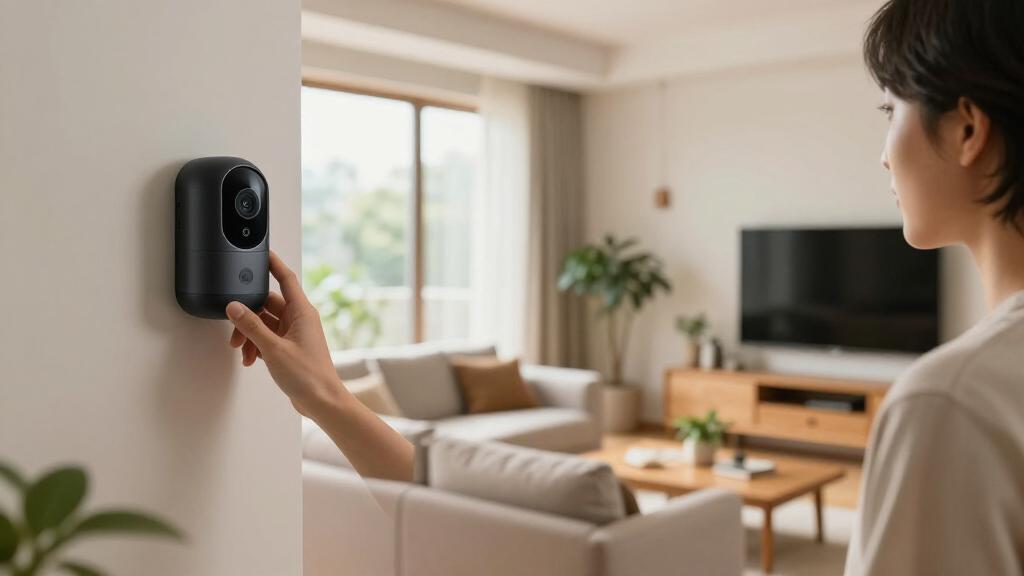
Imagine installing a camera in your living room. You should notify household members about recording, especially if you plan to share footage with authorities or third parties.
For example, a rental homeowner installed indoor cameras but made sure to notify guests with visible signs—respecting privacy while keeping security tight. Remember: cameras are powerful tools, but misuse can lead to legal trouble or erode trust. Being informed about local laws and respecting privacy boundaries helps maintain a balance between security and ethics, ensuring your surveillance efforts are lawful and socially responsible.
Latest Trends Making Security Cameras Smarter and More Reliable
Industry innovation is accelerating. On-device AI processes identify people, vehicles, and packages locally—delivering faster alerts and reducing reliance on cloud servers. This shift not only improves response times but also enhances privacy, since less data needs to be transmitted or stored externally. For example, a camera with local AI can warn you instantly about a delivery without lag, and your footage stays within your network, reducing exposure.
Natural-language search features allow you to type in commands like “Show me when the front door opened today,” making reviewing footage easier. Some systems now offer panoramic lenses, dual lenses, or radar sensors for wider, more precise coverage, expanding your situational awareness without adding multiple cameras.
Solar-powered options and low-maintenance designs are growing—perfect for remote or shaded locations. Meanwhile, privacy-focused local systems with encryption and no mandatory cloud are gaining traction among security-conscious users. These advancements mean your security system becomes more reliable, smarter, and easier to manage—keeping your home safer with less hassle.
Frequently Asked Questions
What resolution do I actually need: 1080p, 2K, or 4K?
While higher resolution like 4K offers more detail, a well-positioned 2K camera with good lighting often delivers clearer identification than a lower-quality 4K. Resolution alone isn’t everything—lens quality, lighting, and compression matter more.Are wired cameras better than battery-powered cameras?
Wired cameras typically offer more consistent power and longer recording times, making them reliable for constant surveillance. Battery cameras are easier to install, especially in hard-to-wire spots, but may need regular recharging or battery replacement.Can a camera work without Wi-Fi or internet access?
Yes, some cameras support local storage options like microSD cards, allowing recordings without internet. However, remote access, alerts, and AI features often require a network connection—so plan your setup accordingly.Do I need a subscription?
Not always. Many cameras offer local storage without ongoing costs. Cloud plans add convenience and extra features, but evaluate whether those benefits justify the recurring expense based on your privacy and budget priorities.Where should outdoor cameras be positioned?
Mount outdoor cameras about 9–10 feet high, angled to cover entry points, driveways, or yard activity. Avoid direct sunlight or obstructions. Proper placement ensures clear identification and effective coverage of critical areas.Conclusion
Your security camera isn’t just a gadget—it’s a guardian. But it only works if you pick the right models, place them smartly, and keep them secure. Think of your system as a vigilant partner, always ready to record, alert, and protect.
Invest wisely, set up thoughtfully, and stay informed about advances and laws. A well-chosen camera system can give you peace of mind—knowing your home is watched over, even when you’re away. Are you ready to upgrade your home’s watchful eye?
Columbus Day / Indigenous Peoples' Day Picks
long weekend sales
As an affiliate, we earn on qualifying purchases.