
TL;DR

Get home appliances delivered free with Prime
- Fast, free delivery on millions of items
- Prime Video, Amazon Music and more included
- Member-only deals all year
An XDA Developers contributor reports replacing a Ring-based alarm setup with a system managed through Home Assistant, using sensors from multiple brands, Alarmo and custom automations. The account describes greater flexibility and avoiding a single vendor’s subscription model, while cautioning that a self-managed setup may not suit households that need professional monitoring.
An XDA Developers contributor has described replacing a Ring-based home alarm with a DIY system managed through Home Assistant, combining sensors from different brands with Alarmo and custom automations. The account highlights more control over alerts and devices, but also says a self-managed setup may be a poor fit for households that need professional monitoring.
The contributor said the household began with a Ring doorbell in 2020 and later bought a Ring starter kit. The system worked, the writer reported, but subscription costs increased, and the setup did not include full integration with local authorities. The account does not provide the subscription’s price or describe a specific change to local emergency response.
The replacement runs on Home Assistant, self-hosted smart-home software that can connect products from different manufacturers. The writer said the setup now combines Sonoff Zigbee door and motion sensors, a compact control display and Reolink cameras, alongside location information and other connected devices. The Sonoff devices communicate over Zigbee through a broadcaster, rather than relying on Wi-Fi for each sensor, according to the account.
The system has two main software components: Alarmo, an integration for managing alarm functions, and automations configured in Home Assistant. The contributor described rules that can vary by whether household members are home or away, send notifications to selected devices, play sounds through chosen speakers, flash bulbs and prompt cameras to record when specified conditions are met. These are the writer’s reported capabilities and configuration, not a guarantee that every device or integration will support the same functions.
Home security · DIY system guide
How to Build a Home Assistant Alarm System That Works Better for You
An XDA Developers contributor describes replacing a Ring setup with a flexible, self-managed alarm built around Home Assistant, Alarmo, mixed-brand sensors and custom automations. The trade-off is clear: more control means more setup and responsibility.
Build around the home you already run
The contributor was already using Home Assistant for other parts of the household. The alarm brought sensors and responses into that existing environment.
Door and motion
The account describes Sonoff Zigbee door and motion sensors communicating through a Zigbee broadcaster, rather than each sensor relying on Wi-Fi.
Alarmo + automations
Alarmo manages alarm functions. Home Assistant automations connect sensor states to household-specific modes and actions.
Devices and cameras
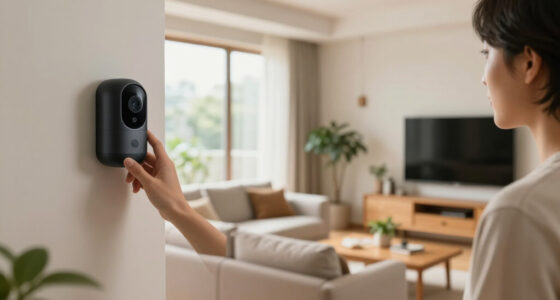
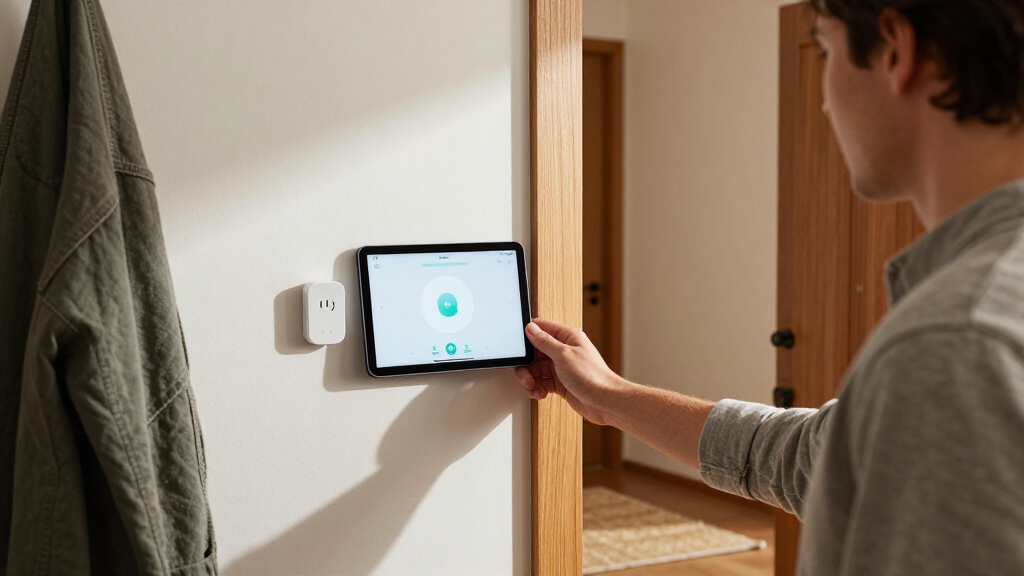
Reported equipment includes a compact control display and Reolink cameras, with phones, computers, tablets or a wall-mounted display for access.
From sensor event to chosen response
These are capabilities described in the contributor’s configuration, not a guarantee that every device or integration supports the same actions.
A door or motion sensor reports activity.
Rules can vary with household presence and selected alarm mode.
Send alerts, play sounds through chosen speakers or flash bulbs.
Start recording when the configured conditions are met.
More control, more responsibility
What flexibility can bring
For households already using Home Assistant, a DIY alarm can put security sensors alongside other smart-home devices. Mixing brands may reduce reliance on one company’s ecosystem and subscription terms. The contributor said chosen alerts and actions can be tailored to the household.
What the homeowner takes on
You are responsible for choosing compatible equipment, building and maintaining automations, and checking that devices and alerts work as expected. A connected alarm does not automatically provide professional monitoring or emergency dispatch.
A personal change, not a product launch
The writer said the Ring setup worked, but recurring subscription costs increased. The account gives no price, cost comparison or specific change to local emergency response.
“I eventually decided to build my own alarm system using Home Assistant, and it’s awesome.”XDA Developers contributor Richard
Available functions can vary by device, integration and software configuration.
The account does not specify backup power, an internet-independent alert path, failure rates or test results.
No full parts list, installation guide or independent security assessment is provided.
Check the fit, then test the routine
Treat the reported setup as one household’s configuration. Map your needs and confirm the system can support the way your household will use it.
Map household needs
Decide who needs access, what should happen when people are home or away, and whether someone must respond when residents are absent.
Check device support
Verify that your chosen sensors and cameras work with Home Assistant and expose the functions your intended automations need.
Test before relying on it
Test alarm modes and notifications. Make sure every household member can arm and disarm the system without relying on one person to troubleshoot.
What the account does—and does not—say
What does the system use?
Home Assistant with Alarmo and custom automations, plus reported Sonoff Zigbee sensors, a control display and Reolink cameras. Equipment and features may vary by installation.
Does it include professional monitoring?
The source does not say that the reported setup includes professional monitoring or emergency dispatch. It describes a system managed by the household.
Why move away from Ring?
The contributor said the Ring setup worked, but recurring subscription costs increased. The account does not provide the amount or cite a security incident.
Is a DIY alarm right for every household?
No. Household presence, monitoring needs and willingness to set up, test and maintain the system all affect whether self-management is a good fit.
More Control, More Responsibility
For households already using Home Assistant, a DIY alarm can bring security sensors into the same interface as other smart-home devices. The reported setup also illustrates how mixing brands may reduce dependence on one company’s ecosystem and its subscription terms. Those advantages come with a trade-off: the homeowner is responsible for choosing compatible equipment, building and maintaining automations, and checking that alerts and devices work as expected.
That distinction matters because a connected alarm is not automatically equivalent to a professionally monitored service. The contributor said the household is usually at home and can contact authorities if needed. People who are away frequently may have different needs, particularly if they expect someone else to respond to an alarm. The article does not establish that the DIY system offers emergency dispatch or replaces monitoring.
DIY home alarm system with Home Assistant
As an affiliate, we earn on qualifying purchases.
As an affiliate, we earn on qualifying purchases.
From Ring to Home Assistant
The writer’s move followed several years with Ring products, beginning with a doorbell in 2020 and later adding a starter kit. The account says the arrangement was satisfactory until recurring costs rose. It does not say that the writer left because of a security breach, a product failure or a particular change in Ring’s service.
Home Assistant was already being used to manage other parts of the home, including lighting and heating. The contributor said that familiarity made it easier for the household to use the alarm through phones, computers, repurposed tablets or a wall-mounted display. Alarmo adds alarm controls within that existing environment, while automations connect sensor states to other devices and actions.
“I eventually decided to build my own alarm system using Home Assistant, and it’s awesome.”
— XDA Developers contributor Richard
Zigbee door and motion sensors for home security
As an affiliate, we earn on qualifying purchases.
As an affiliate, we earn on qualifying purchases.
Monitoring and Reliability Questions
The account does not specify whether the Home Assistant system has a backup power source, an internet-independent alert path, or a paid monitoring service. It also gives no test results, failure rates or cost comparison between the DIY equipment and the former Ring package. Readers should not assume that the writer’s sensors, cameras and automations will behave identically in another home.
Compatibility can depend on the particular devices, integrations and software configuration. The contributor says some integrations may not expose all the functions available from a manufacturer’s own platform, and that was one reason for choosing hardware Home Assistant could manage effectively. The article does not provide a full parts list, installation guide or independent assessment of the system’s security.
Home Assistant compatible security cameras
As an affiliate, we earn on qualifying purchases.
As an affiliate, we earn on qualifying purchases.
Check Fit Before Replacing Monitoring
The contributor describes ongoing customization rather than a product launch or a formal rollout. For anyone considering a similar setup, the practical next step is to map household needs, confirm that chosen sensors and cameras work with Home Assistant, and test notifications and alarm modes before relying on them. Household members should be able to arm and disarm the system without depending on one person to troubleshoot it.
Those who need a response while they are away should compare self-managed alerts with services that provide professional monitoring before cancelling an existing plan. The source does not announce a future release, monitoring partnership or broader availability; the reported system remains a personal household configuration.
Alarmo automation for smart home security
As an affiliate, we earn on qualifying purchases.
As an affiliate, we earn on qualifying purchases.
Key Questions
What does this Home Assistant alarm system use?
The contributor describes Home Assistant with Alarmo and custom automations, plus Sonoff Zigbee sensors, a control display and Reolink cameras. The exact equipment and features may vary by installation.
Does Home Assistant provide professional alarm monitoring?
The source does not say that the reported setup includes professional monitoring or emergency dispatch. It describes a system managed by the household, which the contributor says can contact authorities when someone is available.
Why did the contributor move away from Ring?
The contributor said the Ring setup worked, but recurring subscription costs increased. The account does not provide the amount of the increase or say that a security incident prompted the change.
Is a DIY alarm right for every household?
No. The contributor cautions that the household’s circumstances matter, including how often residents are home and whether they need a monitored service. A self-managed system also requires setup, testing and ongoing maintenance.
Source: XDA Developers
Fall yard work Picks
leaf blowers
As an affiliate, we earn on qualifying purchases.