
🔍 Read the full analysis: How To Choose AI-Powered Home Automation Devices on ThorstenMeyerAI.com

Get home appliances delivered free with Prime
- Fast, free delivery on millions of items
- Prime Video, Amazon Music and more included
- Member-only deals all year
TL;DR
A beginner-focused guide explains how to choose and set up a small AI-powered home automation system, starting with a low-risk device and checking platform, Wi-Fi, hub and subscription compatibility. It recommends reviewing privacy and account security, then testing basic controls before adding devices that affect safety or access. The source offers product recommendations but does not provide independent test data or detailed comparisons.
ThorstenMeyerAI.com has published a beginner guide to choosing and setting up AI-powered home automation devices, advising readers to start with a low-risk item such as a lamp and check platform, Wi-Fi and hub compatibility before buying. The guidance matters because devices that appear compatible may not support every voice command or automation feature, while some process household data through cloud services.
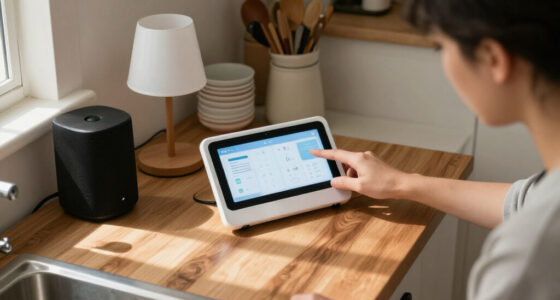
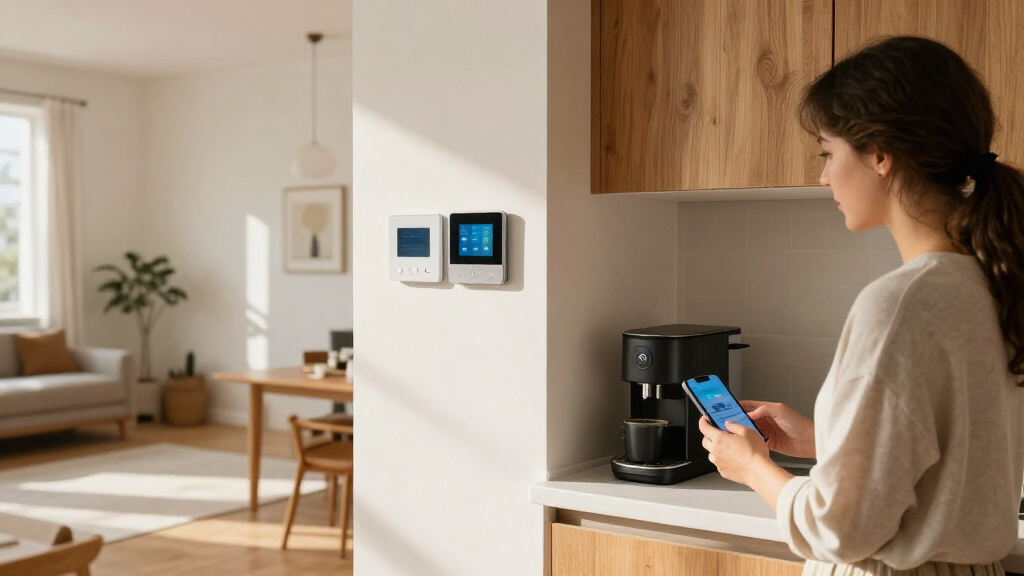
The guide is aimed at people building a small system with items such as a smart speaker, lights, thermostat or plug. It estimates setup will take 45 to 90 minutes, depending on the number of devices and whether apps require updates. Users need a phone or tablet, the manufacturer’s official app, a home Wi-Fi connection and any required hub or account access. For more device ideas, see these smart home automation devices.
Before purchase, the guide says to check the exact device’s packaging or product page for supported platforms, Wi-Fi bands, hub requirements and regional compatibility. Some devices require a 2.4 GHz network or a particular hub. It also warns that voice control does not necessarily mean a product supports every routine or AI feature offered by a platform. Readers considering Matter-compatible options can explore these Matter smart home devices.
The setup steps include securing the associated account, using a unique password and enabling multifactor authentication when available, then installing app and device updates. After pairing, users are advised to give devices short, distinct names, assign rooms and review settings for voice recordings, activity history, data sharing and cloud processing. The guide says to use the manufacturer’s verified app and not interrupt a firmware update in progress.
Compatibility and Privacy Shape Device Choice
The practical point is that choosing an AI-enabled device involves more than checking whether it can connect to a voice assistant. Network requirements, hub needs, subscriptions and specific automation support can determine whether a device works as intended in a household’s existing setup. Checking those details before purchase may prevent a device from being unusable or requiring extra equipment.
Privacy and security settings also affect how a household uses these products. As the guide notes, some features may send voice, sensor or usage data to cloud services, while other processing may happen locally. Reviewing permissions and controls before enabling features helps users understand what information is collected and how access is managed. The guide does not quantify privacy risks or independently compare providers.
Starting with a lamp rather than a lock, alarm or heater limits the consequences of setup mistakes. The source advises following manufacturer instructions and not attempting wiring or installation that requires a qualified electrician. That caution is especially relevant where a device affects home access, electrical systems or other safety-sensitive functions.
Products Worth Considering

Bose Home Speaker 500 Smart Bluetooth Speaker with Alexa, Black

Arlo Pro 2K HDR Wireless Security Camera, 6th Generation, 4-Camera Pack

Philips Hue Play Floor Lamp, RGBWWIC LED, 53 Inch, Black
As an affiliate, we earn on qualifying purchases.
A Small-System Setup Plan
The source presents the material as a beginner setup guide, not a report of a new product launch, regulatory change or independent product test. Its workflow moves from selecting a task and compatible device to connecting it, naming it, setting privacy preferences and testing the result. It recommends placing devices where they can reach power and Wi-Fi, away from water, heat and obstructed vents.
The article also gives three editorial product recommendations: Hubitat for local, multi-protocol automation and subscription-free AI-assisted routine building; SwitchBot for camera-aware chat-based control and bundled storage; and Green as a quiet, expandable local automation base. These are the publisher’s recommendations, not independently verified findings in the supplied material. The source discloses that it earns commissions from qualifying Amazon purchases.
“We recommend Hubitat as the best overall choice when local, multi-protocol automation and subscription-free AI-assisted routine building matter more than beginner-friendly setup.”
— ThorstenMeyerAI.com, describing its Hubitat recommendation
Product Claims Need More Detail
The supplied guide does not identify its publication date, explain how its product recommendations were tested or provide a detailed model-by-model comparison. It also does not specify which AI features, subscriptions, storage terms or device limits apply to particular product versions. Those details may vary by model, service plan, region and software updates, so readers should check current manufacturer documentation before buying.
The guide describes privacy controls in general but does not set out each provider’s data-retention practices or explain how to verify whether processing stays local. It also does not specify a single Wi-Fi or router configuration suitable for every device. Compatibility and data handling remain product-specific; the article’s recommendations should not be treated as a guarantee of performance or privacy.
Test One Device Before Expanding
The guide’s suggested next step is to pair one low-risk device, confirm that it appears online in the official app, and test its basic controls before creating more elaborate routines. Users can then check whether the chosen platform handles the intended voice command, schedule or supported sensor event as expected.
Before adding more equipment, readers should revisit current product requirements, subscription conditions and privacy settings, particularly for cameras, microphones and devices that affect heat, security or access. The source does not announce a follow-up test or product update; no further development is specified.
Key Questions
How long does the guide estimate setup will take?
It estimates 45 to 90 minutes, depending on how many devices are added and whether apps need updates. That is the guide’s estimate, not a guaranteed setup time.
What should I check before buying an AI home device?
Check the exact model’s platform support, Wi-Fi band, hub requirements, regional compatibility and subscription conditions. Confirm that it supports the specific routine or AI feature you want, not just basic voice control.
Is it safer to begin with a smart lock or heater?
The guide recommends starting with a low-risk device such as a lamp, then adding devices that affect safety or access only after testing the setup. Follow manufacturer instructions; do not attempt wiring or installation that requires a qualified electrician unless you are qualified.
How can I review privacy and account security?
Use the manufacturer’s official app, set a unique account password and enable multifactor authentication when offered. Review voice recordings, activity history, data sharing and cloud-processing settings, and check how to pause cameras or microphones.
Are the product recommendations independent test results?
The supplied source presents them as the publisher’s recommendations but does not include comparative test methods or results. It also discloses commission earnings from qualifying Amazon purchases.
Source: ThorstenMeyerAI.com