TL;DR

Get home appliances delivered free with Prime
- Fast, free delivery on millions of items
- Prime Video, Amazon Music and more included
- Member-only deals all year
The TP-Link Tapo C210, priced at about $30 according to XDA Developers, supports local RTSP and ONVIF streaming for compatible NVRs and home-automation systems. Set it up in the Tapo app, create local-stream credentials, and enter its stream address in your chosen software; blocking internet access can disable app features and updates, and only two of three recording methods can run at once.
TP-Link’s Tapo C210, which XDA Developers says retails for about $30, can send video to local recording and home-automation systems through RTSP and ONVIF rather than relying entirely on a vendor’s cloud. A guide published Oct. 26 outlines how to enable local streaming, while warning that internet blocking can remove app functions and that the camera cannot use all of its recording options at once.
To prepare the camera, the guide says to complete its initial setup through the Tapo app on the local network and update its firmware. In the app’s Advanced Settings, users can create a dedicated username and password for authenticating local streams. Those credentials are then used in the streaming address configured in compatible software.
The guide gives this address pattern: rtsp://username:password@camera-IP:554/stream1 for the HD stream, or the same address ending in /stream2 for SD. The placeholders must be replaced with the camera’s local IP address and the credentials created in the app. XDA says the feed can be used with VLC, a network video recorder (NVR), network-attached storage, or systems such as Home Assistant with Frigate or Agent DVR.
After confirming that local streaming works, users can configure a router firewall to block the camera’s internet access while allowing communication within the home network. XDA says local streaming can continue, but the Tapo app’s online functionality will no longer work. The guide advises reconnecting the camera when firmware updates are needed and checking for updates regularly.
Local Streams Without a Cloud
Local RTSP and ONVIF support gives owners another way to store and view camera footage, using their own compatible equipment instead of depending solely on a manufacturer’s online service. That can appeal to people who want to keep video on a local NVR or NAS, connect camera events to home-automation software, or retain access to the feed during an internet service outage.
It does not make the camera automatically private or remove every cloud dependency. Initial onboarding uses the Tapo app, and blocking internet access affects app functions and can complicate firmware maintenance. The practical benefit depends on configuring the local system correctly, keeping credentials secure, and accepting the limits that come with isolating the device.
Products Worth Considering
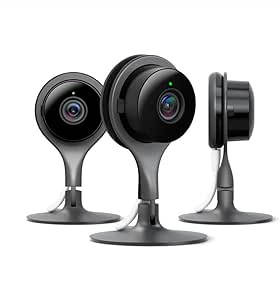
Google Nest Cam Indoor Security Camera, 3-Pack
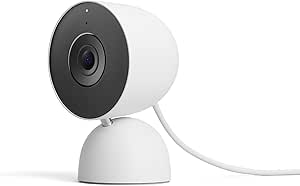
Google Nest Cam Indoor (Wired, 3rd Gen) – Security Camera – Snow

Ring Alarm 14-Piece Wireless Security System Kit
As an affiliate, we earn on qualifying purchases.
Setup, Streams and Recording Limits
The Tapo C210 is an indoor pan-and-tilt camera. XDA presents its local-protocol support as an alternative to camera systems where video history or other features may depend on paid plans. The source does not provide independent testing or a detailed comparison of subscription prices, so those broader market comparisons should not be read as verified measurements.
The camera has a specific constraint: according to the guide, it supports only two of three options simultaneously—Tapo Care cloud backup, microSD recording, and local NVR/RTSP recording. For example, if Tapo Care and a microSD card are both enabled, local NVR/RTSP recording may be disabled until one of those options is turned off. Users should check the app’s current settings and confirm which recording method is active after making changes.
“rtsp://
: @ :554/stream1″ — XDA Developers guide, published Oct. 26, 2026
App Access and Firmware Trade-Offs
The source does not specify firmware versions, exact menu labels across app releases, or whether every C210 hardware or regional variant exposes identical settings. It also does not establish how long the camera will receive firmware updates. Users should verify the instructions against their app and device version before relying on the camera for recording.
Blocking internet access is a network configuration choice, not a guarantee against every security risk. The guide says the local feed should remain available, but performance and compatibility may depend on the router, credentials, NVR software and network configuration. The source also does not provide a tested firewall rule or confirm that all app functions behave identically after access is blocked.
Verify the Feed and Keep It Updated
After entering the camera’s address and credentials, users should confirm that video appears in their chosen NVR or player before changing firewall access. They should then test local viewing with internet access blocked and check that the desired recording option remains active. Keep the camera’s login credentials private and review router settings so the device can communicate locally without unrestricted outside access.
Firmware maintenance remains part of the setup: reconnect the camera to the internet when an update is required, install the update through the Tapo app, and then recheck local streaming and recording settings. The guide does not report a new product announcement or a change to the C210; it is a practical explanation of how to use its existing local-streaming features.
Key Questions
Can the Tapo C210 stream video locally?
According to XDA Developers, the camera supports RTSP and ONVIF for use with compatible local NVRs and other software. Users need to enable local-stream credentials in the Tapo app and configure the stream in their chosen system.
What RTSP address should I use?
The guide gives rtsp://username:password@camera-IP:554/stream1 as the HD template and stream2 for SD. Replace the placeholders with the camera’s local IP address and the dedicated username and password you created in Advanced Settings.
Will the camera still work if I block internet access?
XDA says the local stream can continue after a router firewall blocks the camera’s internet access. The guide warns that online functions in the Tapo app will no longer work, and internet access may be needed to install firmware updates.
Can I use cloud backup, a microSD card and an NVR together?
No. The guide says the C210 supports only two of those three options at a time. Using Tapo Care cloud backup with microSD recording can disable local NVR/RTSP recording until one setting is switched off.
Source: XDA Developers