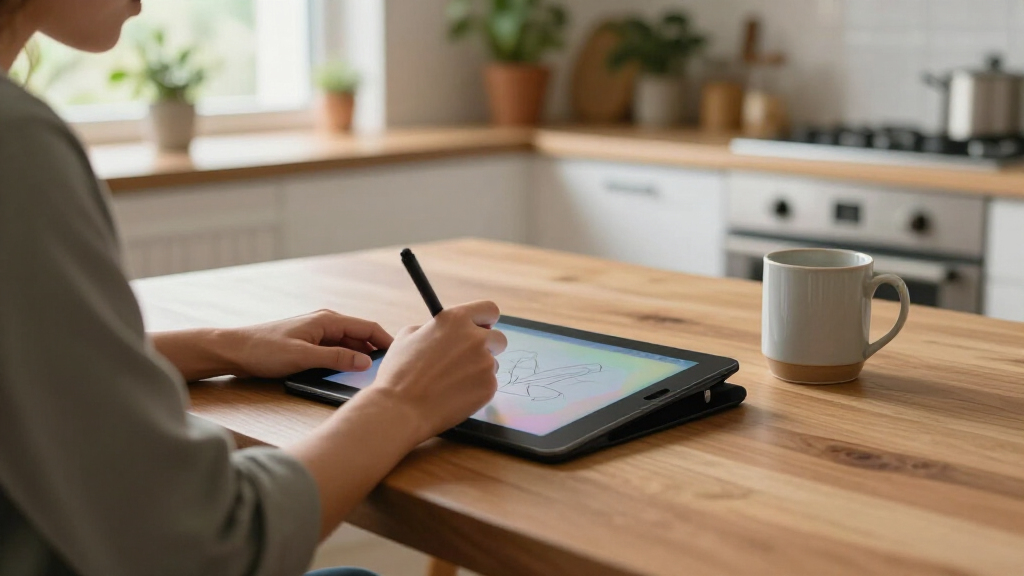

Digital handwriting tablets fall into three very different camps, and picking the wrong one is the most common mistake buyers make: cheap LCD writing boards that replace sticky notes, smart notebooks that digitize real paper, and full Android-powered writing slates that replace a laptop for notes. My best overall pick is the XPPen Magic Note Pad, because it combines genuine handwriting-to-digital conversion, standalone apps, and cloud sync in one device, so it works for students, professionals, and creatives alike. For a distraction-free premium experience, the reMarkable Paper Pure is unmatched for pen feel, while the Huion Note wins for anyone who wants to keep writing on actual paper without changing their habits. The main tradeoffs in this category are screen type (LCD vs. E Ink vs. color LCD), whether you need sync and storage, and whether real paper matters to you. Keep reading for the full breakdown of all 12 options and who each one suits best.

Get home appliances delivered free with Prime
- Fast, free delivery on millions of items
- Prime Video, Amazon Music and more included
- Member-only deals all year
Complete the kit


Key Takeaways
- The lineup splits into three tiers — sub-$30 LCD boards, mid-range smart notebooks that digitize real paper, and full Android writing slates — and cross-shopping between tiers almost always leads to disappointment.
- The three reMarkable Paper Pure entries (Desert Pink, Mist Green, Ocean Blue) are functionally identical except for the sleeve color, so the only decision there is aesthetic; the hardware and Marker Plus pen are the same.
- Real-paper hybrids like the Havapen clipboard, Huion Note, and XPPen Note Plus offer the lowest-friction path to digital notes for people who already love writing on paper, but all of them require a phone or app to actually store what you write.
- The XPPen Magic Note Pad and T8 standalone tablet are the only picks that replace a laptop for note-taking, but only the Magic Note Pad has the storage and Android 14 software to do it comfortably.
- The Ksequ double-sided LCD board and JSJGETYI covered tablet proved best for kids, kitchen lists, and rough sketches — paying more only makes sense once you need to save, sync, or export your writing.
| Ksequ 10.5″ Double-Sided LCD Writing Tablet |  | Best Budget Scratch Pad | Screen Size: 10.5 inches | Display Type: LCD (double-sided) | Dimensions: 11.5″ L x 11.5″ W x 0.2″ thick | VIEW LATEST PRICE | See Our Full Breakdown |
| Penstar eNote 2 E-Ink Digital Notebook with Pen, 10.3″ AI Tablet |  | Best Feature-Packed E-Ink Notebook | Screen Size: 10.3 inches | Resolution: 2480 x 1860 (300 PPI) | Display Technology: Electronic Ink (E-Ink) | VIEW LATEST PRICE | See Our Full Breakdown |
| Havapen Real Paper Writing Graphic Drawing Tablet – USB Wired Clipboard Digital Notepad with Handwriting Sync |  | Best for Real-Paper Feel | Brand: Havapen | Model: A406 Drawing Tablet (HU-A406) | Connection: USB wired | VIEW LATEST PRICE | See Our Full Breakdown |
| reMarkable Paper Pure with Marker Plus and Desert Pink Sleeve Folio |  | Best Distraction-Free Writing Tablet | Screen Size: 10.3 inches | Display: E-Ink, black and white | Ink Latency: 21 ms | VIEW LATEST PRICE | See Our Full Breakdown |
| reMarkable Paper Pure with Marker Plus and Mist Green Sleeve Folio |  | Best Premium Gift Bundle | Screen Size: 10.3 inches | Display: E-Ink, black and white (third generation) | Ink Latency: 21 ms | VIEW LATEST PRICE | See Our Full Breakdown |
| reMarkable Paper Pure with Marker Plus and Ocean Blue Sleeve Folio |  | Best Distraction-Free Writing Experience | Screen Size: 10.3 inches | Display Type: E-Ink (black and white) | Ink Latency: 21 ms | VIEW LATEST PRICE | See Our Full Breakdown |
| XPPen StarG640 Digital Graphic Drawing Tablet 6×4 Inch with Battery-Free Stylus |  | Best Budget Entry Point | Active Area: 6 x 4 inches | Stylus: Battery-free PN01 | Compatibility: Mac, Windows, Chromebook | VIEW LATEST PRICE | See Our Full Breakdown |
| T8 Standalone Drawing Tablet with 8-Inch Screen, Android 13, Stylus Pen |  | Best Portable Standalone Option | Display: 8-inch Liquid Retina, 1200 x 800 | Processor: MTK Octa-core | RAM: 4GB | VIEW LATEST PRICE | See Our Full Breakdown |
| Huion Note Digital Notebook with Real-Time and Offline Sync, Battery-Free Pen |  | Best for Lecture and Meeting Capture | Paper Format: A5 notebook, 50 pages included | Connectivity: Bluetooth 5.0 | Pen: Battery-free magnetic pen with ballpoint refills | VIEW LATEST PRICE | See Our Full Breakdown |
| XPPen Note Plus Digital Notebook with Pen Syncs to Phone |  | Best Smart Notebook for Everyday Writers | Paper Compatibility: Any A5 notebook core ≤ 8 mm | Connectivity: Bluetooth 5.3 | Pressure Sensitivity: 8192 levels | VIEW LATEST PRICE | See Our Full Breakdown |
| XPPen Magic Note Pad 10.95″ Digital Notebook Tablet with X3 Pro Pencil 2, 6GB RAM, 128GB Storage, Android 14 | 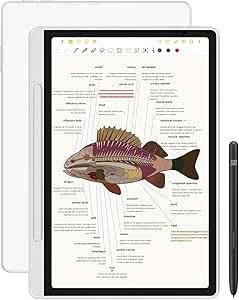 | Best Premium Android Note-Taking Tablet | Screen Size: 10.95 inches | Display: AG Nano-Etched LCD with TCL NXTpaper 3.0, 90Hz | Stylus: X3 Pro Pencil 2, battery-free, 16,384 pressure levels | VIEW LATEST PRICE | See Our Full Breakdown |
| JSJGETYI 10-Inch LCD Writing Tablet with Protective Cover and Stylus |  | Best Budget Pick for Quick Notes and Sketches | Screen Size: 10 inches | Display: Flexible LCD, blue-green monochrome | Connectivity: None — no phone or computer sync | VIEW LATEST PRICE | See Our Full Breakdown |
| digital handwriting tablet | Screen Size | Weight | Warranty | Connectivity |
|---|---|---|---|---|
| Ksequ 10.5" Double-Sided LCD W | 10.5 inches | 6.8 oz | 1 year | — |
| Penstar eNote 2 E-Ink Digital | 10.3 inches | 0.97 kg | — | — |
| Havapen Real Paper Writing Gra | — | — | 1 year | — |
| reMarkable Paper Pure with Mar | 10.3 inches | 360 g | 1-year limited | Wi-Fi |
| reMarkable Paper Pure with Mar | 10.3 inches | 360 g | 1-year limited | Wi-Fi |
| reMarkable Paper Pure with Mar | 10.3 inches | 360 g | — | Wi-Fi |
| XPPen StarG640 Digital Graphic | — | — | — | — |
| T8 Standalone Drawing Tablet w | — | — | — | — |
| Huion Note Digital Notebook wi | — | — | 1 year | Bluetooth 5.0 |
| XPPen Note Plus Digital Notebo | — | 350 g | — | Bluetooth 5.3 |
| XPPen Magic Note Pad 10.95" Di | 10.95 inches | 495 g at 7 mm thick | — | — |
| JSJGETYI 10-Inch LCD Writing T | 10 inches | — | 6-month limited warranty | None — no phone or computer sync |
More Details on Our Top Picks
Ksequ 10.5″ Double-Sided LCD Writing Tablet
Not every digital handwriting need involves cloud sync or handwriting-to-text conversion. The Ksequ 10.5-inch tablet is the simplest, cheapest way to replace a stack of scratch paper, and its double-sided screen doubles the usable writing area before you need to erase. At 6.8 ounces and 0.2 inches thick, it slips into a backpack far more easily than the Penstar eNote 2, which weighs nearly a kilogram. Where it falls short is permanence and legibility: there’s no backlight, so dim rooms and evening study sessions make the faint LCD strokes hard to read, and nothing you write can be saved or exported. Compared with the Havapen A406, which digitizes every stroke to your computer, this is a disposable-note tool — and that’s exactly its appeal for shopping lists, quick math, or kids’ doodling.
Pros:- Extremely lightweight and thin at 6.8 oz and 0.2 inches, so it travels anywhere
- Double-sided screen effectively doubles writing capacity before erasing
- Eco-friendly with 50,000-100,000 write cycles replacing piles of scrap paper
- Built-in magnet lets you stick it to a fridge or whiteboard for household use
Cons:- No backlight or illumination, making the screen hard to read in dim rooms
- No save, sync, or export capability — every note is temporary
- LCD contrast is inherently fainter than E-Ink alternatives like the reMarkable Paper Pure
Best for: Students, teachers, and families who want a zero-learning-curve erasable scratch pad for lists, quick notes, and doodling
Not ideal for: Anyone who needs to save, search, or export notes — nothing written here leaves the device, and it’s nearly unreadable in low light
- Screen Size:10.5 inches
- Display Type:LCD (double-sided)
- Dimensions:11.5″ L x 11.5″ W x 0.2″ thick
- Weight:6.8 oz
- Write Cycles:50,000-100,000
- Storage:Built-in magnet
- Warranty:1 year
Our verdict“Buy this if you want the cheapest possible paper replacement for throwaway notes — skip it if your notes need to survive the erase button.”
Penstar eNote 2 E-Ink Digital Notebook with Pen, 10.3″ AI Tablet
The Penstar eNote 2 is what happens when an E-Ink notebook borrows a full Android tablet’s spec sheet. With 128 GB of storage, an octa-core processor, 4 GB of RAM, and Android 14, it can hold an entire semester of PDFs and EPUBs, run third-party apps, and record lectures through its four-speaker, multi-microphone setup. Its AI voice-to-text and handwriting conversion go beyond what the reMarkable Paper Pure offers out of the box, and the 8192-level pressure stylus requires no charging. The tradeoffs are real, though: at 0.97 kg it’s roughly three times heavier than the reMarkable, the four-week battery claim drops to about two weeks in normal use, and the Android app ecosystem for E-Ink screens remains hit-or-miss. This pick makes the most sense for buyers who want one device that reads, writes, and records.
Pros:- Paper-like 300 PPI E-Ink display stays readable even in direct sunlight
- 8192-level pressure-sensitive stylus never needs charging
- AI voice-to-text and handwriting conversion streamline note capture
- 128 GB storage plus Android 14 supports documents, audiobooks, and third-party apps
Cons:- Heavy at 0.97 kg — nearly triple the weight of the reMarkable Paper Pure
- Real-world battery life averages closer to two weeks than the advertised four
- E-Ink Android app compatibility is inconsistent for some mainstream apps
Best for: Students and professionals who want a single E-Ink device for handwritten notes, textbook PDFs, and voice-to-text lecture capture
Not ideal for: Readers prioritizing portability or a distraction-free experience — it’s heavy at 0.97 kg and its full OS invites the app clutter the reMarkable deliberately avoids
- Screen Size:10.3 inches
- Resolution:2480 x 1860 (300 PPI)
- Display Technology:Electronic Ink (E-Ink)
- Processor:Octa-core 2.2 GHz
- RAM / Storage:4 GB / 128 GB
- Battery Life:Up to 4 weeks (2-week average)
- Operating System:Android 14
- Stylus Pressure Sensitivity:8192 levels, no charging required
- Weight:0.97 kg
Our verdict“Choose this over simpler E-Ink tablets if you need storage, AI transcription, and app flexibility in one device, and can live with the bulk.”
Havapen Real Paper Writing Graphic Drawing Tablet – USB Wired Clipboard Digital Notepad with Handwriting Sync
Most digital handwriting tablets ask you to accept a glass or plastic surface. The Havapen A406 refuses that compromise: clip a real A4 sheet to its clipboard frame, write with the included ink pen, and every stroke syncs live to your Windows or macOS machine. Teachers running virtual whiteboard lessons and professionals signing or annotating documents get the tactile feedback no LCD tablet like the Ksequ can match. The second stylus, the electromagnetic YP30, lets you write directly on the tablet surface when paper runs out. The obvious cost is mobility — the wired USB tether anchors you to a desk, and there’s no phone or tablet support, which puts it behind the Huion Note or XPPen Note Plus for mobile workflows. But for a dedicated desk setup where pen-on-paper feel is non-negotiable, this model is hard to beat.
Pros:- Real-paper writing surface eliminates the slippery plastic feel of standard tablets
- Two included pens cover both paper-based and direct-on-tablet writing
- Sturdy clipboard clamp secures loose A4 sheets during active drafting
- Plug-and-play USB works instantly with Windows and macOS, no batteries needed
Cons:- Wired USB connection tethers you to a computer and limits mobility
- No native support for phones, tablets, or Chrome OS
- You keep buying paper, which undercuts the paperless appeal of rivals like the Penstar eNote 2
Best for: Teachers, tutors, and desk-based professionals who teach over whiteboard software or annotate documents and insist on genuine paper texture
Not ideal for: Mobile users — the USB cable and desktop-only support mean it can’t leave your workstation, unlike wireless E-Ink notebooks
- Brand:Havapen
- Model:A406 Drawing Tablet (HU-A406)
- Connection:USB wired
- Paper Format:A4 with clipboard clamp
- Included Pens:YP30 electromagnetic pen, YP20 ink pen
- Compatibility:Windows, macOS
- Power:USB bus-powered, no batteries
- Warranty:1 year
Our verdict“This is the pick when the feel of actual paper matters more than portability — a desk tool, not a carry-everywhere notebook.”
reMarkable Paper Pure with Marker Plus and Desert Pink Sleeve Folio
The reMarkable Paper Pure in Desert Pink is the closest thing to a focused notebook that happens to sync to the cloud. Its 21 ms ink latency is the headline: strokes appear essentially instantly, making it feel more like a fountain pen than a stylus. Compared with the Penstar eNote 2, reMarkable trades app flexibility for single-purpose clarity — there’s no browser, no notifications, and nothing pulling your attention away from the page. Handwriting converts to searchable text, and files flow to Google Drive, Dropbox, Slack, and Miro. At 360 g, it’s dramatically lighter than the Penstar and pocketable in ways that clipboard-style tablets like the Havapen A406 can’t attempt. The limitations are honest ones: a strictly black-and-white display rules out color diagrams or comics, and the closed ecosystem frustrates anyone wanting to sideload apps. This bundle’s Marker Plus and sleeve make it a complete, gift-ready kit.
Pros:- 21 ms ink latency delivers the most paper-like writing feel in this roundup
- High-contrast E-Ink display reduces eye strain during long sessions
- Handwriting-to-text conversion with Google Drive, Dropbox, Slack, and Miro integration
- Complete bundle includes Marker Plus stylus and protective Desert Pink sleeve
Cons:- Black-and-white-only display rules out any color content
- Locked app ecosystem — no third-party apps or sideloading
- Best cloud features sit behind a paid Connect subscription
Best for: Writers, executives, and deep-work devotees who want pure handwriting with cloud backup and zero digital distractions
Not ideal for: Buyers who expect a general-purpose tablet — no apps, no color, and no audio make this a notebook and nothing else
- Screen Size:10.3 inches
- Display:E-Ink, black and white
- Ink Latency:21 ms
- Weight:360 g
- Operating System:reMarkable OS
- Connectivity:Wi-Fi
- Included Accessories:Marker Plus, Desert Pink Sleeve Folio
- Warranty:1-year limited
Our verdict“If your goal is distraction-free handwriting that syncs quietly to your workflow, this is the strongest choice in the lineup.”
reMarkable Paper Pure with Marker Plus and Mist Green Sleeve Folio
Functionally, this Mist Green reMarkable Paper Pure is identical to the Desert Pink bundle — same third-generation 10.3-inch E-Ink panel, same 21 ms latency, same Marker Plus. So why does it earn a separate slot? Because the differentiation here is entirely about who it’s for: the Mist Green sleeve reads as a more understated, professional finish, and this bundle is the one I’d point gift-buyers toward for graduates, retiring colleagues, or journaling-obsessed relatives. The whiter third-gen display improves contrast over older reMarkable generations, and handwriting flows into searchable text and cloud sync without fuss. The same caveats apply as its sibling: no color, no apps, and the richest cloud features want a Connect subscription. Against the Penstar eNote 2, this wins on focus and weight; the Penstar wins on storage and versatility. Pick between the two reMarkable bundles purely on sleeve color preference — nothing else changes.
Pros:- Fast 21 ms latency produces an immediate, natural pen-on-paper response
- Whiter third-generation E-Ink panel offers improved contrast and readability
- Seamless cloud integration with Google Drive, Dropbox, Slack, and Miro
- Lightweight 360 g design with a full accessory bundle out of the box
Cons:- Unlimited cloud storage and advanced sync features require a paid Connect subscription
- Black-and-white display only — no color support at all
- Functionally identical to the Desert Pink bundle, so it offers no performance reason to choose one over the other
Best for: Gift-givers and style-conscious note-takers who want the complete reMarkable kit in a calmer, more professional colorway
Not ideal for: Anyone already covered by the identical Desert Pink bundle or needing color output and app flexibility — the internals are the same, so don’t pay twice for features you won’t use
- Screen Size:10.3 inches
- Display:E-Ink, black and white (third generation)
- Ink Latency:21 ms
- Weight:360 g
- Dimensions:8.98″ L x 7.37″ W
- Operating System:reMarkable OS
- Connectivity:Wi-Fi
- Included Accessories:Marker Plus, Mist Green Sleeve Folio
- Warranty:1-year limited
Our verdict“The same superb distraction-free writing tablet as its sibling — choose this bundle if the Mist Green finish suits you or your recipient better.”
reMarkable Paper Pure with Marker Plus and Ocean Blue Sleeve Folio
Among everything in this lineup, the reMarkable Paper Pure comes closest to replicating actual pen on paper. Its 21 ms ink latency means the mark appears as fast as your hand moves — something none of the screen-based tablets here, like the T8 Standalone, can match when running full Android apps. The 10.3-inch E Ink display also handles bright sunlight far better than the LCD options in this guide. Compared with the Huion Note, which digitizes real paper through an app, the Paper Pure flips the equation: everything is digital from the first stroke, with handwriting-to-text conversion and cloud sync to Google Drive and Dropbox. The tradeoffs are real, though. The black-and-white display rules out color work, and unlocking the full feature set — including extended cloud sync — requires a Connect subscription on top of an already premium purchase.
Pros:- Ultra-low 21 ms latency delivers the most paper-like writing feel in the lineup
- High-contrast E Ink display is easy on the eyes and readable in direct sunlight
- Handwriting-to-text conversion plus Google Drive, Dropbox, and Word integration
- Featherweight 360 g build with fast charging
Cons:- Monochrome display excludes color sketching, diagrams, and rich media
- Full cloud and productivity features sit behind a paid Connect subscription
- Wi-Fi only — no Bluetooth audio or cellular connectivity
Best for: Professionals and students who want a single-purpose, distraction-free device for deep note taking and document annotation
Not ideal for: Budget-conscious buyers or anyone who wants color displays, app stores, or full Android functionality without subscription costs
- Screen Size:10.3 inches
- Display Type:E-Ink (black and white)
- Ink Latency:21 ms
- Weight:360 g
- Connectivity:Wi-Fi
- Cloud Services:Google Drive, Dropbox, Microsoft Word
- Stylus:Marker Plus
Our verdict“This is the pick for writers who value focus and paper feel above all else — but only if you’re willing to pay a subscription for the complete experience.”
XPPen StarG640 Digital Graphic Drawing Tablet 6×4 Inch with Battery-Free Stylus
The XPPen StarG640 earns its spot as the cheapest way to start writing or drawing digitally — provided you already own a computer or Chromebook. Unlike the T8 Standalone, which runs Android on its own screen, this is a blind drawing surface: you write on the tablet, and the strokes appear on your connected display. That sounds awkward, but for online teaching, whiteboarding, and student note annotation, it works surprisingly well. The battery-free PN01 stylus never needs charging, beating the T8 and the Huion Note on that front. Compared with its sibling, the XPPen Note Plus, the StarG640 trades portability and paper feel for a much lower cost of entry. The 6×4 inch active area is the main limitation — fine for handwriting and doodles, cramped for illustration — and it depends entirely on host software for pressure sensitivity and shortcuts.
Pros:- Battery-free stylus eliminates charging entirely
- Works across Mac, Windows, and Chromebook
- Slim 2 mm profile slips into any laptop bag
- Cheapest genuine handwriting and drawing input option in this roundup
Cons:- Tiny 6×4 inch active area constrains drawing and long-form writing
- Requires a connected computer or Chromebook and compatible software
- No screen — beginners may struggle with the hand-eye offset
Best for: Students, teachers, and remote workers who need an inexpensive input tablet for annotating slides or teaching online
Not ideal for: Illustrators or serious artists who need a larger active area, an embedded screen, or standalone operation
- Active Area:6 x 4 inches
- Stylus:Battery-free PN01
- Compatibility:Mac, Windows, Chromebook
- Thickness:2 mm
- Power Source:USB bus-powered
- Primary Use:Drawing, note-taking, online teaching
Our verdict“Buy it if you want the lowest-cost bridge between your handwriting and a digital screen; skip it if you need standalone use or room to draw.”
T8 Standalone Drawing Tablet with 8-Inch Screen, Android 13, Stylus Pen
The T8 Standalone occupies a middle ground nothing else in this batch covers: full Android 13 in a pocket-ish 8-inch slate, no computer required. Where the XPPen StarG640 chains you to a laptop and the reMarkable Paper Pure locks out third-party apps, the T8 runs creative apps from the Play Store, includes bundled tutorials for beginners, and shows your strokes directly under the pen in vibrant color. The octa-core processor and 4GB of RAM handle sketching smoothly, and a TF card slot extends storage to 256GB. But the compromises are hard to ignore. Five hours of battery life is the shortest runtime here — the XPPen Note Plus nearly triples it — and an 8-inch, 1200×800 panel feels tight for detailed illustration. Performance also varies with how well individual apps are optimized for the hardware.
Pros:- Fully standalone Android 13 — no computer or phone needed
- Color touchscreen shows strokes directly beneath the pen
- Octa-core CPU with 4GB RAM and expandable storage up to 256GB
- Bonus apps and tutorials lower the learning curve for newcomers
Cons:- Up to 5 hours of battery life limits all-day use
- 8-inch screen is cramped for detailed or professional artwork
- App optimization determines real-world performance
Best for: Beginner digital artists and hobbyists who want a self-contained color device for sketching anywhere
Not ideal for: Long sessions away from an outlet, or professionals who need a larger canvas and color-accurate output
- Display:8-inch Liquid Retina, 1200 x 800
- Processor:MTK Octa-core
- RAM:4GB
- Storage:64GB, TF card up to 256GB
- Battery:4000 mAh, up to 5 hours
- Operating System:Android 13
Our verdict“The T8 makes sense for casual artists who value independence over screen size — just keep a charger nearby.”
Huion Note Digital Notebook with Real-Time and Offline Sync, Battery-Free Pen
The Huion Note solves a problem the reMarkable Paper Pure doesn’t touch: keeping a permanent ink record on real A5 paper while simultaneously digitizing every stroke via Bluetooth 5.0. Its standout trick is audio recording synced to your handwriting — tap a word in the app later and jump back to that exact moment in a lecture or meeting, which no other product in this roundup offers. Compared with the XPPen Note Plus, the Huion leans more toward capture than management: it stores vector line data, works offline when your phone isn’t nearby, and doubles as a graphics tablet when plugged into a PC. The downsides mirror its rival — you’re locked to A5 paper, and the whole workflow depends on the Huion Note app and a compatible smartphone. If your note workflow is audio-heavy, though, this is the one.
Pros:- Audio recording linked to your handwriting for full playback context
- Works offline, syncing to the free app when convenient
- Doubles as a PC graphics tablet for extra versatility
- Battery-free magnetic pen with real ballpoint refills
Cons:- A5-only paper size caps page real estate
- Core functionality depends on the Huion Note app and a compatible phone
- 50 included pages mean ongoing refill costs
Best for: Students and professionals who need handwritten notes linked to recorded audio from lectures and meetings
Not ideal for: Buyers who don’t want to manage notes through a smartphone app or who need larger-than-A5 pages
- Paper Format:A5 notebook, 50 pages included
- Connectivity:Bluetooth 5.0
- Pen:Battery-free magnetic pen with ballpoint refills
- Battery Life:18 hours active, ~30 days standby
- Sync Modes:Real-time and offline
- Extra Functions:Audio recording, vector line capture, PC graphics tablet mode
- Warranty:1 year
Our verdict“If your notes need sound to make sense later, the Huion Note is the only pick here that captures both — accept the A5 limit and app dependency.”
XPPen Note Plus Digital Notebook with Pen Syncs to Phone
Where the Huion Note emphasizes audio capture, the XPPen Note Plus wins on refinement and flexibility. It accepts any A5 notebook core up to 8 mm thick, so you’re never locked into proprietary refills, and its Bluetooth 5.3 connection is the most current in this roundup. The 8192 levels of pressure sensitivity carry over when you flip it into graphics-tablet duty, giving it more nuance than the Huion for sketching. Battery figures are strong — 14 hours of continuous writing and 50 days of standby on a 1000 mAh cell that fully charges in 2.5 hours — though the Huion still edges it slightly on active use time. Note management is where XPPen pulls ahead, with built-in editing tools, cloud backup, and one-click PDF/PNG export rather than Huion’s app-only workflow. The familiar caveats apply: A5 is the ceiling, and a smartphone running Android 10 or iOS 14+ is mandatory.
Pros:- Accepts any A5 notebook core up to 8 mm — no proprietary paper lock-in
- Bluetooth 5.3 with built-in editing, cloud backup, and one-click PDF/PNG export
- 8192 pressure levels enable serious sketching in graphics-tablet mode
- 50-day standby with 2.5-hour full recharge
Cons:- A5 size only — larger formats aren’t supported
- Requires the companion app and an Android 10+/iOS 14+ smartphone to be useful
Best for: Everyday note takers who want real paper, instant phone sync, and flexible export options without proprietary refills
Not ideal for: Anyone wanting an all-in-one screen device like the reMarkable, or users who avoid smartphone-dependent workflows
- Paper Compatibility:Any A5 notebook core ≤ 8 mm
- Connectivity:Bluetooth 5.3
- Pressure Sensitivity:8192 levels
- Battery:1000 mAh, 14 h writing, 50-day standby
- Charging Time:2.5 hours
- Weight:350 g
- Compatibility:Android 10.0+ / iOS 14.0+
- Ink Refill:Swiss Mini Star D1 0.8 mm
Our verdict“For writers who live on paper but need searchable digital backups, the Note Plus is the most flexible hybrid notebook in this batch.”
XPPen Magic Note Pad 10.95″ Digital Notebook Tablet with X3 Pro Pencil 2, 6GB RAM, 128GB Storage, Android 14
This option stands out for buyers who want a full Android 14 tablet that also happens to feel like paper. The TCL NXTpaper 3.0 nano-etched display does a convincing job of muting glare and giving the stylus some bite, something the JSJGETYI LCD tablet below can’t match — that one has no apps or storage at all. Compared with the Penstar eNote 2, which trades speed for a true E-Ink screen, the Magic Note Pad takes the opposite bet: more light emission, but far more versatility, including app installation, AI handwriting recognition, and remote meeting support.
The battery-free X3 Pro Pencil 2 with 16,384 pressure levels is the strongest stylus in this lineup, and the magnetic folio plus 7mm chassis make it genuinely travel-ready. The tradeoffs are real: the etched glass narrows viewing angles, so sharing your screen across a desk is awkward, and the 6GB of RAM can stutter under heavy multitasking.
Pros:- Paper-like, anti-glare AG nano-etched display that mimics writing on real stock
- Battery-free X3 Pro Pencil 2 with 16,384 pressure levels and no charging to manage
- Full Android 14 ecosystem supports apps, AI handwriting recognition, and remote meetings
- Slim 7mm, 495g body with included magnetic folio for portability
Cons:- Narrow viewing angle from the etched glass limits shared or collaborative viewing
- 6GB of RAM can struggle when several apps run simultaneously
- Backlit LCD emits more light than dedicated E-Ink alternatives like the Penstar eNote 2
Best for: Students and professionals who want a paper-feel writing slate that can also run Android apps for meetings, PDFs, and cloud sync
Not ideal for: Buyers sensitive to screen light or eye strain — it’s a backlit LCD, not E-Ink like the Penstar eNote 2, so it won’t replace an e-reader for long sessions
- Screen Size:10.95 inches
- Display:AG Nano-Etched LCD with TCL NXTpaper 3.0, 90Hz
- Stylus:X3 Pro Pencil 2, battery-free, 16,384 pressure levels
- Operating System:Android 14
- RAM / Storage:6 GB / 128 GB
- Battery:8000 mAh with 20W charging
- Weight:495 g at 7 mm thick
Our verdict“This is the pick for buyers who want one device that writes like paper and works like a full tablet — as long as they accept a backlit screen and mid-tier multitasking.”
JSJGETYI 10-Inch LCD Writing Tablet with Protective Cover and Stylus
Sometimes you don’t need a smart notebook — you need a zero-friction scratchpad, and that’s exactly what this delivers. There’s no syncing, no apps, no battery-hungry OS; just a pressure-sensitive LCD that renders thick blue-green lines and erases with one button. Compared with the Huion Note or XPPen Note Plus, both of which sync handwriting to a phone, this model gives up all digital persistence — but it also removes every setup step, account, and charging routine they require.
The foldable PU cover that doubles as a stand is a thoughtful touch the Ksequ 10.5″ lacks in this context, letting you prop it up as a mini whiteboard for lessons or meetings. A lock switch protects important scribbles from accidental erasure. Just know the limits: single-color output, no way to export notes, and a reflective LCD that needs decent ambient light to stay readable.
Pros:- Bright, thick blue-green lines that are easy to read at a glance
- Foldable protective cover converts into a stable stand for desk or classroom use
- Lock function prevents accidental deletion of notes you still need
- No charging, no accounts, no connectivity — instant on and effectively maintenance-free
Cons:- No way to save or transfer notes to a phone or computer
- Reflective LCD requires well-lit rooms for clear visibility
- Single-color display rules out detailed or colorful artwork
Best for: Teachers, students, and families who want an inexpensive, durable slate for quick math scratch work, classroom activities, grocery lists, and kids’ drawings
Not ideal for: Anyone who needs notes saved, exported, or synced — there’s no connectivity at all, so the Huion Note or XPPen Note Plus serve that job far better
- Screen Size:10 inches
- Display:Flexible LCD, blue-green monochrome
- Connectivity:None — no phone or computer sync
- Included Accessories:Foldable PU leather case, stylus pen, user manual
- Erasure:One-key delete with lock function
- Warranty:6-month limited warranty
Our verdict“Buy this if you want the simplest, cheapest paper replacement for disposable notes and doodles — skip it the moment saving or syncing your handwriting matters.”

How We Picked
I ranked these 12 digital handwriting tablets by the criteria that actually determine satisfaction: writing feel (latency and pen friction), whether your notes can be saved and synced, standalone capability versus dependence on a phone or computer, and build quality including pen type, battery needs, and protective accessories. Because this category spans $20 doodle boards and $500 E Ink slates, I grouped products into tiers first, then ranked within each tier — comparing an LCD board head-to-head against the reMarkable would be meaningless.
The ranking logic favors versatility at the top: the Magic Note Pad earns best overall because it handles handwriting capture, app access, and cloud sync without any companion device. Mid-tier smart notebooks rank next, ordered by sync reliability and pen technology. The LCD boards rank last, not because they are bad products, but because they serve a narrower purpose — temporary writing that gets erased. Each entry below explains exactly who it suits and who should skip it.
| digital handwriting tablet | Connectivity |
|---|---|
| Ksequ 10.5" Double-Sided LCD W | — |
| Penstar eNote 2 E-Ink Digital | — |
| Havapen Real Paper Writing Gra | — |
| reMarkable Paper Pure with Mar | Wi-Fi |
| reMarkable Paper Pure with Mar | Wi-Fi |
| reMarkable Paper Pure with Mar | Wi-Fi |
| XPPen StarG640 Digital Graphic | — |
| T8 Standalone Drawing Tablet w | — |
| Huion Note Digital Notebook wi | Bluetooth 5.0 |
| XPPen Note Plus Digital Notebo | Bluetooth 5.3 |
| XPPen Magic Note Pad 10.95" Di | — |
| JSJGETYI 10-Inch LCD Writing T | None — no phone or computer sync |
Factors to Consider When Choosing Digital Handwriting Tablets
Before choosing a digital handwriting tablet, you need to understand which of the three product types fits your actual workflow. These are the factors that separate a purchase you will use daily from one that ends up in a drawer.Decide Whether You Need to Keep What You Write
The single biggest dividing line in this category is persistence. Basic LCD boards like the Ksequ and JSJGETYI display handwriting beautifully, but the moment you press erase, the note is gone forever — there is no memory, no file, no export. Smart notebooks and E Ink tablets, by contrast, store every stroke and sync it to an app or cloud service. Buyers routinely overestimate how much they need saved notes: if your tablet will live on the fridge for grocery lists, paying for storage features is wasted money. But if you plan to take lecture notes or meeting minutes, an erase-only board will frustrate you within a week. Be honest about whether your handwriting is a finished product or a temporary thought.
Real Paper versus Digital Screens
Some people cannot think through a problem without pen on actual paper, and no screen technology has fully replicated that sensation. That is why hybrid clipboards like the Havapen and smart notebooks like the Huion Note and XPPen Note Plus exist: you write on real paper with a real pen, and the device underneath captures and digitizes the strokes. E Ink tablets like the reMarkable sit in the middle — matte, paper-like, and glare-free, but still glass under the nib. Full Android slates with color screens feel the least like paper but offer the most functionality. My advice: if you have tried and abandoned stylus-and-glass writing before, choose real paper or E Ink; if apps and multitasking matter more, go with a color Android tablet.
Standalone Power versus Companion Dependence
Many smart notebooks are not truly independent devices — the Huion Note and XPPen Note Plus both rely on a phone connection (Bluetooth or cable) to unlock their full digitization features, and traditional drawing tablets like the XPPen StarG640 must be tethered to a computer entirely, since they have no screen of their own. Standalone options like the reMarkable, the T8, and the Magic Note Pad carry their own storage and software. If you take notes in places where pulling out a phone is awkward — classrooms, clinical settings, client meetings — a standalone device earns its higher cost. If you always have your phone or laptop beside you anyway, a companion device saves money without sacrificing function.
Pen Technology and Recurring Costs
Check whether the stylus needs batteries or charging before buying. Battery-free pens (Huion, both XPPen smart notebooks) never die mid-meeting and have no replacement cells to buy, while the reMarkable Marker Plus and LCD board styluses involve charging or coin batteries. Pen tips also wear down: the reMarkable and paper-hybrid pens use replaceable nibs and sometimes ink refills, which is a small ongoing cost. Latency matters as much as power — cheap LCD boards can lag behind fast handwriting, making them fine for lists but irritating for long-form writing. If you write for hours a day, prioritize pen weight, grip, and replaceable tips over any other spec.
Screen Size, Portability, and Protection
A 10.3-inch E Ink screen fits a full page of notes; a 6×4 drawing surface does not, and an 8-inch standalone screen lands somewhere in between. Smaller devices travel better and weigh less, but cramped writing surfaces cause cramped handwriting — a real problem if you plan to digitize and search your notes later, since messy scrawl defeats OCR. Also look at what protection is included: the JSJGETYI ships with a protective cover, and the reMarkable bundles come with folio sleeves, while bare tablets may need a case purchased separately. Finally, consider durability for younger users — flexible LCD boards survive drops that would crack a glass Android screen.
Software Ecosystem and Export Options
A handwriting tablet is only as useful as where your notes end up. The Magic Note Pad and T8 run Android, so they support cloud apps, PDF annotation, and third-party note apps directly on the device. The reMarkable has a polished but closed ecosystem — excellent handwriting conversion, but limited app support by design, which is either a feature (no distractions) or a dealbreaker depending on your view. Phone-synced notebooks depend entirely on their companion app quality; a beautiful pen experience falls apart if the app is clunky or the service shuts down. Before committing, check that your chosen device exports to formats you actually use — PDF, PNG, DOCX, or a note app like OneNote or Evernote.
Frequently Asked Questions
What is the difference between an LCD writing tablet and a digital notebook like the Huion Note or XPPen Note Plus?
An LCD writing tablet is essentially an electronic scratchpad: it displays your strokes and erases them with a button, but it has no memory and no way to save or transfer what you wrote. A digital notebook adds a capture layer — either under real paper (Huion Note, XPPen Note Plus) or on an E Ink screen (reMarkable, Penstar eNote 2) — that records every stroke and syncs it to an app or cloud service. The practical difference is permanence: an LCD board is for disposable writing like lists, doodles, and quick math, while a notebook is for notes you need to revisit, search, or share. The price gap reflects that, and paying for digitization you will never use is the most common wasted spend in this category. If you would photograph your notes anyway, you do not need a smart notebook.
Why are there three reMarkable Paper Pure listings, and which one should I choose?
The three reMarkable Paper Pure entries in this roundup — Desert Pink, Mist Green, and Ocean Blue — are the identical tablet bundled with a different-colored sleeve folio. The hardware, the Marker Plus pen, the screen, and the software are exactly the same, so this is purely a style decision, not a performance one. Choose whichever color suits your taste or matches your other gear; there is no wrong answer. The reason all three appear is that they are sold as distinct bundles, but functionally you can treat them as one product. If a reMarkable is your pick, base the decision on price and color availability, not features.
Can a drawing tablet like the XPPen StarG640 be used for handwriting notes instead of art?
Yes, but with a significant catch: the StarG640 is a screenless tablet that must stay connected to a computer, and you write on it while looking at your monitor rather than the pen itself. That eye-hand disconnect takes real adjustment and some people never get comfortable with it for handwriting, though it is second nature for digital artists. As a note-taking tool it only makes sense if you already work at a desk with a laptop or desktop running note software. It will not function standalone, it cannot sync to a phone on its own, and it is useless for capturing notes in a meeting away from your desk. Compared with the phone-synced notebooks in this lineup, it is cheaper but far less flexible — treat it as an artist’s tool that can double for desk notes, not the reverse.
Do I need a full Android writing tablet like the XPPen Magic Note Pad, or is a simpler E Ink device enough?
The answer depends on whether your tablet needs to do anything besides capture handwriting. The Magic Note Pad runs Android 14, so it installs cloud apps, browses, annotates PDFs, and stores 128GB of files on its own — it can genuinely stand in for a small laptop. An E Ink device like the reMarkable is deliberately simpler: it does one thing, distraction-free, with the best paper-like writing feel in this lineup, but it will not run arbitrary apps or handle color content. Students and professionals who annotate documents, pull up slides, or need everything in one device should choose the Android route. Writers who want to focus on words alone — and who find notifications toxic — will get more from E Ink. The mistake to avoid is buying the simple device and then resenting its limits, or buying the powerful one and never leaving the notes app.
Are cheap LCD writing tablets like the Ksequ and JSJGETYI actually worth buying?
For the right job, absolutely — they are simply solving a different problem than the expensive options. A board like the Ksequ 10.5-inch double-sided tablet or the JSJGETYI with its protective cover is excellent for kids’ drawing, kitchen lists, desk-side scratch work, and rough sketches, and there is almost nothing to break, charge daily, or lose. The double-sided Ksequ even gives you two surfaces, and the JSJGETYI’s cover makes it the more durable choice for younger users or travel bags. What they cannot do is save, sync, or export anything, so if your notes have any life beyond the moment, you need a smarter device. My rule: buy an LCD board as a supplement to paper or a note app, not as a replacement for either.
Conclusion
After comparing all 12 digital handwriting tablets, the right choice comes down to what your handwriting is for. For best overall, the XPPen Magic Note Pad earns the top spot: it captures handwriting beautifully, runs Android apps standalone, and has enough storage and power to serve as your only note device. For best premium, the reMarkable Paper Pure (in any of the three sleeve colors — they are identical apart from the folio) delivers a writing experience nothing else in this lineup matches, provided you accept its closed, distraction-free ecosystem. For best value, the Huion Note offers genuine real-time and offline sync with a battery-free pen at a fraction of premium pricing, while the JSJGETYI LCD board is the value pick if you only need an erasable scratchpad. For beginners and kids, the Ksequ double-sided tablet is the easiest entry point with nothing to configure. For specific needs: choose the Havapen clipboard or XPPen Note Plus if you insist on real paper, the T8 if you want a budget standalone screen, the Penstar eNote 2 for an affordable E Ink middle ground, and the XPPen StarG640 only if digital art is your primary goal. Match the device to your workflow, not the spec sheet, and you will end up with a tablet you actually use every day.