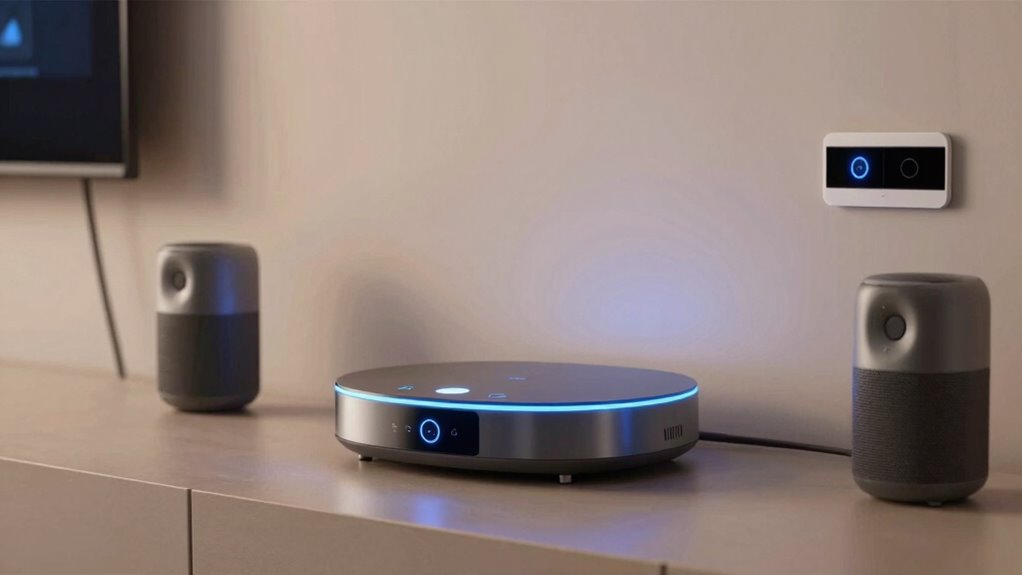

The Aqara Smart Home Hub M3 is my best overall pick for a smart home hub for Matter because it combines Matter, Thread, Zigbee, and infrared control in one hub. The Hubitat Elevation C-8 Pro suits buyers who want detailed automation and local control, while the Aqara Smart Hub M100 offers a simpler entry point. The main tradeoffs are which devices and radio protocols a hub supports, how much control it gives you, and whether it depends on a particular smart home platform. Matter support alone does not guarantee that every device feature will work across platforms. Read on for the full comparison and guidance on matching a hub to your setup.

Get home appliances delivered free with Prime
- Fast, free delivery on millions of items
- Prime Video, Amazon Music and more included
- Member-only deals all year
Complete the kit


Key Takeaways
- Aqara M3 leads on protocol range: Matter, Thread, Zigbee, and IR control make it the broadest fit here for homes mixing newer devices with existing appliances.
- Hubitat C-8 Pro favors control over simplicity: Its appeal is advanced automation and local operation, but it asks more of buyers during setup than beginner-oriented hubs.
- Aqara M100 is the straightforward Aqara entry point: It brings Matter controller features in a smaller, simpler package, though it does not match the M3’s listed protocol breadth.
- SmartThings buyers should compare the two Aeotec hubs carefully: Both are built around SmartThings, while the Hub 2 listing explicitly identifies Matter and Zigbee and notes the absence of Z-Wave.
- Specialty features can matter more than a broad hub label: SwitchBot‘s display and dial, Tapo‘s IR and chime, and Linkind‘s battery and energy tracking point to distinct needs beyond basic Matter bridging.
| Aqara Smart Home Hub M3 with Matter, Zigbee, Thread, and IR Control |  | Best Overall for Local Control | Model: HM-G01E | Protocols: Zigbee, Thread, Matter, Bluetooth, Wi-Fi | Device capacity: Up to 127 Aqara Zigbee devices and 127 Thread devices | VIEW ON AMAZON | See Our Full Breakdown |
| Aeotec Smart Home Hub (SmartThings Compatible) |  | Best for Mixed SmartThings Systems | Connectivity: Wi-Fi, Ethernet, Z-Wave Plus (V3 model only), Zigbee, Matter | Platform: SmartThings | Voice assistant compatibility: Amazon Alexa and Google Assistant | VIEW ON AMAZON | See Our Full Breakdown |
| Matter Smart Home Hub M6 – Zigbee Gateway with Antenna |  | Best for Large Zigbee Setups | Model: M6 | Protocols: Zigbee; Matter requires a border router | Compatible platforms: Tuya, Google Home, SmartThings | VIEW ON AMAZON | See Our Full Breakdown |
| Tapo H110 Matter-Certified Smart IR and IoT Hub with Chime |  | Best for IR Appliance Control | Model: H110 | Connectivity: 2.4 GHz Wi-Fi | Compatibility: Matter; Alexa, Google Assistant, and Siri | VIEW ON AMAZON | See Our Full Breakdown |
| Aeotec Smart Home Hub 2 – V4 (SmartThings Hub, Zigbee, Matter Gateway, Works with Alexa & Google Assistant, Wi-Fi, No Z-Wave) |  | Best for a Simple SmartThings Upgrade | Model: Smart Home Hub 2 – V4 | Platform: SmartThings | Protocols: Matter, Zigbee, Wi-Fi | VIEW ON AMAZON | See Our Full Breakdown |
| SwitchBot Hub 3 Smart Home Controller with Display and Dial |  | Best for IR Appliance Control | Model: W7202100 | Dimensions: 3.7 x 3.7 x 4.9 inches | Weight: 1.1 pounds | VIEW ON AMAZON | See Our Full Breakdown |
| Hubitat Elevation C-8 Pro Smart Home Hub |  | Best for Local Automation | Protocols: Matter 1.5, Z-Wave 800 Series with Long Range, Zigbee 3.0, Bluetooth | Processing: Local | Voice assistant compatibility: Amazon Alexa, Google Home, Apple HomeKit | VIEW ON AMAZON | See Our Full Breakdown |
| Aqara Smart Hub M100 – Matter Controller for Home Automation |  | Best Compact Aqara Bridge | Protocols: Zigbee (Aqara only), Thread, Matter Bridge | Maximum Zigbee devices: 20 (Aqara only; no third-party Zigbee) | Maximum Thread devices: 20 | VIEW ON AMAZON | See Our Full Breakdown |
| Linkind Matter Smart Hub 2 with Battery and Energy Tracking |  | Best for Linkind Outdoor Lighting | Connectivity: 2.4 GHz Wi-Fi, BLE Mesh, Matter | Maximum paired lights: 200 | Range: 131 feet (40 meters) | VIEW ON AMAZON | See Our Full Breakdown |
| Yeelight E1 Smart Home Hub with Matter Controller and Thread Border Router |  | Best for Yeelight and Thread Lighting | Connectivity: Wi-Fi and Ethernet | Protocols: Matter and Thread | Platform compatibility: Apple Home, Alexa, Google Home, SmartThings | VIEW ON AMAZON | See Our Full Breakdown |
| smart home hub for matter | Protocols | Connectivity | Model |
|---|---|---|---|
| Aqara Smart Home Hub M3 with M | Zigbee, Thread, Matter, Bluetooth, Wi-Fi | — | HM-G01E |
| Aeotec Smart Home Hub | — | Wi-Fi, Ethernet, Z-Wave Plus (V3 model only), Zigbee, Matter | — |
| Matter Smart Home Hub M6 | Zigbee; Matter requires a border router | — | M6 |
| Tapo H110 Matter-Certified Sma | — | 2.4 GHz Wi-Fi | H110 |
| Aeotec Smart Home Hub 2 | Matter, Zigbee, Wi-Fi | Wi-Fi, Ethernet | Smart Home Hub 2 – V4 |
| SwitchBot Hub 3 Smart Home Con | — | 2.4 GHz Wi-Fi, Bluetooth, infrared | W7202100 |
| Hubitat Elevation C-8 Pro Smar | Matter 1.5, Z-Wave 800 Series with Long Range, Zigbee 3.0, Bluetooth | — | — |
| Aqara Smart Hub M100 | Zigbee (Aqara only), Thread, Matter Bridge | — | — |
| Linkind Matter Smart Hub 2 wit | — | 2.4 GHz Wi-Fi, BLE Mesh, Matter | — |
| Yeelight E1 Smart Home Hub wit | Matter and Thread | Wi-Fi and Ethernet | — |
More Details on Our Top Picks
Aqara Smart Home Hub M3 with Matter, Zigbee, Thread, and IR Control
The Aqara Hub M3 earns my top spot for buyers who want Matter alongside both Zigbee and Thread, with local automations and storage that can keep parts of a setup running without relying on the cloud. Its 360° IR blaster also brings compatible TVs and air conditioners into routines, a useful extra the Aeotec Smart Home Hub (SmartThings Compatible) does not offer. PoE and Ethernet suit a fixed installation, while dual-band Wi-Fi gives more placement flexibility. The tradeoff is that Thread devices may need repeaters, some cloud notifications still require internet, and the USB power adapter is sold separately. I’d choose it for a mixed-protocol Aqara-centered home; buyers who want SmartThings breadth or a simpler appliance-control hub may prefer another pick.
Pros:- Combines Matter, Zigbee, and Thread support in one hub
- Local automations and encrypted 8GB storage reduce reliance on cloud processing
- 360° IR blaster can bring compatible appliances into routines
- Ethernet with PoE and dual-band Wi-Fi offer flexible installation
Cons:- USB power adapter is not included
- Thread devices may need repeaters for coverage
- Some cloud-based notifications still require internet
Best for: Aqara households combining Matter, Zigbee, Thread, and IR-controlled appliances, especially those who value local automations or PoE installation
Not ideal for: Buyers who need a power adapter in the box, depend on internet-free notifications, or want a hub that does not require Thread repeaters for broader coverage
- Model:HM-G01E
- Protocols:Zigbee, Thread, Matter, Bluetooth, Wi-Fi
- Device capacity:Up to 127 Aqara Zigbee devices and 127 Thread devices
- IR blaster:360°
- Wi-Fi:Dual-band 2.4 GHz and 5 GHz; WPA3
- Wired connectivity:Ethernet with PoE
- Power port:USB-C
- Local storage:8GB, end-to-end encrypted
Our verdict“Choose the Aqara Hub M3 for a locally focused, mixed-protocol home that can make use of its Thread and IR features.”
Aeotec Smart Home Hub (SmartThings Compatible)
The Aeotec Smart Home Hub is my pick for buyers who want Matter within a broad SmartThings setup that also includes Zigbee and, on the V3 model, Z-Wave Plus. That combination gives it a wider legacy-device role than the Aeotec Smart Home Hub 2 – V4, which drops Z-Wave. Many automations can run locally, and Ethernet is available for a wired connection, while Alexa and Google Assistant provide familiar voice control. Its limitation for this roundup is regional: it is designed for North America, and Z-Wave support applies only to the V3 model. I’d favor it over the Aqara Hub M3 when SmartThings and Z-Wave compatibility matter more than built-in IR control or Thread support.
Pros:- Matter and Zigbee support within the SmartThings ecosystem
- V3 model adds Z-Wave Plus support
- Many automations can run locally
- Supports both Wi-Fi and Ethernet connectivity
Cons:- Designed for use in North America
- Z-Wave Plus is supported only on the V3 model
- Setup and management depend on the SmartThings app
Best for: North American SmartThings users who want Matter and Zigbee support while keeping compatible Z-Wave devices in the same system
Not ideal for: Buyers outside North America, or those who specifically need Thread support or IR appliance control from their hub
- Connectivity:Wi-Fi, Ethernet, Z-Wave Plus (V3 model only), Zigbee, Matter
- Platform:SmartThings
- Voice assistant compatibility:Amazon Alexa and Google Assistant
- App:SmartThings app for Android, iOS, and iPadOS
- Region:Designed for use in North America
- Automation processing:Many automations run locally
Our verdict“Choose this Aeotec hub if you are in North America and want Matter in a SmartThings system that may include Z-Wave devices.”
Matter Smart Home Hub M6 – Zigbee Gateway with Antenna
The M6 is aimed at buyers building around a large Zigbee device collection: its stated capacity of 125+ devices and long-range coverage make it a more focused gateway choice than the Tapo H110, which centers on IR appliance control and sensor alerts. It also connects with Tuya, Google Home, and SmartThings, giving it several platform paths for scenes and schedules. The Matter caveat matters, though: the M6 requires a separate border router, so it is not a self-contained Matter connectivity solution. Alexa is not supported either. Compared with the Aqara Hub M3, it has a higher stated Zigbee capacity but lacks the M3’s listed Thread support and IR blaster. I’d shortlist it only if its platform mix fits the home already.
Pros:- Supports a stated capacity of 125+ connected devices
- Works with Tuya, Google Home, and SmartThings
- App supports scenes, schedules, and automations
- Automatic OTA upgrades are supported
Cons:- Matter requires a separate border router
- Alexa is not supported
- The listed protocol set centers on Zigbee and Matter, with no Thread support specified
Best for: Smart-home owners with a large Zigbee device collection who use Tuya, Google Home, or SmartThings and already have a Matter border router
Not ideal for: Alexa households or buyers seeking a standalone Matter hub with Thread support
- Model:M6
- Protocols:Zigbee; Matter requires a border router
- Compatible platforms:Tuya, Google Home, SmartThings
- Maximum connected devices:125+
- Alexa support:Not supported
- Updates:Automatic OTA remote upgrades
Our verdict“Choose the M6 for a large Zigbee setup on a supported platform, provided you already have the required Matter border router.”
Tapo H110 Matter-Certified Smart IR and IoT Hub with Chime
The Tapo H110 makes the most sense when the Matter hub also needs to control older infrared appliances. Its IR support covers 8,000+ brands and 18 appliance types, so compatible TVs, fans, and air conditioners can join routines alongside Matter devices. That gives it a more appliance-focused role than the Aqara Hub M3, whose IR control is useful but sits alongside Zigbee and Thread support. The H110’s built-in 93 dB alarm adds a direct alert option for compatible Tapo sensors. There are boundaries: infrared commands need a clear enough path and workable range, and the hub uses 2.4 GHz Wi-Fi. I’d pick it for a Tapo-centered setup with legacy appliances, but not as a substitute for a multi-protocol Zigbee-and-Thread hub.
Pros:- IR control supports 8,000+ brands and 18 appliance types
- Matter compatibility alongside Alexa, Google Assistant, and Siri
- Built-in 93 dB alarm can alert users to connected Tapo sensor events
- Supports remote access, automations, and location-based control
Cons:- IR control depends on appliance placement within the hub’s range
- Uses 2.4 GHz Wi-Fi
- The listed protocol set does not include Zigbee or Thread
Best for: Tapo users who want Matter routines to include compatible IR-controlled TVs, fans, air conditioners, or other appliances
Not ideal for: Buyers who need Thread or Zigbee support from this hub, or who cannot place it within IR range of their appliances
- Model:H110
- Connectivity:2.4 GHz Wi-Fi
- Compatibility:Matter; Alexa, Google Assistant, and Siri
- IR brand support:8,000+ brands
- Supported appliance types:18
- Built-in alarm:93 dB
- App:Tapo app for iOS and Android
Our verdict“Choose the Tapo H110 if your Matter setup needs to bring compatible infrared appliances and Tapo sensor alerts together.”
Aeotec Smart Home Hub 2 – V4 (SmartThings Hub, Zigbee, Matter Gateway, Works with Alexa & Google Assistant, Wi-Fi, No Z-Wave)
The Aeotec Smart Home Hub 2 – V4 fits buyers who want a straightforward Matter and Zigbee entry into SmartThings, with local processing for automations and a choice of Wi-Fi or Ethernet. Its narrower protocol list keeps the setup focused compared with the Aeotec Smart Home Hub (SmartThings Compatible), which supports Z-Wave Plus on its V3 model. That makes this V4 a poor match for an existing Z-Wave system, even though it connects with Alexa and Google Assistant. The SmartThings app and ecosystem are also part of the deal, so the hub suits someone willing to manage devices there. Compared with the Aqara Hub M3, it does not list Thread or IR control; its appeal is a simpler SmartThings path for Matter and Zigbee devices.
Pros:- Supports Matter and Zigbee devices in SmartThings
- Local processing can keep automations running during internet outages
- Offers Wi-Fi and Ethernet setup options
- Works with Alexa and Google Assistant
Cons:- Does not support Z-Wave
- Requires the SmartThings app and ecosystem
- The listed protocols do not include Thread
Best for: SmartThings users adding Matter and Zigbee devices who want local automation and do not own Z-Wave equipment
Not ideal for: Homes built around Z-Wave devices, or buyers who want Thread support and IR appliance control in the hub
- Model:Smart Home Hub 2 – V4
- Platform:SmartThings
- Protocols:Matter, Zigbee, Wi-Fi
- Connectivity:Wi-Fi, Ethernet
- Voice assistant compatibility:Alexa, Google Assistant
- Z-Wave support:Not supported
- Local processing:Yes
Our verdict“Choose the V4 if you want a SmartThings-based Matter and Zigbee hub and have no need for Z-Wave.”
SwitchBot Hub 3 Smart Home Controller with Display and Dial
The SwitchBot Hub 3 stands out for buyers who want one controller for Matter devices, SwitchBot products, and many infrared appliances. That mix can bring older air conditioners or TVs into everyday app, voice, and physical control, giving it a different role from the Aqara Smart Hub M100, which focuses on bridging Aqara Zigbee devices and Thread products. The IPS screen, dial, and customizable buttons make common adjustments accessible without opening an app, while its temperature and humidity readings can inform automation scenes. The tradeoff is a more limited Matter setup: connected devices need the same 2.4 GHz Wi-Fi network, and some information on the display depends on separately sold devices. Choose it for broad IR control and a handy on-device interface; skip it if your priority is a dedicated Matter and Thread setup.
Pros:- Controls compatible infrared appliances alongside SwitchBot and Matter devices
- Built-in screen shows temperature, humidity, and other home information
- Physical dial and customizable buttons allow direct everyday control
- Sensor readings can trigger automation scenes
Cons:- Matter setup requires compatible devices to share a 2.4 GHz Wi-Fi network
- Some displayed information requires separately sold devices
Best for: Households that want to control infrared air conditioners, TVs, SwitchBot products, and compatible Matter devices from one hub
Not ideal for: Buyers seeking a Matter-first hub with broad third-party protocol support or who cannot use a 2.4 GHz Wi-Fi network
- Model:W7202100
- Dimensions:3.7 x 3.7 x 4.9 inches
- Weight:1.1 pounds
- Connectivity:2.4 GHz Wi-Fi, Bluetooth, infrared
- Display:IPS screen
- Temperature sensor accuracy:±0.2°C
- Infrared appliance compatibility:100,000+ devices
- Compatibility:SwitchBot devices, infrared appliances, Matter devices, Alexa, Google Home, Apple Home
Our verdict“Choose the SwitchBot Hub 3 if infrared appliance control and a screen with physical controls matter more to you than a Matter-first hub.”
Hubitat Elevation C-8 Pro Smart Home Hub
The Hubitat Elevation C-8 Pro is the pick for buyers who want routines to run locally and are willing to configure them. Its support for Matter, Z-Wave, Zigbee, and Bluetooth brings more protocol range than the Linkind Matter Smart Hub 2, which is built around compatible Linkind outdoor lights. Local processing can keep routines running through an internet outage, and there is no required subscription. That flexibility gives experienced owners room to connect a varied device mix, but it also means setup takes more effort than the SwitchBot Hub 3’s physical controls or the Aqara Smart Hub M100’s focused bridging role. The C-8 Pro suits people who value control over a simple guided setup; its advanced tools can feel like work for buyers who want a hub that configures itself.
Pros:- Local automations can continue when the internet is unavailable
- Supports Matter, Z-Wave 800 Series, Zigbee 3.0, and Bluetooth
- Integrates with Alexa, Google Home, and Apple HomeKit
- No required recurring subscription
Cons:- Advanced automation tools require setup and configuration
- The broad feature set may be more involved than a focused hub such as the Linkind Matter Smart Hub 2
Best for: Experienced smart home owners who want local routines across Matter, Z-Wave, Zigbee, and Bluetooth devices without a required subscription
Not ideal for: Beginners who want a quick setup with minimal automation configuration
- Protocols:Matter 1.5, Z-Wave 800 Series with Long Range, Zigbee 3.0, Bluetooth
- Processing:Local
- Voice assistant compatibility:Amazon Alexa, Google Home, Apple HomeKit
- Device compatibility:1,000+ devices across 100+ brands
- Antennas:2 dedicated external antennas
- Dimensions:3.23 x 2.95 x 0.67 inches
- Weight:0.16 pounds
Our verdict“Choose the Hubitat Elevation C-8 Pro if you want local, multi-protocol automations and are comfortable building them yourself.”
Aqara Smart Hub M100 – Matter Controller for Home Automation
The Aqara Smart Hub M100 makes the most sense for buyers building around Aqara sensors and switches who want those products to appear in Matter ecosystems. It bridges up to 20 Aqara Zigbee devices and supports up to 20 Thread devices, with local automation for fast responses even when cloud access is unavailable. That focused Aqara role differs from the Hubitat Elevation C-8 Pro, whose Matter, Z-Wave, and Zigbee support targets households with a broader mix of brands and protocols. The M100’s USB-A power and adjustable 210-degree shaft make placement flexible, though the power adapter is not included and the hub needs continuous power. It does not support third-party Zigbee devices, and its Matter device support covers only certain categories. Pick it for compact Aqara bridging, not as a universal Zigbee hub.
Pros:- Bridges compatible Aqara Zigbee devices to Matter ecosystems
- Local automation supports fast response without cloud access
- Supports up to 20 Thread devices
- Compact adjustable design and USB-A power allow flexible placement
Cons:- Zigbee support is limited to Aqara devices
- Power adapter is not included and the hub needs continuous power
- Matter support covers only certain device categories, and some cloud features still need internet access
Best for: Aqara device owners who want a compact bridge into Apple Home, Alexa, or Home Assistant, plus support for Thread devices
Not ideal for: Households relying on third-party Zigbee products or Matter device types outside supported lights, thermostats, plugs, switches, buttons, and sensors
- Protocols:Zigbee (Aqara only), Thread, Matter Bridge
- Maximum Zigbee devices:20 (Aqara only; no third-party Zigbee)
- Maximum Thread devices:20
- Compatibility:Apple Home, Amazon Alexa, Home Assistant, Matter ecosystems
- Wi-Fi:2.4 GHz Wi-Fi 6, WPA3 security
- Power:5V/0.5A via USB-A; adapter not included
- Adjustable shaft:210 degrees
- Recommended router distance:6–19 feet
Our verdict“Choose the Aqara Smart Hub M100 if you want a compact bridge for Aqara devices and supported Thread products, and do not need third-party Zigbee support.”
Linkind Matter Smart Hub 2 with Battery and Energy Tracking
The Linkind Matter Smart Hub 2 has a clear job: bridge compatible Linkind BLE Mesh outdoor lights into Matter platforms and manage them in groups. One-touch pairing for up to 200 lights, schedules, lighting effects, and battery and energy monitoring make it a better fit for a Linkind lighting setup than the Yeelight E1, which handles a wider smart home platform mix and Thread but limits non-Yeelight Matter support to certain lights. Linkind’s stated 131-foot range can help when outdoor fixtures are spread around a property. The key limitation is compatibility: this is not a general-purpose hub for arbitrary Matter, Zigbee, or Bluetooth devices. It also needs 2.4 GHz Wi-Fi. Choose it when Linkind outdoor lighting is the center of the setup; for a mixed-brand smart home, the Hubitat Elevation C-8 Pro offers broader protocol support.
Pros:- Bridges compatible Linkind BLE Mesh outdoor lights to Matter platforms
- One-touch pairing supports up to 200 lights
- Provides real-time battery and energy monitoring
- Supports schedules and customizable lighting effects
Cons:- Works with compatible Linkind BLE Mesh outdoor lights rather than a broad range of devices
- Requires a 2.4 GHz Wi-Fi network
Best for: Linkind outdoor-light owners who want to group many fixtures, track battery and energy use, and control lights through major Matter platforms
Not ideal for: Buyers looking for a general-purpose Matter hub for mixed brands or devices beyond compatible Linkind BLE Mesh outdoor lights
- Connectivity:2.4 GHz Wi-Fi, BLE Mesh, Matter
- Maximum paired lights:200
- Range:131 feet (40 meters)
- Power adapter:5 V, 0.25 A
- App compatibility:Android 6.0 or later; iOS 12.0 or later
- Smart home compatibility:Alexa, Google Home, Apple Home, SmartThings
Our verdict“Choose the Linkind Matter Smart Hub 2 if your priority is managing a large compatible Linkind outdoor lighting setup across Matter platforms.”
Yeelight E1 Smart Home Hub with Matter Controller and Thread Border Router
The Yeelight E1 pairs a Matter controller with a Thread Border Router, local automation, and Wi-Fi or Ethernet connectivity. Support for Apple Home, Alexa, Google Home, and SmartThings gives it more platform reach than the Linkind Matter Smart Hub 2, which centers on Linkind BLE Mesh outdoor lights. It can manage up to 150 sub-devices and includes LAN API support and Home Assistant compatibility, making it appealing to households that want local control and an expandable lighting setup. The catch is its Matter boundary: support for non-Yeelight brands is limited to color-capable and adjustable color temperature lights. That makes it less versatile than the Hubitat Elevation C-8 Pro for mixed protocols and device types. Choose the E1 when Thread and Yeelight lighting are priorities; check device compatibility carefully if your setup spans other categories.
Pros:- Includes a Thread Border Router and Matter controller
- Local automation supports offline response for essential routines
- Supports up to 150 sub-devices over Wi-Fi or Ethernet
- Offers LAN API and Home Assistant compatibility
Cons:- Matter support for non-Yeelight brands is limited to color-capable and adjustable color temperature lights
- Does not list Z-Wave or Zigbee support, unlike the Hubitat Elevation C-8 Pro
Best for: Households building around Yeelight lighting that want Thread support, local automation, and access through several major smart home platforms
Not ideal for: Buyers who need broad Matter support for non-Yeelight device categories or protocols such as Z-Wave and Zigbee
- Connectivity:Wi-Fi and Ethernet
- Protocols:Matter and Thread
- Platform compatibility:Apple Home, Alexa, Google Home, SmartThings
- Maximum sub-devices:150
- Additional compatibility:LAN API and Home Assistant
- Non-Yeelight device support:Color-capable and adjustable color temperature lights
Our verdict“Choose the Yeelight E1 if Thread and Yeelight lighting fit your setup and its limited support for other brands covers the devices you plan to connect.”

How We Picked
I ranked these hubs by how well their stated features answer the practical needs behind a Matter purchase: supported protocols, compatibility with existing devices, platform fit, local automation potential, and ease of setup. A hub that combines Matter with Thread or Zigbee can serve more of a mixed-device home than one whose listing focuses on a narrower role. I also weighed whether features such as IR control, a display, or energy tracking solve a clear household need.
The Aqara M3 ranks first for its broad protocol mix, while Hubitat C-8 Pro ranks highly for buyers who prioritize automation depth and local control. Simpler or more specialized products place lower for general use, even when they may be a better match for a particular ecosystem or task. Product names and listings do not settle every compatibility question, so buyers should check supported device types and platform requirements before choosing.
| smart home hub for matter | Model | Protocols |
|---|---|---|
| Aqara Smart Home Hub M3 with M | HM-G01E | Zigbee, Thread, Matter, Bluetooth, Wi-Fi |
| Aeotec Smart Home Hub | — | — |
| Matter Smart Home Hub M6 | M6 | Zigbee; Matter requires a border router |
| Tapo H110 Matter-Certified Sma | H110 | — |
| Aeotec Smart Home Hub 2 | Smart Home Hub 2 – V4 | Matter, Zigbee, Wi-Fi |
| SwitchBot Hub 3 Smart Home Con | W7202100 | — |
| Hubitat Elevation C-8 Pro Smar | — | Matter 1.5, Z-Wave 800 Series with Long Range, Zigbee 3.0, Bluetooth |
| Aqara Smart Hub M100 | — | Zigbee (Aqara only), Thread, Matter Bridge |
| Linkind Matter Smart Hub 2 wit | — | — |
| Yeelight E1 Smart Home Hub wit | — | Matter and Thread |
Factors to Consider When Choosing Smart Home Hub For Matter
Choosing a Matter hub starts with your devices and the way you want to manage them. These broader checks can prevent a hub from becoming an extra box that adds little to your setup.
Check What Matter Means for Your Devices
Matter is a compatibility standard, but device makers decide which features a product exposes through it. A light may share its basic controls across platforms while advanced settings remain in the maker’s app. Before buying a hub, list the actions you expect to automate and check whether those device functions are supported by your chosen platform. Treat a Matter label as a starting point, not a promise that every feature transfers. This matters most when replacing an established setup, since familiar routines can depend on features outside basic on and off control.
Match the Hub to Your Existing Radios
Count the Zigbee, Thread, infrared, and other devices already in your home before deciding which hub is best. A hub with multiple radios can reduce the need for separate bridges, but only if it supports the devices you own. Thread and Zigbee are distinct networks, so support for one does not imply support for the other. Infrared is useful for controlling compatible appliances that lack network connectivity, though it does not add modern smart features to them. A focused hub can be the better choice if your home uses one ecosystem and you do not need broader device coverage.
Decide How Much Local Control You Want
Some buyers value automations that continue to run when internet access is interrupted, while others prefer cloud features and straightforward app control. Local operation can improve responsiveness and reduce reliance on remote services, but the automation setup may take more effort. Check which routines run locally and whether remote access, voice assistants, or integrations depend on an internet connection. Do not assume that the words smart hub or Matter controller tell you how a product behaves during an outage. If household members need to edit routines easily, weigh that everyday usability alongside technical flexibility.
Choose the Platform Before the Hub
Pick the app or smart home platform you want to use before comparing hub features. A hub can support Matter and still have platform-specific limits around setup, device controls, or automation sharing. If you already use SmartThings, for example, an Aeotec model may fit more naturally than a hub built around another ecosystem. Multi-platform homes need extra care: decide which app will serve as the main place for routines and troubleshooting. This avoids splitting controls across several apps after devices are paired.
Plan for Network Coverage and Placement
Hub location affects how reliably wireless devices communicate, especially when walls, floors, and distance separate them. A Thread or Zigbee network may depend on powered devices acting as repeaters, so a hub placed at one end of a large home might not provide coverage by itself. Think about where the hub can sit near both a network connection and the devices it needs to reach. Check whether the model uses Wi-Fi or a wired connection and whether your router setup accommodates it. For a large or multi-story home, network layout may matter more than adding extra features to a single hub.
Leave Room for Changes and Maintenance
A hub is part of a system that needs software updates, app access, and a way to recover when devices lose their connection. Check how the maker handles updates and whether important automations remain available if a cloud account or service changes. Consider how easy it will be to add devices from another brand later, since a hub that fits today’s setup may constrain tomorrow’s. Features such as backup power or energy tracking may help in specific situations, but they do not replace compatibility checks. Favor a system whose upkeep and troubleshooting feel manageable for the person who will maintain it.
Frequently Asked Questions
Will a Matter hub make every smart home device work with every app?
No. Matter can help compatible devices work across supported platforms, but the device, controller, and app still need to support the relevant features. Some advanced functions may stay inside the manufacturer’s app, even when basic controls work elsewhere. Check the device’s supported Matter functions and the hub’s compatibility details before buying. This is especially useful for appliances with settings beyond simple on and off control.
Do I need both a Thread border router and a Matter controller?
They serve different roles: a Matter controller manages devices and automations, while a Thread border router connects Thread devices to your home network. Some hubs combine both roles, but a Matter controller does not automatically include Thread support. Check the exact product specifications and your existing network equipment before adding another hub. If you do not own Thread devices, paying for Thread capability may not solve an immediate need.
Can I keep my Zigbee devices when I add a Matter hub?
Possibly, but the Matter label by itself does not provide Zigbee support. You need a hub that supports Zigbee and the specific devices you want to retain, or a compatible bridge that exposes them to your chosen platform. Check whether automations and device settings will remain available after linking the bridge. Replacing a working Zigbee network without checking this can mean re-pairing devices or losing features you rely on.
Will my automations still run if my internet connection goes down?
That depends on the hub, the platform, and how each automation is processed. Some routines can run locally, while remote access, voice services, or cloud integrations may stop working during an outage. Look for clear details on local automation support rather than relying on a general Matter claim. If reliability during outages matters, test the specific routines you depend on once the system is set up.
Should I replace my current hub with a Matter controller?
Replace it only if the new hub supports the devices, radios, and routines you plan to keep. Matter can make adding compatible devices easier, but it does not automatically migrate settings or bridge every older product. Compare your current hub’s functions with the new model’s supported integrations, especially for Zigbee, Z-Wave, and infrared devices. Keeping the existing hub alongside a new controller may be a better fit if each handles devices the other cannot.
Conclusion
For most mixed-device setups, my best overall recommendation is the Aqara Smart Home Hub M3 for its combination of Matter, Thread, Zigbee, and IR control. The best premium choice for advanced automation is Hubitat Elevation C-8 Pro, particularly for buyers willing to spend more time configuring routines. For a simpler Aqara starting point, choose the M100 for beginners; for buyers already invested in SmartThings, compare the Aeotec hubs against the devices and radios in your home. The best value depends on the need: Tapo H110 makes sense when IR control and a chime are useful, while SwitchBot Hub 3 suits homes that benefit from its display and dial. Choose Linkind for its battery and energy tracking features, Yeelight for its Thread and Matter focus, or the Matter Smart Home Hub M6 if its specific Zigbee gateway fit matches your devices. Before ordering, confirm support for your exact products and the platform you plan to use.
Fall yard work Picks

Halloween Inflatable Haunted House Maze – 20×20 ft with Removable Roof and Blower
As an affiliate, we earn on qualifying purchases.