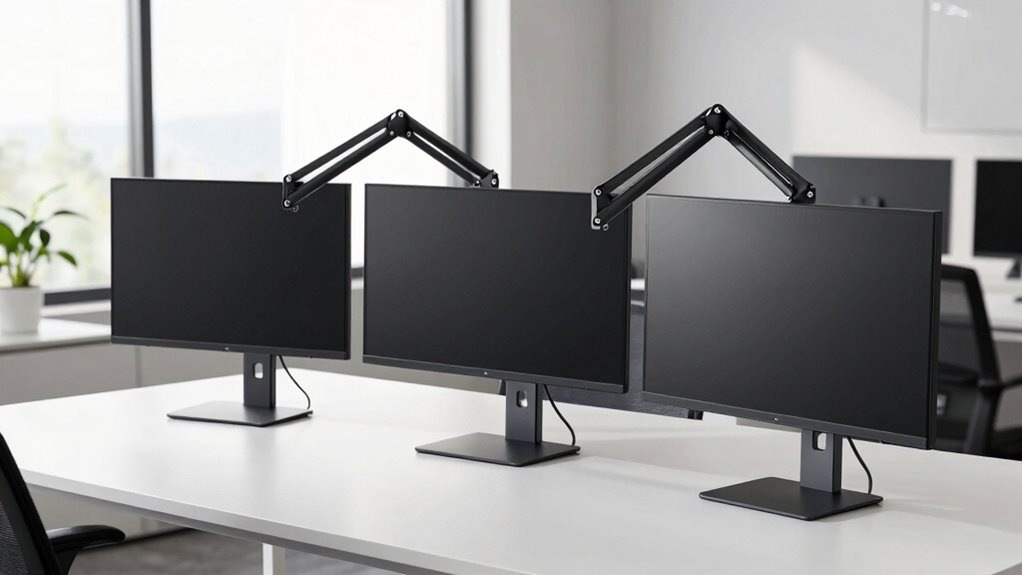

Choosing the right monitor arm can dramatically improve your workspace ergonomics and flexibility. The best options provide sturdy support, easy adjustability, and compatibility with your monitor size, but tradeoffs often include price, installation complexity, and range of motion. The WALI Adjustable Dual Monitor Arm stands out for its affordability and solid build, while the ErGear Dual Monitor Arm offers quick setup with excellent articulation. Comparing these options reveals that buyers often face a choice between budget-friendly simplicity and premium features. Keep reading for a detailed breakdown of the top monitor arms and what makes each unique.

Get home appliances delivered free — and shop member deals
- Fast, free delivery on millions of items
- Access to Prime Big Deal Days deals on October 6–7
- Prime Video, Amazon Music and more included
Complete the kit


Key Takeaways
- Top picks balance build quality and ease of adjustment to improve ergonomic comfort.
- Dual arms tend to support larger setups but often come with higher cost and complexity.
- Installation methods—clamp vs. grommet—affect compatibility and workspace setup.
- Heavy-duty models excel for large monitors but may sacrifice some flexibility.
- Cable management features are common but vary significantly in effectiveness.
| WALI Adjustable Dual Monitor Arm for 13-32 inch Screens, 22 lbs per Arm |  | Best Overall Dual Monitor Arm | Screen Size Compatibility: 13-32 inches | Max Load Capacity: 22 lbs per arm | VESA Pattern: 75x75mm and 100x100mm | VIEW ON AMAZON | See Our Full Breakdown |
| Acer Single Monitor Mount, Fully Adjustable Monitor Arm for 17-34″ Screens |  | Best for Wide Range of Screen Sizes | Supported Screen Size: 17-34 inches | Weight Capacity: 4.4–19.8 lbs (2–9 kg) | VESA Compatibility: 75×75mm & 100×100mm | VIEW ON AMAZON | See Our Full Breakdown |
| Single Monitor Wall Mount Monitor Arm, Fits 17-32 inch VESA 75/100mm |  | Best Space-Saving Wall Mount | VESA Compatibility: 75x75mm, 100x100mm | Monitor Size Range: 17-32 inches | Weight Capacity: 4.4 to 19.8 lbs | VIEW ON AMAZON | See Our Full Breakdown |
| HUNAUO Dual Monitor Stand for 13″–40″ Monitors with USB, Height Adjustable, VESA Mount, Supports 26.4 lbs per Arm |  | Best Heavy-Duty Dual Stand with USB | Supported Screen Size: 13-40 inches | Weight Capacity: 26.4 lbs per arm | VESA Compatibility: 75×75mm, 100×100mm | VIEW ON AMAZON | See Our Full Breakdown |
| WALI Adjustable Single Monitor Arm for 13-34 inch Screens, up to 26.4 lbs |  | Best Versatile Single Arm for Ergonomics | Screen Size Compatibility: 13-34 inches | Max Load Capacity: 26.4 lbs | VESA Pattern: 75x75mm, 100x100mm | VIEW ON AMAZON | See Our Full Breakdown |
| MountUp Dual Monitor Stand for Desk, Adjustable VESA Mount for 2 Monitors 17-32 Inches |  | Best Overall Dual Monitor Mount | Weight Capacity: 4.4-17.6 lbs per monitor | Screen Size Compatibility: 17-32 inches | VESA Pattern: 75×75 mm, 100×100 mm | VIEW ON AMAZON | See Our Full Breakdown |
| ErGear Dual Monitor Arm for 13–32″ Screens, Adjustable VESA Mount with Tool-Free Installation |  | Best for Easy, Quick Setup | Compatible Screen Size: 13–32 inches | Max Load: 19.8 lbs | VESA Pattern: 75x75mm, 100x100mm | VIEW ON AMAZON | See Our Full Breakdown |
| 3IDEE Flexi Pro Monitor Arm for Desks (up to 40″ & 11 kg) – Curved, Heavy Duty, Spring-Assisted, Height-Adjustable & Fully Articulated – VESA 75/100, Space Grey |  | Best Heavy-Duty Support for Large Monitors | Max Monitor Size: 40 inches | Max Weight: 11 kg | VESA Compatibility: 75×75, 100×100 | VIEW ON AMAZON | See Our Full Breakdown |
| HUANUO FlowLift™ Pro Monitor Arm for 13–32″ Screens, Fully-Adjustable with VESA Mount and Clamp/Grommet Base |  | Best for Professional-Grade Adjustability | Screen Size Range: 13–32 inches | Max Load: 19.8 lbs | VESA Compatibility: 75×75mm, 100×100mm | VIEW ON AMAZON | See Our Full Breakdown |
| ErGear Single Monitor Arm for 13–34 Inch Screens, Fully Adjustable VESA Mount with Cable Management |  | Best for Single Monitor Flexibility | Compatibility: 13–34 inch monitors | Max Load: 19.8 lbs | VESA Pattern: 75x75mm, 100x100mm | VIEW ON AMAZON | See Our Full Breakdown |
| VIVO Dual Monitor Stand, Fully Adjustable Arms for 17 to 32 inch Screens, Mechanical Articulating Desk Mount, VESA 75×75, 100×100, Max 19.8 lbs, Black |  | Best Overall Dual Monitor Arm for Versatility and Ease of Use | Screen Compatibility: 17-32 inch, flat or curved | Weight Capacity: Up to 19.8 lbs per monitor | VESA Pattern: 75x75mm, 100x100mm | VIEW ON AMAZON | See Our Full Breakdown |
| VIVO Dual Monitor Desk Mount for 13-30 inch Screens, Holds 22 lbs Each, Fully Adjustable Steel Stand with C-Clamp and Grommet, Black |  | Best Value Dual Monitor Mount for Large Monitors and Durability | Screen Size Range: 13-30 inches | Weight Capacity: 22 lbs per monitor | Material: Steel | VIEW ON AMAZON | See Our Full Breakdown |
| HUANUO FlowLift™ Dual Monitor Stand, Fully Adjustable Gaming Monitor Desk Mount for 13–32″ Screens |  | Best for Ergonomic Gaming Setups with Full Motion Adjustment | Monitor Size Range: 13–32 inches | Weight Capacity: 4.4 to 19.8 lbs per arm | VESA Compatibility: 75x75mm or 100x100mm | VIEW ON AMAZON | See Our Full Breakdown |
| HUANUO Dual Monitor Stand – Fully Adjustable Desk Mount with Swivel VESA Bracket, C Clamp & Grommet Base for 13-32 Inch Screens – Each Arm Holds 4.4-19.8 lbs – White |  | Best for Versatile Adjustability and Clean Aesthetics | Compatibility: 13-32 inches | Weight Capacity: 4.4-19.8 lbs per arm | Mounting Options: C-clamp or grommet | VIEW ON AMAZON | See Our Full Breakdown |
| monitor arm | Mounting Options | Weight Capacity |
|---|---|---|
| WALI Adjustable Dual Monitor A | C-clamp or grommet base | — |
| Acer Single Monitor Mount | C-clamp or grommet | 4.4–19.8 lbs (2–9 kg) |
| Single Monitor Wall Mount Moni | — | 4.4 to 19.8 lbs |
| HUNAUO Dual Monitor Stand for | Clamp and Grommet | 26.4 lbs per arm |
| WALI Adjustable Single Monitor | C-clamp or grommet | — |
| MountUp Dual Monitor Stand for | C-clamp, Grommet base | 4.4-17.6 lbs per monitor |
| ErGear Dual Monitor Arm for 13 | — | — |
| 3IDEE Flexi Pro Monitor Arm fo | — | — |
| HUANUO FlowLift™ Pro Monitor A | — | — |
| ErGear Single Monitor Arm for | — | — |
| VIVO Dual Monitor Stand | Heavy-duty C-clamp, bolt-through grommet | Up to 19.8 lbs per monitor |
| VIVO Dual Monitor Desk Mount f | C-Clamp, Grommet | 22 lbs per monitor |
| HUANUO FlowLift™ Dual Monitor | — | 4.4 to 19.8 lbs per arm |
| HUANUO Dual Monitor Stand | C-clamp or grommet | 4.4-19.8 lbs per arm |
More Details on Our Top Picks
WALI Adjustable Dual Monitor Arm for 13-32 inch Screens, 22 lbs per Arm
This WALI dual monitor arm stands out for its full motion flexibility and practical cable management, making it ideal for users who need to optimize ergonomic positioning and workspace organization. Compared with the HUNAUO Dual Monitor Stand, this model offers similar adjustability but is lighter on setup complexity, provided your desk is compatible with its mounting options. Its best feature is the ability to elevate two screens up to 17.3 inches in height, reducing neck strain. However, it’s limited to monitors weighing 22 lbs per arm and under 32 inches, which may exclude very large or heavy screens. Its compatibility with flat, wooden desks makes it less suitable for more complex surfaces. Overall, this pick suits those seeking a reliable, versatile dual solution without excessive complexity.
Pros:- Adjustable for ergonomic comfort with full motion capabilities
- Helps keep desk organized with built-in cable management
- Easy to install with multiple mounting options
Cons:- Recommended only for wooden desks without crossbeams underneath
- Limited to monitors under 32 inches and 22 lbs per arm
- Requires verification of VESA compatibility before purchase
Best for: Professionals needing ergonomic dual monitor support on wooden desks with standard size screens
Not ideal for: Users with curved or very heavy monitors exceeding 22 lbs or working on metal or complex desk surfaces
- Screen Size Compatibility:13-32 inches
- Max Load Capacity:22 lbs per arm
- VESA Pattern:75x75mm and 100x100mm
- Extension:19.3 inches
- Height Adjustment:up to 17.3 inches
- Swivel:+90°/-90°
- Tilt:+70°/-45°
- Rotation:360°
- Mounting Options:C-clamp or grommet base
Our verdict“This dual arm is perfect for users with standard-sized monitors on wooden desks seeking flexibility and organization.”
Acer Single Monitor Mount, Fully Adjustable Monitor Arm for 17-34″ Screens
This Acer monitor mount is well-suited for users who need support for larger screens, supporting 17 to 34 inches with full motion capabilities. Its pneumatic spring core provides smooth, stable adjustments, making it better suited to frequent re-positioning than some simpler arms like the WALI. Compared to wall mounts, this arm offers quick setup and portability, but it’s less ideal for desks with curved edges or shelves, where installation might be restricted. Its support for monitors up to 19.8 lbs makes it flexible, but very heavy or curved monitors might require a sturdier or different mounting solution. Overall, this model makes the most sense for those wanting a wide size range with easy height and angle adjustments, especially in dynamic work environments.
Pros:- Supports a wide range of monitor sizes with full motion adjustability
- Made with durable pneumatic spring cores for stability
- Easy to install with a quick, one-piece design
Cons:- Not recommended for desks with double shelves or curved edges
- Adjusting tension requires manual tuning after mounting
- May be less suitable for very heavy or unusually shaped monitors
Best for: Home or office users with medium to large monitors seeking full motion adjustability and stability
Not ideal for: Desks with curved edges or double shelves, or users with very heavy monitors over 20 lbs
- Supported Screen Size:17-34 inches
- Weight Capacity:4.4–19.8 lbs (2–9 kg)
- VESA Compatibility:75×75mm & 100×100mm
- Maximum Height Adjustment:18.1 inches
- Mounting Options:C-clamp or grommet
- Desk Thickness Compatibility:15–80 mm (0.59–3.15 inches)
Our verdict“Ideal for users who need a versatile, stable monitor arm capable of supporting larger screens with easy adjustments.”
Single Monitor Wall Mount Monitor Arm, Fits 17-32 inch VESA 75/100mm
This wall-mounted monitor arm excels in saving desk space and providing full motion flexibility for monitors between 17 and 32 inches. Its wall mount design makes it ideal for compact setups or environments where desk real estate is limited. Compared with the desk-mounted options like the WALI or HUNAUO, this arm offers a clean look and frees up valuable surface area, but it requires wall mounting, which might not suit everyone’s workspace or wall type. Its full range of tilt, swivel, and rotation ensures ergonomic positioning, but it’s incompatible with curved monitors with radius features and limited to specified monitor sizes and weights. This makes it a smart choice for those prioritizing space efficiency and wall mounting over flexibility in placement or monitor shape.
Pros:- Full motion adjustment for ergonomic viewing
- Space-saving wall mount design
- Easy installation with cable management
Cons:- Requires wall mounting which may not fit all walls
- Not compatible with curved monitors with radius features
- Limited to the specified size and weight range
Best for: Users with limited desk space seeking a space-efficient, flexible mounting solution on suitable walls
Not ideal for: Users with curved monitors or those who prefer adjustable desk mounts over wall installations
- VESA Compatibility:75x75mm, 100x100mm
- Monitor Size Range:17-32 inches
- Weight Capacity:4.4 to 19.8 lbs
- Extension:19.7 inches
- Height Adjustment Range:10 inches
- Material:Premium materials
Our verdict“This wall mount is perfect for space-conscious users wanting a flexible monitor position without occupying desk surface.”
HUNAUO Dual Monitor Stand for 13″–40″ Monitors with USB, Height Adjustable, VESA Mount, Supports 26.4 lbs per Arm
The HUNAUO dual monitor stand is tailored for users who need to support larger, heavier screens up to 40 inches and 26.4 lbs per arm. Its height adjustment and full motion flexibility make it suitable for dynamic work environments, while the integrated USB ports add convenience for charging devices. Compared with the WALI dual arm, this model supports bigger monitors and offers a more robust build, but the assembly process can be complex, and its weight might be overkill for smaller setups. Its heavy-duty design is ideal for professional environments or multi-monitor setups where stability and durability are priorities. However, its size and weight could limit portability or make it less suitable for lighter, smaller screens.
Pros:- Supports large and heavy monitors securely
- Full motion adjustment for ergonomic positioning
- Includes built-in USB ports for device charging
- Clutter-free workspace with cable management
Cons:- Assembly may be complex for some users
- Heavy-duty design might be overkill for small setups
- Limited to desks with compatible mounting options
Best for: Professionals with large, heavy monitors needing a sturdy, feature-rich dual arm with USB charging
Not ideal for: Users with small desks or those who prefer lightweight, easy-to-assemble solutions for lighter monitors
- Supported Screen Size:13-40 inches
- Weight Capacity:26.4 lbs per arm
- VESA Compatibility:75×75mm, 100×100mm
- Maximum Height Adjustment:21.1 inches
- Extension Length:25.59 inches
- Mounting Options:Clamp and Grommet
- Desk Thickness Support:up to 3.54 inches
Our verdict“Best suited for professional environments with large, demanding monitors and need for durability and USB charging capabilities.”
WALI Adjustable Single Monitor Arm for 13-34 inch Screens, up to 26.4 lbs
This WALI single monitor arm offers a balanced combination of full motion flexibility and straightforward installation, making it an excellent choice for users with moderate-sized monitors up to 34 inches. Its easy clamp or grommet mounting options and smooth adjustments are comparable to the simpler models like the Acer, but it supports a higher weight limit of 26.4 lbs, making it suitable for heavier monitors. Compared with the dual arms, this model is more suited for individuals who prefer a streamlined, single-screen setup. The main tradeoff is that its compatibility is limited to desks with compatible mounting surfaces, and it might require pre-verification of VESA compatibility. Overall, this arm provides a reliable ergonomic upgrade for a wide range of monitor sizes.
Pros:- Provides full motion for ergonomic positioning
- Easy to install with multiple mounting options
- Sturdy build with high weight capacity
- Helps organize workspace and reduce clutter
Cons:- Designed primarily for wooden desks
- Maximum weight limit may restrict larger monitors
- Requires verification of VESA compatibility
Best for: Users who need a dependable, full-motion single monitor arm for screens up to 34 inches on compatible desks
Not ideal for: Users with non-wooden or incompatible desks, or those seeking multi-monitor setups
- Screen Size Compatibility:13-34 inches
- Max Load Capacity:26.4 lbs
- VESA Pattern:75x75mm, 100x100mm
- Extension:19.3 inches
- Height Adjustment:17.3 inches
- Tilt:+70°/-45°
- Swivel:+180°/-180°
- Rotation:360°
- Mounting Options:C-clamp or grommet
Our verdict“This pick is ideal for users wanting a robust, adjustable single monitor setup with easy installation and high weight support.”
MountUp Dual Monitor Stand for Desk, Adjustable VESA Mount for 2 Monitors 17-32 Inches
This MountUp dual monitor stand stands out for its impressive flexibility supporting a broad range of monitor sizes from 17 to 32 inches and weights up to 17.6 lbs per arm. Compared with the VIVO Dual Monitor Stand, it offers more extensive adjustability with full motion, including tilt, swivel, and rotation, making it ideal for ergonomic setups. However, it requires careful tension adjustments to prevent sagging over time, and its assembly instructions could be clearer. It’s a strong choice for users seeking versatile, full-motion support for multiple monitors on a sturdy, easy-to-install frame.Pros:- Supports a wide range of monitor sizes and weights
- Full motion flexibility with tilt, swivel, and rotation
- Easy to install with multiple mounting options
- Cable management keeps workspace organized
Cons:- Requires proper tension adjustment for pneumatic arms
- May not fit very thick desks with grommet mounting
- Assembly instructions could be clearer
Best for: Professionals who need to configure multiple monitors with maximum flexibility for ergonomic comfort.
Not ideal for: Users with very thick desks or those seeking a simple, fixed mount without full motion capabilities.
- Weight Capacity:4.4-17.6 lbs per monitor
- Screen Size Compatibility:17-32 inches
- VESA Pattern:75×75 mm, 100×100 mm
- Arm Extension:17.3 inches
- Height Adjustment Range:9.4 inches
- Mounting Options:C-clamp, Grommet base
Our verdict“This mount is best suited for users who want maximum adjustability and support for multiple monitors on a sturdy, flexible frame.”
ErGear Dual Monitor Arm for 13–32″ Screens, Adjustable VESA Mount with Tool-Free Installation
This ErGear dual monitor arm makes a strong case for straightforward, tool-free installation, which is a step up from the more complex assembly of the MountUp. It supports monitors from 13 to 32 inches and up to 19.8 lbs, making it suitable for most standard setups. The adjustable height, tilt, and swivel options ensure ergonomic comfort, while the cable management keeps the desk tidy. Its main tradeoff is that it’s best suited for wooden desks without crossbeams; on irregular surfaces, installation can be tricky. It’s an excellent pick for those who want quick setup and reliable adjustability without fuss.Pros:- Supports a wide range of monitor sizes and weights
- Easy, tool-free installation with multiple mounting options
- Adjustable for ergonomic positioning
- Keeps desk tidy with cable management
Cons:- Recommended only for wooden desks without crossbeams
- May require careful verification of monitor VESA compatibility
- Limited to monitors within specified weight and size range
Best for: Home office users or students needing a quick, adjustable mount for standard-sized monitors.
Not ideal for: Users with thick, irregular desks or very large monitors over 32 inches.
- Compatible Screen Size:13–32 inches
- Max Load:19.8 lbs
- VESA Pattern:75x75mm, 100x100mm
- Height Adjustment:up to 17.5 inches
- Extension:up to 18.1 inches
- Tilt:+80°/-50°
Our verdict“Ideal for users seeking a quick, reliable, and adjustable dual monitor mount with minimal installation effort.”
3IDEE Flexi Pro Monitor Arm for Desks (up to 40″ & 11 kg) – Curved, Heavy Duty, Spring-Assisted, Height-Adjustable & Fully Articulated – VESA 75/100, Space Grey
Compared with lighter mounts like the HUANUO FlowLift, the 3IDEE Flexi Pro excels at supporting large, heavy monitors up to 40 inches and 11 kg, thanks to its alloy steel construction and spring-assisted height adjustment. This makes it a top choice for professional or gaming setups where stability under load is critical. Its full articulation allows for precise ergonomic positioning, but its weight and sturdy build can make installation more challenging. If you need a reliable, heavy-duty arm for sizable displays, this model offers unmatched stability, at the cost of portability and ease of setup.Pros:- Supports large, heavy monitors with stability
- Spring-assisted height adjustment for easy positioning
- Full articulation for ergonomic setup
- Sleek Space Grey design
Cons:- Heavy to install due to sturdy build
- Limited to monitors up to 40 inches and 11 kg
- Less portable for frequent rearrangement
Best for: Professionals or gamers with large, heavy monitors needing a stable, fully articulating mount.
Not ideal for: Users with smaller desks or those who prefer lightweight, portable options.
- Max Monitor Size:40 inches
- Max Weight:11 kg
- VESA Compatibility:75×75, 100×100
- Material:Alloy steel
Our verdict“Best suited for users with large, weighty monitors who need maximum stability and full articulation.”
HUANUO FlowLift™ Pro Monitor Arm for 13–32″ Screens, Fully-Adjustable with VESA Mount and Clamp/Grommet Base
The HUANUO FlowLift™ Pro offers a professional-grade feel with its durable metal construction and extensive adjustability, including tilt, swivel, and rotation, similar to the ErGear but with more robust build quality. Its compatibility with 13 to 32-inch screens and support for up to 19.8 lbs make it versatile for most office setups. The ease of VESA quick-mounting combined with clamp or grommet base options makes installation straightforward, although it requires a specific desk thickness range. For users who prioritize long-term durability and precise ergonomic control, this model balances flexibility and reliability well.Pros:- Fully adjustable with tilt, swivel, and rotation
- Durable, professional-grade metal construction
- Easy tool-free VESA quick-mount
- Supports monitors up to 19.8 lbs and 32 inches
Cons:- Requires specific desk thickness (0.59–3.54 inches)
- Limited to monitors within weight and size limits
- May be overbuilt for very small or lightweight setups
Best for: Office professionals seeking a durable, highly adjustable monitor arm for standard-sized screens.
Not ideal for: Users with irregular or very thick desks outside the specified thickness range or with monitors exceeding 19.8 lbs.
- Screen Size Range:13–32 inches
- Max Load:19.8 lbs
- VESA Compatibility:75×75mm, 100×100mm
- Adjustment:Tilt, Swivel, Rotation
Our verdict“Ideal for professionals needing a highly adjustable, durable mount for standard-sized monitors with a focus on long-term stability.”
ErGear Single Monitor Arm for 13–34 Inch Screens, Fully Adjustable VESA Mount with Cable Management
This ErGear single monitor arm provides a versatile solution for users who need full motion control over a single display, supporting 13 to 34 inches and up to 19.8 lbs. It offers a comprehensive range of adjustments—height, tilt, swivel, and rotation—making it comparable to the dual-arm options but with a focus on one monitor. Its tool-free setup and cable management add convenience, yet its maximum weight capacity may limit heavier or larger displays. For those with a sizable desk and a preference for a flexible single-monitor setup, this arm offers excellent ergonomic control without the bulk of dual arms.Pros:- Supports a wide range of monitor sizes and weights
- Full motion adjustments for ergonomic positioning
- Easy tool-free installation with cable management
- Supports monitors up to 34 inches
Cons:- Limited to 19.8 lbs maximum weight
- Requires VESA compatibility on monitor
- Some may find arm length limiting on very large desks
Best for: Creative professionals or remote workers using a large single monitor and prioritizing full motion adjustment.
Not ideal for: Users with very heavy or large monitors over 34 inches or requiring multiple displays.
- Compatibility:13–34 inch monitors
- Max Load:19.8 lbs
- VESA Pattern:75x75mm, 100x100mm
- Max Height Adjustment:17.5 inches
- Reach:18.1 inches
Our verdict“Best suited for users who need maximum flexibility for a single large monitor with easy setup and cable management.”
VIVO Dual Monitor Stand, Fully Adjustable Arms for 17 to 32 inch Screens, Mechanical Articulating Desk Mount, VESA 75×75, 100×100, Max 19.8 lbs, Black
This VIVO dual monitor stand stands out for its broad compatibility with 17 to 32-inch screens and a generous tilt range, making it a flexible choice for various setups. Compared with the HUANUO FlowLift™, it offers a simpler, straightforward assembly process, though it slightly compromises on maximum weight capacity, which is capped at 19.8 lbs per monitor. The fully adjustable arms allow for personalized viewing angles, but the back of the arms may extend past the desk edge, potentially interfering with workspace. Its dual mounting options—C-clamp and grommet—provide versatility, but some users may find clamp mounting restrictive on thicker desks. This pick makes the most sense for users needing a reliable, easy-to-assemble solution that accommodates larger monitors without complex features.
Pros:- Adjustable arms for customized viewing angles
- Compatible with most 17-32 inch monitors
- Helps save desk space by elevating monitors
- Easy to assemble with included hardware
Cons:- Back of arms may extend past desk edge
- Maximum weight limit is 19.8 lbs per monitor
- Clamp mounting may be restrictive on thick desks
Best for: Users who want a versatile, easy-to-install dual monitor setup compatible with most 17-32 inch screens.
Not ideal for: Professionals with heavier or curved monitors over 19.8 lbs, or those with thick desks that cannot accommodate the clamp.
- Screen Compatibility:17-32 inch, flat or curved
- Weight Capacity:Up to 19.8 lbs per monitor
- VESA Pattern:75x75mm, 100x100mm
- Tilt Range:+90° to -90°
- Swivel:180°
- Mounting Options:Heavy-duty C-clamp, bolt-through grommet
Our verdict“This stand offers flexible positioning for mid-sized monitors, ideal for users seeking simplicity and space-saving design.”
VIVO Dual Monitor Desk Mount for 13-30 inch Screens, Holds 22 lbs Each, Fully Adjustable Steel Stand with C-Clamp and Grommet, Black
This VIVO model supports larger monitors up to 30 inches and 22 lbs each, making it suitable for users with heavier screens. Its full adjustability—tilt, swivel, rotation, and height—outperforms many cheaper options like the WALI single arm, especially for ergonomic customization. Constructed from steel, it offers robust support but may require ample desk space for mounting. The dual mounting options—C-clamp and grommet—provide flexibility, yet users with limited desk clearance or non-standard thicknesses may encounter installation issues. Compared to the HUANUO FlowLift™, this model is more straightforward for heavier setups, but it sacrifices some of the fine motion fluidity. It’s well-suited for those needing durable, heavy-duty support for multiple large monitors.
Pros:- Supports large monitors up to 30 inches and 22 lbs each
- Fully adjustable for ergonomic positioning
- Sturdy steel construction for durability
- Easy installation with multiple mounting options
Cons:- Requires sufficient desk space for mounting
- Limited to monitors with VESA 75x75mm or 100x100mm holes
- May be less flexible for fine motion adjustments compared to premium models
Best for: Professionals with sizable, heavy monitors who need a stable, cost-effective dual mount.
Not ideal for: Users with small desks or those using monitors outside the 13-30 inch range, or with limited clearance for mounting.
- Screen Size Range:13-30 inches
- Weight Capacity:22 lbs per monitor
- Material:Steel
- Mounting Options:C-Clamp, Grommet
- Tilt Range:+90° to -90°
- Height Adjustment:Yes
Our verdict“This mount provides strong support and adjustability for larger monitors at a budget-friendly price point.”
HUANUO FlowLift™ Dual Monitor Stand, Fully Adjustable Gaming Monitor Desk Mount for 13–32″ Screens
The HUANUO FlowLift™ excels in providing full motion flexibility, making it ideal for gamers and ergonomic enthusiasts. Its tilt, swivel, and rotation capabilities surpass many basic mounts, including the WALI dual arm, especially with a maximum height adjustment of 15.75 inches. The dual C-clamp and grommet mount ensure stability on wooden desks, but this model may pose installation challenges on desks with cross beams or non-wood surfaces, similar to the other HUANUO model. Its recommended use on wooden desks aligns with its sturdy metal construction, but it’s less suitable for glass or plastic desktops. Compared with the simpler VIVO options, this stand offers more ergonomic features, but at the expense of ease of installation and versatility on non-wood surfaces. It’s best suited for users prioritizing ergonomic positioning and full motion range.
Pros:- Full motion adjustment with tilt, swivel, and rotation
- Secure dual mounting options for stability
- Supports monitors from 13–32 inches
- Helps organize workspace and reduce strain
Cons:- Recommended only for wooden desks
- Installation can be difficult on desks with cross beams
- Requires monitors with VESA mounting holes
Best for: Gamers or remote workers seeking maximum ergonomic adjustment and full motion flexibility.
Not ideal for: Users with non-wood desks or those who prefer quick, tool-free setup without extensive motion features.
- Monitor Size Range:13–32 inches
- Weight Capacity:4.4 to 19.8 lbs per arm
- VESA Compatibility:75x75mm or 100x100mm
- Tilt:+85°/-50°
- Swivel:±90°
- Rotation:360°
- Maximum Height Adjustment:15.75 inches
Our verdict“This stand offers comprehensive ergonomic adjustments, perfect for gamers and professionals who value full motion customization.”
HUANUO Dual Monitor Stand – Fully Adjustable Desk Mount with Swivel VESA Bracket, C Clamp & Grommet Base for 13-32 Inch Screens – Each Arm Holds 4.4-19.8 lbs – White
This HUANUO model combines full ergonomic adjustability with a sleek white finish, making it a good choice for users who want both form and function. Its support for monitors from 13 to 32 inches and up to 19.8 lbs per arm matches the capabilities of the other HUANUO stand, but with a modern visual appeal. The swivel, tilt, and rotation features enable precise positioning, while cable management keeps workspaces tidy. Its installation process can be complex for first-timers, similar to other models, and it requires monitors with VESA mounting holes. Compared with the black version, this white stand offers a more aesthetic-friendly option, but the core support and limitations remain consistent. It’s best suited for users who want a stylish, fully adjustable dual monitor mount for standard desk setups with wooden surfaces.
Pros:- Adjustable for ergonomic positioning with tilt, swivel, and rotation
- Supports monitors from 13–32 inches and up to 19.8 lbs
- Cable management features for tidy workspace
- Sleek white aesthetic suitable for modern setups
Cons:- Requires monitors with VESA mounting holes
- Assembly may be complex for beginners
- Limited to monitors within specified size and weight range
Best for: Professionals or gamers seeking an adjustable, stylish monitor mount with good cable management.
Not ideal for: Users with non-wood desks or without monitors equipped with VESA holes, or those preferring quick assembly.
- Compatibility:13-32 inches
- Weight Capacity:4.4-19.8 lbs per arm
- Mounting Options:C-clamp or grommet
- Tilt:+85°/-50°
- Swivel:±90°
- Rotation:360°
Our verdict“This mount combines style and full adjustability, ideal for users who want a sleek dual monitor setup with versatile positioning.”

How We Picked
These monitor arms were selected based on a combination of build quality, compatibility with a wide range of monitor sizes, ease of installation, adjustability, and value for the price. We prioritized products that offer stable support without excessive wobble, as well as those that provide smooth movement and ergonomic versatility. Our ranking emphasizes options that cater to both casual users and professionals, with a focus on durability and ease of use. We also considered customer reviews and brand reputation to ensure reliable performance over time.| monitor arm | Mounting Options |
|---|---|
| WALI Adjustable Dual Monitor A | C-clamp or grommet base |
| Acer Single Monitor Mount | C-clamp or grommet |
| Single Monitor Wall Mount Moni | — |
| HUNAUO Dual Monitor Stand for | Clamp and Grommet |
| WALI Adjustable Single Monitor | C-clamp or grommet |
| MountUp Dual Monitor Stand for | C-clamp, Grommet base |
| ErGear Dual Monitor Arm for 13 | — |
| 3IDEE Flexi Pro Monitor Arm fo | — |
| HUANUO FlowLift™ Pro Monitor A | — |
| ErGear Single Monitor Arm for | — |
| VIVO Dual Monitor Stand | Heavy-duty C-clamp, bolt-through grommet |
| VIVO Dual Monitor Desk Mount f | C-Clamp, Grommet |
| HUANUO FlowLift™ Dual Monitor | — |
| HUANUO Dual Monitor Stand | C-clamp or grommet |
Factors to Consider When Choosing Monitor Arms
When choosing a monitor arm, it’s important to consider several factors that impact both usability and comfort. A well-chosen arm can reduce neck and eye strain, improve workspace organization, and adapt to your specific monitor setup. The right model depends on your monitor size, desk type, and whether you prioritize quick setup or advanced adjustability. Understanding these factors helps prevent common mistakes, like choosing an arm that can’t support your monitor’s weight or doesn’t fit your desk.Monitor Size and Weight Capacity
Ensure the monitor arm you choose can support your monitor’s size and weight. Most arms specify a range—commonly 13 to 34 inches and 13 to 26 pounds. Overloading an arm can cause instability or damage, while under-support can lead to wobbling or sagging. For larger or heavier monitors, opt for models with reinforced mounting points and higher weight limits to maintain stability over time.
Adjustability and Range of Motion
Look for arms that offer multiple axes of movement—tilt, swivel, rotation, and height adjustment. This flexibility ensures ergonomic positioning, reducing strain during long work sessions. Be cautious of models with limited movement, which can force awkward postures. Heavy-duty or professional-grade arms often provide more precise control, but may be more complex to set up initially.
Installation Method
Monitor arms typically attach via clamp or grommet mount. Clamp mounts are easier to install and suitable for most desks, but require enough clearance for the clamp. Grommet mounts provide a more permanent solution and typically offer greater stability, ideal for thicker desks or permanent setups. Consider your desk’s construction and how often you might need to reposition the arm when choosing between them.
Build Quality and Durability
Materials like steel and high-grade aluminum ensure longevity and stability. Cheaper plastics may save money upfront but can wobble or wear out quickly. Check for solid joints and smooth adjustment mechanisms. Investing in a well-constructed arm can save frustration and money on replacements later, especially if you plan to support multiple monitors or heavy setups.
Additional Features and Value
Features like integrated cable management, quick-release VESA plates, and tool-free adjustments add convenience. While not essential, these extras can streamline your workspace and improve aesthetics. Also, consider the warranty and customer support quality, as these reflect the manufacturer’s confidence and commitment to durability.
Frequently Asked Questions
Can I use a monitor arm with a curved monitor?
Yes, many monitor arms support curved monitors, provided they fit within the size and weight limits specified by the manufacturer. Curved monitors often require slightly more clearance and careful consideration of the arm’s range of motion to avoid obstruction. Check the VESA compatibility and ensure the arm’s flexibility accommodates your specific monitor curvature for the best ergonomic positioning.
How do I know if a monitor arm will fit my desk?
Most monitor arms attach via clamp or grommet, and their compatibility depends on your desk’s thickness and available space. Clamp mounts require sufficient edge clearance, while grommet mounts need a hole or a suitable surface. Measure your desk’s thickness and available space before purchasing, and verify that the mounting method aligns with your workspace setup.
Are dual monitor arms more stable than single arms?
Dual monitor arms can offer excellent stability, especially when supporting monitors of similar size and weight, but they require a sturdy mounting point. Because they distribute weight across two arms, they often provide better support for larger setups. However, they can also be more complex to install and may limit desk space if not carefully chosen. Balance your monitor weights and desk capacity before opting for dual arms.
Is it worth investing in a premium monitor arm?
Premium monitor arms typically offer smoother adjustments, higher build quality, and more extensive range of motion, making them ideal for professional or long-term use. They also tend to have better cable management and durability. If you spend many hours at your workstation or need precise ergonomic positioning, investing in a higher-quality arm can enhance comfort and reduce fatigue over time.
What common mistakes should I avoid when choosing a monitor arm?
A common mistake is choosing an arm that doesn’t support your monitor’s size or weight, leading to instability or damage. Another is neglecting your desk’s dimensions and mounting options, which can cause installation issues. Failing to consider the full range of motion needed for your workspace can result in poor ergonomics. Finally, overlooking build quality and customer reviews might lead to purchasing a product that wobbles or wears out quickly.
Conclusion
For most users, the WALI Adjustable Dual Monitor Arm offers a balanced combination of affordability, durability, and flexibility, making it the best overall choice. Those seeking a premium experience with smoother motion and longer durability should consider the ErGear Dual Monitor Arm. Beginners or casual users might prefer simpler, easy-to-install options like the HUNAUO Dual Monitor Stand for straightforward setup. Professionals with large or heavy monitors will benefit from heavy-duty models like the 3IDEE Flexi Pro, while those prioritizing value should look at the VIVO Dual Monitor Stand. Tailoring your choice to your specific needs ensures the best ergonomic and workspace outcome.
As an affiliate, we earn on qualifying purchases.Fall yard work Picks
leaf blowers