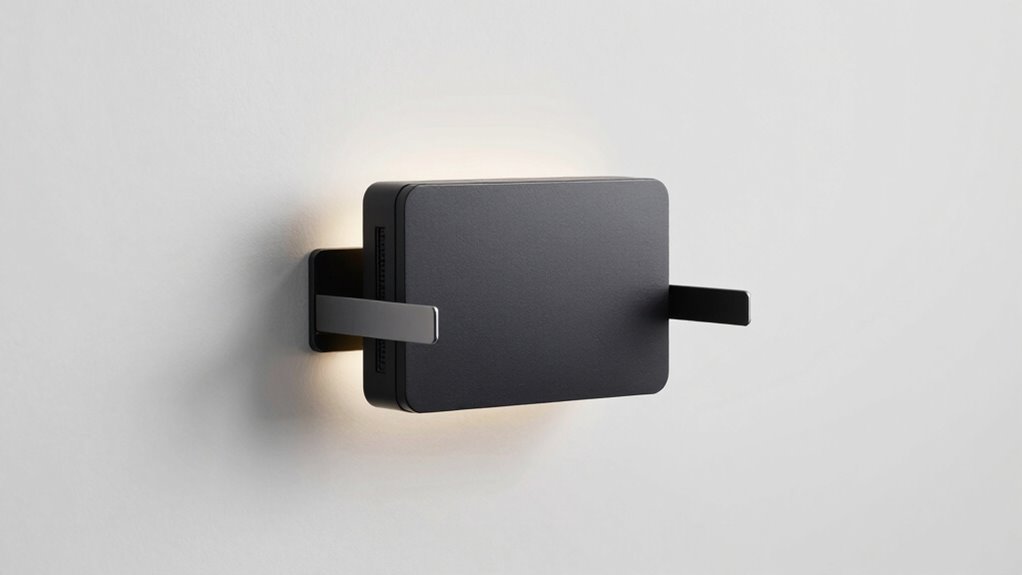

Finding the right wall mount for your router can significantly enhance your home network by improving signal strength and freeing up space. The best options combine secure mounting, ease of installation, and compatibility with various router models. The Adjustable Plastic Wall Mount Bracket Kit stands out as the overall best choice for its versatility and affordability; however, some users may prefer dedicated mounts like the Linksys Velop Wall Bracket for seamless fit, or the Starlink Wall Mount for specific compatibility. Common tradeoffs include balancing ease of use against compatibility, and choosing between universal vs. brand-specific mounting solutions. Keep reading for a detailed breakdown of these options to find the best fit for your needs.

Get home appliances delivered free with Prime
- Fast, free delivery on millions of items
- Prime Video, Amazon Music and more included
- Member-only deals all year
Complete the kit



Key Takeaways
- Universal mounts offer flexibility but may lack perfect fit or aesthetics, making dedicated mounts preferable for specific routers.
- Ease of installation varies; adhesive mounts are simple but less secure, while screw-in brackets provide robust support at the cost of more effort.
- Compatibility is crucial—double-check that the mount supports your router’s size and mounting options before purchasing.
- Space-saving designs like shelf mounts help with organization, but may limit airflow or cooling for high-performance routers.
- Price ranges reflect build quality and features; investing more often yields more durable, adjustable, or aesthetically pleasing options.
| Adjustable Plastic Wall Mount Bracket Kit for Router, Modem, DVR |  | Best Versatile Adjustable Mount for Lightweight Devices | Fits Devices Thickness: 0.7 to 2.1 inches (17 to 54mm) | Material: Engineered polymer | Included: Wall screws and plugs, three plastic spacers | VIEW ON AMAZON | See Our Full Breakdown |
| Smart Home Outlet Wall Mount for Google Nest WiFi Router (2nd Generation) – 2-Pack |  | Best Dedicated Mount for Google Nest WiFi Router | Compatibility: Google Nest WiFi Router (2nd Generation) | Number of Packs: 2 | Maximum Coverage: 2200 sq ft | VIEW ON AMAZON | See Our Full Breakdown |
| Wall Mount Bracket for eero Pro 7, Router Holder, Space Saving, Easy Installation |  | Best Space-Saving Mount for eero Pro 7 | Compatibility: eero Pro 7 | Material: ABS plastic | Package Includes: 1 wall mount, hardware set | VIEW ON AMAZON | See Our Full Breakdown |
| Wall Mount Shelf for WiFi Router, Modem, TV Box, Black |  | Best Universal Shelf for Multiple Devices | Compatibility: Devices up to 45 mm wide and 10 lb weight | Material: Not specified | Color: Black | VIEW ON AMAZON | See Our Full Breakdown |
| WiFi Router Wall Mount Organizer, No Drill Small Device Wall Mount Holder for TP-Link, Router, Modem, CD Case (Black) |  | Best No-Drill Mount for Small Network Devices | Material: Solid metal | Compatible Devices: Most routers, TP-Link devices, headphones, controllers, CD cases | Maximum Device Thickness: 1.77 inches | VIEW ON AMAZON | See Our Full Breakdown |
| 2-in-1 Wall Mount for Starlink Gen3/4/4X HP Router & Power Supply |  | Best Custom Fit for Starlink Enthusiasts | Compatibility: Starlink Gen 3/4/4X HP Router | Material: ABS plastic | Included Components: Expansion bolts, Screws, Wall mount bracket | VIEW ON AMAZON | See Our Full Breakdown |
| Linksys Velop WiFi 6 Mesh Router Wall Mount Bracket (1-Pack) |  | Best for Easy, Space-Saving Wall Mounting | Compatibility: Linksys Velop WiFi 6 Mesh Router | Includes: Wall mount bracket, screws, screwdriver | Material: Plastic | VIEW ON AMAZON | See Our Full Breakdown |
| XLTTYWL 2-in-1 Mount for Starlink Gen3/V4/4X HP Router & Power Supply |  | Best for Multi-Model Starlink Setups and Convenience | Compatibility: Starlink Gen3, V4, 4X, V5 | Material: Impact-resistant ABS plastic | Setup Time: 3 minutes | VIEW ON AMAZON | See Our Full Breakdown |
| Starlink Router Wall Mount for Gen 3/4X |  | Best for Specific Starlink Models in Mobile and Sheltered Environments | Compatibility: Starlink Gen 3/4X Router and Power Supply | Material: ABS plastic | Features: Impact-resistant, scratch-proof, ventilation | VIEW ON AMAZON | See Our Full Breakdown |
| Router Wall Mount Shelf for TP-Link Deco X20/X50/X60/X55 Mesh WiFi 6 |  | Best for Organized, Stylish Mesh WiFi Mounting | Compatibility: TP-Link Deco X20, X50, X60, X55 | Material: Plastic and hardware | Mounting: Wall mount with screws and expansion bolts | VIEW ON AMAZON | See Our Full Breakdown |
| Monzlteck Adjustable Small Device Wall Mount or VESA Mount for Behind the Monitor |  | Best Versatile Wall Mount for Small Devices | Compatibility: Devices less than 2.8 inches thick | Material: High quality steel | Installation: Wall or desktop mounting with 2 screws | VIEW ON AMAZON | See Our Full Breakdown |
| Wall Mount Holder for TP-Link Deco BE23 BE25 WiFi 7 Router 2-Pack |  | Best Custom Fit for TP-Link Deco Mesh Systems | Compatibility: TP-Link Deco BE23, BE25, BE3600, BE5000 | Features: Cable management, airflow optimization, secure mounting | Material: Not specified | VIEW ON AMAZON | See Our Full Breakdown |
| Wall Mount Kit for Nighthawk Router WiFi 7 Mesh System (1 Pack) |  | Best Heavy-Duty Aluminum Mount for Nighthawk Routers | Compatibility: Nighthawk RS100, RS150, RS200, RS280S, RS300, RS500, RS600, RS700S, BE3600, BE5000, BE6500, BE9200, BE9300, BE12000, BE17000, BE18000, BE19000 | Material: Aluminum alloy | Design: Vertical, space-saving, ventilated | VIEW ON AMAZON | See Our Full Breakdown |
| Wall Mount Router Holder, Adhesive Wall Mounted Router Brackets, Adjustable Support Stand for Routers, Modems, Set Top Boxes, Cable Boxes, and Network Devices |  | Best No-Tool, Easy Install Router Organizer | Color: White | Material: Plastic | Mounting Type: Adhesive | VIEW ON AMAZON | See Our Full Breakdown |
| router placement accessories wall mount | Material | Compatibility |
|---|---|---|
| Adjustable Plastic Wall Mount | Engineered polymer | — |
| Smart Home Outlet Wall Mount f | — | Google Nest WiFi Router (2nd Generation) |
| Wall Mount Bracket for eero Pr | ABS plastic | eero Pro 7 |
| Wall Mount Shelf for WiFi Rout | Not specified | Devices up to 45 mm wide and 10 lb weight |
| WiFi Router Wall Mount Organiz | Solid metal | — |
| 2-in-1 Wall Mount for Starlink | ABS plastic | Starlink Gen 3/4/4X HP Router |
| Linksys Velop WiFi 6 Mesh Rout | Plastic | Linksys Velop WiFi 6 Mesh Router |
| XLTTYWL 2-in-1 Mount for Starl | Impact-resistant ABS plastic | Starlink Gen3, V4, 4X, V5 |
| Starlink Router Wall Mount for | ABS plastic | Starlink Gen 3/4X Router and Power Supply |
| Router Wall Mount Shelf for TP | Plastic and hardware | TP-Link Deco X20, X50, X60, X55 |
| Monzlteck Adjustable Small Dev | High quality steel | Devices less than 2.8 inches thick |
| Wall Mount Holder for TP-Link | Not specified | TP-Link Deco BE23, BE25, BE3600, BE5000 |
| Wall Mount Kit for Nighthawk R | Aluminum alloy | Nighthawk RS100, RS150, RS200, RS280S, RS300, RS500, RS600, RS700S, BE3600, BE5000, BE6500, BE9200, BE9300, BE12000, BE17000, BE18000, BE19000 |
| Wall Mount Router Holder | Plastic | Routers, Modems, Set Top Boxes, Cable Boxes, Network Devices |
More Details on Our Top Picks
Adjustable Plastic Wall Mount Bracket Kit for Router, Modem, DVR
This adjustable plastic wall mount stands out for its flexible width, accommodating a variety of lightweight devices like routers, modems, and DVRs. Unlike rigid mounts, its adjustable feature makes it highly versatile, fitting devices from 0.7 to 2.1 inches thick. Its plastic construction keeps it lightweight and corrosion-resistant, ideal for under-desk setups or wall mounting in tight spaces. However, this flexibility comes with a tradeoff: it’s only suited for lightweight equipment, so heavier devices may not be secure. The plastic material, while easy on the wallet, may lack durability over time compared to metal options. Proper measurement before installation is necessary to ensure a snug fit.
Pros:- Adjustable width allows for versatile device fitting
- Lightweight and corrosion-resistant plastic construction
- Can be mounted on walls or under desks for space efficiency
Cons:- Designed exclusively for light equipment, not suitable for heavy devices
- Plastic material may wear or crack over time
- Requires careful measurement to ensure proper fit
Best for: Home users with lightweight networking gear needing flexible mounting options on walls or desks
Not ideal for: Users with heavier routers or modems requiring a sturdy, durable mount
- Fits Devices Thickness:0.7 to 2.1 inches (17 to 54mm)
- Material:Engineered polymer
- Included:Wall screws and plugs, three plastic spacers
Our verdict“This pick works best for those seeking a customizable, lightweight mount for small devices in space-constrained environments.”
Smart Home Outlet Wall Mount for Google Nest WiFi Router (2nd Generation) – 2-Pack
This wall mount is tailored specifically for the Google Nest WiFi Router (2nd Generation), making installation straightforward without tools or drilling—an advantage over more generic mounts like the eero Pro 7 bracket, which requires drilling. It enhances the router’s aesthetic appeal and cable management, reducing clutter and possibly improving signal quality. Its sleek design complements modern homes but is limited to this specific router model, unlike flexible options that fit multiple devices. The mount doesn’t include a router, so users must already own the device, and it’s fixed in one position, lacking portability. For Google Nest users prioritizing ease and appearance, this offers a neat solution.
Pros:- No tools or drilling required for installation
- Neatly manages cables for a clean look
- Design enhances home decor and connectivity
Cons:- Limited to the Google Nest WiFi Router (2nd Gen)
- Does not include the router itself
- Fixed wall mounting, no mobility
Best for: Homeowners with Google Nest WiFi Router (2nd Gen) seeking easy, tool-free installation
Not ideal for: Owners of other routers or those needing portable or multi-device mounts
- Compatibility:Google Nest WiFi Router (2nd Generation)
- Number of Packs:2
- Maximum Coverage:2200 sq ft
- Wireless Standard:802.11ac
- Number of Antennas:3
- Control Method:Touch
Our verdict“Ideal for Google Nest WiFi users wanting a simple, stylish wall mount without the hassle of tools or complex setup.”
Wall Mount Bracket for eero Pro 7, Router Holder, Space Saving, Easy Installation
This bracket is designed specifically for the eero Pro 7, offering a space-efficient, high-quality solution compared to more generic mounts like the wall shelf. Its sturdy ABS plastic construction and hidden cable management make it ideal for clean, clutter-free setups. Unlike the adjustable plastic mounts, this is a dedicated, fixed-size solution that ensures a snug fit. Installation requires drilling, similar to the eero-specific bracket, but the included hardware simplifies setup. Its focus on stability and minimal footprint makes it perfect for users who want a dedicated, secure mount for the eero Pro 7 but at the cost of less flexibility for other devices. Those with other routers or looking for a universal mount should consider alternatives.
Pros:- Sturdy, durable ABS plastic construction
- Hidden cable management maintains a tidy appearance
- Easy installation with included hardware
Cons:- Only compatible with eero Pro 7
- Requires drilling into the wall
- Limited flexibility for other devices
Best for: Eero Pro 7 owners seeking a dedicated, space-saving mounting option with a clean look
Not ideal for: Users with different router models or who prefer no-drill installation methods
- Compatibility:eero Pro 7
- Material:ABS plastic
- Package Includes:1 wall mount, hardware set
- Installation:Drill 2 holes in wall
Our verdict“This mount is best for eero Pro 7 users prioritizing a stable, space-efficient setup with a neat appearance.”
Wall Mount Shelf for WiFi Router, Modem, TV Box, Black
Compared with dedicated mounts like the eero bracket, this wall mount shelf offers broader compatibility with various devices, including routers, modems, and TV boxes, making it a flexible choice for multi-device setups. Its adjustable slots and hooks facilitate cable management, although the material quality isn’t specified, which may impact long-term durability. The limited weight capacity of 10 lbs restricts heavier equipment, unlike more robust options. Its simple design suits users who want to organize multiple devices in one space, but the lack of adjustable angles or specialized features means it’s less suited for complex setups. It excels in versatility but trades off some durability and advanced functionality.
Pros:- Universal compatibility with various devices
- Space-saving wall mount design
- Easy to install with included hardware
- Multiple mounting options for different surfaces
Cons:- Material quality not specified, potentially less durable
- Limited to 10 lbs weight capacity
- No adjustable angles or advanced features
Best for: Home users needing a universal, space-saving shelf for multiple small devices
Not ideal for: Heavy equipment or users requiring adjustable or highly durable mounts
- Compatibility:Devices up to 45 mm wide and 10 lb weight
- Material:Not specified
- Color:Black
- Weight:3.84 ounces
- Mounting Type:Wall mount
Our verdict“Ideal for organizing multiple small devices in a flexible, space-efficient shelf, though not suited for heavy or complex setups.”
WiFi Router Wall Mount Organizer, No Drill Small Device Wall Mount Holder for TP-Link, Router, Modem, CD Case (Black)
This wall mount organizer excels in simplicity and ease of installation, employing adhesive hooks and push pins instead of drilling—making it perfect for renters or those hesitant about wall damage. Its sturdy metal construction offers durability and effective heat dissipation, outperforming plastic mounts like the adjustable bracket for lightweight devices. However, its compatibility is limited to devices less than 1.77 inches thick, which rules out larger routers or media players. The adhesive may not hold on all wall surfaces, especially textured or oily ones, and it’s less suitable for heavier or bulkier devices. For quick, damage-free setup of small devices, this mount offers a sturdy and space-saving solution.
Pros:- Easy to install without drilling
- Sturdy metal construction for durability
- Space-saving and heat-dissipating design
Cons:- Limited to devices under 1.77 inches thick
- Adhesive may not hold on all surfaces
- Less suitable for larger or heavier devices
Best for: Apartment dwellers or renters needing a quick, no-drill mount for small devices
Not ideal for: Users with larger, heavier devices or those seeking a more permanent mounting solution
- Material:Solid metal
- Compatible Devices:Most routers, TP-Link devices, headphones, controllers, CD cases
- Maximum Device Thickness:1.77 inches
- Minimum Side Length:4.33 inches
- Package Includes:1 wall mount, 2 adhesive hooks, 3 push pins
Our verdict“This mount is perfect for small, lightweight devices in rental spaces where damage-free installation is a priority.”
2-in-1 Wall Mount for Starlink Gen3/4/4X HP Router & Power Supply
This mount stands out for its precise compatibility with Starlink Gen 3, 4, and 4X routers, offering a tailored solution that eliminates guesswork. Compared to the Starlink-specific wall mount (Product 10), it provides a space-saving dual-function design that secures both the router and power supply, streamlining installation. However, its somewhat rigid design may require extra force during installation and might not fit all wall surfaces perfectly. The durable ABS construction ensures impact resistance, making it suitable for RVs, boats, or home use where stability matters. While the included hardware simplifies setup, the need for precise fitting can be a challenge for uneven surfaces. This makes it ideal for users seeking a customized, space-efficient mount for their Starlink setup, especially in mobile environments.
Pros:- Custom fit for multiple Starlink models
- Space-saving 2-in-1 design with cable management
- Durable, impact-resistant ABS plastic
- Includes all mounting hardware
Cons:- May require force during installation
- Design may not suit all wall surfaces
Best for: Starlink users with specific space constraints wishing for a secure, impact-resistant mount.
Not ideal for: Users with different router models or those needing adjustable mounting angles, as this is highly model-specific and rigid.
- Compatibility:Starlink Gen 3/4/4X HP Router
- Material:ABS plastic
- Included Components:Expansion bolts, Screws, Wall mount bracket
- Warranty:2 years
Our verdict“This mount is best for dedicated Starlink users needing a stable, space-efficient solution with a tight fit.”
Linksys Velop WiFi 6 Mesh Router Wall Mount Bracket (1-Pack)
This bracket offers a straightforward solution for users with the Linksys Velop WiFi 6 router, emphasizing ease of installation and space efficiency. Unlike the more customizable XLTTYWL mount (Product 8), this mount is designed specifically for Velop, ensuring a perfect fit that maximizes signal coverage when mounted at optimal height. Its simple plastic construction and included screwdriver make setup quick, but the limitation is its exclusive compatibility, making it unsuitable for other router brands. The white color and minimalist design blend seamlessly into most interiors, providing protection from accidental damage. While it doesn’t offer adjustable angles, it’s a practical choice for users prioritizing quick, clean wall mounting without extra features. This pick is ideal for those wanting a plug-and-play, space-saving mount for Velop routers.
Pros:- Quick and easy installation with included tools
- Space-saving wall mount design
- Enhances signal by mounting at optimal height
- Protects from accidental damage
Cons:- Limited to Linksys Velop WiFi 6 routers
- No adjustable mounting angles
Best for: Owners of Linksys Velop WiFi 6 systems seeking an easy, reliable wall mount.
Not ideal for: Users with other router brands or those needing adjustable or multi-directional mounting options, since it’s brand-specific and fixed in orientation.
- Compatibility:Linksys Velop WiFi 6 Mesh Router
- Includes:Wall mount bracket, screws, screwdriver
- Material:Plastic
- Color:White
Our verdict“This bracket suits Velop owners wanting a hassle-free, space-efficient wall mount solution.”
XLTTYWL 2-in-1 Mount for Starlink Gen3/V4/4X HP Router & Power Supply
This versatile mount is designed for Starlink Gen 3, V4, 4X, and V5 routers, offering a durable and impact-resistant solution that consolidates the router and power supply into a tidy, space-saving unit. Compared with the more specialized Starlink mount (Product 10), the XLTTYWL provides broader compatibility across Starlink models, making it appealing for users with multiple or future-proof setups. Its impact-resistant ABS plastic ensures durability in rough environments like warehouses or RVs. However, it requires a few minutes to install and does not include the router or power supply, adding to overall setup time. The design lacks adjustable features, which could limit positioning flexibility. Overall, this mount suits those wanting a robust, space-efficient solution for multiple Starlink models.
Pros:- Compatible with multiple Starlink models
- Space-saving design with cable concealment
- Impact-resistant and durable construction
- Protects against spills, pets, bumps
Cons:- Router and power supply are not included
- No adjustable mounting angles
Best for: Starlink users with multiple models or those in mobile environments needing impact resistance.
Not ideal for: Users who prefer adjustable mounts or have non-Starlink routers, as the design is model-specific and fixed.
- Compatibility:Starlink Gen3, V4, 4X, V5
- Material:Impact-resistant ABS plastic
- Setup Time:3 minutes
- Application:Home, office, warehouse, RV
Our verdict“This mount is ideal for Starlink users seeking a durable, multi-model, space-efficient mounting solution.”
Starlink Router Wall Mount for Gen 3/4X
This mount provides a tailored fit for Starlink Gen 3 and 4X routers, emphasizing impact resistance, heat dissipation, and straightforward installation. Compared to the universal XLTTYWL mount (Product 8), it is more focused on specific models, which means a perfect fit but less flexibility. Its built-in ventilation and durable ABS plastic make it suitable for RVs, boats, or office setups where environmental protection is key. However, it does not offer adjustable angles or multi-directional mounting, potentially limiting placement options. Its sturdy construction and temperature tolerance make it a reliable choice for users prioritizing robust, model-specific mounting in mobile or sheltered environments.
Pros:- Durable, impact-resistant ABS plastic
- Optimized for signal and heat dissipation
- Easy to install and disassemble
- Impact and temperature tolerant
Cons:- Limited compatibility (only Gen 3/4X models)
- No adjustable mounting angles
Best for: RVers or boat owners needing a rugged, tailored mount for Gen 3/4X Starlink routers in sheltered or mobile settings.
Not ideal for: Users with different router models or those seeking flexible, adjustable mounts, since it’s designed specifically for certain Starlink models and limited to indoor or sheltered use.
- Compatibility:Starlink Gen 3/4X Router and Power Supply
- Material:ABS plastic
- Features:Impact-resistant, scratch-proof, ventilation
Our verdict“This mount is perfect for mobile or sheltered environments needing a rugged, model-specific Starlink solution.”
Router Wall Mount Shelf for TP-Link Deco X20/X50/X60/X55 Mesh WiFi 6
This wall-mounted shelf offers an elegant, space-saving solution for TP-Link Deco Mesh WiFi 6 systems. Unlike the more utilitarian wall mounts (Products 7 and 9), this shelf combines a stylish design with practical cable management and heat dissipation features. It’s well-suited for users who want to keep their router out of sight while maintaining good airflow, but its compatibility is limited to Deco models. The shelf’s aesthetic appeal makes it ideal for modern interiors, yet it doesn’t include hardware for other router brands. If you need a simple, attractive way to elevate your Deco system while managing cables, this shelf is a good match. However, it’s not a universal solution, and wall strength must be sufficient for mounting loads.
Pros:- Stylish, modern design
- Effective cable management and organization
- Good heat dissipation for router stability
- Easy installation with included hardware
Cons:- Limited to specific Deco models
- Not adjustable or universally compatible
Best for: Decor-conscious homeowners with Deco X20/X50/X60/X55 systems seeking an attractive, organized mounting option.
Not ideal for: Users with non-Deco routers or those needing adjustable mounting options, as this is a fixed shelf designed specifically for Deco models.
- Compatibility:TP-Link Deco X20, X50, X60, X55
- Material:Plastic and hardware
- Mounting:Wall mount with screws and expansion bolts
- Color:Modern and stylish
Our verdict“This shelf is best for Deco users wanting a stylish, organized, and space-efficient router display.”
Monzlteck Adjustable Small Device Wall Mount or VESA Mount for Behind the Monitor
This adjustable wall mount excels at accommodating various devices less than 2.8 inches thick, making it ideal for streaming media players, small routers, or mini PCs. Its sturdy steel construction with anti-scratch pads ensures durability without risking damage to your devices. Compared with the adhesive-based options, this offers a more secure and stable hold, especially for heavier or more frequently accessed gadgets. However, it requires precise measurement for a proper fit and cannot hold larger or heavier devices beyond its 2.8-inch thickness limit. Its space-saving design is perfect for behind monitors or under desks, providing a clean, organized look. Overall, this pick is best suited for users who want a customizable, sturdy mount for their small tech gadgets, but not for those with larger or heavier devices.
Pros:- Adjustable to fit a variety of small devices
- High-quality steel construction with anti-scratch pads
- Easy to install on wall or under desks
Cons:- Limited to devices less than 2.8 inches thick
- Requires careful measurement for a proper fit
Best for: Tech enthusiasts or office users needing a durable mount for small, slim devices behind monitors or under desks
Not ideal for: Users with larger or heavier devices, or those seeking a quick, tool-free installation
- Compatibility:Devices less than 2.8 inches thick
- Material:High quality steel
- Installation:Wall or desktop mounting with 2 screws
- Package includes:Mount, screws, drywall anchors, short screws, manual
Our verdict“This mount is an excellent choice for those needing a durable, adjustable solution for small devices, but it’s less suitable for larger or heavier gadgets.”
Wall Mount Holder for TP-Link Deco BE23 BE25 WiFi 7 Router 2-Pack
This wall mount is tailored specifically for TP-Link Deco WiFi 7 Mesh Systems, making it a perfect, clutter-free solution for Deco users. Its minimalist design enhances airflow and WiFi performance by keeping routers elevated and well-ventilated. Compared with universal mounts, its custom fit ensures a secure hold but limits flexibility to only the listed Deco models. The inclusion of cable management helps reduce clutter, though the material details are not specified, which could impact durability over time. Installation is straightforward, but it doesn’t come with tools or additional mounting hardware. This mount is best for Deco system owners looking to optimize space and WiFi coverage, but not for those with non-TP-Link routers or older models.
Pros:- Precisely designed for Deco WiFi 7 Mesh Systems
- Enhances WiFi coverage and performance
- Clutter-reducing cable management
Cons:- Limited to specific Deco models
- Material details not provided, affecting durability assessment
Best for: Owners of TP-Link Deco WiFi 7 Mesh Systems seeking a clean, space-efficient mounting option
Not ideal for: Users with different router brands or models outside the Deco lineup
- Compatibility:TP-Link Deco BE23, BE25, BE3600, BE5000
- Features:Cable management, airflow optimization, secure mounting
- Material:Not specified
- Includes:2 wall mounts
Our verdict“Ideal for Deco WiFi 7 Mesh System users prioritizing space-saving and performance, but not suitable for other routers.”
Wall Mount Kit for Nighthawk Router WiFi 7 Mesh System (1 Pack)
This aluminum alloy wall mount kit offers a sturdy, space-efficient solution for Nighthawk WiFi 7 routers and mesh systems. Its vertical orientation maximizes room tidiness and promotes good airflow, which is crucial for maintaining optimal performance. Unlike the plastic or adhesive options, this mount provides a more durable and heat-dissipating structure, though it does require drilling into the wall—something that might deter simpler setups. Its compatibility list is extensive, covering many Nighthawk models, which makes it versatile within the Nighthawk lineup. Compared to the Deco-specific mount, it offers more strength but demands more effort during installation. This pick makes the most sense for users with Nighthawk routers seeking a long-lasting, ventilated mount, but less so for those who prefer quick, tool-free setups or have incompatible models.
Pros:- Made from durable aluminum alloy for longevity
- Vertical design saves space and improves airflow
- Ventilation holes aid heat dissipation
Cons:- Requires wall drilling, not suitable for renters or quick setups
- Limited to compatible Nighthawk models listed
Best for: Nighthawk router owners wanting a durable, ventilated, and space-saving mounting solution
Not ideal for: Users seeking quick, drill-free installation or with incompatible router models
- Compatibility:Nighthawk RS100, RS150, RS200, RS280S, RS300, RS500, RS600, RS700S, BE3600, BE5000, BE6500, BE9200, BE9300, BE12000, BE17000, BE18000, BE19000
- Material:Aluminum alloy
- Design:Vertical, space-saving, ventilated
- Includes:3 screws for wall, 2 screws for router
Our verdict“This mount fits Nighthawk users needing a tough, ventilated, and space-efficient solution, but it involves some wall drilling and compatibility considerations.”
Wall Mount Router Holder, Adhesive Wall Mounted Router Brackets, Adjustable Support Stand for Routers, Modems, Set Top Boxes, Cable Boxes, and Network Devices
This adhesive wall mount offers an effortless, tool-free setup for organizing routers, modems, and similar devices. Its adjustable support ensures a snug fit for various device sizes, making it versatile for different network gear. Compared with mounting solutions requiring drilling or screws, this provides a quick, damage-free alternative, ideal for renters or those who frequently reconfigure their setups. However, the adhesive’s strength may weaken over time, risking device falls or instability. It’s limited to smaller or medium-sized devices, and the lack of additional mounting options might restrict placement flexibility. This option is best for users seeking an easy, temporary, or non-invasive way to keep their network devices accessible and organized, but not for those with heavy or large gear.
Pros:- Very easy to install without tools or damage
- Adjustable support fits a range of device sizes
- Helps keep spaces organized and devices accessible
Cons:- Adhesive may lose strength over time
- Limited weight capacity and device size compatibility
Best for: Renters or casual users wanting easy, adhesive-based organization for routers and modems
Not ideal for: Users with heavy or large devices that may outgrow the adhesive’s holding capacity
- Color:White
- Material:Plastic
- Mounting Type:Adhesive
- Compatibility:Routers, Modems, Set Top Boxes, Cable Boxes, Network Devices
Our verdict“Perfect for quick, damage-free installation of small to medium network devices, but less reliable long-term for heavier gear.”

How We Picked
The products were evaluated based on durability, ease of installation, compatibility with a wide range of routers, and overall value. We prioritized mounts that provide secure support without excessive complexity or cost. Consideration was also given to versatility—universal options versus brand-specific designs—and whether the mount contributes to better signal performance or organization. The ranking reflects a balance between affordability, ease of use, and adaptability to different setups, ensuring options suit a variety of user needs from casual to tech-savvy.Factors to Consider When Choosing Router Placement Accessories Wall Mount
Choosing the right router wall mount involves more than just fitting your device. Consider compatibility with your router’s size and mounting options to avoid purchasing an incompatible product. Ease of installation is key—adhesive mounts are quick but less secure, while screw-in mounts provide stability but require tools. Think about space and airflow; some mounts double as shelves, which can improve organization but may affect cooling. Price can be a proxy for quality, but always weigh whether extra features or durability justify the cost. Finally, consider aesthetics if the mount will be visible in a living or office space, as design can impact overall room appearance.Compatibility and Fit
Ensuring your selected mount supports your specific router model is essential. Many mounts are designed for universal use, but some are tailored for popular brands like TP-Link or Starlink. Check size, mounting hole dimensions, and whether the mount supports both vertical and horizontal placement. Avoid mounts that are too small or too large, as they may slip or fail to secure your device properly. Compatibility issues often lead to frustration, so invest in a mount that matches your router’s specifications for a stable, long-term setup.Ease of Installation
Installation methods vary from adhesive pads to screw-in brackets. Adhesive mounts are appealing for their simplicity and quick setup, but they might not hold well over time or in humid environments. Screw-in mounts require tools and some effort but tend to offer more secure, durable support, especially for heavier routers. Consider your comfort with DIY projects and whether your wall surface is suitable for drilling. For renters or temporary setups, adhesive options might be more practical, but for permanent installations, screw-in mounts often prove more reliable.Adjustability and Flexibility
Many mounts offer adjustable features, allowing you to position your router at the optimal angle for signal distribution. Adjustable brackets or shelves can help direct WiFi signals more effectively or accommodate different router sizes. However, added flexibility can sometimes mean increased cost or complexity. Think about whether your setup benefits more from fixed, straightforward mounts, or if you need the ability to tweak positioning as your network grows or changes.Design and Aesthetics
Since router mounts are often visible, selecting a design that complements your space can improve overall appearance. Sleek, minimalistic mounts tend to blend into decor, while bulkier or metallic options might stand out. For a seamless look, dedicated brand-specific mounts often match the router’s aesthetic better. Conversely, universal or DIY mounts might sacrifice style for versatility. Weigh your preference for aesthetics against other factors like durability and ease of installation.Price and Value
Prices for router wall mounts fluctuate based on material quality, brand, and features. While budget options can be sufficient for temporary or light routers, investing in well-made mounts ensures better support and longevity. Consider whether spending more results in features like better adjustability, stronger materials, or simpler installation. Remember that a cheap, flimsy mount might need replacement sooner, ultimately costing more in the long run. Balance your budget with your need for durability, ease, and aesthetic appeal.Frequently Asked Questions
Can I use a universal wall mount for any router?
Universal wall mounts are designed to accommodate a range of router sizes and styles, making them a flexible choice for many setups. However, they may not offer a perfect fit for all models, especially larger or uniquely shaped routers. It’s important to verify the dimensions and mounting options of your device against the mount specifications. In some cases, universal mounts may require additional adapters or modifications to secure your router properly. For best results, choose a universal mount that explicitly states compatibility with your router’s size and mounting holes.Are adhesive wall mounts reliable for heavy routers?
Adhesive mounts are generally suitable for lightweight routers or devices placed in low-traffic areas. For heavier routers, adhesive alone might not provide enough support over time, especially in humid or warm environments where adhesives can weaken. Many users find that adhesive mounts work well for temporary setups or as secondary supports, but for long-term, heavy-duty use, screw-in brackets tend to be more reliable. Always check the weight limit specified by the manufacturer before relying solely on adhesive mounts for heavier devices.Will a wall mount improve my WiFi signal?
Positioning your router on a wall mount can help improve signal distribution by elevating the device away from obstructions and interference. Mounting your router at a central, open location often results in better coverage compared to placing it on a shelf or desk. However, the mount itself doesn’t enhance the signal; the placement does. Avoid mounting in enclosed or cluttered spaces where interference can weaken WiFi signals. Proper height, clearance from metal objects, and unobstructed lines of sight are key factors for optimal performance.What should I consider when choosing a mount for a mesh WiFi system?
When mounting a mesh WiFi router, compatibility and accessibility are important. Many mesh systems include specific mounts or brackets designed for their models, ensuring a secure fit. Consider whether the mount allows for easy access to reset buttons and indicator lights, and if it supports the router’s size and weight. Since mesh nodes are often placed in central locations, choosing a mount that blends with your decor or provides adjustable positioning can be beneficial. Also, verify if the mount supports future upgrades or additions to your mesh network.Is it worth paying more for a premium wall mount?
Investing in a premium wall mount can offer benefits like increased durability, smoother adjustability, and a more aesthetic design that matches your decor. These mounts often use high-quality materials such as metal or reinforced plastics, providing stronger support for heavier or larger routers. While the initial cost is higher, the improved stability and potential for longer lifespan can make them more cost-effective over time. If you prioritize a clean look, ease of adjustment, or a more robust build, paying extra may be worthwhile, especially for permanent or high-performance setups.Conclusion
For most users, the Adjustable Plastic Wall Mount Bracket Kit offers a versatile, budget-friendly solution that suits a variety of routers and setups. Those seeking the best compatibility with specific brands or models should consider dedicated mounts like the Linksys Velop Wall Mount or Starlink Wall Mount. If ease of installation is a priority, adhesive mounts work well for temporary or light routers, while screw-in brackets provide more security for permanent installs. For high-end or aesthetic-focused setups, investing in a premium mount adds durability and style. Ultimately, your choice should align with your device size, installation preferences, and whether you value simplicity or customization.Cold & flu season Picks
humidifiers
As an affiliate, we earn on qualifying purchases.