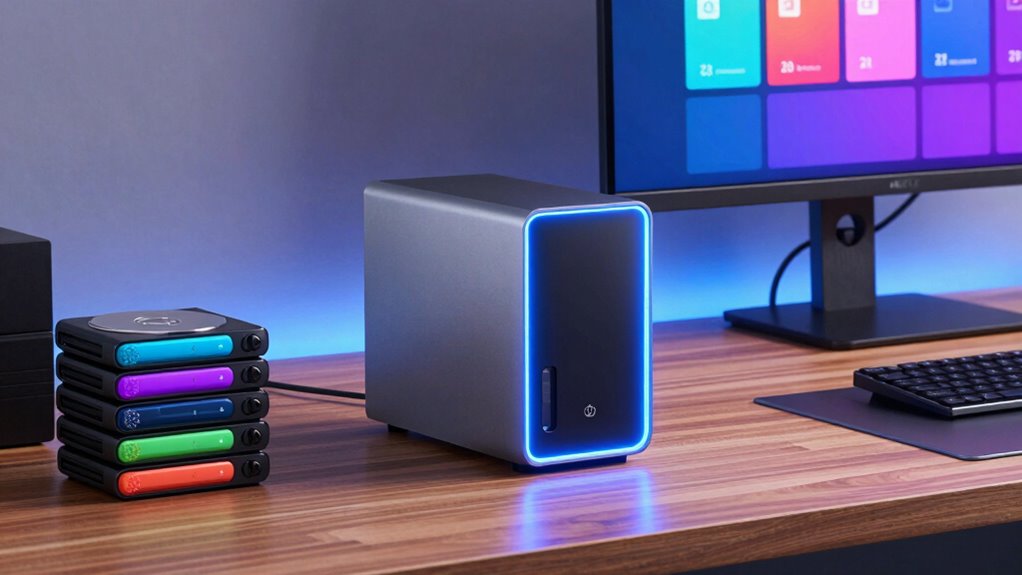

The right NAS for a Plex media server comes down to one question: can the hardware handle your streams without stuttering? My top pick is the UGREEN NASync DXP6800 Pro, which pairs a fast Intel CPU with hardware transcoding and six drive bays — enough muscle for multiple simultaneous 4K streams and room to grow. Budget buyers get more than they expect from the Synology DS223j, while the Synology DS1522+ bundle takes the premium slot with 32GB of RAM and 80TB of included storage. The main tradeoff in this category is simple: cheap two-bay units are quiet and affordable but struggle with transcoding, while powerful x86 models cost more and use more power. Read on for the full breakdown of all twelve options.

Get home appliances delivered free with Prime
- Fast, free delivery on millions of items
- Prime Video, Amazon Music and more included
- Member-only deals all year
Complete the kit


Key Takeaways
- Hardware transcoding support (Intel Quick Sync) was the single biggest differentiator — ARM-based budget units like the DS223j and AS1102TL can direct-play fine but choke when a client needs transcoding.
- UGREEN dominated the mid-range, taking four of twelve spots because their x86 CPUs and 2.5GbE networking punch above their price class compared with older ASUSTOR and TERRAMASTER rivals.
- RAM headroom mattered more than expected for Plex: the DS1522+ bundle with 32GB handled library scans and multiple streams effortlessly, while 1GB models like the AS1202T felt slow during metadata updates.
- Two-bay NAS units (half this lineup) force a capacity ceiling and no drive redundancy headroom beyond mirroring — serious collectors should jump straight to four or six bays.
- Synology‘s software ecosystem (DSM with native Plex support) remains the easiest path for beginners, even where their raw hardware lags UGREEN‘s newer models.
- The bundled DS1522+ was the only option shipping with drives, which changes the real cost math since every other pick here is diskless.
| Yxk Zero1 2-Bay Desktop NAS (Diskless) |  | Best Budget Starter Pick for Casual Plex Libraries | Drive Bays: 2 (diskless) | RAM: 4GB | Network: 2.5GbE Ethernet | VIEW ON AMAZON | See Our Full Breakdown |
| Synology 2-Bay DiskStation DS223j NAS (Diskless) |  | Best Software Experience for Plex Beginners | Drive Bays: 2 (diskless) | Operating System: Synology DiskStation Manager (DSM) | Key Features: Private cloud, multi-device backups, IP camera surveillance support | VIEW ON AMAZON | See Our Full Breakdown |
| UGREEN NASync DXP6800 Pro 6-Bay NAS for Teams and Small Businesses |  | Best Overall for Serious Plex Servers | Drive Bays: 6x SATA + 2x M.2 NVMe | Processor: 12th Gen Intel Core i5, 10-core / 12-thread | Network: Dual 10GbE (aggregatable to 20G) | VIEW ON AMAZON | See Our Full Breakdown |
| ASUSTOR Drivestor 2 Gen 2 AS1202T 2-Bay NAS |  | Best Value 2.5GbE Enclosure for Direct-Play Plex | Drive Bays: 2 (diskless) | Processor: Realtek RTD1619B quad-core, 1.7 GHz | Memory: 1GB DDR4 | VIEW ON AMAZON | See Our Full Breakdown |
| UGREEN NAS DH2300 2-Bay Personal Network Storage |  | Best for Photo-Focused Households with Light Plex Use | Drive Bays: 2 (drives sold separately) | Maximum Capacity: 64 TB | Memory: 4GB | VIEW ON AMAZON | See Our Full Breakdown |
| ASUSTOR Drivestor 2 Lite AS1102TL 2-Bay NAS Enclosure |  | Best Budget Starter Pick | Drive Bays: 2 (diskless) | Processor: Realtek RTD1619B, 1.7 GHz quad-core | Memory: 1 GB DDR4 | VIEW ON AMAZON | See Our Full Breakdown |
| TERRAMASTER F2-425 2-Bay NAS, Intel x86 Quad-Core CPU, 4GB RAM (Diskless) |  | Best Value for Quiet Home Streaming | Drive Bays: 2 (diskless) | CPU: Intel x86 quad-core | RAM: 4 GB | VIEW ON AMAZON | See Our Full Breakdown |
| UGREEN NAS DXP2800 2-Bay Diskless NAS |  | Best Compact Powerhouse | Drive Bays: 2 × 3.5-inch HDD (diskless) | CPU: Intel N100 quad-core | RAM: 8 GB DDR5 | VIEW ON AMAZON | See Our Full Breakdown |
| UGREEN DXP4800 Plus 4-Bay NAS |  | Best for Growing Media Libraries | Drive Bays: 4 (diskless) | Max Storage: 144 TB with compatible drives | Processor: Intel 5-core CPU | VIEW ON AMAZON | See Our Full Breakdown |
| Synology DiskStation DS1522+ NAS Server Bundle, Ryzen R1600, 32GB RAM, 80TB HDD and 1TB NVMe SSD |  | Best Turnkey Premium Setup | Drive Bays: 5 | Processor: AMD Ryzen R1600, 2-core, 2.6 GHz (up to 3.1 GHz) | Memory: 32 GB DDR4 ECC SODIMM | VIEW ON AMAZON | See Our Full Breakdown |
| Asustor Lockerstor 6 Gen2+ AS6706T v2 6-Bay NAS (Diskless) |  | Best for Serious Media Libraries | CPU: Intel Celeron N5105 Quad-Core | RAM: 8GB DDR4 | Drive Bays: 6 SATA (HDD/SSD, diskless) | VIEW ON AMAZON | See Our Full Breakdown |
| UGREEN NAS DXP4800 GT 4-Bay Network Attached Storage |  | Best Premium Powerhouse | CPU: AMD Ryzen Embedded R2514, 4 cores / 8 threads, up to 3.70GHz | RAM: 8GB DDR4, expandable to 64GB (ECC upgrade supported) | Drive Bays: 4 SATA (up to 32TB each), 2 bays U.2 NVMe compatible | VIEW ON AMAZON | See Our Full Breakdown |
| nas for plex media server | Drive Bays | Network | Warranty |
|---|---|---|---|
| Yxk Zero1 2-Bay Desktop NAS | 2 (diskless) | 2.5GbE Ethernet | 2 years |
| Synology 2-Bay DiskStation DS2 | 2 (diskless) | — | 2 years |
| UGREEN NASync DXP6800 Pro 6-Ba | 6x SATA + 2x M.2 NVMe | Dual 10GbE (aggregatable to 20G) | — |
| ASUSTOR Drivestor 2 Gen 2 AS12 | 2 (diskless) | 2.5GbE Ethernet | — |
| UGREEN NAS DH2300 2-Bay Person | 2 (drives sold separately) | 1GbE Ethernet | — |
| ASUSTOR Drivestor 2 Lite AS110 | 2 (diskless) | — | 3 years |
| TERRAMASTER F2-425 2-Bay NAS | 2 (diskless) | — | 2 years |
| UGREEN NAS DXP2800 2-Bay Diskl | 2 × 3.5-inch HDD (diskless) | — | 2 years |
| UGREEN DXP4800 Plus 4-Bay NAS | 4 (diskless) | — | 2 years |
| Synology DiskStation DS1522+ N | 5 | 4 × 1GbE RJ-45 with link aggregation and failover | — |
| Asustor Lockerstor 6 Gen2+ AS6 | 6 SATA (HDD/SSD, diskless) | Dual 5GbE (10GbE upgrade ready) | 3 Years |
| UGREEN NAS DXP4800 GT 4-Bay Ne | 4 SATA (up to 32TB each), 2 bays U.2 NVMe compatible | Dual 10GbE (up to 2.5GB/s aggregate) | — |
More Details on Our Top Picks
Yxk Zero1 2-Bay Desktop NAS (Diskless)
For someone dipping a toe into Plex without a big budget, the Yxk Zero1 covers the fundamentals surprisingly well. The 2.5GbE port means direct-play streams leave the box without bottlenecking, and its whisper-quiet 2kg enclosure suits a living room shelf better than larger units like the UGREEN NASync DXP6800 Pro, which is overkill for a two-person household. Compared with the Synology DS223j, the Zero1’s Docker support gives it an edge if you ever want to tinker with self-hosted apps alongside Plex. The honest tradeoff: its hardware transcoding capability is modest, so anyone streaming 4K remotes to mixed devices should temper expectations or rely on direct play. Drives come separately, as with nearly every enclosure here.
Pros:- 2.5GbE networking handles fast transfers and smooth 4K direct-play streaming
- Docker support allows running Plex and other self-hosted apps in containers
- Compact, quiet 2kg design fits unobtrusively in a living space
- Real-time drive health monitoring and snapshot recovery protect a growing library
Cons:- Entry-level hardware limits transcoding headroom for remote or mixed-device playback
- Hard drives sold separately, adding to the true cost of a working Plex server
Best for: First-time Plex users with a small direct-play library and a tight budget
Not ideal for: Households that need heavy transcoding for multiple simultaneous remote streams — the entry-level internals will struggle
- Drive Bays:2 (diskless)
- RAM:4GB
- Network:2.5GbE Ethernet
- Key Features:Docker support, RAID modes, remote access, snapshot recovery
- Weight:2 kg
- Warranty:2 years
Our verdict“A sensible low-cost on-ramp to Plex for direct-play households that don’t need transcoding muscle.”
Synology 2-Bay DiskStation DS223j NAS (Diskless)
What separates the Synology DS223j from cheaper 2-bay rivals like the Yxk Zero1 or ASUSTOR AS1202T isn’t raw hardware — it’s DiskStation Manager, the most polished NAS operating system available. For a Plex owner, that means the least painful setup, reliable automated backups, and an app ecosystem that behaves predictably for years. The tradeoff is honest: a single 1GbE link and modest internals mean this is a direct-play machine, not a transcoding workhorse. If your Plex clients are mostly smart TVs and phones that direct-play your files, it’s a pleasure. If you plan aggressive 4K-to-remote transcoding, spend up for the UGREEN DXP6800 Pro instead.
Pros:- DSM software is the most beginner-friendly NAS interface on the market
- Set-and-forget backups for PCs, Macs, and mobile devices protect your media investment
- Compact, quiet, and energy-efficient enough to run 24/7 in any room
- Strong long-term software support and a 2-year warranty
Cons:- Gigabit networking only, so large file transfers are slower than 2.5GbE rivals
- Two bays cap both capacity and redundancy options for expanding libraries
Best for: Non-technical buyers who want the easiest, most reliable Plex setup with zero fuss
Not ideal for: Power users who want Docker, VMs, or multi-stream transcoding — the closed ecosystem and limited CPU won’t keep up
- Drive Bays:2 (diskless)
- Operating System:Synology DiskStation Manager (DSM)
- Key Features:Private cloud, multi-device backups, IP camera surveillance support
- Design:Compact, quiet, energy-efficient
- Warranty:2 years
Our verdict“Buy it for the software, not the specs — the smoothest Plex ownership experience among entry-level 2-bay units.”
UGREEN NASync DXP6800 Pro 6-Bay NAS for Teams and Small Businesses
If Plex is the center of your home entertainment — a large 4K library, multiple simultaneous streams, remote sharing with family — the UGREEN NASync DXP6800 Pro is the pick that makes the rest of this list feel like warm-ups. The 12th Gen Intel Core i5 with Quick Sync handles hardware transcoding gracefully, something no 2-bay model here can claim, and dual 10GbE ports mean streams and file transfers never compete. With six SATA bays plus two NVMe slots for caching, capacity planning stops being a concern. Against the Synology DS223j, you give up software polish for raw capability; UGREEN’s app ecosystem is younger and less refined. The firmware update required out of the box is a small annoyance for this class of machine.
Pros:- Intel Core i5 10-core processor with Quick Sync enables smooth hardware transcoding for Plex
- Dual 10GbE ports with link aggregation support heavy multi-stream and transfer loads
- Six SATA bays plus two NVMe slots allow up to 208TB with flexible RAID options
- Docker and virtual machine support for running Plex alongside other services
Cons:- Wired Ethernet only, with no Wi-Fi option
- Requires a firmware update out of the box before it performs at its best
- Real-world transfer speeds depend heavily on drives and network configuration
Best for: Enthusiasts and families running large 4K libraries with multiple concurrent and remote streams
Not ideal for: Casual users with a modest direct-play library — the price and bulk are wasted on light workloads
- Drive Bays:6x SATA + 2x M.2 NVMe
- Processor:12th Gen Intel Core i5, 10-core / 12-thread
- Network:Dual 10GbE (aggregatable to 20G)
- Max Capacity:208TB (RAID 0)
- RAID Support:JBOD / Basic / RAID 0 / 1 / 5 / 6 / 10
- Additional Features:Docker, virtual machines, encryption, MFA
- Drives Included:No, sold separately
Our verdict“The most capable Plex platform in this roundup — worth it only if your library and streaming demands justify the power.”
ASUSTOR Drivestor 2 Gen 2 AS1202T 2-Bay NAS
The ASUSTOR AS1202T occupies a practical middle ground: it undercuts the Synology DS223j on price while matching the Yxk Zero1 on 2.5GbE networking, which matters when you’re copying large media files to the server regularly. Tool-free drive installation means you can go from unboxing to a running Plex server in an afternoon. The catch is the 1GB of RAM — half of what the Zero1 offers — which constrains multitasking and makes this strictly a direct-play box for a couple of clients. ASUSTOR’s ADM software sits between Synology’s polish and UGREEN’s newer app suite in maturity, which is a reasonable compromise at this price.
Pros:- 2.5GbE networking noticeably speeds up large media transfers versus Gigabit rivals
- Tool-free drive installation makes first-time setup genuinely easy
- Compact cube design (under 4 inches per side) fits almost anywhere
- ADM software supports media serving, backups, and private cloud access
Cons:- 1GB of RAM limits multitasking and any ambitions beyond basic file serving
- No Docker or VM support worth using at this memory capacity
Best for: Budget-conscious buyers who want 2.5GbE speed for library transfers and simple direct-play streaming
Not ideal for: Anyone running multiple apps or expecting transcoding — the 1GB memory ceiling closes those doors quickly
- Drive Bays:2 (diskless)
- Processor:Realtek RTD1619B quad-core, 1.7 GHz
- Memory:1GB DDR4
- Network:2.5GbE Ethernet
- USB Ports:3
- Operating System:ASUSTOR Data Master (ADM)
- Installation:Tool-free
Our verdict“The cheapest credible path to a 2.5GbE Plex direct-play server, provided you keep your ambitions modest.”
UGREEN NAS DH2300 2-Bay Personal Network Storage
The UGREEN DH2300 is best understood as a personal backup hub that can also run a small Plex library, rather than a dedicated media server. Its AI photo organization and automatic multi-device backups are the headline features, and 64TB of supported capacity is generous for a 2-bay unit. For Plex specifically, the 1GbE port and 125MB/s ceiling put it behind the Yxk Zero1 and ASUSTOR AS1202T, both of which offer 2.5GbE at similar effort levels. And unlike the Zero1, it skips Docker entirely, so the app flexibility Plex tinkerers often want is off the table. Two-factor authentication and RAID modes do give it respectable data-protection credentials for a family archive.
Pros:- Automatic backups across phones, laptops, and desktops with minimal setup
- AI photo organization makes a large family archive genuinely searchable
- Supports up to 64TB with compatible 3.5-inch drives
- Includes RAID modes and two-factor authentication for data protection
Cons:- 1GbE networking caps transfers at roughly 125MB/s, slower than 2.5GbE rivals
- No Docker, virtual machine, or server application support limits flexibility
Best for: Families who want automated photo and phone backups first, with occasional direct-play Plex streaming second
Not ideal for: Media enthusiasts — no Docker, no VMs, and Gigabit-only networking make it a poor foundation for a growing Plex server
- Drive Bays:2 (drives sold separately)
- Maximum Capacity:64 TB
- Memory:4GB
- Network:1GbE Ethernet
- Transfer Speed:Up to 125 MB/s
- Connectivity:Ethernet, HDMI, SATA, USB
- Docker / VM Support:Not supported
Our verdict“Choose it when photo backup is the priority and Plex is a bonus — media-first buyers should look elsewhere.”
ASUSTOR Drivestor 2 Lite AS1102TL 2-Bay NAS Enclosure
For buyers who want to dip a toe into Plex without spending much, this option stands out as the cheapest credible path to a working media server. The Realtek quad-core CPU and hardware 4K transcoding mean direct play and modest transcodes are realistic, something the Synology DS223j struggles with under load. Tool-free installation and a metal enclosure feel more premium than the price suggests. The tradeoffs are real, though: 1 GB of RAM limits concurrent streams and heavier apps, and the 1GbE port caps transfer speeds well below the TERRAMASTER F2-425’s 2.5GbE. Compared with the ASUSTOR Drivestor 2 Gen 2, you also give up the faster networking — so this pick makes the most sense when budget, not throughput, drives the decision.
Pros:- Hardware 4K transcoding support at an entry-level price
- Tool-free drive installation with a solid metal enclosure
- Btrfs and iSCSI snapshots plus Wake on LAN for a low-cost box
- 3-year warranty, longer than most competitors in this class
Cons:- Only 1 GB of RAM, which limits multitasking and concurrent streams
- 1GbE networking is slow for large library transfers and multi-user access
- Ships diskless with no upgrade headroom beyond two bays
Best for: First-time Plex users who mostly direct play media and want the cheapest reliable entry point
Not ideal for: Households with several simultaneous transcodes or 4K REMUX libraries — the 1 GB of RAM and 1GbE networking will bottleneck quickly
- Drive Bays:2 (diskless)
- Processor:Realtek RTD1619B, 1.7 GHz quad-core
- Memory:1 GB DDR4
- Ethernet:1GbE
- Key Features:4K transcoding, Btrfs/iSCSI snapshots, Wake on LAN
- Enclosure:Metal, tool-free installation
- Warranty:3 years
Our verdict“A sensible budget doorway into Plex that works best for single-user, direct-play libraries rather than demanding households.”
TERRAMASTER F2-425 2-Bay NAS, Intel x86 Quad-Core CPU, 4GB RAM (Diskless)
This model splits the difference between budget ARM boxes and pricier Intel machines better than almost anything else here. The Intel x86 quad-core CPU with hardware H.265 decoding handles Plex, Emby, and Jellyfin transcodes that would stall the ASUSTOR AS1102TL, while the 2.5GbE port doubles realistic transfer speeds. Its standout trait for bedroom or living-room placement is 19dB(A) operation — quieter than most 2-bay rivals, including the UGREEN DXP2800. TRAID arrays also let mixed drive sizes waste less capacity than traditional RAID. The compromises: 4 GB of RAM rules out serious container or VM workloads, and two bays means no expansion path. Compared with the UGREEN DXP2800, you trade NVMe slots and extra memory for a lower entry cost and near-silent running.
Pros:- Intel x86 CPU with hardware 4K H.265 decoding for smooth Plex transcodes
- 2.5GbE networking for fast transfers and multi-user streaming
- Ultra-quiet 19dB(A) operation suits living spaces
- TRAID flexible arrays reclaim roughly 30% more usable storage than standard RAID
Cons:- 4 GB of RAM limits heavier containerized or virtualized workloads
- Two bays restrict storage expansion versus 4-bay alternatives
- Ships diskless, so total cost rises once drives are added
Best for: Apartment dwellers and bedroom streamers who need reliable 4K transcoding without fan noise or a big spend
Not ideal for: Tinkerers planning Docker stacks or virtual machines — 4 GB of RAM and two bays cap that ambition early
- Drive Bays:2 (diskless)
- CPU:Intel x86 quad-core
- RAM:4 GB
- Max Storage:60 TB (2 × 30 TB)
- LAN:2.5GbE
- Noise Level:19 dB(A)
- Warranty:2 years
Our verdict“The smart middle ground for quiet, transcode-heavy home streaming when you don’t need expansion or heavy multitasking.”
UGREEN NAS DXP2800 2-Bay Diskless NAS
For a two-bay chassis, this option punches well above its size class. The Intel N100 paired with 8 GB of DDR5 runs Plex alongside Docker containers and light VMs — headroom the TERRAMASTER F2-425 simply doesn’t have. Dual M.2 NVMe slots are the real differentiator here: they enable SSD caching or a fast metadata volume, which noticeably improves Plex library scraping and thumbnail generation on large collections. Compared with its sibling, the UGREEN DXP4800 Plus, you give up bays and 10GbE but keep the same core computing platform in a smaller footprint. The drawbacks are honest ones — drives and SSDs cost extra, drive compatibility takes research, and 8 GB is still a ceiling for serious virtualization rather than a comfortable margin.
Pros:- Intel N100 with 8 GB DDR5 comfortably runs Plex, Docker, and light VMs together
- Dual M.2 NVMe slots enable SSD caching for faster library performance
- Up to 80 TB capacity across two bays
- AI photo management with face, people, and pet detection
Cons:- HDDs and SSDs sold separately, adding meaningful cost
- 8 GB of RAM caps heavier virtualization workloads
- Setup and drive compatibility require pre-purchase research
Best for: Creators and advanced home users with large Plex libraries who want SSD caching and Docker apps in a compact box
Not ideal for: Buyers wanting plug-and-play simplicity — drive compatibility research and app setup demand more tinkering than a Synology requires
- Drive Bays:2 × 3.5-inch HDD (diskless)
- CPU:Intel N100 quad-core
- RAM:8 GB DDR5
- M.2 Slots:2 × NVMe SSD
- Networking:2.5GbE Ethernet
- Max Storage:80 TB
- Warranty:2 years
Our verdict“The best small-footprint choice for power users who want NVMe speed and app flexibility without moving to a 4-bay enclosure.”
UGREEN DXP4800 Plus 4-Bay NAS
When a two-bay box starts feeling cramped, this is the natural next step. Four bays and 144 TB of maximum capacity give a growing Plex library room to breathe, and RAID 5 protection across four drives is far safer than mirroring two. The 10GbE port plus 10 Gbps USB moves multi-terabyte media dumps in a fraction of the time the UGREEN DXP2800’s 2.5GbE allows. An internal 128 GB SSD keeps the OS responsive, and 8 GB of DDR5 handles Docker and VMs for power users. The tradeoffs: it costs considerably more once you factor in four drives, it’s wired-only with no Wi-Fi option, and real-world transfer speeds still depend on your drives and network gear. Compared with the Synology DS1522+, you get faster networking but a less polished software ecosystem.
Pros:- Four bays support up to 144 TB with flexible RAID options
- 10GbE and 10 Gbps USB ports enable very fast large-file transfers
- Docker and virtual machine support for running Plex plus other apps
- Internal 128 GB SSD keeps the system responsive under load
Cons:- Drives sold separately, making the full build cost substantial
- Wired Ethernet only — no Wi-Fi support
- Real-world speeds depend heavily on drives, CPU, and network setup
Best for: Media collectors with expanding 4K libraries who need multi-drive redundancy and fast 10GbE transfers
Not ideal for: Casual streamers with modest libraries — the price and four empty bays are overkill for a couple of terabytes of media
- Drive Bays:4 (diskless)
- Max Storage:144 TB with compatible drives
- Processor:Intel 5-core CPU
- Memory:8 GB DDR5
- Ethernet:1 × 10GbE, 1 × 2.5GbE
- Internal Storage:128 GB SSD
- Warranty:2 years
Our verdict“The right upgrade when your library outgrows two bays and you want 10GbE speed for bulk media transfers.”
Synology DiskStation DS1522+ NAS Server Bundle, Ryzen R1600, 32GB RAM, 80TB HDD and 1TB NVMe SSD
This bundle answers the question most NAS buyers eventually ask: what if everything arrived in one purchase? With 80 TB of drives, 1 TB of NVMe SSDs, and 32 GB of ECC memory included, it removes the piecemeal shopping that the diskless UGREEN DXP4800 Plus demands. Synology’s DSM software remains the most polished ecosystem in this roundup — Plex installation, surveillance, and backup tools just work, which matters for buyers who’d rather not tinker. Five bays also leave expansion room after the initial fill. Two caveats temper the premium: the drives and RAM ship separately and require self-installation, and the 1GbE ports lag far behind the UGREEN’s 10GbE — you can bond four ports, but that demands a managed switch. The Ryzen R1600 is also a modest CPU for its class, leaning on NVMe caching rather than raw horsepower.
Pros:- Complete bundle with 80 TB of HDDs and 1 TB of NVMe SSD caching included
- 32 GB of ECC memory supports heavy multitasking and surveillance workloads
- Five bays leave expansion headroom beyond the pre-filled drives
- DSM software offers the most refined Plex and backup experience in the lineup
Cons:- Drives and memory ship separately and must be installed yourself
- Only 1GbE network ports, well behind 2.5GbE and 10GbE rivals
- Ryzen R1600 CPU lacks the transcode headroom of newer Intel platforms
Best for: Buyers who want a complete, high-capacity media server in one order and value Synology’s software over raw networking speed
Not ideal for: Anyone needing fast multi-gig transfers — the 1GbE ports and older Ryzen CPU trail newer Intel-based rivals
- Drive Bays:5
- Processor:AMD Ryzen R1600, 2-core, 2.6 GHz (up to 3.1 GHz)
- Memory:32 GB DDR4 ECC SODIMM
- HDD Storage:80 TB (5 × 16 TB SATA)
- SSD Storage:1 TB (2 × 500 GB M.2 NVMe)
- Network:4 × 1GbE RJ-45 with link aggregation and failover
- Operating System:Synology DSM
- File Systems:EXT4, Btrfs
Our verdict“The closest thing to a one-purchase, done-for-you Plex powerhouse — as long as gigabit networking is fast enough for you.”
Asustor Lockerstor 6 Gen2+ AS6706T v2 6-Bay NAS (Diskless)
Expansion is the argument here. Six SATA bays plus four M.2 NVMe slots give this Asustor room to grow in a way that four-bay rivals like the UGREEN NASync DXP4800 Plus simply can’t match once a movie collection passes the 60TB mark. The Intel N5105 quad-core CPU handles 4K transcoding in Plex without breaking a sweat, and the hybrid HDD/SSD design lets a builder pair cheap bulk drives with a fast NVMe cache tier — a genuinely useful middle ground for households with mixed direct-play and transcode traffic.
The tradeoff is modest compute. Compared with the UGREEN DXP4800 GT‘s Ryzen chip, the Celeron feels limited if you plan to run virtual machines alongside Plex, and the dual 5GbE ports trail that model’s native 10GbE until you pay for the upgrade card. Drives ship separately, so budget for the full build.
Pros:- Six drive bays plus four M.2 NVMe slots offer far more expansion than comparable 4-bay units
- Strong 4K hardware transcoding keeps Plex streams smooth across multiple devices
- Dual 5GbE ports support link aggregation and can be upgraded to 10GbE later
- Hybrid HDD + SSD architecture balances cost per terabyte with fast media access
Cons:- Ships diskless — the full cost of drives and any NVMe cache adds up quickly
- Entry-level Celeron CPU limits heavy virtualization and compute-intensive workloads beyond Plex
Best for: Media collectors with large, growing libraries who need six bays of headroom and solid Plex 4K transcoding for years to come
Not ideal for: Homelab tinkerers planning heavy virtualization — the entry-level Celeron CPU will bottleneck multi-VM workloads
- CPU:Intel Celeron N5105 Quad-Core
- RAM:8GB DDR4
- Drive Bays:6 SATA (HDD/SSD, diskless)
- M.2 Slots:4x NVMe SSD
- Network:Dual 5GbE (10GbE upgrade ready)
- Video Output:HDMI
- Media Server:Plex
- Warranty:3 Years
Our verdict“This is the pick for buyers whose Plex library is outgrowing a 4-bay enclosure and who want transcoding muscle plus years of bay headroom.”
UGREEN NAS DXP4800 GT 4-Bay Network Attached Storage
Where most enclosures in this lineup lean on budget Celeron chips, the AMD Ryzen Embedded R2514 with 8 threads changes what this box can do — Docker containers, virtual machines, and multi-user Plex sessions coexist without the slowdowns you’d hit on something like the Asustor Lockerstor 6 Gen2+. The dual native 10GbE ports are the real differentiator: large 4K remuxes move across the network fast enough for direct editing workflows, no upgrade card required like on the Asustor.
But there’s friction. Plex isn’t natively supported — you’ll install it through Docker, which is routine for enthusiasts but a hurdle for anyone who wants plug-and-play like the Synology DS1522+ delivers. RAM expansion to 64GB is great, though ECC memory costs extra. Fewer bays than the Lockerstor means storage growth depends on high-capacity drives and the M.2/U.2 slots.
Pros:- Ryzen CPU with 8 threads and expandable RAM handles Plex alongside VMs and containers
- Dual native 10GbE ports move huge media files without any upgrade purchase
- Up to 144TB across SATA, U.2 NVMe, and M.2 slots covers even massive libraries
- Built-in SD slot and USB-C 10Gbps simplify direct camera offload
Cons:- Plex must be manually deployed via Docker rather than a native app
- Drives and any ECC RAM upgrade are sold separately, raising the real build cost
Best for: Power users and small studios who want one box for Plex, Docker, VMs, and 10GbE-fast media editing
Not ideal for: Set-and-forget buyers — the Docker-based Plex setup and BYO drives make this a poor first NAS for non-technical owners
- CPU:AMD Ryzen Embedded R2514, 4 cores / 8 threads, up to 3.70GHz
- RAM:8GB DDR4, expandable to 64GB (ECC upgrade supported)
- Drive Bays:4 SATA (up to 32TB each), 2 bays U.2 NVMe compatible
- M.2 Slots:2 M.2 SSD slots (up to 16TB)
- Max Storage:144TB
- Network:Dual 10GbE (up to 2.5GB/s aggregate)
- Ports:USB-A 10Gbps, USB-C 10Gbps, USB 2.0, HDMI 4K, SD card slot
- Operating System:UGOS Pro
Our verdict“If you treat your Plex server as one workload on a do-everything home server with 10GbE speed, this is the most capable enclosure here.”

How We Picked
Because Plex is the defining use case here, I ranked every unit against three questions that actually decide whether a NAS streams well. First, CPU architecture and transcode capability: x86 Intel chips with Quick Sync can convert 4K HEVC on the fly for remote or incompatible clients, while ARM chips generally cannot, so ARM units were judged on direct-play scenarios only. Second, memory and multitasking: Plex uses RAM for metadata, thumbnails, and simultaneous sessions, so I favored models with upgradeable RAM over soldered 1GB configurations. Third, expansion and network speed: more bays mean a longer useful life, and 2.5GbE future-proofs the box as internet and LAN speeds climb.
Ranking also reflected software maturity — Synology’s DSM and UGREEN’s UGOS Pro run Plex cleanly, while some budget enclosures require more manual setup — plus noise, power draw, and total cost once you add drives. Budget picks earned their spots by being honest about their limits rather than pretending to transcode. Premium picks had to justify their price with real capacity or performance advantages, not just brand name.
Factors to Consider When Choosing Nas For Plex Media Server
A NAS that flies through Plex on paper can still disappoint in your living room. These are the factors that actually separate a smooth streaming experience from endless buffering — and the mistakes buyers make with each one.Transcoding: The Dealbreaker Most Buyers Miss
The most common mistake is buying a NAS powerful enough to store your library but too weak to serve it. Plex only needs raw CPU power when a client can’t play a file natively — think 4K HEVC sent to an older smart TV, or a remote stream throttled over the internet. When that happens, the NAS must transcode in real time, and without hardware acceleration like Intel Quick Sync, almost no NAS CPU can keep up with 4K. Direct play (where the client handles the file itself) needs almost nothing, which is why some people run Plex happily on a $150 enclosure. Before buying, audit your library’s codecs and your worst-case client device. If everything direct-plays, save your money. If it doesn’t, an x86 NAS with hardware transcoding isn’t optional — it’s the difference between a movie night and a troubleshooting session.
RAM: Why 1GB Hurts More Than the Specs Suggest
Plex is memory-hungry in ways storage specs don’t reveal. Every poster, background image, and metadata entry lives in RAM, and library scans on large collections will crawl — or stall — on 1GB machines. Two simultaneous streams plus a metadata refresh can saturate low-memory units entirely. The practical threshold I’d apply: 4GB is comfortable for libraries under a few thousand items, 8GB or more for large libraries with multiple users, and upgradeable RAM is worth paying extra for because Plex’s memory demands only grow. Many budget NAS units ship with soldered memory specifically to hit a price point, and that limitation never goes away. A slightly more expensive model with an empty SODIMM slot is almost always the better long-term purchase.
Drive Bays and the Capacity Trap
Media libraries double in size roughly every few years as 4K remuxes and higher-bitrate releases become the norm — a single 4K film can consume 50–80GB. Two-bay NAS units force an uncomfortable choice: mirror your two drives for safety (halving capacity) or run them without redundancy (risking your entire library). A four-bay unit lets you run RAID 5 across three drives with a hot spare or future expansion slot, which is the sweet spot for serious collectors. Six bays, like the UGREEN DXP6800 Pro or Lockerstor AS6706T, suit households that never want to think about capacity again. Also check NVMe slots — not for Plex storage, but because SSD caching speeds up library scans and thumbnail generation dramatically. Buying one bay size too small is the most regretted NAS purchase decision, because migrating a library later is slow and stressful.
Software Ecosystem: The Hidden Differentiator
Hardware specs get compared obsessively, but the operating system determines your day-to-day experience. Synology DSM is the gold standard for beginners — Plex installs in a few clicks, updates are painless, and mobile apps are polished. UGREEN’s UGOS Pro has matured fast and offers similar convenience with better hardware per dollar. Budget ASUSTOR and TERRAMASTER platforms work fine but expect more manual steps, weaker documentation, and occasional app compatibility quirks. If you enjoy tinkering, any of them will do; if you want Plex to just work for the whole family, software polish justifies a price premium. This is also why two Synology units made this list despite slower hardware — the experience gap is real. Check that your chosen platform officially supports Plex’s current requirements before committing.
Networking and Remote Streaming Reality
Gigabit Ethernet handles four or five local direct-play streams without breaking a sweat, so 2.5GbE is a luxury locally — but remote streaming is where bandwidth planning matters. Your upload speed at home, not the NAS port speed, caps remote stream quality, and remote streams are also the ones most likely to need transcoding because bandwidth forces Plex to downscale the file. That means remote access compounds the need for a strong CPU, not just a fast NIC. 2.5GbE does help with large file transfers when you’re loading a new library, which on big collections can save hours. Don’t pay a premium for 10GbE unless you have the switch and clients to match — it’s wasted on Plex alone. Match your network spending to how you actually watch, not to spec-sheet bravado.
Total Cost of Ownership: The Drives Change Everything
Every NAS on this list except the DS1522+ bundle ships diskless, which means the enclosure is often less than half your real spend. Four 12TB drives can cost more than the NAS itself, and buying them all at once stings. A smarter approach for budget-constrained buyers: start with two large drives mirrored, then add capacity as needed — but only if your bay count allows it, which is another argument for four bays minimum. Factor in power draw too, since a NAS runs 24/7; an overpowered idle box costs real money over five years. Finally, skip ‘NAS-rated’ drive anxiety — any modern drive works for Plex, though drives designed for always-on operation will be quieter and last longer. The mistake to avoid is blowing the entire budget on the enclosure and pairing it with one undersized, unmirrored drive.
Frequently Asked Questions
Can a budget ARM-based NAS like the Synology DS223j actually run Plex well?
Yes, but only under specific conditions. If every device in your home direct-plays your files — meaning the client decodes the video itself — an ARM NAS barely works up a sweat, since it’s just serving files over the network. The problem arises when a client can’t handle a codec, typically 4K HEVC or subtitle formats requiring burn-in, forcing the NAS to transcode in real time. ARM CPUs without hardware transcoding cannot do this for 4K and will stutter or fail. If your library is 1080p MP4/MKV and your devices are modern, the DS223j is genuinely fine. If you have 4K content or stream remotely, spend the extra on an Intel x86 unit like the UGREEN DXP2800 or TERRAMASTER F2-425.
Is it better to buy a 2-bay NAS with big drives or a 4-bay NAS with smaller ones?
For a growing Plex library, the 4-bay route wins almost every time. Two-bay setups force you into mirroring (50% storage efficiency) or running without redundancy (risking your whole library to one drive failure). A 4-bay unit like the UGREEN DXP4800 Plus lets you run RAID 5, where you only sacrifice one drive’s worth of capacity for protection, and you can add or swap drives later. The upfront cost is higher, but migrating a full library from a 2-bay to a 4-bay system later is slow and requires temporary storage you may not own. The only case for 2-bay is a small, stable library or a tight budget where the enclosure savings fund better drives.
Does a Plex NAS need NVMe SSD slots?
Not for storing media — video streams fine from spinning drives — but SSDs meaningfully improve the Plex experience in two ways. First, an SSD cache accelerates metadata scans, thumbnail generation, and database operations, which on a 10,000-item library with thousands of posters is the difference between instant browsing and a sluggish interface. Second, an NVMe drive is the ideal home for the Plex database itself, keeping it separate from drive spin-down cycles that can cause stutters. Models like the ASUSTOR Lockerstor 6 Gen2+ and UGREEN DXP4800 Plus include M.2 slots that serve this role well. If your chosen NAS lacks them, Plex still works — it just ages less gracefully as your library grows.
Is the Synology DS1522+ bundle worth it over buying a diskless NAS and drives separately?
It depends on whether you value convenience or control. The bundle’s Ryzen R1600 CPU, 32GB of RAM, and 80TB of pre-installed drives mean you unbox, plug in, and start loading your library the same day — no drive installation, no RAID configuration decisions, no compatibility research. That convenience premium is real, and 32GB of RAM is far beyond what most buyers would install themselves. The counterargument: buying drives separately lets you choose exact models, spread the cost over time, and potentially save money during drive sales. The DS1522+ also lacks Intel Quick Sync, so its transcoding relies on raw CPU and AMD’s acceleration, which Plex supports less gracefully than Intel’s. If you want a turnkey, no-compromise server for a large household, the bundle makes sense; tinkerers and deal-hunters should piece it together themselves.
How much RAM does Plex actually need on a NAS?
For a small library with one or two simultaneous streams, 2GB is workable and 4GB is comfortable. Beyond that, RAM needs scale with library size and user count rather than with video quality — a 5,000-item library with rich metadata, multiple users, and background scans will pressure 4GB systems and genuinely benefit from 8GB. Transcoding itself is mostly CPU/GPU work, so RAM doesn’t rescue a weak processor. The practical advice: treat 4GB as the floor for a dedicated Plex NAS, prefer models with upgradeable memory like the UGREEN DXP6800 Pro or TERRAMASTER F2-425, and reserve 1GB machines like the ASUSTOR AS1202T for tiny libraries or pure file-serving duty. RAM is the cheapest performance upgrade you’ll ever make on a NAS, but only if the slot exists.
Conclusion
Matching the right NAS for a Plex media server to your situation comes down to library size, client devices, and how much you enjoy tinkering. For best overall, the UGREEN NASync DXP6800 Pro delivers the strongest mix of transcoding muscle, six bays, and expandable RAM in this lineup. The UGREEN DXP2800 takes best value, bringing Intel Quick Sync and 2.5GbE to a two-bay price point where rivals still ship ARM chips. For best premium, the Synology DS1522+ bundle is unbeatable if you want a turnkey server with 80TB of storage and software that the whole family can live with. Beginners should start with the Synology DS223j — DSM makes Plex setup nearly foolproof, and it’s an honest machine for direct-play households. For specific needs: the TERRAMASTER F2-425 suits upgraders who want an Intel CPU on a two-bay budget, the ASUSTOR Lockerstor 6 Gen2+ fits small teams needing NVMe speed and six bays, and the ASUSTOR AS1102TL works as a bare-minimum media box for a single TV. Whatever you choose, size your purchase around transcoding needs and future capacity — those two factors cause nearly all Plex NAS regrets.
Fall yard work Picks
leaf blowers
As an affiliate, we earn on qualifying purchases.