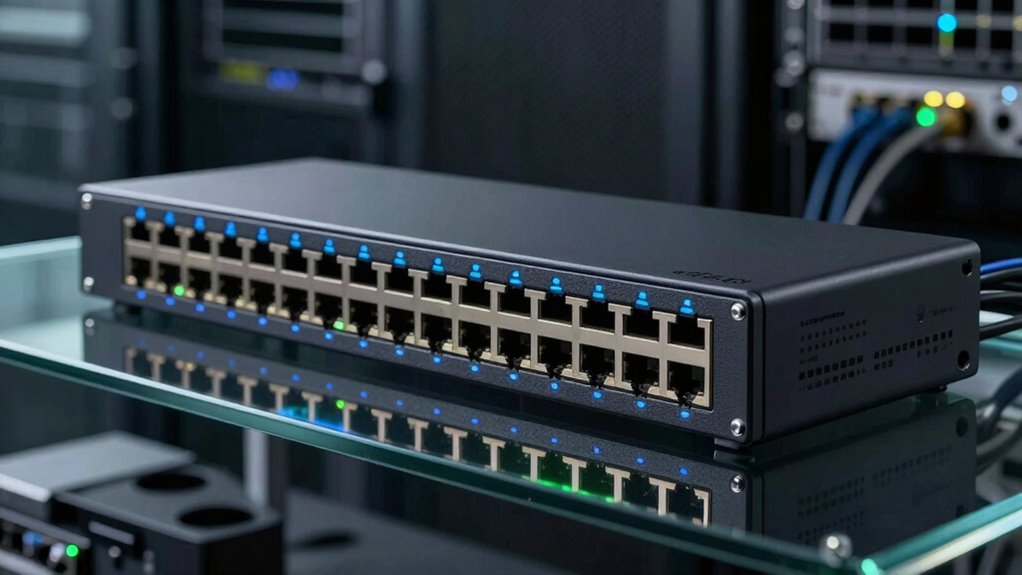

A gigabit Ethernet switch adds wired connections to a router or network, and my best overall pick for a typical home or small office is the TP-Link TL-SG108E, which pairs eight gigabit ports with basic management tools. For a simple setup, the TP-Link TL-SG108 gives you eight ports without configuration; for faster-than-gigabit devices, the TP-Link TL-SG105S-M2 offers five 2.5G ports. The main tradeoffs are port count, management features, and link speed: more ports help as a network grows, while managed and multi-gig models solve specific needs that many buyers may not have. I compare all 15 options by fit and practical tradeoffs below, so you can choose a switch that matches your devices and plans.

Get home appliances delivered free with Prime
- Fast, free delivery on millions of items
- Prime Video, Amazon Music and more included
- Member-only deals all year
Complete the kit


Key Takeaways
- Eight ports with management make the TP-Link TL-SG108E a flexible pick when VLAN or traffic controls matter; the NETGEAR GS308E is another managed eight-port option.
- Unmanaged switches are simpler to set up: models such as the TP-Link TL-SG108 and NETGEAR GS308 add wired ports without requiring configuration.
- Port count should follow your actual device list: the 16-port TL-SG116 and GS316v3 suit growing setups, while the 24-port GS324 is for installations with many wired endpoints.
- 2.5G is a separate buying decision: the TL-SG105S-M2 and TL-SG108S-M2 can serve compatible faster devices, but ordinary gigabit clients will still connect at gigabit speeds.
- Five-port switches prioritize a small footprint: the UGREEN, TP-Link TL-SG105, and NETGEAR GS305 are compact choices, with differences in brand, model features, and intended simplicity.
| NETGEAR GS308E 8-Port Gigabit Ethernet Easy Smart Managed Switch |  | Best for Small Network Control | Ports: 8 | Port speed: 1 Gbps | Interface: RJ45 | VIEW ON AMAZON | See Our Full Breakdown |
| NETGEAR 16-Port Gigabit Ethernet Unmanaged Network Switch (GS316v3) |  | Best for Simple 16-Port Expansion | Ports: 16 x 1.0 Gbps Ethernet | Management: Unmanaged | Setup: Plug and play; no software or configuration required | VIEW ON AMAZON | See Our Full Breakdown |
| NETGEAR GS324 24-Port Gigabit Ethernet Unmanaged Switch |  | Best for High Port Count | Ports: 24 | Port speed: 1 Gbps | Listed data transfer rate: 24 Gbps | VIEW ON AMAZON | See Our Full Breakdown |
| TP-Link TL-SG116 16-Port Gigabit Unmanaged Ethernet Switch |  | Best 16-Port Feature Set | Ports: 16 x 10/100/1000 Mbps RJ45 | Type: Unmanaged Ethernet switch | Flow control: IEEE 802.3X | VIEW ON AMAZON | See Our Full Breakdown |
| TP-Link TL-SG108E 8-Port Gigabit Easy Smart Managed Switch |  | Best Smart Switch for Monitoring | Ports: 8 Gigabit Ethernet ports | Management: Web interface or free software | VLAN support: Up to 32 VLANs | VIEW ON AMAZON | See Our Full Breakdown |
| UGREEN 5 Port Gigabit Ethernet Switch |  | Best for Flexible Placement | Ports: 5 x RJ45 | Port speeds: 10/100/1000 Mbps | Management: Unmanaged, plug and play | VIEW ON AMAZON | See Our Full Breakdown |
| TP-Link TL-SG105S-M2 5-Port 2.5G Multi-Gigabit Unmanaged Ethernet Switch |  | Best for Multi-Gigabit Upgrades | Ports: 5 x RJ45 | Port speed: 2.5 Gbps per port | Switching capacity: 25 Gbps | VIEW ON AMAZON | See Our Full Breakdown |
| NETGEAR GS305 5-Port Gigabit Ethernet Unmanaged Switch |  | Best for Energy-Efficient Simplicity | Ports: 5 x 1 Gbps Ethernet | Type: Unmanaged switch | Setup: Plug and play, no configuration | VIEW ON AMAZON | See Our Full Breakdown |
| TP-Link LiteWave 5-Port Gigabit Ethernet Unmanaged Switch (LS1005G) |  | Best Compact Pick | Ports: 5 x RJ45 | Port speed: 10/100/1000 Mbps | Port configuration: 1 uplink, 4 output | VIEW ON AMAZON | See Our Full Breakdown |
| TP-Link TL-SG108 8-Port Gigabit Ethernet Network Switch |  | Best for Growing Wired Setups | Model: TL-SG108 | Ports: 8 x RJ45 Gigabit | Port speeds: 10/100/1000 Mbps | VIEW ON AMAZON | See Our Full Breakdown |
| NETGEAR 5-Port Gigabit Ethernet Easy Smart Managed Network Switch (GS305E) |  | Best for Basic Network Control | Ports: 5 x 1.0 Gbps Gigabit Ethernet | Management: Easy Smart Managed Essentials | Management features: VLAN, QoS, port monitoring, network security | VIEW ON AMAZON | See Our Full Breakdown |
| TP-Link TL-SG108S-M2 8-Port Multi-Gigabit 2.5G Unmanaged Ethernet Switch |  | Best for 2.5G Device Upgrades | Ports: 8 x 2.5G | Switching capacity: 40 Gbps | Supported speeds: 100 Mbps / 1 Gbps / 2.5 Gbps | VIEW ON AMAZON | See Our Full Breakdown |
| TP-Link TL-SG105 5-Port Gigabit Ethernet Switch |  | Best for Simple Setup | Ports: 5 x 10/100/1000 Mbps RJ45 | Type: Unmanaged Ethernet switch | Setup: Plug and play | VIEW ON AMAZON | See Our Full Breakdown |
| NETGEAR GS105 5-Port Gigabit Ethernet Unmanaged Switch |  | Best Compact NETGEAR Pick | Ports: 5 Gigabit Ethernet ports | Port speed: 10/100/1000 Mbps | Management: Unmanaged | VIEW ON AMAZON | See Our Full Breakdown |
| NETGEAR GS308 8-Port Gigabit Ethernet Unmanaged Network Switch | 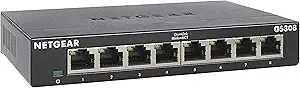 | Best for More Wired Devices | Ports: 8 | Port speed: 1 Gbps per port | Interface: RJ45 | VIEW ON AMAZON | See Our Full Breakdown |
| network switch for gigabit ethernet | Ports | Mounting | Management | Cooling |
|---|---|---|---|---|
| NETGEAR GS308E 8-Port Gigabit | 8 | Desktop or wall mount | Easy Smart managed web interface | — |
| NETGEAR 16-Port Gigabit Ethern | 16 x 1.0 Gbps Ethernet | Desktop or wall mount | Unmanaged | — |
| NETGEAR GS324 24-Port Gigabit | 24 | Desktop, wall, or rack | — | — |
| TP-Link TL-SG116 16-Port Gigab | 16 x 10/100/1000 Mbps RJ45 | Desktop or wall mount | — | Fanless |
| TP-Link TL-SG108E 8-Port Gigab | 8 Gigabit Ethernet ports | — | Web interface or free software | — |
| UGREEN 5 Port Gigabit Ethernet | 5 x RJ45 | Desktop or wall mount | Unmanaged, plug and play | Fanless |
| TP-Link TL-SG105S-M2 5-Port 2. | 5 x RJ45 | Desktop or wall mount | Unmanaged | Fanless |
| NETGEAR GS305 5-Port Gigabit E | 5 x 1 Gbps Ethernet | Desktop or wall mount | — | Fanless |
| TP-Link LiteWave 5-Port Gigabi | 5 x RJ45 | — | Unmanaged, plug and play | Fanless |
| TP-Link TL-SG108 8-Port Gigabi | 8 x RJ45 Gigabit | — | Unmanaged | — |
| NETGEAR 5-Port Gigabit Etherne | 5 x 1.0 Gbps Gigabit Ethernet | Desktop or wall mount | Easy Smart Managed Essentials | Fanless |
| TP-Link TL-SG108S-M2 8-Port Mu | 8 x 2.5G | — | Unmanaged | Fanless |
| TP-Link TL-SG105 5-Port Gigabi | 5 x 10/100/1000 Mbps RJ45 | Desktop or wall mount | — | Fanless |
| NETGEAR GS105 5-Port Gigabit E | 5 Gigabit Ethernet ports | Desktop or wall mount | Unmanaged | — |
| NETGEAR GS308 8-Port Gigabit E | 8 | Desktop or wall mount | — | — |
More Details on Our Top Picks
NETGEAR GS308E 8-Port Gigabit Ethernet Easy Smart Managed Switch
The GS308E suits a small wired network that needs more than basic port expansion. Its eight gigabit ports and web interface give you VLANs, QoS, IGMP snooping, and traffic monitoring, so you can separate devices or prioritize traffic without moving to a larger switch. Compared with the TP-Link TL-SG108E, it offers similar smart management, while its listed support for up to 64 VLANs exceeds that model’s 32. Both are fanless, making either a practical choice near a desk or in a quiet room. The tradeoff is configuration: buyers who only need extra ports may find an unmanaged option such as the NETGEAR GS308 simpler. The listed 2-volt specification also merits verification before purchase.
Pros:- Eight gigabit RJ45 ports for wired devices
- VLAN, QoS, IGMP snooping, and port mirroring support
- Fanless metal housing for silent operation
- Desktop or wall mounting
Cons:- Managed features require time to configure
- Eight ports provide less capacity than the 16-port GS316v3
- The supplied voltage specification is listed as 2 volts and may need verification
Best for: Home-office owners or small teams who want VLAN and traffic controls across a handful of wired devices
Not ideal for: Buyers who want only plug-and-play port expansion, or networks that need more than eight ports
- Ports:8
- Port speed:1 Gbps
- Interface:RJ45
- Management:Easy Smart managed web interface
- VLAN support:Up to 64 VLANs
- Other features:QoS, IGMP snooping, port mirroring
- Housing:Fanless metal
- Mounting:Desktop or wall mount
Our verdict“Choose the GS308E if you want silent gigabit connectivity with VLAN and traffic controls for a small network.”
NETGEAR 16-Port Gigabit Ethernet Unmanaged Network Switch (GS316v3)
The GS316v3 is the straightforward pick when a home office or small team has outgrown an eight-port switch and wants to connect more devices at gigabit speed. Its 16 ports work with Cat5e or Cat6 cabling, and setup requires no software or network configuration. Compared with the TP-Link TL-SG116, it offers a similarly sized fanless, unmanaged setup; the supplied details for the TL-SG116 also list QoS and IGMP snooping, features not specified for this NETGEAR. That keeps the GS316v3 appealing for buyers who value simple port expansion, but it cannot provide the VLAN and traffic controls available on the NETGEAR GS308E. Check regional fit as well: this model is specified for the U.S. and Canada.
Pros:- Sixteen 1 Gbps Ethernet ports
- Plug-and-play setup without software or configuration
- Fanless metal housing for quiet operation
- Desktop or wall mounting and Cat5e or Cat6 compatibility
Cons:- Unmanaged design provides no configuration options
- Regional compatibility is limited to the U.S. and Canada
- Lacks the listed smart management features of the GS308E
Best for: Small offices or households with 9–16 wired devices that want a quiet switch with no configuration
Not ideal for: Buyers needing VLANs, traffic management, or a model specified for regions outside the U.S. and Canada
- Ports:16 x 1.0 Gbps Ethernet
- Management:Unmanaged
- Setup:Plug and play; no software or configuration required
- Cable compatibility:Cat5e or Cat6
- Housing:Compact metal, fanless
- Mounting:Desktop or wall mount
- Energy efficiency:IEEE 802.3az Energy Efficient Ethernet
- Regional compatibility:U.S. and Canada
Our verdict“Pick the GS316v3 for quiet, simple gigabit expansion when 16 ports matter more than network controls.”
NETGEAR GS324 24-Port Gigabit Ethernet Unmanaged Switch
With 24 gigabit ports, the GS324 is the capacity pick for wiring a small office, lab, or media setup from one central switch. It avoids the added setup of smart management and can be placed on a desktop, wall, or rack, giving it more installation flexibility than the 16-port NETGEAR GS316v3. Its fanless metal case also suits spaces where switch noise would be distracting. The tradeoff is the same simplicity that makes setup easy: this is an unmanaged Layer 1 switch, so it does not offer the VLAN and traffic controls found on the eight-port GS308E. Its listed regional compatibility is the United States and Canada, and the 230 V spec should be checked against the intended setup before buying.
Pros:- Twenty-four 1 Gbps RJ45 ports
- Plug-and-play setup with auto-negotiation
- Fanless metal case for silent operation
- Desktop, wall, or rack mounting
Cons:- Unmanaged operation provides no network configuration options
- Larger port count may be unnecessary for a small home network
- Regional compatibility is listed for the United States and Canada
Best for: Small-office managers or home-lab builders connecting many wired devices to one gigabit switch
Not ideal for: Buyers with only a few devices, those needing VLAN or QoS configuration, or installations outside the listed regions
- Ports:24
- Port speed:1 Gbps
- Listed data transfer rate:24 Gbps
- Interface:RJ45
- Switch type:Unmanaged, Layer 1
- Case and cooling:Metal, fanless
- Mounting:Desktop, wall, or rack
- Regional compatibility:United States and Canada
Our verdict“Choose the GS324 when you need many quiet gigabit ports and can work without configurable network controls.”
TP-Link TL-SG116 16-Port Gigabit Unmanaged Ethernet Switch
The TL-SG116 makes sense for buyers who want 16 gigabit ports with a little more traffic handling specified than a basic unmanaged switch. It remains plug and play, but the supplied details list port-based QoS, IGMP snooping, and flow control, useful when a network includes multicast traffic or devices that benefit from prioritization. Against the NETGEAR GS316v3, both offer 16 ports, fanless metal construction, and flexible desktop or wall placement; TP-Link’s listed traffic features are the distinction. The limitation is that these features do not make it a fully configurable managed switch like the NETGEAR GS308E. It also has a stated operating range of 0–40°C, so it is best kept in a typical indoor environment.
Pros:- Sixteen 10/100/1000 Mbps RJ45 ports
- Plug-and-play setup with auto-negotiation and auto MDI/MDIX
- Port-based QoS, IGMP snooping, and IEEE 802.3X flow control
- Fanless metal case with desktop or wall mounting
Cons:- Unmanaged switch does not offer full configuration options
- Operating temperature is limited to 0–40°C
- Provides less port capacity than the 24-port NETGEAR GS324
Best for: Small offices or households needing 16 gigabit ports plus listed QoS and IGMP snooping for traffic handling
Not ideal for: Network owners who need VLAN configuration or deployment in spaces outside the stated 0–40°C operating range
- Ports:16 x 10/100/1000 Mbps RJ45
- Type:Unmanaged Ethernet switch
- Flow control:IEEE 802.3X
- QoS:Port-based 802.1p/DSCP
- Other traffic feature:IGMP snooping
- Cooling:Fanless
- Mounting:Desktop or wall mount
- Operating temperature:0–40°C (32–104°F)
- Warranty:3 years
Our verdict“Choose the TL-SG116 if you want 16 gigabit ports with listed traffic-handling features and simple setup.”
TP-Link TL-SG108E 8-Port Gigabit Easy Smart Managed Switch
The TL-SG108E is a compact step up from an unmanaged eight-port switch for buyers who want visibility and control over a small wired network. Its web interface or free software provides VLANs, QoS, link aggregation, port mirroring, IGMP snooping, loop prevention, and cable diagnostics, giving an administrator more ways to organize traffic and troubleshoot connections than the NETGEAR GS308. Compared with the NETGEAR GS308E, it has the same eight-port scale and similar smart features, while its listed VLAN limit is 32 rather than 64. That makes the GS308E a better fit when VLAN count matters; the TL-SG108E still offers a broad toolkit for typical small networks. Managed features take configuration, and switching capacity is not supplied in the product data.
Pros:- Eight gigabit Ethernet ports
- Web interface or free software for management
- VLAN, QoS, link aggregation, and traffic monitoring features
- Metal housing with shielded ports and desktop or wall installation
Cons:- Managed features require configuration
- Supports up to 32 VLANs, compared with the GS308E’s listed 64
- Switching capacity and physical dimensions are not specified in the supplied data
Best for: Home-office administrators or small teams who want monitoring, cable diagnostics, and traffic controls on eight gigabit ports
Not ideal for: Buyers who want a zero-configuration switch or require published switching-capacity details before choosing
- Ports:8 Gigabit Ethernet ports
- Management:Web interface or free software
- VLAN support:Up to 32 VLANs
- QoS:Port-based, 802.1p, and DSCP
- Layer 2 features:Link aggregation, port mirroring, IGMP snooping, loop prevention
- Installation:Desktop or wall mount
- Construction:Metal housing with shielded ports
- Power saving:Adjusts power use based on link status and cable length
- Warranty:3 years
Our verdict“Choose the TL-SG108E for an eight-port gigabit network where monitoring and troubleshooting tools justify setup time.”
UGREEN 5 Port Gigabit Ethernet Switch
I’d choose the UGREEN 5-Port Gigabit Ethernet Switch for a small setup where placement matters as much as basic gigabit connectivity. Its five RJ45 ports and plug-and-play operation suit a desk, home office, or a few wired security devices, while wall-mounting holes give it an option the TP-Link LS1005G’s compact design does not specifically list. Both are fanless unmanaged switches, so neither adds configuration controls or audible cooling. The UGREEN’s automatic MDI/MDIX and broad operating-system compatibility help it connect without manual adjustments, but those conveniences do not add capacity beyond four connected devices when one port links back to the router. It also lacks PoE, so it cannot power compatible access points or cameras over Ethernet. Pick it for quiet, flexible gigabit expansion; skip it if you need more ports or managed controls.
Pros:- Five gigabit RJ45 ports support connections up to 1000 Mbps.
- Unmanaged plug-and-play setup requires no drivers or configuration.
- Fanless design runs silently.
- Desktop or wall mounting offers flexible placement.
Cons:- No PoE support for powering compatible network devices.
- Unmanaged design offers no configuration or monitoring options.
- One port is typically used for the router uplink, leaving four device connections.
Best for: Home-office users or households adding up to four wired devices who want a quiet switch that can sit on a desk or mount on a wall.
Not ideal for: Buyers powering PoE cameras or access points, or anyone who needs VLANs, traffic controls, or more than four additional device connections.
- Ports:5 x RJ45
- Port speeds:10/100/1000 Mbps
- Management:Unmanaged, plug and play
- Standards:IEEE 802.3/u/x/ab
- PoE:Not supported
- Mounting:Desktop or wall mount
- Cooling:Fanless
Our verdict“Choose the UGREEN for quiet gigabit expansion with flexible wall or desktop placement, provided four extra connections are enough.”
TP-Link TL-SG105S-M2 5-Port 2.5G Multi-Gigabit Unmanaged Ethernet Switch
The TP-Link TL-SG105S-M2 is the standout here for buyers whose wired devices can use more than standard gigabit speeds. Its five 2.5 Gbps ports can help a compatible NAS, Wi-Fi 6 access point, or workstation move data faster across the local network; the UGREEN and NETGEAR GS305 top out at 1 Gbps per port. Auto-negotiation supports 100 Mbps and 1 Gbps devices too, so the switch can join a mixed-speed setup without making every connected device multi-gig capable. Its metal, fanless case supports quiet desktop or wall placement. The tradeoff is that this remains unmanaged: it offers no VLAN, monitoring, or traffic-priority controls. It also needs a nearby outlet for its 9V adapter. Choose it for multi-gig links; standard gigabit households may get little benefit from the extra headroom.
Pros:- Five ports support 2.5 Gbps links for compatible devices.
- Auto-negotiates connections at 100 Mbps, 1 Gbps, or 2.5 Gbps.
- Metal fanless case supports quiet desktop or wall-mounted use.
- Listed as compatible with existing wiring without a Cat6 upgrade.
Cons:- Unmanaged design has no configuration or monitoring features.
- A 9V DC adapter requires a nearby power outlet.
- Multi-gig speed benefits depend on compatible network equipment.
Best for: People with a 2.5G-capable NAS, Wi-Fi 6 access point, or workstation who want faster local wired links across a small network.
Not ideal for: Households whose router and wired devices are all limited to 1 Gbps, or administrators who need VLANs, monitoring, or traffic controls.
- Ports:5 x RJ45
- Port speed:2.5 Gbps per port
- Switching capacity:25 Gbps
- Management:Unmanaged
- Auto-negotiation:100 Mbps, 1 Gbps, and 2.5 Gbps
- Case:Metal
- Cooling:Fanless
- Power:9V DC
- Mounting:Desktop or wall mount
Our verdict“Pick the TL-SG105S-M2 if you have 2.5G-capable devices to connect; otherwise a standard gigabit switch is a closer fit.”
NETGEAR GS305 5-Port Gigabit Ethernet Unmanaged Switch
For a conventional gigabit network, the NETGEAR GS305 keeps the choice straightforward: five 1 Gbps ports, no setup steps, and a fanless metal case for quiet placement. Its Energy Efficient Ethernet support can reduce power use when network activity allows, a useful detail for a switch that stays on around the clock. Compared with the TP-Link TL-SG105S-M2, it gives up 2.5 Gbps links, but that is a sensible trade if the router and connected devices are gigabit-only. The eight-port TP-Link TL-SG108 is a better match when several more wired connections are needed. The GS305’s main constraints are its unmanaged design and stated U.S. and Canada regional compatibility. It suits a small local network, but it cannot provide VLANs or other advanced controls and may not fit buyers outside those regions.
Pros:- Five gigabit Ethernet ports with auto-negotiation.
- Plug-and-play setup needs no configuration.
- Fanless metal design supports silent desktop or wall placement.
- IEEE 802.3az Energy Efficient Ethernet helps reduce power use.
Cons:- Unmanaged operation provides no advanced configuration features.
- Regional compatibility is listed as U.S. and Canada only.
- Standard gigabit ports do not support 2.5 Gbps links.
Best for: U.S. or Canadian buyers connecting a few gigabit devices who want a quiet, low-complexity switch for continuous use.
Not ideal for: Buyers outside the stated U.S. and Canada region, or users who need multi-gig speeds, advanced controls, or more than four extra device ports.
- Ports:5 x 1 Gbps Ethernet
- Type:Unmanaged switch
- Setup:Plug and play, no configuration
- Mounting:Desktop or wall mount
- Cooling:Fanless
- Power efficiency:IEEE 802.3az Energy Efficient Ethernet
- Cable compatibility:Cat5e / Cat6
- Regional compatibility:U.S. and Canada only
Our verdict“Choose the GS305 for a quiet, simple gigabit network in the U.S. or Canada when energy-aware operation matters.”
TP-Link LiteWave 5-Port Gigabit Ethernet Unmanaged Switch (LS1005G)
The TP-Link LS1005G LiteWave fits buyers who want a gigabit switch that can tuck out of sight. At 2.8 x 3.5 x 0.9 inches and 2.8 ounces, it is notably small and light; the NETGEAR GS305 instead specifies a metal case and energy-efficient Ethernet support. Both offer five gigabit ports, fanless operation, and plug-and-play setup, so the TP-Link’s case is mainly its easy-to-place form and IEEE 802.3X flow control. One port serves as the uplink, leaving four for local devices, which is enough for a modest desk or entertainment setup but less flexible than an eight-port TL-SG108. This is also unmanaged, so it has no VLAN or QoS configuration. I’d pick it for a hidden, quiet connection point, not a growing network that needs more ports or traffic controls.
Pros:- Compact, lightweight body is easy to place discreetly.
- Five RJ45 ports support 10/100/1000 Mbps connections.
- Fanless design operates silently.
- IEEE 802.3X flow control and energy-efficient technology are included.
Cons:- One port is used for the uplink, leaving four for devices.
- Unmanaged operation provides no VLAN or QoS controls.
- Gigabit ports do not serve devices requiring multi-gig speeds.
Best for: People adding up to four wired devices in a tight space, such as behind a desk or near a small entertainment setup.
Not ideal for: Buyers who need more than four device connections, VLAN or QoS controls, or multi-gigabit links.
- Ports:5 x RJ45
- Port speed:10/100/1000 Mbps
- Port configuration:1 uplink, 4 output
- Management:Unmanaged, plug and play
- Flow control:IEEE 802.3X
- Dimensions:2.8 x 3.5 x 0.9 inches
- Weight:2.8 ounces
- Cooling:Fanless
Our verdict“Pick the LS1005G for a small, quiet gigabit switch that can fit into a cramped setup with four devices.”
TP-Link TL-SG108 8-Port Gigabit Ethernet Network Switch
When five ports would force a buyer to choose which devices stay wired, the TP-Link TL-SG108 is the practical step up: eight gigabit RJ45 ports give a home office or media setup room for printers, computers, consoles, and other Ethernet devices. That extra capacity is its main advantage over the UGREEN and NETGEAR GS305, which each have five ports. It remains unmanaged and plug-and-play, so it adds connections without adding network configuration work. A fanless build keeps operation quiet, while the metal housing and shielded ports are intended to aid durability, heat dissipation, and resistance to electromagnetic interference. The tradeoff is physical size and weight compared with compact five-port choices; it also offers no VLAN or QoS controls. Choose it for more wired connections, not for multi-gig speeds or wireless access.
Pros:- Eight gigabit ports accommodate more wired devices than the five-port models.
- Plug-and-play setup requires no configuration.
- Fanless operation is quiet in noise-sensitive spaces.
- Metal housing and shielded ports support durability and heat dissipation.
Cons:- Unmanaged design offers no VLAN or QoS controls.
- Larger and heavier than the compact five-port switches.
- Provides wired Ethernet connections only, with no wireless capability.
Best for: Home offices or households with several wired devices that want eight gigabit connections without managing switch settings.
Not ideal for: Buyers with only a few devices and very limited space, or anyone needing multi-gigabit links, VLANs, QoS, or Wi-Fi.
- Model:TL-SG108
- Ports:8 x RJ45 Gigabit
- Port speeds:10/100/1000 Mbps
- Management:Unmanaged
- Voltage:5 volts
- Maximum power:2.77 watts
- Case:Metal
- Dimensions:6.2 x 4 x 1 inches
- Warranty:Limited lifetime protection
Our verdict“Choose the TL-SG108 when eight quiet gigabit connections will keep a growing wired setup connected without configuration.”
NETGEAR 5-Port Gigabit Ethernet Easy Smart Managed Network Switch (GS305E)
For a small office that needs gigabit connections plus basic traffic controls, the GS305E adds VLANs, QoS, and port monitoring without taking up much space. Those tools can help separate devices or prioritize selected traffic, capabilities the plug-and-play NETGEAR GS105 does not offer. Its five ports still suit a modest setup, but they leave less room to grow than the eight-port NETGEAR GS308E. The metal case can sit on a desk or mount on a wall, and fanless cooling keeps it quiet. The tradeoff is limited management depth: this is for straightforward network adjustments, not buyers seeking the broader control of a fully managed switch. It is also specified for use in the U.S. and Canada.
Pros:- Five auto-negotiating gigabit ports for wired devices
- VLAN, QoS, and port-monitoring features add basic network control
- Fanless operation is quiet, with IEEE 802.3az energy efficiency
- Compact metal housing supports desktop or wall mounting
Cons:- Five ports leave limited room for adding devices
- Management features are basic compared with fully managed switches
- Specified for use in the U.S. and Canada only
Best for: Small-office owners who need VLANs or basic traffic prioritization across a handful of wired devices
Not ideal for: Buyers needing more than five ports, advanced management controls, or a switch specified for use outside the U.S. and Canada
- Ports:5 x 1.0 Gbps Gigabit Ethernet
- Management:Easy Smart Managed Essentials
- Management features:VLAN, QoS, port monitoring, network security
- Cable compatibility:Cat5e or Cat6
- Cooling:Fanless
- Mounting:Desktop or wall mount
- Energy efficiency:IEEE 802.3az Energy Efficient Ethernet
- Regional compatibility:U.S. and Canada
Our verdict“Choose the GS305E if you need basic VLAN and QoS controls on a small gigabit network and can work within five ports.”
TP-Link TL-SG108S-M2 8-Port Multi-Gigabit 2.5G Unmanaged Ethernet Switch
The TL-SG108S-M2 stands apart from the gigabit-only switches here by giving all eight ports up to 2.5 Gbps. That extra link speed can help when compatible WiFi 6 access points, NAS devices, servers, or gaming PCs exchange data over the local network. Auto-negotiation also lets ordinary 1 Gbps and 100 Mbps devices connect, so upgrading one part of a setup does not require replacing everything. By comparison, the NETGEAR GS308 offers eight ports capped at 1 Gbps; it fits a standard gigabit network, while this TP-Link is aimed at faster endpoints. The cost of that headroom is simple: it is unmanaged, with no configuration options for VLANs or traffic controls. Its fanless design suits quiet spaces, but buyers should have devices that can use the added speed.
Pros:- Eight ports support link speeds up to 2.5 Gbps
- 40 Gbps switching capacity
- Auto-negotiation supports 100 Mbps, 1 Gbps, and 2.5 Gbps devices
- Fanless operation is silent
Cons:- Unmanaged design offers no configuration options
- Faster ports bring little benefit when connected devices are limited to gigabit speeds
Best for: Home-lab and small-office users connecting several 2.5G-capable access points, NAS devices, or computers
Not ideal for: Buyers with only gigabit devices or anyone who needs VLANs and configurable traffic management
- Ports:8 x 2.5G
- Switching capacity:40 Gbps
- Supported speeds:100 Mbps / 1 Gbps / 2.5 Gbps
- Management:Unmanaged
- Cooling:Fanless
Our verdict“Pick this switch when several wired devices can use 2.5 Gbps and you do not need network management controls.”
TP-Link TL-SG105 5-Port Gigabit Ethernet Switch
The TL-SG105 suits a buyer who wants five gigabit ports and a straightforward plug-and-play setup. Its fanless metal case can sit on a desk or mount on a wall, while QoS and IGMP snooping support traffic handling for compatible network devices. Those features do not turn it into a configurable managed switch: unlike the NETGEAR GS305E, it offers no VLAN or port-monitoring controls. The simpler design is a better fit when the goal is just to connect a few wired devices without managing network settings. Five ports may be enough for a TV, console, computer, and a couple of other endpoints, but there is little room left for expansion. It also lacks stated PoE support, so it will not power access points or cameras over Ethernet.
Pros:- Five 10/100/1000 Mbps RJ45 ports
- Plug-and-play setup avoids network configuration
- Fanless metal case supports quiet operation
- QoS and IGMP snooping support traffic handling
Cons:- Unmanaged design has no configurable network management
- PoE support is not specified
- Five ports limit expansion
Best for: Home users who want five wired gigabit connections with simple setup and no management interface
Not ideal for: Small offices needing VLAN controls, buyers adding many wired devices, or anyone expecting PoE for cameras or access points
- Ports:5 x 10/100/1000 Mbps RJ45
- Type:Unmanaged Ethernet switch
- Setup:Plug and play
- Features:Auto Negotiation, Auto MDI/MDIX, IEEE 802.3X flow control, 802.1p/DSCP QoS, IGMP Snooping
- Cooling:Fanless
- Casing:Metal
- Mounting:Desktop or wall mount
- Warranty:3 years
Our verdict“Choose the TL-SG105 for a quiet, simple five-port gigabit setup when you do not need VLAN management or PoE.”
NETGEAR GS105 5-Port Gigabit Ethernet Unmanaged Switch
The GS105 is a compact choice for adding a few wired connections where simple gigabit switching is all that is needed. Its five auto-negotiating ports connect devices at up to 1 Gbps, and plug-and-play operation keeps setup uncomplicated. The fanless metal design can rest on a desk or mount on a wall, making it easy to place near a router or entertainment center. Unlike the NETGEAR GS305E, it has no VLAN or port-monitoring controls; DSCP-based QoS offers some traffic prioritization, but this remains an unmanaged switch. Compared with the eight-port NETGEAR GS308, it takes less room but gives up three connections. That makes it a better fit for a small cluster of devices than a growing office network. Regional compatibility is also limited to the U.S. and Canada.
Pros:- Five auto-negotiating 10/100/1000 Mbps ports
- Plug-and-play setup requires no configuration
- Fanless metal chassis supports quiet operation
- Desktop and wall-mount placement options with IEEE 802.3az support
Cons:- Five ports provide less expansion room than the NETGEAR GS308
- Unmanaged design lacks VLAN and port-monitoring controls
- Specified for use in the U.S. and Canada only
Best for: Home users with a few wired devices who want a compact, quiet NETGEAR switch for a desk or wall
Not ideal for: Buyers who need more than five ports, configurable management, or a model specified for use outside the U.S. and Canada
- Ports:5 Gigabit Ethernet ports
- Port speed:10/100/1000 Mbps
- Management:Unmanaged
- Setup:Plug and play; no configuration required
- Mounting:Desktop or wall mount
- Chassis and cooling:Metal, fanless
- Energy efficiency:IEEE 802.3az Energy Efficient Ethernet
- Additional features:DSCP-based QoS, Auto Uplink
- Regional compatibility:U.S. and Canada
Our verdict“Pick the GS105 for a small, quiet gigabit setup where five ports and basic plug-and-play operation are enough.”
NETGEAR GS308 8-Port Gigabit Ethernet Unmanaged Network Switch
When five connections are not enough, the GS308 adds eight gigabit ports while keeping setup simple. Its auto-negotiating RJ45 ports work with Cat5e or Cat6 cabling, so it can expand a home or small office network without adding management steps. Against the five-port NETGEAR GS105, the extra connections make it easier to accommodate printers, TVs, access points, and computers together. The tradeoff is that the GS308 is still an unmanaged, 1 Gbps switch: it cannot provide the VLAN controls of the NETGEAR GS308E or the 2.5 Gbps links of the TP-Link TL-SG108S-M2. A fanless metal case supports quiet desktop or wall-mounted use, but the product is specified for the U.S. and Canada only.
Pros:- Eight auto-negotiating gigabit Ethernet ports
- Plug-and-play operation needs no configuration
- Fanless metal case supports quiet desktop or wall-mounted installation
- Works with Cat5e or Cat6 cabling
Cons:- Unmanaged design offers no advanced configuration features
- Ports are limited to 1 Gbps
- Specified for use in the U.S. and Canada only
Best for: Households and small offices that need to connect six to eight wired gigabit devices without configuring a managed switch
Not ideal for: Buyers who need VLANs, port-level controls, 2.5 Gbps links, or a model specified for use outside the U.S. and Canada
- Ports:8
- Port speed:1 Gbps per port
- Interface:RJ45
- Voltage:12 VDC
- Case material:Metal
- Dimensions:6.22 x 4.02 x 1.02 inches
- Weight:13.76 ounces
- Mounting:Desktop or wall mount
- Compatibility:U.S. and Canada
Our verdict“Choose the GS308 when you need more wired gigabit connections than a five-port switch provides and do not need management features.”

How We Picked
I compared these switches by how well their port count, speed, and management level match common home and small-office needs. For a gigabit-focused roundup, I favored straightforward setup and useful capacity; management features mattered when they add practical control, while multi-gig ports earned a distinct role for networks with compatible equipment. I also considered physical fit, fanless designs where specified, and whether a model’s capabilities might add needless complexity for a basic setup.
The order reflects those use cases rather than treating every extra feature as an upgrade. An eight-port managed switch can rank ahead of a larger unmanaged model for a buyer who needs network controls, while a 24-port option is a better match for a wiring-heavy office. The 2.5G switches are aimed at a different need from standard gigabit models, and five-port units make sense when a small cluster of devices is all that needs a wired connection.
| network switch for gigabit ethernet | Management | Mounting |
|---|---|---|
| NETGEAR GS308E 8-Port Gigabit | Easy Smart managed web interface | Desktop or wall mount |
| NETGEAR 16-Port Gigabit Ethern | Unmanaged | Desktop or wall mount |
| NETGEAR GS324 24-Port Gigabit | — | Desktop, wall, or rack |
| TP-Link TL-SG116 16-Port Gigab | — | Desktop or wall mount |
| TP-Link TL-SG108E 8-Port Gigab | Web interface or free software | — |
| UGREEN 5 Port Gigabit Ethernet | Unmanaged, plug and play | Desktop or wall mount |
| TP-Link TL-SG105S-M2 5-Port 2. | Unmanaged | Desktop or wall mount |
| NETGEAR GS305 5-Port Gigabit E | — | Desktop or wall mount |
| TP-Link LiteWave 5-Port Gigabi | Unmanaged, plug and play | — |
| TP-Link TL-SG108 8-Port Gigabi | Unmanaged | — |
| NETGEAR 5-Port Gigabit Etherne | Easy Smart Managed Essentials | Desktop or wall mount |
| TP-Link TL-SG108S-M2 8-Port Mu | Unmanaged | — |
| TP-Link TL-SG105 5-Port Gigabi | — | Desktop or wall mount |
| NETGEAR GS105 5-Port Gigabit E | Unmanaged | Desktop or wall mount |
| NETGEAR GS308 8-Port Gigabit E | — | Desktop or wall mount |
Factors to Consider When Choosing Network Switch For Gigabit Ethernet
Before choosing, I would map the network you have and the one you expect to add. The right switch depends on devices, cable runs, and whether you need control over network traffic; a longer feature list alone does not make a better fit.
Count Ports With Room for the Uplink
Count every device that will plug into the switch, then account for the connection back to your router or another switch. A switch’s listed port count includes that uplink connection, so an eight-port model may leave seven ports for local devices when one port connects upstream. Add a little headroom for a printer, access point, or future desktop, but avoid buying a much larger unit just in case. For a few devices near a TV or desk, five ports may be sufficient; a wired office with several rooms can outgrow that quickly. If the network is likely to expand, a 16-port unit can reduce the need to add another switch later. Make the count before shopping so unused capacity and crowded port layouts are both less likely.
Choose Managed Features Only When You Have a Use for Them
An unmanaged switch forwards traffic automatically, which keeps setup simple for devices that just need a wired connection. Smart-managed models add controls such as VLAN configuration or traffic prioritization, depending on the device, and those controls can help separate devices or shape network behavior. They also require someone to configure and maintain them. A common mistake is buying management features without a plan for using them, then leaving the switch at default settings. On the other hand, if you need to separate guest, work, or smart-home traffic, a basic unmanaged model may not provide the controls you want. Decide whether network segmentation or traffic rules are part of your setup before paying for managed capability.
Check Whether Multi-Gig Speeds Matter End to End
A 2.5G switch can move traffic faster than gigabit when the connected devices and the rest of the path also support multi-gig speeds. If a computer has a gigabit network port, its link to a 2.5G switch remains limited to gigabit. The same applies when the router, storage device, or upstream connection is slower. Multi-gig can make sense for a compatible NAS, workstation, or access point even if other devices remain on gigabit ports. Check the network adapters and router ports you already own before choosing a faster switch. Otherwise, a standard gigabit model can meet the need with less unused capability.
Plan the Physical Location and Power
Think about where the switch will sit, how many cables must reach it, and whether it will be visible or enclosed. A compact five-port switch can fit beside a router or in a small media area, while a larger port count needs more room for both the chassis and connected cables. Fanless models avoid fan noise, which can matter on a desk or in a living space; check the individual product specifications rather than assuming every switch has the same cooling design. Also plan for a nearby power outlet, since most desktop switches need an adapter. A neat installation depends as much on cable reach and ventilation as on the port count. Choosing the placement first can prevent a switch from ending up in an inconvenient or cramped spot.
Match the Switch to the Network’s Growth and Layout
For a single cluster of devices, a desktop switch is usually easy to place near the router or equipment. For a larger installation, think about where cable runs converge and whether one central switch or several smaller switches fit the layout better. Long-term growth can justify spare ports, but every additional switch also adds another device, power adapter, and point to troubleshoot. If you expect to add access points or wired cameras, include those connections in your estimate rather than counting only computers. Consider whether the devices will stay in one room or spread across a building, since cable routing may shape the setup more than the switch itself. Buy for a realistic expansion plan, not an open-ended possibility.
Frequently Asked Questions
Will a gigabit switch make my internet connection faster?
A switch adds wired network connections; it does not raise the speed provided by your internet plan or router. It can improve a device’s connection if that device was previously on weak Wi-Fi or if the existing network lacked enough wired ports. Internet traffic still passes through the router and service connection, so those remain speed limits. Local transfers between devices can also depend on each device’s network port and the switch. Check where the bottleneck is before buying a switch to solve a speed problem.
How many switch ports will I have available for devices?
The listed port count is the total number of Ethernet connections on the switch, including the connection to the router or upstream network. In a typical setup, reserve one port for that uplink. That leaves four device connections on a five-port model, seven on an eight-port model, and so on. If you connect switches together, each inter-switch link also uses a port. Count the actual devices and links in your layout before deciding how much capacity you need.
Can I connect a 2.5G switch to regular gigabit devices?
Yes, multi-gig switches can connect to gigabit Ethernet devices, which will link at their supported speed. A gigabit computer will not gain a 2.5G connection just because the switch supports it. To benefit from 2.5G, the device’s Ethernet adapter and the relevant network path must support that speed as well. This makes a multi-gig switch useful for mixed networks when some devices can take advantage of faster links. If all your equipment is gigabit, a standard gigabit switch may be the more fitting choice.
Do I need a managed switch for a home network?
Most basic home setups can use an unmanaged switch, which forwards traffic without configuration. A managed or smart-managed model is useful when you have a specific need for features such as VLANs or traffic controls. Those features can help organize a more complex network, but they add settings you may need to understand and maintain. If you only want to connect a console, TV, and computer to your router, the extra controls may go unused. Choose management based on a planned task, not the assumption that it always improves performance.
Should I buy more ports now or add another switch later?
Buy more ports now if you can name the devices likely to use them and prefer a simpler single-switch layout. Adding a second switch later can work well when devices are spread across rooms or you only need a few extra connections. That setup uses a port on each switch for their link and adds another power adapter and device to manage. A larger switch may be neater for a central wiring point, while smaller units can be easier to place near separate device clusters. Let the cable layout and likely device count guide the decision.
Conclusion
For a capable all-around gigabit setup with management options, I would choose the TP-Link TL-SG108E. The TP-Link TL-SG108 is my value-oriented pick for buyers who want eight simple wired ports, and its unmanaged design also makes it a straightforward choice for beginners. For a larger wired setup, the TP-Link TL-SG116 or NETGEAR GS316v3 offers 16 ports, while the NETGEAR GS324 suits installations that need 24. If compatible devices need more than gigabit, look at the TP-Link TL-SG105S-M2 or eight-port TL-SG108S-M2; for a premium fit based on speed capability, the eight-port model serves a larger multi-gig cluster. Pick a five-port option such as the TP-Link TL-SG105 when a small device group and compact placement matter most.
Cold & flu season Picks
humidifiers
As an affiliate, we earn on qualifying purchases.