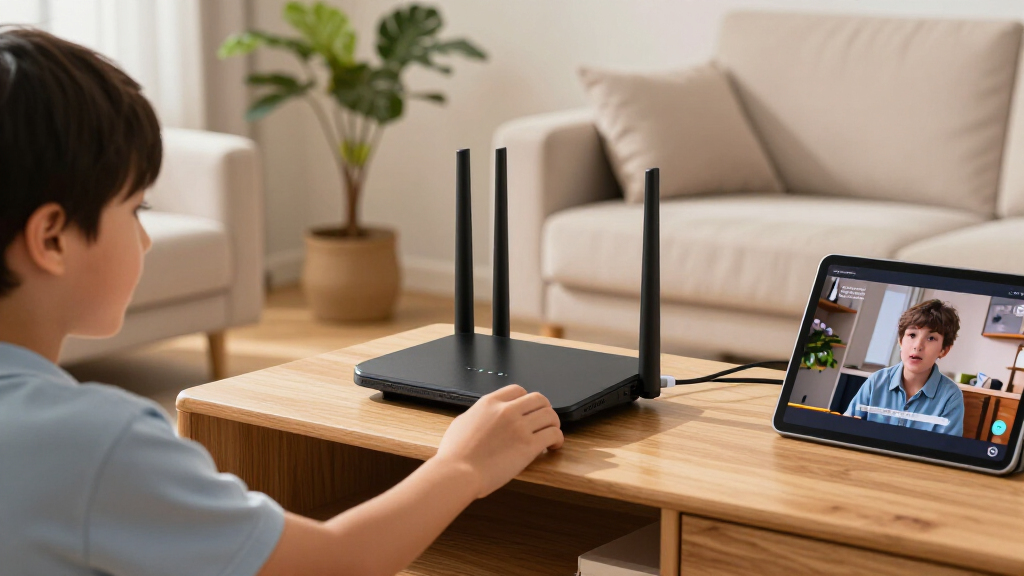

The best Wi-Fi 7 routers balance coverage, wired connectivity, useful features, and setup complexity—not just a headline speed. My best overall pick is the TP-Link Archer BE550, a tri-band router with a versatile mix of Wi-Fi and 2.5G wired connections. For a mesh-friendly setup, the Amazon eero Pro 7 stands out for its approachable design, while the GL.iNet Flint 3 suits buyers who want five 2.5G ports and more network control. The main tradeoffs are dual-band versus tri-band performance, standalone routers versus mesh systems, and simple apps versus advanced controls. Read on for how all 15 options compare and which one fits your home.

Get home appliances delivered free — and shop member deals
- Fast, free delivery on millions of items
- Access to Prime Big Deal Days deals on October 6–7
- Prime Video, Amazon Music and more included
Complete the kit

![[Genuine] Waterdrop PF-01A Water Filter Replacement for W...](https://m.media-amazon.com/images/I/41+5tl9EiKL._SX342_SY445_QL70_FMwebp_.jpg)

Key Takeaways
- The amazon.com/dp/B0CJSNSVMR?tag=whilehome-20&ascsubtag=dc-1157047″ target=”_blank” rel=”nofollow sponsored noopener”>TP-Link Archer BE550 is my best overall pick because its tri-band design and 2.5G wired connections offer a balanced fit for busy homes without pushing buyers toward a specialized gaming or VPN router.
- Tri-band matters most when several demanding devices share the network; the dual-band eero 7 and NETGEAR Nighthawk RS90 are simpler picks, but they give up a third band.
- Wired-port needs separate several of the strongest choices. The GL.iNet Flint 3 has five 2.5G ports, making it better suited to multi-device wired setups than routers with fewer fast Ethernet connections.
- Coverage problems call for a mesh system, not simply a faster router. The eero Pro 7 is a one-unit mesh-ready option, while the three-pack NETGEAR Orbi 370 targets homes that need multiple access points.
- Specialist features can matter more than peak speed. The GL.iNet Flint 3e adds VPN-focused functionality, the Slate 7 is designed for travel, and the ASUS ROG Rapture GT-BE98 Pro is aimed at gaming-focused networks.
| Amazon eero Pro 7 Tri-Band Mesh Wi-Fi 7 Router, 1-Pack |  | Best for eero Mesh Upgrades | Wi-Fi standard: Wi-Fi 7 (IEEE 802.11a/b/g/n/ac/ax/be) | Bands: Tri-band: 2.4 GHz, 5 GHz, and 6 GHz | Coverage: Up to 2,000 sq. ft. | VIEW LATEST PRICE | See Our Full Breakdown |
| GL.iNet Flint 3e Wi-Fi 7 Router with VPN |  | Best for VPN and Network Controls | Wi-Fi standard: Wi-Fi 7 (802.11be) | Bands: Dual-band | Maximum Wi-Fi speed: Up to 6.5 Gbps | VIEW LATEST PRICE | See Our Full Breakdown |
| ASUS RT-BE82U Dual-Band Wi-Fi 7 Router |  | Best for Multi-Gig Wired Setups | Wi-Fi standard: Wi-Fi 7 (802.11be) | Frequency bands: Dual-band | Maximum advertised speed: 6,500 Mbps | VIEW LATEST PRICE | See Our Full Breakdown |
| ASUS ROG Rapture GT-BE98 Pro WiFi 7 Gaming Router |  | Best Premium Gaming Router | Wireless standard: Wi-Fi 7 (802.11be) | Frequency bands: Quad-band, including dual 6 GHz bands | Maximum advertised speed: Up to 30 Gbps | VIEW LATEST PRICE | See Our Full Breakdown |
| NETGEAR Nighthawk Tri-Band WiFi 7 Router, 9.3 Gbps, 2,500 sq. ft. Coverage |  | Best Guided Tri-Band Upgrade | Wi-Fi standard: Wi-Fi 7 | Bands: Tri-band: 2.4 GHz, 5 GHz, and 6 GHz | Maximum speed: Up to 9.3 Gbps | VIEW LATEST PRICE | See Our Full Breakdown |
| NETGEAR Nighthawk RS90 Dual-Band WiFi 7 Router |  | Best Straightforward Upgrade | Wi-Fi generation: Wi-Fi 7 | Frequency bands: Dual-band: 2.4 GHz and 5 GHz | Maximum data rate: Up to 3.6 Gbps | VIEW LATEST PRICE | See Our Full Breakdown |
| GL.iNet Flint 3 Tri-Band Wi-Fi 7 Router with Five 2.5G Ports |  | Best for VPN and Multi-Gig Setups | Model: GL-BE9300 Flint 3 | Wi-Fi standard: Wi-Fi 7 (802.11be) | Frequency bands: Tri-band, including 6 GHz | VIEW LATEST PRICE | See Our Full Breakdown |
| TP-Link Archer BE550 Tri-Band Wi-Fi 7 Router |  | Best for Multi-Gig Home Networks | Wi-Fi generation: Wi-Fi 7 | Frequency bands: Tri-band: 2.4 GHz, 5 GHz, and 6 GHz | Advertised data rate: Up to 9,300 Mbps | VIEW LATEST PRICE | See Our Full Breakdown |
| GL.iNet Slate 7 Wi-Fi 7 Travel Router with Touchscreen and Dual 2.5G Ethernet |  | Best Wi-Fi 7 Travel Router | Wi-Fi generation: Wi-Fi 7 | Frequency bands: Dual-band: 2.4 GHz and 5 GHz | Wireless data rate: 688 Mbps (2.4 GHz) + 2,882 Mbps (5 GHz) | VIEW LATEST PRICE | See Our Full Breakdown |
| Amazon eero 7 Dual-Band Wi-Fi 7 Mesh Router, 1-Pack |  | Best for Simple Smart-Home Setup | Wi-Fi standard: Wi-Fi 7 (IEEE 802.11a/b/g/n/ac/ax/be) | Bands: Dual-band: 2.4 GHz and 5 GHz | Wireless speed: Up to 1.8 Gbps | VIEW LATEST PRICE | See Our Full Breakdown |
| NETGEAR Orbi 370 Series WiFi 7 Mesh System, Up to 6,000 sq ft., 3 Pack |  | Best Wi-Fi 7 Mesh for Larger Homes | Wi-Fi standard: Wi-Fi 7 (802.11be) | System: Router and two satellites | Frequency bands: Dual-band: 2.4 GHz and 5 GHz | VIEW LATEST PRICE | See Our Full Breakdown |
| TP-Link Archer BE600 Tri-Band Wi-Fi 7 Router (BE9700) |  | Best Value Tri-Band Pick | Wi-Fi standard: Wi-Fi 7 | Frequency bands: Tri-band: 6 GHz, 5 GHz, and 2.4 GHz | Maximum combined speed: Up to 9.7 Gbps | VIEW LATEST PRICE | See Our Full Breakdown |
| ASUS RT-BE9700 Tri-Band WiFi 7 Router |  | Best for Flexible Network Management | Wi-Fi standard: Wi-Fi 7 (802.11be) | Frequency bands: Tri-band: 2.4 GHz, 5 GHz, and 6 GHz | Maximum data rate: Up to 9,700 Mbps | VIEW LATEST PRICE | See Our Full Breakdown |
| TP-Link Archer BE670 Tri-Band Wi-Fi 7 Router |  | Best for High-Capacity Wi-Fi 7 | Wi-Fi standard: Wi-Fi 7 (802.11be) | Frequency bands: Tri-band: 6 GHz, 5 GHz, and 2.4 GHz | Advertised combined speed: Up to 12,218 Mbps | VIEW LATEST PRICE | See Our Full Breakdown |
| TP-Link Archer BE230 Dual-Band Wi-Fi 7 Router |  | Best Entry-Level Wi-Fi 7 Pick | Wi-Fi standard: Wi-Fi 7 (802.11be) | Frequency bands: Dual-band: 2.4 GHz and 5 GHz | Maximum data rate: Up to 3.6 Gbps | VIEW LATEST PRICE | See Our Full Breakdown |
| Wi-Fi 7 router | Coverage | Wi-Fi standard | Frequency bands |
|---|---|---|---|
| Amazon eero Pro 7 Tri-Band Mes | Up to 2,000 sq. ft. | Wi-Fi 7 (IEEE 802.11a/b/g/n/ac/ax/be) | — |
| GL.iNet Flint 3e Wi-Fi 7 Route | Up to 2,500 sq. ft. | Wi-Fi 7 (802.11be) | — |
| ASUS RT-BE82U Dual-Band Wi-Fi | — | Wi-Fi 7 (802.11be) | Dual-band |
| ASUS ROG Rapture GT-BE98 Pro W | Up to 3,500 sq. ft. | — | Quad-band, including dual 6 GHz bands |
| NETGEAR Nighthawk Tri-Band WiF | Up to 2,500 sq. ft. | Wi-Fi 7 | — |
| NETGEAR Nighthawk RS90 Dual-Ba | Up to 2,000 sq. ft. | — | Dual-band: 2.4 GHz and 5 GHz |
| GL.iNet Flint 3 Tri-Band Wi-Fi | Up to 2,000 sq. ft. | Wi-Fi 7 (802.11be) | Tri-band, including 6 GHz |
| TP-Link Archer BE550 Tri-Band | Up to 2,000 sq. ft. | — | Tri-band: 2.4 GHz, 5 GHz, and 6 GHz |
| GL.iNet Slate 7 Wi-Fi 7 Travel | — | — | Dual-band: 2.4 GHz and 5 GHz |
| Amazon eero 7 Dual-Band Wi-Fi | Up to 2,000 sq. ft. | Wi-Fi 7 (IEEE 802.11a/b/g/n/ac/ax/be) | — |
| NETGEAR Orbi 370 Series WiFi 7 | Up to 6,000 sq. ft. | Wi-Fi 7 (802.11be) | Dual-band: 2.4 GHz and 5 GHz |
| TP-Link Archer BE600 Tri-Band | Up to 2,600 sq. ft. | Wi-Fi 7 | Tri-band: 6 GHz, 5 GHz, and 2.4 GHz |
| ASUS RT-BE9700 Tri-Band WiFi 7 | Listed as up to 2,750 sq. ft.; another listing figure says 2,500 sq. ft. | Wi-Fi 7 (802.11be) | Tri-band: 2.4 GHz, 5 GHz, and 6 GHz |
| TP-Link Archer BE670 Tri-Band | Up to 3,000 sq. ft. | Wi-Fi 7 (802.11be) | Tri-band: 6 GHz, 5 GHz, and 2.4 GHz |
| TP-Link Archer BE230 Dual-Band | Up to 2,000 sq. ft. | Wi-Fi 7 (802.11be) | Dual-band: 2.4 GHz and 5 GHz |
More Details on Our Top Picks
Amazon eero Pro 7 Tri-Band Mesh Wi-Fi 7 Router, 1-Pack
I’d pick the eero Pro 7 for a home already using eero gear or for someone who wants a simple path to expand mesh coverage. Its tri-band Wi-Fi 7 design includes 6 GHz, and the two 5 GbE ports give it more wired headroom than the NETGEAR Nighthawk Tri-Band WiFi 7 Router’s listed 2.5 GbE connections. Coverage is rated up to 2,000 sq. ft. per unit, while support for more than 200 devices suits a busy connected home.
The tradeoff is that this is a single router, not a multi-node kit; larger homes may need additional eero units. Setup also requires an iOS or Android device and an internet connection, and some smart-home features are controller-only. Compared with the ASUS RT-BE82U, it offers eero ecosystem integration and tri-band operation, but fewer listed Ethernet ports for wired devices.
Pros:- Tri-band Wi-Fi 7 includes 6 GHz for compatible devices and network capacity.
- Two auto-sensing 5 GbE ports support fast wired links and multi-gig internet plans.
- Rated for up to 2,000 sq. ft. and more than 200 connected devices.
- Compatible with earlier eero devices and supports Thread, Zigbee, Bluetooth LE, and Matter.
Cons:- One unit may not cover larger or heavily divided homes without additional eero nodes.
- Initial setup requires a supported iOS or Android device and an active internet connection.
- Some smart-home features, including Zigbee and Matter, are controller-only.
Best for: Households already using eero devices that want a Wi-Fi 7 router with 6 GHz, multi-gig Ethernet, and room to expand mesh coverage.
Not ideal for: Buyers who want a complete mesh system in the box, extensive standalone router controls, or many wired connections beyond the two Ethernet ports.
- Wi-Fi standard:Wi-Fi 7 (IEEE 802.11a/b/g/n/ac/ax/be)
- Bands:Tri-band: 2.4 GHz, 5 GHz, and 6 GHz
- Coverage:Up to 2,000 sq. ft.
- Maximum supported internet plan:Up to 5 Gbps
- Wireless speed:Up to 3.9 Gbps
- Device capacity:More than 200 devices
- Ethernet:Two auto-sensing 5 GbE ports
- Smart-home connectivity:Thread, Zigbee, Bluetooth Low Energy 5.0, and Matter
Our verdict“Choose the eero Pro 7 if you want a tri-band Wi-Fi 7 upgrade that fits an existing eero home, but plan on adding nodes if one router cannot cover your space.”
GL.iNet Flint 3e Wi-Fi 7 Router with VPN
The GL.iNet Flint 3e suits buyers who want router-level VPN and network filtering rather than a mostly hands-off setup. It supports WireGuard and OpenVPN with stated VPN speeds up to 1,100 Mbps, plus AdGuard Home and Bark parental controls. Those tools make it a more control-focused choice than the app-led NETGEAR Nighthawk Tri-Band WiFi 7 Router, particularly for households that want to manage filtering or VPN access across devices.
Its advertised Wi-Fi speed reaches 6.5 Gbps and coverage is rated up to 2,500 sq. ft., but this is a dual-band router, unlike the tri-band eero Pro 7 and NETGEAR Nighthawk. That means no dedicated 6 GHz band is listed. VPN throughput also depends on the service and network conditions, and stated coverage can vary with the home. I’d favor it for configurable networking, not for buyers seeking the simplest setup or tri-band capacity.
Pros:- Supports WireGuard and OpenVPN with stated VPN speeds up to 1,100 Mbps.
- Includes MLO and 4K-QAM Wi-Fi 7 features.
- AdGuard Home and Bark parental controls add network filtering options.
- Rated for coverage up to 2,500 sq. ft. and more than 100 devices.
Cons:- Dual-band design lacks the 6 GHz band offered by the eero Pro 7 and NETGEAR Nighthawk tri-band models.
- Actual VPN speeds depend on the VPN service and network conditions.
- Coverage and performance can vary with walls, interference, and home layout.
Best for: Privacy-minded households and technically comfortable users who want built-in VPN options, ad blocking, and parental controls.
Not ideal for: Buyers who prioritize tri-band Wi-Fi 7 with a 6 GHz band or want a straightforward, guided router experience.
- Wi-Fi standard:Wi-Fi 7 (802.11be)
- Bands:Dual-band
- Maximum Wi-Fi speed:Up to 6.5 Gbps
- VPN speed:Up to 1,100 Mbps with WireGuard and OpenVPN
- Coverage:Up to 2,500 sq. ft.
- Device capacity:More than 100 devices
- Memory:1 GB DDR4
- Supported features:MLO, 4K-QAM, AdGuard Home, and Bark parental controls
Our verdict“Pick the Flint 3e if VPN and filtering controls matter more to you than a tri-band design or a simpler guided setup.”
ASUS RT-BE82U Dual-Band Wi-Fi 7 Router
My pick for a wired-heavy home is the ASUS RT-BE82U: its five 2.5GbE ports make it easier to connect multi-gig devices directly than the eero Pro 7, which has two Ethernet ports. That can matter for a desktop, network storage, or several wired access points, while AiMesh support provides a route to wider coverage with compatible ASUS gear. AiProtection Pro, VPN features, parental controls, and a firewall also give it a broad set of network-management options.
The main compromise is its dual-band layout. Unlike the tri-band NETGEAR Nighthawk or eero Pro 7, it does not list a 6 GHz band, so buyers focused on tri-band capacity should look elsewhere. The advertised 6,500 Mbps maximum is also dependent on compatible devices and network conditions. I’d rank it ahead of simpler options for port flexibility, but not for someone who specifically wants tri-band Wi-Fi 7.
Pros:- Five 2.5GbE ports offer substantial wired connectivity.
- AiMesh support allows expansion with compatible ASUS routers.
- Includes AiProtection Pro, VPN features, parental controls, and firewall tools.
- Advertised maximum speed reaches 6,500 Mbps and it supports MLO.
Cons:- Dual-band design does not include the 6 GHz band found on the eero Pro 7 and NETGEAR Nighthawk tri-band routers.
- Maximum advertised speed depends on compatible clients and network conditions.
- Four fixed antennas provide no option to reposition or replace the antennas.
Best for: Homes with several multi-gig wired devices, or ASUS users who want to build out coverage through AiMesh.
Not ideal for: Buyers who want tri-band Wi-Fi 7 with 6 GHz or need a prebuilt mesh kit for broad coverage.
- Wi-Fi standard:Wi-Fi 7 (802.11be)
- Frequency bands:Dual-band
- Maximum advertised speed:6,500 Mbps
- Ethernet ports:Five 2.5GbE ports
- Mesh support:ASUS AiMesh
- Security features:AiProtection Pro, VPN, parental controls, and firewall
- Antennas:Four fixed antennas
Our verdict“Choose the RT-BE82U if multiple 2.5GbE connections and ASUS mesh expansion matter more than having a 6 GHz band.”
ASUS ROG Rapture GT-BE98 Pro WiFi 7 Gaming Router
The ASUS ROG Rapture GT-BE98 Pro is the specialist choice here for a high-end gaming setup with substantial wired and wireless capacity. Its quad-band design with two 6 GHz bands, Multi-Link Operation, and game-acceleration features are a step beyond the dual-band ASUS RT-BE82U, while dual 10 Gbps ports and four 2.5 Gbps ports give a gaming PC, console, and other wired gear plenty of fast connections. Coverage is rated up to 3,500 sq. ft., and mesh support offers an expansion path.
That hardware comes with a real usability tradeoff: the feature set can be excessive for a household that just needs reliable Wi-Fi, and the external antenna design takes up space. Its 30 Gbps maximum is an advertised aggregate figure, not a guarantee for one device. Compared with the NETGEAR Nighthawk tri-band router, this is much more specialized for gaming and high-end wiring, but less sensible for everyday browsing and streaming needs.
Pros:- Quad-band Wi-Fi 7 includes two 6 GHz bands and supports Multi-Link Operation.
- Dual 10 Gbps ports and four 2.5 Gbps ports support fast wired connections.
- Game acceleration and QoS features target latency-sensitive gaming traffic.
- Rated for up to 3,500 sq. ft. and supports mesh expansion.
Cons:- Advanced gaming and network controls may be difficult to manage for less technical users.
- Eight fixed external antennas make the router a large, less discreet choice.
- The advertised 30 Gbps maximum is not a single-device speed guarantee.
Best for: Gamers with multi-gig internet, several wired gaming or media devices, and compatible Wi-Fi 7 clients who want extensive tuning options.
Not ideal for: Small homes, casual users, or anyone who wants a compact router with a simple setup and fewer advanced controls.
- Wireless standard:Wi-Fi 7 (802.11be)
- Frequency bands:Quad-band, including dual 6 GHz bands
- Maximum advertised speed:Up to 30 Gbps
- Ethernet ports:Two 10 Gbps, four 2.5 Gbps, plus additional LAN ports; seven ports total
- Coverage:Up to 3,500 sq. ft.
- Antennas:Eight fixed external antennas
- Memory:2 GB RAM
- Additional features:Game Acceleration, QoS, Guest Mode, Parental Controls, and Access Point Mode
Our verdict“Pick the GT-BE98 Pro if gaming features, quad-band Wi-Fi, and fast wired ports justify a large, complex router in your setup.”
NETGEAR Nighthawk Tri-Band WiFi 7 Router, 9.3 Gbps, 2,500 sq. ft. Coverage
The NETGEAR Nighthawk Tri-Band WiFi 7 Router is a strong fit for someone replacing a standalone router who wants a guided app setup and the extra capacity of three bands, including 6 GHz. Its rated 9.3 Gbps maximum and 2,500 sq. ft. coverage place it above the eero Pro 7’s listed 3.9 Gbps wireless speed and 2,000 sq. ft. coverage, though real results depend on the home and compatible devices. A 2.5 Gig WAN port and two 2.5 Gig LAN ports also suit multi-gig internet and wired clients.
Unlike the eero, this router supports up to 100 devices rather than more than 200, and it requires an existing modem or gateway. The included NETGEAR Armor trial lasts 30 days; continued service requires a separate subscription. I’d choose it over the dual-band Flint 3e for its 6 GHz band and app-led management, but not if VPN tools or built-in ad blocking are the priority.
Pros:- Tri-band Wi-Fi 7 includes a 6 GHz band.
- Rated for speeds up to 9.3 Gbps and coverage up to 2,500 sq. ft.
- One 2.5 Gig WAN port and two 2.5 Gig LAN ports support multi-gig links.
- Nighthawk app offers guided setup and remote network management, with automatic firmware updates.
Cons:- Requires an existing modem or gateway and an active internet connection.
- NETGEAR Armor requires a separate subscription after its 30-day trial.
- Device capacity is listed at up to 100, below the eero Pro 7’s 200-plus devices.
Best for: Households replacing a modem-connected standalone router that want tri-band Wi-Fi 7, multi-gig ports, and app-based management.
Not ideal for: Buyers without an existing modem or gateway, homes with more than 100 connected devices, or users seeking built-in VPN controls.
- Wi-Fi standard:Wi-Fi 7
- Bands:Tri-band: 2.4 GHz, 5 GHz, and 6 GHz
- Maximum speed:Up to 9.3 Gbps
- Coverage:Up to 2,500 sq. ft.
- Device capacity:Up to 100 devices
- WAN port:One 2.5 Gig port
- LAN ports:Two 2.5 Gig ports and two 1 Gig ports
- Setup and security:NETGEAR Nighthawk app, automatic firmware updates, Advanced Router Protection, and a 30-day NETGEAR Armor trial
Our verdict“Choose the Nighthawk if you want a guided, tri-band Wi-Fi 7 router with multi-gig ports and already have a modem or gateway.”
NETGEAR Nighthawk RS90 Dual-Band WiFi 7 Router
I’d choose the Nighthawk RS90 for a household that wants a simple Wi-Fi 7 step up from an older router without needing a tri-band feature set. Its advertised 3.6 Gbps wireless rate and coverage up to 2,000 square feet suit everyday streaming, calls, and connected devices, while a 2.5 Gig WAN port leaves room for a faster internet plan. Compared with the TP-Link Archer BE550, the RS90 has fewer high-speed wired connections and no 6 GHz band, so it’s less suited to homes with many newer Wi-Fi 7 clients or multi-gig wired devices. Its four Gigabit LAN ports are practical for common setups, but they cap wired device links below 2.5 Gbps. You’ll also need a separate modem or gateway, and continued NETGEAR Armor protection requires a subscription after its trial.
Pros:- Wi-Fi 7 wireless speeds advertised up to 3.6 Gbps
- 2.5 Gig WAN port supports a multi-gig internet connection
- Four Gigabit LAN ports for wired devices
- App-based management and automatic firmware updates
Cons:- Dual-band design lacks a 6 GHz band
- LAN ports are limited to 1 Gigabit each
- Requires a separate modem or gateway, and ongoing Armor protection has a subscription
Best for: Households replacing an older router that want app-based management, moderate device capacity, and a 2.5 Gig WAN connection.
Not ideal for: Homes with many 6 GHz-capable devices or multiple multi-gig wired systems; its dual-band Wi-Fi and Gigabit LAN ports are limiting compared with the Archer BE550.
- Wi-Fi generation:Wi-Fi 7
- Frequency bands:Dual-band: 2.4 GHz and 5 GHz
- Maximum data rate:Up to 3.6 Gbps
- Coverage:Up to 2,000 sq. ft.
- Device capacity:Up to 50 devices
- WAN port:1 × 2.5 Gig
- LAN ports:4 × 1 Gigabit Ethernet
- Management:NETGEAR Nighthawk app
Our verdict“Choose the RS90 for an uncomplicated Wi-Fi 7 upgrade with a multi-gig WAN port, but pick the Archer BE550 if you need 6 GHz Wi-Fi or faster wired LAN connections.”
GL.iNet Flint 3 Tri-Band Wi-Fi 7 Router with Five 2.5G Ports
The GL.iNet Flint 3 is the strongest fit here for buyers who want router controls, VPN options, and a lot of fast wired connections in one device. Its tri-band Wi-Fi 7 with 6 GHz and MLO gives compatible devices another band to use, while five 2.5G ports make it more flexible for multi-gig internet and local networking than the NETGEAR Nighthawk RS90, whose LAN ports are Gigabit. The Flint 3 also supports WireGuard and OpenVPN, with advertised VPN throughput up to 680 Mbps, plus AdGuard Home and parental controls. That flexibility comes with a more hands-on setup than a basic app-managed router, and VPN performance can vary with the provider and network. Its stated 2,000-square-foot coverage is similar to several picks here, not a reason to expect whole-home coverage in every layout.
Pros:- Tri-band Wi-Fi 7 includes the 6 GHz band and MLO
- Five 2.5G ports offer unusually flexible wired connectivity
- WireGuard, OpenVPN, AdGuard Home, and parental controls are supported
- Advertised capacity exceeds 100 devices
Cons:- Setup and configuration may suit advanced users better than beginners
- VPN throughput depends on the provider, server, and network conditions
- Firmware update is recommended during initial setup
Best for: Technically confident households that want VPN tools, ad filtering, support for many devices, and several 2.5G wired connections.
Not ideal for: Buyers who want the simplest setup or need a router designed to cover a large, multi-floor home without additional access points.
- Model:GL-BE9300 Flint 3
- Wi-Fi standard:Wi-Fi 7 (802.11be)
- Frequency bands:Tri-band, including 6 GHz
- Wireless speed:Up to 9 Gbps
- Ports:5 × 2.5G
- VPN speed:Up to 680 Mbps with WireGuard and OpenVPN
- Coverage:Up to 2,000 sq. ft.
- Device capacity:Over 100 devices
- Memory and storage:1 GB DDR4 RAM; 8 GB eMMC storage
Our verdict“Pick the Flint 3 if VPN features and five 2.5G ports matter more than a beginner-focused setup.”
TP-Link Archer BE550 Tri-Band Wi-Fi 7 Router
I’d put the Archer BE550 near the top for a home that needs both current-generation Wi-Fi and fast wired connections. It pairs tri-band Wi-Fi 7, 6 GHz, and MLO with one 2.5 Gbps WAN port and four 2.5 Gbps LAN ports—a more balanced wired setup than the NETGEAR Nighthawk RS90, which has only Gigabit LAN ports. That can help when a fast internet plan, a network-attached device, and several wired computers share the router. EasyMesh also gives you an expansion path if one router cannot cover the whole home. Its advertised 9.3 Gbps is a combined wireless data rate, not a guarantee of a single device’s download speed. Coverage and real throughput depend on walls, interference, and client hardware, and most internet providers require a separate modem.
Pros:- Tri-band Wi-Fi 7 includes 6 GHz, MLO, and 320 MHz channel support
- Four 2.5 Gbps LAN ports plus a 2.5 Gbps WAN port
- EasyMesh support offers a route to expanded coverage
- Includes app-based setup, VPN support, and an IoT network option
Cons:- A separate modem is required for most internet providers
- Advertised wireless rates do not represent a single device’s expected speed
- Actual coverage and performance vary with the home and connected devices
Best for: Households with multi-gig internet or wired devices that want tri-band Wi-Fi 7 and an option to extend coverage with EasyMesh.
Not ideal for: Buyers seeking a standalone modem-router or those whose devices and internet plan won’t benefit from 2.5 Gbps ports and tri-band Wi-Fi.
- Wi-Fi generation:Wi-Fi 7
- Frequency bands:Tri-band: 2.4 GHz, 5 GHz, and 6 GHz
- Advertised data rate:Up to 9,300 Mbps
- Band speeds:6 GHz: 5,760 Mbps; 5 GHz: 2,880 Mbps; 2.4 GHz: 574 Mbps
- Ports:1 × 2.5 Gbps WAN; 4 × 2.5 Gbps LAN
- Antennas:6 internal antennas
- Mesh compatibility:EasyMesh
- Coverage:Up to 2,000 sq. ft.
- Setup and control:TP-Link Tether app
Our verdict“Choose the Archer BE550 when you want 6 GHz Wi-Fi and multiple 2.5 Gbps wired connections in one router.”
GL.iNet Slate 7 Wi-Fi 7 Travel Router with Touchscreen and Dual 2.5G Ethernet
Unlike the full-home routers in this roundup, the GL.iNet Slate 7 is built for portable network control: its touchscreen lets travelers check connections and VPN settings without relying on the app for every change. OpenWrt, OpenVPN, and WireGuard client and server support make it more configurable than the Amazon eero 7, whose appeal is its simpler home setup and smart-home controls. The Slate 7 also has two 2.5G Ethernet ports and USB 3.0, useful when connecting hotel wired internet or sharing a connection. Its dual-band design has no 6 GHz band, and its listed maximum VPN rates—100 Mbps for OpenVPN and 540 Mbps for WireGuard—make it a poor match for buyers who expect unrestricted high-speed VPN throughput. I’d treat its device capacity as a feature of a travel network, not proof it can replace a powerful home router.
Pros:- Touchscreen provides quick access to network and VPN controls
- Supports OpenVPN and WireGuard client and server functions
- Two 2.5G Ethernet ports and a USB 3.0 port
- OpenWrt supports customization and plugin installation
Cons:- Dual-band Wi-Fi lacks a 6 GHz band
- Listed VPN limits are 100 Mbps for OpenVPN and 540 Mbps for WireGuard
- Touchscreen shortcut button needs manual configuration
Best for: Frequent travelers and remote workers who want a portable router with touchscreen controls, OpenWrt customization, and VPN client or server options.
Not ideal for: Households shopping for a primary high-throughput Wi-Fi 7 router or VPN users who need OpenVPN speeds above its listed 100 Mbps maximum.
- Wi-Fi generation:Wi-Fi 7
- Frequency bands:Dual-band: 2.4 GHz and 5 GHz
- Wireless data rate:688 Mbps (2.4 GHz) + 2,882 Mbps (5 GHz)
- Ethernet ports:2 × 2.5G: 1 WAN and 1 LAN
- USB:USB 3.0
- Operating system:OpenWrt 23.05 (Kernel 5.4.213)
- VPN support:OpenVPN and WireGuard client and server
- Maximum VPN speed:100 Mbps (OpenVPN); 540 Mbps (WireGuard)
- Memory and storage:2 GB RAM; 512 MB storage
Our verdict“Choose the Slate 7 as a configurable travel network with built-in VPN controls, not as a substitute for a high-performance home router.”
Amazon eero 7 Dual-Band Wi-Fi 7 Mesh Router, 1-Pack
The eero 7 stands apart by combining a low-friction mesh ecosystem with smart-home radios: Thread, Zigbee, and Matter control can make it a useful hub as well as a Wi-Fi router. Its two 2.5 GbE ports and support for internet plans up to 2.5 Gbps give it more wired flexibility than the RS90’s Gigabit LAN connections, while support for earlier eero generations helps households build on an existing eero setup. Compared with the TP-Link Archer BE550, though, this is a dual-band router with a listed wireless speed up to 1.8 Gbps, not a tri-band model with 6 GHz and a higher advertised combined rate. Setup requires the eero app and an internet connection, which may not suit people who prefer local, hands-on configuration. As a single router, its stated coverage is up to 2,000 square feet; larger homes may need a mesh expansion.
Pros:- Thread, Zigbee, and Matter controller features support a smart-home setup
- Two auto-sensing 2.5 GbE ports
- Works with previous eero generations
- Advertised coverage up to 2,000 sq. ft. and capacity for 120+ devices
Cons:- Dual-band design lacks a 6 GHz band
- Listed wireless speed is up to 1.8 Gbps, below tri-band alternatives such as the Archer BE550
- Setup requires the eero app and an internet connection
Best for: Smart-home households and existing eero owners who want app-led setup, 2.5 GbE ports, and built-in Thread, Zigbee, and Matter control.
Not ideal for: Buyers seeking tri-band Wi-Fi 7 with a 6 GHz band, detailed manual configuration, or setup without the eero app and an internet connection.
- Wi-Fi standard:Wi-Fi 7 (IEEE 802.11a/b/g/n/ac/ax/be)
- Bands:Dual-band: 2.4 GHz and 5 GHz
- Wireless speed:Up to 1.8 Gbps
- Coverage:Up to 2,000 sq. ft.
- Maximum supported internet plan:2.5 Gbps
- Device capacity:120+ devices
- Ethernet:2 auto-sensing 2.5 Gigabit Ethernet ports
- Smart-home features:Thread, Zigbee controller, Matter controller, and Alexa compatibility
- Dimensions:5.12 × 5.12 × 2.52 in.
Our verdict“Pick the eero 7 for app-managed Wi-Fi and smart-home integration, but choose the Archer BE550 if tri-band 6 GHz performance is your priority.”
NETGEAR Orbi 370 Series WiFi 7 Mesh System, Up to 6,000 sq ft., 3 Pack
The Orbi 370’s main advantage over the single-router Archer BE600 and ASUS RT-BE9700 is its three-unit mesh coverage: a router and two satellites are rated for up to 6,000 square feet, with additional coverage available from another satellite. That makes it a stronger fit for a spread-out home where one router may leave distant rooms with weak signal. It supports up to 70 devices and advertises speeds up to 5 Gbps, but its dual-band design lacks the dedicated 6 GHz band found on those tri-band alternatives. The tradeoff is less flexibility for devices that can use 6 GHz, in exchange for room-to-room coverage from the included hardware. Guided Orbi app setup and included security features simplify management; full NETGEAR Armor protection requires a subscription after its trial.
Pros:- Router and two satellites cover up to 6,000 sq. ft. according to the product data.
- Additional satellite can extend coverage by up to 2,000 sq. ft.
- Supports up to 70 devices and advertises Wi-Fi speeds up to 5 Gbps.
- Guided setup through the Orbi app with built-in security features.
Cons:- Dual-band design does not include the 6 GHz band available on the Archer BE600 and ASUS RT-BE9700.
- Full NETGEAR Armor protection requires a separate subscription after the 30-day trial.
- Listed for use in the United States only.
Best for: Households in larger homes that want a ready-made mesh kit and have many everyday devices spread across several rooms.
Not ideal for: Buyers prioritizing a 6 GHz band, or people outside the United States, where this model is listed as unavailable for use.
- Wi-Fi standard:Wi-Fi 7 (802.11be)
- System:Router and two satellites
- Frequency bands:Dual-band: 2.4 GHz and 5 GHz
- Maximum speed:Up to 5 Gbps
- Coverage:Up to 6,000 sq. ft.
- Supported devices:Up to 70
- LAN port bandwidth:2.5 Gbps
- Mesh expansion:Additional satellite adds up to 2,000 sq. ft.
Our verdict“Choose the Orbi 370 if covering a larger home with a supplied mesh kit matters more than having tri-band Wi-Fi 7.”
TP-Link Archer BE600 Tri-Band Wi-Fi 7 Router (BE9700)
The Archer BE600 offers a tri-band Wi-Fi 7 setup with a 10 Gbps WAN/LAN port and several 2.5 Gbps connections, giving wired multi-gigabit devices more room than the dual-band Archer BE230. Its listed combined wireless rate reaches 9.7 Gbps, and the 6 GHz band can serve compatible devices without sharing the 2.4 GHz and 5 GHz bands. Coverage is rated for up to 2,600 square feet, so it suits a typical home better than the larger-area Orbi 370 kit, which relies on satellites to cover more ground. The BE600 also adds USB 3.0, VPN client and server support, and app or web management. Its main limitation is reach: buyers needing coverage across a large or awkwardly laid-out house may be better served by mesh. Wi-Fi 7 gains also depend on compatible client devices.
Pros:- Tri-band Wi-Fi 7 with a listed combined speed of up to 9.7 Gbps.
- Includes one 10 Gbps WAN/LAN port and four 2.5 Gbps Ethernet ports.
- VPN client and server support plus USB 3.0.
- Tether app and web-interface management with HomeShield security and parental controls.
Cons:- Coverage is rated for up to 2,600 sq. ft., less than the Orbi 370 mesh system’s stated 6,000 sq. ft.
- Full Wi-Fi 7 performance depends on compatible client devices.
- The supplied product information does not clarify which HomeShield features require a subscription.
Best for: Households seeking tri-band Wi-Fi 7, multi-gigabit wired connections, and VPN options in a single-router setup.
Not ideal for: People who need whole-home coverage beyond the stated 2,600 sq. ft. or whose devices cannot use Wi-Fi 7 and its 6 GHz band.
- Wi-Fi standard:Wi-Fi 7
- Frequency bands:Tri-band: 6 GHz, 5 GHz, and 2.4 GHz
- Maximum combined speed:Up to 9.7 Gbps
- Coverage:Up to 2,600 sq. ft.
- Maximum devices:Up to 120
- Ethernet ports:1 × 10 Gbps WAN/LAN, 1 × 2.5 Gbps WAN/LAN, 3 × 2.5 Gbps LAN
- USB:USB 3.0
- Management:TP-Link Tether app or web interface
Our verdict“Pick the Archer BE600 for a single-home router that balances 6 GHz Wi-Fi, multi-gigabit ports, and VPN features.”
ASUS RT-BE9700 Tri-Band WiFi 7 Router
The RT-BE9700 is a good match for buyers who want more control over how their network operates, rather than a simple set-and-forget router. Alongside tri-band Wi-Fi 7 and Multi-Link Operation, it offers several modes—including router, access point, repeater, and AiMesh node—so it can fit into an existing ASUS setup or serve a different role later. Its 9.7 Gbps combined rate and coverage listed up to 2,750 square feet put it close to the TP-Link Archer BE600, while AiProtection, VPN features, and parental controls add management options. ASUS lists network security without a subscription, a meaningful contrast with the Orbi 370’s Armor trial model. The tradeoff is that the available specs do not detail port speeds, making wired-network planning harder than with the BE600’s clearly listed multi-gigabit ports. Coverage figures in the listing also vary.
Pros:- Tri-band Wi-Fi 7 with listed combined data rates up to 9,700 Mbps and support for 320 MHz channels.
- AiMesh and multiple operating modes allow flexible use in different network setups.
- Includes VPN features, parental controls, and AiProtection security without a stated subscription.
- Multi-Link Operation is designed to improve connection stability and data transfer.
Cons:- The product information gives conflicting coverage figures of 2,500 and 2,750 sq. ft.
- Port count is listed, but port speeds are not specified in the supplied data.
- Unlike the Orbi 370, it is a single router rather than a multi-unit mesh kit.
Best for: Technically minded households that want tri-band Wi-Fi 7, several operating modes, and subscription-free security features.
Not ideal for: Buyers who need clearly specified multi-gigabit port details before choosing, or those who want a supplied multi-unit mesh kit for a large home.
- Wi-Fi standard:Wi-Fi 7 (802.11be)
- Frequency bands:Tri-band: 2.4 GHz, 5 GHz, and 6 GHz
- Maximum data rate:Up to 9,700 Mbps
- 6 GHz data rate:Up to 5,764 Mbps
- Coverage:Listed as up to 2,750 sq. ft.; another listing figure says 2,500 sq. ft.
- Memory:256 MB flash and 1 GB DDR4 RAM
- Ports:6; individual port speeds are not specified
- Operating modes:Wireless router, AiMesh node, access point, media bridge, repeater
Our verdict“Choose the RT-BE9700 if network modes and subscription-free security matter more to you than clearly documented port speeds.”
TP-Link Archer BE670 Tri-Band Wi-Fi 7 Router
Among the single-router picks here, the Archer BE670 aims high on both advertised speed and device capacity: TP-Link lists up to 12,218 Mbps and support for up to 128 devices. Its stated coverage of 3,000 square feet exceeds the Archer BE600’s 2,600 square feet, while both include a 10 Gbps WAN/LAN connection and a 2.5 Gbps port. That makes the BE670 a stronger candidate for a busy household that wants a 6 GHz band, wired multi-gigabit options, and EasyMesh expansion. The tradeoff is its mix of three 1 Gbps LAN ports, which may constrain wired devices compared with routers offering more multi-gigabit LAN connections. It also requires a separate modem, and EasyMesh compatibility does not mean compatibility with TP-Link Deco mesh systems. Real wireless speeds vary with distance and obstacles.
Pros:- Tri-band Wi-Fi 7 with advertised combined speeds up to 12,218 Mbps.
- Rated for up to 128 devices and coverage up to 3,000 sq. ft.
- Includes 10 Gbps and 2.5 Gbps WAN/LAN ports plus USB 3.0.
- Supports EasyMesh and setup through the TP-Link Tether app.
Cons:- Requires a separate modem.
- Only three of its LAN ports are listed at 1 Gbps.
- EasyMesh compatibility does not include Deco mesh systems, and actual wireless performance varies with conditions.
Best for: Busy households with many connected devices that want tri-band Wi-Fi 7, stated coverage up to 3,000 square feet, and EasyMesh expansion.
Not ideal for: Buyers who need several multi-gigabit LAN ports, an all-in-one modem-router, or a mesh system compatible with TP-Link Deco.
- Wi-Fi standard:Wi-Fi 7 (802.11be)
- Frequency bands:Tri-band: 6 GHz, 5 GHz, and 2.4 GHz
- Advertised combined speed:Up to 12,218 Mbps
- Coverage:Up to 3,000 sq. ft.
- Maximum devices:Up to 128
- Ethernet ports:1 × 10 Gbps WAN/LAN, 1 × 2.5 Gbps WAN/LAN, 3 × 1 Gbps LAN
- Mesh support:EasyMesh-compatible; not compatible with Deco mesh systems
- Modem:Separate modem required
Our verdict“Choose the Archer BE670 for a high-capacity single-router setup with strong advertised speeds, provided its modem requirement and gigabit LAN ports suit your network.”
TP-Link Archer BE230 Dual-Band Wi-Fi 7 Router
The Archer BE230 keeps the essentials straightforward: it brings Wi-Fi 7 features and two 2.5 Gbps ports to a dual-band, 3.6 Gbps router rated for up to 2,000 square feet and 60 devices. That makes it a more restrained choice than the tri-band Archer BE600 and BE670, which add a 6 GHz band and much higher advertised combined rates. The BE230 can still suit homes with compatible Wi-Fi 7 devices, and its EasyMesh support gives buyers a way to expand coverage later. Its key compromise is clear: no 6 GHz band, so it cannot serve clients that need that band, and its listed 5 GHz maximum is lower than the tri-band models’ 6 GHz rates. It also needs a separate modem. Pick it for practical wired connectivity and basic Wi-Fi 7 support, not for the broadest Wi-Fi 7 feature set.
Pros:- Wi-Fi 7 support with Multi-Link Operation, Multi-RU, and 4K-QAM.
- Two 2.5 Gbps ports and three 1 Gbps LAN ports.
- Supports EasyMesh for extending coverage with compatible equipment.
- Rated for up to 60 devices and coverage up to 2,000 sq. ft.
Cons:- Does not support the 6 GHz band included on the Archer BE600 and BE670.
- Advertised maximum data rate of 3.6 Gbps is below the listed rates for the tri-band alternatives.
- Requires a separate modem.
Best for: Households upgrading to Wi-Fi 7 on a modest-sized home network that want 2.5 Gbps wired ports without needing 6 GHz Wi-Fi.
Not ideal for: Buyers with 6 GHz-capable devices who want tri-band Wi-Fi 7, or people seeking a modem-router combination.
- Wi-Fi standard:Wi-Fi 7 (802.11be)
- Frequency bands:Dual-band: 2.4 GHz and 5 GHz
- Maximum data rate:Up to 3.6 Gbps
- 5 GHz speed:Up to 2,882 Mbps
- Coverage:Up to 2,000 sq. ft.
- Device capacity:Up to 60 devices
- Ethernet ports:One 2.5 Gbps WAN/LAN, one 2.5 Gbps LAN, three 1 Gbps LAN
- Modem:Separate modem required
Our verdict“Choose the Archer BE230 if you want a practical Wi-Fi 7 router with multi-gigabit ports and can do without 6 GHz.”
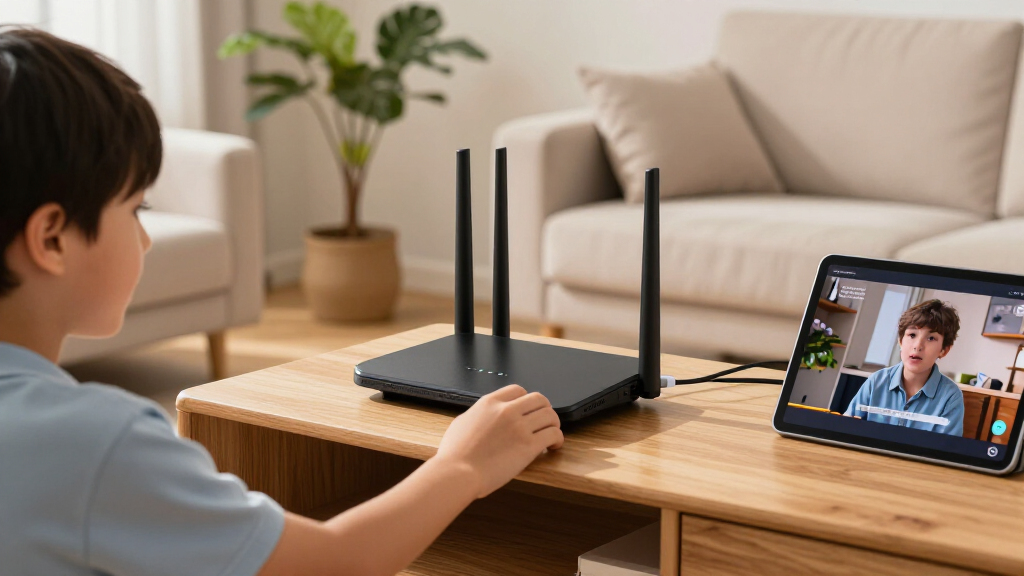
How We Picked
I compared these 15 options by the needs that most affect a Wi-Fi 7 buying decision: band configuration, wired-port capacity, coverage approach, setup demands, and specialist features. I gave more weight to a balanced home-network fit than to a large speed label alone, since real results depend on the internet plan, client devices, home layout, and interference. Mesh systems and travel routers were judged by their intended use rather than against a standard single-router setup.
The ranking favors models that can serve a broad range of homes without forcing a buyer into unnecessary complexity or a narrow use case. The Archer BE550 leads as a balanced tri-band choice; mesh picks rise for homes with coverage gaps, while gaming, VPN, and travel models rank for their specific strengths. Dual-band and entry-level options can still make sense, but they rank lower for buyers who need more room for simultaneous high-demand traffic or more flexible wired connectivity. Product roles reflect fit and tradeoffs, not a claim that every home will get the same performance.
| Wi-Fi 7 router | Wi-Fi standard | Frequency bands |
|---|---|---|
| Amazon eero Pro 7 Tri-Band Mes | Wi-Fi 7 (IEEE 802.11a/b/g/n/ac/ax/be) | — |
| GL.iNet Flint 3e Wi-Fi 7 Route | Wi-Fi 7 (802.11be) | — |
| ASUS RT-BE82U Dual-Band Wi-Fi | Wi-Fi 7 (802.11be) | Dual-band |
| ASUS ROG Rapture GT-BE98 Pro W | — | Quad-band, including dual 6 GHz bands |
| NETGEAR Nighthawk Tri-Band WiF | Wi-Fi 7 | — |
| NETGEAR Nighthawk RS90 Dual-Ba | — | Dual-band: 2.4 GHz and 5 GHz |
| GL.iNet Flint 3 Tri-Band Wi-Fi | Wi-Fi 7 (802.11be) | Tri-band, including 6 GHz |
| TP-Link Archer BE550 Tri-Band | — | Tri-band: 2.4 GHz, 5 GHz, and 6 GHz |
| GL.iNet Slate 7 Wi-Fi 7 Travel | — | Dual-band: 2.4 GHz and 5 GHz |
| Amazon eero 7 Dual-Band Wi-Fi | Wi-Fi 7 (IEEE 802.11a/b/g/n/ac/ax/be) | — |
| NETGEAR Orbi 370 Series WiFi 7 | Wi-Fi 7 (802.11be) | Dual-band: 2.4 GHz and 5 GHz |
| TP-Link Archer BE600 Tri-Band | Wi-Fi 7 | Tri-band: 6 GHz, 5 GHz, and 2.4 GHz |
| ASUS RT-BE9700 Tri-Band WiFi 7 | Wi-Fi 7 (802.11be) | Tri-band: 2.4 GHz, 5 GHz, and 6 GHz |
| TP-Link Archer BE670 Tri-Band | Wi-Fi 7 (802.11be) | Tri-band: 6 GHz, 5 GHz, and 2.4 GHz |
| TP-Link Archer BE230 Dual-Band | Wi-Fi 7 (802.11be) | Dual-band: 2.4 GHz and 5 GHz |
Factors to Consider When Choosing Best Wi-Fi 7 Routers
Before choosing a router, match its design to your home and network rather than treating Wi-Fi 7 as a guarantee of faster service. These four decisions can prevent overspending on features you cannot use—or buying a single router when your layout calls for mesh.
Match the Router to Your Home’s Coverage Pattern
A router’s advertised coverage cannot account for every wall, floor, or source of interference in your home. A central location and open placement can help a single router reach more rooms, but a long, narrow layout or multiple floors may still leave dead zones. In that case, a mesh system places additional access points where the signal needs help; it does not simply add more power to one spot. Avoid buying a mesh three-pack automatically if your home is compact and one router can cover it. Also check whether the mesh system lets you add compatible units later, since staged expansion can be more practical than buying excess hardware upfront.
Choose Dual-Band or Tri-Band Based on Network Load
Dual-band routers can suit smaller households with moderate traffic, especially when most devices do not need a fast connection at the same time. Tri-band adds another wireless band that can help distribute busy-device traffic, but it does not guarantee faster internet for every client. Your devices must support the relevant Wi-Fi features to make full use of the newer standard. A common mistake is paying extra for more bands while the actual bottleneck is an older client, a slow broadband plan, or a poor router location. Prioritize tri-band for dense, high-demand networks, then check whether your devices and use patterns can benefit from it.
Count Fast Ethernet Ports Before You Buy
Fast wired connections are useful for desktop computers, network storage, gaming consoles, switches, and multi-gigabit internet service. Count how many devices you expect to connect directly, then check the speed and number of the router’s ports rather than relying on the Wi-Fi label. A router with one fast port may be enough for a basic setup, while a home office or wired entertainment area may need several. An external switch can add ports, but it adds equipment and another point to manage. Check both WAN and LAN port capabilities, since a fast internet connection is only useful if the router can accept it and pass it to the devices that need it.
Pay for Features You Will Actually Use
Gaming controls, VPN tools, parental controls, and app-based setup serve different buyers, and they can bring different levels of ongoing management. A VPN-capable router may suit someone who wants network-wide privacy settings, while a travel router solves a different problem: creating a familiar personal network away from home. Gaming-focused equipment can offer useful network tools, but it may be excessive if your main goal is ordinary browsing and streaming. Check whether key controls are available without a subscription and whether the app gives you enough visibility to manage connected devices. Make feature fit, not feature count, your test before choosing a specialist model.
Check Compatibility and Plan for Upgrades
Wi-Fi 7 benefits depend on the router, client devices, and network environment working together. Older devices can still connect, but they will not gain every capability of newer Wi-Fi 7 clients. Your broadband plan also sets a ceiling on internet speed, even when local wireless connections have more capacity. Before replacing a working router, list the devices you plan to upgrade and ask whether they support Wi-Fi 7 or multi-gigabit Ethernet. Buy for the next few years of actual use, but avoid paying for capacity that your service, devices, or household cannot take advantage of.
Frequently Asked Questions
Will a Wi-Fi 7 router make my current internet plan faster?
Not by itself. Your internet speed is still limited by your service plan and the connection entering your home, so a new router cannot raise that ceiling. Wi-Fi 7 may improve wireless capacity or local network performance when compatible devices and conditions support it. If your main problem is weak coverage, moving the router or adding mesh access points may help more than upgrading to a higher-speed model. Check whether your bottleneck is the plan, signal, or device before spending on new hardware.
Should I choose a mesh system or a single Wi-Fi 7 router?
Choose a single router when it can sit centrally and provide reliable coverage where you need it. Mesh is a better fit when distance, floors, or interior walls create persistent dead zones that one router cannot address. A mesh system uses multiple access points to extend coverage, though placement and the link between units still affect results. Do not assume a multi-unit package is automatically faster in every room; it is primarily a coverage strategy. Map where the signal fails before deciding how many units you need.
Is tri-band worth choosing over a dual-band Wi-Fi 7 router?
Tri-band is most useful when many devices compete for wireless capacity or your household regularly runs several demanding activities at once. A smaller home with modest traffic may not see enough benefit to justify choosing it over a simpler dual-band model. The number of bands alone does not predict the speed each device will receive, since client support, interference, and router placement also matter. If most of your devices are older, they may not use the newest Wi-Fi features. Choose by network load and client mix, not by band count alone.
Do I need a Wi-Fi 7 router if most of my devices are older?
Older devices can generally connect to a newer router, but they will not gain Wi-Fi 7 capabilities just by joining the network. An upgrade may still make sense if your current router lacks coverage, wired ports, or management features you need. If the existing setup meets your needs and few devices are due for replacement, waiting may be the better use of your budget. Consider whether you expect to add Wi-Fi 7 phones, computers, or other clients during the router’s useful life. Upgrade for a clear network need, not only for the standard name.
What should I check before buying a multi-gigabit Wi-Fi 7 router?
Check that your broadband service, modem or gateway, router WAN port, and wired clients can all support the speeds you want. A fast LAN port will not help if the internet connection enters through a slower WAN port, and a fast WAN connection cannot improve a client limited by older Ethernet hardware. Count how many wired devices need multi-gigabit connections, since some setups may need a separate switch. Also confirm that your Wi-Fi clients support the features you expect to use. Trace the full path from modem to device so no single link becomes the bottleneck.
Conclusion
For most buyers, I recommend the TP-Link Archer BE550 as the best overall thanks to its balanced tri-band design and useful wired connectivity. The TP-Link Archer BE230 is my best value-style choice for buyers who want a straightforward dual-band Wi-Fi 7 router and do not need tri-band capacity. For a premium, gaming-focused network, consider the ASUS ROG Rapture GT-BE98 Pro; beginners who favor app-led setup should look at the Amazon eero Pro 7. Pick the NETGEAR Orbi 370 three-pack for broad multi-room coverage, the GL.iNet Flint 3 for multiple 2.5G wired connections, the Flint 3e for VPN-focused use, or the Slate 7 for travel. Match the router to your coverage, devices, and wired needs, and the right choice becomes much clearer.
Halloween Picks
halloween
As an affiliate, we earn on qualifying purchases.