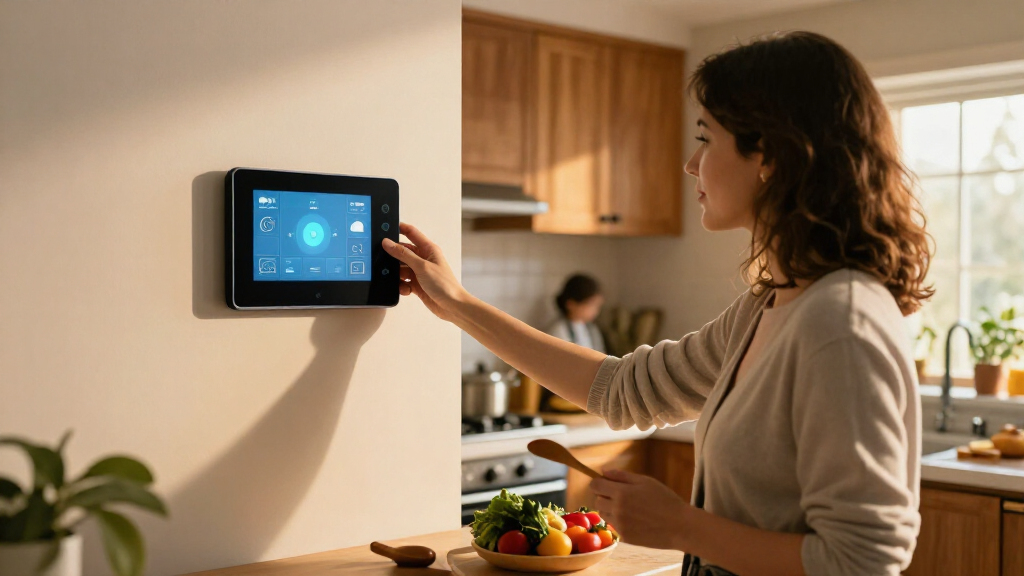

The best smart home displays balance quick device control with useful everyday features, and I rank the Amazon Echo Show 11 as the best overall choice for its larger Full HD screen and spatial audio. For a wall-mounted command center, the Echo Hub is a more focused controller, while the Echo Show 15 suits households that want a large screen with Fire TV. The main tradeoff is whether you want a display for media and voice assistance, a dedicated smart-home panel, or a compact bedside device. Platform compatibility and where the screen will live matter as much as its size. Read on for the full breakdown and guidance by use case.

Get home appliances delivered free with Prime
- Fast, free delivery on millions of items
- Prime Video, Amazon Music and more included
- Member-only deals all year
Complete the kit


Key Takeaways
- The amazon.com/dp/B0DC96PPZK?tag=whilehome-20&ascsubtag=dc-1184931″ target=”_blank” rel=”nofollow sponsored noopener”>amazon.com/dp/B09B2SBHQK?tag=whilehome-20&ascsubtag=dc-1184931″ target=”_blank” rel=”nofollow sponsored noopener”>amazon.com/dp/B0DC91H3JK?tag=whilehome-20&ascsubtag=dc-1184931″ target=”_blank” rel=”nofollow sponsored noopener”>amazon.com/dp/B0BFC8DR7C?tag=whilehome-20&ascsubtag=dc-1184931″ target=”_blank” rel=”nofollow sponsored noopener”>amazon.com/dp/B09B2SRGXH?tag=whilehome-20&ascsubtag=dc-1184931″ target=”_blank” rel=”nofollow sponsored noopener”>amazon.com/dp/B0BCR7M9KX?tag=whilehome-20&ascsubtag=dc-1184931″ target=”_blank” rel=”nofollow sponsored noopener”>Echo Show 11 leads as an all-rounder because it pairs a Full HD touchscreen with spatial audio, while the Echo Hub prioritizes home control over general display use.
- Screen size changes the job a display can do: the Show 15 and 21.5-inch calendar screen suit shared spaces, while Echo Show 5 and Echo Spot are better matched to desks and bedside tables.
- There is no single best platform for every home. Alexa-based options make up most of this lineup; the Google Nest Hub is the distinct pick for buyers already centered on Google Assistant.
- Several listings are alternate colors or versions of the same product family. The Echo Show 5 and Echo Spot entries should be compared by model generation and finish, not treated as entirely different capabilities.
- Purpose-built panels trade versatility for focus: the Shelly Wall Display XL and Echo Hub favor fixed home control, while displays with entertainment or calendar features can serve more household routines.
| Amazon Echo Show 15 (2nd Gen) 15.6-Inch Full HD Smart Display with Fire TV |  | Best for Shared Family Spaces | Display: 15.6-inch, 1920 × 1080 | Dimensions: 16.1 × 10.1 × 1.4 inches | Weight: 4.96 lb | VIEW LATEST PRICE | See Our Full Breakdown |
| Echo Hub, 8″ Smart Home Control Panel with Alexa+ and Customizable Dashboard |  | Best Dedicated Smart-Home Control Panel | Display: 8 inches | Connectivity: Wi-Fi, Bluetooth, Zigbee, Matter, Sidewalk, and Thread | Mounting: Wall-mountable; in-wall cable pass-through and PoE options; tabletop stand available separately | VIEW LATEST PRICE | See Our Full Breakdown |
| Amazon Echo Show 5 Smart Display, Cloud Blue |  | Best Compact Alexa Display | Display: 5.5 inches | Camera: 2 MP | Color: Cloud Blue | VIEW LATEST PRICE | See Our Full Breakdown |
| eufy Smart Display E10 – 8″ Smart Home Hub |  | Best for eufy Camera Monitoring | Display: 8-inch touchscreen | Storage: 64GB | Weight: 2.46 lb | VIEW LATEST PRICE | See Our Full Breakdown |
| Amazon Echo Spot Smart Alarm Clock with Alexa, Ocean Blue |  | Best Camera-Free Bedside Pick | Display: 2.83-inch touchscreen, 240 × 320 px | Dimensions: 4.5 × 4.1 × 4.4 inches | Weight: 14.3 oz | VIEW LATEST PRICE | See Our Full Breakdown |
| Shelly Wall Display XL Smart Home Control Panel, 10.1-Inch Touchscreen, Black |  | Best for Wall-Mounted Home Assistant Control | Display: 10.1-inch touchscreen | Connectivity: Wi-Fi and Bluetooth | Relay: Built-in, normally open, 5A | VIEW LATEST PRICE | See Our Full Breakdown |
| Echo Spot (newest model) – Smart Alarm Clock – Glacier White |  | Best Compact Alexa Clock | Display: 2.83-inch touchscreen, 240 × 320 pixels | Dimensions: 4.5 × 4.1 × 4.4 inches | Weight: 14.3 oz (405 g) | VIEW LATEST PRICE | See Our Full Breakdown |
| Echo Spot Smart Alarm Clock – Black |  | Best Compact Pick for Audio and Alexa | Display: 2.83-inch touchscreen, 240 × 320 pixels, with half-circle tinted cover glass | Dimensions: 4.5 × 4.1 × 4.4 inches | Weight: 14.3 oz (405 g) | VIEW LATEST PRICE | See Our Full Breakdown |
| Amazon Echo Show 11 Smart Display with Full HD Touchscreen and Spatial Audio |  | Best Overall Smart Home Display | Display: 10.95-inch Full HD touchscreen, 1920 × 1200 | Dimensions: 10 × 5 × 7.2 inches | Weight: 45.92 oz (1302 g) | VIEW LATEST PRICE | See Our Full Breakdown |
| Amazon Echo Show 5 Smart Display, Charcoal |  | Best Small Display for Video Calls | Display: 5.5-inch touchscreen | Camera: 2 MP with built-in shutter | Dimensions: 5.8 × 3.6 × 3.2 inches | VIEW LATEST PRICE | See Our Full Breakdown |
| 21.5″ Smart Hub Digital Calendar Touch Screen – No Subscription – Google Play |  | Best for Family Planning | Display: 21.5-inch anti-glare touchscreen | Resolution: Full HD | Operating system: Android with Google Play | VIEW LATEST PRICE | See Our Full Breakdown |
| Amazon Echo Show 11 Smart Display, Glacier White |  | Best for Alexa Smart Home Control | Display: 11-inch Full HD touchscreen | Audio: Spatial audio | Smart home hub: Built in | VIEW LATEST PRICE | See Our Full Breakdown |
| Amazon Echo Show 5 Smart Display, Glacier White |  | Best Compact Alexa Display | Display: 5.5-inch touchscreen | Camera: 2 MP with built-in shutter | Dimensions: 5.8 × 3.6 × 3.2 inches (147 × 91 × 82 mm) | VIEW LATEST PRICE | See Our Full Breakdown |
| Google Nest Hub 7-Inch Smart Display with Google Assistant (1st Gen), Chalk |  | Best for Google Assistant Households | Manufacturer: Google | Model: H1A | Generation: 1st Gen | VIEW LATEST PRICE | See Our Full Breakdown |
| smart home display | Display | Weight | Camera | Dimensions |
|---|---|---|---|---|
| Amazon Echo Show 15 | 15.6-inch, 1920 × 1080 | 4.96 lb | 13 MP with privacy shutter | 16.1 × 10.1 × 1.4 inches |
| Echo Hub | 8 inches | — | — | — |
| Amazon Echo Show 5 Smart Displ | 5.5 inches | — | 2 MP | — |
| eufy Smart Display E10 | 8-inch touchscreen | 2.46 lb | — | — |
| Amazon Echo Spot Smart Alarm C | 2.83-inch touchscreen, 240 × 320 px | 14.3 oz | None | 4.5 × 4.1 × 4.4 inches |
| Shelly Wall Display XL Smart H | 10.1-inch touchscreen | — | — | — |
| Echo Spot | 2.83-inch touchscreen, 240 × 320 pixels | 14.3 oz (405 g) | None | 4.5 × 4.1 × 4.4 inches |
| Echo Spot Smart Alarm Clock | 2.83-inch touchscreen, 240 × 320 pixels, with half-circle tinted cover glass | 14.3 oz (405 g) | None | 4.5 × 4.1 × 4.4 inches |
| Amazon Echo Show 11 Smart Disp | 10.95-inch Full HD touchscreen, 1920 × 1200 | 45.92 oz (1302 g) | 13 MP with auto framing and 3.3× zoom | 10 × 5 × 7.2 inches |
| Amazon Echo Show 5 Smart Displ | 5.5-inch touchscreen | 16.1 oz (456 g) | 2 MP with built-in shutter | 5.8 × 3.6 × 3.2 inches |
| 21.5" Smart Hub Digital Calend | 21.5-inch anti-glare touchscreen | — | — | — |
| Amazon Echo Show 11 Smart Disp | 11-inch Full HD touchscreen | — | Auto-framing with 3.3x zoom | — |
| Amazon Echo Show 5 Smart Displ | 5.5-inch touchscreen | 16.1 oz (456 g) | 2 MP with built-in shutter | 5.8 × 3.6 × 3.2 inches (147 × 91 × 82 mm) |
| Google Nest Hub 7-Inch Smart D | 7 inches | 1.8 pounds | — | 7 × 2.65 × 4.65 inches |
More Details on Our Top Picks
Amazon Echo Show 15 (2nd Gen) 15.6-Inch Full HD Smart Display with Fire TV
The Echo Show 15 (2nd Gen) is the clearest fit when a smart display needs to serve a whole household, not just one person. Its 15.6-inch Full HD screen gives calendars, task lists, smart-home controls, and video calls room to share space, while customizable widgets make it more useful as a kitchen or family-room dashboard. Built-in Fire TV adds a viewing option the control-focused Echo Hub lacks, and support for Zigbee, Matter, and Thread lets it connect with a broad mix of compatible devices. The tradeoff is size: at nearly five pounds, it needs a deliberate wall or counter location, and the smaller Echo Show 5 is easier to place in a bedroom. Some services may also require subscriptions, and it does not support ad-hoc Wi-Fi networks.
Pros:- Large Full HD screen supports portrait and landscape orientations
- Customizable widgets make shared calendars and tasks easy to see
- Fire TV adds streaming apps beyond smart-home control
- Zigbee, Matter, and Thread support a range of compatible devices
Cons:- Its large footprint and nearly five-pound weight call for a substantial placement
- Some skills and services may require subscriptions or extra fees
- Does not support ad-hoc Wi-Fi networks
Best for: Households that want a large shared screen for family schedules, smart-home controls, video calls, and streaming in a kitchen or common room.
Not ideal for: Buyers with limited wall or counter space, or anyone seeking a compact bedside display or a dedicated wall control panel.
- Display:15.6-inch, 1920 × 1080
- Dimensions:16.1 × 10.1 × 1.4 inches
- Weight:4.96 lb
- Camera:13 MP with privacy shutter
- Audio:Two 2-inch woofers and two 0.6-inch tweeters
- Wi-Fi:Wi-Fi 6E; supports 802.11a/b/g/n/ac
- Smart-home connectivity:Zigbee, Matter, and Thread Border Router
- Included:Alexa Voice Remote, batteries, 30 W power adapter, and 5 ft. cord
Our verdict“Choose the Echo Show 15 if your household wants one large screen for shared organization, streaming, and connected-home controls.”
Echo Hub, 8″ Smart Home Control Panel with Alexa+ and Customizable Dashboard
The Echo Hub is built around controlling a connected home, rather than balancing family organization and entertainment like the Echo Show 15. Its customizable 8-inch dashboard puts device controls, camera views, routines, and security tools in one place, making it a more focused wall-mounted command center than the smaller Echo Show 5. Support for Zigbee, Matter, Thread, Sidewalk, Wi-Fi, and Bluetooth gives it broad connectivity across compatible devices. That focus has a cost in flexibility: the screen is much smaller than the Echo Show 15, and mounting options such as a tabletop stand or power-over-Ethernet adapter require separate purchases. Ring voice integration also requires a subscription. I’d pick it for a control-first setup, not as the home’s main screen for watching shows or displaying shared schedules.
Pros:- Customizable dashboard lets users arrange and resize controls
- Supports Zigbee, Matter, Thread, Sidewalk, Wi-Fi, and Bluetooth
- Wall-mountable design suits a dedicated home-control location
- Includes a microphone-off control and uses recycled materials
Cons:- The 8-inch display is less suited to shared viewing than the Echo Show 15
- Tabletop stand, PoE adapter, and some installation components are sold separately
- Ring integration requires a separate subscription
Best for: Smart-home owners who want a wall-mounted Alexa dashboard for routines, device controls, camera views, and security management.
Not ideal for: Buyers who want a large entertainment or family-calendar display, or who expect mounting accessories and Ring features to be included without extra costs.
- Display:8 inches
- Connectivity:Wi-Fi, Bluetooth, Zigbee, Matter, Sidewalk, and Thread
- Mounting:Wall-mountable; in-wall cable pass-through and PoE options; tabletop stand available separately
- Voice assistant:Alexa+ with Ring integration
- Recycled device materials:27%
- Recycled packaging:97%
- Privacy control:Microphone-off button
Our verdict“Pick the Echo Hub if smart-home control is your priority and you want a dedicated dashboard rather than a general-purpose display.”
Amazon Echo Show 5 Smart Display, Cloud Blue
The Echo Show 5 earns its place for buyers who want Alexa’s screen-based features without giving up much bedside or counter space. Its 5.5-inch display can show weather, news, photos, and compatible camera feeds, while the built-in camera supports video calls. A camera shutter and microphone/camera off button add physical privacy controls that the camera-free Echo Spot handles differently. Compared with the Echo Show 15, this is a personal display, not a shared family dashboard: the smaller screen limits comfortable viewing and leaves less room for controls or information at once. It also depends on compatible devices and services for some functions. I’d choose it over the Echo Spot when video calls and camera viewing matter, but skip it if a larger, more legible screen is the goal.
Pros:- Compact size fits bedside tables and smaller counters
- Built-in camera supports video calls and compatible camera viewing
- Controls compatible smart-home devices through Alexa
- Camera shutter and microphone/camera off button provide privacy controls
Cons:- The 5.5-inch screen can feel cramped for viewing shows or several controls
- Some features depend on compatible devices or services
Best for: Alexa users who want a small bedside or countertop screen for quick updates, compatible camera feeds, and occasional video calls.
Not ideal for: Households needing a large shared dashboard or buyers who prioritize comfortable video and entertainment viewing.
- Display:5.5 inches
- Camera:2 MP
- Color:Cloud Blue
- Smart assistant:Alexa
- Recycled fabric:100% post-consumer recycled polyester yarn
- Recycled aluminum:100%
- Packaging:100% recyclable
Our verdict“Choose the Echo Show 5 if you want a compact Alexa screen with a camera, and prefer it to the camera-free Echo Spot for video calls.”
eufy Smart Display E10 – 8″ Smart Home Hub
The eufy Smart Display E10 stands apart from the Alexa displays here by centering its job on camera monitoring. It can show four live views at once, deliver hands-free door alerts, and store events locally for playback—useful if you want a dedicated spot to check what is happening around your property. The Echo Hub is a more flexible choice for broad smart-home controls, while the Echo Show 15 is better for calendars and streaming; the E10 makes the most sense when camera feeds are the main reason to add a screen. Its 8-inch display keeps the layout compact, but the supplied product dimensions suggest it may be awkward for some locations. The 64GB storage can also fill with recordings, and the listing calls for an external AAA battery as well as mains power.
Pros:- Shows four simultaneous live camera views on one screen
- Hands-free door alerts pair notifications with live video
- Local event storage supports quick playback without buffering
- Daily reports include facial and package recognition
Cons:- Its camera-centered role is less versatile than the Echo Hub’s broader device dashboard
- 64GB of storage may fill with high-resolution recordings
- Requires an external AAA battery in addition to mains power
Best for: Homeowners with compatible eufy cameras or a doorbell who want quick alerts, multi-camera viewing, and local event playback on a dedicated screen.
Not ideal for: Buyers seeking a general Alexa-style smart display, broad smart-home dashboard, or a screen mainly for calendars and streaming.
- Display:8-inch touchscreen
- Storage:64GB
- Weight:2.46 lb
- Model:T87A0
- Color:Black & White
- Included components:Smart Display E10, charging station, Type-C cable, 5V/2A adapter, and wall mount
- Battery:Lithium-ion; 1 AAA battery included
- Warranty:12 months
Our verdict“Choose the E10 if monitoring eufy cameras and door alerts matters more to you than general-purpose display features.”
Amazon Echo Spot Smart Alarm Clock with Alexa, Ocean Blue
The Echo Spot is primarily an alarm clock with Alexa, not a small substitute for the Echo Show 5. Its 2.83-inch touchscreen can show the time, weather, and song details, while the speaker handles music, podcasts, and audiobooks from a bedside table. With no camera and a microphone-off button, it suits buyers who want voice assistance without a camera in the bedroom. It can also run routines and control compatible smart-home devices, though its display is too small for a useful camera-monitoring or room-wide dashboard experience. Compared with the Echo Show 5, it gives up video calls and a larger screen in exchange for a clock-first design and camera-free setup. Eero Built-in may extend coverage, but only with a compatible eero router and linked accounts.
Pros:- Customizable clock face can show time, weather, or song information
- Alexa supports reminders, routines, and compatible smart-home controls
- Built-in speaker plays music, podcasts, and audiobooks
- No camera, with a microphone-off button for additional privacy
Cons:- The small display is not suited to video calls or detailed smart-home dashboards
- Eero Built-in requires a compatible eero router and linked accounts
- Does not support ad-hoc Wi-Fi networks
Best for: Bedside users who want an Alexa alarm clock for routines, reminders, and audio, but do not want a camera in the room.
Not ideal for: Buyers who want video calls, a substantial screen for smart-home controls, or eero coverage without a compatible router.
- Display:2.83-inch touchscreen, 240 × 320 px
- Dimensions:4.5 × 4.1 × 4.4 inches
- Weight:14.3 oz
- Camera:None
- Wi-Fi:Dual-band 802.11a/b/g/n/ac, 2.4 and 5 GHz
- Bluetooth:A2DP and AVRCP support
- Speaker:1.73-inch full-range built-in speaker
- Eero Built-in:Up to 1,000 sq. ft. additional coverage with a compatible eero router
- Recycled materials:36%
Our verdict“Choose the Echo Spot over the Echo Show 5 for a camera-free bedside clock, but not for video calling or larger-screen controls.”
Shelly Wall Display XL Smart Home Control Panel, 10.1-Inch Touchscreen, Black
The Shelly Wall Display XL is the most installation-focused pick here: its 10.1-inch touchscreen and four customizable buttons turn a wall location into a dedicated control point for compatible devices. Unlike the Echo Show 11, it is designed to mount in an electrical wall box and includes a 5A relay for direct control of a suitable appliance. Its Home Assistant support and ability to control Bluetooth or Sonos audio also make it a better fit for a planned smart-home setup than a bedside device such as the Echo Spot. The tradeoff is commitment: installation requires a neutral wire and electrical work, and the relay’s rating limits which appliances it can switch. I’d choose it for fixed, hands-on control—not as a portable screen for video calls or general entertainment.
Pros:- Large 10.1-inch touchscreen gives fixed controls room to remain easy to read.
- Four customizable buttons offer quick access to frequently used actions.
- Works with Home Assistant and listed smart-home platforms.
- Built-in relay and Bluetooth or Sonos audio control broaden its wall-panel role.
Cons:- Requires a standard electrical wall box and neutral wire, limiting installation options.
- The 5A relay is unsuitable for appliances that exceed its stated rating.
Best for: Home Assistant users and homeowners who want a permanently mounted control panel with customizable physical buttons.
Not ideal for: Renters or anyone without a neutral wire and compatible wall box; also a poor fit for buyers who want a portable display or a high-capacity appliance switch.
- Display:10.1-inch touchscreen
- Connectivity:Wi-Fi and Bluetooth
- Relay:Built-in, normally open, 5A
- Buttons:4 customizable
- Mounting:Wall mount
- Installation:Standard electrical wall box; neutral wire required
- Compatibility:Alexa, Google, HomeKit, Home Assistant, and Sonos
- Additional features:Lux sensor
Our verdict“Choose the Shelly if you want a permanently installed, customizable smart-home control point and can meet its wiring requirements.”
Echo Spot (newest model) – Smart Alarm Clock – Glacier White
The Echo Spot in Glacier White is best understood as an alarm clock with a small smart display, not a substitute for a kitchen or living-room screen. Its 2.83-inch touchscreen keeps the time, weather, and song information visible at a glance, while Alexa handles voice requests and compatible smart-home controls. Compared with the Echo Show 5, the Spot gives up a larger screen and camera, but its compact clock-first design suits a crowded nightstand and avoids placing a camera by the bed. It can also extend a compatible eero network, adding a useful extra role, though that feature depends on having the right router. The small speaker is convenient for alarms and casual listening, but it cannot match the broader display-and-call capabilities of the Echo Show models.
Pros:- Compact footprint suits nightstands and desks with limited space.
- Customizable touchscreen shows clock, weather, and song details at a glance.
- Alexa provides hands-free control of compatible smart-home devices.
- Can extend coverage for a compatible eero network.
Cons:- The 2.83-inch screen is too small for the broader visual tasks suited to an Echo Show 5 or Echo Show 11.
- No camera means it cannot handle video calls.
- The small speaker may lack bass for listening across a larger room.
Best for: Alexa users who want a compact bedside clock with visible time and weather, voice control, and no camera.
Not ideal for: Buyers who want video calls, a larger screen for recipes or viewing, room-filling audio, or eero extension without a compatible router.
- Display:2.83-inch touchscreen, 240 × 320 pixels
- Dimensions:4.5 × 4.1 × 4.4 inches
- Weight:14.3 oz (405 g)
- Camera:None
- Wi-Fi:Dual-band 802.11a/b/g/n/ac, 2.4 GHz and 5 GHz
- Bluetooth:A2DP and AVRCP support
- Speaker:1.73-inch full-range built-in speaker
- Materials:36% recycled content
Our verdict“Pick the Glacier White Echo Spot for a compact, camera-free Alexa clock rather than for a full-featured smart display.”
Echo Spot Smart Alarm Clock – Black
This black Echo Spot suits buyers who want an Alexa clock with a little more emphasis on listening than on screen tasks. Its 2.83-inch display shows time, weather, and music details, while the full-range 1.73-inch speaker is intended for everyday bedside listening. Like the Glacier White Echo Spot, it can extend a compatible eero network and keeps a camera off the device; compared with the Echo Show 5, it is smaller and more clock-oriented, but loses the Show 5’s camera and larger touchscreen. Bluetooth support has limits, including no support for speakers that require PIN codes, so it is not a flexible audio hub for every setup. I’d choose it for a compact Alexa bedside or desk device, not for video calling or substantial visual smart-home control.
Pros:- Compact clock design displays time, weather, and music information.
- Full-range built-in speaker supports casual listening and alarms.
- Alexa voice control can manage compatible smart-home devices and routines.
- Compatible eero setups can use it to extend Wi-Fi coverage.
Cons:- Small touchscreen is less useful for visual tasks than the Echo Show 5’s 5.5-inch screen.
- No camera means no video calls or camera-based check-ins.
- Bluetooth speaker support is limited, including devices that require a PIN code.
Best for: People who want a small Alexa alarm clock for a bedroom or desk, with built-in audio and a camera-free design.
Not ideal for: Anyone who needs video calls, a larger touchscreen, PIN-code Bluetooth speaker pairing, or eero extension without a compatible eero router.
- Display:2.83-inch touchscreen, 240 × 320 pixels, with half-circle tinted cover glass
- Dimensions:4.5 × 4.1 × 4.4 inches
- Weight:14.3 oz (405 g)
- Camera:None
- Wi-Fi:Dual-band 802.11a/b/g/n/ac, 2.4 GHz and 5 GHz
- Bluetooth:A2DP and AVRCP; speakers requiring PIN codes are not supported
- Audio:1.73-inch full-range built-in speaker with lossless HD sound
- eero built-in:Adds up to 1,000 sq ft of coverage, with speeds up to 100 Mbps
Our verdict“Choose the black Echo Spot for a compact, camera-free Alexa clock with built-in audio, not for calls or screen-heavy tasks.”
Amazon Echo Show 11 Smart Display with Full HD Touchscreen and Spatial Audio
The Echo Show 11 earns the broadest recommendation in this group because it combines a generously sized Full HD touchscreen with video calling, entertainment, and a built-in hub for several smart-home standards. Zigbee, Matter, and Thread support can reduce the need for separate hubs, while the 13 MP auto-framing camera helps keep callers in view. That makes it a more capable central display than the Echo Show 5, whose smaller screen and simpler hub setup better suit a bedside spot. It also differs from the Shelly Wall Display XL: the Echo is a freestanding, multi-purpose screen, not a wall-mounted panel with a direct appliance relay. Its larger footprint and dependence on Alexa may not suit every home, and Bluetooth speakers requiring PIN codes are unsupported.
Pros:- 10.95-inch Full HD screen provides more useful space for calls, recipes, and controls than the Echo Show 5.
- Zigbee, Matter, and Thread support helps connect a range of compatible devices.
- 13 MP camera with auto framing supports clearer video calls.
- Camera and microphone privacy controls let users disable those functions.
Cons:- Larger size and weight make it less suitable for small bedside tables than the Echo Show 5 or Echo Spot.
- Bluetooth speakers requiring PIN codes are not supported.
Best for: Households seeking one Alexa-based display for smart-home control, video calls, recipes, and entertainment.
Not ideal for: Buyers who need a compact bedside screen, a wall-mounted electrical control panel, or a smart display outside the Alexa ecosystem.
- Display:10.95-inch Full HD touchscreen, 1920 × 1200
- Dimensions:10 × 5 × 7.2 inches
- Weight:45.92 oz (1302 g)
- Camera:13 MP with auto framing and 3.3× zoom
- Audio:One 2.8-inch woofer and two full-range drivers
- Wi-Fi:Wi-Fi 6E (802.11ax)
- Smart home hub:Zigbee, Matter, and Thread Border Router
- Sensors:Ambient temperature, ambient light, presence detection, and camera-based Omnisense technology
Our verdict“Choose the Echo Show 11 if you want a large, versatile Alexa display with video calling and a multi-standard smart-home hub.”
Amazon Echo Show 5 Smart Display, Charcoal
The Echo Show 5 is the most balanced choice here when a buyer needs an actual touchscreen and camera in a compact format. Its 5.5-inch screen is more practical for checking content and controlling compatible devices than the Echo Spot’s clock-sized display, and the 2 MP camera adds video calls and home check-ins that neither Spot model provides. It cannot match the Echo Show 11 for screen space, camera quality, or built-in smart-home hub coverage, but its smaller footprint makes placement on a nightstand or desk easier. A camera shutter and microphone/camera-off button offer straightforward privacy controls. The tradeoff is scale: this is a personal, near-field display, not a room-wide media screen, and some services or skills may require additional fees.
Pros:- 5.5-inch touchscreen is more useful for viewing and controls than either Echo Spot screen.
- Built-in 2 MP camera supports video calls and home check-ins.
- Camera shutter and microphone/camera-off button provide direct privacy controls.
- Compact size fits desks and nightstands more easily than the Echo Show 11.
Cons:- Small screen and speaker are less suited to shared viewing or room-filling entertainment than the Echo Show 11.
- Some skills and services may require subscriptions or additional fees.
- Bluetooth speakers requiring PIN codes are not supported.
Best for: Alexa users who want a compact bedside or desk display with video calling, a camera shutter, and basic smart-home controls.
Not ideal for: Households wanting a large shared screen, richer smart-home hub support, or an alarm-clock display without a camera.
- Display:5.5-inch touchscreen
- Camera:2 MP with built-in shutter
- Dimensions:5.8 × 3.6 × 3.2 inches
- Weight:16.1 oz (456 g)
- Speaker:1.75-inch full-range built-in speaker
- Wi-Fi:Dual-band 802.11a/b/g/n/ac
- Bluetooth:A2DP and AVRCP support
- Color:Charcoal
Our verdict“Pick the Echo Show 5 if you want a compact Alexa touchscreen with a camera, but do not need the larger Echo Show 11’s viewing space or hub capabilities.”
21.5″ Smart Hub Digital Calendar Touch Screen – No Subscription – Google Play
The Mazera Smart Family Hub is the largest display in this group, making it a stronger fit for shared calendars, chores, and meal plans than the Echo Show 11 or compact Echo Show 5. Its 21.5-inch Full HD touchscreen gives family members room to read schedules from across a kitchen or common area, while anti-glare treatment and auto-brightness help with changing room light. Android and Google Play add app flexibility, and the listed calendar functions work without a subscription. The tradeoff is size: this is a dedicated command center, not a small countertop screen for quick Alexa-style interactions. It also depends on internet access and is oriented around Android, so buyers invested in other ecosystems should check app compatibility before choosing it.
Pros:- Large 21.5-inch Full HD screen makes shared schedules easier to read across a room.
- Anti-glare touchscreen with auto-brightness suits changing indoor light.
- Android with Google Play supports a wider app choice than a single-purpose calendar.
- Wall mounting or the included metal stand allows flexible placement.
Cons:- Its large footprint is excessive for small counters or bedside tables.
- Internet access is required, and the experience centers on the Android ecosystem.
- A dedicated family-calendar focus may be less useful than an Alexa display for buyers prioritizing voice-led smart home control.
Best for: Families who want a large shared calendar and chore board in a kitchen or common room, with flexible wall or stand placement and no subscription requirement.
Not ideal for: Buyers seeking a compact display, a screen primarily for Alexa controls, or a device that works without an internet connection.
- Display:21.5-inch anti-glare touchscreen
- Resolution:Full HD
- Operating system:Android with Google Play
- Voice assistant:Google Gemini AI
- Brightness:Auto-brightness
- Mounting:Wall mount or metal desk stand
- Power:Power adapter included
- Model year:2026
Our verdict“Choose the Mazera if your priority is a large, subscription-free family planning screen rather than a compact general-purpose smart display.”
Amazon Echo Show 11 Smart Display, Glacier White
The Echo Show 11 balances a useful viewing area with built-in Alexa smart home control, making it a more versatile everyday screen than the calendar-focused Mazera Smart Family Hub. Its 11-inch Full HD display suits video calls, recipes, and photo slideshows without taking up the space of a 21.5-inch panel. A built-in hub can simplify control of compatible devices, while spatial audio and an auto-framing camera make it better equipped for calls and entertainment than the smaller Echo Show 5. Those advantages depend on compatible services and devices, so the hub is not a guarantee that every smart home product will work. Alexa is central to the experience, which makes this a less natural choice for households built around another assistant.
Pros:- 11-inch Full HD display is more practical for video and recipes than the Echo Show 5’s smaller screen.
- Built-in smart home hub can reduce the need for a separate control hub with compatible devices.
- Spatial audio and auto-framing camera suit calls and entertainment.
- On-device controls allow the camera and microphones to be disabled.
Cons:- Smart home control depends on device and service compatibility.
- Alexa-centered features make it a weaker fit for households using another assistant.
- The listed product information does not establish independent performance details.
Best for: Alexa households that want one mid-size screen for compatible smart home devices, video calls, recipes, and casual viewing.
Not ideal for: Buyers committed to Google Assistant or households whose smart devices rely on services that are not compatible with Alexa.
- Display:11-inch Full HD touchscreen
- Audio:Spatial audio
- Smart home hub:Built in
- Processor:AZ3 Pro
- Presence sensing:Omnisense technology
- Camera:Auto-framing with 3.3x zoom
- Color:Glacier White
Our verdict“Pick the Echo Show 11 if you want a mid-size Alexa display that combines compatible smart home control with calls and entertainment.”
Amazon Echo Show 5 Smart Display, Glacier White
Where the Echo Show 11 is suited to a shared living space, the Echo Show 5 is built for a nightstand, desk, or small kitchen corner. Its 5.5-inch touchscreen keeps weather, timers, and basic controls within view without demanding much space, and Alexa provides voice access to compatible smart home devices. The camera supports video calls and home monitoring, with a physical camera shutter plus a control to switch off the camera and microphones. That compact format also limits what the screen can comfortably do: it is not as suitable for watching video or viewing schedules as the Echo Show 11, and its 1.75-inch speaker is a smaller audio setup. Some services may also involve subscriptions or extra fees.
Pros:- Compact footprint fits nightstands, desks, and crowded counters.
- Alexa voice control offers hands-free access to compatible smart home devices.
- Built-in 2 MP camera supports video calls and home monitoring.
- Camera shutter and camera/microphone-off control provide privacy options.
Cons:- The 5.5-inch screen is less suited to video and shared schedules than the Echo Show 11.
- The 1.75-inch full-range speaker is a more limited audio setup than the Echo Show 11’s spatial audio.
- Some skills and services may require subscriptions or additional fees.
Best for: Alexa users who want a small bedside or desk display for timers, weather, calls, and basic control of compatible smart home devices.
Not ideal for: Buyers who want a room-wide calendar, a larger video-watching screen, or a display with more substantial built-in audio.
- Display:5.5-inch touchscreen
- Camera:2 MP with built-in shutter
- Dimensions:5.8 × 3.6 × 3.2 inches (147 × 91 × 82 mm)
- Weight:16.1 oz (456 g)
- Speaker:1.75-inch full-range speaker
- Wi-Fi:Dual-band 802.11a/b/g/n/ac
- Processor:MediaTek MT 8169
- Color:Glacier White
Our verdict“Choose the Echo Show 5 if a small Alexa screen matters more than room-scale viewing or stronger entertainment features.”
Google Nest Hub 7-Inch Smart Display with Google Assistant (1st Gen), Chalk
The Google Nest Hub offers a compact alternative for homes already using Google Assistant, with a 7-inch screen for timers, weather, reminders, photos, and control of compatible devices. Compared with the Echo Show 5, it provides a larger display and a Google-centered experience, while remaining much less imposing than the 21.5-inch Mazera family hub. That makes it a sensible counter or desk screen for quick glances rather than a primary entertainment display or large shared calendar. The main caveat is the specific unit: it is a Korean-spec model, and the language must be changed to English after setup through the Google Home app or device settings. Buyers who want an English-ready device out of the box should choose another option.
Pros:- Google Assistant voice and touchscreen controls support compatible smart home devices.
- Seven-inch screen is larger than the Echo Show 5 while remaining suitable for counters and desks.
- Supports Google Photos, music, videos, timers, reminders, and weather.
- Compact dimensions suit kitchens, bedrooms, and workspaces.
Cons:- Korean-spec model requires changing the language after setup.
- Its 7-inch screen is less suitable for shared calendars and viewing across a room than the Mazera hub.
- The supplied product data lists a cable as the included component, so buyers should check what else is needed for their setup.
Best for: Google Assistant households wanting a compact screen for timers, reminders, Google Photos, weather, and compatible smart home controls.
Not ideal for: Buyers who need an English-ready setup, a large shared display, or a screen with listed camera-based video calling.
- Manufacturer:Google
- Model:H1A
- Generation:1st Gen
- Display:7 inches
- Color:Chalk
- Weight:1.8 pounds
- Dimensions:7 × 2.65 × 4.65 inches
- Model version:Korean spec; language can be changed to English
- Included component:Cable
Our verdict“Choose this Nest Hub if you use Google Assistant and can handle the language change during setup; skip it if you need a ready-to-use English model.”

How We Picked
I compared these displays as household tools, not as a list of screen sizes. The ranking weighs control usefulness, screen legibility, platform fit, placement, and versatility: a kitchen or living-room display needs to be easy to glance at and useful to more than one person, while a bedside model should take up little space and handle simple routines. I also considered whether each device is framed as a general-purpose smart display, a dedicated control panel, a calendar hub, or an alarm clock.
The order reflects how broadly each product can serve different homes, then gives specialist devices credit when their focused role is a better match for a particular buyer. I treated color-only listings as variants rather than separate feature breakthroughs, and I distinguish model generations where the supplied names indicate a newer version. Since the lineup includes different ecosystems and device types, compatibility and intended placement matter more than raw screen size alone.
| smart home display | Wi-Fi |
|---|---|
| Amazon Echo Show 15 | Wi-Fi 6E; supports 802.11a/b/g/n/ac |
| Echo Hub | — |
| Amazon Echo Show 5 Smart Displ | — |
| eufy Smart Display E10 | — |
| Amazon Echo Spot Smart Alarm C | Dual-band 802.11a/b/g/n/ac, 2.4 and 5 GHz |
| Shelly Wall Display XL Smart H | — |
| Echo Spot | Dual-band 802.11a/b/g/n/ac, 2.4 GHz and 5 GHz |
| Echo Spot Smart Alarm Clock | Dual-band 802.11a/b/g/n/ac, 2.4 GHz and 5 GHz |
| Amazon Echo Show 11 Smart Disp | Wi-Fi 6E (802.11ax) |
| Amazon Echo Show 5 Smart Displ | Dual-band 802.11a/b/g/n/ac |
| 21.5" Smart Hub Digital Calend | — |
| Amazon Echo Show 11 Smart Disp | — |
| Amazon Echo Show 5 Smart Displ | Dual-band 802.11a/b/g/n/ac |
| Google Nest Hub 7-Inch Smart D | — |
Factors to Consider When Choosing Best Smart Home Displays
Choosing a smart display is less about finding the biggest screen and more about matching its role to the room and the devices you already own. I’d start with these broader decisions before comparing individual models.
Decide whether you need a controller or an all-purpose display
A control panel is designed to make common home actions easy to reach; an all-purpose display may also handle media, information, and voice-assistant tasks. These roles overlap, but they are not interchangeable: a wall panel can be a better household switchboard even if it is less appealing for watching video. A common mistake is buying a screen because it has many features, then finding that the controls you need are buried or awkward from its installed position. List the actions you expect to use daily, such as adjusting lights or checking a camera, and prioritize access to those actions. Pay more for versatility only if several people will use the display for different tasks.
Choose the screen size for its viewing distance
A display across a kitchen or family room needs to be readable from farther away than one on a nightstand. Larger screens can make calendars, household information, and media easier to see, but they also claim more wall or counter space. Before choosing a large panel, measure the intended spot and check whether people can approach it comfortably. A small screen can be the smarter choice when the main jobs are alarms, timers, and voice requests. Avoid treating screen size as a proxy for quality: a larger screen is useful only when its placement and daily tasks justify it.
Check ecosystem compatibility before buying
Smart displays are most convenient when their assistant and control features match the devices and services already in your home. A household built around Alexa may find the Echo options easier to use consistently, while Google Assistant users may prefer the Nest Hub’s platform fit. Mixing assistants can leave family members unsure which device to speak to or where a routine is configured. Check the compatibility of the specific lights, cameras, plugs, and routines you rely on rather than assuming every smart-home product works with every display. If your household uses more than one platform, choose the display that covers the devices and tasks that matter most.
Think through mounting, power, and household access
A screen intended for a wall has different practical demands from a countertop model: installation location, power routing, reach, and visibility all affect whether it becomes part of a routine. A fixed panel may be convenient for shared controls but less useful if its interface is difficult for guests or children to understand. Countertop displays are easier to move, though they can compete for limited surface space. Before buying, decide who needs access and whether they will use voice, touch, or both. A useful display should be placed where people naturally pass or pause, not simply wherever installation looks tidy.
Separate household calendars from assistant features
A calendar-focused hub can make schedules visible to everyone, but its value depends on whether the household will keep one shared calendar current. A no-subscription claim may be appealing, yet buyers should still check how the device handles account connections, app access, and updates. If you mainly want an assistant, timers, or media, a general smart display may fit better than a screen centered on planning. If shared schedules are the main goal, consider whether the display’s size and placement let the whole household read it at a glance. Do not pay for a dedicated calendar format unless it solves a real coordination problem at home.
Pay for a focused device only when its focus helps
Compact alarm-clock displays and dedicated wall controllers can be more comfortable in their intended settings than a large, general-purpose screen. Their narrower role is a tradeoff: they may not replace a household hub if you also want media, a visible calendar, or broader assistant tasks. Conversely, a feature-rich screen can be unnecessary if you only need a morning alarm and a few voice commands. Decide which functions must be available on the screen itself and which can remain on a phone or another device. The right spend follows from that role, not from a longer feature list.
Frequently Asked Questions
Should I choose the Echo Show 11 or the Echo Hub for a shared home?
I’d choose the Echo Show 11 if the display needs to serve several roles, including general assistant tasks and media, alongside smart-home use. The Echo Hub makes more sense when the main goal is a dedicated control point for the home. Their different purposes matter more than a simple screen-size comparison: one is framed as a broad smart display and the other as a control panel. Think about what household members will do most often when they walk up to it. If entertainment and general use are part of the brief, lean toward the Show 11; if quick home control is the priority, consider the Hub.
Is a large smart display worth the space in a kitchen or family room?
A larger display earns its footprint when people need to read information from a distance or share the screen, such as for household schedules or media. It can be a poor fit when counter or wall space is limited and the device mostly handles voice requests. Measure the placement and think about sightlines from the places where people actually gather. Also decide whether the display will be used by several household members or mainly by one person. If shared visibility is not a daily need, a smaller screen may be easier to place and live with.
Will an Alexa display work well in a home that uses Google Assistant devices?
It may work for some connected devices, but compatibility depends on the specific products and services you use. I would not assume that routines, controls, or accounts carry over cleanly between assistants. Make a short list of the lights, cameras, and other devices you expect to control, then check support for each before choosing. A display that matches your main ecosystem is usually simpler for household members to operate. If your home is split between platforms, prioritize the assistant that covers the devices and routines used most often.
Are the different Echo Show 5 and Echo Spot listings meaningfully different choices?
Some entries in this roundup differ by finish, while others are described as a newer model or generation. A color change alone should not be treated as a new feature set, so compare the exact product name and generation before deciding. The Echo Show 5 is a small touchscreen display, while the Echo Spot is positioned as an alarm-clock-style device. That difference in form and intended placement is more meaningful than choosing between color listings. Check the listing details for the exact version you plan to buy, especially when the model name is not identical.
Should I get a dedicated calendar screen or a general smart display?
A dedicated calendar screen is a better match when making shared schedules visible is the central goal and the household will keep its calendar updated. A general smart display is more flexible if you also want voice assistance, media, and other everyday tasks in the same device. The tradeoff is focus: a calendar-first product may make planning easier to see, while a multipurpose screen can serve more roles. Consider who will update the calendar and where everyone can view it. If the household does not already rely on a shared digital schedule, a dedicated calendar display may go unused.
Conclusion
For most households, I’d pick the Amazon Echo Show 11 as the best overall smart display because it balances a larger Full HD screen with broader everyday use. The Echo Hub is my best fit for buyers who want a focused home-control panel, while the Echo Show 15 is the best premium-style choice here for a large shared display with Fire TV. For beginners who want a compact, straightforward entry point, I’d look at the Echo Show 5; buyers who mainly need a bedside alarm should choose an Echo Spot. If you prefer Google Assistant, the Google Nest Hub is the clearest ecosystem-specific option, and households centered on shared schedules should compare it with the 21.5-inch calendar screen. Choose by room, platform, and main task rather than screen size alone.