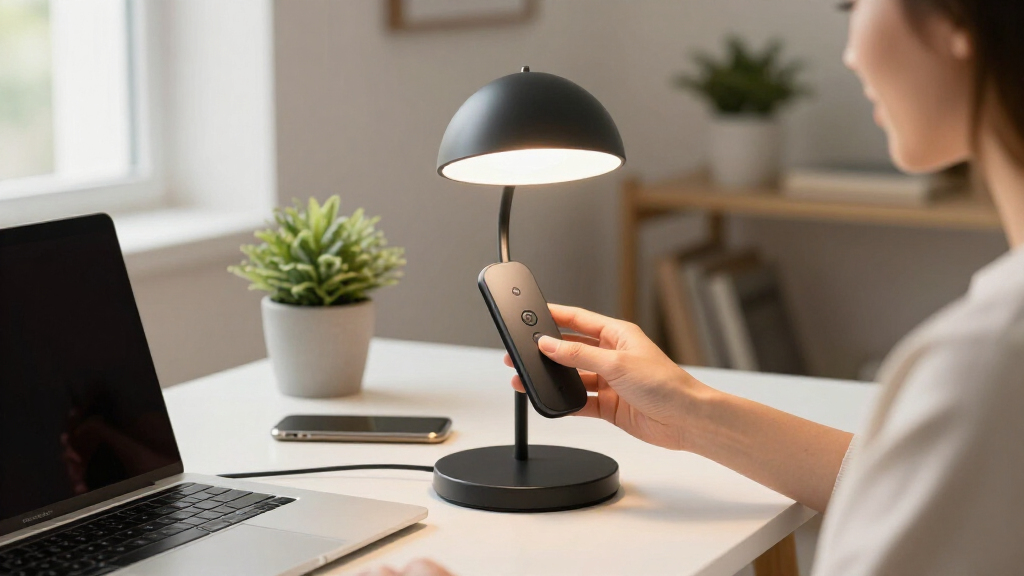

The best smart home desk lamps balance useful work lighting with app, voice, charging, or automation features. I rank the Govee RGBIC Smart Table Lamp 2 as the best overall because its connected controls and layered color effects make it the most versatile smart-lighting option here. The Philips Hue Play Table Lamp is my premium choice for established Hue households, while the Hifree Smart Table Lamp offers a more affordable path to app and voice control. The main tradeoff is between ambient smart lighting and focused task illumination, since the most connected models are not always the best lamps for paperwork or long work sessions. Continue reading for the full breakdown of which design, ecosystem, and feature mix best fits your desk.

Get home appliances delivered free with Prime
- Fast, free delivery on millions of items
- Prime Video, Amazon Music and more included
- Member-only deals all year
Complete the kit



Key Takeaways
- Govee earns the top position because it offers the strongest balance of app control, voice integration, touch operation, and multicolor ambience without tying the buyer to a premium lighting ecosystem.
- Philips Hue is the premium ecosystem pick, but its value is highest for buyers who already own or plan to build around Hue rather than those seeking a standalone task lamp.
- Pzloz and Motumen are better work lights than most connected table lamps because their clamp-mounted, wide-reaching designs prioritize screen coverage and desk space over decorative color.
- Hifree and DAYBETTER provide lower-cost smart features, though their bedside-style shapes make them more suitable for mood lighting and light desk use than detailed paperwork.
- Several products labeled as smart rely on touch controls, chargers, clocks, or power outlets rather than app-based automation, so connectivity type separates true smart-home options from multifunction desk lamps.
| DAYBETTER BGRIC Smart Bedside Lamps | 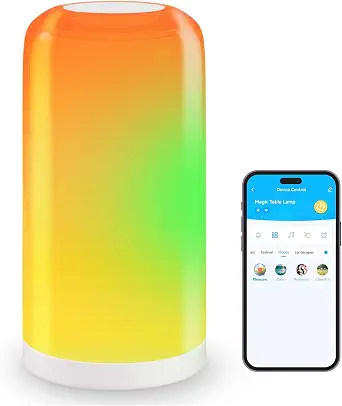 | Best Value Smart Lamp | Smart-home compatibility: Amazon Alexa and Google Home | Wi-Fi frequency: 2.4GHz only | Connectivity: Wi-Fi and Bluetooth | VIEW LATEST PRICE | See Our Full Breakdown |
| Philips Hue Play Table Lamp |  | Best Premium Ecosystem Pick | Height: 23.6 inches | Light type: RGBWWIC LED | Color output: Multicolor gradients | VIEW LATEST PRICE | See Our Full Breakdown |
| Honeywell HWT-H01 LED Desk Lamp |  | Best for Focused Work | Color: Black | Light source: Full-spectrum LED | Color rendering index: CRI 95 | VIEW LATEST PRICE | See Our Full Breakdown |
| Pzloz 24W LED Desk Lamp | 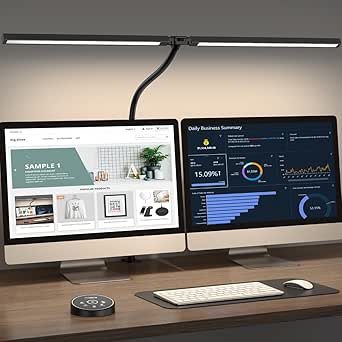 | Best for Dual-Monitor Desks | Power: 24W | Color-temperature range: 3000K–5500K | Brightness range: 20%–100% | VIEW LATEST PRICE | See Our Full Breakdown |
| LED Desk Lamp with Atmosphere Lighting and RGB Colors |  | Best for RGB Scene Variety | Color palette: 16 million colors | Scene modes: 99+ dynamic presets | Color-temperature range: 3000K–6500K | VIEW LATEST PRICE | See Our Full Breakdown |
| 10-in-1 Smart Desk Lamp with Wireless Charger, Night Light, and Touch Control |  | Best All-in-One Workstation Lamp | Brightness: 680 lumens | Color temperature: 3000K–6000K | Dimming: Stepless, 10%–100% | VIEW LATEST PRICE | See Our Full Breakdown |
| Govee RGBIC Smart Table Lamp 2 |  | Best Smart-Home Integration | Brightness: 500 lumens | Color temperature: 2700K–6500K | Color technology: RGBIC multicolor lighting | VIEW LATEST PRICE | See Our Full Breakdown |
| Meross Smart Table Lamp |  | Best for Apple HomeKit | Smart-home compatibility: Apple HomeKit, Amazon Alexa, and SmartThings | Voice control: Siri and Alexa | Color range: 16 million colors | VIEW LATEST PRICE | See Our Full Breakdown |
| Hifree Smart Table Lamp |  | Best for Music-Synced Mood Lighting | Light source: LED | Bulb base: E26 | Power rating: 7 watt-hours, as listed | VIEW LATEST PRICE | See Our Full Breakdown |
| LAOPAO Desk Lamp with Wireless Charger, USB Charging Port, Clock, and Touch Control |  | Best Desk-Side Charging Hub | Light source: LED | Rated wattage: 10W | Wireless charger: 10W | VIEW LATEST PRICE | See Our Full Breakdown |
| LED Desk Lamp with Power Strip | 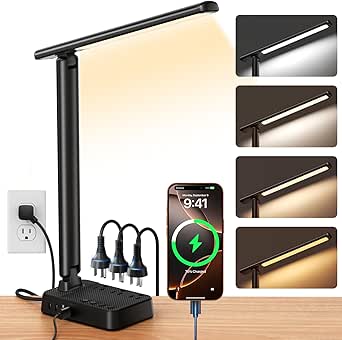 | Best Charging Hub | Lighting: 64 LEDs | Dimming: Stepless | AC outlets: 3 | VIEW LATEST PRICE | See Our Full Breakdown |
| Shinelife LED Desk Lamp with USB Charging | 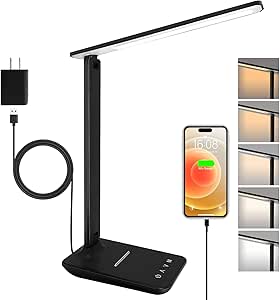 | Best for Simple Touch Controls | Brightness: 500 lumens | Brightness levels: 5 | Color modes: 5 | VIEW LATEST PRICE | See Our Full Breakdown |
| Motumen LED Desk Lamp for Home Office | 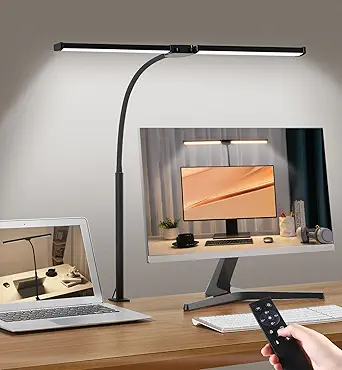 | Best Clamp-Mounted Task Light | Light heads: 2 | Power: 14W | Color-temperature modes: 5 | VIEW LATEST PRICE | See Our Full Breakdown |
| LED Desk Lamp with Large Eye-Caring Panel |  | Best Wide-Area Illumination | LED panel: Ultra-large | Dimming range: 1%–100% stepless | Color temperature: Adjustable | VIEW LATEST PRICE | See Our Full Breakdown |
More Details on Our Top Picks
DAYBETTER BGRIC Smart Bedside Lamps
I rank the DAYBETTER BGRIC as the value pick because it delivers broad voice control, 16 million colors, and more than 70 scenes without requiring a separate hub. Compared with the Philips Hue Play Table Lamp, it is the more approachable choice for buyers who want inexpensive ambient lighting rather than elaborate entertainment syncing. Its adjustable 2700K–6500K white light also makes it more useful for casual reading than an RGB-only accent lamp. The tradeoff is a less polished ecosystem: setup is restricted to 2.4GHz Wi-Fi, and music effects require app and microphone permissions. I would choose it for a bedroom or secondary desk, but buyers building a tightly integrated Apple Home setup should favor Philips Hue or Meross instead.
Pros:- Hub-free Alexa and Google Assistant voice control
- 16 million colors and more than 70 preset scenes
- Wide 2700K–6500K white-light range
- Bluetooth provides an additional connection option
Cons:- Cannot connect directly to a 5GHz-only Wi-Fi network
- Full music-sync functionality requires app and microphone permissions
- Lacks the advanced entertainment ecosystem offered by Philips Hue
Best for: Budget-conscious Alexa or Google Home users who want colorful bedside and casual desk lighting without buying a hub
Not ideal for: Apple Home users or households running only a 5GHz Wi-Fi network, since native Apple compatibility is not listed and setup requires 2.4GHz
- Smart-home compatibility:Amazon Alexa and Google Home
- Wi-Fi frequency:2.4GHz only
- Connectivity:Wi-Fi and Bluetooth
- Color palette:16 million colors
- White-light range:2700K–6500K
- Scene modes:70+ presets
- App:DAYBETTER App
Our verdict“Choose this for affordable, hub-free mood lighting, but skip it if Apple Home support or advanced entertainment syncing matters more.”
Philips Hue Play Table Lamp
The Philips Hue Play Table Lamp earns my premium slot because its strongest asset is not merely color choice but coordinated smart-home entertainment. Its 23.6-inch light produces multicolor gradients, accurate color matching, and TV synchronization, giving gaming and media desks a more layered effect than the DAYBETTER BGRIC can provide with preset scenes. Alexa, Google Home, and Apple Home compatibility also make it the broadest ecosystem fit in this batch. That sophistication brings extra cost and setup, however. A Hue Bridge is needed for advanced functions, while content syncing can involve more configuration than buyers seeking a simple task lamp will want. I would place it behind a monitor or beside a gaming station; for focused paperwork, the Honeywell HWT-H01 supplies more practical directional illumination.
Pros:- Multicolor gradients create more layered effects than basic RGB lamps
- Supports Alexa, Google Home, and Apple Home
- TV syncing suits gaming and entertainment setups
- Slim profile allows flexible placement around monitors
Cons:- Advanced capabilities require a separate Hue Bridge
- Content-sync setup may feel excessive for basic desk lighting
- Accent-focused design is less practical for paperwork than a directional task lamp
Best for: Gaming and media-desk owners already using Philips Hue who want coordinated gradients, TV syncing, and broad smart-home support
Not ideal for: Buyers seeking a low-cost, self-contained task lamp, since advanced functions require a Hue Bridge and extra configuration
- Height:23.6 inches
- Light type:RGBWWIC LED
- Color output:Multicolor gradients
- White lighting:White ambiance
- Voice compatibility:Amazon Alexa and Google Home
- Apple compatibility:Apple Home
- Entertainment feature:TV synchronization
- Advanced-feature requirement:Philips Hue Bridge
Our verdict“Pick this for a premium connected gaming or media desk, especially if a Philips Hue system is already in place.”
Honeywell HWT-H01 LED Desk Lamp
I give the Honeywell HWT-H01 the focused-work role because its high-CRI, flicker-free white light serves reading and color-sensitive tasks better than decorative RGB effects. Compared with the DAYBETTER BGRIC, its three color temperatures and 10%–100% dimming provide fewer mood options but a more work-oriented beam. A CRI of 95 helps printed colors appear accurate, while USB-A and USB-C ports reduce charging clutter around a laptop. The foldable body also suits compact desks. Its main limitation within a smart-home roundup is substantial: no app, Wi-Fi, or voice compatibility is listed. The three fixed color modes are also less flexible than the Pzloz lamp’s five modes. I would select it for concentrated desk work, not for automations or room-wide ambiance.
Pros:- CRI 95 full-spectrum light supports accurate color perception
- Flicker-free output is geared toward long reading and work sessions
- USB-A and USB-C ports charge two desk devices
- Foldable 0°–180° design saves space
Cons:- No listed smart-home, app, or voice-control support
- Only three fixed color-temperature modes
- Provides no RGB ambiance or entertainment syncing
Best for: Students, readers, and home-office workers who prioritize accurate white light and built-in device charging over connected controls
Not ideal for: Smart-home enthusiasts who want schedules, app access, voice commands, or colorful ambient scenes
- Color:Black
- Light source:Full-spectrum LED
- Color rendering index:CRI 95
- Color temperatures:3000K, 4000K, and 5500K
- Dimming range:10%–100% stepless
- Charging ports:USB-A and USB-C, 5V/2.1A
- Folding range:0°–180°
- Energy use:75% lower than incandescent lamps
Our verdict“Buy this when productive white light and charging matter more than the connected features implied by a smart-home lamp.”
Pzloz 24W LED Desk Lamp
The Pzloz 24W LED Desk Lamp takes the dual-monitor role because its articulated structure can spread light across a wider workstation than the compact Honeywell HWT-H01. The 360-degree stand, folding arms, and rotating head let buyers direct illumination around screens, while five color settings and 20%–100% brightness cover work ranging from late-night reading to drafting. Its 24W output and remote control also suit a desk where onboard buttons may sit beyond easy reach. Yet this is smart mainly in its adjustable controls, not its home connectivity: no app or voice platform is listed. Compared with the Philips Hue Play Table Lamp, it offers stronger task utility but none of the connected gradients or TV syncing. I would choose it for a large office setup, provided a white-only finish and remote dependency are acceptable.
Pros:- Wide adjustable structure suits dual-monitor workstations
- Five color modes and variable brightness support varied tasks
- Remote control is convenient on deep desks
- Articulated stand, arms, and head allow precise positioning
Cons:- No listed app, Wi-Fi, or voice-assistant integration
- Dependence on the remote can become inconvenient if it fails or is misplaced
- White-only finish may clash with darker workstation setups
Best for: Professionals with wide or dual-monitor workstations who need broad, highly adjustable task lighting controlled from a distance
Not ideal for: Buyers seeking Alexa, Google Home, Apple Home, RGB scenes, or app-based automations
- Power:24W
- Color-temperature range:3000K–5500K
- Brightness range:20%–100%
- Lighting modes:25 modes, including night-light and reading settings
- Control:Wireless remote
- Stand rotation:360°
- Arm adjustment:180° foldable
- Head rotation:270°
- Input voltage:24V DC
Our verdict“This is my task-light choice for a broad multi-screen desk, not for buyers who define smart lighting by voice commands and automations.”
LED Desk Lamp with Atmosphere Lighting and RGB Colors
I assign this RGB atmosphere desk lamp the scene-variety role: its 16 million colors and more than 99 dynamic modes exceed the DAYBETTER BGRIC’s 70-plus presets. Unlike a simple bedside accent lamp, it also combines 3000K–6500K white light, stepless dimming, and four folding sections, so buyers can shift between task lighting and decorative effects. Both app and remote control add flexibility when a phone is unavailable. Still, voice-assistant compatibility is not listed, making it less connected than DAYBETTER or Philips Hue. Its music mode also does not support the atmosphere light, an awkward restriction for buyers drawn to audio-reactive effects. Setup may feel busy because full access depends on the app. I would pick it for visual variety and flexible positioning, while choosing Philips Hue for a more mature smart-home ecosystem.
Pros:- More than 99 scenes provide the widest preset selection in this batch
- 16 million colors support extensive ambient customization
- 3000K–6500K white light and stepless dimming add task-light utility
- Four folding sections allow flexible positioning
Cons:- No listed Alexa, Google Home, or Apple Home compatibility
- Music mode does not work with the atmosphere-lighting section
- Full functionality requires an app and may involve a busier setup
Best for: RGB enthusiasts who want a positionable work lamp with a large scene library and both app and handheld remote control
Not ideal for: Voice-first smart homes or music-reactive setups that need every lighting section to participate in audio synchronization
- Color palette:16 million colors
- Scene modes:99+ dynamic presets
- Color-temperature range:3000K–6500K
- Dimming:Stepless
- Controls:Remote and app
- Folding sections:4
- Music synchronization:Supported, excluding atmosphere lighting
- Base:Sturdy, stable base
Our verdict“Choose this for maximum RGB variety in a flexible desk-lamp form, but choose DAYBETTER or Philips Hue for stronger smart-home integration.”
10-in-1 Smart Desk Lamp with Wireless Charger, Night Light, and Touch Control
I rank this as the best all-in-one workstation lamp because it combines focused lighting, a 10W wireless charger, an alarm, night lights, and an information display. Its 680-lumen output is brighter than the Govee RGBIC Smart Table Lamp 2, while the 15.8-inch adjustable arm directs that light more effectively across a desk. Stepless dimming and a 3000K–6000K range also make it adaptable for paperwork, computer use, and evening reading.
The tradeoff is that its intelligence centers on built-in utility rather than connected-home automation. Unlike the Govee or Meross lamps, it lists no voice assistant or app support. The many controls may also feel busy to someone wanting a simple light. I would choose it over the LAOPAO for greater brightness, but LAOPAO has the advantage for buyers who need a separate USB charging port.
Pros:- 680-lumen output is stronger than the smaller ambient lamps in this group
- 10W wireless charging reduces the need for a separate charging pad
- Stepless dimming and a 3000K–6000K range cover daytime work and evening reading
- Foldable 15.8-inch arm saves space and supports targeted illumination
Cons:- No listed Alexa, Google Home, HomeKit, or app integration
- Numerous functions and display settings can create a steeper setup process
- Designed for personal work areas rather than broad room lighting
Best for: Students and home-office users with compact desks who want bright adjustable task lighting, wireless charging, and clock functions in one device
Not ideal for: Buyers building voice-controlled or app-based lighting routines, since no smart-home platform compatibility is listed
- Brightness:680 lumens
- Color temperature:3000K–6000K
- Dimming:Stepless, 10%–100%
- Wireless charger:10W
- Display:Time, calendar, alarm, and temperature
- Arm length:15.8 inches
- Materials:ABS and PS
- Power adapter:24W, 12V/2A
Our verdict“I recommend this model for a compact workstation where lighting, charging, and timekeeping matter more than voice-controlled automation.”
Govee RGBIC Smart Table Lamp 2
The Govee RGBIC Smart Table Lamp 2 earns my smart-home integration pick through its support for Matter, Alexa, Google Home, and SmartThings. That wider ecosystem reach makes it easier to place in a mixed-brand home than the Hifree lamp, which centers on Alexa and Google Assistant. RGBIC lighting can display multiple colors at once, while more than 64 scenes and eight music modes give it far richer ambient effects than the work-focused 10-in-1 lamp.
This is still a 500-lumen table lamp, not the strongest choice for illuminating documents across a large desk. Some features, including wake-up configuration, depend on the app, and corded operation limits placement. The Meross lamp is the better fit for dedicated Apple HomeKit users, but Govee offers more ambitious effects and broader current platform support for an entertainment-oriented setup.
Pros:- Matter support makes cross-platform smart-home pairing more flexible
- RGBIC technology supports simultaneous multicolor effects
- More than 64 scenes and eight music-sync modes offer extensive ambience choices
- Pat-to-wake and timer controls add convenient bedside operation
Cons:- 500 lumens may be insufficient as the only light for demanding desk work
- Wake-up mode and some customization features require app setup
- Corded design restricts placement and portability
Best for: Smart-home enthusiasts who want colorful desk or bedside ambience controlled through Matter, Alexa, Google Home, or SmartThings
Not ideal for: People needing a high-output task lamp for detailed paperwork or a lamp that can operate away from an outlet
- Brightness:500 lumens
- Color temperature:2700K–6500K
- Color technology:RGBIC multicolor lighting
- Supported platforms:Matter, Alexa, Google Home, and SmartThings
- Preset scenes:64+
- Music-sync modes:8
- Power source:Corded electric
Our verdict“I would pick Govee for the widest smart-home compatibility and the most expressive multicolor effects, provided focused task lighting is secondary.”
Meross Smart Table Lamp
I place the Meross Smart Table Lamp first for Apple-centered homes because it provides direct HomeKit and Siri compatibility alongside Alexa and SmartThings. Govee supports more ecosystems through Matter, but Meross has a particularly useful resilience feature: local control remains available during a Wi-Fi outage. Scheduling, timers, 1%–100% dimming, and tunable white light make it practical for recurring morning and evening routines rather than color effects alone.
Its 16 million colors offer plenty of mood lighting, though Govee remains the more creative choice for multicolor scenes and music syncing. Meross also lacks the wireless charger, clock, and directional arm found on the 10-in-1 model, so it functions better as a compact ambient lamp than a full workstation hub. App onboarding may challenge buyers who want plug-in simplicity, and the corded design provides no backup during a power cut.
Pros:- Native Apple HomeKit and Siri support suits Apple-centered households
- Local control remains available during Wi-Fi outages
- Brightness adjusts from 1% to 100% for night-light and general illumination duties
- Schedules and timers support repeatable household routines
Cons:- Ambient form is less suitable for directing light across a work surface
- No battery backup or cordless operating mode is listed
- Initial app and platform setup may be cumbersome for less technical buyers
Best for: Apple Home users who want Siri-controlled ambient lighting, dependable schedules, and local operation when Wi-Fi is unavailable
Not ideal for: Desk workers seeking directional task lighting, integrated device charging, or elaborate music-reactive color effects
- Smart-home compatibility:Apple HomeKit, Amazon Alexa, and SmartThings
- Voice control:Siri and Alexa
- Color range:16 million colors
- White color temperature:2700K–6500K
- Brightness range:1%–100%
- Control methods:Touch, voice, and app
- Automation:Schedules and timers
- Power source:Corded electric
Our verdict“I recommend Meross to Apple Home users who value reliable automation more than elaborate effects or workstation extras.”
Hifree Smart Table Lamp
The Hifree Smart Table Lamp is my pick for casual, music-responsive mood lighting. Its touch, app, and voice controls let different household members operate it without relying on one interface, while RGB adjustment, scenes, timers, and music syncing suit bedrooms or relaxed desk setups. Compared with the Meross lamp, Hifree puts more emphasis on animated color behavior and sound-reactive effects; Alexa and Google Assistant support also cover the two most common voice ecosystems.
Govee remains the stronger connected-home choice because it adds Matter, SmartThings, more than 64 stated scenes, and eight defined music modes. Hifree also requires Bluetooth and 2.4GHz Wi-Fi for its complete feature set, which can complicate setup. At a listed seven watts, it is better treated as an ambient companion light than a powerful primary desk lamp, and its lack of water resistance rules out exposed outdoor placement.
Pros:- Touch, app, and voice controls provide several ways to operate the lamp
- RGB scenes and music syncing suit entertainment and bedroom ambience
- Alexa and Google Assistant support enable hands-free commands
- Timers allow lighting to follow daily routines
Cons:- No listed Matter, Apple HomeKit, or SmartThings compatibility
- Full functionality depends on Bluetooth and 2.4GHz Wi-Fi setup
- Seven-watt light is better suited to ambience than demanding desk tasks
Best for: Alexa or Google Assistant households wanting a small bedroom or desk lamp with touch access and music-reactive RGB effects
Not ideal for: Users who need Matter or Apple HomeKit support, strong task illumination, or operation in damp and outdoor locations
- Light source:LED
- Bulb base:E26
- Power rating:7 watt-hours, as listed
- Control methods:Touch, app, and voice
- Voice platforms:Amazon Alexa and Google Assistant
- Connectivity:Bluetooth and 2.4GHz Wi-Fi
- Color features:Adjustable RGB, scenes, and music sync
- Power source:Corded electric
- Water resistance:Not water resistant
Our verdict“I would choose Hifree for accessible voice-controlled RGB ambience, while Govee is the better buy for a broader smart-home system.”
LAOPAO Desk Lamp with Wireless Charger, USB Charging Port, Clock, and Touch Control
I give the LAOPAO Desk Lamp the charging-hub role because it pairs a 10W wireless pad with a separate USB port. That combination is more accommodating than the 10-in-1 lamp for someone who charges a compatible phone and a wired accessory at the same time. Its foldable rectangular body, touch controls, adjustable brightness, and multiple lighting modes also fit a crowded home-office desk, while the LCD keeps the time, date, and temperature visible.
The limits are clear within a smart-home roundup. LAOPAO offers USB connectivity rather than app or voice automation, so Meross and Govee fit connected routines much better. Its 10W lighting system is intended for a personal work area, not broad room coverage, and the AC adapter means the lamp is not truly cable-free despite portability-related listing language. Compared with the brighter 680-lumen 10-in-1 model, this pick makes more sense when dual charging flexibility outranks light output.
Pros:- Provides both 10W wireless charging and a separate USB charging connection
- LCD combines time, date, and temperature information
- Foldable design preserves space on crowded desks
- Touch-controlled brightness and lighting modes support different desk activities
Cons:- No listed Alexa, Google Home, HomeKit, Matter, or app integration
- AC adapter is required, so placement still depends on a nearby outlet
- 10W light is not intended to illuminate a large room
Best for: Home-office users who need one compact desk fixture to charge a wireless phone and a USB-powered accessory
Not ideal for: Smart-home users seeking voice commands, app schedules, remote control, or dependable cordless operation
- Light source:LED
- Rated wattage:10W
- Wireless charger:10W
- Additional charging:USB port
- Display:Time, date, and temperature
- Control method:Touch
- Power source:AC adapter
- Voltage:5V
- Mounting type:Tabletop
Our verdict“I recommend LAOPAO when charging two devices at the desk matters more than connected-home automation or maximum brightness.”
LED Desk Lamp with Power Strip
I rank the LED Desk Lamp with Power Strip as the utility pick because its three AC outlets and four USB ports can replace a separate desktop power bar. That makes it more useful for a device-heavy dorm or home office than the Shinelife LED Desk Lamp, which provides only one USB port. The stepless brightness and color controls also offer finer adjustment than preset-only lamps, while the folding aluminum body keeps the charging hub relatively compact. I would not treat it as a fully connected smart lamp, though: unlike the Meross Smart Table Lamp, it lacks app, voice, and automation support. Its many controls may feel excessive beside the simpler Shinelife, and the listed 1,200-watt rating appears more relevant to the power strip’s capacity than the LEDs. This is a connectivity-rich power station, not a smart-home centerpiece.
Pros:- Three AC outlets and four USB ports consolidate desktop power needs
- Two USB-C ports support newer phones and accessories without extra adapters
- Stepless dimming and adjustable color temperature suit varied tasks
- Foldable aluminum design allows precise positioning and compact storage
Cons:- No app, voice-assistant, or smart-home platform integration
- Numerous charging and lighting functions may be excessive for a basic desk
- The 1,200-watt listing can be mistaken for lamp power consumption
Best for: Dorm residents and home-office users who need one compact station for lighting and charging several devices
Not ideal for: Alexa, Google Home, or Apple Home users who want voice commands, app control, and automated lighting routines
- Lighting:64 LEDs
- Dimming:Stepless
- AC outlets:3
- USB ports:4, including 2 USB-C
- Power-strip cord:5 ft
- Rated wattage:1,200W
- Dimensions:5.52 x 3.74 x 14.57 in
- Material:Aluminum
Our verdict“I recommend this for device-heavy desks where charging capacity matters more than app-based smart control.”
Shinelife LED Desk Lamp with USB Charging
I place the Shinelife LED Desk Lamp here for buyers who prefer clear presets over complicated connected features. Its five brightness levels and five color modes make work lighting easy to repeat, while the touch-sensitive controls avoid the setup required by app-driven models such as the Philips Hue Play Table Lamp. At 500 lumens, it offers useful focused light for reading, paperwork, or crafts, and its folding base occupies less room than a clamp lamp with a long arm. Compared with the LED Desk Lamp with Power Strip, however, its single USB charging port offers far less device support. I also miss voice control, schedules, and wireless connectivity, which limits its claim to smart-home use. The included adapter keeps setup straightforward, but preset brightness steps are less precise than stepless dimming.
Pros:- Five brightness levels and five color modes provide straightforward customization
- 500-lumen output supports reading, study, and detailed desk tasks
- Touch controls are quick to operate without an app
- Foldable base and rotating head save space and direct light accurately
Cons:- No Wi-Fi, app control, or voice-assistant compatibility
- One USB port is limiting on a desk with several devices
- Preset levels offer less precision than stepless controls
Best for: Students and remote workers who want repeatable touch-controlled lighting and one convenient phone-charging port
Not ideal for: Smart-home enthusiasts who expect voice control, app scenes, schedules, or multiple charging connections
- Brightness:500 lumens
- Brightness levels:5
- Color modes:5
- LED lifespan:20,000 hours
- Input power:5V/2A
- USB charging:1 port
- Head adjustment:180-degree rotation
- Base adjustment:90-degree folding
- Controls:Touch-sensitive
Our verdict“I would choose the Shinelife for uncomplicated touch operation, but not for a connected smart-home setup.”
Motumen LED Desk Lamp for Home Office
I rate the Motumen LED Desk Lamp as the strongest choice here for reclaiming desk space while spreading light across a wide workstation. Its clamp mount and dual-head design suit monitors, plans, and reference books better than the compact Shinelife lamp. A 360-degree gooseneck adds positioning freedom, and the remote lets a seated user adjust five color-temperature modes without reaching past a keyboard or display. Compared with the Pzloz architect lamp, though, Motumen’s 14-watt output may be less suitable for lighting a large dual-monitor station. It also stops short of genuine smart-home control: the remote is convenient but not connected, with no listed app or voice-assistant support. The clamp limits placement on thick or delicate desktops, while corded operation prevents portable use. I see its memory and timer functions as practical automation substitutes.
Pros:- Clamp mounting preserves space for keyboards, documents, and accessories
- Dual light heads cover a broader work area than compact single-panel lamps
- Remote control allows adjustments from across a desk
- Five color temperatures, memory, and timer functions support changing work sessions
Cons:- No listed app, Wi-Fi, or voice-assistant support
- Clamp mounting may not fit thick or fragile desk edges
- Corded 14-watt design is less flexible than a rechargeable lamp
Best for: Monitor-based home-office users who need broad adjustable light without sacrificing usable desktop surface
Not ideal for: Users with thick, glass, or easily marked desks, or anyone seeking app-controlled lighting routines
- Light heads:2
- Power:14W
- Color-temperature modes:5
- Arm adjustment:360-degree gooseneck
- Control:Remote control
- Functions:Memory and timer
- Input voltage:24V DC
- Mounting:Desk clamp
- Water resistance:Not water resistant
Our verdict“I recommend Motumen for a space-conscious workstation that needs broad remote-controlled task lighting rather than full smart-home integration.”
LED Desk Lamp with Large Eye-Caring Panel
I give the Large Eye-Caring LED Desk Lamp this role because its oversized panel is designed to cast soft, shadow-reducing light across paperwork, crafts, and wide work surfaces. The 1%–100% stepless dimming gives it finer control than the Shinelife lamp’s five fixed brightness levels, while multi-angle adjustment helps keep glare away from screens. Its claimed 50,000-hour lifespan is also more than double Shinelife’s listed 20,000 hours. The tradeoff is a narrow interpretation of “smart”: a 90-second delay-off is handy at bedtime or when leaving a workspace, but it cannot match the schedules, scenes, or voice commands of the Meross Smart Table Lamp. It must remain plugged into its USB adapter, and the large panel is less discreet on a small desk. I would prioritize its broad task lighting over connected controls.
Pros:- Ultra-large panel spreads soft light across a wide working area
- Stepless 1%–100% dimming supports precise brightness adjustment
- Multi-angle head can reduce screen glare and task shadows
- Claimed 50,000-hour lifespan exceeds many basic desk lamps
Cons:- No app, voice-assistant, or smart-home ecosystem integration
- No built-in battery, so placement depends on outlet access
- Large lighting panel may dominate a compact desk
Best for: Crafters, readers, and paperwork-heavy home-office users who want broad light with very precise brightness control
Not ideal for: Small-desk users and smart-home owners who want a battery, voice commands, app scenes, or scheduled automation
- LED panel:Ultra-large
- Dimming range:1%–100% stepless
- Color temperature:Adjustable
- Delay-off timer:90 seconds
- Rated lifespan:Up to 50,000 hours
- Power source:AC power via USB adapter
- Heat-sink material:Aluminum alloy
Our verdict“I would pick this lamp for broad, finely adjustable work light when illumination quality matters more than connected-home features.”

How We Picked
I ranked these lamps by comparing smart-home usefulness, task-light performance, control options, build design, desk footprint, and the value of any added features. App and voice controls received more weight when they supported routines that would genuinely change daily use, while brightness adjustment, color-temperature range, glare management, and positioning shaped each model’s suitability for work. I also separated true connected lighting from products that use smart as shorthand for touch controls or built-in charging.
The order reflects how well each lamp fulfills a distinct buyer need rather than how many features appear in its name. Models combining reliable lighting controls with broad everyday appeal ranked higher, while ecosystem-dependent or highly specialized lamps earned narrower recommendations. I treated wireless charging, USB ports, clocks, and power outlets as secondary conveniences, since they cannot compensate for weak illumination or limited adjustability. Meaningful drawbacks—including hub dependence, large footprints, limited task-light direction, and unclear automation depth—also affected placement.
Factors to Consider When Choosing Smart Home Desk Lamps
A useful buying decision starts with identifying whether the lamp will serve as a work light, ambient light, or desk hub. Those roles overlap, but no model in this roundup leads every category. I would choose the lighting pattern and control system first, then treat charging and decorative effects as supporting features.
Choose Task Lighting or Ambient Lighting First
Many smart table lamps cast soft light outward, which works well for video calls, evening routines, and room ambience but poorly for reading small print. A dedicated work lamp should direct light across the keyboard and document area without reflecting in the monitor. Wide LED panels and articulated arms usually handle that job better than compact color-changing cylinders. Ambient models earn their desk space through scenes, schedules, and decorative color rather than precise illumination. Buyers who alternate between focused work and gaming may need two lighting layers: a neutral task lamp and a smart accent light. Trying to make one small RGB lamp perform both jobs often leads to uneven coverage or distracting glare.
Match the Lamp to Your Smart-Home Ecosystem
Compatibility labels do not always describe the same level of control. One lamp may support basic voice commands for power and brightness, while another exposes colors, scenes, timers, and automations through its app. Apple Home, Alexa, and Google Home support matters most when the lamp must join existing routines. Philips Hue can offer a polished multiroom setup, but some advanced features may depend on extra ecosystem hardware. A standalone app-controlled lamp can be cheaper and easier for one desk, though switching brands later may leave lighting routines split across apps. I would favor ecosystem consistency over an unusually long feature list when several smart lights already share the home.
Check Light Quality Beyond Maximum Brightness
Brightness alone does not reveal whether a lamp will be comfortable for hours of work. A larger illuminated surface can spread light more evenly, while a tiny bright source may create sharp reflections and eye fatigue. Adjustable white color temperature is more useful for productivity than a large catalog of RGB scenes because it lets cool daytime light shift to warmer evening light. Stepless dimming provides finer control than a handful of fixed levels, especially in rooms where daylight changes across the day. Position also matters: the lamp should reach the work area without placing visible LEDs directly in the line of sight. For screen-heavy desks, I would prioritize low glare and broad coverage before color effects.
Treat Charging and Power Features as Desk-Layout Tools
Wireless charging, USB ports, and AC outlets can reduce cable clutter, but only when their placement fits the devices on the desk. A charging pad may become awkward if a wide phone case prevents a stable connection or if the lamp base sits beyond easy reach. Integrated outlets are useful on desks with limited wall access, yet they also create a larger concentration of cables around the lamp. Charging speed and port accessibility matter more than the raw number of sockets. Built-in clocks can help on a bedside desk but may duplicate information already visible on a computer or phone. I would pay extra for power features that replace a separate accessory, not for ports that will remain unused.
Measure the Base, Clamp, and Adjustment Range
A lamp can have excellent light output and still be a poor fit if its base consumes writing space or blocks a charging mat. Clamp lamps preserve the desktop and often provide greater reach, but they require a compatible edge with enough clearance and thickness. Multi-angle arms suit shared workstations because the light can move between a laptop, documents, and hobby projects. Foldable models store easily, though compact hinges may offer less reach than an architect-style arm. Small table lamps fit shelves and narrow desks but usually illuminate a tighter area. Before buying, I would map the lamp’s mounting point and light path against monitor stands, shelves, and frequently used desk items.
Know When Paying More Makes Sense
A higher price is easier to justify when the lamp becomes part of a wider lighting system or replaces several separate devices. Premium ecosystem models can provide synchronized scenes and coordinated room control, while a serious task lamp may earn its cost through better reach and more uniform illumination. Decorative effects alone rarely justify a large price jump for buyers who mainly read or work at the desk. Budget smart lamps make sense for basic voice commands, timers, and color ambience in one room. Midrange multifunction models can offer better value when charging hardware or power outlets solve an existing desk problem. I would spend more for better light distribution, dependable controls, or ecosystem fit, not merely a longer scene list.
Frequently Asked Questions
Do I Need a Smart Bulb, Hub, or Bridge for These Lamps?
Most lamps with built-in LEDs do not accept a separate smart bulb because their lighting and controls are integrated into the fixture. Many app-controlled models connect directly through Wi-Fi or Bluetooth, while some ecosystem-focused products gain broader automation through a hub or bridge. Philips Hue buyers should check which functions require Hue hardware before budgeting for the lamp. A direct-connect model is simpler for a single desk, but a hub-based system can be better for synchronized lighting across several rooms. I would verify the required hardware and supported commands rather than relying only on a compatibility badge.
Are RGB Smart Lamps Bright Enough for Full-Time Desk Work?
Many RGB table lamps are designed to create ambience rather than evenly illuminate documents and keyboards. Their white-light modes may be adequate for casual computer use, but a narrow or indirect beam can fall short during reading, drawing, or detailed work. Panel-style task lamps such as the Pzloz or larger adjustable LED models offer broader coverage than compact bedside-style designs. RGB remains useful as background light because it can soften the contrast between a bright screen and a dark room. For long work sessions, I would pair an ambient smart lamp with a dedicated task light if the smart model lacks directional output.
Is Apple Home Support Worth Prioritizing?
Apple Home support is most valuable when existing routines already use Siri, Home automations, or other Apple-compatible accessories. It lets the lamp participate in shared scenes without making a separate brand app the main control point. Meross is the more direct choice for Apple-focused buyers in this lineup, while Philips Hue suits those building a broader premium lighting system. Buyers using Alexa or Google Home have a wider selection and may find less expensive options. I would prioritize native ecosystem fit when multiple household members need consistent, familiar controls.
Should I Choose a Clamp Lamp or a Lamp With a Base?
A clamp lamp is usually better for a small desk because it preserves the surface and can reach over wide monitors. It also works well for dual-screen layouts, drawing, and tasks that require frequent repositioning. A base-mounted lamp is easier to move and does not depend on desk-edge thickness or clearance. Pzloz and Motumen favor coverage and space efficiency, while Govee, Hifree, and similar table lamps are easier to place on shelves or bedside desks. I would choose a clamp for permanent workstations and a base for flexible placement.
Which Extra Feature Is Most Useful: Wireless Charging, USB Ports, or Power Outlets?
The best extra feature depends on what currently creates clutter or friction at the desk. Wireless charging is convenient for frequent phone checks, but alignment and case compatibility can affect day-to-day reliability. USB ports suit headphones and small accessories, while integrated AC outlets help when wall sockets are scarce. The LAOPAO model targets phone charging and timekeeping, whereas the power-strip lamp is more useful for a desk crowded with wired equipment. I would select the feature that removes an existing adapter or cable rather than the model with the highest accessory count.
Conclusion
For most connected desks, I recommend the Govee RGBIC Smart Table Lamp 2 as the best overall because it offers the most balanced mix of smart control, touch access, and expressive lighting. The Hifree Smart Table Lamp is the best value for buyers seeking app and voice features without entering a premium ecosystem. Beginners should start with the DAYBETTER BGRIC lamps, which package familiar touch operation with Alexa and Google Home compatibility. For a premium whole-home setup, the Philips Hue Play Table Lamp makes the most sense, especially when other Hue lights are already present. Apple-centered households should favor Meross, while buyers needing serious dual-monitor illumination should choose Pzloz. LAOPAO suits desks where wireless charging and a clock matter most, and the power-strip model fits work areas short on outlets. The deciding question is whether the desk needs connected ambience, focused work light, or consolidated power, since that priority separates the strongest choices far more clearly than the number of advertised modes.