
Network speed is measured in Mbps or Gbps, which show how quickly data transfers between devices and the internet. Faster speeds improve streaming, gaming, and downloads, while latency and ping affect how smoothly real-time activities run. Factors like your hardware, connection type, and network congestion influence actual speeds. Upgrading your equipment or plan can boost performance. If you want to understand how these factors work together and optimize your connection, you’ll find useful insights ahead.
Key Takeaways
- Network speed is measured in Mbps or Gbps, indicating how quickly data is transferred over the internet.
- Faster speeds enable smooth HD streaming, gaming, and quick file uploads, while slower speeds cause buffering and lag.
- Factors like bandwidth, network congestion, interference, and hardware quality influence actual internet performance.
- Latency or ping measures delay in data transfer, affecting real-time activities like gaming and video calls.
- Upgrading hardware and plans, optimizing device placement, and managing data usage improve overall network speed.

TP-Link AX1800 WiFi 6 Router (Archer AX21 V5) – Dual Band Wireless Internet, Gigabit, Easy Mesh, Works with Alexa – A Certified for Humans Device, Free Expert Support
DUAL-BAND WIFI 6 ROUTER: Wi-Fi 6(802.11ax) technology achieves faster speeds, greater capacity and reduced network congestion compared to…
As an affiliate, we earn on qualifying purchases.
As an affiliate, we earn on qualifying purchases.
Why Your Internet Speed Matters for Streaming, Gaming, and Work
Have you ever experienced buffering videos, laggy online games, or slow file uploads? If so, your internet speed likely isn’t meeting your needs. Slow speeds can be caused by factors like bandwidth throttling, where your provider limits your data during peak times, or data caps that restrict how much you can use each month. When your bandwidth is limited, streaming in HD becomes choppy, gaming feels sluggish, and uploading work files takes forever. These issues disrupt your entertainment and productivity. Understanding how your internet speed affects daily tasks helps you choose the right plan and avoid frustrating interruptions. Staying aware of bandwidth throttling and data caps can help you manage your usage and guarantee a smoother online experience. Additionally, optimizing your connection with network speed tips can help you recover faster and enjoy better performance overall. Recognizing the importance of pinball machine weight can further help you ensure safe and efficient setup for your home entertainment system.

UGREEN Cat 8 Ethernet Cable 6FT, High Speed Braided 40Gbps 2000Mhz Network Cord Cat8 RJ45 Shielded Indoor Heavy Duty LAN Cables Compatible with Gaming PC PS5 PS4 PS3 Xbox Modem Router 6FT
40 Gbps 2000 Mhz High Speed: The Cat 8 ethernet cable support max. 40 Gbps data transfer and…
As an affiliate, we earn on qualifying purchases.
As an affiliate, we earn on qualifying purchases.
What Are Mbps and Gbps? Understanding Internet Speed Terms
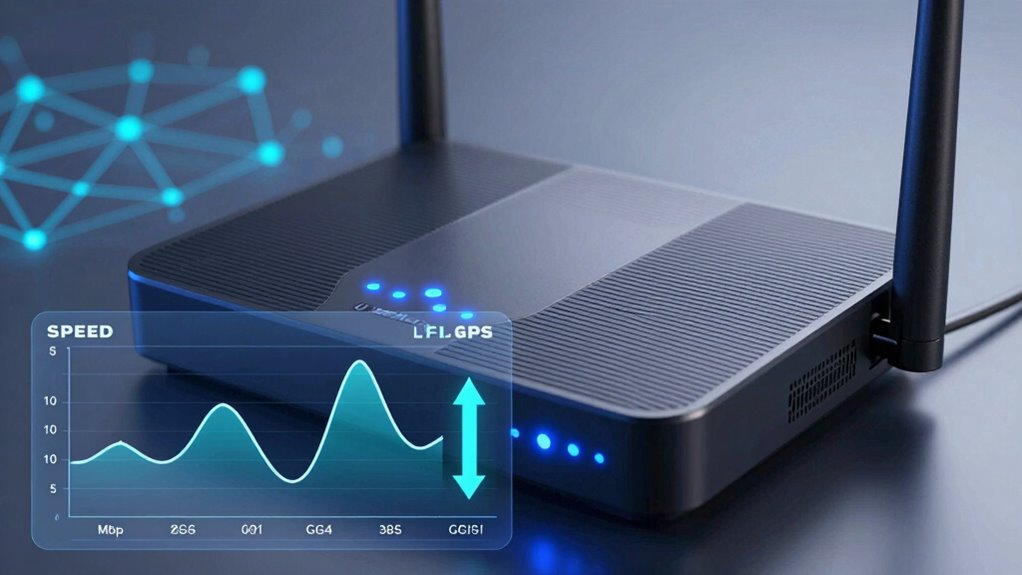
When you see Mbps and Gbps, it helps to know they measure internet speed differently. Megabits and gigabits are units that show how fast data moves, but they’re used for different speeds. Understanding these measurement standards makes it easier to compare your internet options. For example, knowing about Free Floating concepts can help you appreciate how flexible network setups can be, similar to how outdoor spaces are customized for different activities. Recognizing the unit differences can also assist you in making more informed decisions when choosing a plan that best fits your needs. Additionally, being aware of network configurations can help you understand how different setups impact overall internet performance. Being familiar with standardized measurements can further clarify how network speed specifications relate to actual user experience. Knowing how network performance metrics are calculated can give you a clearer picture of what to expect from your internet connection.
Megabits vs. Gigabits
Understanding internet speed terms can be confusing, especially since similar-sounding units like megabits and gigabits are often used interchangeably. Megabits per second (Mbps) and gigabits per second (Gbps) measure data transfer rates, but their sizes differ greatly. A gigabit is 1,000 megabits, so Gbps ratings indicate much faster speeds. Use this table for quick reference:
| Unit | Equivalent in Megabits | Bandwidth comparison |
|---|---|---|
| 1 Megabit | 1 Mbps | Typical streaming quality |
| 10 Megabits | 10 Mbps | Good for gaming and downloads |
| 100 Megabits | 100 Mbps | Multiple devices streaming |
| 1 Gigabit | 1,000 Mbps | High-speed fiber connections |
| 10 Gigabits | 10,000 Mbps | Enterprise-level networks |
Knowing these differences helps you choose the right plan for your data transfer needs, especially when considering internet speed terms and their impact on online activities.
Speed Measurement Standards
Internet speed is typically measured using units like Mbps and Gbps, which stand for megabits per second and gigabits per second, respectively. These measurements help you understand your connection’s capacity to transfer data. However, actual speeds can be affected by bandwidth bottlenecks, where network congestion limits performance, or signal interference, which can disrupt data flow. Mbps is common for home internet plans, while Gbps is used for faster, enterprise-level connections. Knowing these standards helps you gauge whether your internet meets your needs. Keep in mind that even if your plan promises high Mbps or Gbps, factors like interference and bandwidth constraints can reduce your actual speed — making understanding these standards essential for troubleshooting and optimizing your network. Additionally, content relevance and authority play a significant role in how well your connection performs when accessing different online resources. Being aware of speed measurement standards is crucial for interpreting your connection’s actual performance, especially since network congestion can vary depending on the time of day or the number of users online. Recognizing how signal interference impacts data flow can help you identify issues and improve overall network performance.

Network Speed Booster
Network booster
As an affiliate, we earn on qualifying purchases.
As an affiliate, we earn on qualifying purchases.
How Do Latency and Ping Affect Your Online Experience?
Ever wonder why sometimes your online games freeze or your video calls lag? That’s often due to latency effects, which measure the delay between your device’s action and the server’s response. High latency causes noticeable delays, making real-time interactions frustrating. Ping stability, on the other hand, refers to how consistent that delay remains over time. When ping fluctuates wildly, your experience worsens because responses become unpredictable. Low, stable ping ensures smoother gameplay and clearer video calls, while high or unstable ping leads to lag, stuttering, and frustration. Basically, both latency effects and ping stability directly impact how seamlessly your online activities perform. Understanding these factors helps you recognize why some connections feel sluggish and how to improve your overall online experience.

TP-Link AC1200 WiFi Extender, 2023 Engadget Best Budget Pick, 1.2Gbps Signal Booster for Home, Dual Band 5GHz/2.4GHz, Covers Up to 1500 Sq.ft and 30 Devices,Support Onemesh, One Ethernet Port (RE315)
𝐒𝐭𝐫𝐨𝐧𝐠𝐞𝐫 𝐖𝐢-𝐅𝐢 𝐢𝐧 𝐄𝐯𝐞𝐫𝐲 𝐂𝐨𝐫𝐧𝐞𝐫 – Enjoy extended coverage with strong performance powered by Adaptive Path Selection and…
As an affiliate, we earn on qualifying purchases.
As an affiliate, we earn on qualifying purchases.
What Factors Influence Your Internet Speed at Home and Work?
Your internet speed can be affected by network bandwidth limitations, which restrict how much data can flow at once. Additionally, the quality of your hardware and devices plays a vital role in how efficiently your network performs. Understanding these factors helps you identify what might be slowing down your connection. Ensuring your entire network system is optimized, similar to whole-home water systems, can help improve overall performance. A properly designed network can further enhance your connection stability and speed. Just as with electric bikes where horsepower influences performance, the capacity of your network components directly impacts your internet experience. Recognizing the role of passive voice in technical explanations can also contribute to clearer communication about network issues.
Network Bandwidth Limitations
Various factors can limit your network bandwidth, affecting how quickly data moves between your devices and the internet. One major factor is network congestion, especially during peak hours when many users are online simultaneously. Your connection type, like fiber optic, can also influence speed; fiber optic offers higher bandwidth and faster data transfer compared to traditional options. Additionally, the capacity of your internet plan sets a maximum limit on your speed. Other factors include hardware limitations and interference. Here’s a quick overview:
| Factor | Impact | Example |
|---|---|---|
| Network Congestion | Slows data transfer during busy times | Streaming during peak hours |
| Connection Type | Determines maximum speed available | Fiber optic vs. DSL |
| Bandwidth Cap | Sets data transfer limits | Monthly data caps |
Understanding your network infrastructure can help you identify and address these limitations effectively.
Hardware and Device Quality
The quality of your hardware and devices plays a crucial role in determining your internet speed. If your router or modem is outdated or incompatible with your internet plan, you’ll experience slower speeds or frequent disconnects. Device compatibility ensures your devices can handle higher speeds without bottlenecks. Additionally, hardware durability matters—well-made equipment maintains performance over time, reducing lag and connection issues. Cheaper or poorly manufactured devices may degrade quickly, leading to inconsistent speeds. Upgrading to modern, compatible hardware improves overall performance and optimizes your internet connection. Remember, even the best internet plan can be limited by subpar devices. Investing in reliable, compatible hardware makes a noticeable difference in your network’s speed and stability at home or work. hardware durability directly impacts long-term network performance and reduces maintenance needs. Moreover, understanding the causes of heat pump failure, such as electrical or mechanical issues, can help you maintain your devices better to prevent similar problems in your network equipment. It’s also beneficial to consider the quality of network hardware, as it influences how well your system handles data flow and minimizes interference.
How Your Router, Modem, and Hardware Can Improve Connection Quality
Have you ever wondered how upgrading your router, modem, or hardware can boost your internet connection? The key lies in proper router placement and keeping your firmware up to date. Position your router in a central, open location away from thick walls and electronic interference to maximize coverage and signal strength. Regular firmware updates fix bugs, improve stability, and enhance security, ensuring your device runs efficiently. Upgrading your modem can also support higher speeds and newer standards, reducing bottlenecks. Choosing hardware with the latest Wi-Fi standards, like Wi-Fi 6, can considerably improve connection quality, especially with multiple devices. Investing in quality hardware and maintaining it properly makes a noticeable difference in your overall internet experience. Additionally, understanding your network speeds can help you select the right equipment and optimize your setup for better performance. Incorporating traditional Indonesian decor principles into your space can also create a calming environment that complements your upgraded technology setup, making your living space both functional and aesthetically pleasing.
How to Test Your Internet Speed and What the Results Mean
Testing your internet speed is the next step to understanding your connection’s performance after optimizing your hardware setup. Use online speed tests to measure your download, upload, and ping times. These results reveal whether your internet plan meets your needs, especially if you’re concerned about VPN security, which can slow speeds. Pay attention to your download speed, as it affects streaming and browsing, and your upload speed, important for video calls and file sharing. Keep in mind your data caps; if your speeds are slower than expected, you might be nearing limits that restrict your connection. Interpreting these results helps you identify issues or verify if you’re getting what you pay for. Regular testing ensures your network performs well and supports your online activities efficiently.
Tips to Boost and Optimize Your Network Performance
To boost and optimize your network performance, start by placing your router in a central, open location away from interference sources like thick walls and electronic devices. Keep your firmware updated to guarantee your network security is strong and vulnerabilities are patched. Use a secure password to prevent unauthorized access, which can slow down your connection. Avoid exceeding data caps, as throttling can reduce your speeds markedly. Limit the number of connected devices during heavy usage to prevent congestion. Consider using a wired connection for devices that need high speed and stability. Regularly reboot your router to clear memory and improve performance. These steps help maintain a secure, efficient network, ensuring you get the most out of your internet plan without interruptions or slowdowns.
When Should You Upgrade Your Internet Plan or Equipment?
Recognizing the right time to upgrade your internet plan or equipment can considerably enhance your online experience. If you notice frequent buffering, slow downloads, or streaming issues, it’s time to contemplate an upgrade. Fiber installation can dramatically boost your speed and reliability, making it ideal if your current connection struggles with multiple devices. Additionally, check your data caps—if you regularly hit your limit, it’s a sign you need a plan with higher or unlimited data to avoid throttling or extra charges. Upgrading equipment, like routers or modems, can also improve performance, especially if your hardware is outdated. Staying aware of these signs ensures you get the best speeds for your needs, keeping your internet fast, stable, and responsive.
Frequently Asked Questions
How Does Network Congestion Impact My Internet Speed During Peak Hours?
During peak hours, network congestion slows down your internet because traffic management struggles to handle the high data flow. Your service provider’s bandwidth allocation becomes limited as more users connect simultaneously, leading to reduced speeds. As a result, your internet experiences delays and buffering, especially when streaming or gaming. To improve your experience, consider off-peak usage or upgrading your plan for better bandwidth allocation.
Can Using VPNS Affect My Internet Speed and Latency?
Using VPNs can affect your internet speed and latency. VPN encryption adds extra processing, which can slow down your connection. Additionally, server distance matters: connecting to a distant VPN server increases latency, making your browsing feel sluggish. To minimize speed loss, choose a VPN server closer to your location and look for providers with strong encryption that balances security and speed effectively.
What Are the Common Causes of Inconsistent Internet Speeds?
Like a dial-up connection from the 90s, inconsistent internet speeds are frustrating. You might experience this due to poor bandwidth allocation, where too many devices share limited resources, or signal interference from other electronics, walls, or distance from your router. These issues cause fluctuations in speed and latency, making your online experience unpredictable. Ensuring proper bandwidth management and reducing interference can help stabilize your connection and improve overall performance.
How Do Different Types of Internet Connections Compare in Speed?
Fiber optics generally offer the fastest internet speeds, often exceeding 1 Gbps, making them ideal for streaming, gaming, and large downloads. Satellite internet, however, tends to be slower, with speeds usually between 12 Mbps and 100 Mbps, and can be affected by weather. Cable and DSL fall somewhere in between, but fiber optics provides the most consistent and highest speeds, while satellite internet is more vulnerable to latency and disruptions.
Does the Number of Connected Devices Influence Overall Network Performance?
Think of your network like a busy highway; the more cars—devices—you add, the more traffic slows down. Device density increases network load, which can cause lag and buffering. When too many devices connect simultaneously, your overall performance drops. To keep your digital life smooth, restrict connected devices or upgrade your network. Managing device density ensures your connection remains fast and reliable, even during peak times.
Conclusion
Understanding your internet speeds is like tuning a fine instrument—you’ll enjoy a smoother, more harmonious online experience. By grasping key terms, testing regularly, and optimizing your hardware, you can guarantee your connection hits the right notes. Remember, upgrading your plan or equipment when needed is your best bet for staying in tune. With a little effort, you’ll keep your digital life running as effortlessly as a well-conducted symphony.