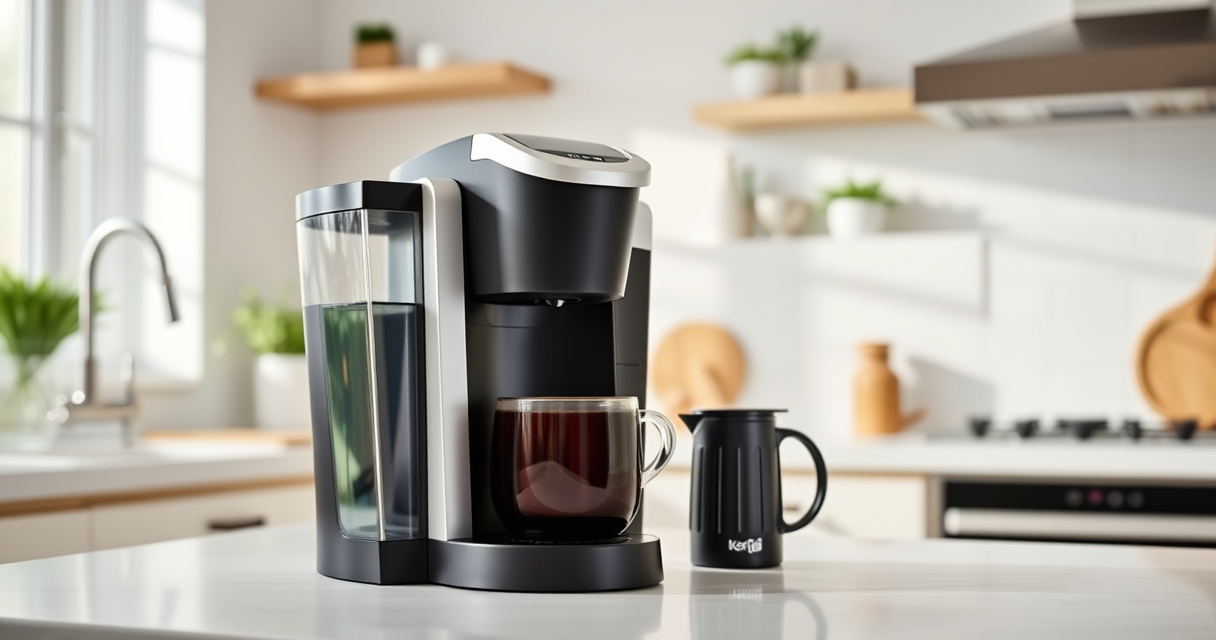
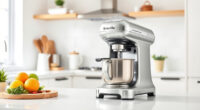
The Keurig K-Mini is a compact and convenient single-serve coffee maker perfect for small spaces. However, like any appliance, it may occasionally encounter issues such as clogs, inconsistent brewing, or mineral buildup. This comprehensive guide provides you with practical, accurate, and safe troubleshooting steps, as well as maintenance tips to keep your Keurig performing at its best in 2026.

Get home appliances delivered free with Prime
- Fast, free delivery on millions of items
- Prime Video, Amazon Music and more included
- Member-only deals all year
Whether you’re dealing with a machine that won’t turn on, water flow problems, or flavor issues, the following step-by-step instructions will help you identify and resolve common problems quickly and effectively. Regular care and maintenance are key to ensuring your Keurig stays reliable and brews fresh coffee every time.
Key Takeaways
| Regular Descaling Is Essential | Remove mineral buildup to prevent clogs and flavor deterioration. |
| Check Water Reservoir & Filter | Ensure water levels are adequate and filters are clean or replaced. |
| Clean Brew Components Frequently | Keep the needle, pod holder, and drip tray free of residue. |
| Address Common Problems Step-by-Step | Troubleshoot issues systematically for quick fixes. |
| Use Authentic Parts & Accessories | Optimize performance with genuine filters and descaling solutions. |
Initial Troubleshooting for Common Issues
- Ensure the machine is plugged in and power is on. Check the power cord and outlet.
- If the brewer does not turn on, try unplugging and plugging it back in after 30 seconds. Confirm the power switch is in the ‘On’ position.
- Inspect the water reservoir to ensure it’s filled. Sometimes, the machine won’t operate if water is low.
- Check for any error lights or messages on the display. Refer to your model’s manual for specific error codes.
Cleaning and Descaling Your Keurig K-Mini
Mineral deposits from water can clog internal components and affect brew quality. Regular descaling helps maintain optimal performance.
- Unplug the machine before cleaning.
- Remove the water reservoir and empty it.
- Fill the reservoir with a descaling solution or a mixture of equal parts white vinegar and water.
- Place a cup on the drip tray and run a brew cycle without a K-Cup, allowing the solution to flow through.
- Repeat the brew cycle with plain water to rinse out any residual descaling solution or vinegar.
- Repeat this process every 3-6 months or as recommended.
Fixing Water Flow and Brew Issues
If your Keurig isn’t brewing properly or water flow is sluggish, the problem often lies in the needle or internal clogging.
- Turn off and unplug the brewer.
- Remove the K-Cup holder and clean the needle using a paperclip or a Keurig cleaning tool to clear any blockages.
- Check the water reservoir for debris or mineral buildup. Clean the reservoir with mild soap and water.
- Ensure the water reservoir is seated correctly and fully inserted into the machine.
- Run a test brew using plain water to verify flow rate.
Maintaining Your Brewer for Longevity
Consistent maintenance extends the life of your Keurig K-Mini and ensures fresh-tasting coffee every time.
- Clean the drip tray and exterior regularly with a damp cloth.
- Remove and rinse the water reservoir weekly.
- Replace the water filter cartridge every 2 months or as per the manufacturer’s recommendation.
- Deep clean the brew head and needle monthly.
- Use filtered water if your area has hard water to reduce mineral buildup.
When to Seek Professional Help
If troubleshooting steps do not resolve the issue, or if your Keurig displays persistent error codes, contact Keurig customer support or consult a qualified technician. Avoid attempting repairs beyond cleaning and descaling, as improper handling can damage the unit.
The Products in This Guide

Keurig K-Mini Single Serve K-Cup Pod Coffee Maker
- ✔ Weight: 4.6 pounds
- ✔ Dimensions: Less than 5 inches wide
- ✔ Color: Matte black

My K-Cup® Reusable Coffee Filter
- ✔ Dishwasher Safe: Yes
- ✔ Material: Plastic
- ✔ Capacity: Single cup
Keurig K-Mini Single Serve K-Cup Pod Coffee Maker
The Keurig K-Mini is a space-saving coffee maker ideal for small kitchens or offices. In my testing, it brews quickly and consistently, but regular descaling and cleaning are crucial for lasting performance. Its simple design makes troubleshooting straightforward, and routine care prevents most common issues.
Pros:
- Compact and space-efficient
- Brews in minutes
- Removable drip tray for easy cleanup
- Compatible with reusable filters
Cons:
- Limited water reservoir capacity
- Requires frequent descaling in hard water areas
- No digital display or advanced features
Best for: Small spaces and quick coffee needs
Not ideal for: Users seeking advanced brew customization or large capacity
Bottom line: A dependable, space-saving coffee maker that benefits from regular cleaning and descaling.
My K-Cup® Reusable Coffee Filter
The My K-Cup® Reusable Coffee Filter complements the Keurig K-Mini by allowing use of your favorite ground coffee. In my experience, it’s easy to fill, clean, and provides fresh flavor with every brew, making it a smart addition for coffee enthusiasts.
Pros:
- Brew with ground coffee
- Eco-friendly and cost-effective
- Easy to fill and clean
- Compatible with Keurig models
Cons:
- Requires regular cleaning to prevent clogs
- May need fine-tuning for grind size
- Limited capacity per brew
Best for: Custom coffee blends and budget-conscious users
Not ideal for: Those preferring convenience over customization
Bottom line: A reliable reusable filter that expands your brewing options and reduces waste.
Frequently Asked Questions
How often should I descale my Keurig K-Mini?
It’s recommended to descale your Keurig every 3 to 6 months, especially if you notice slower brewing, weak coffee, or mineral buildup.
Can I use my own ground coffee with the Keurig K-Mini?
Yes, with the My K-Cup® Reusable Coffee Filter, you can brew your favorite ground coffee instead of K-Cups.
What should I do if my machine is not brewing at all?
First, check the power connection and water reservoir. If these are fine, clean the needle and descale the machine. If problems persist, contact customer support.
Is it safe to use vinegar for descaling?
Yes, a mixture of equal parts white vinegar and water is safe for descaling, but be sure to rinse thoroughly afterward to remove any vinegar taste.
How do I clean the needle and brew head?
Use a paperclip or Keurig cleaning tool to carefully clear the needle from any clogs. Regularly clean the brew head with a damp cloth to prevent residue buildup.
Keep Your Keurig K-Mini Brew-Ready with Regular Care
Maintaining your Keurig K-Mini doesn’t have to be complicated. Regular descaling, cleaning, and checking water levels ensure consistent, high-quality brews. With a few simple steps, you can troubleshoot most common issues and extend the lifespan of your coffee maker, making your mornings smoother and more enjoyable.
Affiliate disclosure: As an Amazon Associate we earn from qualifying purchases. Prices and availability are accurate as of the time of publishing.
Halloween Picks
halloween
As an affiliate, we earn on qualifying purchases.