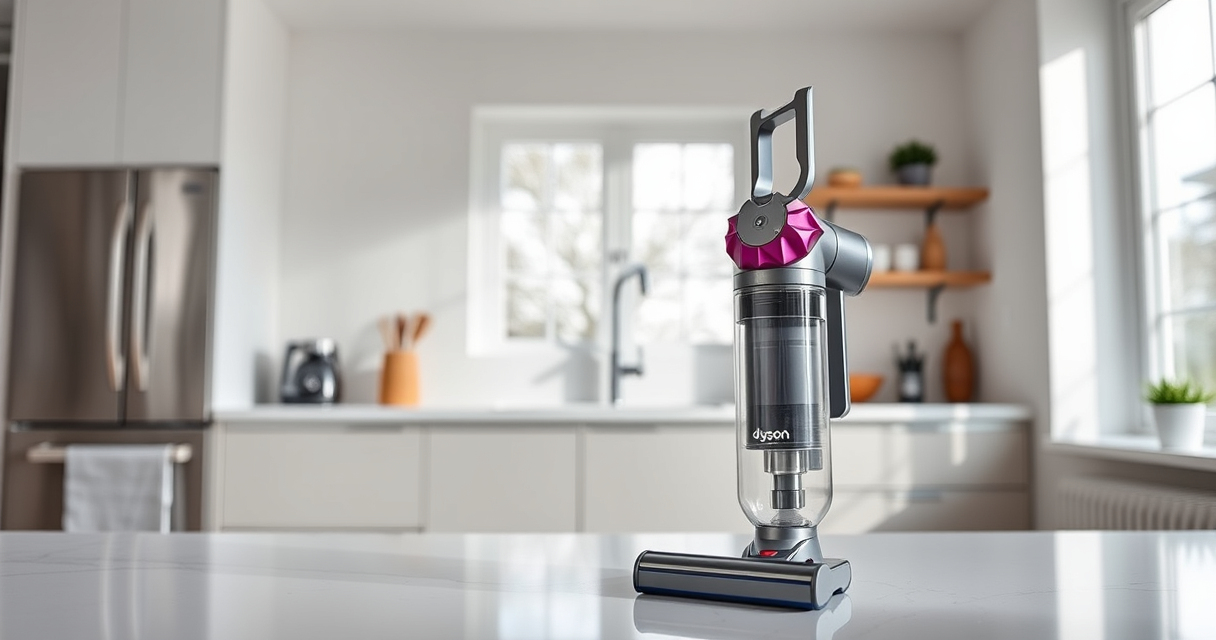

If your Dyson V15 Detect™ Origin Cordless Vacuum isn’t sucking properly, it can be frustrating and hinder your cleaning routine. Several common causes can lead to loss of suction, but most are fixable with simple steps. This guide walks you through practical troubleshooting methods to restore your vacuum’s optimal performance quickly and safely.

Get home appliances delivered free — and shop member deals
- Fast, free delivery on millions of items
- Access to Prime Big Deal Days deals on October 6–7
- Prime Video, Amazon Music and more included
Before diving into fixes, ensure your vacuum is turned off and unplugged if applicable. Regular maintenance, such as cleaning filters and checking for blockages, can prevent suction problems and prolong the life of your vacuum.
Key Takeaways
| Clogged or Blocked Hoses | Clear blockages in hoses and wand to restore airflow. |
| Dirty Filters | Clean or replace filters to maintain suction power. |
| Full Bin or Debris Obstruction | Empty the bin and check for debris jams. |
| Incorrect Assembly | Ensure all parts are assembled correctly and securely. |
| Worn or Damaged Parts | Inspect for damage and replace if necessary. |
Check for Obstructions and Blockages
- Detach the wand and cleaner head from the main body.
- Inspect hoses, wand, and cleaner heads for visible blockages or debris.
- Use a long, flexible brush or the crevice tool to gently clear any obstructions.
- Reassemble and test the vacuum for suction.
Clean or Replace Filters
- Remove the pre-filter and main filter from the vacuum. Refer to your model’s manual for exact locations.
- Rinse filters with cold water until the water runs clear. Do not use soap or detergents.
- Allow filters to air dry completely, ideally 24 hours, before reinstalling.
- If filters are damaged or excessively worn, replace them with compatible filters like the 3Pack Pre Filters Replacement or V10 Filters as needed.
Empty the Bin and Check for Debris
- Remove the dustbin and empty it into a trash bag.
- Check the inlet and cyclone for any debris or blockages.
- Clean with a damp cloth if necessary, ensuring all parts are dry before reassembly.
Verify Proper Assembly and Connections
- Ensure all parts are securely clicked into place, including the wand, cleaner head, and filters.
- Check for cracks or damage to the wand and cleaner head.
- Reconnect everything firmly and test the vacuum for proper suction.
Inspect for Worn or Damaged Components
If the above steps don’t restore suction, examine the vacuum for worn or damaged parts, such as seals or the motor. Replace any faulty components or contact Dyson support for assistance.
The Products in This Guide

Dyson V15 Detect™ Origin Cordless Vacuum
- ✔ Battery Life: 60 minutes
- ✔ Weight: 6.8 lbs
- ✔ Filtration: Washable advanced filters

LANMU Crevice Tool Vacuum Attachments Compatible
- ✔ Compatibility: V15, V12, V11, V10, V9, V8, V7
- ✔ Design: Slim and flexible
- ✔ Material: Plastic
Dyson V15 Detect™ Origin Cordless Vacuum
The Dyson V15 Detect™ Origin offers powerful suction, intelligent debris detection, and a range of versatile attachments. It’s ideal for whole-home cleaning but requires regular maintenance to sustain peak performance.
Pros:
- Powerful suction with 100% more power
- Intelligent dust detection and display
- Long battery life of 60 minutes
- Multiple cleaning heads for different surfaces
Cons:
- Can be heavy for prolonged use
- Filters need regular cleaning or replacement
- Price is premium
Best for: Deep cleaning of all floor types and detailed home maintenance
Not ideal for: Light or spot cleaning where frequent filter maintenance is inconvenient
Bottom line: A smart, powerful cordless vacuum suited for thorough, multi-surface cleaning.
LANMU Crevice Tool Vacuum Attachments Compatible
The LANMU Crevice Tool Vacuum Attachments are compatible with Dyson V15 models, offering a slim, flexible nozzle to reach into corners, between furniture, and into car interiors effectively.
Pros:
- Narrow and flexible design
- Compatible with multiple Dyson models
- Easy to attach and use
- Great for detailed cleaning
Cons:
- May not fit older Dyson models
- Limited to crevice and narrow spaces
- Requires additional attachments for other tasks
Best for: Cleaning tight corners, edges, and hard-to-reach spots
Not ideal for: Large debris removal or deep cleaning tasks
Bottom line: A versatile crevice tool that enhances detailed cleaning in tight spots.
Frequently Asked Questions
How do I know if my filters need replacing?
Check if your vacuum’s suction has decreased significantly or if the filters appear dirty and clogged. Regular cleaning or replacing filters like the 3Pack Pre Filters or V10 Filters ensures optimal performance.
Can I wash the filters?
Yes, most filters such as the pre-filters and V10 filters can be rinsed with water. Make sure they are completely dry before reinstalling to prevent damage.
What should I do if cleaning the filters doesn’t restore suction?
Inspect for blockages in hoses, wand, and cleaner heads. Ensure all parts are assembled correctly, and check for damaged components. If the problem persists, contact Dyson support.
How often should I clean or replace filters?
It’s recommended to wash filters monthly and replace them every 2-3 months depending on usage. Always follow the manufacturer’s guidance for your specific model.
Keep Your Dyson V15 in Top Shape
Regular maintenance and prompt troubleshooting can keep your Dyson cordless vacuum performing at its best. By following these steps, you’ll ensure efficient cleaning and extend the life of your device. Remember, a well-maintained vacuum not only cleans better but also lasts longer, saving you time and money in the long run.
Affiliate disclosure: As an Amazon Associate we earn from qualifying purchases. Prices and availability are accurate as of the time of publishing.
NFL season / tailgating Picks
team gear
As an affiliate, we earn on qualifying purchases.