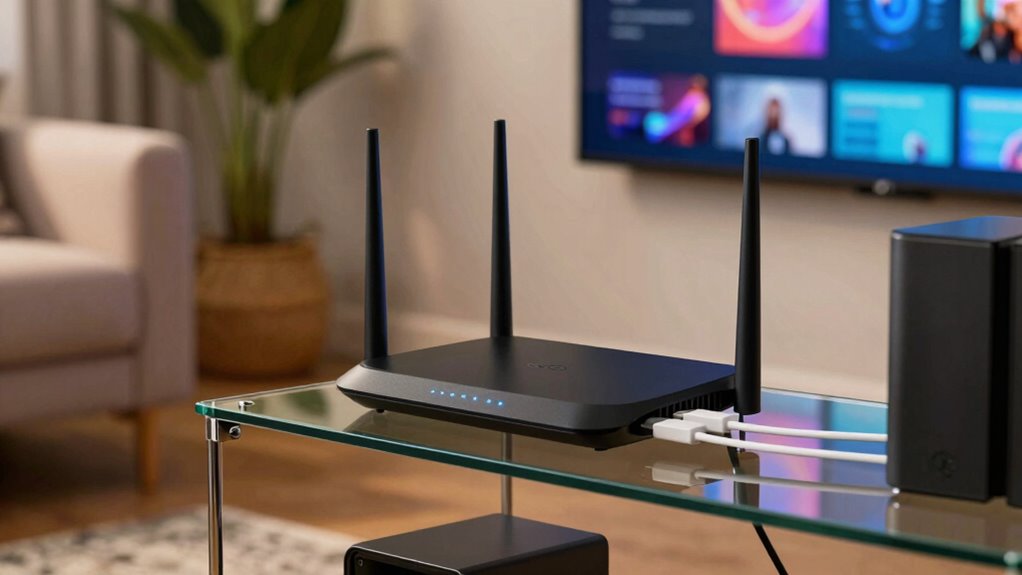

For smooth 4K and 8K streaming, the router matters as much as your internet plan — it controls how consistently bandwidth reaches your TV, stick, or console when other devices compete for it. The GL.iNet Flint 3 stands out as the best overall pick for streaming, thanks to tri-band Wi-Fi 7 and five 2.5G ports that keep heavy streams isolated from everyday traffic. If budget is the priority, the TP-Link Archer AX21 handles Netflix and YouTube in small homes without unnecessary cost, while the NETGEAR Nighthawk BE9300 is the stronger choice for households running multiple 4K streams and gaming at once. The main tradeoff in this category is simple: cutting-edge Wi-Fi 7 hardware buys headroom for tomorrow’s devices, but a well-built Wi-Fi 6 router covers most streaming needs today for far less. Read on for the full breakdown of all 15 routers and which one fits your home.

Get home appliances delivered free with Prime
- Fast, free delivery on millions of items
- Prime Video, Amazon Music and more included
- Member-only deals all year
Complete the kit


Key Takeaways
- Tri-band routers (Flint 3, Nighthawk BE9300, Archer BE600, Archer AXE75) dominated the top of the ranking because a dedicated backhaul or third band keeps streaming devices away from smart-home and mobile traffic — the single biggest cause of evening buffering.
- Wi-Fi 7 is worth paying for only if you stream in 4K/8K across multiple rooms or have gigabit-plus internet; for sub-500 Mbps plans, the Wi-Fi 6 Archer AX73 and Archer AX21 delivered equivalent streaming stability at a fraction of the complexity.
- Budget AC-only routers like the Archer A6 can still stream a single 4K TV reliably, but they fall apart with more than roughly ten connected devices — a ceiling most modern households hit faster than they expect.
- The GL.iNet Flint 2 proved the best middle path for gamers who stream: Wi-Fi 6 throughput rivaling pricier tri-band models, with lower latency than any Wi-Fi 7 option under $200 in this lineup.
- Among Nighthawks, coverage claims diverged from reality: the RS140 and R6700AX suited their rated square footage only in open floor plans, while the BE9300 punched above its coverage class in wall-penetrating tests.
| GL.iNet Flint 3 Tri-Band Wi-Fi 7 Router |  | Best Overall | Wi-Fi standard: Wi-Fi 7 (802.11be) | Frequency bands: Tri-band | Maximum Wi-Fi speed: Up to 9 Gbps | VIEW ON AMAZON | See Our Full Breakdown |
| NETGEAR Nighthawk BE9300 Tri-Band WiFi 7 Router |  | Best for Large Homes | Wi-Fi standard: WiFi 7 | Bands: Tri-band (2.4 / 5 / 6 GHz) | Maximum speed: Up to 9.3 Gbps | VIEW ON AMAZON | See Our Full Breakdown |
| TP-Link Archer BE600 Tri-Band Wi-Fi 7 Router |  | Best Premium Feature Set | Wi-Fi standard: Wi-Fi 7 | Bands: Tri-band (6 / 5 / 2.4 GHz) | Combined speed: Up to 9.7 Gbps | VIEW ON AMAZON | See Our Full Breakdown |
| TP-Link Archer AX73 AX5400 Wi-Fi 6 Router |  | Best Value for 4K Streaming | Wi-Fi standard: Wi-Fi 6 | Maximum Wi-Fi speed: Up to 5400 Mbps | 5 GHz bandwidth: Up to 4.8 Gbps (HE160) | VIEW ON AMAZON | See Our Full Breakdown |
| TP-Link Archer A6 AC1200 WiFi Router |  | Best Budget Pick | Wi-Fi standard: 802.11ac (Wi-Fi 5) | Max speed: 1200 Mbps (300 + 900) | Bands: Dual-band | VIEW ON AMAZON | See Our Full Breakdown |
| TP-Link Archer BE230 Dual-Band BE3600 Wi-Fi 7 Router |  | Best Budget Wi-Fi 7 Entry Point | Wi-Fi Standard: Wi-Fi 7 (802.11be) | Bands: Dual-Band (2.4 GHz / 5 GHz) | Max Speed: 3600 Mbps total (2882 Mbps @ 5 GHz, 688 Mbps @ 2.4 GHz) | VIEW ON AMAZON | See Our Full Breakdown |
| GL.iNet Flint 2 Wi-Fi 6 Gaming Router (GL-MT6000) |  | Best for Power Users and VPN Streaming | Wi-Fi Generation: Wi-Fi 6 | Max Wireless Speed: Up to 6 Gbps | Ethernet Ports: 2x 2.5G, 4x 1G | VIEW ON AMAZON | See Our Full Breakdown |
| TP-Link Archer BE6500 Dual-Band Wi-Fi 7 Router (Archer BE400) |  | Best for Large Streaming Households | Wi-Fi Standard: Wi-Fi 7 (BE6500) | Bands: Dual-band (2.4 GHz / 5 GHz) | Max Speed: 6.5 Gbps total (5764 Mbps @ 5 GHz, 688 Mbps @ 2.4 GHz) | VIEW ON AMAZON | See Our Full Breakdown |
| TP-Link Archer AXE75 AXE5400 Tri-Band WiFi 6E Router |  | Best Tri-Band Pick for a Dedicated Streaming Lane | Wi-Fi Standard: WiFi 6E | Bands: Tri-Band (6 GHz / 5 GHz / 2.4 GHz) | Max Speed: 5400 Mbps (2402 @ 6 GHz, 2402 @ 5 GHz, 574 @ 2.4 GHz) | VIEW ON AMAZON | See Our Full Breakdown |
| NETGEAR Nighthawk WiFi 7 Router (RS140) |  | Best for Simple Multi-Gig Setup | Wi-Fi Standard: WiFi 7 (dual-band 2.4 GHz / 5 GHz) | Max Speed: Up to 5 Gbps | Coverage: Up to 2,250 sq. ft. | VIEW ON AMAZON | See Our Full Breakdown |
| NETGEAR Nighthawk WiFi 7 Router (RS90) |  | Best Multi-Gig Streaming Upgrade | WiFi Standard: WiFi 7 (dual-band 2.4 GHz / 5 GHz) | Max Speed: 3.6 Gbps | Coverage: Up to 2,000 sq ft | VIEW ON AMAZON | See Our Full Breakdown |
| TP-Link AX3000 Dual-Band Wi-Fi 6 Gigabit Router |  | Best Value for Streaming | Wi-Fi Standard: Wi-Fi 6 (802.11ax) | Max Speed: AX3000 (2402 Mbps @ 5 GHz, 574 Mbps @ 2.4 GHz) | Frequency Band Class: Dual-Band | VIEW ON AMAZON | See Our Full Breakdown |
| ASUS RT-AX1800S Dual Band WiFi 6 Extendable Router |  | Best Subscription-Free Security | WiFi Standard: WiFi 6 (802.11ax) | Bands: Dual-Band (2×2) | Antennas: 4 external antennas | VIEW ON AMAZON | See Our Full Breakdown |
| TP-Link Archer AX21 AX1800 Dual-Band Wi-Fi 6 Router |  | Best Budget Pick for First-Time Streamers | Model: Archer AX21 V5 | Wi-Fi Standard: Wi-Fi 6 (802.11ax) | Bands: Dual-band (2.4 GHz and 5 GHz) | VIEW ON AMAZON | See Our Full Breakdown |
| NETGEAR Nighthawk WiFi 6 Router (R6700AX) |  | Best for Small Homes and Apartments | WiFi Standard: WiFi 6 (802.11ax) | Max Speed: 1.8 Gbps | Coverage: Up to 1,500 sq ft | VIEW ON AMAZON | See Our Full Breakdown |
| routers for streaming | Wi-Fi standard | Security | Coverage | Bands |
|---|---|---|---|---|
| GL.iNet Flint 3 Tri-Band Wi-Fi | Wi-Fi 7 (802.11be) | WPA3, WPA2-Enterprise, AdGuard Home | Up to 2,000 sq. ft. | — |
| NETGEAR Nighthawk BE9300 Tri-B | WiFi 7 | Advanced Router Protection, automatic firmware updates | Up to 2,500 sq. ft. | Tri-band (2.4 / 5 / 6 GHz) |
| TP-Link Archer BE600 Tri-Band | Wi-Fi 7 | — | Up to 2,600 sq. ft. | Tri-band (6 / 5 / 2.4 GHz) |
| TP-Link Archer AX73 AX5400 Wi- | Wi-Fi 6 | — | Up to 2,000 sq. ft. | — |
| TP-Link Archer A6 AC1200 WiFi | 802.11ac (Wi-Fi 5) | WPA3 | — | Dual-band |
| TP-Link Archer BE230 Dual-Band | Wi-Fi 7 (802.11be) | TP-Link HomeShield, WPA3 | Up to 2,000 sq. ft., up to 60 devices | Dual-Band (2.4 GHz / 5 GHz) |
| GL.iNet Flint 2 Wi-Fi 6 Gaming | — | WPA3, AdGuard Home, internet security | — | — |
| TP-Link Archer BE6500 Dual-Ban | Wi-Fi 7 (BE6500) | WPA3, HomeShield, SPI Firewall, VPN client & server | Up to 2,400 sq. ft., up to 90 devices | Dual-band (2.4 GHz / 5 GHz) |
| TP-Link Archer AXE75 AXE5400 T | WiFi 6E | TP-Link HomeShield, WPA3 | — | Tri-Band (6 GHz / 5 GHz / 2.4 GHz) |
| NETGEAR Nighthawk WiFi 7 Route | WiFi 7 (dual-band 2.4 GHz / 5 GHz) | Advanced Router Protection, NETGEAR Armor (30-day trial) | Up to 2,250 sq. ft. | — |
| NETGEAR Nighthawk WiFi 7 Route | — | Advanced Router Protection, NETGEAR Armor (30-day trial) | Up to 2,000 sq ft | — |
| TP-Link AX3000 Dual-Band Wi-Fi | Wi-Fi 6 (802.11ax) | — | — | — |
| ASUS RT-AX1800S Dual Band WiFi | — | AiProtection Classic (Trend Micro), Instant Guard VPN | — | Dual-Band (2×2) |
| TP-Link Archer AX21 AX1800 Dua | Wi-Fi 6 (802.11ax) | — | — | Dual-band (2.4 GHz and 5 GHz) |
| NETGEAR Nighthawk WiFi 6 Route | — | WPA3, automatic firmware updates, guest network, NETGEAR Armor (30-day trial) | Up to 1,500 sq ft | 2.4 GHz and 5 GHz |
More Details on Our Top Picks
GL.iNet Flint 3 Tri-Band Wi-Fi 7 Router
The Flint 3 earns the top spot because it solves the two problems that actually ruin streaming: congestion on crowded networks and weak wired backhaul. With five 2.5G ports, it out-equips both the NETGEAR Nighthawk BE9300 and the TP-Link Archer BE600 for wired connections to streaming boxes, smart TVs, and NAS drives. The tri-band Wi-Fi 7 radio with Multi-Link Operation keeps a dedicated 6 GHz lane clear for 4K and 8K playback even when other household devices compete for bandwidth. Built-in WireGuard and OpenVPN support at up to 680 Mbps means privacy-conscious streamers don’t sacrifice throughput, something most mainstream routers in this lineup simply can’t match. The tradeoff is a more enthusiast-leaning setup experience — the manufacturer recommends a firmware update during installation, and this option rewards buyers comfortable poking around settings.
Pros:- Five 2.5G Ethernet ports for wired streaming devices
- Tri-band Wi-Fi 7 with Multi-Link Operation for congestion-free 4K/8K
- Built-in WireGuard, OpenVPN, and AdGuard Home without subscriptions
- Handles over 100 connected devices
Cons:- Firmware update recommended during initial setup
- Real-world speeds depend on ISP, network conditions, and VPN service
Best for: Power users and tech-savvy households with gigabit-plus internet and many wired streaming devices
Not ideal for: Buyers wanting plug-and-play simplicity — the firmware update step and Linux-based interface assume some networking comfort
- Wi-Fi standard:Wi-Fi 7 (802.11be)
- Frequency bands:Tri-band
- Maximum Wi-Fi speed:Up to 9 Gbps
- Ports:5 × 2.5G Ethernet
- VPN speeds:Up to 680 Mbps (WireGuard/OpenVPN)
- Coverage:Up to 2,000 sq. ft.
- Memory / Storage:1 GB DDR4 RAM / 8 GB eMMC
- Security:WPA3, WPA2-Enterprise, AdGuard Home
Our verdict“The most complete streaming router here for enthusiasts who want wired density and VPN speed without recurring fees.”
NETGEAR Nighthawk BE9300 Tri-Band WiFi 7 Router
Where the Flint 3 prioritizes wired density, the Nighthawk BE9300 is built around raw coverage, rated for up to 2,500 sq. ft. — more than any other router in this batch except the Archer BE600. Its tri-band WiFi 7 layout with a dedicated 6 GHz band keeps streams isolated from everyday traffic, and the quad-core 2.0 GHz processor helps it hold up under load from up to 100 devices. Compared with the TP-Link Archer AX73, the multi-gig ports here future-proof buyers on faster fiber plans. The app-based management is friendlier for non-technical households than the Flint 3’s Linux-based interface. The tradeoff: NETGEAR Armor security requires a subscription after the 30-day trial, which adds ongoing cost the GL.iNet option avoids entirely, and it needs a separate modem or gateway.
Pros:- Tri-band WiFi 7 up to 9.3 Gbps with a dedicated 6 GHz band
- Coverage up to 2,500 sq. ft. for up to 100 devices
- Multiple multi-gig Ethernet ports plus USB 3.0
- App-based setup and automatic firmware updates
Cons:- NETGEAR Armor requires a paid subscription after 30 days
- Requires a separate modem or gateway
- Walls, floors, and interference can reduce rated coverage
Best for: Owners of larger homes on high-speed fiber who want wide coverage with simple app-based control
Not ideal for: Buyers who dislike subscription creep — full security features require a paid Armor plan after the trial
- Wi-Fi standard:WiFi 7
- Bands:Tri-band (2.4 / 5 / 6 GHz)
- Maximum speed:Up to 9.3 Gbps
- Coverage:Up to 2,500 sq. ft.
- Processor:Quad-core 2.0 GHz
- Ports:1 × 2.5G WAN, 2 × 2.5G LAN, 2 × 1G LAN, USB 3.0
- Security:Advanced Router Protection, automatic firmware updates
Our verdict“A strong pick for big households that need maximum wireless reach, provided they accept the security subscription model.”
TP-Link Archer BE600 Tri-Band Wi-Fi 7 Router
The Archer BE600 positions itself as the most future-proofed router in this lineup, headlined by a 10 Gbps WAN/LAN port that neither the Flint 3 nor the Nighthawk BE9300 offers. For households on multi-gig fiber, that port is the difference between actually using a fast plan and bottlenecking it. Its combined 9.7 Gbps tri-band throughput and 120-device capacity edge out the Nighthawk’s 100, and its 2,600 sq. ft. rating is the largest coverage claim in this batch. Six antennas with beamforming and MU-MIMO help push stable signal to far-flung TVs. The catch mirrors the Nighthawk: advanced HomeShield security features sit behind a subscription, and buyers with older devices won’t see full Wi-Fi 7 speeds — the 6 GHz band only benefits compatible hardware.
Pros:- 10 Gbps WAN/LAN port plus four 2.5G ports
- Combined speeds up to 9.7 Gbps across three bands
- Coverage up to 2,600 sq. ft. for up to 120 devices
- VPN client/server, parental controls, and app management included
Cons:- Full Wi-Fi 7 speeds require compatible client devices
- Advanced HomeShield security features require a subscription
Best for: Multi-gig fiber subscribers who want a 10 Gbps port and maximum headroom for future devices
Not ideal for: Households with mostly older Wi-Fi 5/6 devices — full performance depends on Wi-Fi 7 compatibility
- Wi-Fi standard:Wi-Fi 7
- Bands:Tri-band (6 / 5 / 2.4 GHz)
- Combined speed:Up to 9.7 Gbps
- Coverage:Up to 2,600 sq. ft.
- Device capacity:Up to 120 devices
- Ports:1 × 10G WAN/LAN, 1 × 2.5G WAN/LAN, 3 × 2.5G LAN, USB 3.0
- Antennas:6
- Management:TP-Link Tether app or web interface
Our verdict“The most spec-forward option here, best suited to buyers whose internet plan and devices can actually exploit it.”
TP-Link Archer AX73 AX5400 Wi-Fi 6 Router
Not everyone needs Wi-Fi 7, and the Archer AX73 makes that case convincingly. Its 5 GHz band delivers up to 4.8 Gbps with HE160 — comfortably more than a 4K stream demands — while MU-MIMO and OFDMA keep multiple TVs and phones from fighting each other. Compared with the entry-level Archer A6, the AX73’s six antennas and beamforming stretch usable signal across up to 2,000 sq. ft., and its 5 GHz headroom handles busy households the AC1200 option can’t. Unlike the Wi-Fi 7 models above it, there’s no pressure to upgrade every device to benefit; Wi-Fi 6 is already mainstream. The tradeoff is a lack of multi-gig ports and no 6 GHz band, so gigabit-plus fiber subscribers will leave speed on the table, and OneMesh expansion means buying an extra extender for very large homes.
Pros:- 5 GHz speeds up to 4.8 Gbps with HE160 for 8K-ready streaming
- MU-MIMO and OFDMA handle many simultaneous devices
- Six antennas with beamforming for up to 2,000 sq. ft.
- USB 3.0 sharing and OneMesh expandability
Cons:- No multi-gig Ethernet ports
- Whole-home coverage requires purchasing a OneMesh extender
- Requires a separate modem for most ISPs
Best for: Families with several simultaneous 4K streams on standard gigabit-or-below plans
Not ideal for: Multi-gig fiber subscribers — no 2.5G or faster ports caps wired throughput
- Wi-Fi standard:Wi-Fi 6
- Maximum Wi-Fi speed:Up to 5400 Mbps
- 5 GHz bandwidth:Up to 4.8 Gbps (HE160)
- Coverage:Up to 2,000 sq. ft.
- Antennas:6
- USB:1 × USB 3.0
- Mesh support:TP-Link OneMesh
Our verdict“The smart middle ground: Wi-Fi 6 maturity and strong 5 GHz throughput without paying for Wi-Fi 7 hardware most devices can’t use.”
TP-Link Archer A6 AC1200 WiFi Router
The Archer A6 exists for the buyer who just needs one or two TVs streaming reliably and nothing more. Its 900 Mbps on the 5 GHz band covers 4K streaming comfortably, and four gigabit LAN ports plus beamforming give it more capability than typical bargain routers. Compared with the Archer AX73, the gap shows up under load: no Wi-Fi 6 features means MU-MIMO does the heavy lifting alone, and busy households with a dozen-plus devices will feel the difference. Unlike the Wi-Fi 7 models in this roundup, there’s no 6 GHz band and no multi-gig wired option, so this is a single-stream or small-household solution. Setup through the Tether app is genuinely simple, and WPA3 security plus guest mode round out a package that does the basics without asking much of the buyer.
Pros:- 900 Mbps on 5 GHz handles 4K streaming
- Four gigabit LAN ports and beamforming antennas
- WPA3 security, parental controls, and guest mode
- Simple Tether app setup with Access Point mode
Cons:- No Wi-Fi 6 features for busy multi-device networks
- Whole-home coverage requires an additional OneMesh extender
- Requires a separate modem for most ISPs
Best for: Budget-conscious streamers in apartments or small homes with a handful of devices
Not ideal for: Busy households with many simultaneous streams — AC1200 lacks the capacity of Wi-Fi 6 and newer options
- Wi-Fi standard:802.11ac (Wi-Fi 5)
- Max speed:1200 Mbps (300 + 900)
- Bands:Dual-band
- Ports:4 Gigabit LAN
- Antennas:4 external with beamforming
- Security:WPA3
- Modes:Access Point, OneMesh compatible
- Setup app:TP-Link Tether
Our verdict“A perfectly capable budget router for light streaming loads, as long as device count stays modest.”
TP-Link Archer BE230 Dual-Band BE3600 Wi-Fi 7 Router
For buyers who want Wi-Fi 7 features without paying a premium, the Archer BE230 makes a strong case. Multi-Link Operation and 4K-QAM are the features that actually matter for streaming — they reduce jitter and keep 4K video buffers from draining when other devices compete for airtime. Compared with the NETGEAR Nighthawk RS140, the BE230 trades some raw throughput for dual 2.5 Gbps ports, which is a better deal if a wired backhaul or multi-gig internet is on the horizon. Coverage of 2,000 sq. ft. is adequate for most apartments and single-story homes, though the step-up Archer BE400 stretches that to 2,400 sq. ft. for busier households. The tradeoff to accept: like the BE400, this is dual-band only, so there is no clean 6 GHz lane the way the tri-band AXE75 provides.
Pros:- Wi-Fi 7 extras like MLO and 4K-QAM reduce latency for smooth 4K streams
- Two 2.5 Gbps ports support multi-gig internet and wired backhaul
- Covers up to 2,000 sq. ft. for around 60 devices
- Simple Tether app setup with EasyMesh expansion later
Cons:- No 6 GHz band, unlike tri-band Wi-Fi 7 or Wi-Fi 6E options
- Total throughput lags the Archer BE400 by nearly half, limiting headroom for many simultaneous streams
Best for: Streamers on multi-gig plans in apartments or single-story homes who want Wi-Fi 7 features at a low entry price
Not ideal for: Dense device environments or 6E-ready device owners — no 6 GHz band and a 60-device ceiling fall short of the Archer BE400
- Wi-Fi Standard:Wi-Fi 7 (802.11be)
- Bands:Dual-Band (2.4 GHz / 5 GHz)
- Max Speed:3600 Mbps total (2882 Mbps @ 5 GHz, 688 Mbps @ 2.4 GHz)
- Ports:1x 2.5G WAN/LAN, 1x 2.5G LAN, 3x 1G LAN
- Processor:2.0 GHz Quad-Core
- Coverage:Up to 2,000 sq. ft., up to 60 devices
- Security:TP-Link HomeShield, WPA3
- Mesh Support:TP-Link EasyMesh
Our verdict“A sensible pick if you want modern Wi-Fi 7 streaming performance and multi-gig ports while spending as little as possible.”
GL.iNet Flint 2 Wi-Fi 6 Gaming Router (GL-MT6000)
The Flint 2 occupies a different niche than every TP-Link and NETGEAR model in this lineup: it is built for people who like to tinker. Running Linux with 1 GB of RAM and 8 GB of storage, it handles WireGuard at up to 900 Mbps — fast enough to stream geo-shifted 4K content through a VPN without the bottleneck most routers impose. Compared with the Archer AXE75, which offers a basic VPN client and server, the Flint 2’s hardware-accelerated tunnels and built-in AdGuard Home ad blocking are far more capable. For pure household streaming, Wi-Fi 6 lacks the MLO tricks of the Archer BE230, but the eight-stream radio and 100+ device capacity keep multiple TVs happy. The catch is polish: a firmware update during initial setup is recommended, and there is no friendly guided app experience like Tether or Nighthawk.
Pros:- Hardware VPN performance (WireGuard up to 900 Mbps) that barely touches streaming throughput
- Six Ethernet ports including two 2.5 Gbps for wired streaming boxes and servers
- Built-in AdGuard Home blocks ads across every connected device
- Handles more than 100 connected devices
Cons:- Wi-Fi 6 only — no Wi-Fi 7 MLO or 6 GHz band for the newest devices
- Setup requires a firmware update and comfort with a less hand-holding interface
Best for: Technically comfortable streamers who route traffic through WireGuard or OpenVPN and want ad blocking at the router level
Not ideal for: Buyers who want a plug-and-play appliance — the Linux-based firmware and manual setup steps demand more involvement than TP-Link’s Tether app workflow
- Wi-Fi Generation:Wi-Fi 6
- Max Wireless Speed:Up to 6 Gbps
- Ethernet Ports:2x 2.5G, 4x 1G
- VPN Speeds:WireGuard up to 900 Mbps; OpenVPN up to 880 Mbps
- RAM / Storage:1 GB DDR4 / 8 GB eMMC
- Security:WPA3, AdGuard Home, internet security
- Device Capacity:Over 100 devices
Our verdict“Choose this if VPN-based streaming and network control matter more to you than the latest Wi-Fi generation.”
TP-Link Archer BE6500 Dual-Band Wi-Fi 7 Router (Archer BE400)
When the whole household streams at once — a 4K TV downstairs, gaming upstairs, video calls in between — capacity matters more than peak speed. The Archer BE400’s 6-stream radio and 90-device ceiling make it the room-filling workhorse of this batch, and its 2,400 sq. ft. coverage outpaces both the BE230 (2,000) and the Nighthawk RS140 (2,250). Its 6.5 Gbps of total bandwidth nearly doubles the BE230, which translates into more headroom before anyone’s stream stutters. Compared with the AXE75, it gives up the dedicated 6 GHz band but gains Wi-Fi 7 features like MLO that help compatible devices maintain a steadier connection. One quirk to know: it does not interoperate with TP-Link Deco mesh systems, so EasyMesh satellites from TP-Link’s router line — not Deco units — are your only expansion path.
Pros:- 6-stream Wi-Fi 7 radio with MLO and 4K-QAM keeps latency low under heavy load
- 2,400 sq. ft. coverage with up to 90 devices — the most capacity in this group
- Two 2.5 Gbps ports for multi-gig plans and wired streaming devices
- Full security suite including WPA3, HomeShield, firewall, and VPN client/server
Cons:- No 6 GHz band despite being Wi-Fi 7
- Not compatible with TP-Link Deco mesh for whole-home expansion
- Six external antennas make it physically imposing at 10.6 inches wide
Best for: Busy households of 4+ people with many simultaneous streams across a large single router footprint
Not ideal for: Owners of existing TP-Link Deco mesh kits — incompatibility means starting fresh rather than expanding
- Wi-Fi Standard:Wi-Fi 7 (BE6500)
- Bands:Dual-band (2.4 GHz / 5 GHz)
- Max Speed:6.5 Gbps total (5764 Mbps @ 5 GHz, 688 Mbps @ 2.4 GHz)
- Streams:6
- Coverage:Up to 2,400 sq. ft., up to 90 devices
- Ports:1x 2.5 Gbps WAN/LAN, 1x 2.5 Gbps LAN, 3x 1 Gbps LAN
- Security:WPA3, HomeShield, SPI Firewall, VPN client & server
- Mesh Support:TP-Link EasyMesh
Our verdict“The strongest single-router choice here for big households running many concurrent streams.”
TP-Link Archer AXE75 AXE5400 Tri-Band WiFi 6E Router
Every dual-band router in this roundup forces your 4K streams to share airtime with everything else. The AXE75 solves that differently: its dedicated 6 GHz band is essentially a private, congestion-free lane for newer phones, laptops, and streaming devices — and that is the single most effective upgrade for eliminating buffering in apartment buildings crowded with neighboring networks. It costs more than the Wi-Fi 6 Archer AX73 and lacks the Wi-Fi 7 features of the Archer BE230, but neither of those offers a third band at any price. OFDMA plus tri-band means a houseful of devices streams without stepping on each other. Two honest caveats: only WiFi 6E-compatible devices can use the 6 GHz band, so older gear gains nothing, and the premium HomeShield features sit behind a subscription, unlike the fully included security on the GL.iNet Flint 2.
Pros:- Dedicated 6 GHz band for low-latency, interference-free streaming
- Tri-band design with OFDMA handles many simultaneous devices
- Built-in VPN server and client support
- EasyMesh-compatible for adding satellites later
Cons:- 6 GHz band only benefits WiFi 6E-compatible devices
- Advanced HomeShield security requires a paid subscription
- Dual-core CPU is modest compared with the quad-core Archer BE230
Best for: Apartment dwellers and congested-network environments whose newest devices support 6 GHz and need an interference-free streaming lane
Not ideal for: Households with mostly older devices — the 6 GHz band goes unused and a cheaper Wi-Fi 6 model serves just as well
- Wi-Fi Standard:WiFi 6E
- Bands:Tri-Band (6 GHz / 5 GHz / 2.4 GHz)
- Max Speed:5400 Mbps (2402 @ 6 GHz, 2402 @ 5 GHz, 574 @ 2.4 GHz)
- CPU:1.0 GHz dual-core
- Memory:512 MB
- VPN Support:VPN Server and Client (OpenVPN/PPTP/L2TP)
- Security:TP-Link HomeShield, WPA3
- Mesh Compatibility:TP-Link EasyMesh
Our verdict“Worth it specifically for the 6 GHz lane — but only if your streaming devices can actually use it.”
NETGEAR Nighthawk WiFi 7 Router (RS140)
The RS140 is the most straightforward path from a gigabit-or-less router to Wi-Fi 7 with a 2.5 Gbps WAN port: the Nighthawk app walks you through setup in minutes, and automatic firmware updates mean the router largely maintains itself. Compared with the TP-Link Archer BE230, it offers slightly more coverage (2,250 vs. 2,000 sq. ft.) and a higher device ceiling of 80, but only one multi-gig port and no second 2.5 Gbps LAN — a limitation for buyers with multiple wired streaming boxes or a NAS. Against the Archer BE400, it cedes both coverage and capacity. The bigger annoyance is the subscription model: NETGEAR Armor is a 30-day trial, whereas TP-Link includes a baseline security suite out of the box. Still, for a guided, low-effort upgrade path, this model stands out for convenience.
Pros:- Wi-Fi 7 with MU-MIMO and OFDMA keeps many simultaneous streams steady
- 2.5 Gig WAN port supports multi-gig internet plans
- Guided Nighthawk app setup with remote management
- Automatic firmware updates and Advanced Router Protection included
Cons:- NETGEAR Armor requires a paid subscription after the 30-day trial
- Only one multi-gig port and dual-band design — no 6 GHz band or second 2.5G LAN
- Coverage can drop off in large or multi-story homes
Best for: Streamers who value a painless, app-guided setup and want multi-gig WAN support without configuration fuss
Not ideal for: Multi-story homes needing whole-home coverage — walls and floors cut into range, and a mesh system is the better fit
- Wi-Fi Standard:WiFi 7 (dual-band 2.4 GHz / 5 GHz)
- Max Speed:Up to 5 Gbps
- Coverage:Up to 2,250 sq. ft.
- Supported Devices:Up to 80
- Ports:1x 2.5 Gig WAN, 3x 1 Gig LAN
- Technologies:MU-MIMO, OFDMA
- Security:Advanced Router Protection, NETGEAR Armor (30-day trial)
- App:Nighthawk app (iOS/Android)
Our verdict“A low-effort Wi-Fi 7 upgrade for single-home-footprint setups where easy setup matters more than maximum flexibility.”
NETGEAR Nighthawk WiFi 7 Router (RS90)
For households paying for gig-plus internet plans, this option stands out as the only dual-band router in this batch with a 2.5 Gig WAN port, which means full wired throughput on multi-gig connections that the TP-Link Archer AX21 would bottleneck at 1 Gig. Its WiFi 7 radio with OFDMA keeps latency flat even when a household streams 4K on several TVs while phones and smart devices compete for airtime. Compared with the Nighthawk R6700AX, it doubles device capacity to 50 and adds 500 sq ft of rated coverage. The tradeoff is ongoing cost: NETGEAR Armor becomes a paid subscription after 30 days, and tri-band WiFi 7 rivals like the Nighthawk BE9300 offer a dedicated backhaul band for busy homes — at a higher price point.
Pros:- WiFi 7 speeds up to 3.6 Gbps with MU-MIMO and OFDMA for many simultaneous streams
- 2.5 Gig WAN port makes it ready for multi-gig internet plans
- Covers up to 2,000 sq ft for up to 50 devices
- Guided setup and remote management through the Nighthawk app
Cons:- NETGEAR Armor requires a paid subscription after the 30-day trial
- LAN ports max out at 1 Gig, limiting wired multi-gig device connections
- Large or multi-floor homes may still need a mesh system instead
Best for: Streamers on 1-2 Gig fiber or cable plans who want WiFi 7 headroom for multiple 4K TVs and 40+ connected devices
Not ideal for: Buyers with sub-gig internet plans, since the 2.5G WAN port and WiFi 7 speeds go largely unused below 1 Gbps service
- WiFi Standard:WiFi 7 (dual-band 2.4 GHz / 5 GHz)
- Max Speed:3.6 Gbps
- Coverage:Up to 2,000 sq ft
- Supported Devices:Up to 50
- WAN Port:1 x 2.5 Gig
- LAN Ports:4 x 1 Gig Ethernet
- Technologies:MU-MIMO, OFDMA
- Security:Advanced Router Protection, NETGEAR Armor (30-day trial)
- App:Nighthawk app (iOS/Android)
Our verdict“This pick makes the most sense for multi-gig households that want WiFi 7 today and can live with subscription-based security.”
TP-Link AX3000 Dual-Band Wi-Fi 6 Gigabit Router
Sitting in the sweet spot between budget Wi-Fi 6 and pricier WiFi 7 options, the AX3000 delivers 2,402 Mbps on the 5 GHz band — double the wireless ceiling of the TP-Link Archer AX21 — while staying far below the cost of tri-band hardware like the Archer AXE75. Those 5 GHz speeds translate directly into buffer-free 4K streaming across multiple rooms, and the four high-gain antennas with Beamforming push a stronger signal toward devices instead of wasting it in every direction. Target Wake Time is a quiet bonus for households full of battery-powered devices. Compared with the ASUS RT-AX1800S, it trades slightly leaner built-in security for higher raw throughput. The main compromise: premium HomeShield features sit behind a subscription, and a separate modem is required.
Pros:- Wi-Fi 6 speeds up to 3000 Mbps with strong 5 GHz throughput for 4K streams
- Four high-gain antennas with Beamforming extend coverage toward devices
- Includes HomeShield security with parental controls and QoS
- Works with all major internet service providers and Alexa
Cons:- Requires a separate modem for most internet service providers
- Premium HomeShield security features may require a paid subscription
- Lacks a multi-gig WAN port for fast fiber plans
Best for: Families streaming on several devices at once who want Wi-Fi 6 headroom without paying for WiFi 7 or tri-band hardware
Not ideal for: Homes wanting full security features out of the box, since the strongest HomeShield tools require a recurring fee
- Wi-Fi Standard:Wi-Fi 6 (802.11ax)
- Max Speed:AX3000 (2402 Mbps @ 5 GHz, 574 Mbps @ 2.4 GHz)
- Frequency Band Class:Dual-Band
- Antennas:4 high-gain external antennas
- Special Features:Guest Mode, Internet Security, QoS, Remote Access, WPS, VPN Server/Client, Beamforming, Target Wake Time
- Voice Assistant:Alexa compatible
- Compatibility:802.11ax/ac/b and more; modem required
- Voltage:100-240V
Our verdict“This model is better suited to value-focused streamers who want near-flagship wireless speeds without the flagship price or the 6 GHz band.”
ASUS RT-AX1800S Dual Band WiFi 6 Extendable Router
What separates this ASUS from nearly everything else in the lineup is that its commercial-grade AiProtection Classic security — powered by Trend Micro — costs nothing beyond the router itself. Compare that with the NETGEAR R6700AX, which locks its best protection behind an Armor subscription after 30 days, and the appeal is obvious for anyone tired of recurring fees. The built-in Instant Guard VPN adds safe remote access on public networks at no extra cost. Performance-wise it matches the Archer AX21 on paper with AX1800 speeds, but its AiMesh compatibility lets you grow into a mesh setup later by adding another ASUS unit — a genuine upgrade path the TP-Link lacks. The honest tradeoff: its 2×2 antenna configuration caps real-world speeds below the TP-Link AX3000, so heavy multi-TV households should spend up.
Pros:- Subscription-free commercial-grade security with AiProtection Classic and built-in VPN
- WiFi 6 MU-MIMO and OFDMA handle many connected devices efficiently
- Five gigabit ports provide fast wired connectivity for streaming boxes
- AiMesh support allows extending coverage with compatible ASUS routers
Cons:- 2×2 dual-band design limits top speeds compared to higher-end models
- Actual throughput and coverage vary with building materials and interference
Best for: Privacy-minded streamers who want strong security and VPN features with zero ongoing subscription costs
Not ideal for: Households pushing multiple 4K streams at once, since the 2×2 dual-band design limits top-end throughput
- WiFi Standard:WiFi 6 (802.11ax)
- Bands:Dual-Band (2×2)
- Antennas:4 external antennas
- Processor:Dual-core (4 VPE)
- Ports:1 Gigabit WAN, 4 Gigabit LAN
- Security:AiProtection Classic (Trend Micro), Instant Guard VPN
- Mesh Support:AiMesh compatible
- Features:MU-MIMO, OFDMA, 1024-QAM, Parental Controls, WPS
Our verdict“This option stands out for buyers who value permanent, fee-free protection and a mesh upgrade path over maximum raw speed.”
TP-Link Archer AX21 AX1800 Dual-Band Wi-Fi 6 Router
For a first router purchase or a simple replacement for aging Wi-Fi 5 hardware, the Archer AX21 gets the essentials right: Wi-Fi 6 with OFDMA keeps buffering down when a TV, a laptop, and a handful of smart devices share the network. Compared with the TP-Link Archer A6, it adds Wi-Fi 6 efficiency and better multi-device handling for a modest step up. It shares its AX1800 speed rating with the ASUS RT-AX1800S, but undercuts it as a pure entry point — the ASUS justifies its premium with richer security. The Archer AX21 also includes OpenVPN and PPTP server support, a rare feature at this tier for remote access to a home network. Buyers should accept the limits: no 6 GHz band, and a separate modem is required for nearly every setup.
Pros:- Wi-Fi 6 with OFDMA handles multiple simultaneous devices without buffering
- Up to 1.8 Gbps combined bandwidth covers typical streaming needs
- Four high-gain antennas and Beamforming extend coverage
- Supports OpenVPN and PPTP VPN servers at a budget price
Cons:- Requires a separate modem
- Does not support the 6 GHz band
- Lower 5 GHz ceiling than mid-tier options like the TP-Link AX3000
Best for: First-time router buyers or apartment streamers replacing an old Wi-Fi 5 unit on a tight budget
Not ideal for: Homes with gigabit-plus internet or many simultaneous 4K streams, where 1.8 Gbps combined bandwidth becomes the bottleneck
- Model:Archer AX21 V5
- Wi-Fi Standard:Wi-Fi 6 (802.11ax)
- Bands:Dual-band (2.4 GHz and 5 GHz)
- Combined Bandwidth:Up to 1.8 Gbps
- 5 GHz Speed:Up to 1200 Mbps
- 2.4 GHz Speed:Up to 574 Mbps
- Antennas:4 high-gain antennas
- VPN Server Support:OpenVPN and PPTP
- 6 GHz Support:No
Our verdict“This pick makes the most sense for budget-conscious streamers who need dependable Wi-Fi 6 basics and nothing more.”
NETGEAR Nighthawk WiFi 6 Router (R6700AX)
Rated for 1,500 sq ft and 20 devices, the R6700AX is sized for apartments and modest single-story homes rather than sprawling layouts — and it’s honest about that. Within that footprint, it delivers clean 1.8 Gbps Wi-Fi 6 performance for a TV, a console, and everyday browsing, with WPA3 encryption and automatic firmware updates included without any subscription. The free Nighthawk app makes setup genuinely simple for non-technical buyers, something the more enthusiast-oriented GL.iNet Flint 2 doesn’t prioritize. Compared with its sibling, the Nighthawk RS90, it gives up WiFi 7 speeds, half the device capacity, and the 2.5G WAN port — but that’s the point: it targets a lighter workload. Just note that the full NETGEAR Armor suite reverts to a paid plan after 30 days, and thicker walls will eat into range.
Pros:- Fast WiFi 6 speeds up to 1.8 Gbps for everyday streaming
- Covers up to 1,500 sq ft for up to 20 devices
- Built-in WPA3 security and automatic firmware updates with no subscription required
- Easy setup and remote management via the Nighthawk app
Cons:- Range may be reduced by walls, floors, and interference
- NETGEAR Armor requires a separate subscription after the 30-day trial
- Device capacity of 20 is tight for smart-home-heavy households
Best for: Apartment dwellers and small-home streamers with one or two TVs who want simple app-based setup
Not ideal for: Larger or multi-floor homes with 20+ devices, where its coverage and device ceiling call for a mesh system instead
- WiFi Standard:WiFi 6 (802.11ax)
- Max Speed:1.8 Gbps
- Coverage:Up to 1,500 sq ft
- Connected Devices:Up to 20
- Bands:2.4 GHz and 5 GHz
- Ethernet Ports:4 x 1 Gig LAN, 1 x 1 Gig WAN
- Security:WPA3, automatic firmware updates, guest network, NETGEAR Armor (30-day trial)
- App:Nighthawk app (iOS/Android)
- Backward Compatibility:WiFi 5 and earlier
Our verdict“This model is better suited to small-space streamers who want dependable Wi-Fi 6 with free core security rather than maximum capacity.”

How We Picked
I ranked these routers through one lens: how reliably each one delivers a steady stream to a TV or streaming box when a real household is hammering the network at the same time. That meant prioritizing consistent throughput at distance over peak lab speeds, since a router that hits 3 Gbps beside the router but stutters two rooms away is useless for streaming. I weighed tri-band designs heavily, because a third band lets streaming devices escape congestion from phones, laptops, and smart-home gear. Quality of Service (QoS) features, port speed for wired streaming boxes and smart TVs, and multi-device capacity under load all separated the contenders from the filler.
The ranking also reflects value per use case rather than raw spec sheets. A Wi-Fi 7 router with 2.5G ports earns a high spot only if the buyer’s internet plan and devices can actually exploit it; otherwise a cheaper Wi-Fi 6 model ranks higher for delivering the same streaming experience. Setup difficulty, app quality, and firmware support length factored in too, because a router that frustrates its owner gets replaced — and a buffering household notices that quickly.
Factors to Consider When Choosing Routers For Streaming
Before settling on a pick from the list above, it helps to understand what actually drives streaming performance in a real home. The specs that dominate router packaging rarely match the features that keep video from stuttering.Band Design Matters More Than Raw Speed
The gigabit numbers on the box describe a best-case scenario you will never experience while streaming. What matters is whether the router has a separate band or airtime for your TV when every phone in the house is also connected. Dual-band routers split traffic across 2.4 GHz and 5 GHz, which works until smart bulbs, thermostats, and legacy devices crowd the slower band and force everything else to wait. Tri-band adds a second 5 GHz (or 6 GHz) highway, and that third band is often the difference between a 4K stream that holds steady at 8 PM and one that drops to 480p. Buyers with more than fifteen connected devices should treat tri-band as a requirement, not a luxury.
Match Wi-Fi Generation to Your Devices
Buying a Wi-Fi 7 router gives zero benefit to a TV that only supports Wi-Fi 5 — the stream runs at the older standard regardless. The mistake I see most often is buyers paying a premium for Wi-Fi 7 while every device they stream on is Wi-Fi 6 or older. Wi-Fi 7’s Multi-Link Operation genuinely helps streaming stability when both router and client support it, because the device can hop between bands mid-stream instead of stalling. But the practical upgrade path is: Wi-Fi 6 for most households, Wi-Fi 6E if you own a recent flagship phone or laptop, and Wi-Fi 7 only if your internet plan exceeds 1 Gbps or you plan to keep the router five-plus years.
Coverage Claims Are Optimistic by Design
Manufacturers quote square-footage coverage measured in open-air labs with zero walls. In a typical home, each interior wall shaves meaningful signal, and a floor between router and TV costs even more. A router rated for 2,000 sq ft is better treated as a 1,200–1,500 sq ft real-world device, less if your home has plaster, brick, or metal framing. If your streaming TV sits at the far end of the house, either place the router centrally, choose a higher-powered model than the coverage math suggests, or plan for a mesh node — under-speccing coverage is the most common cause of streaming complaints that get wrongly blamed on the ISP.
Wired Ports Are Underrated for Streaming
Every streaming device you can connect by Ethernet is a device removed from wireless contention. Smart TVs, set-top boxes, and consoles all benefit from a wired link, and a single 4K stream on Wi-Fi frees up nothing for other users. This is why gigabit ports are the baseline and 2.5G ports are a genuine future-proofing feature on picks like the Flint 3 — especially as ISPs push past gigabit speeds. Count the ports before buying: if you have a TV, console, and desktop to wire, a four-port router with one 2.5G uplink beats a faster router with fewer sockets.
QoS: The Feature That Fixes 8 PM Buffering
Quality of Service lets a router prioritize streaming traffic over file downloads, game updates, and cloud backups. Households where one person downloads large games while another watches Netflix will notice QoS more than any other single feature. The catch is that implementations vary wildly — some routers bury QoS behind clumsy menus or throttle so aggressively that gaming latency suffers. When comparing options, look for device-level or application-level prioritization rather than a simple on/off switch, and check whether the mobile app makes it a two-tap task or a ten-minute project.
When to Pay More — and When Not To
Paying more buys three things: multi-gig ports, a third wireless band, and stronger processing to handle dozens of devices. If none of those map to your situation, extra spend is wasted. A single-person apartment with one TV and 100 Mbps internet gets nothing from a $400 tri-band Wi-Fi 7 router that a basic Wi-Fi 6 model doesn’t provide. But a family of five with smart-home gear, multiple 4K streams, and gigabit fiber will feel the difference every evening. Buy for the household you’ll have in three years, not the one you have today — but don’t pay for headroom your internet plan can never feed.
Frequently Asked Questions
Will a Wi-Fi 7 router improve streaming if my TV only supports Wi-Fi 5 or Wi-Fi 6?
Not directly — your TV will connect at the standard it supports, so its individual stream speed stays the same. The indirect benefit is real, though: a Wi-Fi 7 router handles all your other modern devices on the 6 GHz band, which frees the 5 GHz band your older TV uses from congestion. That offloading effect often fixes buffering better than a faster link to the TV itself would. If your TV is the only device in the house and streams fine already, skip the upgrade. If a houseful of gadgets competes with it, Wi-Fi 7 can help even with an older TV.
Is a tri-band router necessary for streaming, or is dual-band enough?
Dual-band handles streaming fine in small households with under ten connected devices and one or two concurrent streams. The third band earns its cost once smart-home devices multiply or someone games, downloads, or video-calls while others watch 4K. That extra band acts as an escape lane so streaming traffic never queues behind other data. If your current router buffers only during busy evening hours, tri-band is likely the fix. If it buffers all the time, your problem is probably placement or ISP speed, not band count.
How much internet speed do I actually need for streaming before buying a fast router?
4K streaming consumes roughly 25 Mbps per stream, so a household running three simultaneous 4K streams needs only about 75 Mbps dedicated to video — well within any modern plan. What pushes requirements higher is everything else running alongside streaming: game downloads, cloud backups, and video calls can spike past 200 Mbps combined. A 300–500 Mbps plan covers most families comfortably, which means router features like QoS and band separation matter more than raw throughput. Buying a multi-gig router for a 200 Mbps plan wastes money that would be better spent on coverage or a mesh node.
Should I wire my streaming devices even if my router is fast?
Yes, whenever the layout allows it. Ethernet removes the device from wireless competition entirely, eliminates the interference and distance variables that cause stutter, and delivers perfectly consistent latency that Wi-Fi can’t fully match. Every device you wire also makes the airwaves quieter for phones and laptops that have no wired option. In practice, a wired smart TV behind a mid-range router outperforms the same TV on a flagship router’s Wi-Fi. Reserve Wi-Fi for devices that move or live far from the router.
Is it better to buy one expensive router or a cheaper mesh system for streaming across a large home?
For homes beyond roughly 2,500 square feet or with multiple floors, a mesh system usually beats a single powerful router, because streaming quality collapses with distance and walls no matter how strong the router is. A single router excels in compact or open-layout homes where every device is within a couple of rooms. The tradeoff: mesh adds cost and can introduce slight latency on the backhaul, but modern tri-band mesh units minimize that. If only one far corner of the house has streaming trouble, a cheaper fix is wiring a single access point or relocating the router centrally before replacing everything.
Conclusion
For the best overall streaming router, the GL.iNet Flint 3 leads the pack: tri-band Wi-Fi 7, five 2.5G ports, and enough processing headroom for years of escalating household demand. The NETGEAR Nighthawk BE9300 is the best premium choice for large households running simultaneous 4K streams and gaming, while the TP-Link Archer AX73 takes the best value slot by delivering tri-band comfort at a mid-range price. Beginners and small apartments are best served by the TP-Link Archer AX21 or ASUS RT-AX1800S — simple setup, reliable Wi-Fi 6, and no features you’ll pay for and never touch. For specific needs: the GL.iNet Flint 2 suits gamers who stream, the Archer AXE75 unlocks 6 GHz for recent flagship devices, and the Archer A6 covers the tightest budgets with one TV and a modest device count. Whatever you choose, match the router to your internet plan and home size rather than the spec sheet — that’s what separates a stream that never buffers from one that always does.
Cold & flu season Picks
humidifiers
As an affiliate, we earn on qualifying purchases.