
TL;DR
SwitchBot’s AI MindClip is a small, clip-on voice recorder that turns recordings into AI summaries, action lists and transcripts through a phone app and cloud service. It can record for up to 20 hours, but users should weigh recording privacy, transcript errors and the 300 free transcription minutes per month.
SwitchBot’s AI MindClip is a wearable voice recorder that captures conversations and sends them to the company’s app and cloud service for AI-generated summaries, action lists and transcripts. A review based on testing at IFA 2026 found its summaries useful for organizing long discussions, while flagging three points for prospective users: recording privacy, transcript accuracy and the limits of the free transcription allowance.

Get home appliances delivered free with Prime
- Fast, free delivery on millions of items
- Prime Video, Amazon Music and more included
- Member-only deals all year
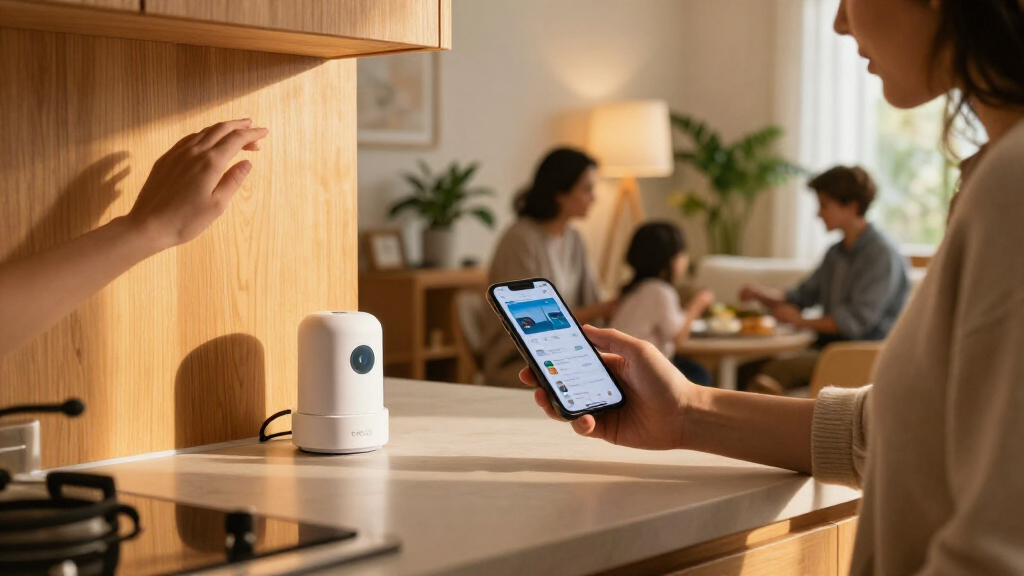
The MindClip is a small recorder, available in white or grey, that attaches to clothing or a bag strap. A side switch starts and stops recording, and a red light indicates when the device is recording. The reviewer found it discreet and comfortable to wear. SwitchBot says its microphone works up to 3 metres away.
SwitchBot lists up to 20 hours of continuous recording and 40 days on standby. The device charges by USB-C, with a full charge taking about an hour, according to the review. After recording stops, audio syncs to a paired phone over Bluetooth; users can also transfer files more quickly through the device’s Wi-Fi hotspot or upload them over home Wi-Fi while it is charging.
After upload, the service generates a structured summary, a highlights section with a to-do list and a transcript. Users can add suggested tasks to their phone’s calendar or reminders. The free allowance is 300 transcription minutes per month; regenerating a summary also uses minutes. The review lists paid plans, including a Pro option with 1,200 minutes per month and an annual Unlimited plan, at prices that differ between pounds and US dollars.
SwitchBot AI MindClip Review 3 things to consider at home
The clip-on recorder turns conversations into summaries, action points and transcripts. Its usefulness depends on checking the notes, understanding the recording limits and reviewing privacy terms.
1. Useful notes, not a perfect record
The reviewer found summaries helpful for following long discussions, but transcripts may contain errors.
- Scanning key discussion points
- Turning action items into reminders or calendar entries
- Compare important wording with the original audio
- Review action points before sharing or acting on them
2. Recording and syncing
The dedicated recorder captures nearby audio, then sends it to the app and cloud for processing.
Use the side switch; a red light indicates recording is active.
Sync over Bluetooth, use the device’s Wi-Fi hotspot, or connect it to home Wi-Fi while charging.
The service creates a summary, highlights with a to-do list, and a full transcript.
3. Check limits, costs and privacy
Frequent recording may require a paid plan, and the source review says regenerating summaries also uses transcription minutes.
Track your minutes
Compare the free allowance with your expected use and check current regional plan terms.
Check cloud policies
The source does not detail all retention, deletion or access controls. Review current terms before recording sensitive discussions.
Record thoughtfully
The recorder may pick up nearby conversations. Check applicable rules and record conversations you are part of.
Three Questions Before You Clip It On
Privacy is the first consideration. A recorder that can pick up speech beyond its wearer’s immediate conversation may capture other people’s voices. The reviewer reported that the MindClip picked up parts of a conversation behind them on a noisy show floor. That observation is not a measure of performance in every setting, but it shows why users should think about who may be recorded and whether they have permission.
Transcripts are not ready-made quotations. The reviewer found the summaries more dependable for getting the main points of a discussion, but reported errors in the transcript, including a misheard phrase. Speaker labels and playback controls can help users check and correct the text. Anyone relying on exact wording should verify it against the audio rather than treating an AI transcript as a verbatim record.
Regular use may cost extra. The free 300-minute allowance may suit occasional recordings, but users with frequent or lengthy meetings could exceed it. Since generating a summary again also uses minutes, the monthly cap affects more than recording time alone. The listed paid tiers make ongoing costs part of the purchase decision.
Products Worth Considering

Dyson V9 Motorbar Cordless Vacuum

Sonos Roam (Gen 1) Portable Smart Speaker, White

Roborock Qrevo S Pro Robot Vacuum and Mop with 18,500 Pa Suction
As an affiliate, we earn on qualifying purchases.
How the MindClip Processes Audio
The MindClip is part of SwitchBot’s growing range of products beyond its smart-home devices. It is not simply a microphone that produces notes on the device itself: the review says the AI processing happens in the cloud, and the reviewer could not upload an arbitrary existing audio file for processing. Users need the MindClip hardware and its app workflow.
The app and website offer ways to review and edit the results, though the review found differences between them. The app includes Highlights, which the website lacked at the time of testing. Export options include TXT, SRT, PDF and Word; the reviewer cautioned that copying text directly from the app does not preserve speaker names in the same way as formatted exports.
“The microphone works up to 3m away.”
— SwitchBot
Privacy and Accuracy Depend on Use
The review does not establish how the MindClip performs across different homes, room layouts, accents or recording conditions. Its reported microphone range is a SwitchBot claim, and one test at a trade show cannot show how often it will capture unintended speech in everyday use. The source material also does not specify what privacy controls, retention periods or deletion options apply to cloud-stored recordings and transcripts.
Transcript accuracy is not quantified, and the review does not provide a systematic comparison with other recorders. It also does not confirm whether app and website differences have since changed. Buyers should check current plan terms, pricing and data-handling details for their market before relying on the service.
Check Plans Before Regular Use
Readers considering the MindClip should check the current monthly transcription allowance, paid-plan prices and cloud-data terms in their region. For recordings involving other people, they should follow applicable consent and privacy rules and avoid capturing conversations without appropriate permission. After recording, review transcripts against the audio before sharing them or using them as a source for exact quotes.
The review provides no confirmed date for a software update or change to the service. SwitchBot’s app features, subscription terms and regional availability may change, so prospective buyers should confirm the latest details directly with the company before purchasing.
Key Questions
What does the SwitchBot AI MindClip do?
It records audio and sends it to SwitchBot’s app and cloud service, which generate an AI summary, a highlights section with suggested tasks and a transcript.
How long can the MindClip record?
SwitchBot lists up to 20 hours of continuous recording and 40 days on standby. The review says a full USB-C charge takes about an hour.
How much free transcription is included?
The service includes 300 transcription minutes per month. The review says regenerating a summary also uses minutes, and paid plans are available for users who need more.
Can the MindClip transcript be used for exact quotes?
Not without checking it. The reviewer found transcription errors and recommends comparing wording with the recording before using a quote verbatim.
What should users consider before recording at home?
Consider who may be captured, obtain permission where required and check how recordings and transcripts are stored and handled in the cloud. The source material does not detail the service’s retention or deletion policies.
Source: the-ambient.com