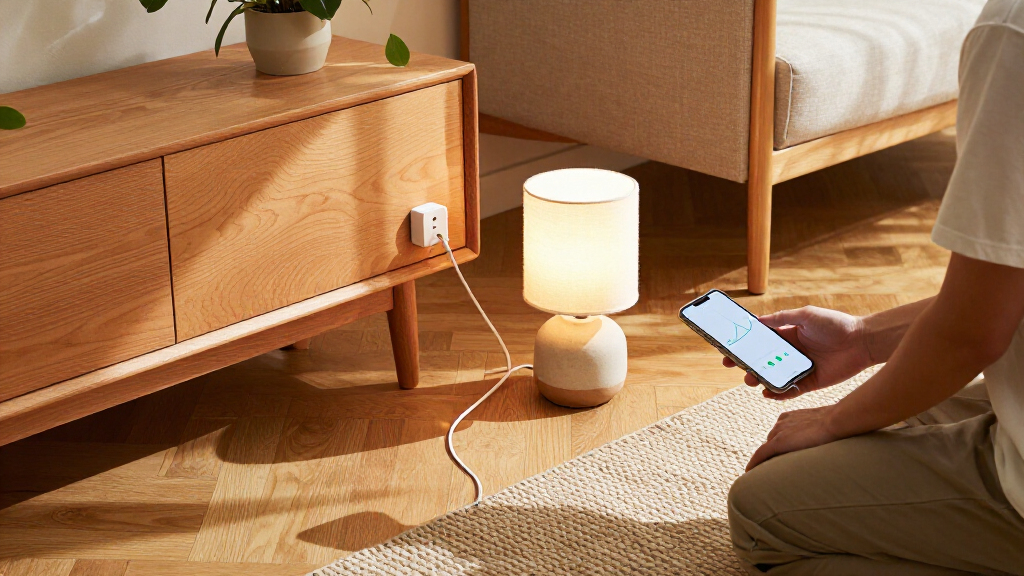

For most homes, I’d start with the Tapo P115 2-Pack: it pairs energy monitoring with 15A capacity and gives you two plugs to track separate devices. The Kasa Matter Smart Plug 4-Pack is a stronger fit if you want Matter support across several outlets, while the Kasa HS300 suits a desk or media setup that needs multiple individually controlled sockets. The main tradeoffs are how many outlets you need, which smart home platforms you use, and whether you want a compact plug, a power strip, or an in-wall replacement. Monitoring can help you spot usage patterns, but the app and connectivity you rely on matter as much as the energy data itself. Read on for the full comparison and picks by buyer type.

Get home appliances delivered free with Prime
- Fast, free delivery on millions of items
- Prime Video, Amazon Music and more included
- Member-only deals all year
Complete the kit


Key Takeaways
- The Tapo P115 2-Pack is my best overall fit for buyers who want 15A capacity and energy monitoring across two devices without committing to a larger bundle.
- Matter support appears in several Kasa and Tapo options, so platform flexibility and pack size help distinguish them more than the protocol label alone.
- Four-packs make sense when you already know which devices to track; a smaller pack lets you learn whether monitoring changes your habits before outfitting more outlets.
- The HS300 and Tapo P210M solve different outlet problems: the HS300 serves a cluster of electronics, while the in-wall P210M offers two separately controlled outlets in a fixed installation.
- Not every monitored plug is built around the same setup: the THIRDREALITY Gen3 is a Zigbee-oriented alternative, while Govee adds Bluetooth alongside Wi-Fi.
| Linkind Matter Smart Plug, 4-Pack | 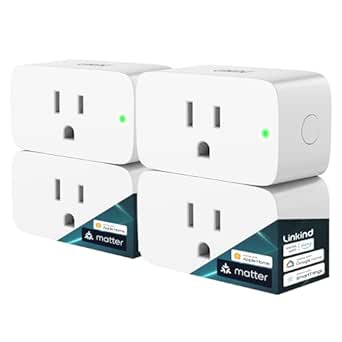 | Best for Matter Platform Flexibility | Model: LC09003256 | Pack quantity: 4 | Connectivity: Matter, 2.4 GHz Wi-Fi | VIEW LATEST PRICE | See Our Full Breakdown |
| Tapo P115 Smart Wi-Fi Plug with Energy Monitoring, 2-Pack, 15A |  | Best for Clear Energy Insights | Model: P115 | Pack quantity: 2 | Operating voltage: 125 V | VIEW LATEST PRICE | See Our Full Breakdown |
| Govee Smart Plug with Energy Monitoring, WiFi Bluetooth Outlet, 4 Pack |  | Best for Real-Time Electrical Readings | Model: H5086 | Pack quantity: 4 | Voltage: 110–120 V | VIEW LATEST PRICE | See Our Full Breakdown |
| Kasa Matter Smart Plug with Energy Monitoring, 4-Pack |  | Best Four-Pack for Matter and Monitoring | Model: KP125MP4 | Pack quantity: 4 | Maximum current: 15 A | VIEW LATEST PRICE | See Our Full Breakdown |
| Kasa Smart Plug Mini 15A with Energy Monitoring, Apple HomeKit Support (EP25) |  | Best Hub-Free HomeKit Pick | Model: EP25 | Maximum current: 15 A | Maximum wattage: 1800 W | VIEW LATEST PRICE | See Our Full Breakdown |
| Tapo P110M Matter Smart Plugs with Energy Monitoring, 4-Pack, 15 A |  | Best for Multi-Room Monitoring | Model: P110M | Pack size: 4 | Maximum wattage: 1800 W | VIEW LATEST PRICE | See Our Full Breakdown |
| Kasa Smart Plug Mini with Energy Monitoring (KP115) |  | Best for Simple Alexa and Google Setups | Model: KP115 | Connectivity: 2.4 GHz Wi-Fi | Voltage: 120 V AC | VIEW LATEST PRICE | See Our Full Breakdown |
| Kasa Matter Smart Plug with Energy Monitoring (2-Pack, KP125MP2) |  | Best for Local Matter Control | Model: KP125MP2 | Quantity: 2-pack | Maximum current: 15 A | VIEW LATEST PRICE | See Our Full Breakdown |
| Tapo P210M Smart In-Wall Outlet, Matter Compatible, Wi-Fi, 2-Outlet Control |  | Best for Permanent Two-Device Installations | Model: P210M | Connectivity: 2.4 GHz Wi-Fi; Bluetooth for setup only | Protocol: Matter Certified | VIEW LATEST PRICE | See Our Full Breakdown |
| Kasa Smart Wi-Fi Power Strip HS300 with 6 Outlets and 3 USB Ports |  | Best for Desk and Entertainment Centers | Model: HS300 | Outlets: 6, independently controlled | USB ports: 3; 5 V/2.4 A per port | VIEW LATEST PRICE | See Our Full Breakdown |
| THIRDREALITY Smart Plug Gen3, 4-Pack |  | Best for Zigbee Home Setups | Pack size: 4 plugs | Connectivity: Zigbee 3.0 | Hub requirement: Compatible Zigbee hub required | VIEW LATEST PRICE | See Our Full Breakdown |
| Tapo P115 Smart Wi-Fi Plug with Energy Monitoring, 4-Pack, 15A |  | Best for App-Based Energy Management | Model: P115 | Pack size: 4 plugs | Connectivity: 2.4 GHz Wi-Fi | VIEW LATEST PRICE | See Our Full Breakdown |
| smart plugs with energy monitoring | Model | Connectivity | Maximum current | Operating voltage |
|---|---|---|---|---|
| Linkind Matter Smart Plug | LC09003256 | Matter, 2.4 GHz Wi-Fi | 15 A | — |
| Tapo P115 Smart Wi-Fi Plug wit | P115 | 2.4 GHz Wi-Fi | — | 125 V |
| Govee Smart Plug with Energy M | H5086 | 2.4 GHz Wi-Fi and Bluetooth | 15 A | — |
| Kasa Matter Smart Plug with En | KP125MP4 | Matter, Wi-Fi, SmartThings; 2.4 GHz Wi-Fi | 15 A | 120 V |
| Kasa Smart Plug Mini 15A with | EP25 | 2.4 GHz Wi-Fi | 15 A | 120 V AC |
| Tapo P110M Matter Smart Plugs | P110M | Matter, 2.4 GHz Wi-Fi | — | — |
| Kasa Smart Plug Mini with Ener | KP115 | 2.4 GHz Wi-Fi | — | — |
| Kasa Matter Smart Plug with En | KP125MP2 | 2.4 GHz Wi-Fi, Matter | 15 A | 120 V |
| Tapo P210M Smart In-Wall Outle | P210M | 2.4 GHz Wi-Fi; Bluetooth for setup only | — | — |
| Kasa Smart Wi-Fi Power Strip H | HS300 | — | 15 A | — |
| THIRDREALITY Smart Plug Gen3 | — | Zigbee 3.0 | — | 110 V |
| Tapo P115 Smart Wi-Fi Plug wit | P115 | 2.4 GHz Wi-Fi | — | 110 V AC |
More Details on Our Top Picks
Linkind Matter Smart Plug, 4-Pack
The Linkind Matter Smart Plug suits households that want to spread basic on/off control across several rooms and choose among Apple Home, Alexa, Google Home, or SmartThings. Its four-plug pack and local Matter control can keep commands working over the home network during an internet outage. That gives it a broader platform focus than the Govee Smart Plug with Energy Monitoring, which centers its full functionality and energy data in the Govee app. The key limitation for this roundup is that the supplied product details do not describe energy monitoring, so I would not choose Linkind when measuring consumption is the main goal. It also needs 2.4 GHz Wi-Fi and a Matter hub for the listed major platforms. This is a better fit for cross-platform control than energy tracking.
Pros:- Matter support spans Apple Home, Alexa, Google Home, and SmartThings
- Local network control can continue when internet access is unavailable
- Four plugs support control in multiple rooms
- Short-circuit and overload protection are specified
Cons:- Energy monitoring is not specified in the product data
- A Matter hub is required for the listed major platforms
- Requires 2.4 GHz Wi-Fi and IPv6
Best for: Smart home owners who need several Matter-compatible plugs for platform-based remote, voice, and scheduled control.
Not ideal for: Buyers choosing primarily to monitor appliance energy use, since the supplied product information does not specify energy monitoring.
- Model:LC09003256
- Pack quantity:4
- Connectivity:Matter, 2.4 GHz Wi-Fi
- Network requirement:IPv6
- Compatible platforms:Apple Home, Alexa, Google Home, SmartThings, AiDot
- Maximum current:15 A
- Maximum power:1800 W
- Certification:FCC, ETL
Our verdict“Choose Linkind for multi-platform Matter control across several rooms, but pick an energy-monitoring model if consumption data is your priority.”
Tapo P115 Smart Wi-Fi Plug with Energy Monitoring, 2-Pack, 15A
The Tapo P115 is the clearest choice here for buyers who want household energy figures they can act on: its app provides consumption statistics and bill estimates alongside plug-level monitoring. Compared with the Govee Smart Plug with Energy Monitoring, Tapo’s described reporting emphasizes usage history and estimated bills, while Govee calls out real-time power, current, and voltage readings. The two-pack is a smaller starting set than Govee’s four plugs, but its compact body is designed to leave neighboring outlets accessible. Scheduling, remote control, and Alexa or Google Assistant voice commands cover everyday automation. The tradeoffs are a 2.4 GHz Wi-Fi requirement and a 15 A, 1800 W ceiling; buyers with heavier loads need to check appliance requirements before connecting them. For energy visibility with straightforward app control, it has a strong case.
Pros:- Tracks energy use and presents consumption statistics
- App includes estimated bill information
- Compact design is intended to preserve access to adjacent outlets
- Scheduling, remote control, and Alexa or Google Assistant voice control
Cons:- Two plugs may not cover several rooms or appliances
- Requires a 2.4 GHz Wi-Fi network
- Maximum load is 15 A and 1800 W
Best for: Renters or homeowners who want app-based energy statistics and bill estimates for a couple of ordinary plug-in appliances.
Not ideal for: Buyers who need a four-plug set, detailed real-time electrical readings, or support beyond 2.4 GHz Wi-Fi and 15 A.
- Model:P115
- Pack quantity:2
- Operating voltage:125 V
- Maximum wattage:1800 W
- Connectivity:2.4 GHz Wi-Fi
- Energy features:Consumption statistics and bill estimates in the Tapo app
- Voice assistants:Alexa, Google Assistant
- Certifications:ETL, FCC, RoHS
Our verdict“Pick the Tapo P115 if app-based usage history and bill estimates matter more than getting four plugs or detailed electrical readings.”
Govee Smart Plug with Energy Monitoring, WiFi Bluetooth Outlet, 4 Pack
The Govee Smart Plug makes sense for buyers who want more than a general view of consumption: the product data specifies real-time readings for power, current, and voltage. That is a more detailed electrical snapshot than the Tapo P115’s described consumption statistics and bill estimates. Four plugs also let buyers monitor several appliances, with group control and scheduling to simplify routines. Bluetooth accompanies 2.4 GHz Wi-Fi, and voice commands work through Alexa and Google Assistant. The tradeoff is a stronger tie to the Govee Home app for full functionality and data review; it does not offer the Matter platform breadth described for the Kasa Matter Smart Plug. Skip it if you need 5 GHz Wi-Fi or want to keep monitoring outside Govee’s app. Its appeal is the level of live data, not a universal smart home setup.
Pros:- Real-time power, current, and voltage monitoring
- Four plugs support monitoring multiple appliances
- Scheduling and group control simplify coordinated routines
- Wi-Fi and Bluetooth connectivity with Alexa and Google Assistant voice control
Cons:- Supports 2.4 GHz Wi-Fi only
- Full functionality and data review depend on the Govee Home app
- Does not list Matter compatibility
Best for: App-focused households that want live power, current, and voltage readings across several appliances.
Not ideal for: Buyers who need 5 GHz Wi-Fi, Matter platform integration, or energy data available without the Govee Home app.
- Model:H5086
- Pack quantity:4
- Voltage:110–120 V
- Maximum current:15 A
- Connectivity:2.4 GHz Wi-Fi and Bluetooth
- Energy monitoring:Real-time power, current, and voltage
- Voice assistants:Alexa, Google Assistant
- Certifications:ETL, FCC, CA65, SDOC
Our verdict“Choose Govee when live electrical readings across four plugs are the priority and its app-based setup suits your smart home.”
Kasa Matter Smart Plug with Energy Monitoring, 4-Pack
The Kasa Matter Smart Plug brings together the two features that define this roundup: energy monitoring and broad smart home integration. Its four-plug pack works with Apple Home, Alexa, Google Home, and SmartThings, and local Matter communication can keep compatible controls available when internet access drops. Compared with the Linkind Matter Smart Plug, this model explicitly includes energy tracking, which makes it the more direct fit for shoppers comparing energy-monitoring options. It also has a compact, flame-retardant design and UL certification. The limit is its 15 A, 1800 W rating, shared by several plugs here, plus its dependence on 2.4 GHz Wi-Fi. The supplied information does not detail the depth of its energy reports, so buyers seeking the Govee’s specified live power, current, and voltage readings may prefer that alternative.
Pros:- Energy monitoring is included alongside Matter smart home integration
- Works with Apple Home, Alexa, Google Home, and SmartThings
- Local network communication can continue without internet access
- Compact, flame-retardant design with UL certification
Cons:- Requires 2.4 GHz Wi-Fi
- Maximum load is 15 A and 1800 W
- Supplied details do not specify the depth or format of energy reports
Best for: Matter households that want energy monitoring and compatible plug control in several rooms from one four-pack.
Not ideal for: Buyers who need loads above 15 A or specifically want documented live power, current, and voltage readings.
- Model:KP125MP4
- Pack quantity:4
- Maximum current:15 A
- Maximum power:1800 W
- Operating voltage:120 V
- Connectivity:Matter, Wi-Fi, SmartThings; 2.4 GHz Wi-Fi
- Compatible platforms:Apple Home, Amazon Alexa, Google Home, Samsung SmartThings
- Certification:UL
Our verdict“Choose this Kasa four-pack if you want Matter compatibility and energy monitoring across multiple rooms, within its 15 A limit.”
Kasa Smart Plug Mini 15A with Energy Monitoring, Apple HomeKit Support (EP25)
The Kasa Smart Plug Mini EP25 is the practical pick for Apple households that want energy tracking without adding a hub. It supports Siri and Apple HomeKit as well as Alexa, Google Assistant, and SmartThings, with real-time and historical usage in the Kasa app. Unlike the four-pack Kasa Matter model, the EP25 is described as connecting over Wi-Fi without a hub, making setup simpler for a single outlet or a smaller monitoring project. Its compact body helps preserve the neighboring socket, and schedules and timers can automate routine devices. The tradeoff is that it lacks the Matter support and specified local outage behavior of that four-pack; HomeKit remote control also needs another networked Apple device at home. It remains limited to 2.4 GHz Wi-Fi and 15 A, so check both network and appliance needs.
Pros:- Works with Siri and Apple HomeKit without a hub
- Kasa app provides real-time and historical energy usage
- Also supports Alexa, Google Assistant, and SmartThings
- Compact, flame-retardant design with UL certification
Cons:- HomeKit remote control requires a networked Apple device at home
- Requires 2.4 GHz Wi-Fi
- Maximum load is 15 A and 1800 W
Best for: Apple HomeKit users who want historical and real-time energy tracking from a compact plug without buying a hub.
Not ideal for: Buyers wanting Matter-based local control during internet outages, or those without a 2.4 GHz Wi-Fi network.
- Model:EP25
- Maximum current:15 A
- Maximum wattage:1800 W
- Operating voltage:120 V AC
- Connectivity:2.4 GHz Wi-Fi
- Energy monitoring:Real-time and historical usage
- Voice assistants:Siri, Amazon Alexa, Google Assistant, SmartThings
- Hub required:No
Our verdict“Choose the EP25 for hub-free HomeKit energy monitoring and broad voice assistant support, provided its Wi-Fi and load limits fit.”
Tapo P110M Matter Smart Plugs with Energy Monitoring, 4-Pack, 15 A
I’d choose the Tapo P110M 4-pack when I want to monitor several appliances and connect them to different smart home platforms. Its Matter support spans Apple HomeKit, Alexa, Google Home, and SmartThings, while energy statistics and bill estimates give me more context than simple on/off control. Compared with the Kasa KP115, it offers broader ecosystem support and comes as a four-plug set, which suits a room-by-room setup. The compact shape also helps keep adjacent outlets available. The tradeoff is that these plugs depend on 2.4 GHz Wi-Fi, and automatic cutoff takes some setup: I have to define the power threshold and duration. I’d pick it for flexible monitoring across multiple rooms, but skip it if I want cutoff behavior that works without configuration.
Pros:- Four plugs make it practical to monitor appliances in several locations
- Matter supports Apple HomeKit, Alexa, Google Home, and SmartThings
- Energy statistics and bill estimates help identify power use
- Compact design leaves neighboring outlets accessible
Cons:- Requires a 2.4 GHz Wi-Fi network
- Power cutoff depends on user-set thresholds and durations
Best for: Smart home owners who want energy stats and Matter control for several appliances across multiple rooms
Not ideal for: Buyers whose Wi-Fi setup lacks 2.4 GHz or who want power cutoff without configuring thresholds and durations
- Model:P110M
- Pack size:4
- Maximum wattage:1800 W
- Connectivity:Matter, 2.4 GHz Wi-Fi
- Control methods:App, voice, scheduling
- Compatible platforms:Amazon Alexa, Apple HomeKit, Google Home, Samsung SmartThings
- Operation mode:Automatic
- Color:White
Our verdict“Choose the P110M if you want a four-room Matter setup with energy tracking and are willing to configure its cutoff rules.”
Kasa Smart Plug Mini with Energy Monitoring (KP115)
The Kasa KP115 is a straightforward choice if my priority is tracking one appliance without adding a hub or changing my smart home setup. It monitors energy use and works with Alexa and Google Assistant, while overheating protection and a child-safe sliding cover add practical safety features. Compared with the Tapo P110M, it lacks Matter and broader platform support, but the Kasa plug keeps the job simple for households already using Alexa or Google. Its UL certification and two-year warranty also make its basic role clear. The limits are real: each plug handles one device, it needs 2.4 GHz Wi-Fi, and its IP00 rating offers no water or dust protection. I’d use it for indoor appliances, not damp or dusty spaces.
Pros:- Energy monitoring helps spot consumption from a single appliance
- Works with Alexa and Google Assistant without a hub
- Overheating protection and a child-safe sliding cover
- UL certified with a two-year warranty
Cons:- Supports 2.4 GHz Wi-Fi only
- Single outlet controls one device per plug
- IP00 rating provides no water or dust protection
Best for: Alexa or Google Assistant households that want to monitor an individual indoor appliance without a hub
Not ideal for: Matter users, buyers needing multi-device control from one outlet, or anyone placing a plug where water or dust is a concern
- Model:KP115
- Connectivity:2.4 GHz Wi-Fi
- Voltage:120 V AC
- Maximum wattage:1800 W
- Dimensions:2.62 x 1.57 x 1.5 inches
- Compatibility:Amazon Alexa, Google Assistant, IFTTT, Vera
- Certification:UL Certified
- Warranty:2 years
Our verdict“Pick the KP115 for simple indoor energy monitoring with Alexa or Google, and choose a Matter model if you need broader platform flexibility.”
Kasa Matter Smart Plug with Energy Monitoring (2-Pack, KP125MP2)
I’d put the Kasa KP125MP2 on the shortlist when keeping smart home control local matters as much as measuring energy. Its Matter compatibility connects it with Apple Home, Alexa, Google Home, and SmartThings, and local LAN control can keep devices communicating when internet access drops. Energy monitoring adds a useful view of consumption patterns, while the compact two-pack suits a small setup without blocking neighboring outlets. Compared with the Tapo P110M, this Kasa set emphasizes local network control, while the Tapo listing also describes bill estimates and configurable power cutoffs. The KP125MP2 sticks to straightforward on/off switching: there’s no dimming or advanced power adjustment, and it still requires 2.4 GHz Wi-Fi. I’d choose it for local Matter routines, not for elaborate load control.
Pros:- Matter support spans Apple Home, Alexa, Google Home, and SmartThings
- Local LAN control can continue without internet access
- Energy monitoring shows consumption patterns
- Compact UL-certified plugs are designed to leave adjacent outlets accessible
Cons:- Requires 2.4 GHz Wi-Fi
- Offers on/off switching without dimming or advanced power adjustment
Best for: Matter users who want local network control and energy monitoring for a pair of household appliances
Not ideal for: Buyers who need dimming, advanced load adjustment, or plugs that work without a 2.4 GHz Wi-Fi network
- Model:KP125MP2
- Quantity:2-pack
- Maximum current:15 A
- Maximum wattage:1800 W
- Operating voltage:120 V
- Connectivity:2.4 GHz Wi-Fi, Matter
- Compatible platforms:Apple Home, Amazon Alexa, Google Home, Samsung SmartThings
- Certification:UL Certified
- Warranty:2-year limited
Our verdict“Choose the KP125MP2 for local Matter control and energy tracking across two devices, provided basic on/off control is enough.”
Tapo P210M Smart In-Wall Outlet, Matter Compatible, Wi-Fi, 2-Outlet Control
The Tapo P210M is the specialist pick here: it replaces a wall outlet and gives me independent or simultaneous control of two connected devices, with energy monitoring and overcharge prevention. Matter support and local control help it fit into a broader smart home, including when internet service is unavailable. Compared with the plug-in Kasa KP125MP2, the P210M frees up a receptacle and controls two outlet positions, but installation is a bigger commitment. It needs neutral wiring and a 2.4 GHz Wi-Fi network, and the product data cautions that installation may call for an electrician or substantial DIY skill. That makes it a poor choice for renters or older homes with incompatible wiring. I’d consider it when a permanent, tidy installation matters more than easy setup.
Pros:- Controls two outlet positions independently or together
- Matter support covers major smart home platforms
- Energy monitoring and overcharge prevention are built in
- Local control can work when home internet is unavailable
Cons:- Installation requires neutral wiring
- In-wall wiring can require professional help or significant DIY expertise
- Wi-Fi operation requires 2.4 GHz
Best for: Homeowners with neutral wiring who want permanent, independently controlled smart outlets and energy monitoring
Not ideal for: Renters, homes without neutral wiring, or buyers who need a simple plug-in installation
- Model:P210M
- Connectivity:2.4 GHz Wi-Fi; Bluetooth for setup only
- Protocol:Matter Certified
- Voltage:125 V AC, 50/60 Hz
- Maximum load:1875 W
- Mounting type:Wall mount
- Material:Flame-retardant PC (UL 94 V-0)
- Certifications:ETL, FCC, RoHS
Our verdict“Choose the P210M for a permanent two-outlet Matter installation if your wiring supports it and you’re prepared for in-wall setup.”
Kasa Smart Wi-Fi Power Strip HS300 with 6 Outlets and 3 USB Ports
When one device isn’t enough, the Kasa HS300 brings energy monitoring to a shared setup: six individually controlled outlets plus three USB ports make it suited to a desk or entertainment center. Its surge protection adds a layer for connected electronics, while app and voice control let me manage separate outlets without reaching behind furniture. Compared with the single-device Kasa KP115, the HS300 handles a cluster of equipment from one strip, but it takes more space and depends on Wi-Fi and the Kasa app for full control. The listed compatibility includes Alexa, Google Assistant, and Cortana, with no Matter support stated. It also uses North American voltage and has no physical switch for each outlet. I’d pick it for a stationary electronics group, not for a compact or app-free setup.
Pros:- Six outlets can be controlled independently
- Three USB ports add charging connections
- Energy monitoring helps track consumption across connected equipment
- ETL-certified surge protection is included
Cons:- Full control depends on a smartphone app and Wi-Fi
- No physical on/off switch for individual outlets
- Designed for North American voltage standards
Best for: People managing several desk or entertainment devices who want individual outlet control, energy monitoring, and surge protection
Not ideal for: Buyers seeking a compact plug, physical per-outlet switches, Matter support, or compatibility beyond North American voltage
- Model:HS300
- Outlets:6, independently controlled
- USB ports:3; 5 V/2.4 A per port
- Input voltage:100–125 V, 60 Hz
- Maximum current:15 A
- Maximum load:1875 W
- Plug type:Type B, 3-prong North American
- Dimensions:14.17 x 2.49 inches
- Compatibility:Alexa, Google Assistant, Microsoft Cortana
Our verdict“Choose the HS300 when a group of electronics needs separate control and monitoring from one surge-protected strip.”
THIRDREALITY Smart Plug Gen3, 4-Pack
The THIRDREALITY Gen3 suits buyers who already run a Zigbee system and want energy readings from several outlets. Its stated ±1% monitoring accuracy gives device-by-device tracking a useful level of precision, while each plug can also repeat Zigbee signals to help extend network coverage. That makes this four-pack more appealing for a growing smart-home setup than a basic Wi-Fi option such as the Tapo P115 4-Pack, which offers app-based scheduling and charging limits instead.
The tradeoff is the required compatible Zigbee hub: without one, these plugs cannot provide their advertised control. Power-on status restoration also varies by platform. I’d choose this set for hub owners who value mesh coverage and precise monitoring, but skip it if you want a straightforward Wi-Fi setup.
Pros:- Stated ±1% power monitoring accuracy
- Each plug can extend Zigbee mesh coverage
- Four plugs support monitoring across several outlets
- Compact design leaves adjacent sockets accessible
Cons:- Requires a compatible Zigbee hub for control
- Power-on status restoration is limited to specified platforms
Best for: Zigbee hub owners who want accurate energy tracking across several devices and added mesh coverage
Not ideal for: Wi-Fi-only smart-home users who do not own a compatible Zigbee hub
- Pack size:4 plugs
- Connectivity:Zigbee 3.0
- Hub requirement:Compatible Zigbee hub required
- Operating voltage:110 V
- Monitoring accuracy:±1%
- Compatible platforms:Home Assistant, SmartThings, Hubitat, compatible Echo devices
- Control:Remote and voice control
- Certification:ETL certified
Our verdict“Choose this four-pack if you already have a compatible Zigbee hub and want precise monitoring plus mesh repeaters in one device.”
Tapo P115 Smart Wi-Fi Plug with Energy Monitoring, 4-Pack, 15A
The Tapo P115 four-pack is a practical fit for buyers who want energy tracking alongside everyday control tools. Its app provides energy statistics and charts, while schedules and charging limits help manage when connected devices run. The automatic overload shutoff adds another layer of protection. Compared with the THIRDREALITY Smart Plug Gen3, the P115 works over Wi-Fi and does not call for a separate Zigbee hub, though it does not offer the same Zigbee mesh repeating or stated ±1% monitoring accuracy.
Its limits matter: setup depends on 2.4 GHz Wi-Fi, and the listed operating voltage is 110 V AC. This set makes more sense for households already using Tapo, Alexa, Google Assistant, or SmartThings than for buyers building a Zigbee-first system. The compact plugs keep neighboring outlets usable, but the Wi-Fi requirement narrows where they fit.
Pros:- Energy statistics and charts help track device use
- Scheduling and smart charging limits support routine control
- Automatic overload shutoff is included
- Compact plugs leave neighboring outlets accessible
Cons:- Connects only to 2.4 GHz Wi-Fi
- Designed for 110 V AC operation
Best for: Households seeking app-based energy charts, schedules, and charging limits across multiple devices
Not ideal for: Buyers with 5 GHz-only Wi-Fi or a Zigbee-first smart-home setup
- Model:P115
- Pack size:4 plugs
- Connectivity:2.4 GHz Wi-Fi
- Operating voltage:110 V AC
- Maximum wattage:1800 W
- Control:Tapo app and voice control
- Compatible assistants:Amazon Alexa, Google Assistant, SmartThings
- Features:Energy monitoring, scheduling, smart charging limit, overload shutoff
- Certifications:ETL, FCC, RoHS
Our verdict“Pick the Tapo P115 four-pack for app-based monitoring and scheduling without a separate hub, provided your network supports 2.4 GHz Wi-Fi.”
How We Picked
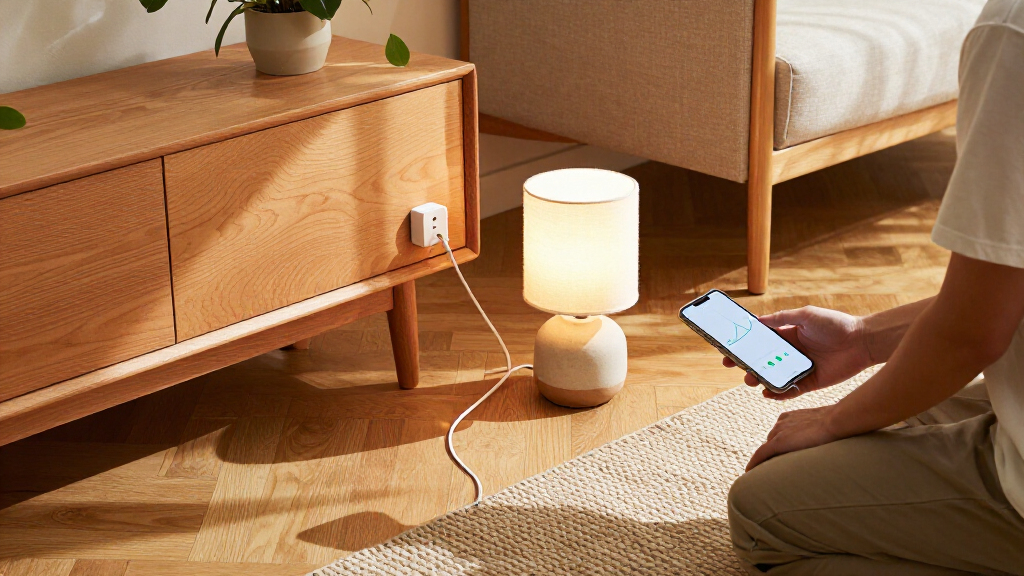
I ranked these plugs around what changes the buying decision: energy monitoring, outlet format, stated electrical capacity, connectivity, and how many devices each package can cover. A compact plug is easier to place around furniture; a strip can monitor and control a group of electronics; an in-wall outlet trades portability for a built-in installation. I also considered whether the product’s connectivity is likely to fit a buyer’s existing smart home setup, including Matter, Wi-Fi, Bluetooth, and Zigbee options.
The order favors useful balance for common monitoring needs, then gives more weight to specialized formats and setup preferences. That puts the Tapo P115 2-Pack first as a straightforward two-device starting point, with Matter bundles close behind for buyers equipping multiple rooms. Larger bundles are not automatically ranked higher: they are more useful when the buyer has enough target devices, while the power strip and in-wall unit serve narrower needs. Product names and listed features guide this comparison; I do not imply hands-on testing or claim that one app provides more accurate readings than another.
Factors to Consider When Choosing Smart Plugs With Energy Monitoring
I’d choose a monitored plug by starting with the device and outlet location, then checking the details that can limit day-to-day use. These broader checks help avoid buying a bundle that does not fit your home or treating energy estimates as a complete utility bill.
Check What You Actually Want to Measure
Make a short list of the devices whose usage would change a decision, such as a dehumidifier, desktop setup, or seasonal appliance. A monitored plug is most useful when you can act on its readings by changing schedules, settings, or replacement plans. For devices with highly variable cycles, a single snapshot may not tell you much; look for an app that exposes history over a useful period. Avoid assuming that a plug-level reading captures standby consumption from equipment connected elsewhere. If you are comparing two appliances, measure them under similar conditions and use the same time window. Start with one or two plugs if you are unsure which readings will matter to you.
Match the Plug to the Load and Outlet
Check the appliance’s electrical requirements against the smart plug’s stated rating before connecting it. The 15A listings in this roundup may suit many household devices, but a rating alone does not establish compatibility with every motor, heater, or high-draw appliance. Follow the product maker’s limits and any appliance-specific instructions. Also account for the plug’s physical size: a wide body can block a neighboring socket even when the electrical rating is suitable. A power strip can reduce outlet clutter for a group of electronics, but it changes the layout and adds a shared connection point. For fixed installations, an in-wall outlet calls for a different fit and installation check than a portable plug.
Choose Connectivity for Your Existing Setup
Matter, Wi-Fi, Bluetooth, and Zigbee describe different ways a device may join or communicate with a smart home, so check the specific product’s requirements before buying. Matter can simplify cross-platform integration, but you still need compatible controllers and a supported setup. Wi-Fi plugs avoid a separate hub in many configurations, though coverage and network congestion can affect reliability. Zigbee options can make sense in a home that already has a compatible hub, but they add a dependency that a Wi-Fi buyer may not want. Bluetooth can help with nearby setup or control, while its practical reach differs from whole-home Wi-Fi. Confirm that the plug works with the voice assistant and routines you actually use rather than relying on a protocol name alone.
Treat Bundle Size as a Commitment
A multi-pack can cover several rooms at once, but it also commits you to one product family before you know how its app fits your routine. Count the outlets you can use without blocking adjacent sockets and identify the appliances that need monitoring. If you only have one clear target, a smaller pack reduces unused hardware and gives you a chance to learn from the data. A larger bundle is easier to justify when you have a repeatable monitoring plan for several devices. Mixed brands can offer flexibility, but they may split schedules and energy histories across multiple apps. Decide whether centralized control matters more to you than choosing each plug for a different location.
Know the Limits of Energy Readings
Smart plug readings are useful for comparing patterns and spotting changes, but their display should not be treated as a certified utility meter unless the manufacturer explicitly says so. Readings can be affected by the appliance’s operating cycle, how the app aggregates data, and whether the plug remains connected. Check whether the app shows current power, accumulated energy, or both, since those answer different questions. A device that draws power intermittently may need a longer observation period before its usage pattern becomes clear. If you use readings to estimate cost, apply your own electricity rate and remember that fixed utility charges may not be represented. Keep monitoring goals practical: detecting a left-on device is different from making a precise bill reconciliation.
Frequently Asked Questions
Should I choose a Matter plug if I already use Alexa, Google Home, or Apple Home?
Matter can make a plug easier to use across supported smart home platforms, but the exact setup still depends on your controller, app, and product configuration. Check the plug’s compatibility details for the platforms and features you need, including energy monitoring. A Matter label does not guarantee that every platform displays energy data in the same way. If your current ecosystem already handles schedules and monitoring reliably, a non-Matter plug may still fit. Choose Matter when cross-platform flexibility is a real need, not simply because the label is present.
Is a four-pack a better buy than starting with two monitored plugs?
A four-pack makes sense when you can name four devices you want to monitor and have usable outlets for them. If you are still figuring out whether energy history will affect your choices, two plugs provide a lower-commitment way to learn your routine. You may discover that only a few appliances produce actionable data, or that one room benefits much more than others. Consider whether you want all plugs in one app before mixing products from different brands. Let your monitoring plan, rather than the pack count alone, drive the choice.
Can I use an energy-monitoring smart plug with a heater or other high-draw appliance?
Do not decide from the phrase “energy monitoring” alone. Check the plug’s electrical limits and the appliance maker’s guidance, including any restrictions for heating elements, motors, or continuous operation. The 15A models in this roundup still require a compatibility check for the specific appliance and outlet. A plug’s capacity does not make every connected device safe or suitable for remote switching. When the instructions are unclear, use an outlet or control method approved for that appliance.
Will the energy data tell me exactly how much an appliance costs to run?
It can help you estimate usage, but the displayed reading may not match a utility bill exactly. The app may report energy over a selected period, while your bill can include time-based rates, taxes, and fixed charges. To estimate variable electricity cost, pair the recorded energy with your current rate and use a consistent measurement period. For cycling appliances, collect data long enough to include normal operation rather than relying on a brief reading. Treat the result as a comparison tool unless the manufacturer specifies a more exact billing use.
When does an in-wall outlet or power strip make more sense than individual plugs?
An in-wall unit is useful when you want a built-in solution with two controlled outlets and are comfortable with the installation requirements. A power strip is a better fit for a group of electronics that share one location, such as a desk or media area. Individual plugs are easier to move between rooms and let you monitor separate appliances without replacing an outlet or relocating a whole strip. Consider access to the socket, neighboring outlet clearance, and whether you need separate control for each connected device. The best format depends on the layout and devices, not simply on how many outlets the product offers.
Conclusion
For most buyers, I recommend the Tapo P115 2-Pack as the best overall starting point because it combines 15A capacity with monitoring for two devices. The Linkind Matter Smart Plug 4-Pack is my best value-style choice for buyers who want several Matter-capable outlets in one bundle, while the Kasa HS300 is the premium format for a busy desk or media setup that needs a monitored power strip. Beginners can start with the Kasa KP115 as a single compact plug before expanding. For a built-in two-outlet solution, look at the Tapo P210M; for a Zigbee-based home, consider the THIRDREALITY Gen3. Choose based on the devices you will track, your smart home setup, and the outlet format that fits your space.