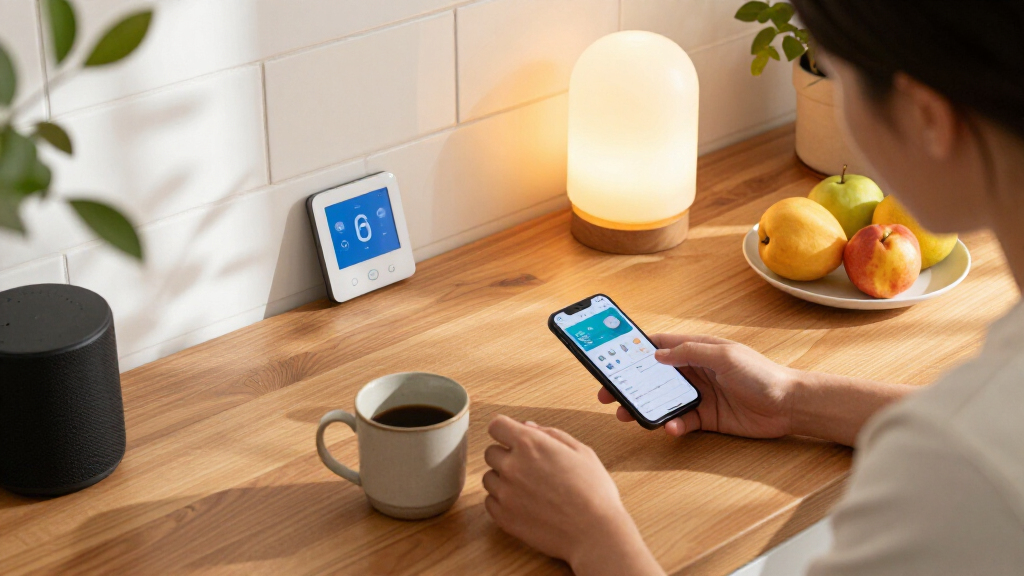

The best Apple HomeKit smart home devices depend on whether you want simple outlet control, permanent lighting upgrades, or a stronger smart-home foundation. My best overall pick is the Apple HomePod (2nd Generation), which adds Siri voice control and a home hub role; the Kasa EP40A stands out for outdoor equipment, while the Tapo P125M offers a Matter-based route for adding indoor plugs. The main tradeoffs are setup simplicity versus broader compatibility, and low-effort plug-in devices versus more involved switches or garage controls. Check your wiring, Wi-Fi, and hub needs before choosing. Read on for how all 14 options compare and which one suits your setup.

Get home appliances delivered free with Prime
- Fast, free delivery on millions of items
- Prime Video, Amazon Music and more included
- Member-only deals all year
Complete the kit



Key Takeaways
- The HomePod is the most foundational pick: unlike the plugs, bulbs, and switches, it adds a Siri speaker and can serve as a Home hub for remote access and automations.
- Outdoor control has a clear specialist: the Kasa EP40A has two outlets in a weather-oriented design, while the indoor plug options are better suited to lamps and household electronics.
- Matter support is useful when ecosystems may change: Linkind and Tapo Matter plugs can make sense for homes that may add platforms beyond Apple Home, but buyers still need to check hub and setup requirements.
- Plugs are the simplest way to start: several models add HomeKit control without changing wiring; wall switches offer a cleaner built-in result but need compatible electrical wiring.
- Some devices solve narrow, practical problems: the meross garage opener and Airversa button controller add specific controls that a general-purpose smart plug cannot provide.
| Kasa EP40A Outdoor Smart Plug with Apple HomeKit, 2 Outlets |  | Best Outdoor HomeKit Plug | Model: EP40A | Outlets: 2 independently controlled AC outlets | Voltage: 125 V AC | VIEW LATEST PRICE | See Our Full Breakdown |
| Tapo Apple HomeKit Smart Plug Mini (P125) – 2-Pack, 15A |  | Best Compact Starter Pack | Pack size: 2 smart plugs | Maximum current: 15 A | Maximum load: 1800 W | VIEW LATEST PRICE | See Our Full Breakdown |
| Kasa Smart Plug Mini 15A, EP25P2, Apple HomeKit Compatible |  | Best for Energy Monitoring | Model: EP25P2 | Unit count: 2 | Maximum current: 15 A | VIEW LATEST PRICE | See Our Full Breakdown |
| meross 15A Smart Plug, Apple HomeKit and Voice Control, 4-Pack |  | Best Multi-Room Value Pack | Model: MSS110HK | Pack size: 4 | Maximum current: 15 A | VIEW LATEST PRICE | See Our Full Breakdown |
| Linkind Matter Smart Plug, 4-Pack |  | Best for Multi-Platform Matter Setups | Model: LC09003256 | Quantity: 4 | Plug type: Type A | VIEW LATEST PRICE | See Our Full Breakdown |
| Kasa KS200P3 Apple HomeKit Smart Light Switch, Single Pole |  | Best Smart Switch for Simple Retrofits | Model: KS200P3 | Switch type: Single pole, one-way | Operating voltage: 120 V | VIEW LATEST PRICE | See Our Full Breakdown |
| Airversa QliQ AC1 HomeKit Button Controller, White, 1 Pack |  | Best for Physical Scene Control | Model: AC1 | Connectivity: Thread | Buttons: 3, with single-click, double-click, and long-press actions | VIEW LATEST PRICE | See Our Full Breakdown |
| Kasa Smart Plug Mini EP25, 15A, Apple HomeKit |  | Best HomeKit Plug for Energy Monitoring | Model: EP25P4 | Maximum current: 15 A | Maximum load: 1,800 W | VIEW LATEST PRICE | See Our Full Breakdown |
| meross Smart Light Switch, Single Pole, 4-Pack |  | Best Multi-Room Switch Upgrade | Model: MSS510 | Pack count: 4 | Switch type: Single-pole, 1-way | VIEW LATEST PRICE | See Our Full Breakdown |
| Linkind Matter Smart LED Bulbs, 6-Pack, A19 E26, 800 Lumens |  | Best Color-Bulb Starter Set | Quantity: 6 bulbs | Bulb shape and base: A19, E26 | Brightness: 800 lumens | VIEW LATEST PRICE | See Our Full Breakdown |
| meross Smart Garage Door Opener Remote (MSG100HK) |  | Best for HomeKit Garage Access | Model: MSG100HK | Connectivity: 2.4 GHz Wi-Fi | Compatible platforms: Apple HomeKit, Siri, CarPlay, Alexa, Google Assistant, SmartThings | VIEW LATEST PRICE | See Our Full Breakdown |
| meross Smart Table Lamp with HomeKit and Alexa |  | Best HomeKit Lamp for Flexible Lighting | Bulb base and shape: E26 medium; A19 | Light source and wattage: LED; 6 watts | Brightness: Dimmable from 1% to 100% | VIEW LATEST PRICE | See Our Full Breakdown |
| TP-Link Tapo P125M Matter Smart Plugs, 3-Pack |  | Best Multi-Platform Smart Plug Pack | Model and quantity: Tapo P125M; 3-pack | Maximum load: 15 A; 1800 W | Operating voltage: 120 V AC | VIEW LATEST PRICE | See Our Full Breakdown |
| Apple HomePod (2nd Generation) Smart Speaker with Siri, Midnight |  | Best Premium HomeKit Hub and Speaker | Model number: MDEW4LL/A | Color: Midnight | Mounting type: Tabletop | VIEW LATEST PRICE | See Our Full Breakdown |
| Apple HomeKit smart home device | Connectivity | Model | Compatible platforms |
|---|---|---|---|
| Kasa EP40A Outdoor Smart Plug | — | EP40A | — |
| Tapo Apple HomeKit Smart Plug | Bluetooth and 2.4 GHz Wi-Fi | — | Apple HomeKit, Alexa, Google Home, Samsung SmartThings |
| Kasa Smart Plug Mini 15A | 2.4 GHz Wi-Fi | EP25P2 | — |
| meross 15A Smart Plug | 2.4 GHz Wi-Fi | MSS110HK | — |
| Linkind Matter Smart Plug | — | LC09003256 | Apple Home, Alexa, Google Home, SmartThings, AiDot |
| Kasa KS200P3 Apple HomeKit Sma | 2.4 GHz Wi-Fi | KS200P3 | — |
| Airversa QliQ AC1 HomeKit Butt | Thread | AC1 | — |
| Kasa Smart Plug Mini EP25 | 2.4 GHz Wi-Fi | EP25P4 | Apple HomeKit, Alexa, Google Assistant, Samsung SmartThings |
| meross Smart Light Switch | 2.4 GHz Wi-Fi | MSS510 | — |
| Linkind Matter Smart LED Bulbs | Matter, Wi-Fi (2.4 GHz) | — | Apple Home, Alexa, Google Home |
| meross Smart Garage Door Opene | 2.4 GHz Wi-Fi | MSG100HK | Apple HomeKit, Siri, CarPlay, Alexa, Google Assistant, SmartThings |
| meross Smart Table Lamp with H | Wi-Fi | — | Apple HomeKit, Amazon Alexa, SmartThings |
| TP-Link Tapo P125M Matter Smar | Bluetooth, Matter, and Wi-Fi | — | Apple Home, Amazon Alexa, Google Home, Samsung SmartThings |
| Apple HomePod | Wireless | — | — |
More Details on Our Top Picks
Kasa EP40A Outdoor Smart Plug with Apple HomeKit, 2 Outlets
For outdoor HomeKit control, the Kasa EP40A stands apart from the indoor plugs in this roundup: its two independently controlled outlets let you schedule separate devices, such as patio lights and seasonal decorations, from one outdoor plug. It works with Apple HomeKit and Siri as well as Alexa and Google Assistant, and its IP64 rating offers protection from dust and splashing water. Compared with the Tapo P125 two-pack, this is the better fit for outdoor use, but it is not a substitute for a multi-plug indoor value pack. The tradeoffs are its reliance on 2.4 GHz Wi-Fi and the need for a networked Apple device at home for HomeKit remote access. Choose it for weather-exposed setups, not if you only need indoor outlet control.
Pros:- Two outlets can be controlled independently.
- Works with Apple HomeKit, Siri, Alexa, and Google Assistant.
- Supports remote control, grouping, and schedules.
- IP64 protection suits dusty areas and splashing water.
Cons:- Requires a 2.4 GHz Wi-Fi network.
- HomeKit remote access requires a networked Apple device at home.
Best for: HomeKit households that want to control two outdoor devices independently, such as garden lights and patio decorations.
Not ideal for: Buyers who need indoor-only plugs in quantity or whose Wi-Fi network does not support 2.4 GHz.
- Model:EP40A
- Outlets:2 independently controlled AC outlets
- Voltage:125 V AC
- Wi-Fi:2.4 GHz, 802.11 b/g/n
- Wi-Fi range:Up to 300 ft
- Weather resistance:IP64
- Voice assistants:Siri, Alexa, Google Assistant
- Warranty:2 years
Our verdict“Choose the EP40A if you want one weather-resistant HomeKit plug to manage two outdoor devices separately.”
Tapo Apple HomeKit Smart Plug Mini (P125) – 2-Pack, 15A
The Tapo P125 two-pack is a straightforward way to add HomeKit control to a pair of indoor devices without buying a separate hub. Its compact body is designed for tight outlet spaces, while scheduling, timers, and Away Mode give routines practical uses beyond voice control. Unlike the Kasa EP25P2, the P125’s listed features do not include energy monitoring, so it is less suited to buyers who want to track appliance consumption. It does, however, offer a useful mix of HomeKit, Alexa, Google Assistant, and SmartThings compatibility. The plugs support loads up to 15 A or 1800 W, but work only on 2.4 GHz Wi-Fi, and full HomeKit functionality requires an additional Apple device on the same network. Pick this pack for simple control, not energy reporting.
Pros:- Two compact plugs help preserve access to nearby outlets.
- Works with Apple HomeKit and several major smart home platforms.
- No separate hub is needed for basic plug setup and control.
- Scheduling, timers, and Away Mode support useful routines.
Cons:- Requires 2.4 GHz Wi-Fi.
- Full HomeKit functionality requires an additional Apple device on the same network.
- Does not list energy monitoring, unlike the Kasa EP25P2.
Best for: HomeKit newcomers who want two compact indoor plugs for lamps or other compatible devices and value easy scheduling.
Not ideal for: Energy-conscious buyers who want usage tracking, or households with only 5 GHz Wi-Fi.
- Pack size:2 smart plugs
- Maximum current:15 A
- Maximum load:1800 W
- Operating voltage:120 V AC
- Connectivity:Bluetooth and 2.4 GHz Wi-Fi
- Compatible platforms:Apple HomeKit, Alexa, Google Home, Samsung SmartThings
- Control methods:App, touch, and voice
- Warranty:2-year limited manufacturer warranty
Our verdict“Choose the P125 two-pack for compact, hub-free everyday control when energy monitoring is not a priority.”
Kasa Smart Plug Mini 15A, EP25P2, Apple HomeKit Compatible
The Kasa EP25P2 earns its place by adding something the Tapo P125 two-pack lacks: real-time and historical energy monitoring. That makes it a stronger choice for buyers who want to see how much power a connected device uses, rather than simply schedule it on and off. Its two-plug pack, compact dimensions, and support for HomeKit, Siri, Alexa, Google Assistant, and SmartThings make it flexible for a mixed smart-home setup. Like the Tapo, it supports up to 15 A and 1800 W and does not require a separate hub. The tradeoffs are familiar: it needs 2.4 GHz Wi-Fi, and HomeKit remote control requires a networked Apple device at home. If energy data does not matter, the P125’s compact two-pack offers similar basic control without that extra feature.
Pros:- Tracks real-time and historical energy usage.
- Works with HomeKit and several other major smart home platforms.
- Compact design helps leave nearby outlets accessible.
- Schedules and timers work without a separate hub.
Cons:- Requires a 2.4 GHz Wi-Fi connection.
- HomeKit remote control requires a networked Apple device at home.
Best for: HomeKit users who want to monitor energy use from compatible plugged-in devices while retaining schedules and timers.
Not ideal for: Buyers seeking the simplest low-feature plug or households without 2.4 GHz Wi-Fi and an Apple device for remote HomeKit access.
- Model:EP25P2
- Unit count:2
- Maximum current:15 A
- Maximum load:1800 W
- Operating voltage:120 V
- Connectivity:2.4 GHz Wi-Fi
- Energy monitoring:Real-time and historical usage
- Dimensions:2.62 x 1.57 x 1.5 inches
- Certification:UL-certified flame-retardant design
Our verdict“Pick the EP25P2 over the Tapo P125 if energy monitoring is worth more to you than basic plug control alone.”
meross 15A Smart Plug, Apple HomeKit and Voice Control, 4-Pack
When the goal is to automate several rooms at once, the meross MSS110HK four-pack offers more plugs per purchase than the two-unit Kasa EP25P2 and Tapo P125 sets. Each plug supports Apple HomeKit, Siri, Alexa, and Google Assistant, with schedules that can follow sunrise and sunset—a useful fit for lamps that should track changing daylight. Its compact size is also designed to let two plugs share one outlet, reducing the chance that a smart plug blocks its neighbor. The tradeoff is that this is a basic on/off plug, not an energy-monitoring option like the Kasa EP25P2. It also relies on 2.4 GHz Wi-Fi, and HomeKit remote control requires a supported Apple device to stay online as a bridge. Choose it for broad indoor coverage, not consumption tracking.
Pros:- Four plugs help cover multiple rooms in one setup.
- Supports HomeKit, Siri, Alexa, and Google Assistant.
- Schedules can use sunrise and sunset timing.
- Compact shape can allow two plugs to fit in one outlet.
Cons:- Requires a 2.4 GHz Wi-Fi network.
- HomeKit remote access requires a supported Apple device online as a bridge.
- Does not provide the energy monitoring offered by the Kasa EP25P2.
Best for: HomeKit households automating several lamps or compatible devices across multiple rooms with one coordinated plug set.
Not ideal for: Buyers who want energy-use data, need outdoor-rated plugs, or cannot keep a supported Apple device online for remote HomeKit access.
- Model:MSS110HK
- Pack size:4
- Maximum current:15 A
- Maximum power:1800 W
- Voltage:120 V
- Connectivity:2.4 GHz Wi-Fi
- Plug type:Type B
- Certifications:ETL, FCC
- Warranty:2 years
Our verdict“Choose the meross four-pack when you want to add basic HomeKit schedules to several indoor devices at once.”
Linkind Matter Smart Plug, 4-Pack
The Linkind Matter four-pack is the most flexible pick here for households that use more than one smart home platform. Matter support lets these plugs connect with Apple Home and other compatible ecosystems, while local LAN control can keep them reachable when internet service is down, provided the local network remains available. Compared with the meross four-pack, Linkind’s draw is cross-platform Matter support rather than named HomeKit compatibility and sunrise/sunset scheduling. That flexibility comes with more network requirements: the plugs need 2.4 GHz Wi-Fi and IPv6, and some platforms require a compatible hub or controller. They also support loads up to 15 A or 1800 W, but the supplied data does not specify plug dimensions, so buyers should check fit if outlet spacing is tight. This is a better match for a Matter-centered home than a simple plug-and-go setup.
Pros:- Matter support works across several compatible smart home platforms.
- Local LAN control can remain available when internet access is down.
- Four-plug set supports schedules, timers, and voice control.
- Rated for loads up to 15 A and 1800 W.
Cons:- Requires 2.4 GHz Wi-Fi and an IPv6 network.
- Some platforms require a compatible hub or controller.
- Dimensions are not provided, making outlet-fit planning harder.
Best for: Households using Apple Home alongside other Matter-compatible platforms that want local control and a four-plug set.
Not ideal for: Buyers with no IPv6 support, limited comfort with smart home setup, or a preference for direct, specified HomeKit requirements.
- Model:LC09003256
- Quantity:4
- Plug type:Type A
- Amperage:15 A
- Power capacity:1800 W
- Wi-Fi:2.4 GHz; IPv6 network required
- Compatible platforms:Apple Home, Alexa, Google Home, SmartThings, AiDot
- Certifications:FCC, ETL
Our verdict“Choose Linkind if your HomeKit setup also uses Matter-compatible platforms and your network meets its IPv6 requirement.”
Kasa KS200P3 Apple HomeKit Smart Light Switch, Single Pole
The Kasa KS200P3 is a practical pick for replacing a conventional single-pole switch while keeping the existing wall control. It works with Apple HomeKit and other major assistants, connects directly over Wi-Fi, and adds app-based schedules, timers, and Away Mode without a separate hub. Compared with the meross MSS510 four-pack, this Kasa switch is better suited to updating one location rather than several rooms at once. Its installation guidance may help DIY buyers, but the required neutral wire rules it out in some older homes. It also relies on 2.4 GHz Wi-Fi, and HomeKit remote access depends on a networked Apple device at home. Choose it for a straightforward, one-switch upgrade, not for a home without neutral wiring.
Pros:- Works with Apple HomeKit, Alexa, and Google Assistant
- Adds app-based remote control, schedules, timers, and Away Mode
- Connects over Wi-Fi without a separate hub
- Includes installation guidance and wall plate
Cons:- Requires a neutral wire, which some homes do not have at the switch box
- Uses 2.4 GHz Wi-Fi rather than Thread
- HomeKit remote access requires a networked Apple device at home
Best for: Homeowners replacing one single-pole switch who have a neutral wire and want Siri control without adding a hub
Not ideal for: People with older switch boxes that lack a neutral wire, or buyers who want to control several switches in one purchase
- Model:KS200P3
- Switch type:Single pole, one-way
- Operating voltage:120 V
- Maximum wattage:600 W
- Connectivity:2.4 GHz Wi-Fi
- Neutral wire:Required
- Hub:Not required
- Dimensions:5.04 × 3.33 × 1.41 inches
Our verdict“Choose the KS200P3 for one HomeKit-controlled light circuit if your wiring includes a neutral wire.”
Airversa QliQ AC1 HomeKit Button Controller, White, 1 Pack
The Airversa QliQ AC1 gives Apple Home users a physical way to trigger scenes and automations without reaching for a phone or speaking to Siri. Its three buttons support single, double, and long presses, allowing up to nine actions from one compact controller. That makes it more versatile as a scene launcher than the Kasa KS200P3, which controls a wired light circuit rather than a range of Home automations. The tradeoff is a narrower ecosystem: this controller works with Apple Home and needs a compatible Thread-enabled hub within 30 feet. Its rechargeable battery is rated for up to two months per charge, and the magnetic mounting option makes placement flexible, but charging is another task. It suits households that want tactile control for scenes; skip it if you need a standalone button or cross-platform support.
Pros:- Three buttons with single, double, and long-press actions can trigger up to nine automations
- Thread connectivity for Apple Home
- Includes a wall plate and magnetic attachment
- Provides vibration and audible feedback
Cons:- Requires a compatible Thread-enabled Apple Home hub within 30 feet
- Works exclusively with Apple Home
- Rechargeable battery needs periodic charging
Best for: Apple Home households that want a wall-mounted or portable button for scenes and automations
Not ideal for: Buyers without a compatible Thread-enabled Apple Home hub nearby, or people who need controls shared across other platforms
- Model:AC1
- Connectivity:Thread
- Buttons:3, with single-click, double-click, and long-press actions
- Apple Home hub requirement:Compatible Thread-enabled hub within 30 feet
- Battery:Rechargeable lithium-ion; up to 2 months per charge
- Mounting:Surface mount, included wall plate, and built-in magnet
- Dimensions:2.99 × 1.26 × 0.57 inches
Our verdict“Pick the QliQ AC1 if you want tactile control over multiple Apple Home scenes and already have its required Thread hub.”
Kasa Smart Plug Mini EP25, 15A, Apple HomeKit
The Kasa EP25 combines a useful HomeKit smart plug with energy monitoring, so it can show how much power a connected appliance uses rather than only switching it on and off. Its 15 A, 1,800 W maximum load gives it a broader appliance range than a basic low-load plug, while its compact body is designed to leave the neighboring outlet accessible. Compared with the Linkind Matter Smart LED Bulbs, the EP25 is the better fit for monitoring and automating an existing plug-in device; it does not change the light quality or color of a fixture. It connects directly to 2.4 GHz Wi-Fi with no hub, but HomeKit remote control requires a networked Apple device at home. Choose it for an appliance you want to schedule and track, not as a way to add Thread connectivity.
Pros:- Tracks energy use for connected devices
- Supports loads up to 15 A or 1,800 W
- Compact design helps preserve access to the adjacent outlet
- Works with Apple HomeKit and several other platforms without a hub
Cons:- Requires a 2.4 GHz Wi-Fi connection
- HomeKit remote control requires a networked Apple device at home
- Does not provide the local-button scene control offered by the Airversa QliQ AC1
Best for: Apple Home users who want to automate a plug-in appliance and monitor its energy use
Not ideal for: Buyers who need Thread connectivity, lack 2.4 GHz Wi-Fi, or expect HomeKit remote access without a networked Apple device at home
- Model:EP25P4
- Maximum current:15 A
- Maximum load:1,800 W
- Operating voltage:120 V AC
- Connectivity:2.4 GHz Wi-Fi
- Energy monitoring:Yes
- Compatible platforms:Apple HomeKit, Alexa, Google Assistant, Samsung SmartThings
- Hub:Not required
Our verdict“Choose the EP25 when energy-use tracking matters as much as scheduling a plug-in appliance through Apple Home.”
meross Smart Light Switch, Single Pole, 4-Pack
For buyers updating several light circuits, the meross MSS510 four-pack offers a coordinated way to bring wall switches into Apple Home. It supports schedules, timers, sunrise and sunset routines, and multiple voice platforms; a notable advantage is that local schedules continue when the internet is down. That offline behavior separates it from the single Kasa KS200P3 in this group, while the Kasa is the more focused choice for replacing just one switch. The meross set still depends on 2.4 GHz Wi-Fi and requires a neutral wire at each installation point, so the four-switch format does not simplify incompatible wiring. Its 400 W limit also calls for checking the load before connecting a fixture. This is the more sensible pick for a multi-room project, but excessive if you only need one circuit.
Pros:- Four switches suit multi-room upgrades
- Works with Apple HomeKit, Siri, Alexa, Google Assistant, and SmartThings
- Local schedules continue to run when the internet is down
- Supports app control, timers, and sunrise and sunset routines
Cons:- Requires a neutral wire at each switch location
- Uses 2.4 GHz Wi-Fi
- Maximum rated wattage is 400 W
Best for: Homeowners updating several single-pole light circuits who want Apple Home control and schedules that keep running offline
Not ideal for: Renters or owners without neutral wires at the switch boxes, and anyone who only needs to replace a single switch
- Model:MSS510
- Pack count:4
- Switch type:Single-pole, 1-way
- Operating voltage:110 V
- Maximum wattage:400 W
- Connectivity:2.4 GHz Wi-Fi
- Neutral wire:Required
- Dimensions:4.7 × 2.8 × 1.5 inches
Our verdict“Choose the MSS510 four-pack for a multi-room switch project if every installation location has a neutral wire.”
Linkind Matter Smart LED Bulbs, 6-Pack, A19 E26, 800 Lumens
The Linkind Matter bulb six-pack is a flexible starting point for adding color and app control to several standard A19 fixtures. Matter support lets the bulbs work with Apple Home as well as Alexa and Google Home, making them a broader platform choice than the Apple-only Airversa QliQ AC1. Each bulb provides 800 lumens, roughly the output of a 60-watt incandescent, while using 9 W; color scenes and music synchronization add options beyond ordinary on-off control. The tradeoff is that these are Wi-Fi bulbs requiring a 2.4 GHz network, not Thread devices, and they are generally incompatible with traditional dimmer switches. Check fixtures and existing wall controls before buying a multi-bulb set. They make more sense for colorful room lighting than for a simple smart-switch replacement like the Kasa KS200P3.
Pros:- Matter support works with Apple Home, Alexa, and Google Home
- Six bulbs provide 800 lumens each and use 9 W
- Offers 16 million colors and preset scenes
- Supports app-based music synchronization
Cons:- Requires a 2.4 GHz Wi-Fi connection
- Generally incompatible with traditional dimmer switches
- Color features are unnecessary for buyers who only want basic on-off control
Best for: Households adding color-changing smart lighting to multiple standard E26 fixtures across Apple Home and other Matter platforms
Not ideal for: People with traditional dimmer switches, fixtures that need a different bulb shape or base, or buyers seeking Thread-based lighting
- Quantity:6 bulbs
- Bulb shape and base:A19, E26
- Brightness:800 lumens
- Power consumption:9 W
- Connectivity:Matter, Wi-Fi (2.4 GHz)
- Compatible platforms:Apple Home, Alexa, Google Home
- Color capability:16 million colors
- Operating life:25,000 hours
Our verdict“Choose this set to add Matter-compatible color lighting across several E26 fixtures, provided they are not controlled by traditional dimmers.”
meross Smart Garage Door Opener Remote (MSG100HK)
The meross MSG100HK is a practical way to add HomeKit, Siri, and remote access to a compatible garage door opener you already own. Its wired sensor reports whether the door is open or closed, giving automations and status checks more useful information than a basic smart plug can provide. You can also set schedules or automatic closing, while existing remotes and the wall button continue to work. Compared with the Tapo P125M, this solves a more specialized access-control problem rather than controlling everyday plug-in devices; that makes opener compatibility the deciding factor. It supports many brands, but some installations need an adapter, and Security+ 3.0 is unsupported. The 2.4 GHz Wi-Fi requirement also rules it out for buyers whose setup depends on other bands.
Pros:- Adds Apple HomeKit, Siri, and app-based remote control to a compatible opener
- Wired sensor reports door status and history
- Supports schedules and automatic closing
- Existing wall button and remote controls remain usable
Cons:- Some opener models require a separately obtained adapter
- Does not support Security+ 3.0
- Connects over 2.4 GHz Wi-Fi only
Best for: HomeKit households with a compatible existing garage opener that want door-status checks, remote access, or automatic closing
Not ideal for: Owners of Security+ 3.0 openers, unsupported models, or households unable to use 2.4 GHz Wi-Fi
- Model:MSG100HK
- Connectivity:2.4 GHz Wi-Fi
- Compatible platforms:Apple HomeKit, Siri, CarPlay, Alexa, Google Assistant, SmartThings
- Opener compatibility:200+ brands and 1,600+ models; adapter may be required
- Supported protocols:Security+ 1.0 and 2.0; not Security+ 3.0
- Maximum supported devices:1
- Maximum range:200 meters
- Dimensions:3 × 2 × 1 in
Our verdict“Choose the MSG100HK if your opener is compatible and you want HomeKit garage control with reliable door-status feedback.”
meross Smart Table Lamp with HomeKit and Alexa
The meross Smart Table Lamp is a self-contained pick for a desk or bedside table where you want dimming, tunable white light, and color without changing a bulb or fitting a wall switch. Brightness adjusts from 1% to 100%, while the 2700K–6500K range covers warmer evening light and cooler task lighting. Touch controls remain available alongside app and voice commands, and the lamp supports schedules and timers. Compared with the Linkind Matter Smart LED Bulbs, this is a complete tabletop fixture rather than a way to add smart color to existing lamps; that simplicity comes at the cost of portability and placement flexibility. It needs corded power and is not water resistant, so it belongs indoors near an outlet, not in damp spaces.
Pros:- Offers 1%–100% dimming, tunable white light, and 16 million colors
- Supports touch, app, Siri, and Alexa control
- Includes scheduling and timer functions
- Local control is available when Wi-Fi is unavailable
Cons:- Requires a corded power connection
- Not water resistant
- Its tabletop format cannot replace a smart bulb in an existing fixture
Best for: HomeKit users who want a ready-to-use bedside or desk lamp with adjustable white light and color
Not ideal for: Buyers who need battery power, outdoor or bathroom use, or smart lighting for fixtures they already own
- Bulb base and shape:E26 medium; A19
- Light source and wattage:LED; 6 watts
- Brightness:Dimmable from 1% to 100%
- Color temperature:2700K–6500K
- Colors:16 million
- Control:Touch, app, and voice
- Connectivity:Wi-Fi
- Compatible platforms:Apple HomeKit, Amazon Alexa, SmartThings
Our verdict“Pick this lamp for a plugged-in bedside or desk spot where flexible HomeKit lighting matters more than fixture choice.”
TP-Link Tapo P125M Matter Smart Plugs, 3-Pack
The Tapo P125M three-pack suits buyers who want to add several everyday appliances to Apple Home without tying those devices to one smart-home ecosystem. Matter support brings compatibility with Apple Home, Alexa, Google Home, and SmartThings, while local network control can keep working if internet access drops. Its compact shape helps preserve the neighboring outlet, a useful distinction from bulkier smart plugs. Compared with the Kasa EP40A outdoor plug, the Tapo is designed for indoor outlets and a multi-platform setup, not weather-exposed equipment. Each plug supports loads up to 15 A and 1800 W, so check an appliance’s requirements before connecting it. The Wi-Fi connection is 2.4 GHz only, and these are not a fit for devices that need more power than the stated limit.
Pros:- Matter works with Apple Home, Alexa, Google Home, and SmartThings
- Local network control can remain available without internet access
- Compact design helps avoid blocking nearby outlets
- Three plugs support app, voice, schedules, and timers
Cons:- Wi-Fi connectivity is limited to 2.4 GHz
- Maximum supported load is 15 A and 1800 W per plug
- Indoor plug design is not a substitute for an outdoor-rated smart plug
Best for: Apple Home households adding several indoor lamps or other compatible appliances while keeping options open across Matter platforms
Not ideal for: People who need outdoor control, 5 GHz Wi-Fi connectivity, or smart control for appliances exceeding 15 A or 1800 W
- Model and quantity:Tapo P125M; 3-pack
- Maximum load:15 A; 1800 W
- Operating voltage:120 V AC
- Connectivity:Bluetooth, Matter, and Wi-Fi
- Wi-Fi band:2.4 GHz
- Compatible platforms:Apple Home, Amazon Alexa, Google Home, Samsung SmartThings
- Control methods:App, voice, scheduling
- Warranty:2-year limited warranty
Our verdict“Choose this pack for compact indoor plug control across Apple Home and other Matter-compatible platforms, provided your devices stay within its load limit.”
Apple HomePod (2nd Generation) Smart Speaker with Siri, Midnight
The Apple HomePod (2nd Generation) is the strongest fit here for someone building around Apple Home who wants a Siri speaker and smart-home centerpiece in one device. Its four-inch woofer and five beamforming tweeters are a different proposition from the meross lamp or garage controller: the HomePod adds room audio as well as voice access to Matter and Thread devices. Built-in sound, temperature, and humidity sensors also give Apple Home more environmental information than the plug-based options in this roundup. A second HomePod can form a stereo pair, but that means adding another speaker for the paired setup. Compared with the Tapo P125M, it is a much broader investment in an Apple-centered room rather than a simple way to automate an outlet. Its appeal is narrower for households that do not want Siri or Apple’s ecosystem at the center.
Pros:- Combines Siri voice control with Matter and Thread smart-home support
- Four-inch woofer and five beamforming tweeters provide a full speaker setup
- Built-in sound, temperature, and humidity sensors add room information
- Can pair with another HomePod for stereo sound
Cons:- Most useful to buyers already invested in Apple Home and Siri
- Stereo pairing requires a second HomePod
- Takes more space and serves a broader role than a simple smart plug
Best for: Apple Home households seeking a Siri voice-control point, Matter and Thread support, room sensors, and a capable tabletop speaker
Not ideal for: Buyers who only need an inexpensive way to control appliances, or households that do not use Siri or Apple Home
- Model number:MDEW4LL/A
- Color:Midnight
- Mounting type:Tabletop
- Connectivity:Wireless
- Woofer:1 × 4-inch
- Tweeters:5 beamforming
- Microphones:4
- Smart-home compatibility and sensors:Matter and Thread; sound, temperature, and humidity
Our verdict“Choose the HomePod if you want a premium Siri speaker that can also anchor Matter and Thread control in an Apple Home.”
How We Picked
I ranked these devices by how well they solve a useful Apple Home need, how straightforward they appear to set up and use, and what compromises a buyer takes on. I also weighed build and installation demands, control options, HomeKit compatibility, and whether a device adds value beyond a single use. A hub and voice-control device ranks highly for its broader role; simple plugs are judged on practical, low-effort control, while specialist products are ranked for the specific jobs they handle.
The order reflects usefulness across different homes, not a claim that one device suits every buyer. Matter support can widen platform flexibility, but it does not automatically remove the need to confirm compatible hubs, network requirements, or product-specific features. I treat outdoor-rated control, lighting, switches, and garage access as distinct needs rather than comparing them as if they were interchangeable. Since these products are reviewed separately, the rankings focus on their stated capabilities and buyer fit, not claims of hands-on testing.
Factors to Consider When Choosing Best Apple HomeKit Smart Home Devices
Before picking a device, I’d start with the job you want HomeKit to handle and the parts of your setup that could limit compatibility. A smart plug, wall switch, and Matter accessory may all appear to offer app control, but they differ in installation, hub needs, and what they can operate.
Match the device to the job
Decide what you want to automate before comparing device counts or app features. A plug works well for lamps and other devices that resume operation when power returns, but it cannot make every appliance smart or control its built-in settings. A wall switch suits fixed lighting and keeps the wall control available to everyone in the home. Garage controllers address access rather than everyday power control, so check compatibility with the opener itself. Buying a multi-pack can be convenient, but only when you have enough suitable devices to connect.
Check Home hub and Matter requirements
HomeKit control on a local network is not the same as remote access or every type of automation. Check whether your planned setup needs a Home hub and which Apple devices or supported hubs meet the current requirements. Matter can help accessories work across supported smart-home platforms, but it does not mean every feature is available through every platform. Confirm the exact model and platform compatibility before buying, especially if your home already uses more than one ecosystem. A hub-based device such as HomePod may add value beyond the accessory itself, but it is a larger commitment than a plug.
Treat Matter as flexibility, not a guarantee
Matter support is most useful when you want the option to manage compatible devices through more than one smart-home ecosystem. It is not a promise that setup will be identical across platforms or that every accessory feature will appear everywhere. Check the specific product’s setup instructions, supported controllers, and any network restrictions before relying on cross-platform control. Avoid choosing Matter only because the label sounds future-proof; a direct HomeKit accessory may be a better fit if Apple Home is your only target. The best choice depends on your likely setup, not the broadest feature list.
Confirm wiring before choosing a wall switch
A smart wall switch can give fixed lights a more integrated feel than a plug, but installation adds risk and effort. Check whether the switch is single-pole or designed for another circuit arrangement, and verify that your wiring matches the manufacturer’s requirements. Do not assume every light fixture or multi-way setup is compatible just because the switch supports HomeKit. If you are unsure about electrical work, consult a qualified electrician rather than improvising. Renters and anyone who wants a quick, reversible setup may be better served by a plug or smart bulb.
Plan lighting around control habits
Smart bulbs offer control over the bulb’s light, while a smart switch controls the circuit; the distinction affects daily use. If someone turns a wall switch off, a smart bulb may lose power and stop responding until switched back on. A wall switch can suit shared rooms where people expect familiar controls, while bulbs can be useful when you want smart control at the fixture. Check bulb base, size, brightness, and whether the existing fixture can stay powered as needed. Choose the approach that will still work when guests or household members use the ordinary controls.
Think through outdoor placement and access
Outdoor accessories need more than app compatibility: placement, weather exposure, and safe access all matter. Check the product’s outdoor rating and follow its instructions for outlets, covers, and connected equipment. Keep garage control separate from general smart-home convenience; remote access to a door has security and household-safety implications. Decide who should be able to operate the garage and whether notifications or automations fit your routine. For any device near water, heat, or moving equipment, follow the manufacturer’s limits instead of relying on a broad smart-home label.
Frequently Asked Questions
Do I need a HomePod to use Apple HomeKit accessories?
No, a HomePod is not required for every basic HomeKit function; compatible accessories can be controlled from supported Apple devices on the same home network. A Home hub can add remote access and support for certain automations when you are away, subject to Apple’s current requirements. The HomePod in this roundup is appealing if you also want Siri voice control and a smart speaker, not just a hub. If you already have a supported hub, buying another one may not add enough value for your setup. Check Apple’s current hub requirements before purchasing around a specific feature.
Should I choose a Matter plug or a HomeKit-specific plug?
Choose based on the platforms you expect to use, not the Matter label alone. A Matter plug can provide broader options across supported smart-home ecosystems, which may help if your household uses or plans to add more than Apple Home. A HomeKit-focused plug can be the simpler route when Apple Home is your only goal. Either way, check whether your controller or hub supports the product and whether the features you need are available in your chosen platform. Matter does not guarantee identical setup or controls everywhere.
Is a smart plug a safe substitute for a smart wall switch?
Not always: a plug controls power at an outlet, while a wall switch controls a wired lighting circuit. A plug is generally a more reversible starting point for suitable devices, but it will not preserve power to a smart bulb if someone switches off the outlet or circuit. A wall switch can feel more natural for fixed room lighting, yet it requires compatible wiring and installation. Check the connected device’s power needs and the plug’s specifications rather than assuming any appliance is suitable. For electrical work or uncertain wiring, get qualified help.
Will these HomeKit devices work if my internet connection goes down?
Internet loss does not automatically mean every local smart-home function stops, but behavior varies by device, network, and the control method being used. Remote access and some cloud-dependent features may be unavailable, while local control may continue when the home network and compatible controller remain active. Do not assume every automation will run offline; verify the product’s behavior and Apple Home requirements for the features you rely on. If reliability matters, keep essential lighting and access controls usable through physical switches or manual operation. A smart device should add convenience without becoming the only way to operate something important.
What should I buy first if I am new to Apple Home?
Start with one low-effort device that solves a clear problem, such as a plug for a lamp, then learn how it appears in Apple Home before expanding. That approach lets you check Wi-Fi coverage, naming, household sharing, and automation habits without committing to electrical work. If you also want voice control or a hub, compare that broader role against the cost and space of adding a speaker. Avoid buying several device types at once before confirming compatibility and your preferred control method. Once the first device fits your routine, add switches, bulbs, or specialist controls where they offer a distinct benefit.
Conclusion
For the broadest Apple Home role, I’d choose the Apple HomePod (2nd Generation) as best overall, especially if Siri and a Home hub are both useful in your home. For best value in straightforward outlet control, the Tapo P125M Matter plug three-pack is a strong fit when its Matter and controller requirements match your setup; the Kasa EP40A is my pick for outdoor use. Beginners who want a simple first step should start with an indoor smart plug rather than wiring in a switch. For a premium, more capable foundation, choose HomePod if you want a speaker and voice control alongside Home features. For specific needs, pick the meross garage opener for compatible garage access, the Kasa wall switch for fixed lighting with suitable wiring, or the Airversa button when physical scene control matters. Match the device to the job and setup you already have, then expand from there.
Cold & flu season Picks
humidifiers
As an affiliate, we earn on qualifying purchases.