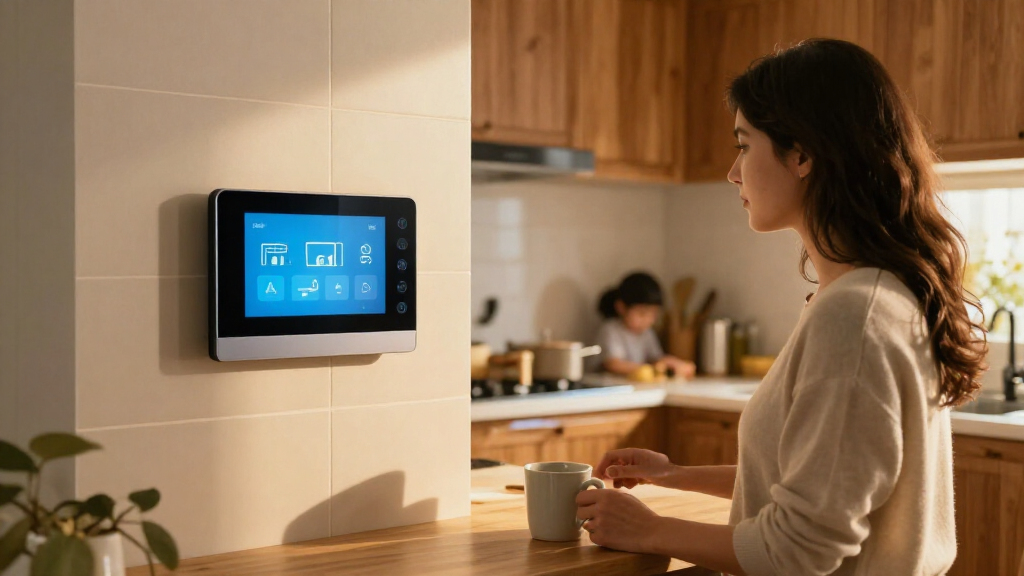

The best smart home dashboard for most people is the Amazon Echo Hub, thanks to its dedicated control-panel format and broad Alexa device compatibility. For a more customizable setup, Home Assistant Green is a strong hub choice, while the Shelly Wall Display XL suits buyers who want a large, fixed touchscreen. The main tradeoff is between a simple, ready-to-use display and a more flexible system that may take extra setup; screen size, mounting, and smart-home compatibility also narrow the choice. Some picks are better for family calendars or security than for controlling a mixed-brand smart home. Read on for how all 15 options compare and which type of buyer each one fits.

Get home appliances delivered free with Prime
- Fast, free delivery on millions of items
- Prime Video, Amazon Music and more included
- Member-only deals all year
Complete the kit



Key Takeaways
- The Echo Hub leads as a dedicated controller: its focused panel format and broad Alexa compatibility make it a more direct fit for smart-amazon.com/dp/B0C5DPSW5Y?tag=whilehome-20&ascsubtag=dc-1169040″ target=”_blank” rel=”nofollow sponsored noopener”>amazon.com/dp/B0BCR7M9KX?tag=whilehome-20&ascsubtag=dc-1169040″ target=”_blank” rel=”nofollow sponsored noopener”>amazon.com/dp/B0CXVKSG19?tag=whilehome-20&ascsubtag=dc-1169040″ target=”_blank” rel=”nofollow sponsored noopener”>home control than general-purpose Echo Show screens.
- Home Assistant Green favors customization over a built-in screen: it suits people willing to shape their own dashboard, but it is not a ready-made wall touchscreen.
- Wall panels trade convenience for installation demands: the Android POE, Shelly, and MOES options can put controls in a fixed place, but buyers should check wiring, mounting, and setup needs first.
- Calendar-first displays solve a different problem: the large Apolosign and 15.6-inch calendar screen emphasize household planning rather than serving as universal smart-home controllers.
- E Ink models prioritize glanceable information and low power use: reTerminal E1002 and SwitchBot are more suited to persistent dashboards than rich, fast-moving touch interfaces.
| Home Assistant Green | Smart Home Hub with Advanced Automation |  | Best for Automation-First Setups | Operating system: Home Assistant OS | Processor: Quad-core | RAM: 4 GB | VIEW LATEST PRICE | See Our Full Breakdown |
| 10.1″ Wall Mounted Android POE Smart Home Panel with MQTT and LED Lights |  | Best for MQTT and Custom Dashboards | Display: 10.1 inches | Operating system: Android 14 | Processor: RK3576 8-core CPU | VIEW LATEST PRICE | See Our Full Breakdown |
| 15.6″ Digital Calendar Wall Touch Screen, Chore Chart, Photo Frame |  | Best for Family Scheduling | Screen size: 15.6 inches | Storage: 32 GB, expandable | Touchscreen: HD glare-free | VIEW LATEST PRICE | See Our Full Breakdown |
| eufy Security eufy Smart Display E10, 8-inch Control Panel, Smart Home Hub |  | Best for Security Monitoring | Display: 8 inches | Manufacturer: eufy | Model: T87A0 | VIEW LATEST PRICE | See Our Full Breakdown |
| Shelly Wall Display XL Black 10.1 Inch Touchscreen WiFi Smart Home Control |  | Best for Built-In Wall Controls | Display: 10.1 inches | Mounting: Wall mount | Connectivity: Wi-Fi, Bluetooth, Sonos | VIEW LATEST PRICE | See Our Full Breakdown |
| MOES Smart Home Control Panel with Alexa Built-in, Zigbee Hub |  | Best Compact All-in-One Panel | Display: 5-inch full touch screen | Compatibility: Smart Life devices and Zigbee | Connectivity: Wired and wireless; Type-C and circuit connection | VIEW LATEST PRICE | See Our Full Breakdown |
| SONOFF NSPanel Pro 120 Smart Control Panel |  | Best for Multi-Function Smart Home Control | Display: 4.7-inch touchscreen | Dimensions: 4.8 x 3 x 1.7 inches | Connectivity: Zigbee | VIEW LATEST PRICE | See Our Full Breakdown |
| Amazon Echo Hub 8-Inch Smart Home Control Panel |  | Best Overall | Screen size: 8 inches | Connectivity: Wi-Fi, Bluetooth, Zigbee, Matter, Sidewalk, and Thread | Smart home hub: Built-in | VIEW LATEST PRICE | See Our Full Breakdown |
| Apolosign 21.5-inch Digital Calendar with No Subscription, Smart Wall Planner, and Touchscreen Display |  | Best for Family Scheduling | Screen size: 21.5 inches | Display: HD touchscreen | Connectivity: Wi-Fi | VIEW LATEST PRICE | See Our Full Breakdown |
| reTerminal E1002 – 7.3-inch Color E Ink Spectra 6 Smart Display with No-Code Dashboard, ESP32-S3 WiFi, and Ultra-Low Power Battery |  | Best for DIY Home Assistant Dashboards | Display: 7.3-inch E Ink Spectra 6 | Resolution: 800 × 480 | Battery life: Up to 3 months | VIEW LATEST PRICE | See Our Full Breakdown |
| 10.1-inch POE Smart Home Touch Panel with Proximity Sensor, Android 14, WiFi 6E, RS232/RS485, Inwall Controller, White |  | Best for Custom Installations | Display: 10.1-inch capacitive touchscreen, 1280 x 800 | Operating system: Android 14 | Processor: RK3576 | VIEW LATEST PRICE | See Our Full Breakdown |
| Like-New Amazon Echo Hub, 8” Smart Home Control Panel with Alexa, Compatible with Thousands of Devices |  | Best for Alexa Households | Display: 8-inch touchscreen, 1280 x 800 | Smart home compatibility: Zigbee, Thread, Matter, WiFi, Bluetooth Low Energy Mesh | Wireless connectivity: WiFi 802.11a/b/g/n/ac and Bluetooth | VIEW LATEST PRICE | See Our Full Breakdown |
| SwitchBot E-Ink Home Dashboard, WiFi Weather Station with Family Calendar |  | Best for Glanceable Family Information | Display: 7.5-inch E-Ink | Power source: One included C battery | Listed battery life: Up to 365 days | VIEW LATEST PRICE | See Our Full Breakdown |
| Amazon Echo Show 15 (newest model), Full HD 15.6″ Kitchen Hub with Built-in Fire TV and Alexa+ |  | Best Large-Screen Kitchen Dashboard | Display: 15.6-inch, 1920 x 1080 | Dimensions and weight: 16.1 x 10.1 x 1.4 inches; 4.96 lb | Camera: 13 MP with shutter | VIEW LATEST PRICE | See Our Full Breakdown |
| Amazon Echo Show 5 (Newest Model) – Smart Display with Alexa, 5.5-inch Screen, Improved Sound, Cloud Blue |  | Best Compact Alexa Dashboard | Display: 5.5 inches | Camera: 2 MP | Sound: Deeper bass and clearer vocals | VIEW LATEST PRICE | See Our Full Breakdown |
| smart home dashboard | Display | Connectivity |
|---|---|---|
| Home Assistant Green | Smart H | — | Ethernet, USB |
| 10.1" Wall Mounted Android POE | 10.1 inches | Wi-Fi 6, Bluetooth, Ethernet |
| 15.6" Digital Calendar Wall To | — | — |
| eufy Security eufy Smart Displ | 8 inches | — |
| Shelly Wall Display XL Black 1 | 10.1 inches | Wi-Fi, Bluetooth, Sonos |
| MOES Smart Home Control Panel | 5-inch full touch screen | Wired and wireless; Type-C and circuit connection |
| SONOFF NSPanel Pro 120 Smart C | 4.7-inch touchscreen | Zigbee |
| Amazon Echo Hub 8-Inch Smart H | — | Wi-Fi, Bluetooth, Zigbee, Matter, Sidewalk, and Thread |
| Apolosign 21.5-inch Digital Ca | HD touchscreen | Wi-Fi |
| reTerminal E1002 | 7.3-inch E Ink Spectra 6 | ESP32-S3 Wi-Fi |
| 10.1-inch POE Smart Home Touch | 10.1-inch capacitive touchscreen, 1280 x 800 | WiFi 6E, Ethernet, BLE 5.3, RS232, RS485, I/O, IR |
| Like-New Amazon Echo Hub | 8-inch touchscreen, 1280 x 800 | — |
| SwitchBot E-Ink Home Dashboard | 7.5-inch E-Ink | WiFi and BLE |
| Amazon Echo Show 15 | 15.6-inch, 1920 x 1080 | — |
| Amazon Echo Show 5 | 5.5 inches | — |
More Details on Our Top Picks
Home Assistant Green | Smart Home Hub with Advanced Automation
Home Assistant Green is the strongest fit here for buyers who want a smart home dashboard backed by flexible, locally run automation rather than a display built around one brand’s app. Its preinstalled Home Assistant OS lowers the setup barrier compared with assembling a DIY hub, while the 4GB of RAM and quad-core processor support a substantial range of automations. Unlike the Shelly Wall Display XL, Green is a hub rather than a wall-mounted touchscreen, so you’ll need a separate screen or phone for everyday visual control. Its local-first approach can also reduce reliance on cloud services. The tradeoffs are its Ethernet connection, limited 32GB internal storage, and the extra work involved in configuring integrations and expanding radio support for Zigbee, Z-Wave, or Thread devices.
Pros:- Preinstalled Home Assistant OS makes setup simpler than building a hub from individual components.
- Local-first control supports automation without making cloud access the center of the setup.
- Compact, fanless design uses little space and avoids fan noise.
- USB ports allow compatible expansion for additional smart-home radios.
Cons:- It is a hub, not a visual dashboard, so a separate screen or device is needed for touch control.
- Ethernet is required for operation, limiting placement near the home network.
- The 32GB storage may constrain larger installations, and radio support may require extra hardware.
Best for: Smart home enthusiasts who want local control and customizable automations across devices from different brands.
Not ideal for: Buyers who want an all-in-one wall touchscreen that is ready for household members to use without configuring a separate display.
- Operating system:Home Assistant OS
- Processor:Quad-core
- RAM:4 GB
- Storage:32 GB
- Connectivity:Ethernet, USB
- USB ports:2
- Dimensions:4.41 × 4.41 × 1.26 inches
Our verdict“Choose Home Assistant Green if flexible local automation matters more than having a touchscreen built into the dashboard.”
10.1″ Wall Mounted Android POE Smart Home Panel with MQTT and LED Lights
This 10.1-inch Android panel suits buyers who want a wall-mounted screen that can run different smart-home apps, with MQTT support for setups built around custom integrations. Compared with Home Assistant Green, it puts the interface on the wall instead of acting as a headless hub; compared with the Shelly Wall Display XL, its general Android platform offers more room to choose software rather than centering the experience on Shelly controls. Its built-in temperature and humidity sensors can feed useful readings into household routines, while kiosk mode helps keep the panel focused on its dashboard. The main compromise is installation: it requires Power over Ethernet, so the location needs compatible network wiring. It also has no battery, making it a permanently installed control point rather than a portable screen.
Pros:- MQTT support gives custom smart-home systems a route to display and use device data.
- Android 14 and Google Play support a range of smart-home applications.
- Temperature and humidity sensors add useful local readings for dashboards and automations.
- Kiosk mode and wall mounting suit a dedicated, always-visible control screen.
Cons:- PoE power requires compatible Ethernet infrastructure at the mounting location.
- No built-in battery means it is not portable during placement changes or outages.
- Its general-purpose Android platform may require more app setup than a dedicated control panel.
Best for: Home automation hobbyists who want a fixed Android dashboard, MQTT integration, and sensor readings in one wall panel.
Not ideal for: Renters or households without PoE wiring who need a panel they can place anywhere or move between rooms.
- Display:10.1 inches
- Operating system:Android 14
- Processor:RK3576 8-core CPU
- RAM:4 GB
- Storage:64 GB
- Connectivity:Wi-Fi 6, Bluetooth, Ethernet
- Power:Power over Ethernet
- Additional features:MQTT, kiosk mode, temperature and humidity sensors
Our verdict“Pick this panel if you want a configurable Android dashboard and already have PoE available where it will be mounted.”
15.6″ Digital Calendar Wall Touch Screen, Chore Chart, Photo Frame
For households that need a shared view of schedules more than a control surface for lights and sensors, this 15.6-inch family calendar fills a different role from the automation-focused Home Assistant Green or Shelly Wall Display XL. It combines calendars from Google, Outlook, and iCloud with meal planning and chore management, turning the screen into a household coordination board rather than a traditional smart-home command panel. The larger display makes shared plans easier to read at a glance, and the desk stand offers an alternative to wall installation. It can also serve as a photo frame when schedules aren’t the focus. The tradeoffs are that it still needs a power source, storage is limited without expansion, and users unfamiliar with digital calendars may face a learning curve.
Pros:- Combines family scheduling, meal planning, and chore tracking on one shared screen.
- Syncs calendars from Google, Outlook, and iCloud in real time.
- Wall mounting or a desk stand allows placement to suit the household.
- Photo-frame mode gives the screen a use beyond schedule checks.
Cons:- Requires a power source and is not a battery-powered portable calendar.
- A 15.6-inch screen takes more wall or counter space than the Shelly Wall Display XL.
- The 32GB storage may need expansion for larger photo collections.
Best for: Families and multi-generational households that want one visible place for shared calendars, meals, chores, and photos.
Not ideal for: Buyers seeking detailed device control, custom automation dashboards, or a compact panel focused on lighting and security.
- Screen size:15.6 inches
- Storage:32 GB, expandable
- Touchscreen:HD glare-free
- Calendar sync:Google, Outlook, and iCloud
- Mounting options:Wall-mounted or desk stand
- Additional functions:Meal planning, chore management, digital photo frame
- Warranty:2 years
Our verdict“Choose this calendar if coordinating family routines is the main job for your wall display, not controlling a broad smart-home system.”
eufy Security eufy Smart Display E10, 8-inch Control Panel, Smart Home Hub
The eufy Smart Display E10 is the clearest choice in this group for buyers who want a security-monitoring screen, not a general-purpose dashboard. It puts live camera views, door alerts, and recognition features on an 8-inch touchscreen, including support for four simultaneous video feeds. That makes checking several compatible cameras more direct than using the Shelly Wall Display XL, whose strengths are broader household controls such as lights and appliances. Local storage supports video playback without making the display just a live-view screen, but the 64GB capacity may fill as recordings accumulate. The E10 is also tied to compatible eufy devices, so its focused interface is a benefit for eufy households and a limitation for buyers seeking broad, customizable integrations like those available with Home Assistant Green.
Pros:- Shows up to four live camera feeds at once for faster visual monitoring.
- Instant door alerts and recognition features put security events on the control screen.
- Local storage supports quick playback of recorded footage.
- An 8-inch touchscreen is more purpose-built for monitoring than the family-calendar display.
Cons:- Its smart-home usefulness is limited to compatible devices and the eufy ecosystem.
- The 64GB local storage can fill over time as video accumulates.
- Setup or device integration may take extra work for some households.
Best for: Households with compatible eufy security devices that want camera feeds and door alerts visible in a shared location.
Not ideal for: Buyers who need an open, brand-neutral dashboard for controlling a wide mix of smart-home devices.
- Display:8 inches
- Manufacturer:eufy
- Model:T87A0
- Local storage:64 GB
- Live video:Up to four simultaneous feeds
- Included components:Adapter, charging station, Type-C cable, wall mount
- Warranty:12 months
Our verdict“Choose the E10 if your priority is a shared eufy security monitor rather than a brand-neutral smart-home dashboard.”
Shelly Wall Display XL Black 10.1 Inch Touchscreen WiFi Smart Home Control
The Shelly Wall Display XL earns its place as a dedicated wall controller: its 10.1-inch touchscreen is paired with a built-in relay and four customizable buttons, so control is not limited to tapping through an app. It is more appliance-oriented than the Android POE panel, which offers a flexible app platform but no built-in relay, and more direct for everyday switching than Home Assistant Green, which requires a separate display. Support for Alexa, Google, and HomeKit also gives it a wider platform brief than a Shelly-only screen might suggest. The tradeoffs start at installation: it requires a neutral wire and relies on Wi-Fi, so electrical compatibility and network reliability matter. Buyers should also expect more setup than with a simple tablet-style display.
Pros:- Large 10.1-inch touchscreen provides a clear fixed interface for household controls.
- Built-in relay can switch compatible appliances without a separate control device.
- Four customizable buttons provide quick access beyond the touchscreen.
- Supports Alexa, Google, and HomeKit alongside Shelly app and automation systems.
Cons:- A neutral wire is required, which can rule out some existing wall locations.
- Wi-Fi dependence can affect responsiveness when the network is unstable.
- Installation and setup may be more involved than mounting a general Android panel.
Best for: Homeowners who want a fixed touchscreen with physical shortcut buttons and built-in switching for lights or appliances.
Not ideal for: Renters or buyers whose wall wiring lacks a neutral wire, or who need a portable dashboard or PoE connection.
- Display:10.1 inches
- Mounting:Wall mount
- Connectivity:Wi-Fi, Bluetooth, Sonos
- Control buttons:4 customizable buttons
- Built-in control:Relay switching
- Platform compatibility:Alexa, Google, HomeKit
- Wiring requirement:Neutral wire required
- Warranty:3 years
Our verdict“Choose the Shelly Wall Display XL if you want a permanent, feature-rich wall controller and your wiring supports its built-in relay.”
MOES Smart Home Control Panel with Alexa Built-in, Zigbee Hub
The MOES Smart Home Control Panel combines a touchscreen, Alexa, and a Zigbee gateway in one small unit, making it a practical fit for a room where you want quick controls without installing several separate hubs. Its 5-inch display is larger than the SONOFF NSPanel Pro’s 4.7-inch screen, but both are compact panels rather than broad, glanceable dashboards like the Amazon Echo Hub. MOES also offers wired or wireless installation, giving buyers more flexibility about placement. The tradeoff is limited screen space: a long list of devices or controls may feel crowded, and its wider compatibility depends on using supported smart devices. Setup issues have also been reported, so this is a better fit for someone willing to troubleshoot than for a buyer seeking a completely hands-off installation.
Pros:- Combines a touchscreen, built-in Alexa, and Zigbee gateway in one device.
- 5-inch display is slightly larger than the SONOFF NSPanel Pro’s 4.7-inch screen.
- Supports Smart Life devices and Zigbee-compatible equipment.
- Offers wired and wireless installation options, including Type-C and circuit connection.
Cons:- The compact screen limits how many controls can be shown comfortably.
- Full functionality depends on compatible smart devices.
- Some users report setup difficulties.
Best for: Smart Life and Zigbee users who want Alexa voice control and a compact, dedicated panel in a room with limited wall space.
Not ideal for: Buyers who need a large dashboard to show many controls at once or want a setup that requires little troubleshooting.
- Display:5-inch full touch screen
- Compatibility:Smart Life devices and Zigbee
- Connectivity:Wired and wireless; Type-C and circuit connection
- Voice assistant:Alexa built-in
- Color:Black
- Weight:13.1 ounces
- Dimensions:1 x 1 x 1 inches (as listed)
- Included components:Smart Home Touchscreen Control
Our verdict“Choose MOES for a compact Alexa-and-Zigbee control point, but pick the Amazon Echo Hub if a larger dashboard matters more.”
SONOFF NSPanel Pro 120 Smart Control Panel
The SONOFF NSPanel Pro earns its place for buyers who want a compact wall panel to do more than switch lights. Its listed features include energy monitoring, live camera feeds, security modes, and web browsing, giving it a broader control-and-monitoring role than the MOES panel, which emphasizes Alexa and Zigbee gateway functionality. The 4.7-inch screen is close in size to MOES’s 5-inch display, so neither is the right pick for a large, room-wide dashboard; the Amazon Echo Hub’s 8-inch screen is easier to scan at a glance. SONOFF lists compatibility with Alexa, Google, Apple, and Home Assistant, which may suit mixed-platform homes, but its connectivity is listed as Zigbee and the product details leave some integration specifics unclear. Reports of connectivity issues make it a less reassuring choice for buyers who prioritize predictable setup.
Pros:- Combines device control with energy monitoring, camera feeds, security modes, and web browsing.
- Lists compatibility with Alexa, Google, Apple, and Home Assistant.
- Its 4.7-inch touchscreen suits compact wall installations.
- Provides more listed monitoring functions than the MOES panel.
Cons:- The screen is much smaller than the Amazon Echo Hub’s 8-inch display.
- Connectivity and other technical details are limited in the available product information.
- Some users report connectivity issues.
Best for: Smart home owners who want a compact panel for device control alongside camera viewing, security modes, or energy monitoring.
Not ideal for: Buyers who need detailed compatibility guarantees, a large dashboard, or a panel with a clearly specified network setup.
- Display:4.7-inch touchscreen
- Dimensions:4.8 x 3 x 1.7 inches
- Connectivity:Zigbee
- Compatibility:Alexa, Google, Apple, and Home Assistant
- Listed functions:Energy monitoring, live camera feeds, security modes, and web browsing
- Item weight:0.317 ounces (as listed)
- Included component:NSPanel120PB
Our verdict“Pick the NSPanel Pro for a compact panel with multiple monitoring tools, but choose Echo Hub for a larger, more clearly specified dashboard.”
Amazon Echo Hub 8-Inch Smart Home Control Panel
The Amazon Echo Hub is my best overall pick because it balances a useful dashboard-sized screen with a broad built-in hub and controls for devices, cameras, security, routines, and media. Its 8-inch display gives controls more room than the 4.7-inch SONOFF NSPanel Pro or the 5-inch MOES panel, making it easier to scan a customized layout rather than rely mainly on voice. Built-in support for Zigbee, Matter, and Thread, alongside Wi-Fi and Bluetooth, gives it a wider listed range of connection options than those smaller panels. The main compromise is installation: wall mounting is supported, but a tabletop stand and several power accessories are sold separately. Some Ring features also depend on Alexa+ and a compatible Ring subscription, so buyers should check whether those dependencies match their setup.
Pros:- 8-inch screen offers more dashboard space than the MOES and SONOFF panels.
- Built-in hub supports Wi-Fi, Bluetooth, Zigbee, Matter, Sidewalk, and Thread.
- Customizable dashboard includes resizable sections for controls and information.
- Includes a microphone-off button and other privacy controls.
Cons:- Tabletop stand, power-over-Ethernet adapter, and cable pass-throughs are sold separately.
- Some Ring features require Alexa+ and a compatible Ring subscription.
- Requires a power connection rather than offering the reTerminal E1002’s stated battery operation.
Best for: Alexa households that want an 8-inch, customizable wall dashboard with built-in support for several smart home connection standards.
Not ideal for: Buyers who want a complete tabletop setup in the box, avoid Alexa-dependent features, or prefer a battery-powered display.
- Screen size:8 inches
- Connectivity:Wi-Fi, Bluetooth, Zigbee, Matter, Sidewalk, and Thread
- Smart home hub:Built-in
- Mounting:Wall mount; compatible with separately sold tabletop stand
- Dashboard:Customizable with resizable sections
- Supported controls:Compatible devices, cameras, security systems, routines, and media
- Privacy:Microphone-off button and multiple privacy controls
- Recycled materials:27%
Our verdict“Choose Echo Hub for a flexible, broadly connected Alexa dashboard, provided its separate accessories and Ring feature requirements suit your setup.”
Apolosign 21.5-inch Digital Calendar with No Subscription, Smart Wall Planner, and Touchscreen Display
The Apolosign 21.5-inch Digital Calendar is the family-first pick in this group: its large touchscreen is built around shared schedules, chores, and household planning, with smart home controls included as part of a wider organizer. Calendar syncing with Google Calendar, iCloud, and Outlook gives it a different purpose from the Amazon Echo Hub, which is the stronger choice when device control is the main priority. Apolosign also adds a photo slideshow and Android mode, so it can serve as a prominent household display beyond calendar checks. That size helps multiple family members read the screen, but it demands more wall or counter space than the compact MOES and SONOFF panels. Full functionality relies on Wi-Fi, and some features may require extra app downloads, making it less suitable for buyers seeking a simple, dedicated smart home control surface.
Pros:- 21.5-inch touchscreen gives shared schedules and chore charts room to be read at a glance.
- Syncs with Google Calendar, iCloud, and Outlook without a subscription, as described.
- Adds widgets, smart home controls, a photo slideshow, and voice assistant functions.
- Calendar Mode and Android Mode support different household uses.
Cons:- Its large footprint may not suit small kitchens or narrow entryways.
- Full functionality depends on a Wi-Fi connection.
- Some features may require downloading additional apps.
Best for: Families who want a large shared calendar and chore board with smart home controls, photo display, and support for several calendar services.
Not ideal for: Buyers with limited wall space or anyone whose main goal is a compact dashboard for controlling smart devices.
- Screen size:21.5 inches
- Display:HD touchscreen
- Connectivity:Wi-Fi
- Calendar compatibility:Google Calendar, iCloud, and Outlook
- Modes:Calendar Mode and Android Mode
- Features:Chore chart, family planner, widgets, smart home controls, photo slideshow, and voice assistant
- Subscription:No subscription, as described
- Warranty:30-day return guarantee
Our verdict“Choose Apolosign when family schedules and chores deserve the biggest screen, but choose Echo Hub for a more focused smart home dashboard.”
reTerminal E1002 – 7.3-inch Color E Ink Spectra 6 Smart Display with No-Code Dashboard, ESP32-S3 WiFi, and Ultra-Low Power Battery
The reTerminal E1002 takes a maker-focused approach to a smart home dashboard: its 7.3-inch color E Ink screen is designed for bright environments and low-power display use, while SenseCraft HMI offers no-code dashboard creation. That makes it a more customizable project platform than the ready-made Amazon Echo Hub, but it is not as straightforward a household control panel. The listed integrations with Home Assistant and ESPHome, plus GPIO, I²C, SPI, and Grove expansion, suit buyers who want to build around their own setup. Its stated battery life of up to three months can reduce charging interruptions, though actual use may affect that figure. The tradeoff is a need for technical confidence when moving beyond basic dashboard creation, along with missing size and weight details that make placement harder to judge.
Pros:- Color E Ink display is described as clear in bright light and uses minimal power.
- Battery life is listed as up to three months.
- SenseCraft HMI supports no-code dashboard creation.
- GPIO, I²C, SPI, and Grove support allow hardware expansion.
Cons:- Advanced integrations may require technical knowledge.
- Dimensions and weight are not specified, making installation planning less certain.
- Its maker-oriented setup is less turnkey than the Amazon Echo Hub.
Best for: Makers and Home Assistant or ESPHome users who want a customizable, low-power dashboard and may use hardware expansion.
Not ideal for: Households seeking a ready-to-use touchscreen hub with straightforward device onboarding and fully specified physical dimensions.
- Display:7.3-inch E Ink Spectra 6
- Resolution:800 × 480
- Battery life:Up to 3 months
- Battery capacity:2000mAh
- Connectivity:ESP32-S3 Wi-Fi
- Expansion support:GPIO, I²C, SPI, and Grove modules
- Operating system compatibility:Arduino, PlatformIO, and ESP-IDF
- Included accessories:Screwdriver, stand, and USB Type-C cable
- Dimensions:Not specified
Our verdict“Choose the reTerminal E1002 for a customizable, battery-focused DIY dashboard, not as a plug-and-play replacement for Echo Hub.”
10.1-inch POE Smart Home Touch Panel with Proximity Sensor, Android 14, WiFi 6E, RS232/RS485, Inwall Controller, White
This panel is the strongest fit here for a smart home built around custom integrations, rather than a ready-to-go voice assistant. Its Android 14 system, PoE support, and RS232/RS485 connections give installers more ways to connect equipment than the Amazon Echo Hub offers. The 10.1-inch display also leaves more room for controls than the Echo Hub’s 8-inch screen, while built-in proximity, light, temperature, and humidity sensors can feed useful context into compatible automations.
That flexibility comes with setup work: the panel needs an in-wall installation and a compatible smart home system to make its connections useful. Unlike the more accessible Echo Hub, it has no camera or built-in assistant described, and it is not a portable screen. I’d choose it for a planned, fixed control point—not as a simple out-of-box dashboard.
Pros:- 10.1-inch capacitive touchscreen provides more room for dashboard controls than the 8-inch Amazon Echo Hub.
- PoE, Ethernet, WiFi 6E, BLE 5.3, RS232, and RS485 support varied installation and integration needs.
- Proximity, light, temperature, and humidity sensors can provide inputs for compatible automations.
- Designed for in-wall mounting and includes an 86 box.
Cons:- Requires in-wall installation, so it is less flexible than a portable display.
- Full functionality depends on a compatible smart home system and setup.
- No camera is included.
Best for: Homeowners or installers building a fixed dashboard around compatible automation software, PoE wiring, and serial-connected equipment.
Not ideal for: Renters and buyers who want a portable, voice-first panel or a straightforward control experience without configuring a compatible smart home system.
- Display:10.1-inch capacitive touchscreen, 1280 x 800
- Operating system:Android 14
- Processor:RK3576
- Memory and storage:4GB RAM, 64GB storage
- Connectivity:WiFi 6E, Ethernet, BLE 5.3, RS232, RS485, I/O, IR
- Power:PoE support
- Sensors and indicators:Proximity, light, temperature, and humidity sensors; LED light bars
- Mounting:In-wall design; 86 box included
Our verdict“Choose this panel for a permanent, integration-heavy dashboard; choose the Echo Hub instead for simpler Alexa-centered control.”
Like-New Amazon Echo Hub, 8” Smart Home Control Panel with Alexa, Compatible with Thousands of Devices
The Echo Hub makes the most sense for households that want a dedicated Alexa control panel without building a dashboard from scratch. Its 8-inch touchscreen pairs voice control with support for Zigbee, Thread, Matter, WiFi, and Bluetooth Low Energy Mesh devices, giving it broader smart-home reach than the compact Echo Show 5. PIR and ambient-light sensors can also support presence-aware behavior and screen adjustments.
Compared with the 10.1-inch Android PoE panel, the Echo Hub is more approachable for people already using Alexa, but offers fewer listed wired integration options and a smaller screen. It can be wall-mounted with the included hardware; a stand or Ethernet adapter is a separate purchase, and PoE requires a converter. I’d pick it for accessible, protocol-rich control, not for a large dashboard or a portable display.
Pros:- Combines touch and Alexa voice control in a purpose-built home panel.
- Supports Zigbee, Thread, Matter, WiFi, and Bluetooth Low Energy Mesh.
- Includes wall-mount hardware and PIR and ambient-light sensors.
- Uses materials that include 27% recycled content.
Cons:- At 8 inches, its screen is smaller than the 10.1-inch Android PoE panel and 15.6-inch Echo Show 15.
- A stand and Ethernet adapter are sold separately; PoE needs a converter.
- Wall-oriented design does not suit buyers seeking handheld use.
Best for: Alexa households that want a wall-mounted touchscreen for managing a mix of compatible lights, locks, cameras, and other smart devices.
Not ideal for: Buyers who need a large dashboard, portable use, or built-in Ethernet and PoE without buying additional accessories.
- Display:8-inch touchscreen, 1280 x 800
- Smart home compatibility:Zigbee, Thread, Matter, WiFi, Bluetooth Low Energy Mesh
- Wireless connectivity:WiFi 802.11a/b/g/n/ac and Bluetooth
- Sensors:Passive infrared and ambient light
- Power:USB-C PD accessories; PoE supported with converter
- Included mounting:Wall mount, anchors, screws, and mounting template
- Included power accessories:Power adapter and 6 ft. cord
- Materials:27% recycled materials
Our verdict“Choose the Echo Hub for Alexa-centered, multi-protocol wall control, but look to a larger display if dashboard space matters most.”
SwitchBot E-Ink Home Dashboard, WiFi Weather Station with Family Calendar
The SwitchBot E-Ink Home Dashboard is less of a command center than a quiet, always-visible information board. Its glare-free 7.5-inch display puts calendars, weather, and indoor and outdoor readings where family members can check them at a glance. Support for Google, iCloud, and Outlook calendars gives it a broader scheduling role than the Amazon Echo Show 5, while the included C battery is listed for up to a year of use.
Two customizable buttons add quick controls, but this is not a substitute for a full touchscreen hub: remote alerts and device control require a SwitchBot Hub, and some configuration happens in the app or web interface. Compared with the Echo Hub, it prioritizes low-maintenance information display over extensive device management. I’d choose it for shared schedules and ambient status, not as the home’s primary control panel.
Pros:- Glare-free E-Ink screen suits information that needs to stay visible throughout the day.
- Supports Google, iCloud, and Outlook calendar platforms.
- Includes indoor and outdoor weather readings and two customizable shortcut buttons.
- Battery life is listed as up to 365 days.
Cons:- Remote alerts and device control require a separate SwitchBot Hub.
- Two buttons offer less direct control than the touchscreens on the Echo Hub and Echo Show 15.
- Some views and features require app or web configuration.
Best for: Families who want a low-glare shared calendar and weather display that supports Google, iCloud, or Outlook schedules.
Not ideal for: Buyers seeking a full touchscreen dashboard or remote alerts and device control without adding a SwitchBot Hub.
- Display:7.5-inch E-Ink
- Power source:One included C battery
- Listed battery life:Up to 365 days
- Connectivity:WiFi and BLE
- Calendar platforms:Google, iCloud, and Outlook
- Information displayed:Indoor and outdoor temperature, humidity, weather forecasts, and calendar events
- Controls:Two customizable shortcut buttons
- Remote features:Remote alerts and device control require a SwitchBot Hub
Our verdict“Pick the SwitchBot for a low-glare family calendar and weather board, not for a full-featured smart home command center.”
Amazon Echo Show 15 (newest model), Full HD 15.6″ Kitchen Hub with Built-in Fire TV and Alexa+
The Echo Show 15 is the strongest pick for a shared kitchen dashboard where a large screen matters as much as smart-home control. Its 15.6-inch Full HD display gives widgets, household information, and camera views more breathing room than the Echo Hub or Echo Show 5. Built-in Fire TV also makes it useful when the kitchen needs entertainment, while the hub supports Zigbee, Matter, and Thread devices. The 13 MP camera with a shutter adds a more capable video-call option than the Echo Show 5’s 2 MP camera.
The size is also the tradeoff: at nearly five pounds, it is a substantial wall-mounted screen, not a discreet control panel. Compared with the 10.1-inch Android PoE panel, it offers an entertainment and Alexa-oriented experience rather than listed serial connections such as RS232 and RS485. I’d choose it for a central family space, not a compact or installation-flexible setup.
Pros:- 15.6-inch Full HD screen provides more space for household widgets and controls than the Echo Hub.
- Built-in Fire TV adds streaming to its dashboard role.
- Zigbee, Matter, and Thread support covers multiple smart-home standards.
- 13 MP camera with shutter supports video calls and added privacy control.
Cons:- Nearly five-pound weight and large footprint make placement less flexible.
- The display is a wall-oriented installation rather than a portable control screen.
- Some features may require additional subscriptions.
Best for: Households wanting a large wall-mounted kitchen screen for Alexa controls, shared widgets, video calls, and streaming.
Not ideal for: Buyers with limited wall space, those seeking a portable dashboard, or households without WiFi 6E that want the listed WiFi performance.
- Display:15.6-inch, 1920 x 1080
- Dimensions and weight:16.1 x 10.1 x 1.4 inches; 4.96 lb
- Camera:13 MP with shutter
- Audio:Two 2-inch woofers and two 0.6-inch tweeters
- WiFi:WiFi 6E, tri-band, dual-antenna
- Smart home hub:Zigbee, Matter, and Thread
- Bluetooth:A2DP and AVRCP support
- Included mounting:Wall mount
Our verdict“Choose the Echo Show 15 when a large kitchen display and entertainment matter; choose the Echo Hub for a smaller, more control-focused panel.”
Amazon Echo Show 5 (Newest Model) – Smart Display with Alexa, 5.5-inch Screen, Improved Sound, Cloud Blue
The Echo Show 5 earns its place as a small-space Alexa display, not as a wall-sized household dashboard. Its 5.5-inch screen can handle quick checks of weather, news, photos, and compatible camera feeds without claiming the counter or wall space needed by the Echo Show 15. It also supports smart-home control and video calls, with a camera shutter and microphone-off button giving privacy controls that suit a bedroom or desk as well as a kitchen.
The compact footprint limits how much information can be visible at once, and its 2 MP camera is a simpler video-call option than the Echo Show 15’s 13 MP camera. Its role is also narrower than the Echo Hub’s dedicated multi-protocol control panel: choose it for Alexa access and everyday glanceable updates, not as the central dashboard for a device-rich home.
Pros:- Compact 5.5-inch screen fits where the Echo Show 15 would be impractical.
- Supports Alexa smart-home control and compatible security-camera viewing.
- Camera shutter and microphone-off button provide direct privacy controls.
- Sound is described as having deeper bass and clearer vocals.
Cons:- Small display limits dashboard space and shared visibility.
- 2 MP camera is lower resolution than the Echo Show 15’s 13 MP camera.
- Full smart-home control depends on compatible devices.
Best for: Alexa users with limited counter or bedside space who want a small screen for quick smart-home checks, weather, and video calls.
Not ideal for: Families who need a shared, large-format dashboard or buyers who prioritize higher-resolution video calls and extensive device controls.
- Display:5.5 inches
- Camera:2 MP
- Sound:Deeper bass and clearer vocals
- Color:Cloud Blue
- Privacy features:Microphone/camera off button and camera shutter
- Materials:Recycled polyester yarn and recycled aluminum
- Packaging:Recyclable
Our verdict“Choose the Echo Show 5 for a compact Alexa screen in a small room, but select the Echo Hub or Echo Show 15 for a more capable shared dashboard.”
How We Picked
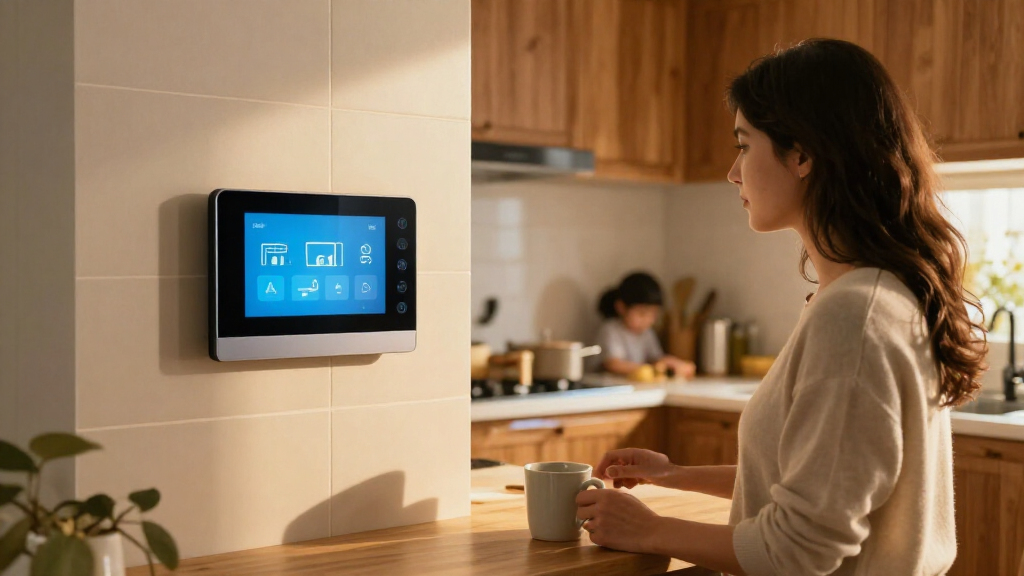
I ranked these options by how well they serve as an everyday smart-home dashboard, not by screen size or the number of features listed. I looked at control capabilities, platform and device compatibility, setup demands, interface format, and whether the product is designed for a permanent wall position or flexible room use. I also weighed the likely maintenance burden: a dashboard that needs a lot of configuration can be a good fit for enthusiasts but a poor first purchase for someone seeking simple controls.
The Echo Hub ranks first because it is purpose-built for home control and pairs broad device support with a dedicated panel format. Home Assistant Green ranks highly for customization, though its hub-first design asks more of the buyer. Wall-mounted Android panels and the Shelly display offer a more fixed, tailored experience but depend more on installation and configuration. Calendar displays, E Ink screens, and Echo Show models rank lower for general dashboard use because their strengths are more specialized or their format is less focused on dedicated smart-home control.
Factors to Consider When Choosing Best Smart Home Dashboards
Before choosing a dashboard, I would decide what job it needs to do every day. A control surface for lights and sensors has different requirements from a shared family planner or a screen that shows a few key details at a glance. These broader tradeoffs can help you avoid buying a capable display that does not fit your home’s routines.
Match the dashboard to your smart-home platform
Start with the devices and services already in your home, then check how the dashboard connects to them. A panel can look polished yet leave gaps if it depends on a hub or ecosystem you do not use. Mixed-brand homes may benefit from a system that allows more customization, though flexibility can mean more configuration and upkeep. Avoid assuming that a product described as a smart-home hub will control every device in the same way. Check specific device support, required bridges, and whether automations run locally or rely on an online service. If you are still building your setup, favor a platform you can add to gradually rather than one that pushes you into a narrow device range.
Choose the right screen format and location
Screen size matters less than whether the information is readable from where you plan to use it. A compact panel can work well near an entry for quick actions, while a larger screen may suit a kitchen or shared family space. Wall mounting keeps controls in a predictable spot, but it can require power planning, suitable wall space, and a more involved installation. A movable display is easier to reposition, though it may be less convenient as a permanent household control point. Think about glare, viewing height, and whether people will use the interface while standing or seated. Do not choose a large screen simply because it shows more; decide which controls and information need to be visible at a glance.
Separate home control from family planning
Many screens combine smart-home features with calendars, photo displays, or household task lists, but those jobs are not interchangeable. A family planner can be a better shared screen if the main goal is to coordinate schedules and chores. A dedicated controller makes more sense when people need fast access to lights, locks, and routines. Combining both roles may reduce device clutter, yet it can also make the interface busier and less direct. Before buying, list the actions each household member should be able to complete without searching through menus. If that list is mostly planning and reminders, give calendar features more weight than smart-home integrations.
Account for setup, power, and long-term upkeep
A dashboard’s real cost includes the effort and equipment needed to keep it useful. Wall panels may call for in-wall power, Ethernet, or careful mounting, while a hub-based setup can require time spent building dashboards and automations. Battery-powered or low-power displays can reduce wiring concerns, but their screen behavior may not suit frequently changing information. Consider who will update the system when devices change or a service account needs attention. A more flexible setup can reward hands-on owners but create a support burden for everyone else at home. Choose the simplest arrangement that covers your regular routines rather than paying in time for options you will rarely use.
Decide whether you need touch, voice, or glanceable information
Touchscreens work well for visual menus and quick manual control, while voice can help when hands are busy or a control is hard to reach. Neither method replaces a reliable fallback, especially for household members who prefer physical switches or do not want to speak commands. E Ink displays can keep information visible with low power draw, but they are not the same experience as a responsive color touchscreen. A screen used mainly for weather, schedules, or a status overview may not need rich animation or rapid updates. For frequent control, check wake behavior, touch responsiveness, and whether common actions remain easy to reach. Choose around the interactions your household will actually use, not just the input methods on a feature list.
Pay for capability only when it solves a real problem
Premium features are worthwhile when they remove a specific limitation, such as needing a larger shared screen or a more tailored interface. A higher-spec panel is less compelling if your household only needs a few simple controls. Likewise, a low-power display can be a smart fit for a persistent status board but a poor replacement for a full touch interface. Compare the role of a product with the role of the devices you already own; a second screen may duplicate functions without improving access. Think about how many people will use it and how often they need it. The best value is the option that makes recurring tasks easier without adding needless setup or another interface to maintain.
Frequently Asked Questions
Can Home Assistant Green work as a smart-home dashboard by itself?
Home Assistant Green is a hub-centered option, not a ready-made touchscreen panel. You can use it to build and manage a customized smart-home interface, but you will need a separate screen or device to display that interface. This distinction matters if you expect a single purchase to arrive ready for wall control. Green is a better fit for people who value broad customization and are comfortable spending time on setup. If your priority is an out-of-the-box control screen, a dedicated panel such as the Echo Hub is a more direct starting point.
Should I choose an Echo Hub or an Echo Show for smart-home control?
Choose based on whether you want a dedicated control surface or a general-purpose smart display. The Echo Hub is positioned around managing compatible smart-home devices, while Echo Show models add broader screen uses such as media, voice assistance, or household information. A general display may be more useful in a kitchen or bedroom, but its extra functions do not automatically make it a better dashboard. Check which device will stay visible and easy to reach when you need to control the home. Also verify that your preferred devices and routines work with the Alexa setup you plan to use.
Is a wall-mounted Android panel a good choice if I do not want to configure software?
Not necessarily. A wall-mounted Android panel can offer a large, permanent touchscreen, but the experience depends on how its software is configured and which dashboard or services you plan to run. Installation can add work too, particularly if the panel uses wired power or network connections. Before choosing one, confirm what is included, which apps or control systems it supports, and whether it needs a separate hub. If you want minimal setup, a more purpose-built panel may be simpler even if it offers less interface flexibility. For a custom wall interface, the extra configuration may be a worthwhile trade.
Are E Ink dashboards suitable for controlling lights and other devices?
They can suit a simple, glanceable home overview, but E Ink is not interchangeable with a full-color touchscreen. Its low-power display style is well matched to information that changes occasionally, such as weather or a family calendar. Buyers who want frequent interaction, animated content, or quick access to many controls may find that format limiting. Check the specific model’s dashboard tools and interaction features before expecting it to serve as a universal controller. For a household status board, E Ink can be a sensible specialist choice; for active device management, a touch panel is usually a better match.
What should I check before installing a smart-home panel in a wall?
Confirm the panel’s power requirements, mounting dimensions, network options, and the space available at your intended location. If a model uses Power over Ethernet or needs in-wall power, check whether your home can support that arrangement before buying. Consider viewing height, glare, nearby switches, and whether the panel will be reachable by everyone who needs it. You should also plan how software updates and dashboard changes will be handled after installation. A fixed panel can make daily controls easier to find, but installation limits how easily you can move or replace it later.
Conclusion
For a broad, dedicated smart-home control screen, I recommend the Amazon Echo Hub as the best overall pick. The best value depends on what you already own: an Echo Hub suits Alexa households seeking a focused panel, while Home Assistant Green can offer strong utility to hands-on buyers willing to build their interface. For a best premium, fixed-screen direction, consider the Shelly Wall Display XL or a large Android panel when the installation and configuration fit your home. The best choice for beginners is a purpose-built Alexa panel rather than a hub that expects dashboard setup. For specific needs, pick Apolosign or the 15.6-inch calendar screen for family planning, reTerminal E1002 or SwitchBot for an E Ink information display, and Echo Show 15 or Echo Show 5 when general-purpose Alexa features matter as much as device control. Match the device to the job you want it to do every day, and the shortlist becomes much clearer.
Fall Picks
fall essentials
As an affiliate, we earn on qualifying purchases.