TL;DR

Get home appliances delivered free — and shop member deals
- Fast, free delivery on millions of items
- Access to Prime Big Deal Days deals on October 6–7
- Prime Video, Amazon Music and more included
Smart home security cameras connect video to your phone or other devices, helping you check entrances, deliveries, pets, and other areas. Compare image quality, detection, storage fees, power, Wi-Fi reliability, privacy controls, and local recording before you buy, then aim the cameras only where you need coverage.
A camera can show you a delivery on the porch in seconds, but it can also ping your phone every time a tree branch moves. Smart home security cameras are useful when their view, alerts, and storage match the job you need them to do—not simply because they connect to Wi-Fi.
This guide explains what the cameras do, what to compare before you buy, and how to place them without sacrificing privacy or reliability. You’ll also see why a clear view of the front step may help more than a camera with impressive numbers but a poor angle.
Think of a camera as a window with a doorbell attached: it lets people check a view from elsewhere, but it cannot lock the door or guarantee what happens next. A sensible setup pairs footage with everyday security habits and gives you a clear plan for power, storage, and account protection.
Choose a camera for a named job, such as checking the front step or monitoring a pet, rather than buying coverage without a purpose.
Compare field of view, viewing distance, low-light performance, and detection controls; a wide view may show more area but smaller details.
Check whether recordings go to the cloud, a card, or a hub, and confirm retention time and subscription requirements.
Test camera angles and motion zones before permanent installation, and check local rules for audio and privacy.
Use a unique password, multifactor authentication, software updates, and individual household accounts where available.
What smart home security cameras actually do for you
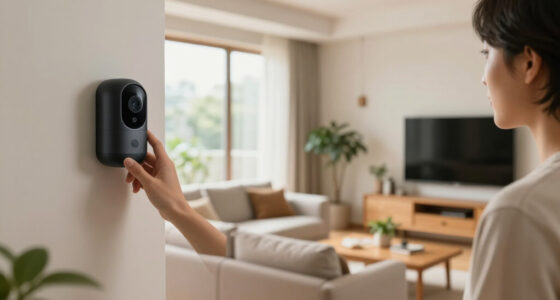
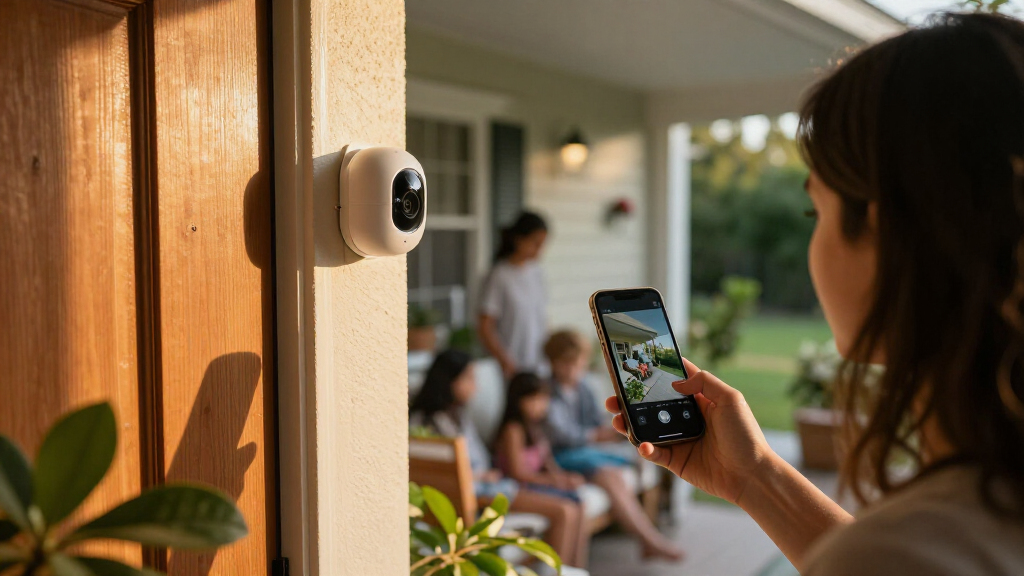
Smart home security cameras combine a camera, a network connection, and software that lets you check video or receive alerts on a phone, smart display, or web app. They can help you watch an entryway, check on a pet, or see whether a parcel arrived, but they do not prevent every break-in or replace a sturdy lock. [1]
Most connected models send an alert when they detect movement, then let you open a live view or a recorded clip. Some can label activity as a person, vehicle, animal, or package; how well that works depends on the model, angle, lighting, and software. Treat a label as a useful clue, not proof of identity.
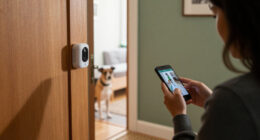
For example, if you’re at work and a courier leaves a box on your covered porch, an alert can let you check whether it is still there before you head home. A camera near a pet’s usual sleeping spot can answer a different question: whether the dog is resting quietly or barking at the mail slot. One camera, one clear purpose makes the system easier to use.
Camera systems increasingly combine video with doorbells, lights, alarms, and smart displays. That can be convenient: a motion event might turn on a porch light or show video on a screen. Still, compatible devices may not share every feature across every platform, so check the exact integration you plan to use rather than assuming all smart-home links work alike.
smart home security camera with night vision
As an affiliate, we earn on qualifying purchases.
As an affiliate, we earn on qualifying purchases.
Compare the features that change what you can actually see
Smart home security cameras differ most in their useful view, nighttime performance, detection controls, power, storage, and privacy options. Compare those details against the spot you want to monitor; a camera suited to a bright indoor hallway may struggle outdoors in freezing rain. Fit beats a feature checklist when you need footage you can understand.
A wide field of view covers more ground, but distant faces or package labels may appear small. Higher resolution can preserve more detail, while low-light performance and image processing affect whether a nighttime clip looks like a person or a shadow. Imagine choosing between a wide porch view and a narrower shot aimed at the doorstep: the first sees the walkway, the second may show a visitor more clearly.
| Feature | What it helps with | What to check |
|---|---|---|
| Field of view and resolution | Coverage and visible detail | Can you recognize the area or object you care about at the intended distance? |
| Night vision and HDR | Dark scenes and bright-to-dark contrasts | Does the entrance have harsh porch lighting or deep shadows? |
| Detection and motion zones | More relevant alerts | Can you exclude a busy sidewalk or the swaying tree? |
| Power and weather rating | Placement flexibility and outdoor use | Check charging needs, temperature range, and weather rating. |
| Storage and subscription | Reviewing recorded events | Find out how long clips remain and which features cost extra. |
These differences show up in ordinary moments. A camera pointed through a sunlit window may produce glare, while a porch camera facing a street may send alerts for every passing car. Test the viewing angle before mounting permanently, and check the manufacturer’s current product details and service terms because features and plans change.
wireless outdoor security camera with cloud storage
As an affiliate, we earn on qualifying purchases.
As an affiliate, we earn on qualifying purchases.
Choose video storage before a subscription surprises you
Camera footage usually goes to cloud storage, a memory card, a local hub, or a combination of those options. The storage choice affects what you can review, how long clips remain available, and whether a monthly plan is part of the real cost. Live viewing and recorded history are different features, so check both before purchasing.
Some cameras offer live video and basic alerts without a subscription, while cloud recordings, longer history, or advanced detection may require a paid plan. Other models record locally, which can avoid a recurring fee but may depend on a card or hub in your home. Read the terms for your specific model; “no subscription required” does not automatically mean every feature is free.
Consider a renter who wants to check a hallway camera after hearing a thump while away. If the model only provides a live view, the person may see what is happening now but have no saved clip of the earlier sound. A camera with event recording could preserve that moment, subject to its settings, storage capacity, and retention period.
Also ask what happens when the internet or power drops. Some cameras can continue recording locally during an internet outage, but remote viewing and notifications may stop; exact behavior varies. Write down where clips live, how long they last, and what service keeps them. That small check can prevent a frustrating discovery when you need to review an event.
As an affiliate, we earn on qualifying purchases.
Place cameras for a useful view without invading privacy
Place each camera to capture only the area you need, such as your own front door, driveway, or living-room entryway, while avoiding neighbors’ windows and private spaces. Camera placement affects image quality and detection, but it also affects other people’s privacy. Aim deliberately, then check local rules, especially if the device records audio.
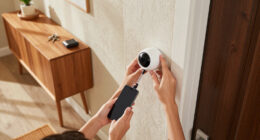
For a front entrance, mount the camera where it can see a visitor’s approach and the doorstep, rather than pointing straight at a bright street. A motion zone can help ignore a sidewalk, while a small angle adjustment may keep a neighbor’s window out of frame. Before drilling, use the live view on your phone and ask: can I identify the spot I care about without capturing more than necessary?
Audio rules vary by location, and recording conversations can carry different legal requirements from recording video. Check local requirements before installing or enabling audio. If you rent, review your lease and ask the property manager before mounting equipment on shared walls or exterior surfaces. A doorbell camera can be a practical option, but it still needs a considerate view.
Here’s a simple setup routine:
- Pick the event you want to see, such as a visitor reaching the porch.
- Test the angle in daylight and after dark, checking faces, glare, and blind spots.
- Trim the motion zone so passing traffic or rustling branches do not dominate alerts.
- Review privacy by checking what neighboring or shared areas appear in the frame.
That extra five-minute test can save hours of nuisance alerts and avoid capturing more of someone else’s space than your security needs call for.
doorbell camera with motion detection
As an affiliate, we earn on qualifying purchases.
As an affiliate, we earn on qualifying purchases.
Make alerts and smart-home links helpful instead of noisy
Detection works best when the camera has a clear view, sensible motion zones, and alert settings tuned to your routine. A camera that announces every moving leaf quickly becomes background noise; a well-adjusted one can tell you when someone reaches the front step. Alerts should answer a question you care about, not report every change in the frame.
Start with the location’s normal activity. If your porch faces a busy pavement, reduce sensitivity or draw a zone around the steps. If you want to know when a package arrives, choose package detection only if the model supports it and test it with a real delivery. Person, vehicle, animal, and package labels can be wrong, especially when lighting is poor or an object is partly hidden.
Connections with lights, alarms, voice assistants, and displays can make a camera more convenient. For example, a compatible motion event might switch on a porch light, giving a visitor a brighter path and producing a clearer clip. But compatibility does not guarantee every setting works across every system, so confirm whether the specific camera, hub, and platform support the action you want.
Recent product trends include more on-device processing, improved low-light imaging, and more flexible local storage. These tools can improve convenience, but they do not make alerts infallible. Try the system for several days and adjust it: if a wind-blown shrub triggers twelve notices before breakfast, change the view or zone before you start ignoring the phone.
Secure your cameras and keep them working through everyday problems
A connected camera needs both a protected account and a dependable power and network setup. Use a unique password, enable multifactor authentication when available, install software updates, and secure the home Wi-Fi network. These steps reduce avoidable account risks, though no internet-connected device is risk-free.
Do not share one household password if the camera service lets you add individual users. Separate accounts make it easier to remove access when a housemate moves out or a contractor no longer needs it. Check who can view footage, how long the provider keeps it, and whether clips or audio are shared with other services. A camera in a bedroom or family room deserves especially careful access controls.
Reliability deserves the same attention. Wi-Fi strength, internet outages, power loss, battery activity, temperature, and live-view use can all affect performance. Battery estimates are not guarantees: a camera that records frequent motion in cold weather may need charging sooner than one watching a quiet, sheltered doorway. Wired power reduces charging, while a battery model gives you more freedom to place it.
Before mounting an outdoor unit, check its weather rating and operating-temperature range. A weather-resistant label does not mean a camera can tolerate every exposed location or climate. Test Wi-Fi where you plan to install it; if the signal is weak at the far end of the driveway, a stronger network setup or a closer camera may be more useful than buying a higher-resolution model. Coverage is only valuable when the camera stays online and powered.
Use these key points for a camera setup that fits your home
The best camera setup covers a specific need, records in a way you can access, and respects the people around it. You do not need a camera in every room to make a useful system; one correctly positioned entrance camera may answer more practical questions than several poorly aimed devices. Start small, test, then add coverage where you can name a real gap.
Say you live in a small house and mainly want to check deliveries. An outdoor camera or doorbell model with a clear view of the doorstep, suitable weather rating, motion controls, and recording terms you accept may solve the problem. If you also want to check on a cat while traveling, an indoor camera adds a separate job—and calls for a separate privacy decision.
Before checkout, compare the total cost rather than just the sticker price. Include any cloud plan, extra storage, batteries, mounting hardware, or network equipment. Then review whether your preferred smart display or voice assistant supports the features you actually want. A camera that streams to a display but cannot show saved clips may not match your routine.
- Coverage: Match the view and lens to the distance and area you need.
- Recording: Confirm whether local or cloud storage preserves clips and for how long.
- Running costs: Check subscription requirements and charging frequency.
- Trust and privacy: Protect accounts, review data policies, and avoid unnecessary views or audio.
- Reliability: Check Wi-Fi, power, weather limits, and outage behavior.
These key points for choosing smart home security cameras keep attention on what you will use every week, not just features that look impressive on a product page. The right choice depends on your home, routines, and comfort with cloud services.
Frequently Asked Questions
Do smart home security cameras need Wi-Fi?
Most connected cameras need Wi-Fi for remote viewing and phone alerts. Some can record locally when the internet is down, but remote access and outage behavior vary by model.
Can a camera work without a subscription?
Sometimes. Live viewing or basic alerts may be available without a paid plan, while cloud recordings, longer history, or advanced detection may cost extra. Check the exact model’s current terms before buying.
Where does camera footage get stored?
Footage may be saved to cloud storage, a memory card, a local hub, or more than one place. Check how long clips remain available and what happens if your internet connection fails.
Can smart home security cameras be hacked?
Any internet-connected device can face security risks. Use a unique password, enable multifactor authentication where available, install updates, and limit access to individual household accounts.
Do cameras record all the time?
Some models support continuous recording, while others save clips only after motion or another event. Continuous recording may depend on wired power, local storage, or a paid service, so check the model’s specifications.
Are smart security cameras legal to use?
Rules vary by location, especially when a camera records audio or captures spaces where other people expect privacy. Check local requirements and aim the camera only at the areas you need to monitor.
Conclusion
Choose a camera for the moment you need to see, then check that its angle, alerts, storage, and power actually support that job. Protect the account, respect nearby privacy, and treat alerts as helpful information—not a guarantee of safety.
A well-placed camera should feel less like a blinking gadget and more like a clear window: there when you need it, quiet when you don’t.
Halloween Picks
halloween
As an affiliate, we earn on qualifying purchases.