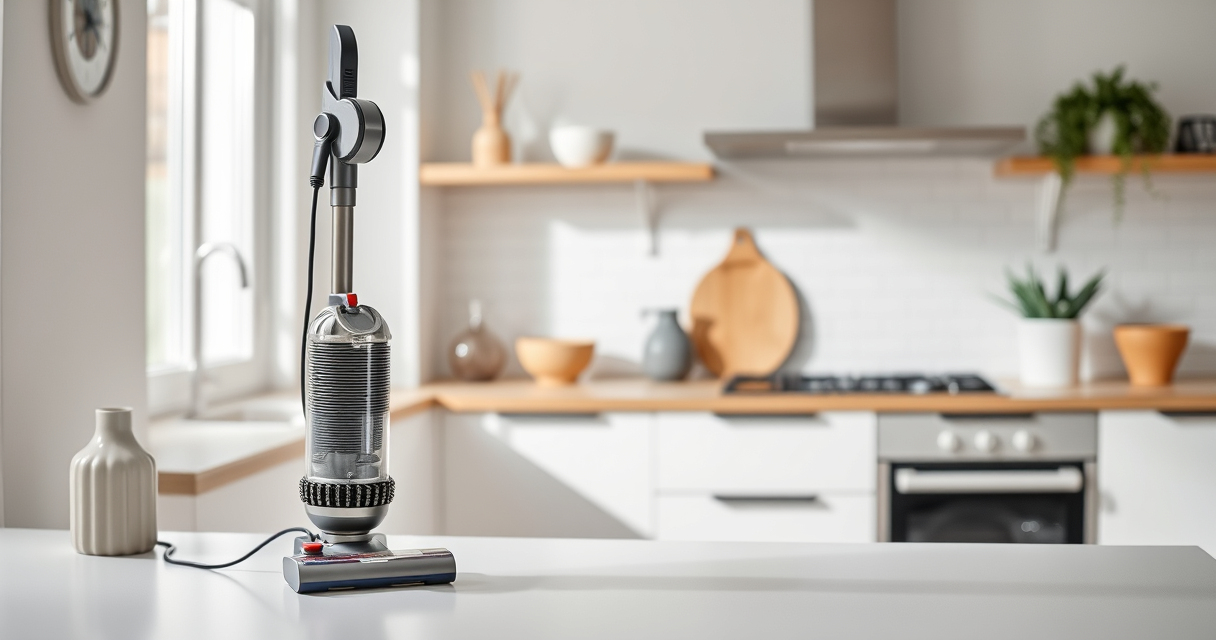
Getting started with your new Dyson V15 Detect™ Origin cordless vacuum is straightforward if you follow the right setup procedures. Proper setup ensures you maximize its cleaning power, battery life, and longevity. This guide walks you through each step safely and efficiently, with helpful tips and cautionary advice to avoid common pitfalls.
Whether you’re assembling for the first time or replacing parts for maintenance, these clear instructions will help you get your Dyson ready for deep cleaning across your entire home.
Key Takeaways
| Powerful and intelligent cleaning | Reveals invisible dust with adaptive power and LCD insights. |
| Easy assembly and maintenance | Step-by-step setup with tips for filter replacements and accessory use. |
| Maximize battery and suction | Properly installed filters and attachments ensure peak performance. |
| Safety precautions | Avoid damage by following proper handling and assembly instructions. |
Unbox and Prepare Your Dyson V15 Detect™
- Carefully unpack your Dyson V15 Detect™ Origin vacuum, along with the accessories such as the crevice tool and cleaner heads.
- Ensure all parts, including the main body, cleaner heads, and attachments, are present.
- Lay out a clean, flat workspace for assembly.
Assemble the Main Components
- Attach the cleaner head(s) to the wand or directly to the main body, clicking securely into place.
- If converting to handheld mode, detach the wand by pressing the release button.
Install and Replace Filters
- Remove the existing pre-filters by pulling them out gently from the vacuum body.
- If replacing filters, use the 3Pack Pre Filters Replacement or V10 filters, ensuring they are dry and properly seated.
- Reinstall filters securely, and rinse filters every 2-3 months for optimal suction.
Charge Your Vacuum Properly
Connect the charging dock to a power outlet and place your Dyson V15 Detect™ onto it. Allow a full charge before first use, which typically takes around 3.5 hours.
Check the LCD screen for the battery icon to confirm charging progress.
Power On and Start Cleaning
- Press the power trigger to activate the vacuum. The LCD will display real-time data such as debris picked up and remaining run time.
- Select the appropriate power mode using the LCD controls for different surfaces.
- Use the crevice tool or the cleaner heads for targeted cleaning, especially in tight or hard-to-reach areas.
The Products in This Guide

Dyson V15 Detect™ Origin Cordless Vacuum
- ✔ LCD Display: Shows debris, modes, and alerts
- ✔ Run Time: Up to 60 mins
- ✔ Attachments: Crevice tool and cleaner heads

LANMU Crevice Tool Vacuum Attachments Compatible
- ✔ Nozzle Width: 0.75 inches
- ✔ Material: Plastic
- ✔ Compatibility: Multiple Dyson models
Dyson V15 Detect™ Origin Cordless Vacuum
<p>The Dyson V15 Detect™ Origin offers powerful suction and smart features like debris detection and real-time particle count, making it a top choice for thorough cleaning. Its easy assembly and versatile attachments make setup straightforward.</p>
Pros:
- Powerful suction
- Intelligent dust detection
- Long battery life
- Multiple cleaning modes
Cons:
- Higher price point
- Requires filter maintenance
- Heavy for prolonged handheld use
Best for: Whole-home cleaning, pet hair removal, detailed dust detection
Not ideal for: Light, quick tidying tasks or small apartments
Bottom line: A highly capable, intelligent vacuum ideal for comprehensive home cleaning.
LANMU Crevice Tool Vacuum Attachments Compatible
<p>The LANMU Crevice Tool Vacuum Attachments are compatible with Dyson V15 models and help reach into narrow corners, upholstery, and car interiors effectively. Their slim design makes cleaning less cumbersome in tricky spots.</p>
Pros:
- Narrow nozzle for tight spaces
- Flexible and durable
- Easy to attach
- Versatile for home and car use
Cons:
- May require additional extension for very deep areas
- Not a standalone tool
Best for: Cleaning corners, between cushions, car interiors
Not ideal for: Broad surface cleaning
Bottom line: A compact, effective tool for detailed cleaning in tight spots.
Frequently Asked Questions
How often should I replace the filters?
It’s recommended to replace or clean your filters every 2-3 months, depending on usage, to maintain optimal suction and filtration.
Can I convert my Dyson V15 into a handheld vacuum?
Yes, simply detach the wand from the main body to switch to handheld mode, ideal for cleaning stairs, sofas, and car interiors.
What should I do if the vacuum loses suction?
Check and clean the filters, ensuring they are dry and properly installed. Also, inspect for blockages in the cleaner head or wand.
How do I troubleshoot the LCD display?
The LCD shows debris count, power mode, and maintenance alerts. Follow the prompts for maintenance or check the battery status if issues arise.
Getting the Most from Your Dyson V15 Detect™
Setting up your Dyson V15 Detect™ properly ensures you enjoy powerful, efficient cleaning with minimal hassle. Regular maintenance, such as filter cleaning and replacing accessories like crevice tools, keeps your vacuum performing at its best. With a little initial effort, you’ll have a reliable cleaning companion that adapts to various surfaces and debris types, making home cleaning simpler and more effective.
Affiliate disclosure: As an Amazon Associate we earn from qualifying purchases. Prices and availability are accurate as of the time of publishing.