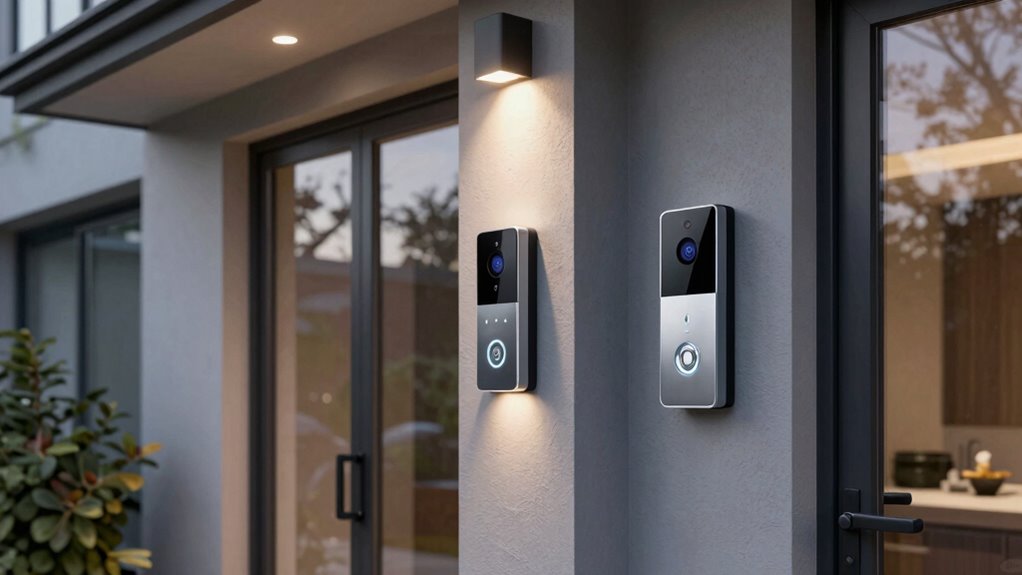

For most households, I’d start with the Tapo D225 2K+ Smart Video Doorbell with Chime for its combination of sharp video and an included chime. The Arlo Video Doorbell 2K (2nd Gen) stands out if you want the choice of wired or wireless installation, while the Google Nest Doorbell (Wired, 3rd Gen) suits buyers who prefer a wired setup and 2K HDR video. The main tradeoffs are power source, video detail, installation demands, and how much you want to depend on an app or optional services. A higher-resolution camera is not automatically the better fit if it misses your existing chime or mounting needs. Read on for the full comparison and a guide to choosing among these video doorbells.

Get home appliances delivered free with Prime
- Fast, free delivery on millions of items
- Prime Video, Amazon Music and more included
- Member-only deals all year
Complete the kit


Key Takeaways
- Tapo D225 is my best overall pick: its 2K+ camera and included chime make it a balanced choice for buyers who want a fuller doorbell setup in one package.
- Arlo offers the most installation flexibility: its wired-or-wireless design fits more homes than options tied to one power arrangement.
- Google Nest is the wired, video-focused choice: 2K HDR video gives it a distinct role, but buyers need to be comfortable with wired installation.
- Battery models solve installation constraints, not every inconvenience: Wyze, Blink, Orbitell, and BOIFUN avoid hardwiring, but battery upkeep remains part of ownership.
- Included accessories change the value equation: the Tapo includes a chime and Blink includes a Sync Module Core, while buyers should check what their own setup needs before choosing.
| Orbitell M52 1080p Wireless Video Doorbell Camera |  | Best for Focused Person Alerts | Resolution: 1080p | Connectivity: 2.4 GHz Wi-Fi only; not compatible with 5 GHz | Audio: Two-way audio | VIEW ON AMAZON | See Our Full Breakdown |
| Wyze Battery Video Doorbell with Color Night Vision |  | Best for a Head-to-Toe View | Resolution: 1536 × 1536 | Field of view: 150° × 150° | Power: Battery-powered or hardwired | VIEW ON AMAZON | See Our Full Breakdown |
| Blink Battery Doorbell 2K+ (Newest Model) – Wireless Video Doorbell with Sync Module Core (Black) |  | Best for Simple Battery Installation | Video resolution: 2K (1920 x 1920) | Field of view: 140° horizontal, 140° vertical | Aspect ratio: 1:1 | VIEW ON AMAZON | See Our Full Breakdown |
| Arlo Video Doorbell 2K (2nd Gen), Wireless or Wired, 1 Camera |  | Best for Smart-Home Compatibility | Video resolution: 2K | Field of view: 180 degrees | Installation: Wireless or wired | VIEW ON AMAZON | See Our Full Breakdown |
| Tapo D225 2K+ Smart Video Doorbell with Chime |  | Best for Local Storage and Included Chime | Model: D225 | Video resolution: 2K QHD | Field of view: 180° head-to-toe | VIEW ON AMAZON | See Our Full Breakdown |
| Chamberlain myQ Video Doorbell with 2K Camera |  | Best for Flexible Installation | Resolution: 2K | Field of view: 150° | Night vision: Color | VIEW ON AMAZON | See Our Full Breakdown |
| Google Nest Doorbell (Wired, 3rd Gen), 2K HDR Video, Snow |  | Best for Wired Video Quality | Power: Wired | Video resolution: 2K HDR | Field of view: 166° | VIEW ON AMAZON | See Our Full Breakdown |
| BOIFUN Wireless Video Doorbell Camera, 2K HD | 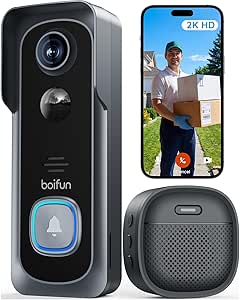 | Best for Subscription-Free Local Storage | Resolution: 2K HD | Field of view: 166° | Wi-Fi: 2.4 GHz | VIEW ON AMAZON | See Our Full Breakdown |
| video doorbell | Field of view | Power | Resolution | Video resolution |
|---|---|---|---|---|
| Orbitell M52 1080p Wireless Vi | — | — | 1080p | — |
| Wyze Battery Video Doorbell wi | 150° × 150° | Battery-powered or hardwired | 1536 × 1536 | — |
| Blink Battery Doorbell 2K+ | 140° horizontal, 140° vertical | 3 AA 1.5V lithium metal batteries; optional 8–24 VAC existing chime wiring | — | 2K (1920 x 1920) |
| Arlo Video Doorbell 2K | 180 degrees | Rechargeable battery or wired trickle charging | — | 2K |
| Tapo D225 2K+ Smart Video Door | 180° head-to-toe | — | — | 2K QHD |
| Chamberlain myQ Video Doorbell | 150° | Battery or wired | 2K | — |
| Google Nest Doorbell | 166° | Wired | — | 2K HDR |
| BOIFUN Wireless Video Doorbell | 166° | — | 2K HD | — |
More Details on Our Top Picks
Orbitell M52 1080p Wireless Video Doorbell Camera
The Orbitell M52 suits buyers who want a straightforward wireless doorbell that prioritizes people over every passing movement. Its AI person detection filters vehicles and animals, which can make phone alerts more useful in a busy street-facing entrance. You also get 1080p video, infrared night vision, and two-way audio in an IP65-rated housing. Compared with the Blink Battery Doorbell 2K+, the M52 offers lower video resolution and less detail, but its listed detection filtering includes animals and vehicles. The tradeoff is its 2.4 GHz-only Wi-Fi and cloud-dependent pre-capture recording: buyers seeking local storage or subscription-free event history should look at the Tapo D225 instead. This is a practical pick when alert filtering matters more than higher resolution or flexible storage.
Pros:- AI detection identifies people while filtering vehicles and animals
- Two-way audio and smartphone motion alerts support remote conversations
- Infrared night vision and IP65 weather resistance suit day-and-night outdoor use
- Encrypted cloud storage is available, with subscriber pre-capture recording
Cons:- Does not support 5 GHz Wi-Fi
- Pre-capture recording requires a cloud subscription
- 1080p resolution provides less detail than the 2K and 2K+ alternatives in this lineup
Best for: Homeowners who want person-focused motion alerts and a simple wireless installation on a 2.4 GHz network
Not ideal for: Buyers with only 5 GHz Wi-Fi or those who want pre-capture recording without a cloud subscription
- Resolution:1080p
- Connectivity:2.4 GHz Wi-Fi only; not compatible with 5 GHz
- Audio:Two-way audio
- Night vision:Infrared LEDs
- Storage:Encrypted cloud storage; subscriber pre-capture recording
- Weather resistance:IP65
- Installation:Wireless
- Dimensions:1.77 x 1.34 x 5.4 inches
Our verdict“Choose the Orbitell M52 if filtered person alerts matter more to you than higher resolution or local storage.”
Wyze Battery Video Doorbell with Color Night Vision
The Wyze Battery Video Doorbell makes the most sense when seeing both a visitor and a parcel near the threshold matters more than having the highest listed resolution. Its 1536 × 1536 image and 150° × 150° field of view are designed to capture a tall, broad area, while color night vision can preserve more scene detail after dark than infrared-only options such as the Orbitell M52. Flexible battery or hardwired power also helps it fit different door setups. Unlike the Tapo D225, it does not include a chime in the listed package, and its microSD card must be purchased separately. Local recording is a useful alternative to subscription-dependent cloud storage, but it takes extra setup and hardware. Choose Wyze for view coverage and storage flexibility, not an all-in-one box.
Pros:- 150° × 150° field of view helps capture visitors and packages near the door
- Color night vision provides a color view after dark
- Battery or hardwired power accommodates different installation setups
- Supports local recording to a microSD card without a required subscription
Cons:- MicroSD card is sold separately
- Chime accessories are sold separately
- Listed resolution is lower than the 2K and 2K+ models in this roundup
Best for: Renters or homeowners who need a broad, near-threshold view, want color night vision, and may switch between battery and wired power
Not ideal for: Buyers who want an included indoor chime or ready-to-use local recording without buying a microSD card
- Resolution:1536 × 1536
- Field of view:150° × 150°
- Power:Battery-powered or hardwired
- Battery life:Up to 6 months
- Audio:Two-way audio
- Storage:MicroSD card up to 256 GB; card sold separately
- Smart home compatibility:Alexa, Google Assistant, and IFTTT
Our verdict“Pick Wyze if a broad threshold view and optional local recording outweigh the need for an included chime.”
Blink Battery Doorbell 2K+ (Newest Model) – Wireless Video Doorbell with Sync Module Core (Black)
The Blink Battery Doorbell 2K+ is a good fit for buyers who want a crisp square image and a wireless setup built around replaceable batteries. Its 2K, 1:1 video and 140° horizontal and vertical views offer more image detail than the Orbitell M52, while person detection can limit alerts to activity that is more likely to matter. The included Sync Module Core connects the doorbell to the Blink app, and existing wiring can also be used as an option. Compared with the Arlo Video Doorbell 2K, Blink relies on three AA lithium batteries rather than a rechargeable battery, so ongoing power means replacing cells. Cloud features require a subscription, and 2.4 GHz is the only supported Wi-Fi band. This is a stronger match for battery-first Blink households than for buyers seeking local storage or broad smart-home compatibility.
Pros:- 2K square video with 140° horizontal and vertical fields of view
- Three AA lithium batteries allow wireless installation for months of operation
- Person detection can reduce less relevant motion alerts
- Can integrate with existing 8–24 VAC doorbell wiring
Cons:- Uses non-rechargeable AA lithium batteries
- Cloud features require a Blink subscription
- Supports 2.4 GHz Wi-Fi only
Best for: Blink households that want a wire-free 2K doorbell, person alerts, and the option to use existing chime wiring
Not ideal for: Buyers who prefer rechargeable power, 5 GHz Wi-Fi, or cloud recording features without a subscription
- Video resolution:2K (1920 x 1920)
- Field of view:140° horizontal, 140° vertical
- Aspect ratio:1:1
- Power:3 AA 1.5V lithium metal batteries; optional 8–24 VAC existing chime wiring
- Connectivity:2.4 GHz Wi-Fi (802.11b/g/n)
- Weather resistance:IP65
- Audio:Two-way audio with noise cancellation
- Operating temperature:-5°F to 113°F (-20°C to 45°C)
Our verdict“Choose Blink if you value battery-powered installation and person detection more than rechargeable power or subscription-free cloud features.”
Arlo Video Doorbell 2K (2nd Gen), Wireless or Wired, 1 Camera
Arlo is the most compelling choice here for households that want one doorbell to fit several smart-home ecosystems. It pairs 2K video with a 180-degree view, two-way audio, night vision, and either battery or wired installation. That broad compatibility—Alexa, Apple Home, Google Home, Samsung SmartThings, and IFTTT—sets it apart from the Tapo D225, which lists Alexa and Google Assistant support. The flexibility is useful when a home already has devices from multiple platforms, but Arlo’s advanced detection and 60-day video history require a paid Arlo Secure plan after the included one-month trial. The Tapo offers local microSD storage and listed person, package, and vehicle detection without a subscription, making it a better fit for buyers prioritizing those features. Arlo earns its place through platform reach, not storage independence.
Pros:- 2K video and a 180-degree field of view provide detailed, broad coverage
- Battery or wired installation fits different doorbell setups
- Works with Alexa, Apple Home, Google Home, Samsung SmartThings, and IFTTT
- Includes two-way audio, night vision, and motion alerts
Cons:- Advanced detection and 60-day video history require a paid plan after the one-month trial
- Supports 2.4 GHz Wi-Fi only
- The included trial does not provide ongoing access to subscription features
Best for: Smart-home households using multiple platforms that want a 2K doorbell with wired or battery installation
Not ideal for: Buyers who want advanced detection and extended video history without a recurring subscription, or whose Wi-Fi is 5 GHz only
- Video resolution:2K
- Field of view:180 degrees
- Installation:Wireless or wired
- Power:Rechargeable battery or wired trickle charging
- Wi-Fi:2.4 GHz
- Weather resistance:IP65
- Smart-home compatibility:Alexa, Apple Home, Google Home, Samsung SmartThings, and IFTTT
- Included trial:1 month of Arlo Secure
Our verdict“Choose Arlo if broad smart-home compatibility and flexible power matter more than avoiding cloud-plan costs.”
Tapo D225 2K+ Smart Video Doorbell with Chime
The Tapo D225 is the strongest choice for buyers who want broad detection and local recording without making a cloud plan the center of the setup. Its 2K QHD video and 180° head-to-toe view pair with person, package, and vehicle detection, while a microSD card up to 512GB can store footage locally. That storage approach gives it an advantage over the Arlo Video Doorbell 2K, whose advanced detection and 60-day history require a paid plan after its trial. Tapo also includes an indoor chime and supports wired or battery power, making the package more complete than the Wyze model, whose chime accessories are separate. The tradeoffs are a card that is not included, cloud storage that still requires Tapo Care, and 2.4 GHz-only Wi-Fi. Its listed detection features do not require a subscription.
Pros:- 2K QHD video and 180° head-to-toe coverage capture a broad entrance view
- Person, package, and vehicle detection are available without a subscription
- Supports local microSD storage up to 512GB
- Includes an indoor chime and supports wired or battery-powered installation
Cons:- MicroSD card is not included
- Cloud storage requires a Tapo Care subscription
- Does not support 5 GHz Wi-Fi
Best for: Homeowners who want local video storage, package detection, and an included indoor chime with battery or wired installation
Not ideal for: Buyers who have only 5 GHz Wi-Fi or want cloud storage without a Tapo Care subscription
- Model:D225
- Video resolution:2K QHD
- Field of view:180° head-to-toe
- Power options:Wired (8–24V) or battery
- Battery capacity:10,000 mAh
- Claimed battery life:Up to 8 months
- Local storage:MicroSD card up to 512GB; card not included
- Smart-home compatibility:Alexa and Google Assistant
Our verdict“Pick the Tapo D225 if you want local storage, broad detection, and an included chime more than 5 GHz Wi-Fi support.”
Chamberlain myQ Video Doorbell with 2K Camera
The myQ stands out for buyers who want to choose between battery and wired power rather than commit to one installation style. Its 2K video and 150° view provide a useful balance of detail and coverage, while color night vision can make nighttime visitors easier to distinguish than with basic monochrome footage. Compared with the Google Nest Doorbell (Wired, 3rd Gen), this model is easier to place where existing wiring is inconvenient, though Nest offers a wider 166° view and HDR. The tradeoff is that some AI alerts and monitoring features need a separate plan, and the wireless chime is listed as coming soon, so buyers may need another way to hear alerts indoors. USB-C recharging helps with upkeep, but battery installations still require occasional charging.
Pros:- 2K resolution paired with a 150° field of view
- Color night vision and motion alerts
- Supports either battery or wired installation
- Rechargeable through the included USB-C cable
Cons:- Some AI alerts and monitoring features require a separately purchased plan
- Wireless chime is listed as coming soon
- Battery installation requires periodic recharging
Best for: Households that want a 2K doorbell and the option to install it with or without existing doorbell wiring
Not ideal for: Buyers who want a wireless chime included now or need advanced AI monitoring without a separate plan
- Resolution:2K
- Field of view:150°
- Night vision:Color
- Power:Battery or wired
- Connectivity:Wi-Fi and Bluetooth
- Video format:MP4
- Installation:Outdoor, wall mount
- Water resistance:Water resistant
- Color:Black
Our verdict“Choose the myQ if flexible wiring options matter more than a wider view or included wireless chime.”
Google Nest Doorbell (Wired, 3rd Gen), 2K HDR Video, Snow
For homes with compatible wiring, the Nest is the strongest fit here for buyers who prioritize a broad, detailed view without managing a rechargeable battery. Its 2K HDR video and 166° field of view give it a wider angle than the Chamberlain myQ, which can help cover more of a porch in a single frame. Wired power means fewer interruptions for charging, while encrypted video and two-step verification add security protections. The fixed power choice is also its main limitation: unlike myQ or the BOIFUN Wireless Video Doorbell, it cannot be installed wire-free where doorbell wiring is unavailable. Night vision is included, but buyers seeking Gemini features and advanced event descriptions need a Google Home Premium subscription. I’d pick it for a wired setup, not for installation flexibility.
Pros:- 2K HDR video with night vision
- 166° field of view
- Wired power avoids battery changes and recharging
- Encrypted video and two-step verification
Cons:- Requires wired installation
- Gemini features and advanced event descriptions require a Google Home Premium subscription
Best for: Homeowners with doorbell wiring who want a wide 2K HDR view and do not want to recharge a doorbell
Not ideal for: Renters or households without compatible wiring, and buyers who want advanced Gemini features without a subscription
- Power:Wired
- Video resolution:2K HDR
- Field of view:166°
- Night vision:Yes
- Security:Encrypted video and two-step verification
- Color:Snow
Our verdict“Pick the Nest if your home has doorbell wiring and a wider HDR view matters more than wireless installation.”
BOIFUN Wireless Video Doorbell Camera, 2K HD
The BOIFUN is the clearest choice for buyers who want wireless installation and local recording without a subscription for essential features. It combines 2K HD video with a 166° field of view, human detection, two-way audio, and HDR night vision using invisible infrared illumination. Unlike the wired Google Nest Doorbell, it can go where existing wiring is absent; unlike the Chamberlain myQ, its stated essentials include local microSD storage without requiring a plan. That convenience comes with limits: it connects only to 2.4 GHz Wi-Fi, the microSD card is not included, and the built-in battery cannot be swapped out. The advertised battery life is up to 60 days under stated laboratory conditions, so real-world use may mean more frequent charging.
Pros:- Essential features do not require a subscription
- 166° field of view with 2K HD video and HDR night vision
- Supports local microSD storage up to 128 GB
- Includes two-way audio and tamper alerts
Cons:- Supports only 2.4 GHz Wi-Fi
- Built-in battery is non-removable, and actual life varies with use
- MicroSD card is not included
Best for: Renters and homeowners who want wire-free installation, local microSD recording, and core features without a subscription
Not ideal for: Households using only 5 GHz Wi-Fi or buyers who need a removable battery or included microSD card
- Resolution:2K HD
- Field of view:166°
- Wi-Fi:2.4 GHz
- Battery capacity:5200 mAh
- Battery life:Up to 60 days under stated laboratory conditions; actual life varies
- Night vision range:33 feet (10 meters)
- Storage:microSD up to 128 GB; card not included
- Water resistance:IP65
- Audio and app:Two-way audio; BoifunCam app for Android and iOS
Our verdict“Choose the BOIFUN if local recording and subscription-free essentials outweigh its Wi-Fi and battery limitations.”

How We Picked
I ranked these video doorbells by how well their features address everyday entryway needs: seeing who is at the door, choosing a workable power setup, hearing alerts indoors, and fitting the camera into a household’s existing habits. I gave weight to stated video resolution and features, but treated them as part of the whole experience rather than a contest in numbers. Installation flexibility, included hardware, likely maintenance, and the clarity of each product’s intended buyer also shaped the order.
The Tapo D225 leads because its 2K+ camera and included chime form a well-rounded starting point. Arlo ranks close behind for its wired-or-wireless flexibility, while Google Nest earns a place for buyers specifically seeking a wired 2K HDR option. The other picks serve narrower priorities, including battery operation, color night vision, a bundled Sync Module Core, or a 2K camera. Where product details do not establish a clear advantage, I avoid treating a specification alone as proof of better performance.
Factors to Consider When Choosing Video Doorbells
Choosing a video doorbell is less about finding the longest feature list and more about matching the device to your doorway, household, and tolerance for upkeep. I’d settle the practical questions first; they can rule out a model before camera resolution matters.
Match the Power Setup to Your Doorway
Start by checking whether your current doorbell has wiring and whether you want to use it. A battery model can suit a rental or an entry without existing doorbell wiring, but it adds charging or battery-replacement chores. Wired models avoid that particular routine, though installation may take more planning and depend on compatible wiring. Hybrid designs such as the Arlo give buyers more room to adapt, but flexibility is useful only if the device supports the way they actually plan to install it. A common mistake is buying a battery doorbell for convenience without thinking about how often the household wants to remove it for charging. Choose based on access to power and maintenance preference, not on the assumption that one power type is universally better.
Check the Chime and Alert Path Before Buying
A video doorbell has to alert someone, not just record the visitor. Decide whether you rely on an existing indoor chime, a phone notification, a separate chime, or a mix. Included hardware, such as the Tapo’s chime or Blink’s Sync Module Core, can affect what is ready to use out of the box, but it does not replace checking compatibility with your home. If household members keep phones muted or away from them, a clear indoor alert may matter more than an extra increment of video resolution. Also think about whether visitors should be heard in more than one room and whether the doorbell’s app will be shared across household accounts. Confirming the alert setup in advance can prevent the disappointment of a camera that records the door but does not fit how people at home notice visitors.
Choose Video Detail for Your View, Not the Biggest Number
Resolution can help show finer detail, but it cannot fix a poor camera angle, glare, a blocked view, or a visitor standing outside the frame. Before comparing 1080p with 2K options, look at your porch layout and decide what you need to see: a face close to the door, packages near the ground, or a wider approach. HDR and color night vision are different capabilities from resolution, so buyers should compare the stated features that address their lighting conditions rather than treating all 2K cameras as equivalent. A doorbell facing direct sun or a dim walkway may benefit more from a suitable view and lighting performance than from a higher pixel count alone. Review the camera’s field of view and placement guidance when available, and check whether your Wi-Fi reaches the mounting spot. That practical check often matters more than choosing the largest resolution listed.
Understand Recording, Storage, and Ongoing Service Needs
Before committing, find out how each candidate handles recorded clips, how long they remain available, and whether key functions depend on a subscription or a hub. The product names alone do not settle those details, so verify current plan terms and storage options in the manufacturer’s documentation. A doorbell that sends live alerts may still differ from another in its ability to review events later. Think about whether you need a record of missed visitors and deliveries or mainly want to answer the door remotely. Buyers can also overlook how much setup an additional module or network device introduces. Compare the full ownership arrangement, not just the camera, and choose a model whose recording and access rules match your privacy preferences.
Plan for Installation, Wi-Fi, and Household Use
Measure the mounting area and check the existing doorbell position before ordering, especially if a narrow frame or unusual trim limits placement. A camera mounted too low, too high, or off to one side can leave blind spots even when its headline video specification looks strong. Confirm that the wireless network reaches the front entrance; weak signal can undermine alerts and viewing regardless of the model. If several people need access, check how the app handles shared users and notifications instead of assuming a single owner setup will suit the household. Renters should also consider whether drilling or changing wiring is allowed. Thinking through placement, connectivity, and shared access first helps avoid paying for features that the home cannot use comfortably.
Decide When a Premium Feature Is Worth the Extra Complexity
Pay more attention to premium capabilities when they solve a problem you genuinely have, such as a wired installation preference or a need for HDR video at a challenging doorway. For a simple entry with reliable Wi-Fi and straightforward lighting, a well-matched battery model may be more sensible than a more feature-heavy setup. Extra equipment can bring added setup steps, while advanced recording features may carry ongoing service requirements. Do not buy a premium doorbell solely because its resolution is higher; confirm that its power, chime, app, and recording arrangement suit your routine. At the other end, a basic model can be the wrong economy if it lacks the indoor alert or installation flexibility your home needs. My rule is to pay for a specific advantage you will use, not a spec that sounds impressive on its own.
Frequently Asked Questions
Should I choose a wired or battery video doorbell?
I’d choose wired if compatible wiring is already available and you want to avoid routine battery charging. Battery models are a more workable fit when wiring is absent, installation needs to stay simple, or you are renting, though you must plan for upkeep. A hybrid option such as the Arlo can be useful if you want installation choices rather than committing to one power type. Check your current chime and wiring compatibility before ordering, since power alone does not determine whether the doorbell will fit your setup. If you are unsure about electrical work, have a qualified installer assess the existing doorbell circuit.
Is a 2K video doorbell worth choosing over a 1080p model?
It can be worthwhile if you want more image detail and your Wi-Fi and viewing habits support it, but resolution is only one part of a useful doorbell view. Placement, lighting, field of view, and the angle of the camera all affect what you can identify. A 1080p model may be enough for a simple entryway, while buyers focused on finer detail may prefer one of the 2K options in this roundup. Check whether the camera captures the area you care about, including packages near the ground, before paying for a higher resolution. Also verify recording and storage terms, since a sharper live view does not by itself answer how recorded clips are handled.
Do I need an indoor chime if my phone receives alerts?
Not necessarily, but phone-only alerts can be easy to miss when a device is muted, charging elsewhere, or not carried by everyone at home. An indoor chime can make the doorbell more useful for households with multiple people or rooms away from the entry. The Tapo package includes a chime, which may simplify that part of setup, while other models may call for a separate solution or reliance on the app. Check whether an existing mechanical or digital chime is compatible rather than assuming it will work. Choose the alert path around the people who need to hear the door, not just the person who installs the app.
Can I use a video doorbell without paying for a subscription?
That depends on the model and which features you expect to use. Live viewing and alerts may be handled differently from reviewing stored event clips, and recording access can depend on a plan, local storage, or additional equipment. The product names in this roundup do not provide enough detail to treat all storage arrangements as the same. Before buying, check the manufacturer’s current terms for clip history, storage, smart detection, and any functions that require an ongoing service. If you want to avoid recurring costs, choose only after confirming that the no-subscription features cover your actual needs.
What should I check before replacing my existing doorbell?
Check the existing wiring and chime type, the space available around the mounting point, and whether the new unit’s power arrangement matches your plans. Confirm that your Wi-Fi signal reaches the entrance, since a strong network elsewhere in the home does not guarantee a reliable connection at the door. Look at the camera’s viewing angle against your porch layout so the doorbell can see visitors and any area where packages are left. If you rent, confirm that you can make the required changes to wiring or mounting. These checks can rule out a poor fit sooner than comparing extra app features.
Conclusion
My best overall recommendation is the Tapo D225 for buyers who want 2K+ video with an included chime. Choose the Arlo Video Doorbell 2K (2nd Gen) as the best fit for flexible wired-or-wireless installation, and the Google Nest Doorbell (Wired, 3rd Gen) as the premium-leaning option for buyers set on a wired 2K HDR model. For a value-minded or battery-first shortlist, compare the Wyze, Blink, Orbitell, and BOIFUN against your needs for color night vision, included equipment, and stated video resolution; I would verify storage and chime details before deciding. Beginners may find the Tapo’s included chime a more straightforward starting point, while renters should prioritize a battery model and confirm mounting rules. The right choice is the one whose power, alerts, recording arrangement, and camera view fit your doorway—not simply the one with the biggest resolution figure.
Fall yard work Picks

Halloween Inflatable Haunted House Maze – 20×20 ft with Removable Roof and Blower
As an affiliate, we earn on qualifying purchases.