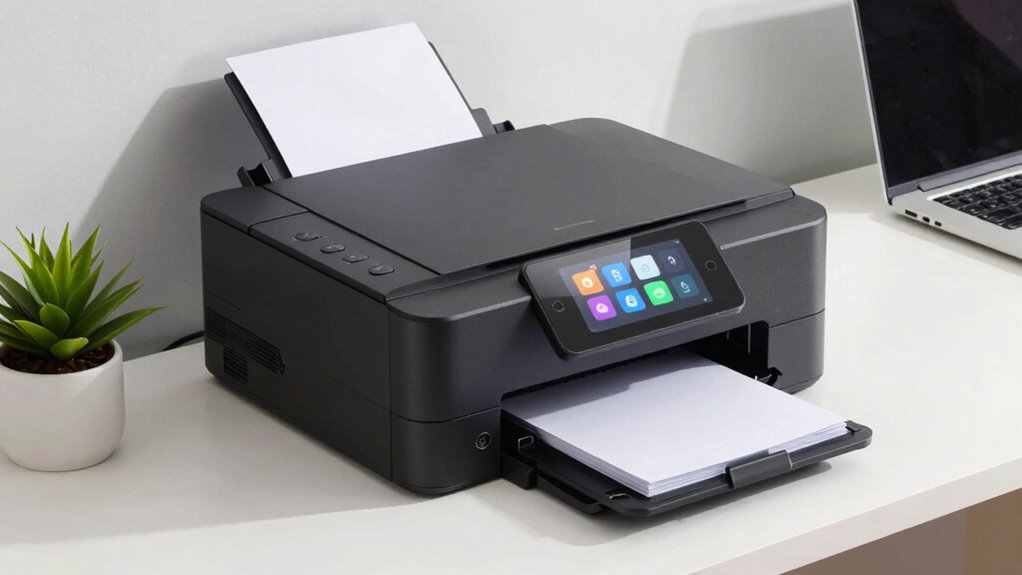

Choosing the right all-in-one printer for a small business involves balancing cost, functionality, and ease of maintenance. The HP OfficeJet Pro 9135 stands out as the best overall, offering a versatile mix of print quality and user-friendly features. For those prioritizing cost-efficiency, the Epson EcoTank ET-4800 delivers impressive savings on ink over time. Meanwhile, the Brother MFC-L3720CDW provides robust laser performance suitable for higher volumes. Every small business faces tradeoffs: affordability versus speed, color versus monochrome, or multifunctionality versus simplicity. Continue reading for a detailed breakdown of these options to find the best fit for your needs.

Get home appliances delivered free with Prime
- Fast, free delivery on millions of items
- Prime Video, Amazon Music and more included
- Member-only deals all year
Complete the kit


Key Takeaways
- Top picks balance cost, speed, and multifunctionality, with laser models excelling in volume and inkjet options offering better color quality.
- The best overall model combines fast printing, reliable connectivity, and easy maintenance, making it suitable for diverse small business needs.
- Laser printers tend to be more durable and cost-effective for high-volume printing, but inkjet models often provide better color accuracy and photo printing.
- Ease of use, including touchscreen controls and wireless connectivity, is a common feature among the top-ranked models.
- Tradeoffs often involve choosing between initial investment and ongoing costs—laser printers usually cost more upfront but save on ink in the long run.
| HP OfficeJet Pro 9135 Wireless All-in-One Color Inkjet Printer |  | Best Overall for Small Business with Versatile Color Printing | Print Speed: 25 ppm black, 20 ppm color | Input Trays: Two 250-sheet trays | Touchscreen: 4.3-inch color touchscreen | VIEW ON AMAZON | See Our Full Breakdown |
| HP OfficeJet Pro 8125 Wireless All-in-One Color Inkjet Printer |  | Best for Home Offices with Ease of Use and Cost Savings | Print Speed: up to 20 ppm black, 10 ppm color | Input Tray Capacity: 225 sheets | Touchscreen: 2.7-inch color touchscreen | VIEW ON AMAZON | See Our Full Breakdown |
| Epson EcoTank ET-4800 Wireless Color All-in-One Supertank Printer |  | Best Cartridge-Free Eco-Friendly Choice for High Volume | Printer Type: All-In-One | Connectivity: Wireless | Ink System: EcoTank high-capacity ink tanks | VIEW ON AMAZON | See Our Full Breakdown |
| Brother MFC-L3720CDW Wireless Color Laser Printer, Scanner, Copier, Fax, Auto Duplex, 250-Sheet Capacity |  | Best for Small Offices Needing Fast, Color Laser Printing | Print Speed: up to 19 ppm | Scan Speed: 29/22 ipm black/color | Paper Capacity: 250 sheets | VIEW ON AMAZON | See Our Full Breakdown |
| Brother MFC-L2820DW Wireless Monochrome All-in-One Laser Printer |  | Best Compact Monochrome Laser for Small Spaces | Print Speed: up to 36 ppm | Scan Speed: 23.6/7.9 ipm | Auto Document Feeder: 50 pages | VIEW ON AMAZON | See Our Full Breakdown |
| Brother Work Smart 1360 Wireless Color Inkjet All-in-One Printer |  | Best Compact All-in-One for Small Spaces | Print Speed: up to 16 ppm black, 9 ppm color | Automatic Duplex: Yes | Automatic Document Feeder: 20 sheets | VIEW ON AMAZON | See Our Full Breakdown |
| HP Color LaserJet Pro MFP 3301sdw Wireless All-in-One Color Laser Printer |  | Fast and Reliable for Small Office Color Printing | Print Speed: 26 ppm | Functions: Print, Scan, Copy | Duplex: Auto duplex | VIEW ON AMAZON | See Our Full Breakdown |
| Brother DCP-L2640DW Wireless Monochrome Multi-Function Printer |  | Best Monochrome MFP for Small Business on a Budget | Print Speed: 36 ppm | Scan Speed: 23.6/7.9 ipm | Auto Document Feeder: 50 pages | VIEW ON AMAZON | See Our Full Breakdown |
| HP OfficeJet Pro 8135 Wireless All-in-One Color Inkjet Printer |  | Best Color Inkjet for Versatile Home Office Use | Print Speed (Black): 20 ppm | Print Speed (Color): 10 ppm | Input Tray Capacity: 225 sheets | VIEW ON AMAZON | See Our Full Breakdown |
| Brother MFC-L8930CDW Business Color Laser All-in-One Printer |  | High-Performance Laser MFP with Security & Cost Efficiency | Print Speed: 33 ppm | Scan Speed: 104 ipm | Auto Document Feeder: 80 pages | VIEW ON AMAZON | See Our Full Breakdown |
| HP OfficeJet Pro 9125 Wireless All-in-One Color Inkjet Printer |  | Best Overall for Versatile Office Use | Print Speed: up to 22 ppm black, 18 ppm color | Input Tray Capacity: 250 sheets | Touchscreen: 2.7-inch color touchscreen | VIEW ON AMAZON | See Our Full Breakdown |
| Epson WorkForce Pro WF-4820 Wireless Color All-in-One Inkjet Printer |  | Best for High-Volume, Fast Printing | Print Speed (Black): 25 ppm | Print Speed (Color): 12 ppm | Maximum Paper Capacity: 250 sheets | VIEW ON AMAZON | See Our Full Breakdown |
| Brother INKvestment 5010 Wireless Color Inkjet All-in-One Printer with Automatic Duplex and Touchscreen |  | Best for Cost-Effective, High-Volume Printing | Print Speed: 28 ppm black / 26 ppm color | Paper Capacity: 500 sheets | Automatic Document Feeder: 50 sheets | VIEW ON AMAZON | See Our Full Breakdown |
| Brother MFC-L5915DW All-in-One Monochrome Laser Printer with Scanner and Copier |  | Best for High-Speed Monochrome Business Printing | Print Speed: 50 ppm | Auto Document Feeder: 70 pages | Connectivity: Gigabit Ethernet, Dual-band Wi-Fi | VIEW ON AMAZON | See Our Full Breakdown |
| all in one printer for small business | Connectivity | Print Speed | Touchscreen |
|---|---|---|---|
| HP OfficeJet Pro 9135 Wireless | Dual-band Wi-Fi, HP App | 25 ppm black, 20 ppm color | 4.3-inch color touchscreen |
| HP OfficeJet Pro 8125 Wireless | Wireless dual-band Wi-Fi | up to 20 ppm black, 10 ppm color | 2.7-inch color touchscreen |
| Epson EcoTank ET-4800 Wireless | Wireless | — | — |
| Brother MFC-L3720CDW Wireless | Wi-Fi, Wi-Fi Direct, Ethernet, USB | up to 19 ppm | 3.5 inches |
| Brother MFC-L2820DW Wireless M | Wireless, Ethernet, USB | up to 36 ppm | 2.7 inches |
| Brother Work Smart 1360 Wirele | Wireless, USB, Wi-Fi Direct, AirPrint, Mopria | up to 16 ppm black, 9 ppm color | — |
| HP Color LaserJet Pro MFP 3301 | Wireless | 26 ppm | — |
| Brother DCP-L2640DW Wireless M | Wireless, Ethernet, USB | 36 ppm | — |
| HP OfficeJet Pro 8135 Wireless | Wireless, dual-band Wi-Fi | — | — |
| Brother MFC-L8930CDW Business | — | 33 ppm | 7-inch color |
| HP OfficeJet Pro 9125 Wireless | Wireless dual-band Wi-Fi | up to 22 ppm black, 18 ppm color | 2.7-inch color touchscreen |
| Epson WorkForce Pro WF-4820 Wi | Wi-Fi, Wi-Fi Direct, Ethernet, Bluetooth Low Energy | — | 4.3 inches |
| Brother INKvestment 5010 Wirel | Wi-Fi, Ethernet, USB, Cloud | 28 ppm black / 26 ppm color | 2.7-inch color |
| Brother MFC-L5915DW All-in-One | Gigabit Ethernet, Dual-band Wi-Fi | 50 ppm | — |
More Details on Our Top Picks
HP OfficeJet Pro 9135 Wireless All-in-One Color Inkjet Printer
The HP OfficeJet Pro 9135 stands out as the most well-rounded choice for small businesses that need high-quality color output and a comprehensive feature set. Compared to the Epson EcoTank ET-4800, it offers faster print speeds and better document security, making it ideal for professional environments. However, this model relies on proprietary cartridges with specific circuitry, which can increase ongoing costs and limit flexibility. Its large 4.3-inch touchscreen and security features are user-friendly and protect sensitive data, but firmware updates and subscription fees after the free trial may cause inconvenience. Overall, this printer balances print quality, security, and ease of use, making it suitable for small offices that prioritize professional results.
Pros:- High-quality color printing suitable for professional documents
- Wireless printing and mobile device compatibility
- Security features to protect sensitive data
- Sustainable design with recycled materials
Cons:- Requires original HP cartridges with specific circuitry
- Firmware updates necessary for security measures
- Subscription fee after the free trial period
Best for: Small business owners who need fast, high-quality color printing with security features.
Not ideal for: Businesses seeking a cartridge-free, eco-friendly option or minimal ongoing costs.
- Print Speed:25 ppm black, 20 ppm color
- Input Trays:Two 250-sheet trays
- Touchscreen:4.3-inch color touchscreen
- Connectivity:Dual-band Wi-Fi, HP App
- Security:HP Wolf Pro Security
- Recycled Content:Over 40% recycled plastic
Our verdict“This printer is best for small businesses that need fast, secure, and professional color output without compromising on security features.”
HP OfficeJet Pro 8125 Wireless All-in-One Color Inkjet Printer
The HP OfficeJet Pro 8125 is designed for users who want straightforward color printing and versatile scanning without the complexity of larger office models. Its smaller 2.7-inch touchscreen makes it accessible for less tech-savvy users, and the auto document feeder streamlines multi-page tasks. Compared with the Brother MFC-L3720CDW, it excels in photo printing and ease of use, though it may lack some of the advanced security features and higher capacity paper handling of laser options. The included 3-month Instant Ink trial makes it an attractive choice for cost-conscious small businesses, but the need for original HP cartridges with specific chips can add to expenses. Overall, this model offers a good balance of features for small-scale, flexible printing needs.
Pros:- Fast color printing and versatile scanning and copying
- User-friendly 2.7-inch touchscreen interface
- Wireless connectivity with reliable dual-band Wi-Fi
- Includes 3-month Instant Ink trial for savings
Cons:- Requires original HP cartridges with HP chips or circuitry
- Firmware updates may restrict non-HP cartridges
- Price not specified, potential ongoing costs
Best for: Small business owners who prioritize ease of use and cost savings in a versatile inkjet printer.
Not ideal for: Businesses requiring high-volume or laser-level durability and security features.
- Print Speed:up to 20 ppm black, 10 ppm color
- Input Tray Capacity:225 sheets
- Touchscreen:2.7-inch color touchscreen
- Connectivity:Wireless dual-band Wi-Fi
- Additional Features:Auto duplex printing, auto document feeder
- Print Optimization:HP AI print optimization
Our verdict“This printer suits small offices seeking straightforward, cost-effective color printing with simple operation.”
Epson EcoTank ET-4800 Wireless Color All-in-One Supertank Printer
The Epson EcoTank ET-4800 appeals to small businesses focused on reducing ongoing costs and environmental impact. Its high-capacity EcoTank ink system means fewer refills and lower per-page costs, compared to cartridge-based models like the HP OfficeJet Pro 9135. While the initial purchase price is higher, the ability to refill ink tanks easily and mess-free makes it a practical long-term investment. The print quality is sharp for text and vibrant for color, but refilling tanks can be messy for some users who prefer cartridge replacements. It’s best suited for offices with high-volume printing needs that prioritize eco-friendliness and lower running costs over initial outlay.
Pros:- Cartridge-free, eco-friendly ink system
- High-capacity ink tanks reduce refilling frequency
- Sharp text and vibrant color output
- Built-in scanner and copier for versatility
Cons:- Refilling ink tanks may be messy for some users
- Higher initial cost compared to cartridge printers
Best for: Small businesses with high printing volume seeking a cartridge-free, eco-friendly solution.
Not ideal for: Offices that prefer quick, clean cartridge replacements or have limited space for larger printers.
- Printer Type:All-In-One
- Connectivity:Wireless
- Ink System:EcoTank high-capacity ink tanks
- Functions:Print, Scan, Copy
- Color:Color
- Model:ET-4800
Our verdict“This printer is ideal for high-volume printing environments that value eco-friendliness and cost efficiency over upfront expenditure.”
Brother MFC-L3720CDW Wireless Color Laser Printer, Scanner, Copier, Fax, Auto Duplex, 250-Sheet Capacity
The Brother MFC-L3720CDW offers a laser-based alternative for small offices that require fast, high-quality color printing with minimal fuss. Its speed of up to 19 ppm and large 250-sheet paper capacity make it suitable for busy environments, especially compared with the slower inkjet options like the HP OfficeJet Pro 8125. The 3.5-inch touchscreen simplifies operation, and its multiple connectivity options—including Wi-Fi and Ethernet—boost flexibility. However, it requires enrollment in a subscription service for full functionality, and its higher initial purchase price might deter budget-conscious buyers. This model is well-suited for offices where print quality and speed are priorities, but it’s less ideal for those seeking a straightforward, cartridge-free experience or monochrome-only needs.
Pros:- Fast print speeds and high-quality color output
- Multiple connectivity options including wireless and Ethernet
- Intuitive 3.5-inch touchscreen with cloud integration
- Automatic duplex printing for efficiency
Cons:- Requires enrollment in a subscription service for full features
- Complex setup process with many features
- Higher initial cost compared to basic printers
Best for: Small offices needing fast, reliable color laser printing with integrated scanning and copying.
Not ideal for: Businesses seeking a simple, low-cost monochrome solution or avoiding subscription services.
- Print Speed:up to 19 ppm
- Scan Speed:29/22 ipm black/color
- Paper Capacity:250 sheets
- Auto Document Feeder:50 sheets
- Connectivity:Wi-Fi, Wi-Fi Direct, Ethernet, USB
- Touchscreen:3.5 inches
- Energy Star:Yes
- EPEAT Rating:Silver
Our verdict“This laser model is best for small offices prioritizing speed, color quality, and multifunction capabilities with network flexibility.”
Brother MFC-L2820DW Wireless Monochrome All-in-One Laser Printer
The Brother MFC-L2820DW offers a space-efficient, monochrome laser solution for small offices that need fast printing and scanning without the color complexity. Its impressive 36 ppm print speed outpaces many color options like the Brother MFC-L3720CDW, making it ideal for high-volume black-and-white jobs. The 2.7-inch touchscreen is straightforward, but the lack of color printing limits its use for offices that need vibrant output. While its compact size makes it perfect for tight spaces, the reliance on compatible toner cartridges for optimal performance can add ongoing costs. This model suits offices focused on speed and simplicity, but it’s not suitable if color or advanced security features are priorities.
Pros:- Compact design ideal for tight spaces
- Fast printing speeds of up to 36 ppm
- Multiple connectivity options including wireless and Ethernet
- User-friendly 2.7-inch touchscreen
Cons:- Limited to monochrome printing only
- Requires compatible toner cartridges for best performance
- No color or advanced security features
Best for: Small offices with high-volume monochrome printing needs in limited space.
Not ideal for: Businesses requiring color printing or advanced security features.
- Print Speed:up to 36 ppm
- Scan Speed:23.6/7.9 ipm
- Auto Document Feeder:50 pages
- Connectivity:Wireless, Ethernet, USB
- Touchscreen:2.7 inches
- Paper Capacity:250 sheets
- Energy Star:Yes
- EPEAT Rating:Silver
Our verdict“This monochrome laser printer is best for small offices needing quick, high-volume black-and-white printing in limited space.”
Brother Work Smart 1360 Wireless Color Inkjet All-in-One Printer
This model stands out for its compact design, making it an excellent choice for small offices or home setups where space is at a premium. Compared with the HP OfficeJet Pro 8135, it offers similar color quality but with a smaller footprint, sacrificing some high-volume capacity. Its automatic duplex printing and 20-sheet document feeder boost efficiency, yet it’s limited to smaller workloads typical of home use. The reliance on genuine LC501 cartridges can be a drawback if cost is a concern, and its slower color print speeds (9 ppm) may frustrate those with higher volume needs. Overall, this pick makes the most sense for users who prioritize size and ease of use over high-volume throughput.
Pros:- Space-saving, compact design
- Easy mobile and cloud printing options
- Fast duplex printing for small jobs
- Automatic document feeder improves workflow
Cons:- Limited paper capacity (150 sheets)
- Requires compatible ink cartridges for optimal performance
- Not suited for high-volume or busy environments
Best for: Small business owners or home office users with limited space needing reliable color printing and scanning.
Not ideal for: Growing businesses with high-volume printing needs or those requiring frequent color output, as it may become a bottleneck.
- Print Speed:up to 16 ppm black, 9 ppm color
- Automatic Duplex:Yes
- Automatic Document Feeder:20 sheets
- Paper Tray Capacity:150 sheets
- Display:1.8-inch color display
- Connectivity:Wireless, USB, Wi-Fi Direct, AirPrint, Mopria
Our verdict“This printer is ideal for small spaces where reliable color printing and multifunctionality are needed for light workloads.”
HP Color LaserJet Pro MFP 3301sdw Wireless All-in-One Color Laser Printer
This printer excels in delivering rapid color throughput with 26 ppm, making it suitable for small teams needing quick, professional-quality documents. Compared to the Brother DCP-L2640DW, which only prints in monochrome, it offers full-color output, but at the expense of higher toner costs and dependency on HP cartridges. Its auto duplex feature and 250-sheet input tray support larger workloads, yet it requires HP-specific toner chips, which can limit flexibility and add to ongoing costs. Firmware updates for security may require attention, but overall, it’s a dependable choice for offices prioritizing speed and color quality over cartridge flexibility. This makes it a strong candidate for businesses that want a straightforward, high-performance laser solution.
Pros:- Fast print speeds of 26 ppm
- All-in-one functionality with scan and copy
- Large 250-sheet input tray
- Auto duplex printing saves paper
Cons:- Requires HP-specific cartridges with chips
- Firmware updates may impact third-party compatibility
- Higher running costs compared to inkjet alternatives
Best for: Small offices needing high-speed, color laser printing with reliable multifunction features.
Not ideal for: Budget-conscious small businesses or those preferring third-party toner options, due to HP cartridge restrictions.
- Print Speed:26 ppm
- Functions:Print, Scan, Copy
- Duplex:Auto duplex
- Input Tray Capacity:250 sheets
- Connectivity:Wireless
Our verdict“This laser printer is best for small teams that value speed and high-quality color output with minimal downtime.”
Brother DCP-L2640DW Wireless Monochrome Multi-Function Printer
This monochrome multifunction printer is designed for those who primarily need black-and-white printing, scanning, and copying. It outpaces many color options like the HP OfficeJet Pro 8135 in speed, with a robust 36 ppm, making it suitable for busy small offices. Its 50-page automatic document feeder and multiple connectivity options—including Ethernet, USB, and wireless—support flexible workflows. However, its limitation to monochrome output restricts its use for businesses needing color. The need for compatible toner (Brother TN830 series) and potential costs for high-volume printing are tradeoffs. Overall, this printer offers speed and reliability for budget-conscious users whose work is predominantly in black and white.
Pros:- High-speed printing at 36 ppm
- Multiple connectivity options including wireless and Ethernet
- Large 50-page auto document feeder
- Compact design suitable for small offices
Cons:- Limited to monochrome printing
- Toner replacement can be costly over time
- No color functionality limits versatility
Best for: Small businesses with moderate to high monochrome printing demands, especially those needing fast, reliable output.
Not ideal for: Businesses requiring frequent color printing or graphic-heavy documents, as it cannot handle color output.
- Print Speed:36 ppm
- Scan Speed:23.6/7.9 ipm
- Auto Document Feeder:50 pages
- Connectivity:Wireless, Ethernet, USB
- Compatible Toner:Brother TN830/TN830XL
Our verdict“Ideal for small teams prioritizing fast, monochrome printing with flexible connectivity, without the need for color output.”
HP OfficeJet Pro 8135 Wireless All-in-One Color Inkjet Printer
This model provides high-quality color output, making it suitable for businesses that need vibrant, professional-looking documents. Compared with the Brother Work Smart 1360, it offers better color resolution and a larger 2.7-inch touchscreen for easier operation, but at a higher price point. Its 20 ppm monochrome speed is decent, yet slower than laser options like the HP LaserJet Pro 3301sdw, which may be a concern for high-volume environments. The built-in fax, larger input tray, and eco-friendly materials add value, but the reliance on specific HP cartridges with chips can increase ongoing costs. This printer appeals to small businesses that prioritize color quality and multifunctionality over speed or low running costs.
Pros:- High-quality color printing suitable for professional documents
- Large input tray (225 sheets)
- Wireless and mobile printing capabilities
- Eco-conscious design with 45% recycled plastic
Cons:- Requires HP-specific cartridges with chips
- Potentially high ink replacement costs
- Price may be high for casual or low-volume users
Best for: Home offices and small businesses needing high-quality color printing, scanning, and copying with a user-friendly interface.
Not ideal for: High-volume environments or cost-sensitive users, due to higher ongoing ink costs and cartridge restrictions.
- Print Speed (Black):20 ppm
- Print Speed (Color):10 ppm
- Input Tray Capacity:225 sheets
- Touchscreen Size:2.7 inches
- Connectivity:Wireless, dual-band Wi-Fi
Our verdict“This inkjet model fits small businesses needing vibrant color output and versatile features with an emphasis on ease of use.”
Brother MFC-L8930CDW Business Color Laser All-in-One Printer
This high-end laser MFP targets busy small offices with substantial printing demands. Its impressive speed of 33 ppm and 104 ipm scan rate ensure productivity stays high, outperforming smaller models like the Brother DCP-L2640DW. The 7-inch color touchscreen simplifies operation, and security features such as NFC card reader and triple-layer security offer peace of mind in sensitive environments. The inclusion of high-yield toner options (up to 7,500 pages) reduces ongoing costs, but the initial investment and complex setup can be deterrents for smaller or less tech-savvy teams. This printer is best suited for those prioritizing speed, security, and low-cost operation over initial affordability.
Pros:- Fast print and scan speeds
- Advanced security features including NFC and triple-layer security
- High-yield toner options lower running costs
- Large 7-inch touchscreen with customizable shortcuts
Cons:- Higher initial purchase price
- Complex setup process may challenge less experienced users
- Bulkier footprint suitable for dedicated office space
Best for: Small businesses with high-volume color printing needs and a focus on security and cost efficiency.
Not ideal for: Startups or very small teams with limited budgets or infrequent printing, due to its higher upfront cost and complexity.
- Print Speed:33 ppm
- Scan Speed:104 ipm
- Auto Document Feeder:80 pages
- Touchscreen:7-inch color
- Security Features:Triple Layer Security, NFC
- Toner Yield:Standard: 3,000 pages black, 1,800 pages color
Our verdict“Best for security-conscious, high-volume small offices seeking top-tier speed and low operating costs over initial investment.”
HP OfficeJet Pro 9125 Wireless All-in-One Color Inkjet Printer
The HP OfficeJet Pro 9125 stands out as a well-rounded choice for small businesses needing reliable color printing alongside scanning, copying, and faxing. Compared with the Epson WorkForce Pro WF-4820, it offers slightly faster color print speeds but trades off a larger paper capacity for a more compact design. Its 2.7-inch touchscreen simplifies operation, and the secure printing features add peace of mind for sensitive documents. The inclusion of a 3-month trial of Instant Ink helps control ongoing costs, but the requirement for original HP cartridges with specific chips can lead to higher consumable expenses over time. Firmware updates for security are an ongoing maintenance note. This model suits small teams that value security, ease of use, and integrated ink management, though it’s less ideal for those seeking budget-friendly consumables.
Pros:- Fast color printing and versatile all-in-one functions
- Intuitive 2.7-inch touchscreen interface
- Strong security features like HP Wolf Pro Security
- Includes 3 months of Instant Ink for cost savings
Cons:- Requires original HP cartridges with specific chips or circuitry
- Firmware updates necessary for maintaining security
Best for: Small office teams needing secure, fast color printing with manageable ongoing costs
Not ideal for: Small businesses on a tight budget who want to minimize ink expenses long-term
- Print Speed:up to 22 ppm black, 18 ppm color
- Input Tray Capacity:250 sheets
- Touchscreen:2.7-inch color touchscreen
- Connectivity:Wireless dual-band Wi-Fi
- Features:Print, scan, copy, fax, auto duplex, auto document feeder
- Security:HP Wolf Pro Security
Our verdict“Best suited for small businesses that prioritize security, ease of use, and integrated ink savings, even if initial costs are higher.”
Epson WorkForce Pro WF-4820 Wireless Color All-in-One Inkjet Printer
The Epson WorkForce Pro WF-4820 is tailored for busy small offices that require high-speed, high-quality color printing. Compared to the Brother INKvestment 5010, it offers faster print speeds and a larger 4.3-inch touchscreen, making it better suited for intense workloads. Its 25 ppm black and 12 ppm color speeds excel in environments where turnaround time matters, and the 250-sheet capacity minimizes the need for frequent reloads. The device supports a wide range of connectivity options, including Ethernet and Bluetooth, which can streamline multiple user setups. However, its higher price point and potentially costly ink can be drawbacks for small businesses with tight margins. Setup can be complex for less tech-savvy users. This model is best for offices handling large print volumes with a need for speed and robust connectivity, but it’s less ideal for those on a strict budget or with infrequent printing needs.
Pros:- High-speed printing up to 25 ppm black and 12 ppm color
- Large 250-sheet paper capacity reduces refills
- Multiple connectivity options including Ethernet and Bluetooth
- User-friendly 4.3-inch touchscreen with Epson Smart Panel App
Cons:- Higher initial purchase price
- Ink costs may be high with frequent use
- Setup can be complex for some users
Best for: Small businesses with high-volume printing demands and need for fast turnaround
Not ideal for: Startups or micro-businesses with low print volume and limited tech support
- Print Speed (Black):25 ppm
- Print Speed (Color):12 ppm
- Maximum Paper Capacity:250 sheets
- Touchscreen:4.3 inches
- Connectivity:Wi-Fi, Wi-Fi Direct, Ethernet, Bluetooth Low Energy
- Automatic Duplex Printing:Yes
Our verdict“Ideal for busy small offices needing rapid, high-capacity color printing with extensive connectivity options.”
Brother INKvestment 5010 Wireless Color Inkjet All-in-One Printer with Automatic Duplex and Touchscreen
The Brother INKvestment 5010 offers a compelling combination of high-yield cartridges and large paper capacity, making it a smart pick for small businesses that print frequently. Its 28 ppm black and 26 ppm color speeds are competitive, especially with the advantage of automatic duplex printing that cuts paper costs and time. Unlike the Epson WF-4820, it emphasizes affordability through high-yield cartridges (1,800 black, 750 color pages), which can significantly lower ongoing expenses. The 2.7-inch touchscreen and multiple connectivity options, including cloud support, streamline workflow. On the downside, the initial setup can challenge less tech-savvy users, and the touchscreen responsiveness isn’t perfect. It’s best for cost-conscious offices with high-volume needs, but not ideal if you prefer the fastest speeds or the most modern interface.
Pros:- High-yield cartridges for lower cost per page
- Automatic duplex printing saves paper and time
- Supports multiple connectivity options including cloud printing
- Large 500-sheet paper capacity
Cons:- Setup process might be challenging for some users
- Touchscreen interface could be more responsive
Best for: Small businesses focused on reducing long-term printing costs with high-volume needs
Not ideal for: Offices that prioritize ultra-fast printing or minimal setup complexity
- Print Speed:28 ppm black / 26 ppm color
- Paper Capacity:500 sheets
- Automatic Document Feeder:50 sheets
- Touchscreen:2.7-inch color
- Connectivity:Wi-Fi, Ethernet, USB, Cloud
- Cartridge Yield:1,800 pages black, 750 pages color
Our verdict“Best for cost-conscious small businesses with high-volume printing that want to maximize savings over time.”
Brother MFC-L5915DW All-in-One Monochrome Laser Printer with Scanner and Copier
The Brother MFC-L5915DW excels in high-volume, monochrome office environments where speed and efficiency are priorities. Its impressive 50 ppm print and copy speeds far surpass the other models here, making it ideal for large batches of black-and-white documents. Its 70-page auto document feeder and high-capacity toner cartridge (18,000 pages) support continuous workflow without frequent reloads. Compared with the inkjet options like the HP OfficeJet Pro 9125 or Brother INKvestment 5010, this laser model provides more cost-effective printing over the long run, especially for text-heavy tasks. The large 5-inch touchscreen simplifies management. However, it’s limited to monochrome printing, which rules out color needs, and its size requires a dedicated space. This makes it perfect for offices focused on document-heavy, black-and-white tasks, but unsuitable for businesses that need color output or compact setups.
Pros:- Blazing fast speeds of up to 50 ppm
- High-capacity toner with 18,000 pages yield
- Large 5-inch touchscreen for easy operation
- Low cost per page for monochrome printing
Cons:- Limited to monochrome output, no color printing
- Large footprint may require substantial space
- Setup can be complex for some users
Best for: Small offices with high-volume, black-and-white printing needs and limited space for equipment
Not ideal for: Businesses needing color printing or those with space constraints
- Print Speed:50 ppm
- Auto Document Feeder:70 pages
- Connectivity:Gigabit Ethernet, Dual-band Wi-Fi
- Toner Cartridge:TN920UXXL (18,000 pages)
- Included Toner:3,000 pages
- Display:5-inch touchscreen
Our verdict“Best suited for high-volume monochrome printing in busy offices where speed and cost efficiency matter most.”

How We Picked
These printers were evaluated based on performance, print quality, ease of setup, connectivity options, maintenance costs, and overall value. We prioritized models that balance affordability with feature sets suitable for small business environments, ensuring they can handle a variety of tasks from printing reports to marketing materials. Models were ranked to highlight those with reliable operation, low running costs, and user-friendly interfaces, helping small business owners avoid models that are either overpowered or underwhelming for their needs.Factors to Consider When Choosing All In One Printer For Small Business
When selecting an all-in-one printer for a small business, it’s vital to consider factors beyond just initial cost. The right machine should match your typical workload, print volume, and whether color printing is essential. Durability and maintenance costs can significantly affect total ownership. Additionally, connectivity options such as wireless or mobile printing can streamline workflow, especially in dynamic work environments. Understanding these broader considerations helps prevent costly mistakes and ensures your investment supports your business growth.Print Volume and Speed
Assess your typical printing workload to choose a printer that can handle your volume efficiently. Laser models generally offer faster print speeds and higher duty cycles, making them suitable for busy environments. Inkjet printers, while slower, often excel at producing high-quality color prints, which might be necessary for marketing materials. Overestimating your needs can lead to unnecessary expenses, but underestimating can cause delays and workflow disruptions. Aim for a model that comfortably exceeds your average monthly print volume to extend its lifespan and reliability.
Cost of Ink or Toner
One of the most overlooked aspects is ongoing ink or toner costs. Inkjet printers tend to have lower upfront prices but can incur high running costs due to frequent cartridge replacements. Conversely, supertank or high-yield toner models might cost more initially but save money over time. Consider models with high-capacity cartridges or bulk ink options if you print frequently. This balance between initial investment and long-term expenses is key to maintaining profitability and avoiding surprise costs.
Connectivity and Ease of Use
Wireless connectivity, mobile printing, and touchscreen controls significantly enhance workflow efficiency. Small businesses benefit from printers that easily connect to multiple devices without complicated setups. Features like cloud printing and app support can streamline document management. However, added features often come with increased complexity or cost, so prioritize models that balance ease of use with necessary functionalities. Avoid overly complex interfaces if your team prefers straightforward, quick printing solutions.
Size, Design, and Placement
Space constraints in small offices demand compact, well-designed printers that don’t clutter your workspace. Monochrome laser printers tend to be more space-efficient and durable, while larger multifunction models offer more features but require more room. Consider your available space and workflow; a bulky printer might save features but hinder movement or placement. A compact design that fits seamlessly into your office environment helps maintain productivity without sacrificing essential capabilities.
Security and Maintenance
Business-sensitive documents require printers with security features such as user authentication or encrypted printing. Regular maintenance, including replacing cartridges or clearing paper jams, should be straightforward to avoid downtime. Some models include automated alerts or remote diagnostics, reducing the need for technical support. Investing in a printer with solid build quality and easy access for maintenance can save time and money, especially as your business scales.
Frequently Asked Questions
How do I choose between an inkjet and a laser all-in-one printer?
Deciding between inkjet and laser depends largely on your printing needs. Inkjet printers typically deliver higher-quality color images and are more affordable initially, making them suitable for occasional color prints or smaller volumes. Laser printers, on the other hand, are better for high-volume, monochrome printing and generally offer faster speeds and lower cost per page over time. If your business prints frequently in color or in large quantities, investing in a laser printer could lead to savings and increased efficiency. Conversely, for light or infrequent color use, an inkjet might be more cost-effective upfront.
What features should I prioritize for a small business printer?
Prioritize wireless connectivity and mobile printing capabilities to maximize flexibility. A user-friendly touchscreen interface can simplify daily use, especially for staff members with varying technical skills. Consider the printer’s duty cycle—how much it can reliably print each month—to ensure it matches your workload. Also, look at the availability of high-yield cartridges or bulk ink options to reduce ongoing costs. Features like automatic duplexing save time and paper, adding efficiency to everyday tasks.
Is it worth paying more for a multifunction printer with fax and scanning?
For many small businesses, having a multifunction printer that includes fax and scanning features can streamline operations, especially if these functions are used regularly. The added convenience often justifies a slightly higher investment, as it consolidates multiple devices into one. However, if faxing is rarely needed, paying extra for those features might not be necessary. Consider your actual workflow requirements and future growth plans to decide whether the added functionalities will provide value over time.
How important is print speed for small business use?
Print speed becomes a key factor if your business relies on quick turnaround times or handles large batches of documents. Faster printers reduce waiting times, improve efficiency, and help meet tight deadlines. Laser models tend to excel here, with speeds often double or triple that of comparable inkjet printers. However, for infrequent printing, speed might be less critical, and you can prioritize other features like cost per page or connectivity. Always match the printer’s speed to your typical workflow to avoid bottlenecks.
Should I consider the total cost of ownership when buying?
Absolutely. The initial purchase price is only part of the equation; ongoing costs for ink, toner, maintenance, and repairs significantly impact the total cost of ownership. Laser printers often have higher upfront costs but lower per-page expenses, making them more economical over time for busy offices. Inkjet models might be cheaper initially but can become costly with frequent cartridge replacements. Evaluating these factors helps prevent surprises and ensures your investment remains sustainable as your business grows.
Conclusion
For small business owners seeking the best overall balance of features, the HP OfficeJet Pro 9135 remains a strong recommendation due to its versatility and ease of use. Budget-conscious buyers will find the Epson EcoTank ET-4800 offers excellent ongoing value through lower ink costs. Entrepreneurs new to office tech might prefer the Brother MFC-L2820DW for its straightforward monochrome printing, while larger operations with high-volume needs could benefit from the Brother MFC-L3720CDW or Brother MFC-L8930CDW for speed and durability. Ultimately, your choice should align with your specific workflow, volume, and budget to support your small business effectively.