
Searching for a 4K monitor for Mac means balancing stunning display quality with seamless compatibility. The LG 32UR500K-B UltraFine stands out as the best overall choice, thanks to its high-resolution display and built-in speakers. The Dell S2725QC offers excellent color accuracy and versatile connectivity, making it ideal for creative workflows. Buyers often face tradeoffs between price, size, and features—more affordable models might lack some premium build quality or advanced calibration options. Continue reading for a detailed breakdown of each option to help you find the perfect match for your Mac setup.

Get home appliances delivered free with Prime
- Fast, free delivery on millions of items
- Prime Video, Amazon Music and more included
- Member-only deals all year
Complete the kit



Key Takeaways
- The best overall 4K monitor for Mac balances high resolution, color accuracy, and seamless connectivity without excessive price.
- Size matters—larger screens like 32 inches enhance productivity but come at a higher cost and space requirement.
- USB-C is almost essential for Mac users seeking clean, single-cable setups, but some models still rely on HDMI or DisplayPort.
- HDR support varies widely; choose models with HDR400 or higher if color grading or media editing is a priority.
- Build quality and adjustability can significantly impact daily usability, especially for long work sessions.
| LG 32UR500K-B UltraFine 32-Inch 4K UHD HDR10 Monitor with Built-In Speakers |  | Best Overall 32-Inch 4K for Mac | Screen Size: 32 inches | Resolution: 3840 x 2160 (4K UHD) | HDR: HDR10 | VIEW ON AMAZON | See Our Full Breakdown |
| Dell 27 Monitor S2725QC 4K UHD IPS with USB-C, HDMI, DisplayPort, FreeSync Premium |  | Best for Smooth Productivity and Versatile Connectivity | Screen Size: 27 inches | Resolution: 3840×2160 (4K UHD) | Refresh Rate: 120Hz | VIEW ON AMAZON | See Our Full Breakdown |
| LG 27UP850K-W 27-inch 4K UHD IPS Monitor with HDR, USB-C, Adjustable Stand, Built-in Speakers |  | Best for Ergonomic Professionals and Creatives | Display Size: 27 inches | Resolution: 3840 x 2160 (4K UHD) | HDR: VESA DisplayHDR 400 | VIEW ON AMAZON | See Our Full Breakdown |
| Dell 32 Monitor S3225QS 4K UHD VA, 120Hz, FreeSync Premium, Eye Comfort |  | Best for Eye Comfort and Vivid VA Colors | Display Size: 32 inches | Resolution: 3840 x 2160 | Panel Type: VA | VIEW ON AMAZON | See Our Full Breakdown |
| INNOCN 27″ 4K USB-C Monitor for Laptop MacBook/Mac mini – IPS HDR400 Display, Adjustable Stand, Black |  | Best Budget-Friendly 4K for Mac | Size: 27 inches | Resolution: 3840 x 2160 | Panel Type: IPS | VIEW ON AMAZON | See Our Full Breakdown |
| LG 27US500-W Ultrafine 27-Inch 4K UHD HDR10 IPS Monitor |  | Best for Creative Professionals Seeking Vivid Visuals | Screen Size: 27 inches | Resolution: 3840×2160 (4K UHD) | Contrast Ratio: 1000:1 | VIEW ON AMAZON | See Our Full Breakdown |
| BenQ MA320U 32-Inch 4K IPS Monitor with Mac Color Match and USB-C |  | Best for Mac Users Needing Accurate Color and Versatility | Display Size: 32 inches | Resolution: 3840×2160 (4K) | Color Gamut: 97% P3, 99% sRGB | VIEW ON AMAZON | See Our Full Breakdown |
| SAMSUNG 34″ ViewFinity S50GC Series Ultra-WQHD Monitor |  | Best for Multitasking and Immersive Workspaces | Screen Size: 34 inches | Resolution: 3440×1440 (Ultra-WQHD) | Refresh Rate: 100Hz | VIEW ON AMAZON | See Our Full Breakdown |
| BenQ MA270UP 27-Inch 4K USB-C Monitor for MacBook |  | Best for MacBook Users Wanting Seamless Connectivity & Calibration | Screen Size: 27 inches | Resolution: 3840×2160 (4K) | Color Gamut: P3 wide color | VIEW ON AMAZON | See Our Full Breakdown |
| LG 27UP650K-W 27-inch 4K UHD IPS Computer Monitor with HDR and Adjustable Stand |  | Best for Versatile Use Including Gaming, Streaming, and Professional Work | Display Size: 27 inches | Resolution: 3840×2160 (4K UHD) | HDR: DisplayHDR 400 | VIEW ON AMAZON | See Our Full Breakdown |
| Dell 27 Monitor S2725QS 4K UHD IPS, 120Hz, FreeSync Premium |  | Best Overall for Versatile 4K Performance | Size: 27 inches | Resolution: 4K UHD | Panel Type: IPS | VIEW ON AMAZON | See Our Full Breakdown |
| Samsung 32″ Flat Computer Monitor with 75Hz Refresh Rate, Borderless Display, AMD FreeSync, Game Mode, Eye Care, HDMI & DisplayPort |  | Best for Larger Screen and Seamless Design | Size: 32 inches | Resolution: 4K UHD | Display Type: Flat | VIEW ON AMAZON | See Our Full Breakdown |
| 4k monitor for mac | Resolution | HDR | Connectivity | Refresh Rate |
|---|---|---|---|---|
| LG 32UR500K-B UltraFine 32-Inc | 3840 x 2160 (4K UHD) | HDR10 | — | — |
| Dell 27 Monitor S2725QC 4K UHD | 3840×2160 (4K UHD) | — | USB-C, HDMI, DisplayPort | 120Hz |
| LG 27UP850K-W 27-inch 4K UHD I | 3840 x 2160 (4K UHD) | VESA DisplayHDR 400 | USB-C, HDMI, DisplayPort | — |
| Dell 32 Monitor S3225QS 4K UHD | 3840 x 2160 | Yes | — | 120Hz |
| INNOCN 27" 4K USB-C Monitor fo | 3840 x 2160 | HDR400 | USB-C, HDMI, DisplayPort | — |
| LG 27US500-W Ultrafine 27-Inch | 3840×2160 (4K UHD) | HDR10 | — | — |
| BenQ MA320U 32-Inch 4K IPS Mon | 3840×2160 (4K) | — | 2 USB-C (90W), 2 HDMI | — |
| SAMSUNG 34" ViewFinity S50GC S | 3440×1440 (Ultra-WQHD) | HDR10 | — | 100Hz |
| BenQ MA270UP 27-Inch 4K USB-C | 3840×2160 (4K) | — | — | — |
| LG 27UP650K-W 27-inch 4K UHD I | 3840×2160 (4K UHD) | DisplayHDR 400 | 2 HDMI, DisplayPort 1.4 | 60Hz |
| Dell 27 Monitor S2725QS 4K UHD | 4K UHD | — | HDMI, DisplayPort, USB-C | 120Hz |
| Samsung 32" Flat Computer Moni | 4K UHD | — | HDMI, DisplayPort | 75Hz |
More Details on Our Top Picks
LG 32UR500K-B UltraFine 32-Inch 4K UHD HDR10 Monitor with Built-In Speakers
This 32-inch LG UltraFine stands out for its large, detailed display and vibrant color coverage, making it ideal for creative professionals who need screen real estate and color accuracy. Compared with the Dell S3225QS, it offers a larger display but lacks extensive ergonomic adjustments. Its HDR10 support and 90% DCI-P3 coverage improve visual quality, though the stand is limited to tilt only, which may frustrate users seeking full adjustability. The built-in Waves MaxxAudio speakers add convenience, but their sound quality isn’t premium, and there’s no mention of USB ports, which could limit connectivity options for Mac setups. Overall, this monitor suits those prioritizing a spacious, color-rich display with integrated audio, while sacrificing some ergonomic flexibility.
Pros:- Large, sharp 4K UHD resolution on a spacious 32-inch screen
- HDR10 support with up to 90% DCI-P3 coverage enhances vibrant visuals
- Built-in stereo speakers with Waves MaxxAudio for multimedia use
- Borderless design maximizes screen real estate
Cons:- Stand adjustment limited solely to tilt, restricting ergonomic flexibility
- Lack of USB ports may complicate Mac setups requiring additional peripherals
Best for: Creative professionals or multimedia enthusiasts who value size, color accuracy, and integrated speakers in a single display.
Not ideal for: Users needing height, pivot, or swivel adjustments, or those requiring extensive connectivity options beyond HDMI and DisplayPort.
- Screen Size:32 inches
- Resolution:3840 x 2160 (4K UHD)
- HDR:HDR10
- Color Gamut:Up to 90% DCI-P3
- Speakers:Built-in stereo with Waves MaxxAudio
- Ports:2 HDMI, 1 DisplayPort
Our verdict“Ideal for users seeking a large, color-accurate display with integrated audio, but who can compromise on ergonomic adjustments.”
Dell 27 Monitor S2725QC 4K UHD IPS with USB-C, HDMI, DisplayPort, FreeSync Premium
The Dell S2725QC offers a 27-inch 4K IPS panel with a 120Hz refresh rate, making it a compelling choice for those who want crisp visuals combined with smooth motion. In comparison to the LG 27UP850K, it provides a higher refresh rate and FreeSync Premium, which benefits fast-paced content and gaming, although it may not match the color accuracy of higher-end options like the LG 27UP850K. Its vivid IPS display ensures accurate colors with 99% sRGB coverage, and the USB-C port simplifies desk clutter by delivering power, video, and data through a single cable. However, the product lacks detailed info on built-in speakers, and the stand’s adjustability isn’t specified, potentially limiting ergonomic comfort. This monitor is best suited for users who need a balance of sharp visuals and smooth performance for work and casual gaming.
Pros:- Vivid 4K IPS display with 99% sRGB coverage for accurate colors
- 120Hz refresh rate with FreeSync Premium for smooth visuals
- USB-C connectivity with power delivery reduces cable clutter
- Vibrant, detailed images suitable for creative work
Cons:- Limited information about the quality of built-in speakers
- Stand adjustability details are not specified, possibly limiting ergonomic setup
Best for: Content creators or professionals who prioritize color accuracy with smooth motion and minimal desk clutter.
Not ideal for: Gamers seeking ultra-high refresh rates or users who need extensive ergonomic adjustments for long working hours.
- Screen Size:27 inches
- Resolution:3840×2160 (4K UHD)
- Refresh Rate:120Hz
- Color Coverage:99% sRGB
- Connectivity:USB-C, HDMI, DisplayPort
- Response Time:4ms
Our verdict“A versatile monitor blending crisp visuals, smooth motion, and simplified connectivity for productivity and casual entertainment.”
LG 27UP850K-W 27-inch 4K UHD IPS Monitor with HDR, USB-C, Adjustable Stand, Built-in Speakers
The LG 27UP850K-W combines a 27-inch 4K IPS display with HDR support and a highly adjustable stand, making it a strong choice for those who spend long hours at their desk. Its 95% DCI-P3 coverage and VESA DisplayHDR 400 ensure vibrant, lifelike visuals superior to standard monitors like the Dell S2725QC. The inclusion of a USB-C port with 90W power delivery simplifies setup for MacBook users, while the ergonomic stand with height, tilt, and pivot adjustments supports comfortable working postures. Compared to the INNOCN 27″ with its more limited stand, this model offers better flexibility. However, HDR performance can vary depending on the content, and its higher price reflects its premium feature set. This monitor makes the most sense for professionals who need accurate colors and ergonomic customization in a compact size.
Pros:- Vibrant 4K UHD display with 95% DCI-P3 and HDR support
- Highly adjustable stand with height, tilt, and pivot options
- USB-C with 90W power delivery streamlines MacBook setup
- Built-in stereo speakers enhance multimedia experience
Cons:- HDR performance depends on compatible content and setup
- Higher price point may be a barrier for budget-conscious buyers
Best for: Designers, video editors, or remote workers who need precise colors and ergonomic flexibility in a compact form factor.
Not ideal for: High-refresh-rate gamers or users expecting extensive USB hub functionality beyond power and data transfer.
- Display Size:27 inches
- Resolution:3840 x 2160 (4K UHD)
- HDR:VESA DisplayHDR 400
- Color Gamut:95% DCI-P3
- Connectivity:USB-C, HDMI, DisplayPort
- Stand Adjustments:Height, tilt, pivot
Our verdict“An excellent choice for creative professionals who need color accuracy and ergonomic comfort in a versatile 27-inch monitor.”
Dell 32 Monitor S3225QS 4K UHD VA, 120Hz, FreeSync Premium, Eye Comfort
The Dell S3225QS boasts a 32-inch VA panel with a 120Hz refresh rate and HDR readiness, making it suitable for users who want vibrant visuals with high contrast and smooth motion. Compared with the LG 32UR500K, it offers a larger display and higher contrast thanks to VA technology, though it may lack the color accuracy of IPS panels like the LG or LG 27UP850K. The ultra-thin bezel and sleek design make it a stylish addition to any desk, and Eye Comfort features help reduce fatigue during extended use. However, the lack of detailed info on built-in speakers and stand adjustability might limit ergonomic comfort, especially for prolonged sessions. It’s best suited for those balancing work and entertainment with an emphasis on contrast and eye comfort.
Pros:- Large 32-inch VA panel with high contrast and vivid colors
- 120Hz refresh rate with FreeSync Premium for smooth visuals
- Eye Comfort features reduce blue light and fatigue
- Sleek, modern ultra-thin bezel design
Cons:- Limited details on the quality of built-in speakers
- Lack of stand height adjustment or pivot features
Best for: Users prioritizing high contrast, eye comfort, and a large display for multimedia or mixed tasks.
Not ideal for: Color-critical professionals who need precise color reproduction or those seeking extensive ergonomic features.
- Display Size:32 inches
- Resolution:3840 x 2160
- Panel Type:VA
- Refresh Rate:120Hz
- HDR:Yes
- Contrast Ratio:3000:1
Our verdict“A strong option for users seeking a large, contrast-rich display with eye care features for versatile multimedia use.”
INNOCN 27″ 4K USB-C Monitor for Laptop MacBook/Mac mini – IPS HDR400 Display, Adjustable Stand, Black
The INNOCN 27″ offers a 4K IPS display with HDR400 support, making it a practical choice for Mac users needing sharp visuals at a more accessible price point. Its 60Hz refresh rate isn’t suited for high-end gaming but suffices for productivity, content creation, and general use. The monitor’s VESA compatibility and ergonomic stand with tilt, height, and pivot adjustments provide flexibility for comfortable setups. Compared to larger, more feature-rich options like the LG 27UP850K, it’s less capable in color accuracy and HDR performance, but its affordability makes it appealing for budget-conscious buyers. The limited 60Hz refresh rate and lack of high-quality built-in speakers are notable drawbacks, especially for multimedia enthusiasts. This monitor is best for those who prioritize resolution and flexibility over high-performance gaming or premium audio.
Pros:- Sharp 4K resolution with vibrant IPS panel
- Versatile connectivity including USB-C, HDMI, and DisplayPort
- Ergonomic stand with tilt, height, and pivot adjustments
- VESA compatible for flexible mounting options
Cons:- Limited to 60Hz refresh rate, not ideal for gaming
- No high-quality built-in speakers for multimedia use
Best for: Budget-conscious Mac users who need a reliable 4K IPS display with ergonomic flexibility for work and entertainment.
Not ideal for: Gamers or professionals requiring high refresh rates or top-tier audio quality.
- Size:27 inches
- Resolution:3840 x 2160
- Panel Type:IPS
- Brightness:400 nits
- HDR:HDR400
- Connectivity:USB-C, HDMI, DisplayPort
Our verdict“A solid, affordable 4K monitor that balances resolution and flexibility for Mac users on a budget.”
LG 27US500-W Ultrafine 27-Inch 4K UHD HDR10 IPS Monitor
This monitor stands out for its stunning 4K UHD resolution and wide color spectrum, making it ideal for creative workflows that demand accurate color and deep blacks. Compared with the BenQ MA270UP, it offers slightly less ergonomic adjustment options but compensates with a broader color gamut and HDR10 support, enhancing visual depth. The lack of built-in speakers and limited connectivity could be a setback for users who want a more integrated setup, but for those prioritizing image quality, this is a strong choice.
Pros:- High-resolution 4K UHD display with vibrant, detailed imagery
- Supports HDR10 for improved contrast and color depth
- Ergonomic tilt adjustment for comfortable viewing angles
Cons:- No built-in speakers, requiring external audio solutions
- Limited connectivity options, such as no USB-C or HDMI ports
Best for: Creative professionals or multimedia enthusiasts prioritizing vivid visuals and color accuracy
Not ideal for: Users needing extensive connectivity options or integrated speakers for a simplified setup
- Screen Size:27 inches
- Resolution:3840×2160 (4K UHD)
- Contrast Ratio:1000:1
- HDR:HDR10
- Color Gamut:90% DCI-P3
- Stand:Ergonomic tilt adjustment
Our verdict“This monitor is perfect for creative users who need vivid visuals and color accuracy, but it falls short on convenience features like built-in audio and multiple inputs.”
BenQ MA320U 32-Inch 4K IPS Monitor with Mac Color Match and USB-C
The BenQ MA320U makes a compelling case for Mac users who want a larger display calibrated for precise color matching, especially with its 97% P3 color gamut. Compared with the LG 27US500-W, it offers a bigger screen and higher brightness with HDR600 support, making it better suited for detailed creative work. Its dual USB-C ports supporting 90W power delivery simplify cable management, but this focus on Mac-specific features might limit its appeal for Windows users. The premium price reflects its professional-grade calibration and versatile stand, which could be a barrier for budget-conscious buyers.
Pros:- Calibrated for Mac with highly accurate P3 color reproduction
- Large 32-inch screen with 4K resolution for detailed work
- Dual USB-C with 90W power delivery reduces cable clutter
- High brightness with HDR600 support
Cons:- Premium pricing may be prohibitive for some users
- Limited appeal outside of Mac ecosystem due to calibration focus
Best for: Mac users seeking a larger, color-accurate display with flexible connectivity and ergonomic adjustments
Not ideal for: Windows users or those who do not need Mac-specific calibration features, due to higher cost and limited cross-platform compatibility
- Display Size:32 inches
- Resolution:3840×2160 (4K)
- Color Gamut:97% P3, 99% sRGB
- Brightness:600 nits (HDR600)
- Connectivity:2 USB-C (90W), 2 HDMI
- Stand Adjustment:Height, tilt, swivel, pivot
Our verdict“Ideal for Mac users who want a large, color-accurate display with flexible connectivity, though at a higher price point.”
SAMSUNG 34″ ViewFinity S50GC Series Ultra-WQHD Monitor
This 34-inch ultra-wide monitor offers a broader workspace with Ultra-WQHD resolution, making it suitable for multitasking. Compared with the LG 27UP650K-W, it provides a wider aspect ratio and immersive viewing, ideal for professionals who juggle multiple applications or need detailed visuals across multiple windows. The 100Hz refresh rate and AMD FreeSync ensure smooth performance, though the large size might be less suitable for compact setups, and it lacks built-in speakers. Its borderless design enhances aesthetic appeal, but users with limited desk space should consider whether the size fits their workspace.
Pros:- Wide 21:9 aspect ratio ideal for multitasking and immersive experience
- Ultra-WQHD resolution delivers sharp, detailed visuals
- Smooth 100Hz refresh rate with AMD FreeSync for fluid performance
- Borderless design enhances aesthetics and focus
Cons:- Large size may not fit smaller desks comfortably
- Requires compatible graphics card for optimal FreeSync performance
- No built-in speakers included
Best for: Professionals who need a wide, immersive display for multitasking and detailed visuals
Not ideal for: Users with limited desk space or those preferring standard 16:9 aspect ratio screens for typical tasks
- Screen Size:34 inches
- Resolution:3440×1440 (Ultra-WQHD)
- Refresh Rate:100Hz
- Response Time:5ms
- HDR:HDR10
- Features:AMD FreeSync, Borderless Design
Our verdict“Best suited for multitasking professionals who prioritize expansive screens and smooth visuals, but space and compatibility should be considered.”
BenQ MA270UP 27-Inch 4K USB-C Monitor for MacBook
The BenQ MA270UP offers a well-rounded solution for MacBook owners, combining a 27-inch 4K display with P3 wide color calibration, making it ideal for color-sensitive workflows. Its dual USB-C ports support up to 90W power delivery, simplifying cable management compared to other models like the LG 27US500-W. The ergonomic stand and keyboard controls for brightness and volume add to user convenience. However, the focus on Mac-specific features might limit its appeal for Windows users, and its relatively modest HDR support doesn’t match higher-end options.
Pros:- Mac-calibrated P3 wide color gamut for accurate visuals
- Dual USB-C ports with 90W power delivery simplify setup
- Adjustable ergonomic stand for comfortable use
- Brightness and volume controls accessible from Mac keyboard
Cons:- Limited value for non-Mac users due to Mac-specific features
- HDR capabilities are moderate compared to higher-tier monitors
Best for: MacBook users needing a calibrated, portable, and ergonomic display with minimal cable clutter
Not ideal for: Non-Mac users or those seeking a more budget-friendly 4K monitor with broader compatibility
- Screen Size:27 inches
- Resolution:3840×2160 (4K)
- Color Gamut:P3 wide color
- USB-C Ports:2 (up to 90W)
- HDMI Ports:2
- Stand Adjustment:Height, tilt, swivel, pivot
Our verdict“Perfect for MacBook users seeking a calibrated, ergonomic display that integrates seamlessly with their workflow.”
LG 27UP650K-W 27-inch 4K UHD IPS Computer Monitor with HDR and Adjustable Stand
This 27-inch display offers a balanced mix of vivid 4K visuals, HDR 400 support, and versatile features like an adjustable stand and smart multitasking tools. Compared with the LG 27US500-W, it provides a higher refresh rate at 60Hz and additional features like Flicker Safe and Reader Mode, making it more adaptable for extended use across different tasks. While not a high-end gaming monitor, its 5ms response time and HDR support make it suitable for casual gaming and multimedia. The lack of built-in speakers and limited port options may be drawbacks for those seeking a fully integrated setup.
Pros:- Vivid 4K UHD display with HDR 400 support
- Adjustable ergonomic stand for personalized positioning
- Smart multitasking features like Switch app
- Good color accuracy and wide viewing angles
Cons:- 60Hz refresh rate may not satisfy high-end gamers
- No built-in speakers for audio needs
- Limited to 5ms response time for fast-paced gaming
Best for: Users who want a versatile monitor for work, media, and light gaming without sacrificing picture quality
Not ideal for: Competitive gamers or users needing ultra-high refresh rates or extensive connectivity options
- Display Size:27 inches
- Resolution:3840×2160 (4K UHD)
- HDR:DisplayHDR 400
- Refresh Rate:60Hz
- Response Time:5ms
- Connectivity:2 HDMI, DisplayPort 1.4
Our verdict“A versatile 4K monitor ideal for multimedia, casual gaming, and professional tasks, with some compromises on gaming performance.”
Dell 27 Monitor S2725QS 4K UHD IPS, 120Hz, FreeSync Premium
This Dell 27-inch monitor excels as an all-around choice, offering stunning 4K visuals with 99% sRGB color accuracy that make it ideal for creative work and media consumption. Its 120Hz refresh rate and FreeSync Premium support smooth visuals, which is a significant advantage over many 4K screens that stick to 60Hz, making it suitable for occasional gaming or fast-paced editing. Compared to the Samsung 32″, this model provides a higher refresh rate and more precise color, but it falls short on connectivity options like USB-C charging. The ergonomic stand with height, swivel, and pivot adjustments adds comfort for long hours at the desk. However, the limited information about built-in speakers and higher price might deter some users. Overall, this monitor is best suited for professionals who need color accuracy and smooth performance without sacrificing ergonomic flexibility.
Pros:- Excellent 4K resolution with 99% sRGB coverage for accurate color work
- 120Hz refresh rate and FreeSync Premium support smooth, tear-free visuals
- Fully adjustable ergonomic stand for comfortable long-term use
Cons:- Lacks detailed info on built-in speakers, which could impact multimedia use
- No USB-C charging or data transfer capabilities, limiting connectivity options
- Potentially higher price compared to similar 4K monitors with fewer features
Best for: Creative professionals and serious multitaskers who want high color fidelity and smooth visuals in a versatile display
Not ideal for: Gamers seeking ultra-high refresh rates or users who prefer USB-C charging, as these features are limited here
- Size:27 inches
- Resolution:4K UHD
- Panel Type:IPS
- Refresh Rate:120Hz
- Response Time:5ms
- Connectivity:HDMI, DisplayPort, USB-C
- Brightness:350 cd/m2
- Color Coverage:99% sRGB
- Features:Anti-Glare, Height Adjustable, Swivel, Pivot, HDR Ready
Our verdict“This monitor makes the most sense for users who need precise colors and smooth visuals, but it’s less ideal for those prioritizing USB-C connectivity or budget-conscious buyers.”
Samsung 32″ Flat Computer Monitor with 75Hz Refresh Rate, Borderless Display, AMD FreeSync, Game Mode, Eye Care, HDMI & DisplayPort
This Samsung 32-inch monitor stands out for its spacious, borderless design, making it ideal for multi-monitor setups or users who prefer a larger display. Its 75Hz refresh rate offers smoother visuals than standard 60Hz screens, and AMD FreeSync adds tear-free gaming performance, comparable to the Dell S2725QS but with a larger display. Unlike the Dell, it emphasizes a modern, borderless aesthetic that looks sleek for professional or casual use. The inclusion of Eye Care technology helps reduce eye strain during long sessions, but the absence of detailed gaming performance specs and no mention of built-in speakers could be drawbacks. It’s less suited for users who need ultra-high refresh rates for competitive gaming or those who want integrated audio solutions. Overall, this monitor caters well to users looking for a large, stylish display with good enough performance for entertainment and productivity.
Pros:- Borderless, modern design enhances multi-monitor setups and aesthetics
- 75Hz refresh rate improves motion smoothness over standard 60Hz screens
- AMD FreeSync reduces tearing during gaming and multimedia use
- Eye Care technology helps minimize eye fatigue during prolonged use
Cons:- Limited to 32 inches, which may not suit those wanting smaller or more compact setups
- Lack of detailed gaming performance specs like response time or input lag
- No mention of built-in speakers, which could limit multimedia convenience
Best for: Users who want a larger, stylish display for extended work or casual gaming without the need for ultra-high refresh rates
Not ideal for: Gamers seeking high-performance, fast-paced gaming with 120Hz or higher refresh rates, or those needing integrated speakers
- Size:32 inches
- Resolution:4K UHD
- Display Type:Flat
- Borderless:Yes
- Refresh Rate:75Hz
- Connectivity:HDMI, DisplayPort
- Features:AMD FreeSync, Game Mode, Eye Care Technology
Our verdict“This monitor fits users seeking a spacious, stylish display with decent gaming features, but it’s less appropriate for high-end competitive gaming or audio-focused setups.”
How We Picked
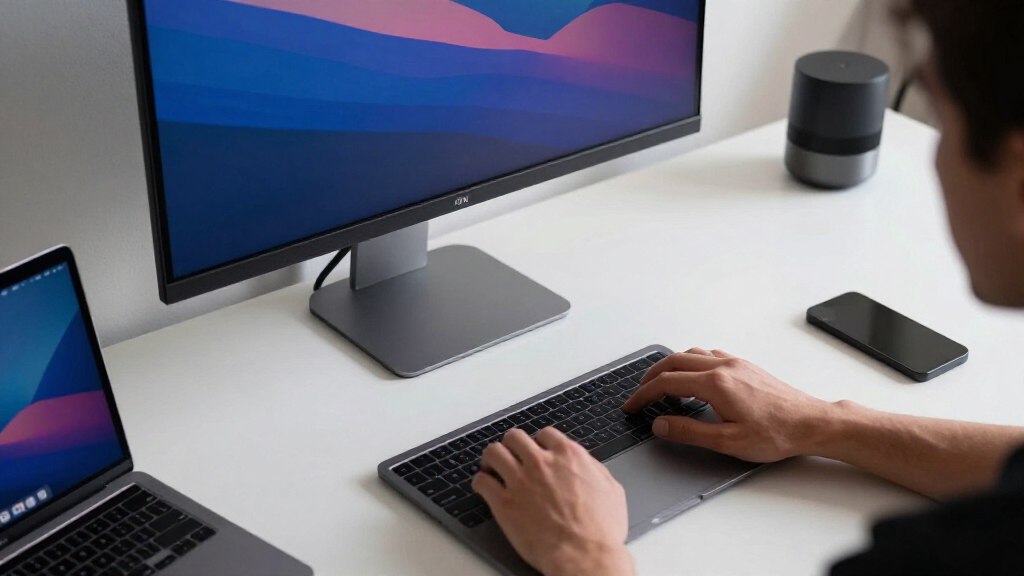
I evaluated each monitor based on a combination of display quality, compatibility with Mac systems, connectivity options, build quality, and user-adjustability. Performance factors like color accuracy and HDR support were prioritized for creative tasks, while ease of use and price influenced overall rankings. Monitors with native Mac compatibility or features that simplify integration earned higher scores. The ranking reflects a balance of value, performance, and suitability for different types of Mac users, from casual users to professionals needing precise color work.Factors to Consider When Choosing 4k Monitor For Mac
When choosing a 4K monitor for your Mac, it’s important to consider factors beyond just resolution. Compatibility with macOS, connectivity options, and display quality all play crucial roles. Understanding your primary use—whether for general productivity, creative work, or entertainment—will guide your decision. Additionally, consider ergonomic features and future-proofing elements like HDR support or USB-C ports to make the most of your investment. Here are some key factors to keep in mind:Compatibility and Connectivity
For Mac users, native USB-C or Thunderbolt connections streamline setup and power delivery, reducing clutter. Some monitors still rely on HDMI or DisplayPort, which can complicate connections or require adapters. Ensure the monitor supports the latest standards for best performance and compatibility, especially if you plan to connect multiple devices or use daisy-chaining features.
Display Quality and Color Accuracy
High resolution is a given for 4K displays, but color accuracy and coverage matter more for creative professionals. Look for monitors with IPS panels, high sRGB or AdobeRGB coverage, and HDR support if color grading is part of your workflow. Cheaper panels may have lower contrast or color shifting, which can impact visual work.
Size and Ergonomics
Size influences both immersion and desk space. Larger screens (27-32 inches) often improve multitasking but can be overwhelming in small setups. Adjustable stands, tilt, swivel, and height adjustment are critical for long-term comfort. Don’t overlook bezel thickness, as thinner borders help create a more seamless multi-monitor setup.
Price and Future-Proofing
Prices vary widely, with premium monitors offering advanced features like higher HDR standards, better build quality, and factory calibration. Consider how your needs might evolve; investing in a slightly higher-priced model with better specs can extend its usefulness and reduce the need for upgrades soon.
Additional Features
Extras like built-in speakers, USB hubs, and screen calibration tools enhance usability. For Mac users, features like True Tone support or seamless macOS integration can improve your experience. Balance these extras against your budget and primary use to avoid paying for features you won’t utilize.
Frequently Asked Questions
Can I use a 4K monitor with my MacBook Pro without any issues?
Yes, most modern 4K monitors are compatible with MacBook Pro models, especially those with USB-C or Thunderbolt ports. However, verifying that the monitor supports the resolution and refresh rate of your specific MacBook is recommended. Some older models or cheaper monitors might have limited compatibility or require adapters, which could affect performance or introduce latency.
Is HDR necessary for a good Mac 4K monitor experience?
HDR enhances color and contrast, making it beneficial for media editing, content creation, or watching HDR-compatible videos. If your primary use involves creative work or media consumption, opting for a monitor with HDR400 or higher is worthwhile. For general productivity, HDR support is a nice-to-have but not essential.
What’s more important: larger screen size or higher resolution?
At 4K resolution, screen size impacts how much workspace you get. Larger screens like 32 inches provide more real estate but can be more expensive and require more desk space. A 27-inch monitor with 4K is more manageable and still offers sharp image quality. Balance your desk space, budget, and visual comfort when choosing size.
Should I prioritize a monitor with built-in speakers?
Built-in speakers are convenient but often compromise audio quality. If sound is critical for your workflow or entertainment, investing in dedicated speakers or headphones is preferable. Monitors with decent integrated speakers are fine for casual use, but they rarely deliver audiophile-grade sound.
Are all 4K monitors compatible with macOS features like True Tone and Night Shift?
Most 4K monitors work with macOS, but specific features like True Tone and Night Shift are hardware-dependent. Monitors with hardware calibration and support for macOS color profiles tend to integrate better. Check the monitor specifications and compatibility notes before purchasing if these features matter for your workflow.
Conclusion
The best overall choice for most Mac users remains the LG 32UR500K-B UltraFine, offering a balance of size, resolution, and compatibility. For those prioritizing budget without sacrificing quality, the Dell S2725QC delivers excellent value with versatile ports and accurate colors. Creatives and professionals seeking premium features should consider the BenQ MA320U or similar models with advanced calibration and HDR support. Beginners or casual users will find 27-inch options like the LG 27UP850K-W straightforward and easy to set up. Match your specific needs and workspace constraints with these tailored options to make the best investment.Halloween Picks
halloween
As an affiliate, we earn on qualifying purchases.