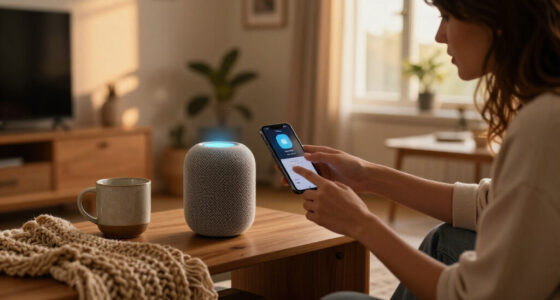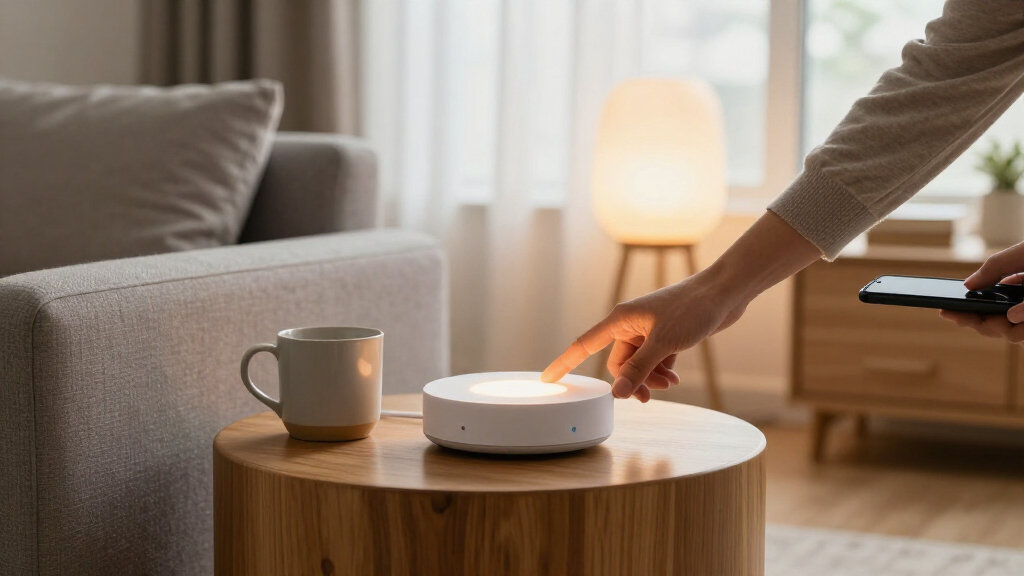

The best smart home hub for most homes is the Aeotec Smart Home Hub, which pairs broad protocol support with the familiar SmartThings platform. For advanced local automations, Home Assistant Green offers more control, while the Homey Pro (2026) stands out for combining wide compatibility with a polished central platform. The main tradeoff is between easy setup and deeper control: some hubs focus on a screen or a specific device family, while others reward more configuration. I compare protocol support, platform fit, local operation, and likely setup demands across all 12 options. Read on for the full breakdown and a guide to choosing a hub that matches the devices you own.

Get home appliances delivered free with Prime
- Fast, free delivery on millions of items
- Prime Video, Amazon Music and more included
- Member-only deals all year
Complete the kit


![[Genuine] Waterdrop PF-01A Water Filter Replacement for W...](https://m.media-amazon.com/images/I/41+5tl9EiKL._SX342_SY445_QL70_FMwebp_.jpg)
Key Takeaways
- Aeotec Smart amazon.com/dp/B0CXVKSG19?tag=whilehome-20&ascsubtag=dc-1165091″ target=”_blank” rel=”nofollow sponsored noopener”>Home Hub is the broad-compatibility pick: its Zigbee, Z-Wave, and Matter support makes it a flexible starting point for mixed-device homes.
- Home Assistant Green and Hubitat C-8 Pro suit automation-focused buyers: they prioritize control and local routines over the simplest possible setup.
- Homey Pro (2026) and Homey Pro mini fill different roles: the full Pro is the more expansive platform, while the mini is a smaller-footprint option for buyers who want the Homey approach.
- Several hubs are best treated as specialists: Lutron Caséta focuses on lighting, SwitchBot Hub 2 adds IR appliance control and environmental sensors, and Tapo hubs center on Tapo devices.
- A screen does not make a hub universally compatible: Echo Hub is geared toward visual control, but buyers should check support for their existing devices and preferred platforms before choosing it.
| Aeotec Smart Home Hub with SmartThings, Z-Wave, Zigbee, and Matter |  | Best Overall for Mixed-Protocol Homes | Brand: Aeotec | Model: V3 Smart Home Hub (2020) | Connectivity: Ethernet, Wi-Fi, Z-Wave, Zigbee, Matter | VIEW LATEST PRICE | See Our Full Breakdown |
| Homey Pro (2026) Smart Home Hub |  | Best for Broad Brand and Protocol Coverage | Connectivity protocols: Wi-Fi, Zigbee, Z-Wave Plus, Bluetooth Low Energy, infrared, Matter, Thread | Compatible devices: Over 50,000 devices from more than 1,000 brands | Control methods: App and voice | VIEW LATEST PRICE | See Our Full Breakdown |
| Home Assistant Green Smart Home Hub |  | Best for Hands-On Local Automation | Brand: Nabu Casa | Model: Home Assistant Green | RAM: 4 GB LPDDR4X | VIEW LATEST PRICE | See Our Full Breakdown |
| Amazon Echo Hub Smart Home Control Panel, 8-Inch |  | Best Smart Home Hub with a Built-In Display | Display size: 8 inches | Connectivity: Wi-Fi, Bluetooth, Zigbee, Matter, Sidewalk, Thread | Installation: Wall mount; compatible with separately sold tabletop stands | VIEW LATEST PRICE | See Our Full Breakdown |
| Homey Pro mini Smart Home Hub |  | Best Compact Local Hub | Brand: Homey | Manufacturer: Athom B.V. | Model: HOMEY-PRO-MINI-US-01 | VIEW LATEST PRICE | See Our Full Breakdown |
| Tapo H100 Smart Hub with Built-In Chime |  | Best for Tapo Sensor Setups | Compatible devices: Tapo smart sensors, switches, and buttons | Device capacity: Up to 64 Tapo devices | Connectivity: Wireless; 2.4 GHz Wi-Fi required | VIEW LATEST PRICE | See Our Full Breakdown |
| SwitchBot Hub 2 (2nd Gen) Smart Home Hub with Thermometer, Hygrometer, IR Remote, and Light Sensor |  | Best for Climate-Triggered Scenes | Connectivity: 2.4 GHz Wi-Fi and Bluetooth | Maximum supported devices: 6 | Maximum range: 10 meters | VIEW LATEST PRICE | See Our Full Breakdown |
| Lutron Caséta Smart Hub for Alexa, Apple HomeKit, Google Assistant, and More | 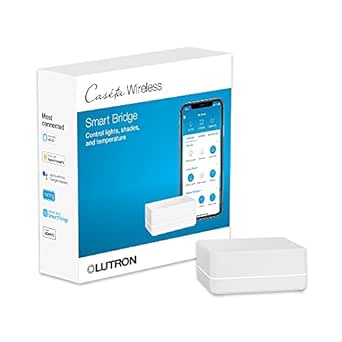 | Best for Lutron Lighting and Shades | Model: L-BDG2-WH | Device capacity: Up to 75 Caséta devices | Connectivity: Lutron Clear Connect; connects to router | VIEW LATEST PRICE | See Our Full Breakdown |
| SONOFF Bridge-M Smart Home Hub |  | Best for Local Matter Bridging | Connectivity: Wi-Fi, Ethernet, and Zigbee | Wi-Fi standards: IEEE 802.11a/b/g/n/ac/ax | Zigbee standard: IEEE 802.15.4 | VIEW LATEST PRICE | See Our Full Breakdown |
| Hubitat Elevation C-8 Pro Smart Home Hub |  | Best for Advanced Local Automations | Model: C-8 Pro | Protocols: Matter 1.5, Z-Wave 800 Series, Zigbee 3.0, and Bluetooth | Device compatibility: 1,000+ devices across 100+ brands | VIEW LATEST PRICE | See Our Full Breakdown |
| Aqara Smart Home Hub M3 with Matter, Zigbee, Thread, and IR |  | Best for Mixed-Protocol Homes | Model: HM-G01E | Protocols: Zigbee, Thread, Matter, Bluetooth, Wi-Fi | Zigbee capacity: Up to 127 Aqara Zigbee devices | VIEW LATEST PRICE | See Our Full Breakdown |
| Tapo Smart Hub with Built-in Chime (H200) | 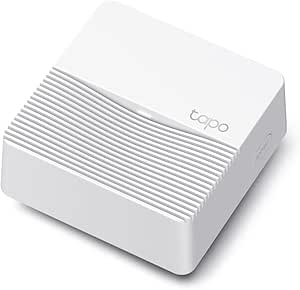 | Best for Tapo Sensors and Camera Alerts | Compatible devices: Tapo C420, Tapo C400, Tapo D230, and other Tapo devices | Device capacity: Up to 64 switches, sensors, or buttons and four cameras or video doorbells | Connectivity: Wireless; requires 2.4GHz Wi-Fi | VIEW LATEST PRICE | See Our Full Breakdown |
| smart home hub | Connectivity | Model |
|---|---|---|
| Aeotec Smart Home Hub with Sma | Ethernet, Wi-Fi, Z-Wave, Zigbee, Matter | V3 Smart Home Hub (2020) |
| Homey Pro | — | — |
| Home Assistant Green Smart Hom | Gigabit Ethernet, USB, Bluetooth | Home Assistant Green |
| Amazon Echo Hub Smart Home Con | Wi-Fi, Bluetooth, Zigbee, Matter, Sidewalk, Thread | — |
| Homey Pro mini Smart Home Hub | — | HOMEY-PRO-MINI-US-01 |
| Tapo H100 Smart Hub with Built | Wireless; 2.4 GHz Wi-Fi required | — |
| SwitchBot Hub 2 | 2.4 GHz Wi-Fi and Bluetooth | — |
| Lutron Caséta Smart Hub for Al | Lutron Clear Connect; connects to router | L-BDG2-WH |
| SONOFF Bridge-M Smart Home Hub | Wi-Fi, Ethernet, and Zigbee | — |
| Hubitat Elevation C-8 Pro Smar | — | C-8 Pro |
| Aqara Smart Home Hub M3 with M | Dual-band 2.4/5 GHz Wi-Fi, Ethernet with PoE, USB-C | HM-G01E |
| Tapo Smart Hub with Built-in C | Wireless; requires 2.4GHz Wi-Fi | — |
More Details on Our Top Picks
Aeotec Smart Home Hub with SmartThings, Z-Wave, Zigbee, and Matter
I’d choose the Aeotec Smart Home Hub for a home that needs one established control point for devices using several major protocols. Its mix of Z-Wave Plus, Zigbee, and Matter, along with Wi-Fi or Ethernet setup, gives it broader protocol coverage than the Amazon Echo Hub as a standalone controller for a SmartThings setup. Some automations can run locally, which can make routine device responses less dependent on cloud access. Alexa and Google Home compatibility adds flexibility if household members prefer voice control. The tradeoff is that this is a hub first, not a touchscreen control panel, and it is designed for North American use. Z-Wave Plus support also applies specifically to the V3 model listed here, so buyers should check the version rather than assume every variant has it.
Pros:- Combines Z-Wave Plus, Zigbee, and Matter support in one hub
- Can connect through Wi-Fi or Ethernet
- Some custom automations can run locally
- Works with Alexa and Google Home through the SmartThings app
Cons:- Designed for use in North America
- Z-Wave Plus support is specified for the V3 model only
- No built-in screen for at-a-glance device control
Best for: North American SmartThings households combining Z-Wave, Zigbee, and Matter devices that want app-based automations and voice-assistant support.
Not ideal for: Buyers who want a built-in display, need a hub for a different region, or expect Z-Wave Plus support from a model other than the listed V3.
- Brand:Aeotec
- Model:V3 Smart Home Hub (2020)
- Connectivity:Ethernet, Wi-Fi, Z-Wave, Zigbee, Matter
- Control:SmartThings app and voice assistants
- Frequency:908.42 MHz
- Weight:1.1 pounds
- Warranty:1 year
Our verdict“Choose the Aeotec hub if you want broad protocol coverage inside SmartThings, but skip it if a screen or non-North-American support is a priority.”
Homey Pro (2026) Smart Home Hub
The Homey Pro (2026) is the broadest-ranging option in this group for households bringing together devices from many brands and radio standards. Its listed support spans Zigbee, Z-Wave Plus, Matter, Thread, Bluetooth Low Energy, and infrared, while the maker cites compatibility with more than 50,000 devices. Local-first processing and on-hub data storage will appeal to buyers who want automations to depend less on cloud services. Compared with the Homey Pro mini, this model adds Z-Wave, Bluetooth, and infrared without requiring a separate Homey Bridge, making it a stronger fit for a varied device collection. That breadth does not guarantee every device or app integration will work, so compatibility checks still matter. Buyers should also expect a more feature-rich platform than a simple plug-in-and-control hub.
Pros:- Supports a wide mix of protocols, including Z-Wave Plus, Thread, Matter, and infrared
- Listed compatibility covers more than 50,000 devices from over 1,000 brands
- Local-first processing stores data on the hub
- Includes app-based automation and energy tracking
Cons:- Compatibility can vary by device or app integration
- Its broad feature set may be more than a basic setup needs
- Product dimensions are not available in the supplied specifications
Best for: Smart home enthusiasts with devices from many brands who want broad protocol coverage, local processing, and energy tracking in one hub.
Not ideal for: Buyers with a small, single-brand setup who want the simplest possible hub, or anyone whose specific devices have not been verified as compatible.
- Connectivity protocols:Wi-Fi, Zigbee, Z-Wave Plus, Bluetooth Low Energy, infrared, Matter, Thread
- Compatible devices:Over 50,000 devices from more than 1,000 brands
- Control methods:App and voice
- Voice assistants:Siri, Alexa, Google Home
- Processing:Local-first; data stored on the hub
- Energy features:Energy tracking
- Color:Black/Grey
Our verdict“Pick the Homey Pro if your home mixes brands and protocols and you want local-first control, but verify support for your exact devices before committing.”
Home Assistant Green Smart Home Hub
Home Assistant Green suits buyers who want a dedicated hub for Home Assistant and prefer keeping home data on their own hardware. With Home Assistant OS preinstalled, it avoids the need to prepare a separate computer before building automations. Its fanless design runs silently, and the USB ports let owners add Z-Wave, Zigbee, or Thread adapters as their setup grows. That modular approach differs from the Homey Pro, which lists those radios as built-in; Green can be a better fit for people who want control over which adapters they add, but the adapters are extra components to manage. It also requires Ethernet to get started, so it is less convenient where a wired network connection is unavailable. This is a capable foundation, not a screen-based control panel.
Pros:- Home Assistant OS comes preinstalled
- Fanless design operates silently
- Keeps home data on the hub
- Two USB ports support expansion with compatible protocol adapters
Cons:- Ethernet is required to get started
- Z-Wave, Zigbee, and Thread need compatible USB adapters
- Adapter setup makes it less turnkey than the Homey Pro
Best for: Privacy-minded DIY owners with an Ethernet connection who want Home Assistant ready to run and are comfortable adding protocol adapters as needed.
Not ideal for: People seeking a wireless, ready-to-go hub with built-in Z-Wave and Zigbee radios or a visual control panel.
- Brand:Nabu Casa
- Model:Home Assistant Green
- RAM:4 GB LPDDR4X
- Storage:32 GB
- Connectivity:Gigabit Ethernet, USB, Bluetooth
- Operating system:Home Assistant OS
- USB ports:2
- Dimensions:4.41 x 4.41 x 1.26 inches
Our verdict“Choose Home Assistant Green for a quiet, expandable local automation base, provided you have Ethernet and are willing to add any radios you need.”
Amazon Echo Hub Smart Home Control Panel, 8-Inch
The Amazon Echo Hub stands apart from the other picks because its main strength is visible, on-wall control: the 8-inch display can show a customizable dashboard for devices, cameras, routines, and compatible security systems. Its built-in support for Zigbee, Matter, Thread, and Sidewalk reduces the need for a separate bridge for some devices. Compared with the screen-free Aeotec Smart Home Hub, the Echo Hub is easier to use as a shared household control point, but it is more closely tied to an Alexa-centered setup. Installation has added dependencies: wall mounting is supported, while a tabletop stand is sold separately, and Power-over-Ethernet accessories are also extra. Some Ring camera event summaries require Alexa+ and a compatible Ring subscription, so those features should not be treated as included by default.
Pros:- 8-inch display provides a visible, customizable control dashboard
- Built-in support for Zigbee, Matter, Thread, and Sidewalk
- Can manage compatible cameras and security systems
- On-screen controls include routines and media
Cons:- Power-over-Ethernet adapter and cable pass-throughs are sold separately
- Tabletop stand is sold separately
- Ring camera event summaries require Alexa+ and a compatible Ring subscription
Best for: Alexa households that want a shared wall-mounted dashboard for smart devices, compatible cameras, routines, and security controls.
Not ideal for: Buyers who want a compact screen-free hub, need all mounting and power accessories in the box, or rely on Ring summaries without the required services.
- Display size:8 inches
- Connectivity:Wi-Fi, Bluetooth, Zigbee, Matter, Sidewalk, Thread
- Installation:Wall mount; compatible with separately sold tabletop stands
- Smart home features:Device controls, camera viewing, routines, and security system controls
- Recycled materials:27% of device materials
- Packaging:97% wood fiber-based materials from responsibly managed forests or recycled sources
Our verdict“Choose the Echo Hub if you want Alexa controls on a shared screen, but account for separate accessories and service requirements.”
Homey Pro mini Smart Home Hub
Homey Pro mini is a focused choice for buyers who want local control, automations, and energy monitoring without moving up to the larger Homey Pro’s wider built-in protocol mix. It supports Zigbee, Matter, Thread, and Ethernet, works with Siri, Alexa, and Google Assistant, and does not require a subscription for the stated cloud services. That makes it appealing for a smaller setup built around supported devices. The key distinction from the Homey Pro (2026) is what is not built in: Z-Wave, Bluetooth, and infrared require a separately sold Homey Bridge. Buyers with those devices may find the full Homey Pro a cleaner fit, while Pro mini makes more sense when its included protocols cover the household. Device compatibility can still vary by brand and integration.
Pros:- Supports Zigbee, Matter, and Thread
- Provides local control and data processing
- Includes customizable automations and energy monitoring
- Works with Siri, Alexa, and Google Assistant without a required subscription
Cons:- Z-Wave, Bluetooth, and infrared require a separately sold Homey Bridge
- Protocol coverage is narrower than the Homey Pro (2026)
- Compatibility can vary across brands and devices
Best for: Households with compatible Zigbee, Matter, or Thread devices that want local automations, energy monitoring, and voice control without a subscription.
Not ideal for: Owners of Z-Wave, Bluetooth, or infrared devices who do not want to add a separately sold Homey Bridge.
- Brand:Homey
- Manufacturer:Athom B.V.
- Model:HOMEY-PRO-MINI-US-01
- Protocols:Zigbee, Matter, Thread, Ethernet
- Voice assistant compatibility:Siri, Alexa, Google Assistant
- Supported brands:1,000+
- Subscription required:No
- Color and material:Black plastic
Our verdict“Choose Homey Pro mini if its included protocols match your devices and you want local automation without a subscription; choose the full Homey Pro for broader built-in radio support.”
Tapo H100 Smart Hub with Built-In Chime
I’d choose the Tapo H100 when the smart home is centered on Tapo sensors, switches, and buttons rather than a broad mix of brands. It can connect up to 64 compatible Tapo devices, and its low-power wireless link is intended to help connected devices conserve battery. Automations and a 90 dB siren add useful security functions; pair a Tapo Smart Button and the hub can also play one of 19 chime tones. Compared with the SONOFF Bridge-M, which bridges several device ecosystems to Matter platforms, the H100 is a narrower, simpler Tapo-specific choice. That focus is also its main limitation: it cannot directly connect to Tapo plugs or lights, and it needs 2.4 GHz Wi-Fi. I’d skip it if you want a single hub for varied brands.
Pros:- Supports up to 64 compatible Tapo devices
- Low-power wireless protocol can help extend connected device battery life
- Automations and a siren up to 90 dB support alert-focused setups
- Offers up to 19 chime tones when paired with a Tapo Smart Button
Cons:- Requires a 2.4 GHz Wi-Fi network
- Cannot connect directly to Tapo smart plugs or lighting
- Compatibility is focused on Tapo sensors, switches, and buttons
Best for: Tapo households adding compatible sensors, switches, and buttons for alerts and simple automations.
Not ideal for: Buyers who want one hub to connect Tapo plugs or lighting directly, or to unify devices from many brands.
- Compatible devices:Tapo smart sensors, switches, and buttons
- Device capacity:Up to 64 Tapo devices
- Connectivity:Wireless; 2.4 GHz Wi-Fi required
- Maximum range:30 meters
- Siren volume:Up to 90 dB
- Chime tones:Up to 19 with a Tapo Smart Button
- Dimensions:2.83 x 2.01 x 2.24 inches
- System requirements:Android 5.0 or higher; iOS 10.0 or higher
Our verdict“Choose the H100 for a Tapo sensor-and-button setup, but pick a broader hub such as the SONOFF Bridge-M for cross-ecosystem control.”
SwitchBot Hub 2 (2nd Gen) Smart Home Hub with Thermometer, Hygrometer, IR Remote, and Light Sensor
The SwitchBot Hub 2 does more than relay commands: its temperature, humidity, and light readings can trigger scenes, while its IR learning function brings compatible TVs and air conditioners into app or voice control. That makes it a distinctive pick for rooms where comfort or ambient conditions should shape automation. It also supports Matter for select SwitchBot devices and works with Alexa, Google Home, and Apple Home through compatible integrations. Compared with the Hubitat Elevation C-8 Pro, it is more approachable for environmental monitoring and infrared appliances, but it supports only six devices and does not offer the same range of protocols or broad device capacity. The Matter scope is limited, too, so I wouldn’t choose it as the main hub for a mixed-brand system. A 2.4 GHz Wi-Fi network is required.
Pros:- Monitors temperature, humidity, and light remotely
- Environmental readings can trigger smart scenes
- Learns infrared remotes for compatible appliances
- Includes two buttons for controlling devices or scenes
Cons:- Supports a maximum of six devices
- Matter support is limited to select SwitchBot products
- Requires a 2.4 GHz Wi-Fi network
Best for: Smart home owners who want temperature, humidity, and light readings to trigger scenes and want to control IR appliances.
Not ideal for: Buyers building a large, multi-protocol system who need extensive device capacity or wide-ranging Matter support.
- Connectivity:2.4 GHz Wi-Fi and Bluetooth
- Maximum supported devices:6
- Maximum range:10 meters
- Temperature accuracy:±0.36°F
- Humidity accuracy:±1.8% RH
- Compatible assistants:Amazon Echo, Google Assistant, Siri Shortcuts, SmartThings, and IFTTT
- Matter support:SwitchBot Lock, Curtains, and Blind Tilts; HomeKit via Matter
- Weight:36 g
Our verdict“Pick the Hub 2 for climate-aware scenes and IR appliance control, rather than as a high-capacity hub like Hubitat Elevation C-8 Pro.”
Lutron Caséta Smart Hub for Alexa, Apple HomeKit, Google Assistant, and More
I’d rank the Lutron Caséta Smart Hub highly for a home built around Caséta lighting and Serena shades, not as a universal hub for every smart device. It supports up to 75 Caséta devices and brings app, voice, schedule, scene, and geofencing control into a range of systems, including Alexa, Apple Home, Google Assistant, Ring, and Sonos. Its Lutron Clear Connect link also keeps compatible devices off the crowded Wi-Fi bands. That focused approach differs from the Hubitat Elevation C-8 Pro, which supports several protocols and a much wider mix of device brands. The tradeoff is that Caséta dimmers, switches, and accessories are separate purchases, and the hub must connect to a router and be set up through the Lutron app. Skip it if you want one hub for unrelated device ecosystems.
Pros:- Works with Alexa, Apple Home, Google Assistant, Ring, Sonos, and Serena shades
- Supports up to 75 Caséta devices
- Offers app, voice, scheduling, scene, and geofencing controls
- Clear Connect avoids adding compatible device traffic to Wi-Fi
Cons:- Caséta dimmers, switches, and coordinating accessories are sold separately
- Requires a router connection and setup through the Lutron app
- Its strengths center on Caséta devices and Serena shades rather than broad device compatibility
Best for: Homeowners standardizing lighting and shade control on Lutron Caséta and Serena products, with voice or app control across major platforms.
Not ideal for: Buyers seeking a universal hub for mixed-brand Zigbee, Z-Wave, and other devices, or those unwilling to build around separately purchased Caséta hardware.
- Model:L-BDG2-WH
- Device capacity:Up to 75 Caséta devices
- Connectivity:Lutron Clear Connect; connects to router
- Compatible systems:Amazon Alexa, Apple HomeKit, Google Assistant, Ring, Serena shades, and Sonos
- Operating voltage:120 volts
- Operating temperature:32–104°F
- Dimensions:1.44 x 2.94 x 4.69 inches
- Material and color:Plastic; white
Our verdict“Choose this hub to coordinate a Lutron lighting-and-shade system; Hubitat Elevation C-8 Pro is a better fit for a broader mix of device protocols.”
SONOFF Bridge-M Smart Home Hub
The SONOFF Bridge-M is the pick I’d consider for connecting Zigbee, BTHome, and eWeLink devices with Matter-compatible platforms, while keeping the option of local control. Its web console can operate without cloud services, and MQTT support gives Home Assistant users a path to integrate it into a more customized setup. That makes it more technically flexible than the Tapo H100, whose compatibility is centered on Tapo sensors, switches, and buttons. The Bridge-M also has a 90 dB alarm and mobile notifications, though the security functions require paired Zigbee sensors. The tradeoff is that it may suit hands-on users better than buyers seeking a simple, tightly guided hub experience. Its listed features also don’t specify a device-capacity limit, so I wouldn’t choose it based on a particular maximum device count.
Pros:- Bridges Zigbee, BTHome, and eWeLink devices to Matter-compatible platforms
- Local web console works without cloud services
- Supports Home Assistant integration through MQTT
- Includes a 90 dB alarm and mobile notifications
Cons:- Security functions require pairing with Zigbee sensors
- Local console and MQTT integration may be a less straightforward fit for beginners
- Product data does not specify a maximum supported device count
Best for: Home Assistant users and smart home hobbyists who want local web control and a bridge between Zigbee or BTHome devices and Matter platforms.
Not ideal for: Beginners looking for a clearly defined, plug-and-play device ecosystem or buyers who need security alerts without adding Zigbee sensors.
- Connectivity:Wi-Fi, Ethernet, and Zigbee
- Wi-Fi standards:IEEE 802.11a/b/g/n/ac/ax
- Zigbee standard:IEEE 802.15.4
- Device support:Zigbee, BTHome, and eWeLink devices
- Platform support:Matter-compatible platforms including Alexa, Google Home, and Apple Home
- Home Assistant integration:MQTT
- Alarm volume:90 dB
- Voltage and weight:5 V; 2.88 ounces
Our verdict“Choose the Bridge-M for local control and flexible integrations; choose the Tapo H100 instead for a more focused Tapo sensor setup.”
Hubitat Elevation C-8 Pro Smart Home Hub
The Hubitat Elevation C-8 Pro is my pick for buyers who want automations to run locally and are willing to spend time shaping how their home behaves. Its support for Matter, Z-Wave 800, Zigbee 3.0, and Bluetooth gives it a broader protocol mix than the SwitchBot Hub 2, whose standout strengths are environmental sensing and IR control. Hubitat also lists compatibility with more than 1,000 devices across 100-plus brands, voice assistant connections, and no subscription requirement. That breadth makes it a stronger foundation for a varied setup, but it does not make configuration effortless: advanced tools such as Rule Machine can take time to learn. I’d choose it over the SONOFF Bridge-M when broad protocol support and a large compatibility range matter more than a local web console and MQTT-focused integration.
Pros:- Local processing keeps automations running without internet access
- Supports Matter, Z-Wave 800, Zigbee 3.0, and Bluetooth
- No recurring subscription is required
- External antennas are designed to extend wireless range
Cons:- Advanced automation tools may take time to configure
- The AI-assisted routine builder and broad compatibility claims are based on product content
- Its feature depth may be unnecessary for households with a small, simple setup
Best for: Experienced smart home owners combining devices across protocols who want local automations and do not want a recurring subscription.
Not ideal for: Beginners who want a guided, low-configuration setup or buyers whose needs are limited to temperature monitoring and IR appliance control.
- Model:C-8 Pro
- Protocols:Matter 1.5, Z-Wave 800 Series, Zigbee 3.0, and Bluetooth
- Device compatibility:1,000+ devices across 100+ brands
- Voice assistant compatibility:Amazon Alexa, Google Home, and Apple HomeKit
- Antennas:2 dedicated external antennas
- Subscription:Not required
- Dimensions:2.95 x 3.23 x 0.67 inches
- Weight:2.56 ounces
Our verdict“Pick the C-8 Pro for a diverse, locally automated smart home; skip it if you want a simpler hub centered on one device ecosystem.”
Aqara Smart Home Hub M3 with Matter, Zigbee, Thread, and IR
The Aqara Hub M3 suits homes that need one hub to connect newer Thread and Matter devices alongside Aqara Zigbee gear. Its Matter bridging and local automations can reduce reliance on cloud services, while compatibility with Apple Home, Alexa, SmartThings, and Home Assistant gives it broader ecosystem reach than the Tapo H200, which centers on Tapo devices. The M3 also handles practical control tasks: its 360° IR blaster can operate compatible appliances and report remote-use status, and Ethernet with PoE offers a wired placement option.
The tradeoff is that its breadth does not make every feature universal: Matter exposes only one air-conditioning device, some notifications still need internet, and a USB power adapter is not included. Choose it over a simpler hub when protocol flexibility and local control matter more than plug-and-play simplicity.
Pros:- Bridges Aqara Zigbee devices to Matter and supports Thread devices
- Local automations and encrypted local storage support more locally managed setups
- Ethernet with PoE and dual-band Wi-Fi provide flexible network placement
- 360° IR blaster includes status feedback and learning
Cons:- USB power adapter is not included
- Some cloud-based notifications still require an internet connection
- Matter exposes only one air-conditioning device
Best for: Smart-home owners combining Aqara Zigbee devices with Thread or Matter products across Apple Home, Alexa, SmartThings, or Home Assistant
Not ideal for: Buyers who want a low-setup hub dedicated to Tapo devices, or who need every air-conditioning function exposed through Matter
- Model:HM-G01E
- Protocols:Zigbee, Thread, Matter, Bluetooth, Wi-Fi
- Zigbee capacity:Up to 127 Aqara Zigbee devices
- Thread capacity:Up to 127 Thread devices; repeaters are needed
- Connectivity:Dual-band 2.4/5 GHz Wi-Fi, Ethernet with PoE, USB-C
- IR blaster:360° with status feedback and learning
- Local storage:8GB end-to-end encrypted
- Compatible ecosystems:Apple HomeKit, Alexa, SmartThings, Home Assistant
Our verdict“Choose the M3 if your home mixes protocols and ecosystems; skip it if you want a simpler, brand-specific hub.”
Tapo Smart Hub with Built-in Chime (H200)
The Tapo H200 is a focused choice for households building around Tapo sensors, switches, buttons, cameras, or video doorbells. It connects up to 64 switches, sensors, or buttons and four cameras or doorbells, then adds a built-in chime with customizable tones for motion alerts. Local microSD recording up to 512GB gives compatible camera owners a storage option that does not depend solely on cloud recording. Compared with the Aqara Hub M3, this is a narrower system: it does not offer the same stated mix of Zigbee, Thread, Matter bridging, and broad ecosystem compatibility.
That simplicity is useful if your devices are already Tapo, but it limits the H200 as a general-purpose hub. It requires 2.4GHz Wi-Fi, the storage card is separate, and its Sub-1G operation has regional compatibility requirements. I’d choose it for a Tapo-centered alert and camera setup, not as the foundation for a mixed-brand smart home.
Pros:- Connects up to 64 switches, sensors, or buttons and four cameras or doorbells
- Built-in chime offers customizable alert tones
- Supports local video recording to microSD cards up to 512GB
- Works with Alexa and Google Home for voice control
Cons:- MicroSD card must be purchased separately
- Requires 2.4GHz Wi-Fi
- Sub-1G operation has regional compatibility requirements
Best for: Tapo camera and doorbell owners who want sensor connectivity, local video storage, and an audible motion-alert chime
Not ideal for: Shoppers building a mixed-brand Matter, Thread, or Zigbee system who need broad protocol support from one hub
- Compatible devices:Tapo C420, Tapo C400, Tapo D230, and other Tapo devices
- Device capacity:Up to 64 switches, sensors, or buttons and four cameras or video doorbells
- Connectivity:Wireless; requires 2.4GHz Wi-Fi
- Local storage:MicroSD card up to 512GB; card sold separately
- Voice control:Alexa and Google Home
- Alert type:Motion alerts with built-in chime
- Maximum range:30 meters
- Dimensions:2.81 x 2.81 x 1.23 inches
- Weight:73 g
Our verdict“Pick the H200 for a Tapo-focused camera and sensor setup, but choose the Aqara M3 if you need wider protocol and ecosystem support.”
How We Picked
I ranked these hubs by how well they solve the core job: connecting devices and making routines manageable across a real home. The main criteria were protocol and ecosystem compatibility, clarity of setup and everyday control, support for local operation and automation, and how useful each product is beyond its own brand family. I also weighed maintenance demands, hardware form, and whether a hub’s specialization gives buyers a clear advantage or limits future expansion.
The order favors flexible, useful starting points before focused or more demanding choices. Aeotec ranks first for its mix of major protocols and mainstream SmartThings access; Homey Pro and Home Assistant Green follow for buyers who want broader control, with different setup expectations. Lower-ranked products are not necessarily weaker: several make more sense for a specific need, such as lighting, infrared appliances, a wall-style control panel, or Tapo devices. Compatibility depends on device models and platform support, so I treat protocol labels as a starting point rather than a promise that every feature will work everywhere.
| smart home hub | Model |
|---|---|
| Aeotec Smart Home Hub with Sma | V3 Smart Home Hub (2020) |
| Homey Pro | — |
| Home Assistant Green Smart Hom | Home Assistant Green |
| Amazon Echo Hub Smart Home Con | — |
| Homey Pro mini Smart Home Hub | HOMEY-PRO-MINI-US-01 |
| Tapo H100 Smart Hub with Built | — |
| SwitchBot Hub 2 | — |
| Lutron Caséta Smart Hub for Al | L-BDG2-WH |
| SONOFF Bridge-M Smart Home Hub | — |
| Hubitat Elevation C-8 Pro Smar | C-8 Pro |
| Aqara Smart Home Hub M3 with M | HM-G01E |
| Tapo Smart Hub with Built-in C | — |
Factors to Consider When Choosing Best Smart Home Hubs
Before choosing a hub, start with the devices and routines you want it to connect—not the longest feature list. A hub can be versatile on paper yet a poor fit if it does not support your devices’ specific functions or the platform you already use. These factors help separate broad-purpose controllers from useful specialists.
Match Protocols to Your Existing Devices
Write down the connection types used by your current sensors, switches, locks, and bulbs before shopping. Zigbee, Z-Wave, Thread, Wi-Fi, and Matter are not interchangeable labels, and support for one does not imply support for another. Even when a hub lists a protocol, a particular device may expose only basic functions or require a vendor app for setup. Check compatibility by exact model, especially for older products and devices with advanced features. If you are starting from scratch, choose the hub that supports the mix you are most likely to add, rather than paying for protocols you have no plans to use.
Decide How Much Local Control You Want
Some buyers value routines that continue working when internet access is interrupted; others care more about simple remote access and voice control. Local processing can improve resilience and response, but it does not automatically make every device or automation local. Cloud-connected devices may still rely on a manufacturer’s servers, and remote access can have separate requirements. Ask which routines need to run during an outage, then check how the hub handles those specific devices. Buyers who want deep local control should also be ready to spend more time configuring and maintaining the system.
Choose an Ecosystem Before Adding More Devices
It is tempting to assume that Matter support will make any collection of products work together seamlessly. In practice, platform features, device categories, and firmware can affect what is available after pairing. Pick a main control platform—such as SmartThings, Apple Home, Alexa, Google Home, or a more configurable system—and confirm that the devices you rely on work with it. Running multiple ecosystems can be useful, but it may also split routines, controls, and troubleshooting across several apps. A hub that complements your existing setup can be a better choice than one with the broadest protocol list.
Be Realistic About Setup and Ongoing Maintenance
A hub is not always a plug-in-and-forget appliance. Some setups involve pairing devices one at a time, adjusting automation rules, updating firmware, or maintaining integrations as products change. Simple control and maximum customization often pull in opposite directions: a streamlined app can reduce setup work, while open or advanced systems may expose more choices and require more care. If several people in the household will manage the system, consider whether the controls are understandable without the original installer. Leave room for occasional troubleshooting, especially when mixing brands and protocols.
Know When a Specialist Is the Better Buy
A general-purpose hub is not always the best answer to a narrow problem. A lighting-focused system can offer a more coherent experience for its supported switches, while an IR-capable hub may help bring older remotes and appliances into routines. Specialists can reduce friction when your needs are concentrated, but they may not replace a hub for sensors, locks, or devices from other brands. Avoid buying a second hub until you know what the first cannot do; some devices can connect directly to an existing platform. If you do need a specialist, check whether it can coexist with your main hub without duplicating controls.
Treat Screens and Built-In Extras as Convenience Features
A display, chime, temperature sensor, or light sensor can make a hub more useful in a particular room, but none guarantees broad device support. Buy the control experience you will actually use: a wall-mounted panel may help a busy household, while app-based control may be enough for someone who mainly relies on automations. Built-in sensors can reduce the need for separate accessories, though placement and sensor accuracy matter for the routines you want. Check where the hub will sit and whether its screen or sounds fit that space. Do not let an appealing extra outweigh compatibility with the devices that matter most.
Frequently Asked Questions
Should I choose a Matter hub if most of my devices use Zigbee or Z-Wave?
Not by itself. Matter is useful for supported devices and platforms, but it does not replace Zigbee or Z-Wave radios in products that need those connections. If your existing devices use either protocol, choose a hub that supports the relevant radio and confirms compatibility with those exact models. You can add Matter devices later if the platform supports them. The best fit is the one that connects your current equipment while leaving a sensible path for future additions.
Will smart home automations keep working if my internet goes down?
It depends on the hub, the devices in the routine, and whether the automation relies on a cloud service. A hub with local automation support may keep some routines running, but cloud-dependent devices or voice assistants can still stop responding. Check the behavior of the specific devices and automations you care about rather than relying on a general “local” label. If outage resilience matters, test essential routines before depending on them. Keep manual controls available for lights, locks, and other everyday needs.
Can I run two smart home hubs in the same house?
Yes, and it can make sense when one hub handles a specific device family that your main platform does not support well. The tradeoff is that devices and routines may be split between apps, and duplicated integrations can create confusing controls. Before adding a second hub, check whether your current platform can connect to the device directly or share it through a supported bridge. Give each hub a clear job and avoid building the same automation in two places. This approach works best when you are comfortable managing more than one system.
Do I need a hub with a screen, or is app control enough?
A screen is helpful when household members want a shared, always-available control point for lights and routines. It is less useful if everyone already uses a phone, voice assistant, or wall switch. A screen also does not guarantee support for more device protocols, so compare compatibility separately from the display. Think about where it will be installed and whether people will use it regularly. If the main goal is connecting devices and running automations, a screen-free hub may be a better fit.
What should I check before buying a hub for devices I already own?
Start with the exact device model numbers and their connection types, then check the hub maker’s compatibility information for each one. Confirm whether important features—such as dimming, energy reporting, sensor events, or lock controls—are supported, not just basic pairing. Look for requirements such as a bridge, a specific app, or a compatible voice platform. Also check whether your devices need firmware updates before they can connect. A short compatibility check can prevent buying a hub that recognizes a device but cannot control it the way you expect.
Conclusion
For a flexible starting point, I recommend the Aeotec Smart Home Hub as best overall, especially for homes mixing Zigbee, Z-Wave, and Matter devices. Best for value in capability is Home Assistant Green for buyers comfortable shaping their own system; its appeal is control, not the easiest setup. For a best premium, broad-platform option, choose Homey Pro (2026), while Homey Pro mini suits buyers who want the Homey approach in a more compact hub. Beginners who want a familiar control style may prefer the Amazon Echo Hub, provided their devices fit its ecosystem. For specific needs, pick Lutron Caséta for lighting, SwitchBot Hub 2 for IR appliances and built-in environmental sensing, or a Tapo hub for a Tapo-centered setup. If local automation is your priority, compare Hubitat C-8 Pro with Home Assistant Green; the right choice depends on which system’s setup and controls suit you.