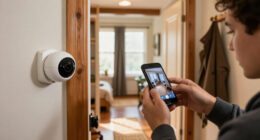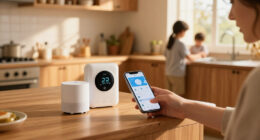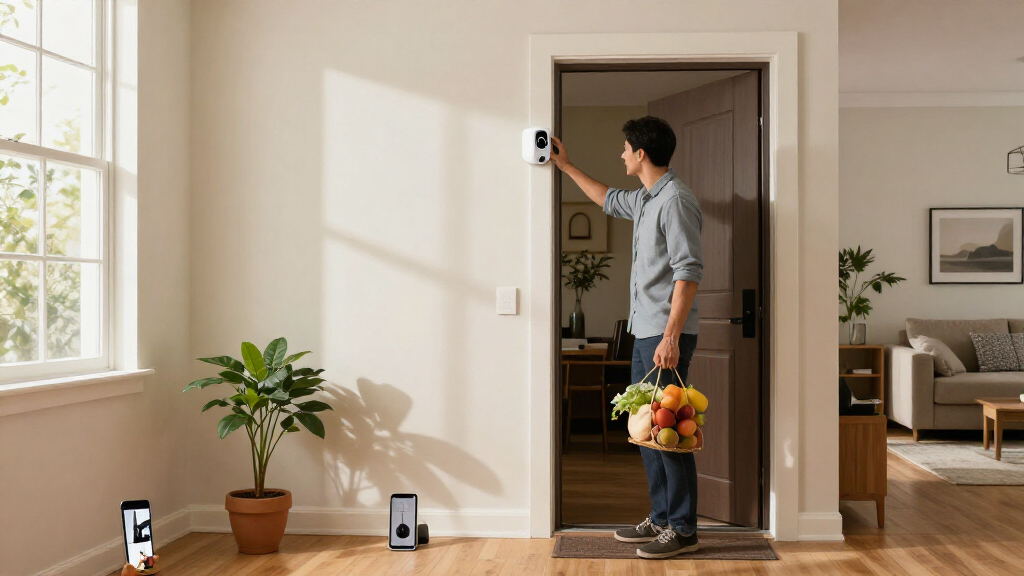
The best Apple home security cameras balance dependable coverage with the way you use Apple Home, Siri, and HomeKit Secure Video. I rank the Aqara Camera Hub G5 Pro PoE as the best overall for buyers who want a wired outdoor camera with a built-in hub, while the Eve Cam stands out for straightforward HomeKit-focused indoor monitoring and the eufy Indoor Cam E30 3-Pack for covering several rooms. The main tradeoffs are native HomeKit support versus broader smart-home features, wired reliability versus flexible placement, and local or subscription-based recording options. Not every camera in this lineup offers the same Apple integrations, so compatibility details matter as much as resolution. Read on for the ranking, tradeoffs, and guidance on choosing the right fit for your home.

Get home appliances delivered free with Prime
- Fast, free delivery on millions of items
- Prime Video, Amazon Music and more included
- Member-only deals all year
Complete the kit


Key Takeaways
- The Aqara G5 Pro PoE ranks first for a fixed outdoor setup because wired power and its camera-hub role favor a dependable, expandable installation; choose the Wi-Fi version if running Ethernet is impractical.
- Eve Cam is the focused indoor pick for shoppers who value a HomeKit-centered camera, while Aqara’s indoor models add broader hub and Matter functionality at the cost of a more involved feature set.
- The eufy Indoor Cam E30 3-Pack makes multi-room coverage simpler than buying three separate cameras, but shoppers should verify the exact Apple Home and recording integrations they need before choosing it.
- Resolution alone does not determine the best camera. Mounting location, field of view, pan-and-tilt coverage, night visibility, and recording access can matter more than moving from 2K to 4K.
- The lineup splits between focused Apple integration and flexible ecosystems: Eve and Logitech are oriented toward HomeKit use, while Aqara and eufy offer extra camera or hub features that call for closer compatibility checks.
| Eve Outdoor Cam 2-Pack with Floodlight, 1080p HD, Night Vision, and HomeKit Secure Video |  | Best for Apple-First Outdoor Coverage | Pack size: 2 cameras | Resolution: 1080p at 24 fps | Field of view: 157° | VIEW LATEST PRICE | See Our Full Breakdown |
| Arlo Ultra 4K UHD Wire-Free Security System (3 Cameras) |  | Best for High-Detail, Flexible Placement | Included cameras: 3 | Resolution: 4K UHD with HDR | Field of view: 180° | VIEW LATEST PRICE | See Our Full Breakdown |
| eufy Indoor Cam E30 4K UHD Security Camera (Renewed) |  | Best Renewed Indoor Camera for Local Storage | Condition: Renewed | Resolution: 4K UHD; HomeKit integration limited to 1080p | Viewing: 360° pan-tilt | VIEW LATEST PRICE | See Our Full Breakdown |
| Aqara Camera Hub G5 Pro PoE 4MP Security Camera |  | Best Wired Outdoor HomeKit Hub | Resolution: 4MP; 1520p video capture | Field of view: 133° | Sensor and aperture: 1/1.8-inch sensor; f/1.0 aperture | VIEW LATEST PRICE | See Our Full Breakdown |
| Aqara Indoor Security Camera G350, 4K Dual-Lens Camera and Matter Hub |  | Best Premium Indoor Camera for Zoom and Privacy | Usage: Indoor | Camera lenses: 133° wide-angle 4K lens and 2.5K telephoto lens | Zoom and movement: 9× hybrid zoom; 360° pan-and-tilt | VIEW LATEST PRICE | See Our Full Breakdown |
| Aqara Camera E1 2K Indoor Security Camera |  | Best for Flexible Local Storage | Resolution: 2304 × 1296 pixels | Viewing angle: 360° pan and tilt | Night vision range: 10 m | VIEW LATEST PRICE | See Our Full Breakdown |
| Eve Cam Smart Indoor Camera |  | Best for Apple-First Privacy | Resolution: 1080p | Field of view: 147 degrees | Frame rate: 25 or 30 fps | VIEW LATEST PRICE | See Our Full Breakdown |
| Logitech Circle View Weatherproof Wired Home Security Camera |  | Best for a Wide Outdoor View | Video resolution: 1080p HD | Field of view: 180 degrees | Night vision range: 15 ft | VIEW LATEST PRICE | See Our Full Breakdown |
| eufy Security Indoor Cam E30 (3-Pack) – 4K Smart Home Camera with 360° Pan/Tilt and AI Tracking |  | Best for Multi-Room Coverage | Resolution: 4K UHD | Field of view: 360° pan and tilt | Zoom: 8x hybrid zoom | VIEW LATEST PRICE | See Our Full Breakdown |
| Aqara G100 2K Indoor/Outdoor Security Camera, White |  | Best for Flexible Indoor-Outdoor Placement | Resolution: 2304 × 1296 (3 MP); HomeKit Secure Video limited to 1080p | Field of view: 140° | Weather resistance: IP65 | VIEW LATEST PRICE | See Our Full Breakdown |
| Aqara Camera Hub G5 Pro 4MP Wi-Fi Security Camera | 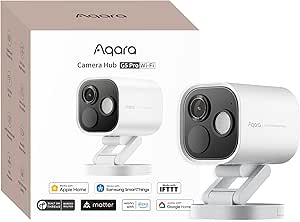 | Best for Local Automation and Color Night Vision | Resolution: 4MP | Field of view: 133° | Night vision: True-color; no infrared light | VIEW LATEST PRICE | See Our Full Breakdown |
| Apple home security camera | Resolution | Field of view | Night vision | Connectivity |
|---|---|---|---|---|
| Eve Outdoor Cam 2-Pack with Fl | 1080p at 24 fps | 157° | — | Wi-Fi, 2.4 GHz |
| Arlo Ultra 4K UHD Wire-Free Se | 4K UHD with HDR | 180° | Color night vision with HDR | Wi-Fi |
| eufy Indoor Cam E30 4K UHD Sec | 4K UHD; HomeKit integration limited to 1080p | — | Color and infrared with built-in spotlight | — |
| Aqara Camera Hub G5 Pro PoE 4M | 4MP; 1520p video capture | 133° | — | — |
| Aqara Indoor Security Camera G | — | — | 940 nm infrared LEDs | — |
| Aqara Camera E1 2K Indoor Secu | 2304 × 1296 pixels | — | — | Wi-Fi 6, 2.4 GHz only; WPA3 |
| Eve Cam Smart Indoor Camera | 1080p | 147 degrees | Infrared | Wi-Fi, Bluetooth |
| Logitech Circle View Weatherpr | — | 180 degrees | — | 2.4 GHz Wi-Fi (802.11 b/g/n) |
| eufy Security Indoor Cam E30 | 4K UHD | 360° pan and tilt | Color and infrared with spotlight | — |
| Aqara G100 2K Indoor/Outdoor S | 2304 × 1296 (3 MP); HomeKit Secure Video limited to 1080p | 140° | Spotlight color and 940 nm infrared; modes require manual activation | Wi-Fi 6, 2.4 GHz, Bluetooth; WPA3 |
| Aqara Camera Hub G5 Pro 4MP Wi | 4MP | 133° | True-color; no infrared light | — |
More Details on Our Top Picks
Eve Outdoor Cam 2-Pack with Floodlight, 1080p HD, Night Vision, and HomeKit Secure Video
The Eve Outdoor Cam 2-Pack makes the most sense for households committed to Apple Home and wanting two outdoor viewpoints without mixing camera ecosystems. HomeKit Secure Video keeps supported recordings end-to-end encrypted in iCloud, while the motion-activated dimmable floodlight can illuminate an approach as well as record it. Its 157° view is wider than the Aqara Camera Hub G5 Pro’s 133°, which can help cover more of a yard or entryway from one mounting spot. The tradeoff is 1080p video, below the Arlo Ultra’s 4K detail, and Eve is designed exclusively for HomeKit Secure Video rather than offering broad assistant compatibility. Both cameras need wall mounting, 2.4 GHz Wi-Fi, and a recent iPhone or iPad for setup and use. Choose this pair for Apple-centered outdoor security, not resolution flexibility.
Pros:- Two cameras cover separate outdoor areas in one HomeKit-focused setup.
- End-to-end encrypted HomeKit Secure Video recordings can be stored in iCloud for up to 10 days.
- 157° field of view, night vision, and motion-triggered dimmable floodlight combine monitoring with area lighting.
- Two-way audio and detection options include people, pets, vehicles, and packages.
Cons:- 1080p resolution captures less fine detail than the Arlo Ultra’s 4K video.
- Works exclusively with Apple HomeKit Secure Video and requires a recent iPhone or iPad.
- Wall mounting and 2.4 GHz Wi-Fi limit placement flexibility.
Best for: Apple Home households that want two wall-mounted outdoor cameras with encrypted iCloud recording and built-in lighting.
Not ideal for: Buyers who want 4K footage, battery-powered placement, or camera access across non-Apple smart-home platforms.
- Pack size:2 cameras
- Resolution:1080p at 24 fps
- Field of view:157°
- Connectivity:Wi-Fi, 2.4 GHz
- Smart home compatibility:Apple HomeKit Secure Video
- Night vision and lighting:Night vision; dimmable motion-activated floodlight with light boost
- Audio and detection:Two-way audio; infrared motion sensor; detects people, pets, vehicles, and packages
- Recording history:Up to 10 days in iCloud
- Mounting and enclosure:Wall-mounted; metal enclosure
Our verdict“Choose the Eve pair if Apple Home, encrypted iCloud video, and built-in floodlights matter more than 4K detail or cross-platform support.”
Arlo Ultra 4K UHD Wire-Free Security System (3 Cameras)
The Arlo Ultra is the lineup’s strongest fit for buyers who want 4K outdoor detail and don’t want to run power cables to every camera. Three rechargeable, wire-free cameras offer flexible placement, while the 180° field of view, HDR, color night vision, and auto-zoom tracking give this system a broader, more detail-oriented approach than the Eve Outdoor Cam’s 1080p HomeKit-only setup. Arlo also supports Apple Home, Alexa, and Google Assistant, but that broader compatibility does not make it a purely Apple-native choice: full cloud recording features depend on Arlo Smart Premier after the included year. Its Wi-Fi connection can also be a weak point where coverage is spotty, and the stated IP54 protection is limited compared with more weather-resistant outdoor designs. Pick it for flexible 4K coverage, not subscription-free simplicity.
Pros:- Three rechargeable cameras allow flexible placement without running power cables.
- 4K UHD with HDR captures more image detail than the 1080p Eve Outdoor Cam.
- 180° field of view, color night vision, and auto-zoom tracking support broad monitoring.
- Compatible with Apple Home, Alexa, and Google Assistant.
Cons:- Full cloud recording features require a subscription after the included year of Arlo Smart Premier.
- Wi-Fi performance may suffer in areas with weak signal.
- IP54 weather protection is limited compared with more weather-resistant outdoor cameras.
Best for: Homeowners who want three wire-free cameras, high-resolution outdoor footage, and the freedom to place cameras where power outlets are scarce.
Not ideal for: Apple-only households seeking a simple HomeKit Secure Video setup or buyers unwilling to rely on a paid cloud service after the included year.
- Included cameras:3
- Resolution:4K UHD with HDR
- Field of view:180°
- Power:Rechargeable battery
- Connectivity:Wi-Fi
- Night vision:Color night vision with HDR
- Audio and deterrence:Two-way audio, integrated spotlight, and siren
- Smart home compatibility:Apple Home, Amazon Alexa, and Google Assistant
- Included service:1 year of Arlo Smart Premier
Our verdict“Pick the Arlo Ultra if flexible placement and 4K detail outweigh subscription dependence and a less Apple-exclusive experience.”
eufy Indoor Cam E30 4K UHD Security Camera (Renewed)
This renewed Eufy Indoor Cam E30 is a feature-rich indoor option for buyers who want pan-and-tilt coverage and local recording without making a monthly cloud plan the default. 4K recording, AI detection for people and pets, and crying-sound detection suit homes where one fixed view would miss activity; the 360° pan-tilt design can follow movement across a room. For Apple buyers, though, the headline resolution needs context: HomeKit integration is limited to 1080p, so the full 4K advantage is not available through Apple Home. The Aqara G350 also offers pan-and-tilt and local processing, but adds dual lenses and a physical privacy mode. This E30’s SD card is sold separately, it needs wired power, and its renewed condition comes with a 90-day limited warranty. It is best for value-minded buyers comfortable with those limits.
Pros:- 4K recording and 360° pan-tilt viewing provide broad coverage outside the HomeKit stream.
- AI detection includes people, pets, and crying sounds.
- Local SD card recording can avoid monthly subscription fees.
- Works with HomeKit, Alexa, and Google Assistant.
Cons:- HomeKit integration is limited to 1080p rather than the camera’s full 4K resolution.
- SD card is sold separately, and the camera requires wired power.
- Renewed condition includes a 90-day limited warranty.
Best for: Apple Home users seeking a renewed, corded indoor camera with pan-and-tilt coverage, local SD recording, and optional non-Apple features.
Not ideal for: Buyers who need 4K video inside Apple Home, a battery-powered camera, or a new device with a longer warranty.
- Condition:Renewed
- Resolution:4K UHD; HomeKit integration limited to 1080p
- Viewing:360° pan-tilt
- Night vision:Color and infrared with built-in spotlight
- Detection:AI detection for humans, pets, and crying sounds
- Power:Corded electric
- Storage:Local SD card, sold separately; optional cloud
- Compatibility:HomeKit, Alexa, and Google Assistant
- Warranty:90-day limited warranty
Our verdict“Choose this renewed E30 if local recording and room-tracking features matter more than 4K playback in Apple Home or a new-device warranty.”
Aqara Camera Hub G5 Pro PoE 4MP Security Camera
The Aqara G5 Pro PoE stands apart from the Eve Outdoor Cam by combining outdoor monitoring with a Zigbee and Thread hub and Matter bridge. Its 4MP camera offers more resolution than Eve’s 1080p model, while true color night vision and local AI detection for people, faces, vehicles, animals, packages, and selected sounds make it a capable fixed outdoor watcher. Recording choices are unusually flexible: encrypted onboard 8GB storage, RTSP, Aqara Cloud, or HomeKit Secure Video. That flexibility comes with setup demands. PoE requires a separately purchased switch; USB-C power is another option, but this is still a wired camera. Its 133° view is narrower than Eve’s 157°, and it has no infrared lighting. Apple Secure Video also needs an iCloud subscription and an Apple Home hub. This is the better fit for wired smart-home builders than plug-and-play Apple-only users.
Pros:- 4MP video, 133° view, and true color night vision with a dimmable spotlight.
- Local AI detects people, faces, vehicles, animals, packages, and selected sounds.
- Acts as an Aqara Zigbee and Thread hub with a Matter bridge.
- Offers encrypted 8GB onboard storage, RTSP, Aqara Cloud, and HomeKit Secure Video.
Cons:- PoE installation requires a separately purchased PoE switch.
- Wired power limits placement flexibility, and there is no infrared lighting.
- HomeKit Secure Video requires an active iCloud subscription and an Apple Home hub.
Best for: Apple Home users planning a wired outdoor installation who also want Aqara Zigbee and Thread devices managed through a camera hub.
Not ideal for: Buyers who need battery power, a simple Wi-Fi-only installation, or a wide view and infrared night lighting.
- Resolution:4MP; 1520p video capture
- Field of view:133°
- Sensor and aperture:1/1.8-inch sensor; f/1.0 aperture
- Night vision and lighting:True color night vision with no infrared light; 3000K dimmable LED spotlight
- Connectivity and power:PoE Ethernet or USB-C 5V/2A
- Built-in storage:8GB encrypted eMMC
- Other recording options:Aqara Cloud, RTSP, and HomeKit Secure Video
- Smart-home protocols:Aqara Zigbee, Thread, and Matter bridge
- Mounting:Wall or ceiling
Our verdict“Choose the G5 Pro PoE if you want a wired, storage-flexible outdoor camera that can also anchor an Aqara smart-home setup.”
Aqara Indoor Security Camera G350, 4K Dual-Lens Camera and Matter Hub
The Aqara G350 is the most versatile indoor camera here for buyers who want to inspect details without giving up a room-wide view. Its 4K wide-angle and 2.5K telephoto lenses, 9× hybrid zoom, and 360° pan-and-tilt cover a broader range of viewing needs than the single-lens Eufy Indoor Cam E30. Local AI handles face, pet, gesture, and sound recognition, and the retracting physical privacy mode offers a direct way to block the lens when monitoring should stop. It also works as a Zigbee and Thread hub, though its hub does not support third-party Zigbee devices. Apple Home compatibility is listed, but Matter camera support varies by platform, and close-up tracking and full pan-tilt controls require the Aqara Home app. Buyers also need to supply a microSD card or set up NAS storage. This is a premium, app-dependent choice rather than a straightforward Home-only camera.
Pros:- Dual 4K wide-angle and 2.5K telephoto lenses combine room coverage with zoomed-in detail.
- 9× hybrid zoom and 360° pan-tilt support flexible viewing and tracking.
- Local AI recognizes faces, pets, gestures, and sounds.
- Retracting physical privacy mode and microSD, NAS, or optional encrypted cloud storage offer control over privacy and recordings.
Cons:- Close-up tracking and full pan-tilt controls require the Aqara Home app.
- The built-in hub does not support third-party Zigbee devices, and Matter camera support varies by platform.
- MicroSD storage is not included.
Best for: Apple-connected households that want detailed indoor zoom, active tracking, physical lens privacy, and an Aqara Zigbee or Thread hub.
Not ideal for: Buyers who want all camera controls inside Apple Home, broad third-party Zigbee support, or included local storage.
- Usage:Indoor
- Camera lenses:133° wide-angle 4K lens and 2.5K telephoto lens
- Zoom and movement:9× hybrid zoom; 360° pan-and-tilt
- Video:4K at 20 fps
- Night vision:940 nm infrared LEDs
- Local AI detection:Face, pet, gesture, and sound recognition
- Connectivity and hub:Wi-Fi, Bluetooth, Zigbee, and Thread; supports up to 80 Aqara Zigbee devices or 40 Aqara Zigbee and 40 Thread devices
- Storage:Up to 512GB microSD, NAS backup, or optional encrypted cloud storage
- Compatibility and mounting:Apple Home, SmartThings, Alexa, and Google Home via Matter; tabletop or freestanding
Our verdict“Choose the G350 if zoom, local AI, and a physical privacy shutter justify relying on Aqara’s app for some key controls.”
Aqara Camera E1 2K Indoor Security Camera
The Aqara Camera E1 is a strong fit for Apple households that want pan-and-tilt coverage without relying only on cloud recording. Its 360° view and person tracking can cover a shared room more thoroughly than the fixed-angle Eve Cam, while its microSD and NAS options give owners alternatives to HomeKit Secure Video storage. It also records at 2304 × 1296, above Eve Cam’s 1080p resolution. The tradeoff is a more involved setup: you need to provide a compatible 5V 2A USB-A power supply, and the camera connects only to 2.4 GHz Wi-Fi. Since it is not water resistant, I’d keep it indoors. Its privacy mode, which turns the lens away, adds a useful physical reassurance for rooms where cameras are not always welcome.
Pros:- 360° pan-and-tilt coverage with person tracking can follow activity across a room.
- Supports microSD recording up to 512 GB and SMB3-compatible NAS storage.
- 2K-class 2304 × 1296 video offers more detail than the Eve Cam’s 1080p feed.
- Privacy mode pivots the lens away and disables the camera.
Cons:- The required 5V 2A USB-A power supply is not included.
- Supports 2.4 GHz Wi-Fi only, not 5 GHz.
- IP20 construction is not water resistant and limits it to indoor use.
Best for: Apple Home users who want a pan-and-tilt indoor camera with local microSD or NAS recording options.
Not ideal for: Buyers who need an outdoor camera, 5 GHz Wi-Fi, or a package that includes its required USB-A power supply.
- Resolution:2304 × 1296 pixels
- Viewing angle:360° pan and tilt
- Night vision range:10 m
- Connectivity:Wi-Fi 6, 2.4 GHz only; WPA3
- Storage:microSD up to 512 GB, SMB3-compatible NAS, optional cloud storage
- Compatibility:Apple HomeKit Secure Video, Alexa, IFTTT
- Power:5 V, 5 W; 5V 2A USB-A power supply required, not included
- Water resistance:Not water resistant; IP20
Our verdict“Choose the Camera E1 if you want pan-and-tilt Apple Home monitoring with local storage, and skip it if you need outdoor placement or a ready-to-use power supply.”
Eve Cam Smart Indoor Camera
The Eve Cam makes the most sense for buyers who want a straightforward indoor camera built around HomeKit Secure Video, rather than broad compatibility or extensive local-storage choices. Its video analysis happens locally, and end-to-end encryption helps keep footage within Apple’s security framework. It can distinguish people from pets, a practical advantage for households that want more relevant motion alerts. Compared with the pan-and-tilt Aqara Camera E1, Eve Cam has a fixed 147-degree field of view and lower 1080p resolution, so it is less suited to tracking movement across a large room. In exchange, its Apple-focused setup is simpler in concept, though it still requires an iPhone or iPad, a Home hub, and iCloud+. I’d pass if you want to avoid those dependencies.
Pros:- HomeKit Secure Video uses end-to-end encryption and local video analysis.
- Can distinguish people from pets for more useful motion notifications.
- Includes infrared night vision and two-way audio.
- Magnetic wall-mounting plate and interchangeable plug adapters are included.
Cons:- Requires an iPhone or iPad, a HomePod or Apple TV home hub, and an iCloud+ subscription.
- 1080p resolution and a fixed field of view provide less room coverage than the Aqara Camera E1.
- Designed for indoor use only.
Best for: Apple households with an iPhone or iPad, HomePod or Apple TV home hub, and iCloud+ who prioritize encrypted indoor video.
Not ideal for: People without an Apple home hub or iCloud+, or buyers who need 2K video, pan-and-tilt movement, or outdoor use.
- Resolution:1080p
- Field of view:147 degrees
- Frame rate:25 or 30 fps
- Audio:Two-way
- Night vision:Infrared
- Connectivity:Wi-Fi, Bluetooth
- Compatibility:Apple HomeKit Secure Video
- Mounting:Tabletop; magnetic wall installation
Our verdict“Pick Eve Cam if privacy within an Apple-only setup matters more than higher resolution, pan-and-tilt coverage, or storage flexibility.”
Logitech Circle View Weatherproof Wired Home Security Camera
The Logitech Circle View is the clearest choice here for buyers who want one fixed camera to watch a broad indoor or outdoor area through Apple Home. Its 180-degree field of view is wider than the Aqara G100’s 140 degrees, reducing the chance that a porch or patio edge falls outside the frame. The IP64-rated body and infrared night vision extend its usefulness beyond indoor-only cameras such as Eve Cam. It is still a wired, fixed-view camera, not a roaming tracker like the Aqara Camera E1 or eufy Indoor Cam E30 3-Pack. Footage is 1080p, and recording is motion-based rather than continuous. The tilt-down privacy mechanism and on/off button offer direct control, but buyers should note its 2.4 GHz Wi-Fi limit and lack of compatibility with the Logi Circle app.
Pros:- 180-degree field of view covers a wider area than the Aqara G100’s 140-degree view.
- IP64-rated enclosure supports indoor and outdoor placement.
- Infrared night vision reaches up to 15 feet.
- Tilt-down lens and physical on/off button provide direct privacy controls.
Cons:- 1080p video offers less detail than the 2K Aqara G100 and 4K eufy Indoor Cam E30.
- Limited to 2.4 GHz Wi-Fi.
- Uses motion-detection-based recording rather than continuous video and does not work with the Logi Circle app.
Best for: Apple Home users who need a wired, weather-resistant camera with a wide fixed view for a porch, patio, or large room.
Not ideal for: Buyers who need 4K detail, pan-and-tilt tracking, 5 GHz Wi-Fi, or continuous video recording.
- Video resolution:1080p HD
- Field of view:180 degrees
- Night vision range:15 ft
- Connectivity:2.4 GHz Wi-Fi (802.11 b/g/n)
- Water resistance:IP64
- Power source:USB
- Mount type:Wall mount
- Weight:253 g
Our verdict“Choose Circle View for a wide, weather-resistant Apple Home camera, but look elsewhere for higher resolution, tracking, or continuous recording.”
eufy Security Indoor Cam E30 (3-Pack) – 4K Smart Home Camera with 360° Pan/Tilt and AI Tracking
This three-camera eufy bundle is the most coverage-focused option in this group: each indoor camera pairs 4K video with 360° pan and tilt, AI human and pet detection, and auto-tracking. For a household monitoring several rooms, that combination goes beyond the fixed-view Eve Cam and the single-camera Aqara G100. Color night vision with a spotlight can also provide more context after dark than standard infrared alone. Apple Home compatibility brings it into the roundup’s ecosystem, but the package’s advanced detection and tracking features may depend on compatible smart-home integration, and the supplied product details flag app-version requirements for best performance. The main tradeoff is that its feature set may be more than a single-room buyer needs. This is an indoor set, not a replacement for weather-resistant outdoor picks such as Logitech Circle View.
Pros:- Three cameras provide multi-room coverage in one package.
- 4K UHD video and 8x hybrid zoom can reveal more detail than the 1080p Eve Cam.
- 360° pan and tilt with human and pet auto-tracking follows activity across a room.
- Color and infrared night vision with a built-in spotlight add low-light viewing options.
Cons:- Designed for indoor use, unlike the weather-resistant Logitech Circle View and Aqara G100.
- Advanced features may depend on compatible smart-home integration.
- App updates to specific versions may be needed for best performance.
Best for: Apple households that want to monitor several indoor rooms with high-resolution video, tracking, and human and pet detection.
Not ideal for: Buyers who need outdoor cameras, only need one fixed-view camera, or want a setup with no app-version or ecosystem dependencies.
- Resolution:4K UHD
- Field of view:360° pan and tilt
- Zoom:8x hybrid zoom
- Night vision:Color and infrared with spotlight
- AI features:Human and pet detection, auto-tracking, audio cues
- Audio:Two-way audio
- Compatibility:Apple HomeKit
- Pack size:3-pack
Our verdict“Choose this three-pack when you want detailed, actively tracking coverage across multiple indoor rooms, not a simple fixed camera or outdoor system.”
Aqara G100 2K Indoor/Outdoor Security Camera, White
The Aqara G100 suits buyers who want one camera that can move between an indoor room and an exposed outdoor spot. Its IP65-rated housing gives it an advantage over indoor-only choices such as Eve Cam and the eufy Indoor Cam E30, while local microSD or NAS recording offers storage flexibility beyond a HomeKit-only approach. The 2304 × 1296 sensor provides 2K-class video, although HomeKit Secure Video is limited to 1080p. Its 140-degree view is narrower than Logitech Circle View’s 180 degrees, and unlike the Aqara Camera E1, the G100 does not pan or tilt. Buyers should also know that its spotlight color and infrared night-vision modes require manual activation, and both the power adapter and microSD card are separate purchases. It is a versatile fixed-view camera, not a hands-off tracking option.
Pros:- IP65-rated housing supports indoor and outdoor placement.
- Supports local microSD recording up to 512 GB and NAS storage.
- 2K-class sensor resolution exceeds the 1080p Logitech Circle View outside HomeKit Secure Video.
- Offers spotlight color and 940 nm infrared night vision.
Cons:- HomeKit Secure Video is limited to 1080p.
- Night-vision modes must be enabled manually.
- The 5V/1A power adapter and microSD card are not included; Wi-Fi is 2.4 GHz only.
Best for: Apple Home users who want a fixed-view camera for indoor or outdoor mounting and prefer local microSD or NAS storage.
Not ideal for: Buyers who need pan-and-tilt tracking, 5 GHz Wi-Fi, automatic night-vision mode switching, or included power and storage accessories.
- Resolution:2304 × 1296 (3 MP); HomeKit Secure Video limited to 1080p
- Field of view:140°
- Weather resistance:IP65
- Night vision:Spotlight color and 940 nm infrared; modes require manual activation
- Connectivity:Wi-Fi 6, 2.4 GHz, Bluetooth; WPA3
- Storage:microSD up to 512 GB (not included) or NAS; optional cloud storage subscription
- Detection:Local motion and person detection; cloud recognition for pets, vehicles, packages, and faces with subscription
- Power requirement:DC 5V/1A adapter, not included
Our verdict“Pick the G100 if you want a weather-resistant Apple-compatible camera with local storage, and skip it if you need tracking or automatic night-vision switching.”
Aqara Camera Hub G5 Pro 4MP Wi-Fi Security Camera
The Aqara Camera Hub G5 Pro suits Apple households that want a camera to do more than record video. Its HomeKit Secure Video support pairs with local visual and sound detection, while encrypted onboard storage and RTSP offer alternatives for handling footage. Unlike the Logitech Circle View, it also acts as an Aqara Zigbee and Thread hub and a Matter bridge, making it a better fit for expanding a mixed smart-home setup. The 4MP image, wide 133° view, and true-color night vision help cover a larger area after dark, with a dimmable spotlight for added illumination. The tradeoff is corded USB-C power, and its night vision relies on visible light rather than infrared. Some smart-home and storage features also depend on compatible equipment or services.
Pros:- HomeKit Secure Video support alongside encrypted 8GB onboard storage and RTSP
- True-color night vision and a dimmable spotlight can make nighttime scenes easier to interpret
- Local visual and abnormal-sound detection can operate during internet outages
- Combines Aqara Zigbee and Thread hub functions with Matter bridge support
Cons:- Requires continuous corded USB-C power, unlike a wire-free system such as the Arlo Ultra
- Uses visible light for night vision and has no infrared illumination
- Some features require compatible controllers, ecosystems, subscriptions, or local RTSP storage
Best for: Apple Home users who want color night footage, local detection, and an Aqara hub for adding Zigbee or Thread devices.
Not ideal for: Buyers who need a wire-free camera, discreet infrared night vision, or a straightforward setup without ecosystem and storage dependencies.
- Resolution:4MP
- Field of view:133°
- Night vision:True-color; no infrared light
- Spotlight:3000K dimmable LED
- Detection:7 visual detection types and 4 abnormal sound detection types
- Smart home and hub:Apple HomeKit; Aqara Zigbee and Thread hub; Matter support requires a compatible controller
- Storage:Encrypted 8GB eMMC; Aqara Cloud and RTSP supported
- Dimensions and weight:3.98 x 2.87 x 3.86 inches; 0.5 kg
Our verdict“Choose the G5 Pro if you want an Apple-compatible camera that also expands an Aqara smart home; skip it if you need wireless placement or infrared night vision.”
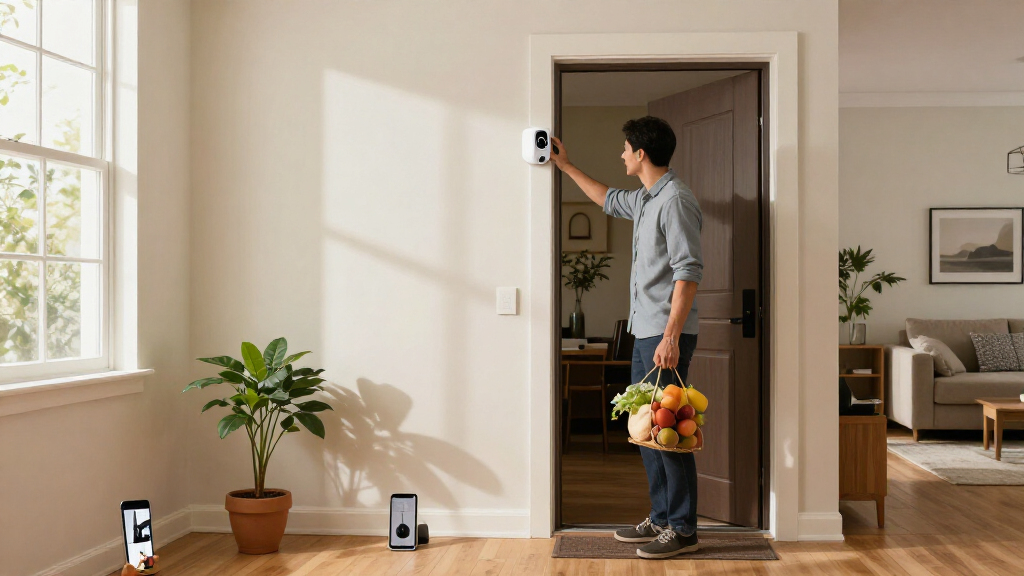
How We Picked
I ranked these cameras by how well they answer the specific needs of an Apple-centered security setup: confirmed Apple Home or HomeKit Secure Video support, useful coverage for the intended location, recording and notification options, setup demands, and the ongoing effort required to keep a system working. I also weighed whether a camera’s extra features—such as a hub, pan and tilt, floodlight, or wire-free design—solve a practical need or add complexity without improving the Apple-home experience.
The ranking favors products with a clear role and a strong balance of Apple compatibility, coverage, and everyday usability. That puts the Aqara G5 Pro PoE ahead for a permanent outdoor installation, while focused indoor cameras and multi-camera bundles rank higher for buyers with those specific needs. Similar models are separated by installation method and intended use, not by treating higher resolution as an automatic win. Renewed products and cameras with unclear or feature-dependent Apple integration warrant closer buyer checks, so they do not outrank options with a clearer fit.
Factors to Consider When Choosing Best Apple Home Security Cameras
Before choosing a camera, I would start with the way you want it to work inside your Apple setup—not just its resolution or advertised smart features. These broader decisions can prevent a camera from fitting the room but missing the recording, notification, or privacy experience you expected.
Check the Exact Apple Integration You Need
“Works with Apple” can mean different things, from appearing in the Apple Home app to supporting HomeKit Secure Video and its recording options. Check the specific model and feature set rather than relying on a brand-wide compatibility claim. A camera may offer app-based alerts or cloud recording without giving you the Apple Home controls you expect. Decide whether you need live viewing, activity notifications, recorded clips, or Siri access, then confirm each one before buying. Also check whether Apple Home features depend on a home hub or an eligible iCloud plan. This small compatibility check can matter more than an extra resolution tier.
Plan Coverage Around the Room, Not the Spec Sheet
A high-resolution camera can still miss a doorway if its lens points the wrong way or its field of view is too narrow. For a large room, pan-and-tilt can cover more area than a fixed camera, while a fixed model may be simpler for watching one entrance. Map the areas you need to see, including likely approaches and blind spots, before settling on a mounting position. Night vision, glare from windows, and distance to the subject affect whether footage will be useful after dark. Avoid buying several cameras before checking whether one adjustable unit can cover the space. For outdoor views, confirm that the camera can be mounted where it can see the target without filming more of a neighbor’s property than necessary.
Choose Power and Placement Together
Wired cameras suit permanent locations where steady power and a stable connection matter more than easy relocation. Wire-free designs make placement more flexible, but battery upkeep becomes part of the system and may affect how often you check or recharge a device. PoE models can simplify power at the camera, yet they require an Ethernet route and may call for more planning or installation work. Before ordering, check outlet access, cable paths, Wi-Fi coverage, and whether the mounting surface can support the camera. A camera with the right features is a poor fit if its installation leaves the view blocked or the connection unreliable. Match the power approach to the place you will actually use it.
Compare Recording, Storage, and Ongoing Requirements
Live video and saved event clips are different needs: a live view may be enough for checking a room, while security use often calls for reviewing what happened earlier. Look up where recordings are stored, how long they remain available, and whether the features you want require a service plan, eligible Apple storage, or local storage. Do not assume that local storage automatically means the camera records every event or supports every Apple feature. Check how motion zones and alerts can be tuned, since excessive notifications can make a system less useful. If several household members need access, confirm how sharing and permissions work. These details shape the long-term experience more than a headline resolution number.
Decide Whether a Camera Hub Adds Real Value
Some Aqara cameras also act as smart-home hubs, which can consolidate devices and add functions beyond monitoring. That can be useful if you already use, or plan to add, compatible sensors and accessories. If you only need a camera, a hub feature may add setup steps and ecosystem dependence without helping your main job. Check which devices and standards the hub supports, and whether those capabilities work through Apple Home or only through the manufacturer’s app. Matter support can help with cross-platform device control, but it does not make every camera feature available in Apple Home. Buy the hub role for a specific automation or device plan, not simply because it appears on the feature list.
Match the Camera Count to Your Coverage Plan
Bundles can lower the effort of outfitting multiple rooms, but a multi-camera pack is only useful if the cameras fit those locations. A three-pack of indoor cameras will not replace a weatherproof unit at an exposed entrance. Think through which views need continuous monitoring and which can be covered by a doorbell, sensor, or camera with pan-and-tilt. More cameras also mean more notifications, more devices to manage, and more decisions about recording and privacy. Start with the highest-priority entry points and rooms, then add coverage where there is a clear gap. This approach avoids paying for overlapping views that add little practical security.
Frequently Asked Questions
Do all 11 cameras support HomeKit Secure Video?
No, the lineup includes different levels of Apple integration, and a product’s Apple compatibility should be checked model by model. HomeKit Secure Video support is not the same as being viewable in a manufacturer’s app or connecting to other smart-home services. Confirm the specific camera’s current compatibility details and which functions are supported, including clips, notifications, and Apple Home controls. Also check whether your preferred recording setup requires an Apple home hub or a qualifying iCloud plan. If Secure Video is a must-have, make that a firm filter before comparing image quality.
Can I mix cameras from Eve, Aqara, eufy, and Logitech in one Apple Home setup?
You can use cameras from different manufacturers in one Apple Home environment when each specific model supports the Apple features you need. Mixed brands may still rely on separate manufacturer apps for firmware updates, advanced settings, or features not exposed in Apple Home. Check whether each camera’s recording and alert behavior matches your expectations instead of assuming the Home app makes every model work identically. A shared app can simplify viewing, but it does not remove differences in storage, setup, and supported controls. For a mixed system, I would verify the most important features across all models before buying the first camera.
Should I choose a wired outdoor camera or a wire-free system?
Choose wired when the camera will stay in one outdoor position and you can provide power or route Ethernet without difficulty. A PoE camera can be a good fit when a reliable wired connection is worth the installation planning. Wire-free cameras suit locations where cables are difficult or where you may want to reposition coverage, but battery checks and recharging become part of ownership. Consider how accessible the mounting spot is; a camera that is hard to reach can make battery maintenance inconvenient. The right choice depends on the placement and upkeep you can support, not simply on which connection sounds easier.
Is a 4K camera the right choice if I mainly use Apple Home?
Not automatically. Resolution can provide more image detail, but recording support, field of view, night performance, and the position of the camera all affect whether that detail helps identify a person or event. Apple Home compatibility and recording behavior are separate questions from image quality. A well-placed 2K model may be more useful for a room or entrance than a 4K camera with a poor angle or limited integration. Choose 4K when the area and viewing distance make added detail useful, and check how footage is stored and viewed before making it your deciding factor.
When does a camera with a built-in hub make sense?
A camera hub makes sense when you plan to connect compatible sensors or other smart-home devices and will use the hub’s added functions. It may reduce the number of separate devices in a setup, but it can also tie extra features to one manufacturer’s ecosystem. Check which accessories and automations are supported, and which controls appear in Apple Home versus the camera maker’s app. If your only goal is video monitoring, a simpler camera may be easier to set up and maintain. Choose a hub camera for a defined expansion plan rather than for the hub label alone.
Conclusion
For a permanent outdoor installation, my best overall pick is the Aqara Camera Hub G5 Pro PoE; choose the Wi-Fi version if Ethernet is not practical. The best value for multi-room coverage is the eufy Indoor Cam E30 3-Pack, provided its Apple and recording features match your requirements. For a best premium choice, the Arlo Ultra 4K Wire-Free System suits buyers who prioritize flexible placement and high-resolution coverage, but it is not the most Apple-focused pick in this group. Beginners who want a simpler indoor, HomeKit-centered option should start with the Eve Cam. For a specific need, choose the Eve Outdoor Cam 2-Pack for outdoor monitoring with floodlights, or the Aqara G100 when you want a more compact indoor/outdoor camera. Before buying, verify the exact Apple Home functions and recording requirements for your chosen model.