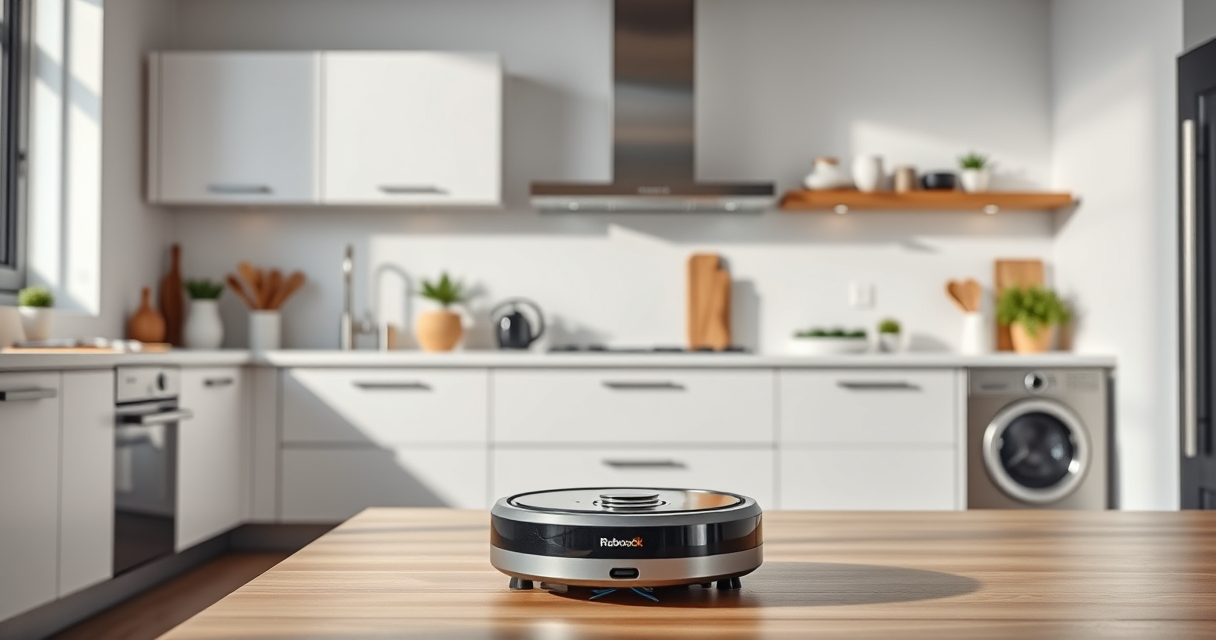
Roborock robot vacuums are renowned for their powerful cleaning capabilities and advanced navigation systems. To keep your device operating at peak performance, regular maintenance is essential. Proper upkeep not only extends the lifespan of your vacuum but also ensures it continues to clean thoroughly and efficiently.
In this comprehensive guide, we’ll walk you through the essential maintenance tasks for your Roborock, including cleaning sensors, replacing filters, checking brushes, and troubleshooting common issues. Whether you’re a new owner or a seasoned user, these steps will help you keep your robot in top condition with simple, safe procedures.
Key Takeaways
| Regular Cleaning | Keep sensors, brushes, and filters clean for optimal operation. |
| Filter Maintenance | Wash or replace filters every 1-3 months to maintain suction power. |
| Brush Inspection | Check for tangles or wear on the main brush and side brushes. |
| Troubleshooting | Address common issues like navigation errors or poor suction promptly. |
| Safe Handling | Always turn off and unplug before cleaning or replacing parts. |
Cleaning Sensors and Navigation Components
- Turn off your Roborock and unplug it from the charging dock.
- Use a soft, dry cloth or a lightly damp microfiber cloth to gently wipe the PreciSense LiDAR sensor and other infrared sensors on the device. Avoid harsh chemicals or water.
- Inspect the sensors for dust, dirt, or smudges that could interfere with navigation. Clean thoroughly but carefully.
- Reassemble and turn your robot back on to test navigation accuracy.
Replacing and Cleaning Filters
The Roborock Q7 M5+ features a sealed dust bag that allows for up to 7-9 weeks of hands-free cleaning. To keep suction power high, regular filter maintenance is crucial.
- Remove the dust bin and take out the washable HEPA filter.
- Rinse the filter under cold water until free of dust and debris. Do not use soap or detergents.
- Allow the filter to air dry completely (at least 24 hours) before reinserting.
- For faster maintenance, consider replacing the filter every 1-3 months with a compatible washable filter set.
If you notice a decline in suction or increased dust escape, it’s time to check or replace the filter.
Inspecting and Maintaining Brushes
The dual anti-tangle system on the Roborock Q7 M5+ helps prevent pet hair and carpet tangles, but regular inspection is still needed.
- Remove the main brush and side brushes according to your user manual.
- Clear any hair, string, or debris wrapped around the brushes. Use scissors or a brush cleaner if necessary.
- Check for signs of wear or damage. Replace brushes if they are worn unevenly or cracked.
- Reinstall brushes securely and test the vacuum to ensure proper operation.
Troubleshooting Common Issues
If your Roborock is experiencing navigation issues, poor cleaning performance, or error messages, follow these steps:
- Restart the device to reset its system.
- Check for obstructions in the wheels, brushes, or sensors.
- Ensure the dust bag and filters are clean and properly installed.
- Update the firmware via the app to fix bugs and improve functionality.
- If problems persist, consult the user manual or contact customer support for further assistance.
Tips and Warnings for Safe Maintenance
- Always turn off and unplug your Roborock before performing maintenance.
- Use only recommended cleaning tools and filters to avoid damage.
- Avoid using water or cleaning agents on electronic components.
- Handle brushes and sensors carefully to prevent damage.
- Dispose of used filters according to local regulations and recycling guidelines.
The Products in This Guide

roborock Q7 M5+ Robot Vacuum and Mop
- ✔ Weight: 8.8 lbs
- ✔ Dimensions: 13.8 x 13.8 x 3.8 inches
- ✔ Warranty: 1 year

4 Pack Washable Filter
- ✔ Weight: 4 oz
- ✔ Dimensions: 3 x 3 x 1 inches
- ✔ Material: HEPA filter
roborock Q7 M5+ Robot Vacuum and Mop
The Roborock Q7 M5+ Robot Vacuum and Mop offers powerful cleaning with up to 7-9 weeks of self-emptying, making it a top choice for busy households. Proper maintenance ensures it keeps performing at its best.
Pros:
- Long-lasting self-emptying dust bag
- High 10000Pa suction power
- Dual anti-tangle system for pet hair
- PreciSense LiDAR navigation
Cons:
- Requires regular filter cleaning
- Sensors need occasional wiping
- Brushes may wear over time
Best for: Pet owners and large households
Not ideal for: Users seeking a lightweight, simple model
Bottom line: A highly capable robot vacuum that benefits from regular, careful maintenance.
4 Pack Washable Filter
Replacing or washing your filters regularly is key to maintaining suction and air quality. This 4-pack of washable HEPA filters offers a cost-effective, eco-friendly solution compatible with several Roborock models.
Pros:
- Reusable and washable
- Same performance as original filters
- Easy to install
- Cost-effective in the long run
Cons:
- Not OEM, but highly compatible
- Must dry completely before reuse
- Bulk purchase recommended for frequent users
Best for: Long-term filter replacement
Not ideal for: If you prefer OEM-certified parts
Bottom line: An economical, eco-friendly choice for maintaining suction efficiency.
Frequently Asked Questions
How often should I clean the sensors on my Roborock?
It’s recommended to wipe the sensors every 2-4 weeks with a dry microfiber cloth to maintain accurate navigation and obstacle detection.
Can I wash the HEPA filters?
Yes, the filters are washable. Rinse with cold water, dry completely before reinstalling to prevent mold or damage.
What should I do if my Roborock isn’t charging properly?
Check the charging contacts for dust or debris, ensure the charging dock is plugged in correctly, and try resetting the device. Replace the charging cable if necessary.
How often do brushes need replacement?
Inspect brushes every 2-3 months. Replace if they are worn unevenly or damaged to maintain cleaning efficiency.
Is it safe to perform maintenance myself?
Yes, but always turn off and unplug your Roborock before cleaning or replacing parts to avoid injury or damage to the device.
Keep Your Roborock in Peak Condition
Regular maintenance of your Roborock Q7 M5+ will ensure it continues to deliver powerful, efficient cleaning. Simple tasks like sensor cleaning, filter washing, and brush inspection can dramatically extend its lifespan and performance. Always follow safety guidelines and use recommended parts to avoid damage and ensure your home stays spotless with minimal effort.
Affiliate disclosure: As an Amazon Associate we earn from qualifying purchases. Prices and availability are accurate as of the time of publishing.