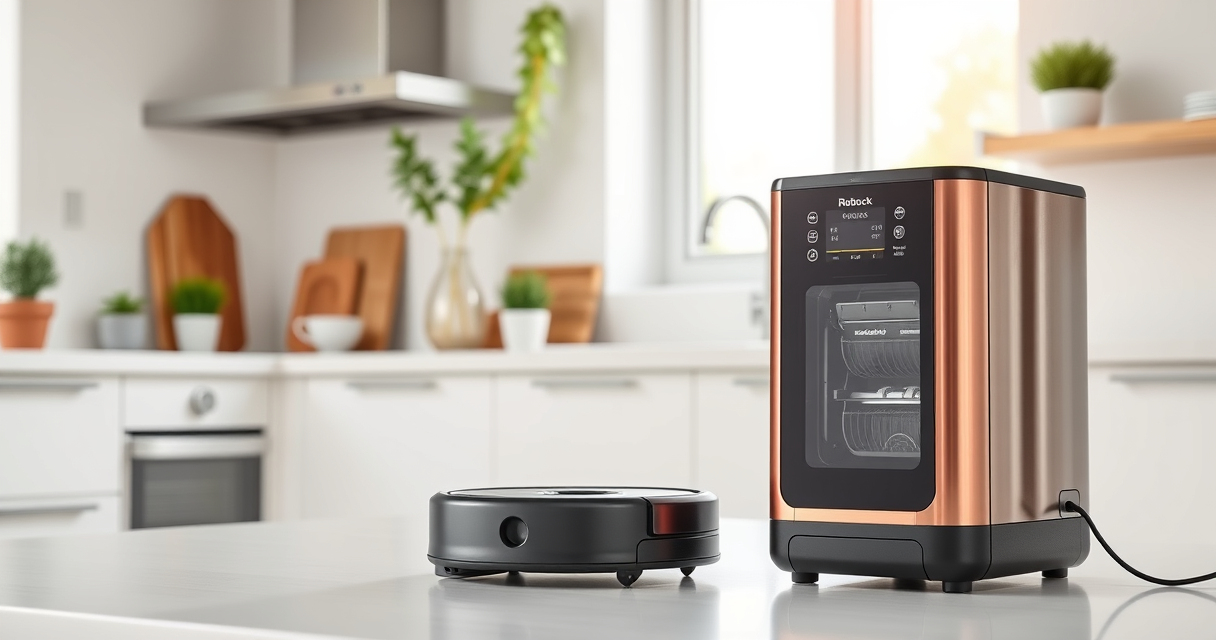
Getting your new Roborock Q7 M5+ robot vacuum up and running is straightforward when you follow a clear, step-by-step setup process. Proper installation ensures the device operates efficiently, maintains your home’s cleanliness, and reduces potential issues during use. This guide will walk you through the essential preparations, installation, and initial setup to help you maximize your robot vacuum’s capabilities.

Get home appliances delivered free with Prime
- Fast, free delivery on millions of items
- Prime Video, Amazon Music and more included
- Member-only deals all year
Whether you’re a new robotic vacuum user or upgrading from an older model, this practical guide will cover everything from unboxing to connecting via the app, so you can enjoy hands-free cleaning with confidence.
Key Takeaways
| Compatibility Check | Ensure your floor surfaces and home layout are suitable for the Roborock Q7 M5+. |
| Proper Placement | Position the docking station in an open, accessible area, clear of obstructions. |
| Initial Setup | Download the app, connect Wi-Fi, and perform a calibration to optimize navigation. |
| Maintenance Prep | Prepare the dust bag, filters, and mop pads for long-lasting performance. |
| Safety Tips | Keep cords and small objects away from the robot’s cleaning path to prevent tangling. |
Unboxing and Initial Inspection
- Carefully remove the Roborock Q7 M5+ from its packaging, making sure all accessories are included, such as the dust bag, filters, and mop pads.
- Inspect the device for any visible damage or missing parts. Confirm that the dust bag is correctly installed in the dock and that the main brush and side brushes are in place.
- Familiarize yourself with key components: the sealed dust bag (2.7L capacity), the main brush, and the mop attachment points.
Preparing Your Home and Docking Station
- Choose a central, open location for the docking station, away from obstacles like furniture, cords, or rugs that could hinder docking or navigation.
- Ensure the area has a stable power outlet and enough clearance (at least 1.5 feet on each side and 4 feet in front).
- Plug in the dock and activate it. Some models may require initial calibration or a firmware update—check the app for prompts.
Downloading the App and Connecting the Vacuum
- Download the Roborock app from your device’s app store. The app is compatible with both iOS and Android devices.
- Create a Roborock account or log in if you already have one.
- Power on your Roborock Q7 M5+ and ensure Wi-Fi is active on your phone.
- Follow the in-app instructions to add the device. Select your model, connect to your Wi-Fi network, and wait for the device to pair successfully.
Initial Calibration and Settings
- Once connected, perform a quick calibration by initiating a cleaning cycle. This helps the robot map your home accurately using PreciSense LiDAR navigation.
- Adjust cleaning preferences in the app, such as suction power (up to 10,000Pa), mopping settings, and no-go zones.
- Set up your virtual boundaries if needed to restrict cleaning in certain areas.
Maintenance and Accessories
Before your first full clean, prepare the dust bag, replace or wash filters (consider a 4-pack washable HEPA filters for long-term use), and attach mop pads if mopping is desired. Use quality accessories like the VIEWALL 6 Pack Reusable Mop Pads for consistent results. Regular maintenance, including emptying the dust bag and cleaning brushes, prolongs the life of your robot and maintains peak performance.
Safety Tips and Troubleshooting
- Keep cords, small objects, and cables away from the robot’s path to prevent tangling or jams.
- Ensure the robot’s sensors are clean and unobstructed to maintain accurate navigation.
- If the robot doesn’t connect initially, verify Wi-Fi strength and restart both the device and the app.
- Refer to the app’s troubleshooting section or contact customer support if issues persist.
The Products in This Guide

roborock Q7 M5+ Robot Vacuum and Mop
- ✔ Suction Power: 10,000Pa
- ✔ Dust Capacity: 2.7L
- ✔ Navigation: PreciSense LiDAR

4 Pack Washable Filter
- ✔ Pack Size: 4 Filters
- ✔ Compatibility: Multiple Roborock models
- ✔ Washable: Yes
roborock Q7 M5+ Robot Vacuum and Mop
<p>The Roborock Q7 M5+ combines powerful suction with efficient mopping, making it ideal for pet owners and busy households. Its 10,000Pa suction and dual anti-tangle system ensure pet hair and debris are effectively removed without constant intervention. The device’s self-emptying dust bag and precise navigation make it a top choice for hassle-free cleaning.</p>
Pros:
- Powerful 10,000Pa suction
- Self-emptying 2.7L dust bag
- PreciSense LiDAR navigation
- Dual anti-tangle system
Cons:
- Relatively large dock size
- Requires Wi-Fi for full functionality
- Mopping pads need replacement over time
Best for: Homes with pets, large spaces, and those seeking minimal maintenance
Not ideal for: Small apartments with limited space for docking station
Bottom line: A high-performance robot vacuum perfect for pet households with minimal maintenance needs.
4 Pack Washable Filter
<p>This washable HEPA filter pack complements the Roborock Q7 M5+ by maintaining optimal filtration and saving costs on replacements. Easy to install and clean, these filters ensure your robot continues to perform at its best.</p>
Pros:
- Compatible with multiple models
- Washable and reusable
- Maintains filtration quality
- Cost-effective over time
Cons:
- Requires regular cleaning
- Not OEM, but compatible
- May need replacement every few months
Best for: Users seeking long-term filtration solutions
Not ideal for: Those preferring OEM filters or less maintenance
Bottom line: A cost-effective, eco-friendly filter replacement for consistent cleaning performance.
Frequently Asked Questions
How do I update the firmware on my Roborock Q7 M5+?
Connect your robot to the app, go to device settings, and check for firmware updates. Follow the prompts to install any available updates.
Can I use my Roborock on multiple floors?
Yes, but you should set up separate maps for each floor in the app and manually select the correct map when cleaning different levels.
How often should I clean the brushes and filters?
It’s recommended to clean the main brush and filters weekly, especially if you have pets or a lot of debris. Replace or wash filters as per the manufacturer’s instructions.
What should I do if the robot gets stuck or won’t dock?
Check for obstacles or cords blocking the path, clear the area, and manually reposition the robot to the dock. Restart the device if necessary.
Is it safe to leave the robot unattended?
Yes, the Roborock Q7 M5+ is designed for safe operation. However, remove small objects and cords from the cleaning area to prevent tangling or damage.
Getting Your Roborock Q7 M5+ Ready for Action
With these clear setup steps, your Roborock Q7 M5+ will be ready to deliver powerful, hands-free cleaning for your home. Proper preparation, app connection, and maintenance ensure you get the most out of your investment and enjoy a cleaner environment with minimal effort.
Affiliate disclosure: As an Amazon Associate we earn from qualifying purchases. Prices and availability are accurate as of the time of publishing.
Halloween Picks
halloween
As an affiliate, we earn on qualifying purchases.