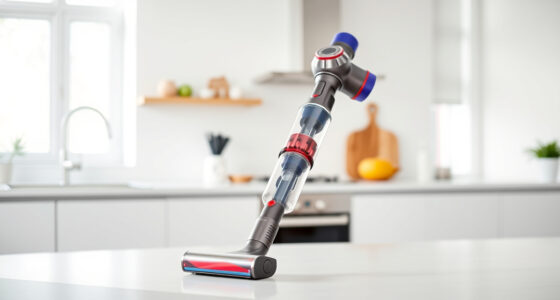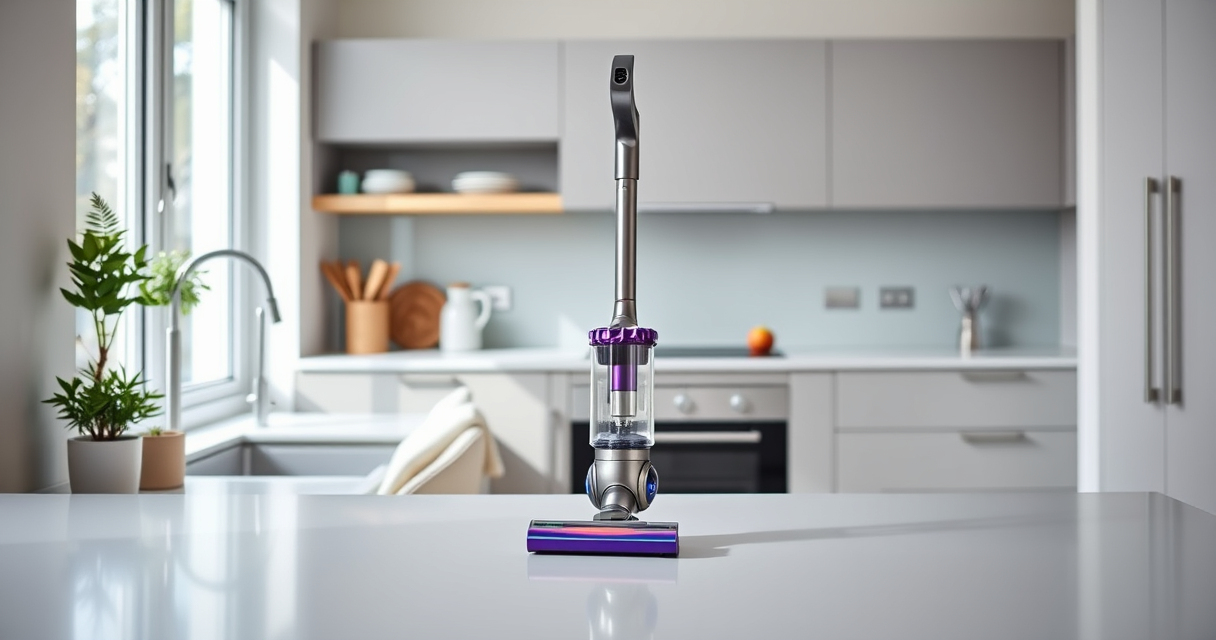

If your Dyson V15 Detect™ Origin Cordless Vacuum is pulsing on and off during use, it can be frustrating and hinder your cleaning. This issue often indicates a problem with the filter, battery, or internal components that need attention. Fortunately, most causes are simple to troubleshoot and fix with some basic steps.

Get home appliances delivered free with Prime
- Fast, free delivery on millions of items
- Prime Video, Amazon Music and more included
- Member-only deals all year
In this guide, we’ll walk you through the practical, step-by-step process to diagnose and resolve the pulsing problem safely, ensuring your vacuum operates at peak performance again.
Key Takeaways
| Filter Obstruction | Dirty or clogged filters can cause pulsing. |
| Battery or Power Issue | Battery health affects consistent power delivery. |
| Blockages or Debris | Obstructions in the wand or cleaner head disrupt airflow. |
| Sensor or Electronics Fault | Faulty sensors or internal electronics can trigger pulsing. |
| Maintenance Checks | Regular cleaning and filter replacements prevent issues. |
Check and Clean the Filters
- Remove the pre-filters and main filters from your Dyson vacuum. Refer to your user manual if needed to locate all filter components.
- Rinse the filters under cold water until the water runs clear. Do not use any detergents or wash in a dishwasher unless specified by Dyson.
- Allow the filters to air dry completely for at least 24 hours before reinstalling. Wet filters can cause airflow issues and trigger pulsing.
- Reinstall the filters securely back into the vacuum.
Dirty filters are a common cause of pulsing, as they restrict airflow and cause the vacuum to cycle power to protect internal components.
Inspect for Blockages and Debris
- Check the wand, cleaner head, and hose for any obstructions or debris that could be impeding airflow.
- Remove any hair, dust, or blockages carefully using your fingers or a long tool.
- Clear the crevice tool or attachments with a brush or thin object if needed.
Blockages can cause inconsistent suction and trigger the pulsing effect. Ensuring a clear airflow path is essential for proper operation.
Examine the Battery and Power Settings
Ensure the battery is properly seated and has sufficient charge. If the battery is old or not holding charge, it may cause power fluctuations.
- Charge the vacuum fully and see if the pulsing persists.
- If your Dyson has a removable battery, try replacing it with a known good one.
Sometimes, the power trigger or mode settings may influence pulsing. Resetting the device or switching power modes can help troubleshoot this issue.
Reset and Update the Vacuum
Perform a reset by turning off the vacuum, removing the battery if possible, and holding the power button for 10 seconds. Reassemble and turn it back on.
Check for firmware updates or alerts via the LCD screen. Dyson occasionally releases updates that improve performance and fix bugs.
If the pulsing continues after these steps, consider contacting Dyson support for advanced diagnostics.
Regular Maintenance and Preventative Care
To prevent future pulsing issues, routinely clean filters, check for obstructions, and keep the battery and electronics in good condition.
Replace filters every 2-3 months or as recommended, and consider using high-quality attachments that fit your model to avoid damage or blockages.
Consistent maintenance extends your vacuum’s lifespan and ensures reliable, powerful cleaning every time.
The Products in This Guide

Dyson V15 Detect™ Origin Cordless Vacuum
- ✔ Weight: 6.8 lbs
- ✔ Battery Life: Up to 60 min
- ✔ Filtration: Advanced HEPA filtration

LANMU Crevice Tool Vacuum Attachments Compatible
- ✔ Length: 8 inches
- ✔ Material: Plastic
- ✔ Compatibility: Multiple Dyson models
Dyson V15 Detect™ Origin Cordless Vacuum
<p>The Dyson V15 Detect™ Origin Cordless Vacuum offers powerful suction, intelligent debris detection, and a variety of attachments to handle all your cleaning needs. Its advanced filters, battery life, and LCD display make it a top choice for thorough home cleaning.</p>
Pros:
- Powerful suction and deep cleaning capability
- Intelligent debris detection
- Long battery life of 60 minutes
- Multiple cleaning heads for versatile use
Cons:
- Price may be high for some
- Filter maintenance required for optimal performance
- Heavier than some other cordless models
Best for: Whole-home deep cleaning, pet hair, and hard-to-reach spots
Not ideal for: Light, quick cleans where a lightweight tool is preferred
Bottom line: The Dyson V15 Detect™ Origin is a powerful, smart vacuum perfect for deep cleaning needs.
LANMU Crevice Tool Vacuum Attachments Compatible
<p>The LANMU Crevice Tool Vacuum Attachments is compatible with multiple Dyson models and features a slim, flexible design. It’s ideal for cleaning tight corners, car interiors, and tricky edges, making it a valuable addition for maintaining your vacuum’s performance.</p>
Pros:
- Narrow nozzle for tight spaces
- Compatible with many Dyson models
- Flexible and easy to maneuver
- Effective for detailed cleaning
Cons:
- Attachment may require additional storage space
- Not a standalone vacuum
- Requires proper fit for optimal use
Best for: Cleaning corners, crevices, and car interiors
Not ideal for: For general floor cleaning or large debris
Bottom line: A versatile tool to reach those hidden spots and keep your Dyson performing at its best.
Frequently Asked Questions
Why does my Dyson vacuum pulse or cycle power on and off?
This often indicates a clog, dirty filter, or battery issue. Checking filters, airflow, and battery health can resolve the problem.
How often should I replace the filters?
Filters should typically be replaced or cleaned every 2-3 months for optimal performance.
Can I use any filters with my Dyson V15?
Always use filters designed for your specific model, like the Dyson V15 filters, to ensure proper fit and function.
What should I do if cleaning the filters doesn’t fix the pulsing?
Try inspecting for blockages, resetting the vacuum, or replacing the battery. If unresolved, contact Dyson support.
Is it safe to rinse the filters?
Yes, most Dyson filters are washable. Make sure they are completely dry before reinstalling to prevent airflow issues.
Keep Your Dyson Running Smoothly
Regular maintenance and troubleshooting can keep your Dyson V15 Detect™ Origin operating smoothly and prevent pulsing issues. By cleaning filters, checking for blockages, and ensuring your battery is in good condition, you can enjoy consistent, powerful cleaning performance. If problems persist, don’t hesitate to reach out to Dyson customer support for further assistance.
Affiliate disclosure: As an Amazon Associate we earn from qualifying purchases. Prices and availability are accurate as of the time of publishing.
Halloween Picks
halloween
As an affiliate, we earn on qualifying purchases.