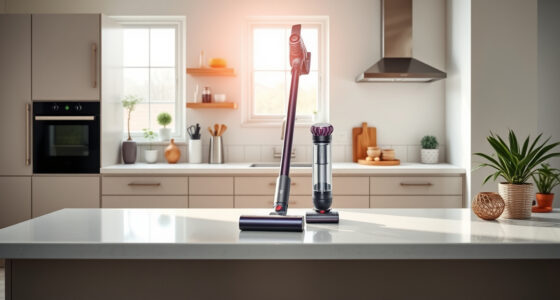
If your Dyson V15 Detect™ Origin Cordless Vacuum is pulsing on and off during use, it can be frustrating and hinder your cleaning. This issue often stems from blockages, dirty filters, or sensor problems. Fortunately, many of these issues are simple to diagnose and fix with the right steps.

Get home appliances delivered free with Prime
- Fast, free delivery on millions of items
- Prime Video, Amazon Music and more included
- Member-only deals all year
Follow this practical guide to troubleshoot and restore your vacuum’s consistent power, ensuring deep cleaning performance without interruptions.
Key Takeaways
| Identify common causes | Blockages, dirty filters, or sensor issues often cause pulsing. |
| Check filters regularly | Clogged filters reduce suction and trigger pulsing. |
| Inspect for blockages | Ensure no debris obstructs the wand, cleaner head, or inlet. |
| Clean sensors and contacts | Dirty sensors can cause false signals, leading to pulsing. |
| Test after each fix | Verify if the problem is resolved before proceeding to the next step. |
Step 1: Power Off and Inspect for Blockages
- Turn off your Dyson vacuum and unplug it from the charger.
- Remove the cleaner head and wand.
- Check for any debris or blockages in the wand, cleaner head, and inlet ports.
- Clear out any obstructions to ensure unobstructed airflow.
Step 2: Clean or Replace the Filters
- Remove the filters as per the user manual—use the replacement filters if yours are dirty or worn.
- Rinse the filters under cold water until clear, then let them air dry completely (at least 24 hours).
- Reinstall the filters securely after drying.
Step 3: Check and Reset the Sensors
Dirty sensors can cause the vacuum to pulsing. Use a soft, dry cloth to gently wipe the sensors located near the cleaner head and inlet areas. Ensure contacts are dry and free from dust or debris.
If your model has a reset button, press it to recalibrate the sensors, following the user manual instructions.
Step 4: Verify Battery and Power Connections
Ensure the battery is properly seated and the contacts are clean. If you notice corrosion or dirt, clean with a dry cloth. Reconnect the battery securely.
Test the vacuum again to see if the pulsing issue persists.
Additional Tips and Warnings
- Always disconnect from power before inspecting or cleaning internal components.
- Use only recommended filters and attachments to avoid damage.
- Do not immerse electrical parts in water or use harsh chemicals.
- If issues persist after these steps, contact Dyson customer support for professional assistance.
The Products in This Guide
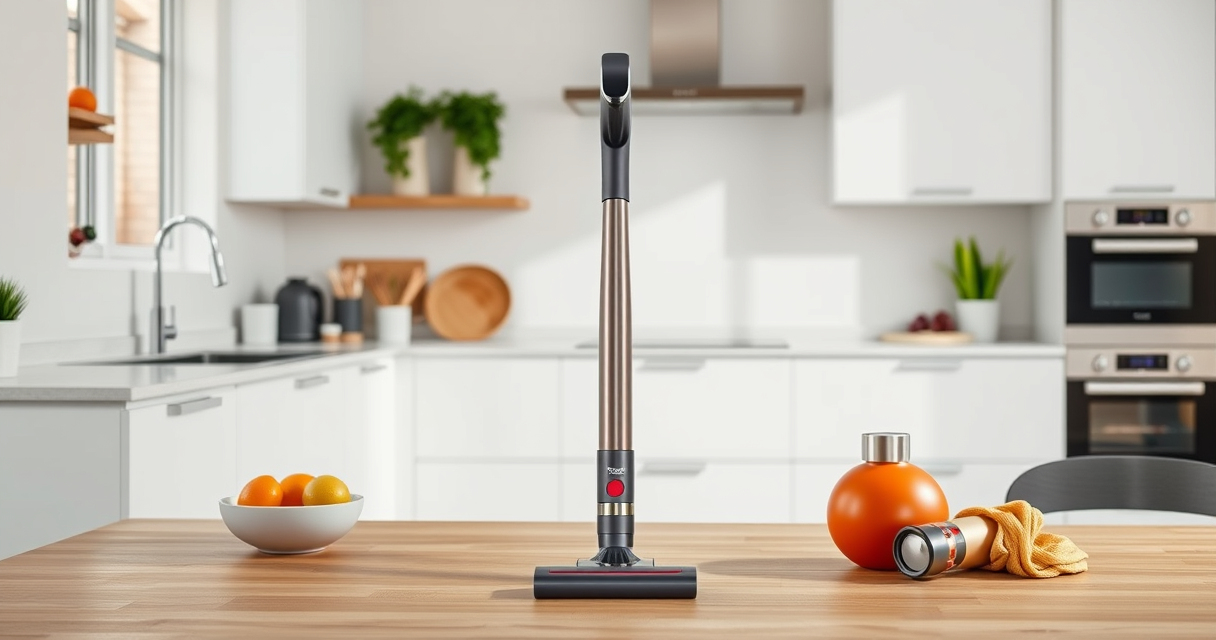
Dyson V15 Detect™ Origin Cordless Vacuum

The Dyson V15 Detect™ Origin Cordless Vacuum offers powerful suction and intelligent features, making it suitable for thorough cleaning. Its LCD screen displays particle count, power mode, and alerts, helping you monitor maintenance needs effectively.
Pros:
- Powerful 100% more suction compared to previous models
- Intelligent debris detection and floor adaptation
- Long-lasting 60-minute battery life
- Includes advanced cleaner heads and attachments
Cons:
- Premium price point
- Requires regular filter and sensor maintenance
- Complex for first-time users
Best for: Homeowners needing deep cleaning with smart features
Not ideal for: Users seeking lightweight or minimal maintenance vacuums
Bottom line: A powerful, intelligent vacuum ideal for comprehensive home cleaning.
LANMU Crevice Tool Vacuum Attachments Compatible

The LANMU Crevice Tool Vacuum Attachments are versatile, slim, and perfect for reaching tight spaces in your home or car. Compatible with Dyson models including the V15, it helps remove dust from hard-to-access corners.
Pros:
- Narrow nozzle for tight spaces
- Compatible with multiple Dyson models
- Easy to attach and use
- Ideal for detailed cleaning
Cons:
- Not suitable for larger debris
- Requires separate purchase
- Limited to crevice cleaning
Best for: Cleaning corners, edges, and tight spots
Not ideal for: Large debris or heavy-duty cleaning
Bottom line: A handy attachment for detailed cleaning in hard-to-reach spots.
Frequently Asked Questions
Why does my Dyson pulsing vacuum keep turning off?
This often indicates blockages, dirty filters, or sensor issues. Follow the troubleshooting steps to identify and resolve the problem.
How often should I replace or clean the filters?
Filters should be rinsed and dried every 2-3 months for optimal performance. Replace filters if they are damaged or excessively dirty.
Can I fix the pulsing problem myself?
Yes, many issues like blockages, dirty filters, and sensor cleaning can be addressed at home. If problems persist, contact Dyson support.
Is it safe to wash the filters?
Yes, most Dyson filters are washable. Rinse with cold water, air dry completely, and avoid using detergents or hot water.
Keep Your Dyson V15 Detect Running Smoothly
Regular maintenance, including cleaning filters, checking for blockages, and inspecting sensors, can prevent pulsing issues and prolong your vacuum’s lifespan. Follow these steps to ensure your Dyson provides powerful, consistent cleaning performance every time.
Affiliate disclosure: As an Amazon Associate we earn from qualifying purchases. Prices and availability are accurate as of the time of publishing.
Fall Picks
fall essentials
As an affiliate, we earn on qualifying purchases.