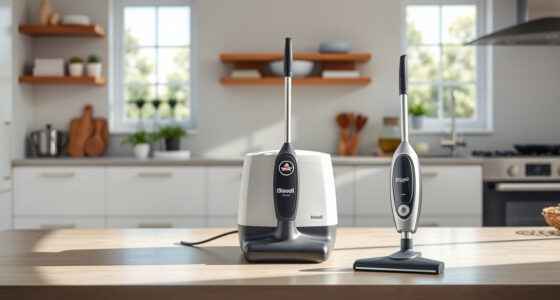
If your Bissell carpet cleaner is leaving water behind after cleaning, it can be frustrating and diminish your cleaning results. This issue often indicates a problem with the machine’s internal parts or accessories, but with a careful approach, you can troubleshoot and resolve it yourself.

Get home appliances delivered free with Prime
- Fast, free delivery on millions of items
- Prime Video, Amazon Music and more included
- Member-only deals all year
In this guide, we’ll walk you through practical, safe steps to identify and fix the common causes for water leakage or excess water retention in your Bissell ProHeat 2X Revolution Pet Turbo Upright Carpet Cleaner. Whether it’s a clogged hose, a faulty seal, or a dirty filter, you’ll find clear instructions and tips to restore your machine to optimal performance.
Key Takeaways
| Identify the source of water leakage | Check hoses, seals, and filters for clogs or damage. |
| Ensure proper assembly and connections | Verify all parts are correctly fitted and secure. |
| Clean or replace filters and brushes | Dirty filters or worn brushes can cause water retention. |
| Inspect for blockages or cracks | Look for obstructions or damage in the water pathway. |
| Test the machine after repairs | Run a small cleaning cycle to confirm the fix. |
Step 1: Turn Off and Unplug Your Machine
Before starting any troubleshooting, ensure your Bissell cleaner is turned off and unplugged from the power outlet. This guarantees safety as you inspect internal parts and prevents accidental activation of the motor or spray system.
Step 2: Check the Water Tank and Its Components
- Remove the water tank from the machine, following your user manual instructions.
- Inspect the tank for cracks or damage that might cause leaks.
- Ensure the tank lid is securely closed and properly seated.
- Look at the tank’s fill line and check if excess water is present—overfilling can cause spillage or water retention.
Step 3: Examine the Hoses and Nozzles
- Disconnect and inspect hoses for clogs, kinks, or cracks. Clear any blockages with a long, flexible brush or pipe cleaner.
- Check the spray nozzles for buildup or obstructions, cleaning with a soft brush or cloth.
- Ensure all hose connections are tight and properly fitted to prevent leaks.
Step 4: Inspect and Clean Filters and Brushes
Dirty filters can restrict water flow and cause excess water to be retained or leaked. Remove the filters according to your model’s instructions and rinse them thoroughly with water. Replace any damaged or excessively dirty filters.
Check the dual DirtLifter PowerBrushes for debris or tangled hair. Clean the brushes carefully with a soft cloth or brush, ensuring they rotate freely.
Step 5: Verify Seal Integrity and Internal Components
Inspect seals around the water tank, hoses, and the recovery tank for wear, cracks, or misalignment. Replace any faulty seals to prevent leaks during operation.
If your machine has components like the heatwave technology or other internal parts, ensure they are properly connected and undamaged. Consult your manual for specific parts that may need replacement.
Step 6: Reassemble, Test, and Monitor
Once all parts are checked, cleaned, and replaced if necessary, reassemble your Bissell cleaner carefully. Fill the water tank within the recommended levels, avoiding overfilling.
Plug in the machine and run a short cleaning cycle without any carpets or rugs to observe if water leaks or leaves behind excess water. If the issue persists, revisit the previous steps or consider replacing worn parts.
The Products in This Guide

BISSELL ProHeat 2X Revolution Pet Turbo Upright Carpet C
- ✔ Weight: Approx. 18 lbs
- ✔ Tank Capacity: 1.25 gallons
- ✔ Cord Length: 25 feet

JORAIR Brush Replacement Compatible
- ✔ Pack Size: 3 pieces
- ✔ Material: Synthetic fibers
- ✔ Compatibility: Multiple Bissell CrossWave models
BISSELL ProHeat 2X Revolution Pet Turbo Upright Carpet C
The BISSELL ProHeat 2X Revolution Pet Turbo Upright Carpet Cleaner is equipped with advanced features like TURBOSTRENGTH MOTOR TECHNOLOGY and HEATWAVE technology, making it a powerful and efficient cleaning tool. When facing water leaving issues, troubleshooting internal components and seals can often restore its performance effectively.
Pros:
- Powerful suction with TurboStrength Motor
- Adjustable cleaning modes
- Heatwave technology maintains water temperature
- Removes embedded dirt and stains
Cons:
- Can be complex to disassemble for beginners
- Requires regular maintenance for optimal performance
- Potential for seal wear over time
Best for: Pet owners and households with heavily soiled carpets
Not ideal for: Users unfamiliar with appliance maintenance
Bottom line: Keeping your Bissell clean and well-maintained prevents water leakage and ensures a thorough clean.
JORAIR Brush Replacement Compatible
The JORAIR Brush Replacement Compatible set is an excellent upgrade for your Bissell CrossWave or similar models. It helps maintain optimal cleaning performance, especially if your original brushes are worn or damaged, which can contribute to water retention issues.
Pros:
- Affordable 3-pack brush rolls
- Compatible with multiple Bissell CrossWave models
- Includes filters and cleaning brush
- Easy to install
Cons:
- Only compatible with specific CrossWave models
- Replacement frequency depends on usage
Best for: Maintaining cleaning efficiency and preventing water issues
Not ideal for: Owners of non-compatible models
Bottom line: Upgrade your brushes and filters regularly to keep your machine functioning optimally and prevent water issues.
Frequently Asked Questions
Why is my Bissell cleaner leaving water behind?
This could be caused by clogged hoses, dirty filters, worn brushes, or damaged seals. Proper inspection and cleaning can often resolve the issue.
How often should I clean the filters and brushes?
It’s best to clean filters after every few uses and check brushes for debris regularly, especially if you notice reduced suction or water retention.
Can I use regular household cleaners to clean the machine?
Always use products recommended by Bissell, such as the Bissell Multi-Surface Solution, and avoid harsh chemicals that could damage internal parts.
Is it safe to disassemble my Bissell for repairs?
Yes, but only if you follow safety guidelines: unplug the machine, consult your user manual, and handle internal parts carefully to avoid further damage.
When should I replace parts like seals or brushes?
Replace seals if they are cracked or worn, and brushes if they are excessively worn or tangled. Regular maintenance prolongs your machine’s lifespan.
Keep Your Bissell in Top Shape for a Perfect Clean
Maintaining your Bissell ProHeat 2X Revolution Pet Turbo Upright Carpet Cleaner is key to preventing issues like water leaving the machine. Regular inspection, cleaning, and timely replacement of worn parts will ensure your machine performs at its best, delivering professional-quality results every time. If water retention persists despite troubleshooting, consider professional repairs or contacting Bissell support for assistance.
Affiliate disclosure: As an Amazon Associate we earn from qualifying purchases. Prices and availability are accurate as of the time of publishing.
Cold & flu season Picks
humidifiers
As an affiliate, we earn on qualifying purchases.