If your Dyson V15 Detect™ Origin cordless vacuum is pulsing on and off during cleaning, it can be frustrating and affect its performance. This issue is often caused by blockages, overheating, or filter problems. Fortunately, most problems are fixable with some basic troubleshooting steps. In this guide, you’ll find practical, step-by-step instructions to diagnose and resolve the pulsing issue safely, helping your vacuum run smoothly again.

Get home appliances delivered free with Prime
- Fast, free delivery on millions of items
- Prime Video, Amazon Music and more included
- Member-only deals all year
Before starting, ensure your vacuum is turned off and disconnected from charging to avoid any electrical hazards. Regular maintenance, including cleaning filters and checking for blockages, can prevent pulsing and extend your vacuum’s lifespan.
Key Takeaways
| Cause Identification | Pulsing can be caused by blockages, overheating, or filter issues. |
| Basic Troubleshooting | Check for obstructions and clean filters regularly. |
| Safe Fixes | Always power off and unplug before cleaning or inspecting. |
| When to Seek Help | Persistent issues may require professional servicing. |
Step 1: Power Off and Unplug
- Ensure the vacuum is turned off using the power trigger.
- Unplug the charger to prevent accidental activation or electrical hazards.
Step 2: Check for Blockages
- Inspect the wand, cleaner heads, and hose for any visible debris or obstructions.
- Remove and clear any blockages carefully, using a crevice tool if needed.
Step 3: Clean or Replace Filters
- Remove the pre-filters and main filters from the vacuum.
- Wash the filters with water, then allow them to dry completely before reinstalling.
- Replace filters if they are damaged or excessively dirty.
Step 4: Check for Overheating
If the vacuum has been used continuously for a long period, it may overheat and pulse to cool down. Allow it to rest for at least 30 minutes, then try again.
Step 5: Reset and Test
- After cleaning filters and removing blockages, turn the vacuum back on.
- Test on a small area to see if pulsing persists.
The Products in This Guide

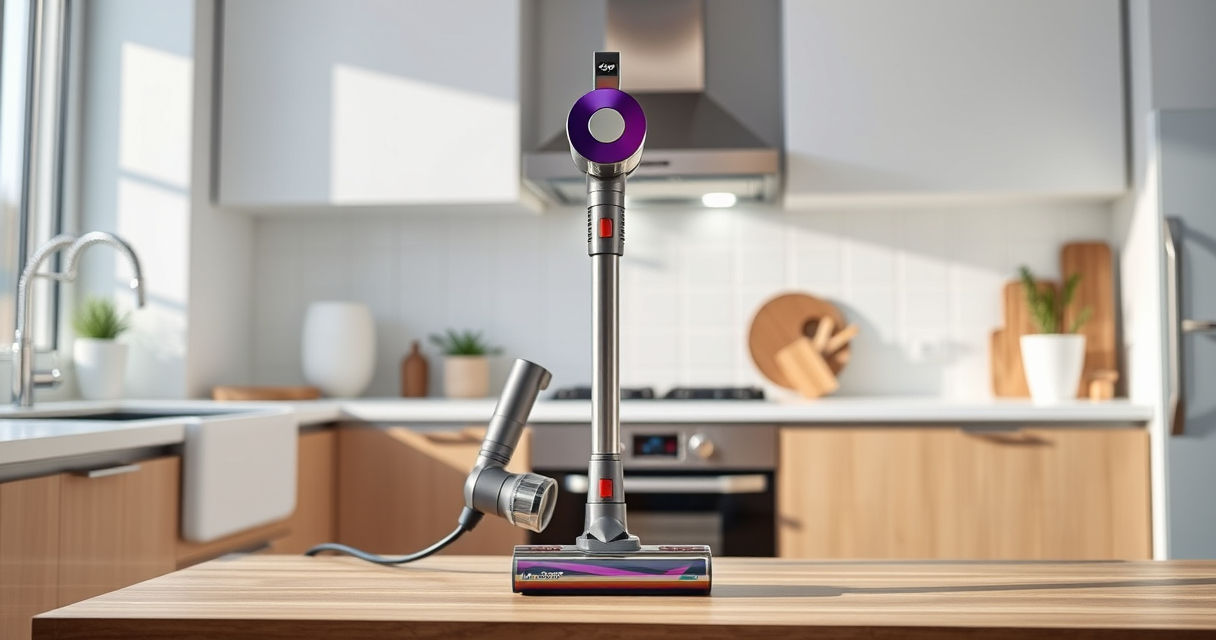
Dyson V15 Detect™ Origin Cordless Vacuum
- ✔ Color: Iron and Nickel
- ✔ Charge Time: Approximately 4.5 hours
- ✔ Warranty: 2 years

LANMU Crevice Tool Vacuum Attachments Compatible
- ✔ Color: Black
- ✔ Durability: High-quality plastic
- ✔ Price: Affordable
Dyson V15 Detect™ Origin Cordless Vacuum
The Dyson V15 Detect™ Origin is a powerful, intelligent cordless vacuum designed for whole-home cleaning. It features advanced sensors that reveal invisible dust and adapts power based on debris and floor type, making troubleshooting more straightforward with its LCD display. Regular maintenance of filters and checking for blockages can prevent pulsing issues.
Pros:
- Powerful suction with 100% more power
- Intelligent debris detection
- Long-lasting 60-minute runtime
- Multiple clean head options
Cons:
- Can be heavy for some users
- Requires regular filter cleaning
- Potential for overheating if overused
Best for: Homes with pets, hard floors, and deep cleaning needs
Not ideal for: Users seeking ultra-lightweight or budget options
Bottom line: The Dyson V15 Detect™ Origin offers powerful, intelligent cleaning with proper maintenance to prevent pulsing issues.
LANMU Crevice Tool Vacuum Attachments Compatible
The LANMU Crevice Tool Vacuum Attachments offers a narrow, flexible nozzle that helps reach tricky corners and small spaces, making it easier to clear blockages and debris that can cause pulsing.
Pros:
- Compatible with multiple Dyson models
- Narrow, flexible design
- Easy to attach and remove
- Effective for car and home cleaning
Cons:
- Not a replacement filter
- May require additional cleaning tools
- Specific to crevice cleaning only
Best for: Reaching tight spots like baseboards, car interiors
Not ideal for: For general large-area cleaning
Bottom line: This crevice tool enhances your Dyson’s reach, helping prevent and fix pulsing caused by blockages.
Frequently Asked Questions
Why does my Dyson vacuum pulse on and off during use?
This often indicates blockages, overheating, or filter issues. Checking for obstructions, cleaning filters, and ensuring proper airflow can resolve the problem.
How often should I clean or replace filters?
Filters should be washed every 1-3 months and replaced if damaged or excessively dirty. Replacing filters helps maintain optimal suction and prevents pulsing.
Can overheating cause pulsing, and how do I fix it?
Yes, overheating can trigger pulsing. Allow the vacuum to rest for at least 30 minutes to cool down before resuming cleaning.
What should I do if cleaning filters and removing blockages doesn’t fix the problem?
If issues persist, contact Dyson customer support or consider professional servicing to diagnose potential motor or internal component issues.
Keep Your Dyson V15 Detect™ Running Smoothly
Regular maintenance, including filter cleaning and checking for blockages, is key to preventing pulsing issues. Following these step-by-step troubleshooting tips can help you resolve the problem safely and quickly, ensuring your Dyson vacuum continues to deliver powerful, efficient cleaning for years to come. If problems persist, professional repair may be necessary to restore full performance.
Affiliate disclosure: As an Amazon Associate we earn from qualifying purchases. Prices and availability are accurate as of the time of publishing.
Halloween Picks
halloween
As an affiliate, we earn on qualifying purchases.