Keeping your Dyson V15 Detect™ Origin cordless vacuum in top condition ensures it delivers powerful cleaning performance every time. Regular maintenance, understanding common issues, and knowing how to troubleshoot can extend the lifespan of your device and save you money on repairs or replacements.

Get home appliances delivered free — and shop member deals
- Fast, free delivery on millions of items
- Access to Prime Big Deal Days deals on October 6–7
- Prime Video, Amazon Music and more included
This guide provides clear, safe, and effective steps for troubleshooting common problems, performing routine care, and optimizing your vacuum’s performance in 2026. Whether you’re dealing with reduced suction, battery issues, or filter clogging, you’ll find practical advice to resolve these issues quickly and safely.
Key Takeaways
| Routine Maintenance | Regular filter cleaning and filter replacement maintain suction and airflow. |
| Battery Care | Proper charging and avoiding over-discharge extend battery life. |
| Troubleshooting Basics | Identify common issues like suction loss or error alerts and fix step-by-step. |
| Cleaning Components | Keep cleaner heads and attachments free of debris for optimal cleaning. |
| When to Seek Service | Recognize signs that indicate professional repairs are needed. |
Performing Routine Maintenance
- Start by turning off and unplugging your Dyson V15 Detect™. Remove the main cleaner head and check for hair or debris tangled in the brush bar. Use scissors carefully to cut away tangled hair if needed.
- Remove the pre-filter and clean it under running water. Let it air dry completely before reinserting to ensure no moisture remains, which could damage the filter or motor.
- Inspect the dustbin and empty it regularly to maintain suction. Wash the bin with water if it appears sticky or clogged, and dry thoroughly before reassembling.
Replacing Filters and Cleaning the HEPA Filter
The Dyson V15 Detect™ uses filters that need periodic replacement or cleaning to sustain high performance. Use the 3Pack Pre Filters Replacement or the Replacement V10 Filters for best results.
Remove the filter, rinse it under cold water, and wring out excess water. Let it air dry for at least 24 hours in a warm, dry place before reinstalling. Replace filters every 2-3 months or sooner if you notice a decline in suction or if the LCD screen alerts you.
Troubleshooting Common Issues
- Suction Loss: Check for blockages in the wand, cleaner head, and dustbin. Clear any debris and ensure the filters are clean and dry. Also, verify the dustbin is properly seated.
- Battery Problems: If your vacuum isn’t holding a charge, ensure it’s charged for at least 3 hours. Use the original charger and avoid overcharging or leaving it plugged in for extended periods.
- Error Alerts on LCD: Follow the alert instructions, which may involve cleaning filters, checking for blockages, or replacing components.
Maintaining Cleaner Heads and Attachments
Regularly inspect the cleaner heads, especially the Digital Motorbar and Fluffy Optic heads. Remove hair, lint, or debris wrapped around the brushes. Use scissors or a cleaning tool to clear tangled hair, which can impair cleaning efficiency.
Wipe down attachments with a damp cloth to keep them free of dust and dirt. Store attachments in a dry place to prevent damage and ensure longevity.
When to Seek Professional Repairs
If your Dyson V15 Detect™ continues to have performance issues after troubleshooting, or if error messages persist despite maintenance, consider contacting Dyson support or authorized repair centers. Signs include persistent loss of suction, battery failure, or unusual noises that suggest motor or internal component problems.
Attempting to repair internal parts yourself can be dangerous; always consult professionals for complex issues to avoid voiding warranties or causing further damage.
The Products in This Guide

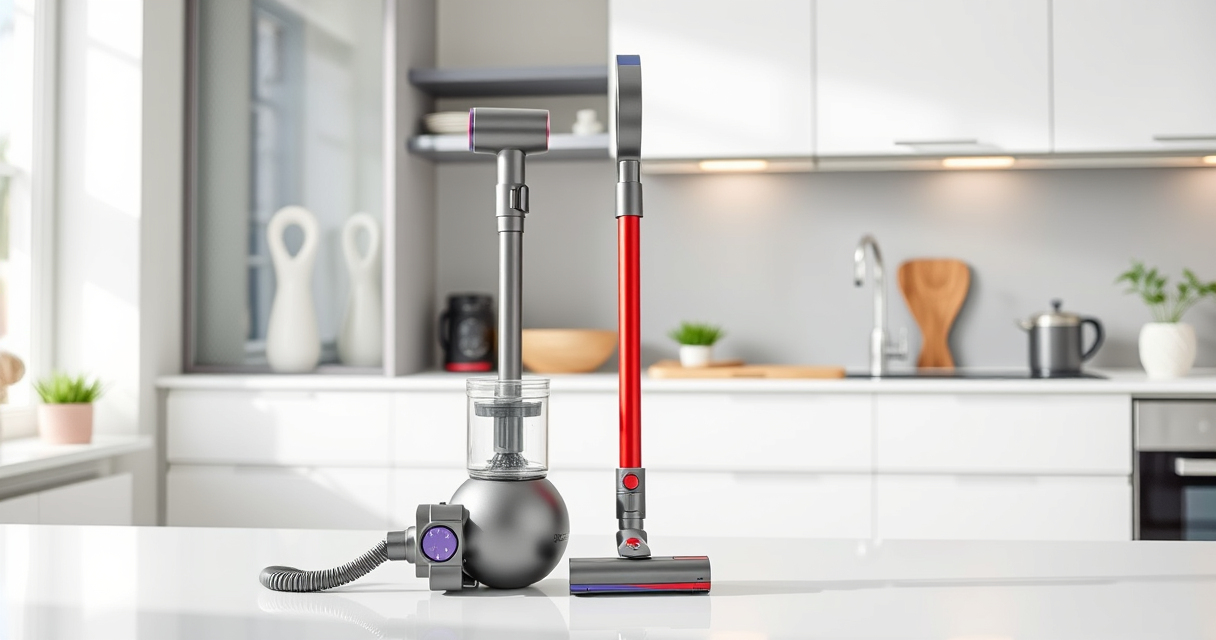
Dyson V15 Detect™ Origin Cordless Vacuum
- ✔ Weight: 6.8 lbs
- ✔ Run Time: 60 minutes
- ✔ Filter Type: HEPA and pre-filters

LANMU Crevice Tool Vacuum Attachments Compatible
- ✔ Compatibility: Most Dyson cordless models
- ✔ Material: Plastic
- ✔ Design: Slim, flexible nozzle
Dyson V15 Detect™ Origin Cordless Vacuum
<p>The Dyson V15 Detect™ Origin offers powerful suction, intelligent debris detection, and a suite of features designed for thorough cleaning. Regular maintenance and troubleshooting can keep it performing optimally for years.</p>
Pros:
- Powerful suction with 100% more power
- Intelligent debris detection LCD display
- Long 60-minute run time
- Versatile with multiple heads and attachments
Cons:
- Requires regular filter cleaning
- Battery life may decrease over time
- Complex error alerts may need professional support
Best for: Whole-home deep cleaning, pet hair removal, hard-to-reach areas
Not ideal for: Heavy-duty repairs or internal motor issues requiring professional service
Bottom line: Routine maintenance and troubleshooting ensure your Dyson V15 Detect™ stays at peak performance.
LANMU Crevice Tool Vacuum Attachments Compatible
<p>The LANMU Crevice Tool Vacuum Attachments are compatible with Dyson V15 models and help access hard-to-reach areas. Its slim, flexible design makes cleaning corners, gaps, and car interiors easier.</p>
Pros:
- Narrow nozzle reaches tight spaces
- Compatible with many Dyson models
- Easy to attach and use
- Versatile for home and car cleaning
Cons:
- May require additional adapters for certain models
- Limited to crevice and narrow cleaning tasks
Best for: Cleaning corners, edges, car interiors, and tight spaces
Not ideal for: General surface cleaning or large debris removal
Bottom line: A practical tool for reaching those tricky spots and enhancing your Dyson’s versatility.
Frequently Asked Questions
How often should I clean or replace the filters in my Dyson V15 Detect™?
It’s recommended to clean the filters every 1-2 months and replace them every 2-3 months or when the LCD alerts you. Proper maintenance ensures optimal suction and air quality.
What should I do if my vacuum has reduced suction power?
Check and clean the filters, ensure the dustbin isn’t full, and inspect for blockages in the wand or cleaner head. Regular filter cleaning often resolves this issue.
Can I use my Dyson V15 Detect™ while it’s charging?
No, for safety and optimal performance, avoid using the vacuum while charging. Always unplug before use.
How do I fix error alerts on the LCD screen?
Follow the on-screen instructions, which may involve cleaning filters, clearing blockages, or replacing parts. Refer to the user manual for specific error codes.
What is the best way to clean tangled hair from the cleaner head?
Use scissors carefully to cut away tangled hair around the brush bar, then wipe the head with a damp cloth. Regular cleaning prevents reduced motor efficiency.
Keep Your Dyson V15 Detect™ in Peak Condition
Regular maintenance, timely filter replacements, and troubleshooting are key to ensuring your Dyson V15 Detect™ continues to deliver powerful, efficient cleaning. By following these steps, you can extend the life of your vacuum and enjoy optimal performance every time.
Remember, if issues persist beyond routine troubleshooting, professional repair is recommended. Proper care now saves time and money in the long run, keeping your home spotless and your vacuum running like new.
Affiliate disclosure: As an Amazon Associate we earn from qualifying purchases. Prices and availability are accurate as of the time of publishing.
NFL season / tailgating Picks
team gear
As an affiliate, we earn on qualifying purchases.