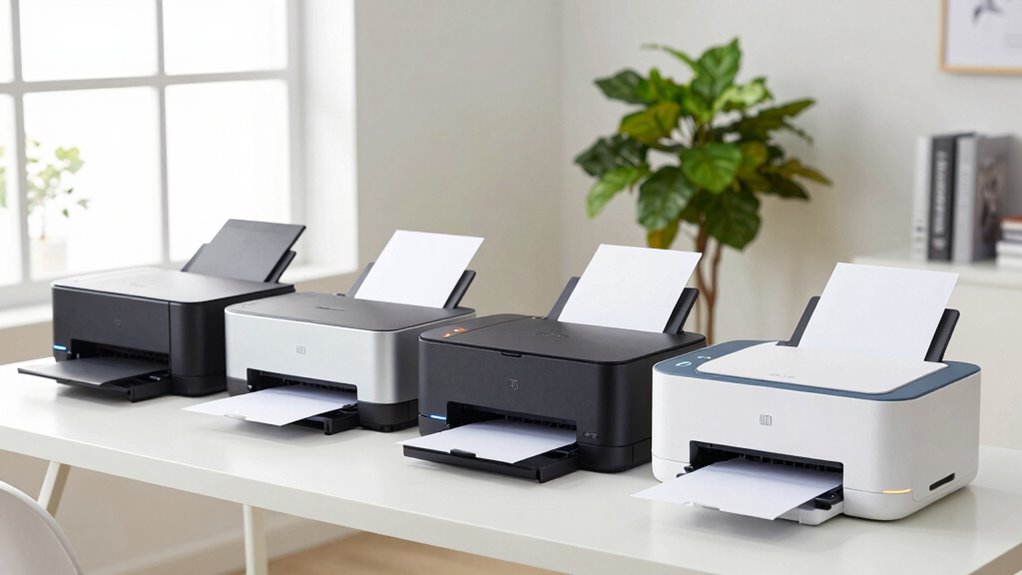

Choosing the right laser printer for a home office involves balancing cost, speed, print quality, and multifunction capabilities. The Brother MFC-L2820DW stands out as the best overall choice for its reliable performance and all-in-one features. For those needing color printing, the HP Color LaserJet Pro MFP 3301sdw offers impressive versatility, while the HP LaserJet M110w provides a compact, budget-friendly solution. These options highlight the main tradeoffs—higher performance often comes with a higher price, while budget models may sacrifice some speed or features. Keep reading to see how these and other models compare across key factors for your home office needs.

Get home appliances delivered free — and shop member deals
- Fast, free delivery on millions of items
- Access to Prime Big Deal Days deals on October 6–7
- Prime Video, Amazon Music and more included
Complete the kit


Key Takeaways
- Top-ranked models like the Brother MFC-L2820DW excel in reliability and multifunction features, making them ideal for busy home offices.
- Color laser printers, such as the HP Color LaserJet Pro, offer versatility but tend to be more expensive and larger than monochrome options.
- Compact designs like the HP LaserJet M110w are perfect for small spaces but may lack advanced features or high-speed printing.
- Wireless and mobile printing capabilities are standard in most models, but setup ease varies and can impact daily usability.
- Price often correlates with speed, multifunctionality, and build quality, requiring buyers to prioritize their most important features.
| Brother MFC-L2820DW Wireless Monochrome All-in-One Laser Printer |  | Best Overall for Small Offices with All-in-One Needs | Print Speed: 36 ppm | Scan Speed: 23.6/7.9 ipm | Auto Document Feeder: 50 pages | VIEW ON AMAZON | See Our Full Breakdown |
| HP Color LaserJet Pro MFP 3301sdw Wireless All-in-One Color Laser Printer |  | Best for Small Teams Needing Vivid Color Output | Print Speed: 26 ppm | Functions: Print, Scan, Copy | Duplex: Automatic | VIEW ON AMAZON | See Our Full Breakdown |
| Brother HL-L2460DW Wireless Monochrome Laser Printer with Duplex and Mobile Printing |  | Best for Home Offices Needing Speed and Duplex Printing | Print Speed: 36 ppm | Connectivity: Wi-Fi (dual-band), Ethernet, USB | Paper Capacity: 250 sheets | VIEW ON AMAZON | See Our Full Breakdown |
| HP LaserJet MFP M234sdw Wireless Printer, Print, Scan, Copy, Fast Speeds, Easy Setup, Mobile Printing |  | Best for Small Teams with Security Needs and Easy Setup | Print Speed: Up to 30 ppm | Two-Sided Printing: Up to 19 ppm | Connectivity: Wireless, Ethernet | VIEW ON AMAZON | See Our Full Breakdown |
| Brother HL-L2405W Wireless Monochrome Laser Printer with Mobile Printing |  | Best Budget-Friendly Compact Monochrome Printer | Print Speed: 30 pages per minute | Connectivity: Wi-Fi (dual-band), USB | Paper Capacity: 250 sheets | VIEW ON AMAZON | See Our Full Breakdown |
| Brother DCP-L2640DW Wireless Monochrome Multi-Function Printer, Copy, Scan, Duplex, Mobile Printing |  | Best Overall for Small Offices Needing Versatility | Print Speed: up to 36 ppm | Scan Speed: up to 23.6/7.9 ipm | Auto Document Feeder: 50 pages | VIEW ON AMAZON | See Our Full Breakdown |
| Xerox B230 Wireless Black and White Laser Printer |  | Best Compact Monochrome Laser for Limited Spaces | Connectivity: Wi-Fi, Apple AirPrint, Mopria, Chromebook | Print Technology: Laser | Color: Black and White | VIEW ON AMAZON | See Our Full Breakdown |
| HP LaserJet M110w Wireless Black & White Printer |  | Best Compact Speed for Small Teams | Printer Type: Laser | Color: Black & White | Print Speed: Up to 21 ppm | VIEW ON AMAZON | See Our Full Breakdown |
| HP LaserJet Pro MFP 3101sdw Wireless Black and White All-in-One Laser Printer |  | Best All-in-One for Small Teams Needing Balance | Print Speed: Up to 35 ppm | Input Tray Capacity: 250 sheets | Auto Document Feeder: 50 sheets | VIEW ON AMAZON | See Our Full Breakdown |
| HP LaserJet Pro MFP 3101fdw Wireless Black & White All-in-One Laser Printer |  | Best for Small Teams Requiring Multifunction & Security | Print Speed: Up to 35 ppm | Functions: Print, Scan, Copy, Fax | Connectivity: Wi-Fi, Ethernet, Bluetooth | VIEW ON AMAZON | See Our Full Breakdown |
| Xerox B315DNI Wireless Black and White Laser All-in-One Printer |  | Best for Small Offices Needing Speed and Security | Print Speed: up to 42 pages per minute | Paper Capacity: 250 sheets | Connectivity: Wi-Fi, Apple AirPrint, Mopria, Chromebook | VIEW ON AMAZON | See Our Full Breakdown |
| Canon imageCLASS MF462dw II Wireless Monochrome Duplex Laser Printer |  | Best for Small Offices Needing Multi-Function Efficiency | Print Speed: up to 37 pages per minute | First Print Time: approximately 5 seconds | Touchscreen: 5-inch Color Touchscreen | VIEW ON AMAZON | See Our Full Breakdown |
| HP LaserJet MFP M140w Wireless Black & White Printer, Print, Scan, Copy for Small Teams |  | Best for Compact Teams Needing All-in-One Functionality | Printer Type: Laser | Functions: Print, Scan, Copy | Wireless: Yes | VIEW ON AMAZON | See Our Full Breakdown |
| laser printer for home office | Print Speed | Connectivity | Functions |
|---|---|---|---|
| Brother MFC-L2820DW Wireless M | 36 ppm | Wi-Fi (2.4GHz/5GHz), Ethernet, USB | — |
| HP Color LaserJet Pro MFP 3301 | 26 ppm | Wireless | Print, Scan, Copy |
| Brother HL-L2460DW Wireless Mo | 36 ppm | Wi-Fi (dual-band), Ethernet, USB | — |
| HP LaserJet MFP M234sdw Wirele | Up to 30 ppm | Wireless, Ethernet | — |
| Brother HL-L2405W Wireless Mon | 30 pages per minute | Wi-Fi (dual-band), USB | — |
| Brother DCP-L2640DW Wireless M | up to 36 ppm | Wi-Fi (dual-band), Ethernet, USB | Print, Scan, Copy |
| Xerox B230 Wireless Black and | — | Wi-Fi, Apple AirPrint, Mopria, Chromebook | — |
| HP LaserJet M110w Wireless Bla | Up to 21 ppm | Wireless, Mobile Printing | — |
| HP LaserJet Pro MFP 3101sdw Wi | Up to 35 ppm | Wireless | Print, Scan, Copy |
| HP LaserJet Pro MFP 3101fdw Wi | Up to 35 ppm | Wi-Fi, Ethernet, Bluetooth | Print, Scan, Copy, Fax |
| Xerox B315DNI Wireless Black a | up to 42 pages per minute | Wi-Fi, Apple AirPrint, Mopria, Chromebook | Print, Scan |
| Canon imageCLASS MF462dw II Wi | up to 37 pages per minute | Wireless, Mobile Device Printing | Print, Scan, Copy, Fax |
| HP LaserJet MFP M140w Wireless | Up to 21 pages per minute | — | Print, Scan, Copy |
More Details on Our Top Picks
Brother MFC-L2820DW Wireless Monochrome All-in-One Laser Printer
This compact model stands out for offering a complete suite of functions—printing, copying, scanning, and faxing—making it ideal for small offices that require versatility without sacrificing space. Its fast print speed of 36 ppm and 50-page automatic document feeder ensure efficiency, while wireless and Ethernet options provide flexible connectivity. Compared to the Brother HL-L2460DW, its all-in-one capabilities justify a slightly higher price, though it remains monochrome-only, which limits color tasks. The user-friendly 2.7-inch touchscreen simplifies operation, but it depends on genuine toner for peak performance, adding ongoing costs. This pick makes the most sense for small teams needing an all-in-one device that fits into tight spaces without sacrificing speed or connectivity.
Pros:- Compact design fits small office environments
- Fast print and scan speeds enhance productivity
- Multiple connectivity options including wireless and Ethernet
- Supports cloud and mobile device integration
Cons:- Limited to monochrome printing, not suitable for color tasks
- Requires genuine toner cartridges to maintain quality
Best for: Small offices or home-based businesses needing a space-efficient, all-in-one monochrome printer
Not ideal for: Users who require color printing or high-volume document production in color
- Print Speed:36 ppm
- Scan Speed:23.6/7.9 ipm
- Auto Document Feeder:50 pages
- Connectivity:Wi-Fi (2.4GHz/5GHz), Ethernet, USB
- Touchscreen:2.7 inches
- Type:Monochrome all-in-one
Our verdict“This is an excellent choice for small offices that need reliable, all-in-one monochrome printing in a compact form.”
HP Color LaserJet Pro MFP 3301sdw Wireless All-in-One Color Laser Printer
This model makes the list for small office teams that need vibrant, professional-quality color printing along with scanning and copying. Its 26 ppm color print speed and 250-sheet input tray support high-volume tasks, with automatic duplexing saving paper and costs. Compared to the Brother MFC-L2820DW, it offers superior color capabilities, but its focus on office environments means it’s less suitable for home use where space is limited. It relies on original HP toner cartridges, which can add to ongoing expenses, and firmware updates may restrict third-party toner use. This printer is best suited for small teams producing frequent, high-quality color documents, not for individuals or casual home use.
Pros:- Fast color printing and scanning speeds
- Automatic duplex printing reduces paper waste
- Robust 250-sheet input tray supports high-volume printing
- Reliable performance for office tasks
Cons:- Designed primarily for office use, not compact enough for small home spaces
- Requires original HP toner cartridges, possibly increasing costs
- Firmware restrictions may limit third-party toner use
Best for: Small business teams requiring frequent, vibrant color printing and high-volume capacity
Not ideal for: Home users seeking a compact, budget-friendly monochrome device
- Print Speed:26 ppm
- Functions:Print, Scan, Copy
- Duplex:Automatic
- Input Tray Capacity:250 sheets
- Connectivity:Wireless
- Compatible Cartridges:HP 218A, 218X
Our verdict“Ideal for small teams that prioritize vivid color output and high-volume capacity over size and simplicity.”
Brother HL-L2460DW Wireless Monochrome Laser Printer with Duplex and Mobile Printing
This printer earns its spot by combining rapid monochrome printing—36 ppm—with convenient wireless and Ethernet connectivity, making it suitable for busy home offices. Its automatic duplex feature cuts paper costs and supports eco-friendly workflows, aligning well with small teams or solo entrepreneurs. Compared to the Brother HL-L2405W, its duplexing and faster speeds justify a slightly higher price, though it remains monochrome-only, which may limit some users’ needs. The large 250-sheet tray supports high-volume printing, but users should note it requires compatible toner cartridges for best results. It’s an excellent choice for those prioritizing speed, duplexing, and remote management in a compact design.
Pros:- Fast printing speed of 36 ppm accelerates workflow
- Automatic duplex printing reduces paper consumption
- Wireless and Ethernet connectivity for flexible setup
- Large 250-sheet paper tray supports high-volume printing
Cons:- Limited to monochrome printing, not suitable for color tasks
- Requires compatible toner cartridges for optimal performance
Best for: Home workers or small offices needing fast, duplex monochrome printing with flexible connectivity
Not ideal for: Users who need color printing or have limited space and prefer simpler, single-function printers
- Print Speed:36 ppm
- Connectivity:Wi-Fi (dual-band), Ethernet, USB
- Paper Capacity:250 sheets
- Automatic Duplex Printing:Yes
- Warranty:1 year
- Type:Monochrome laser
Our verdict“This model is a smart pick for home offices that need quick, duplex monochrome printing without the bulk of larger multifunction devices.”
HP LaserJet MFP M234sdw Wireless Printer, Print, Scan, Copy, Fast Speeds, Easy Setup, Mobile Printing
This all-in-one wireless device is tailored for small teams of up to five users who need fast black-and-white printing, scanning, and copying. Its 30 ppm speed balances well with automatic document feeding, while dual-band Wi-Fi and strong security features make it easy to set up and keep data protected. Compared to the Brother models, it offers more robust security and easy mobile setup, but its monochrome-only output limits versatility for those needing color. Its compatibility with multiple platforms, including Mac, Android, and Chromebook, makes it accessible for diverse setups. This printer is best for small teams prioritizing security, speed, and ease of use in a compact footprint.
Pros:- Fast print speeds suitable for small teams
- Easy setup and mobile printing support
- Automatic document feeder for hands-free copying and scanning
- Built-in security features
Cons:- Limited to monochrome output, not suitable for color needs
- Designed for small teams, not high-volume or large-office environments
Best for: Small teams or remote workers needing secure, fast monochrome printing with simple mobile integration
Not ideal for: Individuals or households requiring color printing or larger paper capacity
- Print Speed:Up to 30 ppm
- Two-Sided Printing:Up to 19 ppm
- Connectivity:Wireless, Ethernet
- Auto Document Feeder:Yes
- Security:Built-in
- Compatibility:Microsoft, Mac, AirPrint, Android, Chromebook
Our verdict“This printer suits small teams looking for quick, secure monochrome printing with minimal fuss and setup time.”
Brother HL-L2405W Wireless Monochrome Laser Printer with Mobile Printing
This entry appeals for its straightforward, budget-conscious design that still delivers reliable black-and-white printing at 30 ppm. Its compact size makes it suitable for home offices with limited space, and support for wireless and mobile printing via the Brother Mobile Connect app adds convenience. Compared to the larger Brother HL-L2460DW, it lacks duplex printing, which could increase paper costs over time, and its single-function monochrome capability limits versatility. The 250-sheet paper tray offers high capacity for its size, but users should be aware of the need for compatible toner cartridges for optimal performance. This model makes sense for budget-minded users who prioritize simplicity and space savings.
Pros:- Fast printing speed of 30 ppm
- Wireless and USB connectivity options
- Large 250-sheet paper tray for high-volume printing
- Supports mobile printing via app
Cons:- Limited to monochrome printing only
- No duplex printing feature, increasing paper costs
Best for: Home users or small offices seeking reliable monochrome printing on a budget in a compact form
Not ideal for: Those needing duplex printing or color output for their everyday tasks
- Print Speed:30 pages per minute
- Connectivity:Wi-Fi (dual-band), USB
- Paper Capacity:250 sheets
- Supported Toner:Brother Genuine TN830/TN830XL
- Warranty:1-year limited
- Type:Monochrome laser
Our verdict“This printer is a practical, affordable choice for basic monochrome printing needs where space is limited and high volume isn’t essential.”
Brother DCP-L2640DW Wireless Monochrome Multi-Function Printer, Copy, Scan, Duplex, Mobile Printing
The Brother DCP-L2640DW stands out as the most well-rounded choice for small home offices, combining fast printing at up to 36 ppm with reliable scanning and copying. Its compact design makes it ideal for tight spaces, and multiple connectivity options—Wi-Fi, Ethernet, and USB—support flexible setups. Unlike the monochrome-only Xerox B230, this model’s multi-functionality adds convenience, especially with a 50-page auto document feeder for batch tasks. The tradeoff is its limited scope—only monochrome printing—so it’s less suitable if color output is needed. Also, it requires compatible toner replacements and lacks fax capabilities, which might matter for some workflows.
Pros:- Fast print and scan speeds
- Compact and space-saving design
- Multiple connectivity options including wireless and Ethernet
- Supports mobile printing via app
Cons:- Limited to monochrome printing
- No fax functionality
- Requires compatible toner replacements
Best for: Small businesses or home offices needing a versatile, space-efficient device for high-volume black-and-white printing, scanning, and copying.
Not ideal for: Users who require color printing or fax functionality, or those needing a machine with integrated advanced features like large touchscreens.
- Print Speed:up to 36 ppm
- Scan Speed:up to 23.6/7.9 ipm
- Auto Document Feeder:50 pages
- Connectivity:Wi-Fi (dual-band), Ethernet, USB
- Functions:Print, Scan, Copy
- Color:Black & White
Our verdict“This printer is best suited for small offices prioritizing speed and multi-functionality in a compact form, but it falls short if color or fax features are needed.”
Xerox B230 Wireless Black and White Laser Printer
The Xerox B230 offers a straightforward, space-efficient solution for users who prioritize simplicity and reliable wireless printing. Its compact size makes it perfect for small desks or tight corners, and it supports popular mobile printing standards like Apple AirPrint and Mopria. Compared to the Brother DCP-L2640DW, it lacks a large auto document feeder but compensates with a focus on easy setup and eco features like automatic duplex printing. The main tradeoff is its limited feature set—no scanning or copying—and it offers no details on print speed, which might be a concern for high-volume environments. It also requires compatible wireless devices for best performance.
Pros:- Compact size for small spaces
- Easy wireless setup
- Supports mobile printing standards
- Eco-friendly with duplex printing
Cons:- Limited to monochrome printing
- No scanning or copying functions
- Lacks detailed info on print speed
Best for: Individuals needing a basic, space-saving monochrome printer primarily for printing documents wirelessly from smartphones or tablets.
Not ideal for: Users who require scanning, copying, or higher-volume printing without sacrificing space or simplicity.
- Connectivity:Wi-Fi, Apple AirPrint, Mopria, Chromebook
- Print Technology:Laser
- Color:Black and White
- Environmentally Friendly:Automatic duplex, toner recycling
Our verdict“This device makes the most sense for users who want a simple, reliable monochrome printer with minimal footprint, but it’s not suitable for multi-function needs.”
HP LaserJet M110w Wireless Black & White Printer
The HP LaserJet M110w caters well to small teams of 1-3 people who need quick, reliable black-and-white printing. Its speed of up to 21 ppm offers a good balance for smaller workloads compared to the higher-capacity options like the HP LaserJet Pro MFP 3101sdw. Its compact footprint makes it easy to fit into tight home office setups, and support for mobile printing via HP Smart app adds convenience. However, with only monochrome output, it can’t handle color jobs or multifunction tasks beyond printing. It’s also reliant on original HP cartridges with chips, which could increase ongoing costs. Its limited capacity makes it less suitable for larger teams or higher-volume environments.
Pros:- Fast printing speeds for its class
- Compact and space-efficient
- Supports wireless mobile printing
- Affordable for small team use
Cons:- Limited to black & white printing
- No scanning or copying functions
- Dependent on original cartridges with chips
Best for: Single users or small teams needing fast, simple black-and-white printing in a compact size without extras like scanning or copying.
Not ideal for: Larger teams or those needing multifunction features or color printing, as this model is limited in scope and speed.
- Printer Type:Laser
- Color:Black & White
- Print Speed:Up to 21 ppm
- Connectivity:Wireless, Mobile Printing
- Intended Users:Small Teams (1-3 people)
Our verdict“This printer is ideal for small teams prioritizing quick black-and-white output in a compact form, but it lacks multi-function features and color options.”
HP LaserJet Pro MFP 3101sdw Wireless Black and White All-in-One Laser Printer
The HP LaserJet Pro MFP 3101sdw offers a balanced mix of speed, functionality, and capacity for small teams that require more than just printing. Its speed of up to 35 ppm and 250-sheet input tray support higher-volume tasks, making it a step up from the HP M110w. The addition of scanning and copying, combined with automatic duplex, positions it as a versatile workhorse. Compared to the Xerox B230, it provides a broader set of features, but it still remains limited to monochrome output, which could be a drawback for those needing color. It’s ideal for professional documents but doesn’t support color printing, which might limit its use for creative or marketing tasks.
Pros:- Fast print speeds of 35 ppm
- High 250-sheet input tray
- Auto duplex for efficient paper use
- All-in-one functions including scan and copy
Cons:- Limited to monochrome printing
- Requires cartridges with HP chips
- No color printing capabilities
Best for: Small office teams needing a reliable, fast monochrome all-in-one with high capacity and automatic duplex for professional document work.
Not ideal for: Teams that require color printing or multifunctionality beyond scanning, copying, and printing, or larger offices with higher volume needs.
- Print Speed:Up to 35 ppm
- Input Tray Capacity:250 sheets
- Auto Document Feeder:50 sheets
- Functions:Print, Scan, Copy
- Connectivity:Wireless
- Duplex Printing:Auto
Our verdict“This all-in-one strikes a good balance for small teams needing fast, reliable monochrome output with high capacity, but it’s not suited for color printing or larger office needs.”
HP LaserJet Pro MFP 3101fdw Wireless Black & White All-in-One Laser Printer
The HP LaserJet Pro MFP 3101fdw is tailored for small teams that need a secure, multi-functional device capable of handling a range of office tasks. Its speed of up to 35 ppm supports busy workflows, and the inclusion of fax functionality adds an extra layer of capability. Its wireless and Ethernet connectivity makes multi-device access seamless, while security features like HP Wolf Pro Security protect sensitive information. Compared with the simpler 3101sdw, this model’s fax and security features make it better suited for offices with privacy requirements. The main limitation is its monochrome-only output, which restricts its use for color projects, and it’s designed primarily for small teams, so it may not handle larger office demands efficiently.
Pros:- Fast speeds up to 35 ppm
- Includes fax functionality
- Secure printing features
- Supports multiple devices via Wi-Fi and Ethernet
Cons:- Limited to monochrome output
- No color printing capabilities
- Designed mainly for small teams
Best for: Small teams needing a secure, multi-function printer with fax, capable of handling high-volume monochrome printing and sensitive data.
Not ideal for: Larger offices or users who need color printing and more advanced multifunction features beyond print, scan, copy, and fax.
- Print Speed:Up to 35 ppm
- Functions:Print, Scan, Copy, Fax
- Connectivity:Wi-Fi, Ethernet, Bluetooth
- Auto 2-sided Printing:Yes
- Auto Document Feeder:Yes
Our verdict“This model works best for small teams with high-volume, secure monochrome needs, but it isn’t suitable for color printing or larger offices.”
Xerox B315DNI Wireless Black and White Laser All-in-One Printer
The Xerox B315DNI stands out for its rapid printing speed of up to 42 pages per minute, making it ideal for small offices or home setups with higher print demands. Compared with the HP LaserJet MFP M140w, it offers faster output and more robust security features, though it remains limited to monochrome output. Its wireless connectivity supports multiple devices via Wi-Fi, Apple AirPrint, Mopria, and Chromebook, providing flexible printing options. The automatic duplex feature helps save paper, which is beneficial for eco-conscious users. However, it lacks multifunction capabilities beyond basic printing and scanning, which might be a drawback for those needing copying or faxing. The design is straightforward, optimized for speed and security, but not for color printing or advanced multifunction use. This pick makes the most sense for users prioritizing quick, secure black-and-white printing in a small team or home environment.
Pros:- Fast print speeds of up to 42 ppm
- Supports multiple wireless protocols for flexible device support
- Automatic duplex printing reduces paper usage
- Enhanced security features protect sensitive data
Cons:- Limited to monochrome printing; no color option
- No multifunction features beyond scanning and printing
- Designed mainly for small teams or home use, not large offices
Best for: Small offices or home users needing fast, secure black-and-white printing with minimal fuss
Not ideal for: Users who require color printing or multifunction features like copying or faxing
- Print Speed:up to 42 pages per minute
- Paper Capacity:250 sheets
- Connectivity:Wi-Fi, Apple AirPrint, Mopria, Chromebook
- Automatic Duplex Printing:Yes
- Color Printing:No
- Functions:Print, Scan
Our verdict“This printer suits those who need rapid, secure black-and-white printing in small setups without extra features.”
Canon imageCLASS MF462dw II Wireless Monochrome Duplex Laser Printer
The Canon imageCLASS MF462dw II excels with a 5-inch color touchscreen and a comprehensive set of features including printing, scanning, copying, and faxing, making it a solid choice for busy small offices. Unlike the HP LaserJet MFP M140w, it adds fax functionality and a larger control panel, streamlining workflow. Its high-capacity toner and expandable paper tray support larger workloads, while automatic duplexing and a 50-sheet ADF optimize efficiency. Nevertheless, it remains monochrome only, which could be limiting for users needing color output. The need for an optional paper cassette for larger capacity adds complexity and cost. The absence of Ethernet connectivity might concern those requiring wired network options. Overall, this model offers a robust multi-function experience suitable for small teams that need versatility and high-volume capacity without color printing.
Pros:- Includes printing, scanning, copying, and faxing
- Large 5-inch color touchscreen for easy operation
- High-capacity toner and expandable paper tray
- Automatic duplex printing and 50-sheet ADF
Cons:- Limited to monochrome output only
- Optional paper cassette needed for larger capacity
- No Ethernet port for wired network setup
Best for: Small office teams needing a reliable, multi-function monochrome printer with high capacity
Not ideal for: Home users or those requiring color printing, or wired Ethernet connectivity
- Print Speed:up to 37 pages per minute
- First Print Time:approximately 5 seconds
- Touchscreen:5-inch Color Touchscreen
- Paper Capacity:250-sheet standard, expandable
- Functions:Print, Scan, Copy, Fax
- Connectivity:Wireless, Mobile Device Printing
Our verdict“Ideal for small offices that prioritize multifunctionality and high-volume black-and-white printing without the need for color.”
HP LaserJet MFP M140w Wireless Black & White Printer, Print, Scan, Copy for Small Teams
The HP LaserJet MFP M140w makes a compelling case for small teams of 1-3 people who want a compact, all-in-one laser solution. Its small footprint and lightweight design—just under 12 pounds—make it easy to place in tight spaces, unlike bulkier models like the Canon MF462dw II. Despite its size, it offers decent speeds of up to 21 ppm, sufficient for light to moderate workloads. Wireless connectivity via Apple AirPrint and Mopria enables quick setup with mobile devices. The single-tray capacity can be a hassle, requiring frequent refills for larger jobs, and the basic LCD lacks advanced controls, which might frustrate some users. However, it covers all essential functions—printing, scanning, copying—without extra frills. This model suits solo workers or tiny teams who need a space-saving, straightforward device for professional documents, not high-volume or color tasks.
Pros:- Very compact and lightweight for small spaces
- Fast enough for typical small-team workloads
- Wireless support with mobile device compatibility
- All-in-one functions including scan and copy
Cons:- Limited to black-and-white printing
- Single paper tray requires frequent refilling
- Basic LCD may lack advanced options
Best for: Small teams or solo professionals needing a compact, multifunction laser printer
Not ideal for: Larger offices or users needing color printing or high-volume capacity
- Printer Type:Laser
- Functions:Print, Scan, Copy
- Wireless:Yes
- Print Speed:Up to 21 pages per minute
- Maximum Copies Per Run:99
- Weight:11.9 pounds
- Display Type:LCD
Our verdict“This printer is best for small teams or solo users needing a space-efficient, multifunction device for basic black-and-white documents.”

How We Picked
I evaluated these laser printers based on their performance, usability, build quality, and value for a home office setting. Priority was given to models that balance speed, print quality, and ease of setup, especially for users managing multiple tasks. Durability and ongoing maintenance costs also influenced the rankings, as home offices need reliable devices that won’t require frequent repairs or expensive toner replacements. The selection process aimed to identify options that cater to different user needs—whether budget-conscious, small space limited, or requiring advanced features—so buyers can find the best fit for their specific situation.| laser printer for home office | Functions |
|---|---|
| Brother MFC-L2820DW Wireless M | — |
| HP Color LaserJet Pro MFP 3301 | Print, Scan, Copy |
| Brother HL-L2460DW Wireless Mo | — |
| HP LaserJet MFP M234sdw Wirele | — |
| Brother HL-L2405W Wireless Mon | — |
| Brother DCP-L2640DW Wireless M | Print, Scan, Copy |
| Xerox B230 Wireless Black and | — |
| HP LaserJet M110w Wireless Bla | — |
| HP LaserJet Pro MFP 3101sdw Wi | Print, Scan, Copy |
| HP LaserJet Pro MFP 3101fdw Wi | Print, Scan, Copy, Fax |
| Xerox B315DNI Wireless Black a | Print, Scan |
| Canon imageCLASS MF462dw II Wi | Print, Scan, Copy, Fax |
| HP LaserJet MFP M140w Wireless | Print, Scan, Copy |
Factors to Consider When Choosing Laser Printer For Home Office
When selecting a laser printer for your home office, several factors should guide your decision beyond just the initial cost. Understanding these can help you avoid common pitfalls such as overpaying for unnecessary features or choosing a model that can’t handle your workload. Key considerations include print volume, multifunction capabilities, size, and connectivity options. Addressing these factors ensures you get a printer that fits seamlessly into your daily routine and offers long-term value.Print Volume and Speed
Assess how many pages you typically print each month. If your volume is high, investing in a model with faster print speeds and higher duty cycles will save time and reduce wear. Conversely, light users may prioritize affordability over speed. Keep in mind that higher duty cycles often mean more durable, longer-lasting components, which can justify a higher upfront investment for frequent use.
Multifunctionality
Decide whether you need more than just printing. All-in-one models that include scanning, copying, and sometimes faxing can streamline your workflow, especially if space is limited. However, multifunction printers tend to be more expensive and larger. If you only print occasionally, a simple monochrome model might be sufficient, saving money and space.
Size and Space Requirements
Measure your available space carefully. Compact models like the HP LaserJet M110w are ideal for small desks or areas with limited room, but they may lack advanced features. Larger, all-in-one printers provide more functionality but require more space. Choosing a model that fits your workspace ensures it remains functional without cluttering your environment.
Connectivity and Compatibility
Wireless connectivity, mobile printing, and compatibility with your devices are essential for a seamless experience. Some models support Wi-Fi Direct, AirPrint, or Google Cloud Print, making it easier to print from smartphones and tablets. Ensure the printer supports your preferred devices and network setup to minimize setup hassles and maximize productivity.
Cost of Consumables and Maintenance
Consider the ongoing costs of toner, drums, and maintenance. Cheaper initial prices can sometimes be offset by expensive toner cartridges, especially if you print frequently. Look for models with high-yield toner options and check reviews on toner longevity. This helps avoid unexpected expenses and ensures your printer remains operational without frequent interruptions.
Frequently Asked Questions
Is a color laser printer worth it for a home office?
Color laser printers are beneficial if your work involves frequent color documents, presentations, or marketing materials. They provide faster, higher-quality color output compared to inkjet models and are often more cost-effective in the long run for high-volume color printing. However, they tend to be larger and more expensive upfront, so if most of your printing is monochrome, a monochrome model may be more economical and space-efficient.
How important is print speed for home office use?
Print speed is significant if you regularly handle large printing tasks or need quick turnaround times. Faster models reduce wait times and help maintain productivity, especially in busy periods. For light or occasional printing, speed is less critical, and investing in a slower but more affordable printer might make more sense. Consider your typical monthly print volume when evaluating this factor.
Should I prioritize multifunction capabilities or simplicity?
If your home office requires scanning, copying, or faxing, choosing a multifunction printer makes sense to consolidate devices and save space. However, if your needs are limited to occasional printing, a simple monochrome model can reduce complexity, costs, and potential points of failure. Think about your workflow and future needs before deciding, as multifunction units can sometimes be more cumbersome to maintain.
How does wireless connectivity impact daily use?
Wireless connectivity allows flexible printing from multiple devices without cluttering your workspace with cables. Features like mobile printing and cloud integration can streamline your workflow, especially if you often print from smartphones or tablets. Make sure your network setup supports the printer’s wireless features and that setup is straightforward, reducing frustration and setup time.
Are high-yield toner cartridges worth the extra cost?
High-yield toner cartridges significantly lower the cost per page, making them a smart choice for frequent printing. Although they cost more upfront, they reduce the frequency of replacements and downtime. For a home office with consistent printing needs, investing in high-yield options can lead to noticeable savings and less hassle over time.
Conclusion
For those who prioritize overall reliability and multifunctional features, the Brother MFC-L2820DW stands out as the best choice. Budget-conscious users or those with limited space will find the HP LaserJet M110w and similar models offer excellent value and simplicity. Professionals needing high-volume or color printing may prefer the HP Color LaserJet Pro MFP 3301sdw for its versatility, while newcomers should consider models with straightforward setup to avoid frustration. Ultimately, your choice depends on your specific printing volume, space, and feature needs, but these options cover a broad range of home office scenarios.
NFL season / tailgating Picks
team gear
As an affiliate, we earn on qualifying purchases.