
The best smart home automation device for most homes is the Aqara Smart Home Hub M3, which brings several device protocols and infrared control together in one hub. For straightforward app-controlled outlets, the Amazon Smart Plug is a simple Alexa-focused pick, while Home Assistant Green suits people who want more control over cross-brand automations. The main tradeoffs are ease of setup versus flexibility, and cloud-based convenience versus local control. Compatibility also varies: a plug or switch that works with one assistant may not fit another household’s routines. Read on for a comparison of all 15 options and guidance on choosing by device type, platform, and automation goals.

Get home appliances delivered free with Prime
- Fast, free delivery on millions of items
- Prime Video, Amazon Music and more included
- Member-only deals all year
Complete the kit


Key Takeaways
- The Aqara Hub M3 stands apart as the broadest central-control option in this lineup, combining Matter, Zigbee, Thread, and 360° IR control; its extra capabilities matter most when a home has devices across several protocols.
- Home Assistant Green and Hubitat Elevation C-8 Pro serve different advanced users: Green favors a flexible, software-led approach, while Hubitat puts emphasis on hub-based device control and protocol support.
- Smart plugs solve the simplest automation jobs, but they do not replace a hub or a wall switch when the goal is controlling built-in lighting or coordinating devices across protocols.
- Wall-switch modules require more planning than plug-in outlets: neutral-wire and wiring needs can affect whether the Kasa switch or a SONOFF module is a practical fit.
- Energy monitoring is its own use case: the Emporia Vue 3 adds household electricity visibility, a function none of the plugs, switches, or control hubs in this group is designed to replace.
| Kasa Smart Wi-Fi Light Switch, Single-Pole, Neutral Wire Required, 3-Pack | 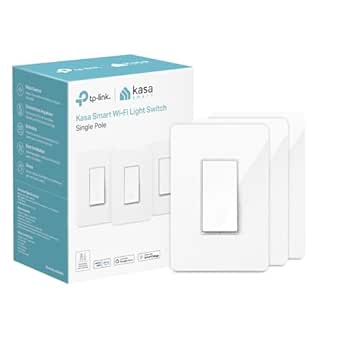 | Best for Automating Multiple Light Circuits | Model: HS200P3 | Pack size: 3 switches | Circuit type: Single-pole (1-way) | VIEW LATEST PRICE | See Our Full Breakdown |
| SONOFF BASICR4 Wi-Fi Smart Switch Module |  | Best for DIY In-Wall Automation | Model: BASICR4 | Operating voltage: 120 V | Maximum wattage: 2200 W | VIEW LATEST PRICE | See Our Full Breakdown |
| Amazon Smart Plug with Alexa |  | Best for Beginners | Use: Indoor only | Connectivity: 2.4 GHz Wi-Fi, 802.11 b/g/n | Compatibility: Alexa and the Alexa app | VIEW LATEST PRICE | See Our Full Breakdown |
| Amazon Echo Hub 8-Inch Smart Home Control Panel |  | Best for Whole-Home Control | Display: 8-inch touchscreen, 1280 × 800 resolution | Connectivity: Wi-Fi, Bluetooth Low Energy Mesh, Zigbee, Thread, Matter controller, and Sidewalk | Wi-Fi: Dual-band 802.11a/b/g/n/ac | VIEW LATEST PRICE | See Our Full Breakdown |
| Aqara Smart Home Hub M3 with Matter, Zigbee, Thread, and 360° IR Control |  | Best for Local, Multi-Protocol Automation | Model: HM-G01E | Protocols: Zigbee, Thread, Matter, Bluetooth, and Wi-Fi | Zigbee capacity: Up to 127 Aqara Zigbee devices; third-party Zigbee devices not supported | VIEW LATEST PRICE | See Our Full Breakdown |
| GHome Smart Plug – Wi‑Fi Smart Outlet for Alexa & Google Home | 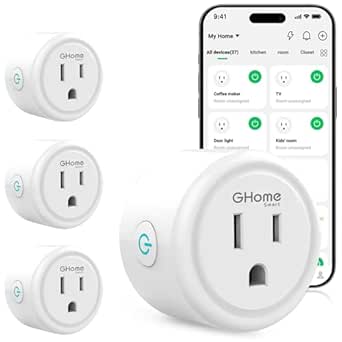 | Best Value Smart Plug Pack | Pack size: 4 plugs | Connectivity: 2.4 GHz Wi‑Fi | Voice compatibility: Alexa and Google Home | VIEW LATEST PRICE | See Our Full Breakdown |
| SONOFF MINIR4 10A Smart WiFi Light Switch – Universal DIY Module for Smart Home Automation, Compatible with Alexa & Google Home, No Hub Required (4‑Pack) |  | Best for In-Wall Switch Automation | Pack size: 4 modules | Dimensions: 1.56 × 1.3 × 0.66 in | Connectivity: Wi‑Fi | VIEW LATEST PRICE | See Our Full Breakdown |
| Kasa Smart Wi-Fi Plug HS103P4, 15 A, 4-Pack |  | Best for Higher-Capacity Plug Automation | Model: HS103P4 | Pack size: 4 plugs | Connectivity: 2.4 GHz Wi‑Fi | VIEW LATEST PRICE | See Our Full Breakdown |
| TP-Link Tapo H110 Matter-Certified Smart IR and IoT Hub with Chime |  | Best for Automating IR Appliances | Model: H110 | Connectivity: 2.4 GHz Wi‑Fi, infrared, and Matter | IR compatibility: 8,000+ brands; 18 appliance types | VIEW LATEST PRICE | See Our Full Breakdown |
| Linkind Matter Smart Plug, 4-Pack | 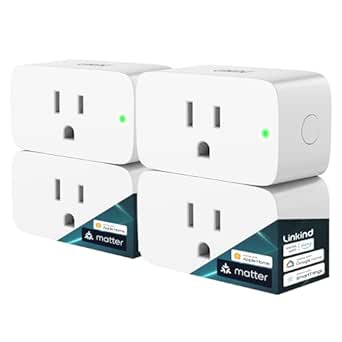 | Best for Matter Multi-Platform Setups | Model: LC09003256 | Pack quantity: 4 plugs | Connectivity: 2.4 GHz Wi‑Fi and Matter | VIEW LATEST PRICE | See Our Full Breakdown |
| Home Assistant Green Smart Home Hub |  | Best for Home Assistant Beginners | Operating system: Home Assistant OS | Processor: Quad-core | RAM: 4 GB LPDDR4X | VIEW LATEST PRICE | See Our Full Breakdown |
| TP-Link Tapo Matter-Supported Smart Plug Mini, 15A/1800W, White (3-Pack) |  | Best Matter Smart Plug Pack | Pack size: 3 plugs | Maximum power: 1800 W | Operating voltage: 120 V AC | VIEW LATEST PRICE | See Our Full Breakdown |
| Emporia Vue 3 Home Energy Monitor |  | Best for Energy-Based Automation | Model: EMV3A-2P-16 | Monitor type: Whole-home monitor with 16 circuit sensors | Included sensors: Sixteen 50 A clamp sensors | VIEW LATEST PRICE | See Our Full Breakdown |
| Hubitat Elevation C-8 Pro Smart Home Hub – Z-Wave, Zigbee, Matter |  | Best Local-First Automation Hub | Model: C8 Pro | Connectivity protocols: Matter 1.5, Z-Wave 800 Series, Zigbee 3.0, Bluetooth | Automation processing: Local | VIEW LATEST PRICE | See Our Full Breakdown |
| GHome Smart Wi-Fi Plug, 15A, Dual-Band 2.4GHz/5GHz, Alexa and Google Home Compatible, 4-Pack |  | Best for Dual-Band Wi-Fi Plug Coverage | Pack size: 4 plugs | Maximum power: 1800 W | Voltage: 120 V | VIEW LATEST PRICE | See Our Full Breakdown |
| smart home automation device | Connectivity | Model |
|---|---|---|
| Kasa Smart Wi-Fi Light Switch | 2.4 GHz Wi-Fi | HS200P3 |
| SONOFF BASICR4 Wi-Fi Smart Swi | Wi-Fi | BASICR4 |
| Amazon Smart Plug with Alexa | 2.4 GHz Wi-Fi, 802.11 b/g/n | — |
| Amazon Echo Hub 8-Inch Smart H | Wi-Fi, Bluetooth Low Energy Mesh, Zigbee, Thread, Matter controller, and Sidewalk | — |
| Aqara Smart Home Hub M3 with M | Dual-band 2.4/5 GHz Wi-Fi, PoE, and USB-C | HM-G01E |
| GHome Smart Plug | 2.4 GHz Wi‑Fi | — |
| SONOFF MINIR4 10A Smart WiFi L | Wi‑Fi | — |
| Kasa Smart Wi-Fi Plug HS103P4 | 2.4 GHz Wi‑Fi | HS103P4 |
| TP-Link Tapo H110 Matter-Certi | 2.4 GHz Wi‑Fi, infrared, and Matter | H110 |
| Linkind Matter Smart Plug | 2.4 GHz Wi‑Fi and Matter | LC09003256 |
| Home Assistant Green Smart Hom | Ethernet, USB, Bluetooth | — |
| TP-Link Tapo Matter-Supported | Matter, Wi-Fi (2.4 GHz), Bluetooth | — |
| Emporia Vue 3 Home Energy Moni | 2.4 GHz Wi-Fi | EMV3A-2P-16 |
| Hubitat Elevation C-8 Pro Smar | — | C8 Pro |
| GHome Smart Wi-Fi Plug | 2.4 GHz Wi-Fi, 5 GHz Wi-Fi, Bluetooth | — |
More Details on Our Top Picks
Kasa Smart Wi-Fi Light Switch, Single-Pole, Neutral Wire Required, 3-Pack
I’d choose the Kasa HS200P3 when the goal is to automate wall-controlled lights across several rooms, rather than add smart control to just one plug-in device. Its three-switch pack, app scheduling, and Away Mode can make everyday lighting more hands-off, while Alexa and Google Assistant support keeps voice control accessible without a separate hub. Compared with the Amazon Smart Plug, this is a more permanent fit for ceiling lights and fixtures controlled at the wall; the plug is simpler to install but only handles compatible plug-in devices. The tradeoff is wiring: each installation needs a neutral wire and a single-pole circuit, so it is not a universal retrofit. I’d also favor the Echo Hub for a home that needs a visible control panel, but this Kasa set is the more direct choice for automating several light switches.
Pros:- Three switches allow lighting automation across multiple circuits.
- Works with Alexa and Google Assistant, with no separate hub required.
- Scheduling and Away Mode support hands-off lighting routines.
- Controls compatible fixtures directly at the wall rather than through an outlet.
Cons:- Requires a neutral wire at every installation point.
- Designed for single-pole circuits, not three-way setups.
- Uses 2.4 GHz Wi-Fi, which may limit placement where that band has weak coverage.
Best for: Homeowners with neutral wiring and multiple single-pole light circuits who want scheduled and voice-controlled lighting without adding a hub.
Not ideal for: Renters, homes without neutral wires, or buyers with three-way circuits who need a switch compatible with those installations.
- Model:HS200P3
- Pack size:3 switches
- Circuit type:Single-pole (1-way)
- Wiring:Neutral wire required
- Connectivity:2.4 GHz Wi-Fi
- Smart assistants:Amazon Alexa and Google Assistant
- Hub required:No
- Input and load:100–120 VAC, 50/60 Hz; 600 W
Our verdict“Choose this three-pack for permanent, hub-free automation of several compatible light circuits if your home has neutral wiring.”
SONOFF BASICR4 Wi-Fi Smart Switch Module
The SONOFF BASICR4 is a compact module for buyers who want to add app, schedule, and voice control behind a compatible switch instead of replacing the wall switch with a finished smart-switch unit. It supports Alexa and Google Home, group control, and local or two-way operation when paired with specified eWeLink-Remote accessories. Its built-in temperature sensor also monitors the module, a useful safety-oriented feature for an in-wall device. Compared with the Kasa HS200P3, the BASICR4 offers a higher stated load and a more configurable module approach, but it is a single unit with narrower, explicitly specified switch and accessory compatibility. It is not the easiest pick for a buyer who wants a straightforward multi-switch pack. I’d favor Kasa for a conventional wall-switch replacement; I’d pick SONOFF when the wiring project and compatible hardware are already part of the plan.
Pros:- Adds app, scheduled, automatic, and group control to compatible circuits.
- Works with Alexa and Google Home.
- Built-in temperature sensor monitors the module.
- Supports local and two-way control with compatible eWeLink-Remote sub-devices.
Cons:- Compatibility is specified for particular switches, lamps, and eWeLink-Remote accessories.
- App-based smart control requires Wi-Fi.
- Sold as a single module, unlike the Kasa three-switch pack for multi-circuit upgrades.
Best for: DIY smart-home owners comfortable checking switch and lamp compatibility who want an in-wall module with app control and optional eWeLink-Remote operation.
Not ideal for: Beginners seeking a simple multi-switch replacement, or buyers who need broad compatibility with unspecified switches and devices.
- Model:BASICR4
- Operating voltage:120 V
- Maximum wattage:2200 W
- Circuit type:1-way
- Connectivity:Wi-Fi
- Compatible assistants:Alexa and Google Home
- Compatible remote accessories:eWeLink-Remote S-Mate2 and R5
- Certifications:CE, FCC, and ETL
Our verdict“Pick the BASICR4 if you want a configurable in-wall module and can verify compatibility before installation.”
Amazon Smart Plug with Alexa
For a first automation, I’d start with the Amazon Smart Plug: plug it into an indoor outlet, set it up in the Alexa app, and use Alexa routines or voice commands with compatible devices that have a physical on/off switch. It avoids wiring work and a separate hub, while its compact shape leaves the second outlet available. Compared with the Kasa HS200P3, it is much easier to add or move but cannot automate a hardwired ceiling light at the wall. It is also less flexible than the Aqara Hub M3 for a multi-protocol setup: this plug is Alexa-only and does not act as a broader smart-home hub. The 2.4 GHz Wi-Fi requirement and indoor-only use narrow its placement, too. I’d treat it as a simple entry point for lamps and other compatible plug-in appliances, not the foundation for a mixed-platform home.
Pros:- Setup through the Alexa app adds routines and voice control without wiring.
- No separate smart-home hub is required.
- Compact design leaves the second outlet available.
- Automatically reconnects to Alexa after power or Wi-Fi outages.
Cons:- Works with Alexa only and does not support other voice assistants or smart hubs.
- Requires 2.4 GHz Wi-Fi rather than 5 GHz.
- Indoor-only use and compatibility limited to devices with a physical on/off switch.
Best for: Alexa households new to automation who want to schedule or voice-control a lamp or other compatible indoor device without wiring or a hub.
Not ideal for: Buyers who use Google Assistant or Apple Home, need outdoor control, or want one device to coordinate multiple smart-home protocols.
- Use:Indoor only
- Connectivity:2.4 GHz Wi-Fi, 802.11 b/g/n
- Compatibility:Alexa and the Alexa app
- Hub required:No
- Maximum output:15 A
- Input:120 VAC, 60 Hz
- Supported devices:Devices with a physical on/off switch
- Dimensions:3.2 × 1.5 × 2.2 inches
Our verdict“Choose this plug for an uncomplicated Alexa-based start with compatible indoor devices; skip it if you need cross-platform control.”
Amazon Echo Hub 8-Inch Smart Home Control Panel
The Echo Hub earns its place for buyers who want a fixed, glanceable interface for compatible devices, routines, cameras, and security systems—not just another voice assistant. Its customizable 8-inch touchscreen puts frequently used controls on a dedicated dashboard, while built-in Zigbee, Thread, and Matter controller support gives it a broader role than the Alexa-only Amazon Smart Plug. It also includes Wi-Fi and Bluetooth connectivity, plus a physical microphone-off button for a clear privacy control. The tradeoff is that this is a stationary panel, not a portable display, and tabletop placement requires a separately sold stand. Matter support is controller-only, so I would not choose it as a substitute for the Aqara M3’s stated Matter bridging and local automation features. For a home centered on visible, room-level control, though, the Echo Hub is the most direct interface in this group.
Pros:- Customizable touchscreen dashboard organizes smart-home controls in one place.
- Supports Wi-Fi, Zigbee, Thread, and Matter as a controller.
- Wall mount and installation hardware are included.
- Physical microphone-off button and additional privacy controls.
Cons:- Tabletop stand, cable pass-throughs, and PoE adapter are sold separately.
- Designed as a stationary control panel rather than a handheld device.
- Matter support is controller-only, unlike the Aqara M3’s Matter bridging role.
Best for: Alexa-centered households with compatible lights, cameras, and security devices that want a wall-mounted dashboard for shared, at-a-glance control.
Not ideal for: Buyers seeking a portable screen, a tabletop panel with all mounting accessories included, or a hub focused on local automation and Matter bridging.
- Display:8-inch touchscreen, 1280 × 800 resolution
- Connectivity:Wi-Fi, Bluetooth Low Energy Mesh, Zigbee, Thread, Matter controller, and Sidewalk
- Wi-Fi:Dual-band 802.11a/b/g/n/ac
- Sensors:PIR proximity sensor and ambient light sensor
- Audio:Stereo playback with two top-ported full-range speakers
- Power:Included 12.5 W adapter; compatible USB-C PD accessories
- Mounting:Wall mount included; tabletop stand sold separately
- Privacy:Microphone-off button and multiple privacy controls
Our verdict“Choose the Echo Hub if a fixed touchscreen for managing an Alexa-centered home matters more than portability or local-first hub functions.”
Aqara Smart Home Hub M3 with Matter, Zigbee, Thread, and 360° IR Control
I’d shortlist the Aqara Hub M3 for a more involved setup built around Aqara devices, Thread accessories, and automations intended to run locally. It can bridge Matter, supports up to 127 Aqara Zigbee devices and 127 Thread devices, and adds a 360° IR blaster for compatible infrared-controlled equipment. Dual-band Wi-Fi, PoE, USB-C, and encrypted local storage give it several installation and data-handling options. Compared with the Echo Hub, the M3 is more focused on hub functions and local automation than on a touchscreen dashboard; it also explicitly supports Matter bridging, while the Echo Hub’s Matter role is controller-only. The main limitation is ecosystem reach: third-party Zigbee devices are not supported, Thread repeaters may be needed, and some cloud notifications still require internet access. The USB power adapter is also not included. This is a strong fit for deliberate system building, not a universal Zigbee catch-all.
Pros:- Combines Aqara Zigbee, Thread, and Matter bridging in one hub.
- Supports local automations and up to 127 Aqara Zigbee and 127 Thread devices.
- 360° IR blaster includes remote-use detection.
- Offers dual-band Wi-Fi, PoE, USB-C, and 8 GB encrypted local storage.
Cons:- Third-party Zigbee devices are not supported.
- Thread devices may require repeaters for coverage.
- USB power adapter is not included, and some cloud notifications still need internet access.
Best for: Smart-home builders using Aqara Zigbee devices and Thread accessories who want local automations, Matter bridging, and IR control in one hub.
Not ideal for: Buyers who expect broad third-party Zigbee compatibility, need a hub with a screen, or want all power accessories included.
- Model:HM-G01E
- Protocols:Zigbee, Thread, Matter, Bluetooth, and Wi-Fi
- Zigbee capacity:Up to 127 Aqara Zigbee devices; third-party Zigbee devices not supported
- Thread capacity:Up to 127 Thread devices; repeaters may be needed
- Connectivity:Dual-band 2.4/5 GHz Wi-Fi, PoE, and USB-C
- IR control:360° IR blaster with remote-use detection
- Local storage:8 GB end-to-end encrypted
- Compatible ecosystems:Apple HomeKit, Alexa, SmartThings, and Home Assistant
Our verdict“Choose the M3 for an Aqara-led, local-first multi-protocol system, but not as a catch-all hub for third-party Zigbee devices.”
GHome Smart Plug – Wi‑Fi Smart Outlet for Alexa & Google Home
The GHome Smart Plug is a straightforward way to automate lamps and other modest-load appliances without adding a hub. Its four-plug pack, app scheduling, timers, and group control make it more useful for setting up several rooms than a single-outlet starter device. It also works with Alexa and Google Assistant once configured in an app. Compared with the Kasa HS103P4, it offers similar core plug automation but a lower stated load ceiling, so I’d reserve it for smaller appliances rather than equipment near the limit. The main tradeoffs are its 2.4 GHz-only Wi‑Fi requirement and 10 A / 1200 W maximum load. Buyers should also expect to complete app setup before voice control is available.
Pros:- Four plugs support automation in multiple rooms.
- Schedules, timers, and group control are available through compatible apps.
- Voice control works with Alexa and Google Assistant after setup.
- No hub is required, and the listing states ETL/FCC certification.
Cons:- Requires a 2.4 GHz Wi‑Fi network.
- The 10 A / 1200 W limit is lower than the Kasa HS103P4’s stated 15 A / 1800 W capacity.
- App configuration is required before voice-assistant control.
Best for: Alexa or Google Home households that want to schedule lamps and several low- to moderate-power devices without buying a hub.
Not ideal for: People with only 5 GHz Wi‑Fi or anyone automating high-power appliances that may exceed the 10 A / 1200 W limit.
- Pack size:4 plugs
- Connectivity:2.4 GHz Wi‑Fi
- Voice compatibility:Alexa and Google Home
- Maximum load:10 A / 1200 W
- Operating voltage:120 V
- Control:App, remote, touch, and voice
- Dimensions:2.1 × 2.1 × 1.1 in
- Certification:ETL/FCC listed
Our verdict“Choose this four-pack for basic, hub-free scheduling of smaller appliances, but pick the Kasa HS103P4 if you need a higher stated load capacity.”
SONOFF MINIR4 10A Smart WiFi Light Switch – Universal DIY Module for Smart Home Automation, Compatible with Alexa & Google Home, No Hub Required (4‑Pack)
The SONOFF MINIR4 automates an existing wired switch rather than adding a smart outlet, making it the more fitting choice when the goal is to control built-in lighting while retaining a physical switch. Its compact module is designed for tight European-standard mounting boxes, and detach relay mode can keep a wall-switch action separate from the relay’s state. Support for several external switch types and dry-contact sensors gives it more wiring flexibility than the plug-based GHome Smart Plug. That flexibility comes with a more involved installation: this is a DIY module, not a plug-in accessory, and the listed specs limit it to 120 V. It also depends on Wi‑Fi and the eWeLink app for setup, so it suits buyers comfortable working with compatible wiring rather than those seeking a quick, tool-free automation upgrade.
Pros:- Small module is designed to fit into tight mounting boxes.
- Detach relay mode separates external switch actions from relay state.
- Supports Alexa, Google Home, eWeLink, and physical switch control.
- Works with several external switch types and dry-contact sensors.
Cons:- Requires installation in a compatible wired circuit rather than plugging into an outlet.
- Listed for 120 V operation only.
- Wi‑Fi and the eWeLink app are required for setup.
Best for: DIY smart-home owners who want to automate a compatible wired light circuit while keeping its existing physical switch usable.
Not ideal for: Renters, plug-and-play shoppers, or anyone with a circuit outside the listed 120 V operating voltage.
- Pack size:4 modules
- Dimensions:1.56 × 1.3 × 0.66 in
- Connectivity:Wi‑Fi
- Operating voltage:120 V
- Maximum wattage:2400 W
- Control:Remote, voice, and physical switch
- Compatible platforms:Alexa, Google Home, and eWeLink
- Certifications:TÜV, CE, and FCC
Our verdict“Choose the MINIR4 when you want to automate a compatible in-wall switch; choose the GHome plug instead for simpler, no-wiring appliance control.”
Kasa Smart Wi-Fi Plug HS103P4, 15 A, 4-Pack
The Kasa HS103P4 is a strong fit for households automating several appliances that benefit from a higher stated load capacity than the GHome plug’s 1200 W limit. Its four outlets support app and voice control, schedules, and timers, so everyday routines can run without a separate hub. The 15 A / 1800 W rating gives it more headroom for compatible devices, though buyers still need to check an appliance’s requirements rather than assume every load is suitable. Like the GHome option and Linkind’s Matter pack, it uses 2.4 GHz Wi‑Fi; unlike Linkind, the listing does not position it as a Matter device, so it is less suited to buyers who prioritize cross-platform Matter integration. App support also has stated minimum OS requirements, a practical limitation for older phones.
Pros:- Four plugs provide a practical base for automating multiple rooms.
- 15 A / 1800 W stated capacity exceeds the GHome plug’s listed 10 A / 1200 W limit.
- Supports Alexa, Google Assistant, remote control, and scheduling.
- No hub is required, and the listing states UL certification.
Cons:- Requires a 2.4 GHz Wi‑Fi network.
- The listed app requirements exclude older Android and iOS versions.
- Does not offer the Matter positioning provided by the Linkind Matter Smart Plug.
Best for: Households that want a four-pack of app- and voice-controlled outlets with a 15 A / 1800 W stated capacity for compatible appliances.
Not ideal for: Buyers who need Matter-based platform flexibility, only have 5 GHz Wi‑Fi, or use phones below the listed app requirements.
- Model:HS103P4
- Pack size:4 plugs
- Connectivity:2.4 GHz Wi‑Fi
- Operating voltage:120 V AC
- Maximum load:15 A / 1800 W
- Voice compatibility:Amazon Alexa and Google Assistant
- Dimensions:1.57 × 1.5 × 2.62 in
- Safety certification:UL certified
- Warranty:2 years
Our verdict“Pick the Kasa HS103P4 for straightforward four-outlet automation with more stated load headroom than the GHome pack, not for Matter-first setups.”
TP-Link Tapo H110 Matter-Certified Smart IR and IoT Hub with Chime
The Tapo H110 does more than switch an outlet: it combines a Matter-certified hub, infrared control for compatible appliances, and a built-in chime. That makes it a different kind of automation choice from the Kasa HS103P4 and Linkind plugs, which control devices through their outlets rather than acting as an IR remote. Its stated support for thousands of IR brands and multiple appliance types can bring compatible equipment into app-based routines, while local processing keeps core automations running during internet outages. Matter support also broadens platform integration, including Apple Home via Matter. The tradeoffs are physical and practical: IR commands need a compatible device within range, and the required 5V/2A USB power adapter is sold separately. This is best for buyers adding control to IR appliances, not for someone who only needs smart plugs.
Pros:- Combines a Matter-certified hub with infrared control and a built-in chime.
- Supports IR control across a broad stated range of brands and appliance types.
- Core automations can use local processing during internet outages.
- Supports Alexa, Google Assistant, and Apple Home via Matter.
Cons:- A 5V/2A USB power adapter is required but not included.
- Infrared control depends on compatible appliances being within IR range.
- More specialized and involved than a simple smart plug such as the Kasa HS103P4.
Best for: Smart-home owners who want app and voice routines for compatible infrared appliances and Tapo devices, with Matter integration and local automation support.
Not ideal for: Anyone seeking only plug-in appliance control, or buyers unwilling to provide a separate USB power adapter and suitable IR line of sight.
- Model:H110
- Connectivity:2.4 GHz Wi‑Fi, infrared, and Matter
- IR compatibility:8,000+ brands; 18 appliance types
- Voice assistants:Amazon Alexa, Google Assistant, and Apple Home via Matter
- Built-in alarm volume:93 dB
- Power requirement:5V/2A USB power adapter, sold separately
- App compatibility:iOS 12+ and Android 6.0+
- Operating temperature:32°F–104°F (0°C–40°C)
Our verdict“Choose the H110 if you want to automate compatible IR appliances and connect them to a Matter-based setup; skip it if you only need outlet scheduling.”
Linkind Matter Smart Plug, 4-Pack
The Linkind Matter Smart Plug is the clearest choice here for buyers who want four outlets to fit into a broader Matter-based system. It lists support for Apple Home, Alexa, Google Home, SmartThings, and AiDot, giving it more platform options than the non-Matter Kasa HS103P4. Matter can also support local-network control when the internet is offline, which helps keep nearby device control from depending entirely on cloud access. The tradeoff is setup complexity: a compatible Matter hub or controller is required for most listed platforms, and the plugs still need 2.4 GHz Wi‑Fi and IPv6. Its stated 15 A / 1800 W capacity matches the Kasa’s listed limit, so the deciding factor is more about platform flexibility than extra electrical headroom. I’d skip it if a Matter controller is not already part of the plan.
Pros:- Matter support spans Apple Home, Alexa, Google Home, SmartThings, and AiDot.
- Four plugs support schedules, timers, and remote control.
- Local-network control can work when the internet is offline.
- 15 A / 1800 W capacity, with stated short-circuit and overload protection.
Cons:- A compatible Matter hub or controller is required for most listed platforms.
- Requires 2.4 GHz Wi‑Fi and IPv6.
- Its 15 A / 1800 W stated capacity is no higher than the Kasa HS103P4’s.
Best for: Households using or planning a Matter-compatible Apple Home, Alexa, Google Home, or SmartThings setup that need several remotely controlled outlets.
Not ideal for: Buyers seeking the simplest hub-free plug setup or those without a compatible Matter hub/controller and IPv6-capable network.
- Model:LC09003256
- Pack quantity:4 plugs
- Connectivity:2.4 GHz Wi‑Fi and Matter
- Compatible platforms:Apple Home, Alexa, Google Home, SmartThings, and AiDot
- Plug type:Type A
- Maximum load:15 A / 1800 W
- Materials:Copper and fire-resistant materials
- Certifications:FCC and ETL
Our verdict“Choose Linkind over the Kasa HS103P4 when broad Matter platform support matters more than keeping setup hub-free.”
Home Assistant Green Smart Home Hub
Home Assistant Green is the clearest starting point here for buyers who want a flexible automation hub without assembling a server or installing the software themselves. Home Assistant OS comes preinstalled, and the included Ethernet cable and power supply simplify the first setup. Its local control and silent, fanless design suit a hub that can run continuously at home. Compared with the Hubitat Elevation C-8 Pro, Green is more directly tied to the Home Assistant ecosystem, while Hubitat offers built-in Z-Wave and Zigbee radios. Green’s two USB ports let you add those protocols with separate adapters, but that adds cost and setup steps. I’d pick Green for people who want Home Assistant’s broad automation flexibility; I’d skip it if built-in wireless protocols or a Wi-Fi-based setup are priorities.
Pros:- Home Assistant OS is preinstalled, reducing setup work.
- Fanless operation is silent and suited to continuous use.
- Local smart home control can reduce reliance on cloud services.
- Two USB ports allow optional Z-Wave, Zigbee, or Thread expansion.
Cons:- The described setup requires an Ethernet connection.
- Z-Wave, Zigbee, and Thread support requires separate USB devices.
- Adding radios means extra hardware and configuration compared with the Hubitat C-8 Pro.
Best for: Homeowners who want to start building flexible Home Assistant automations and are comfortable connecting a hub by Ethernet.
Not ideal for: Buyers who need built-in Z-Wave, Zigbee, or Thread radios, or who cannot place the hub near an Ethernet connection.
- Operating system:Home Assistant OS
- Processor:Quad-core
- RAM:4 GB LPDDR4X
- Storage:32 GB
- Connectivity:Ethernet, USB, Bluetooth
- USB ports:2
- Dimensions:4.41 × 4.41 × 1.26 in
Our verdict“Choose Home Assistant Green if you want a quiet, ready-to-set-up Home Assistant hub and are willing to add protocol adapters as needed.”
TP-Link Tapo Matter-Supported Smart Plug Mini, 15A/1800W, White (3-Pack)
For buyers who want plugs that can join more than one major smart home ecosystem, the Tapo Matter Smart Plug Mini stands out for its broad platform compatibility. Matter support lets it work with Apple Home, Alexa, Google Home, and SmartThings, so it is a better fit for mixed-device households than the Alexa-and-Google-only GHome four-pack. Its compact form helps preserve access to neighboring outlets, while scheduling and remote control make lamps and other suitable appliances easier to automate. Setup begins in the Tapo app, and the plug uses 2.4 GHz Wi-Fi; that means it is not a completely app-free or network-agnostic choice. I’d choose this pack for cross-platform flexibility, but skip it if you need 5 GHz Wi-Fi support or backup operation during a power outage.
Pros:- Matter compatibility supports several major smart home platforms.
- Compact design helps avoid blocking adjacent outlets.
- Bluetooth onboarding supports a straightforward initial setup.
- App, voice, remote, and scheduled controls support everyday automation.
Cons:- Connects to 2.4 GHz Wi-Fi only.
- Initial configuration requires the Tapo mobile app.
- No built-in battery backup for power outages.
Best for: Households using Apple Home, Alexa, Google Home, or SmartThings that want compact plugs with Matter support.
Not ideal for: Buyers whose Wi-Fi network is 5 GHz-only, or who want smart plugs to keep working through power outages.
- Pack size:3 plugs
- Maximum power:1800 W
- Operating voltage:120 V AC
- Connectivity:Matter, Wi-Fi (2.4 GHz), Bluetooth
- Compatible platforms:Apple Home, Amazon Alexa, Google Home, Samsung SmartThings
- Control methods:App, voice, scheduling, remote control
- Design:Compact, UL-certified flame-retardant design
Our verdict“Pick the Tapo three-pack for compact plugs that can fit into a Matter-based, multi-platform home, provided 2.4 GHz Wi-Fi is available.”
Emporia Vue 3 Home Energy Monitor
The Emporia Vue 3 takes a different approach to smart home automation: it gives you detailed information about household electricity use, rather than directly switching lights or appliances like the Tapo smart plug. Its 16 included 50 A clamp sensors can track multiple circuits, helping buyers identify which parts of the home account for energy use and respond with more informed schedules or habits. The monitor supports solar and net-metering setups, plus several electrical system types, making it more adaptable than a simple plug-level monitor. There is a tradeoff: installation involves work inside the electrical panel, so this is not a casual add-on for renters or anyone who is not prepared for panel work. It also relies on 2.4 GHz Wi-Fi, and one-second data is retained only while the app is open.
Pros:- Includes sixteen 50 A clamp sensors for monitoring multiple circuits.
- Provides real-time usage information and detailed reporting.
- Supports solar and net-metering use cases.
- Supports single-phase, split-phase, and 3-wire/3-phase systems.
Cons:- Installation requires access to the electrical panel and is less straightforward than adding a smart plug.
- Requires 2.4 GHz Wi-Fi and has no cellular backup.
- One-second data is retained only while the app is actively open; higher-capacity panels may need a separate 200 A sensor.
Best for: Homeowners with access to their electrical panel who want circuit-level usage visibility, including households with solar or net metering.
Not ideal for: Renters and buyers seeking a plug-and-play automation device, or anyone who needs cellular connectivity or persistent one-second data history.
- Model:EMV3A-2P-16
- Monitor type:Whole-home monitor with 16 circuit sensors
- Included sensors:Sixteen 50 A clamp sensors
- Connectivity:2.4 GHz Wi-Fi
- Supported systems:Single-phase, split-phase, and 3-wire/3-phase
- Certifications:UL, CE
- Product dimensions:10 × 5 × 5 in
Our verdict“Choose the Vue 3 if circuit-level energy insight can guide your household decisions, rather than expecting a plug-in controller like the Tapo smart plug.”
Hubitat Elevation C-8 Pro Smart Home Hub – Z-Wave, Zigbee, Matter
The Hubitat Elevation C-8 Pro is the strongest fit in this group for buyers who want automations to keep running locally, including when the internet is down. Its support for Matter, Z-Wave, Zigbee, and Bluetooth gives it broader built-in protocol coverage than Home Assistant Green, which needs separate USB devices for Z-Wave, Zigbee, or Thread. Hubitat also offers a rule engine for more involved routines and works with Alexa, Google Home, Apple HomeKit, and Ring cameras. That capability comes with a steeper setup curve: the Home Assistant Green may be a more approachable choice for someone who wants Home Assistant preinstalled and is comfortable adding hardware over time. I’d favor the C-8 Pro for a protocol-mixed home and complex local rules, but not for buyers who want the simplest possible setup.
Pros:- Local automation processing supports continued operation when the internet is down.
- Built-in support for Matter, Z-Wave, Zigbee, and Bluetooth covers a broad range of devices.
- Advanced rules support more involved routines and scenes.
- Full functionality does not require a subscription.
Cons:- Initial setup may require technical knowledge.
- Its automation capabilities may be more than a simple plug-based setup needs.
Best for: Smart home owners combining Matter, Z-Wave, and Zigbee devices who want local automations to continue without internet access.
Not ideal for: Beginners who want a minimal setup process, or buyers who only need simple schedules for a few smart plugs.
- Model:C8 Pro
- Connectivity protocols:Matter 1.5, Z-Wave 800 Series, Zigbee 3.0, Bluetooth
- Automation processing:Local
- Compatible platforms:Alexa, Google Home, Apple HomeKit, Ring cameras
- Dimensions:2.95 × 3.23 × 0.67 in
- Weight:2.56 oz
Our verdict“Choose the C-8 Pro if local reliability and broad built-in protocol support matter more than an especially easy first setup.”
GHome Smart Wi-Fi Plug, 15A, Dual-Band 2.4GHz/5GHz, Alexa and Google Home Compatible, 4-Pack
The GHome four-pack suits buyers who want several straightforward appliance controls and need a plug that supports both 2.4 GHz and 5 GHz Wi-Fi. That dual-band support distinguishes it from the Tapo Matter three-pack, which is limited to 2.4 GHz but works across more smart home platforms. GHome focuses on Alexa and Google Assistant, with app, voice, timer, and schedule controls for connected devices rated up to 15 A and 1800 W. Bluetooth helps with setup, though buyers still need to configure each plug in the GHome app before linking it to a voice assistant. I’d choose this pack for multi-room Alexa or Google setups where dual-band Wi-Fi and quantity matter more than Matter compatibility; it is a weaker match for Apple Home or SmartThings households.
Pros:- Supports both 2.4 GHz and 5 GHz Wi-Fi.
- Four-plug pack can automate several appliances around the home.
- App, voice, timers, and schedules provide flexible control.
- Supports devices up to 15 A and 1800 W.
Cons:- Must be set up in the GHome app before linking with Alexa or Google Assistant.
- Voice assistant compatibility is limited to Alexa and Google Assistant.
- Does not offer the Matter-based platform flexibility of the Tapo three-pack.
Best for: Alexa or Google Assistant households that want four app- and voice-controlled plugs and need 5 GHz Wi-Fi support.
Not ideal for: Apple Home or SmartThings users seeking Matter support, and buyers who want to avoid configuring plugs in a separate manufacturer app.
- Pack size:4 plugs
- Maximum power:1800 W
- Voltage:120 V
- Connectivity:2.4 GHz Wi-Fi, 5 GHz Wi-Fi, Bluetooth
- Voice assistants:Amazon Alexa, Google Assistant
- Control methods:App, voice, push button
- Dimensions:2.1 × 2.1 × 1.1 in
- Certifications:ETL, FCC
Our verdict“Pick the GHome four-pack for Alexa or Google homes that need multiple dual-band Wi-Fi plugs, but choose Tapo for broader Matter compatibility.”
How We Picked
I judged these devices by how much useful automation they can add, how clearly their platform and wiring requirements are described, and how well their form fits the job. I compared basic setup needs, compatibility with major smart-home standards and voice assistants, the difference between hub-based and hub-free operation, and whether the product handles a specific task—such as switching a lamp, controlling a wired light, coordinating devices, or monitoring energy.
The ranking favors devices that address a broad range of real household needs without hiding meaningful setup constraints. That puts the Aqara Hub M3 first for its mix of protocols and infrared control, while more specialized options rank well for their intended jobs rather than pretending to be whole-home systems. Smart plugs are evaluated as accessible, focused tools; advanced hubs are judged on the control and flexibility they add, balanced against the extra setup they may demand. I do not treat a feature list alone as proof of a better choice: compatibility, wiring, and the buyer’s existing ecosystem shape the recommendation.
Factors to Consider When Choosing Best Smart Home Automation Devices
Before picking a device, start with the task you want to automate—not the longest feature list. These broader decisions can help prevent mismatched devices, needless hubs, and routines that are harder to maintain than the manual control they replace.
Match the device to the task
A smart plug is a good fit for a lamp or another appliance that safely resumes its state when power returns; it cannot control a permanently wired ceiling light in the way a wall switch can. A switch module or replacement switch may suit built-in lighting, but it adds wiring and installation decisions. Hubs solve a different problem: they coordinate devices or protocols that do not communicate directly with your preferred platform. Before shopping, write down the specific action you want automated and which device needs to perform it. This simple step can rule out an attractive product that automates the wrong part of the home.
Check ecosystem and protocol support at both ends
A label such as Matter, Zigbee, Thread, Alexa, or Google Home is useful only when the device, hub, and controller you plan to use support the needed combination. Compatibility can depend on the exact feature: basic on-and-off control may work even when a more advanced automation does not. Check whether a hub is required, whether it acts as a controller or bridge, and which devices it can expose to your chosen app. Avoid buying a hub on the assumption that it will make every older device compatible. If your household already uses one main platform, favor clear support for that setup over a broad list of standards you may never use.
Treat wiring and installation as part of the purchase
Wall controls can add more seamless lighting automation than plug-in devices, but installation constraints are easy to overlook. Confirm whether a switch needs a neutral wire, whether the circuit is single-pole or multi-way, and whether the module’s electrical limits fit the load. A product described as a DIY module still sits inside a wired circuit, so comfort with electrical work matters. If the wiring is uncertain, consult a qualified electrician rather than relying on a product name or a quick visual guess. For renters or households that want to avoid electrical work, a plug or wireless control is often the lower-friction choice.
Decide how much control you want to maintain
A simple app-and-assistant setup is easier to hand off to other household members, while advanced hubs and local automation systems can offer finer control. That flexibility can bring more setup, troubleshooting, and upkeep when devices or integrations change. Think about who will edit routines, recover access, and handle a network or hub problem. Local processing may be appealing for responsiveness or reduced reliance on cloud services, but the exact behavior depends on the device and integration. Choose the least complex setup that can support the routines you actually expect to use.
Look beyond the device to the network
Smart-home reliability depends on the home network as well as the device, and many connected products rely on a particular Wi-Fi band or a stable hub location. A crowded wireless environment can make a large collection of devices harder to manage, even if each one works well on its own. Check the product’s network requirements before buying multi-packs, and consider whether a hub can reduce direct Wi-Fi device load. Place hubs where they can reach the devices they coordinate rather than hiding them in a closed cabinet. Add devices in stages so you can identify a coverage or compatibility issue before it affects a whole room.
Pay for capability you will use
More protocols, energy data, and advanced automation tools are valuable when they solve a real household need; they add little if the goal is turning one lamp on at a set time. A hub is a better investment when it connects devices that otherwise cannot work together, while a basic plug can be the more sensible choice for one appliance. Energy monitoring has a distinct payoff: it helps reveal consumption patterns rather than simply adding remote switching. Also account for the cost of expansion in time and maintenance, not just the initial device count. For a first setup, start with one routine and add complexity only when a clear limitation appears.
Frequently Asked Questions
Do I need a hub to start automating my home?
No. A compatible Wi-Fi plug or switch can often be controlled through its app and a supported voice assistant without a separate hub. A hub becomes useful when you want to connect devices that use different protocols, coordinate more complex routines, or manage a larger system through one controller. Check whether the products you already own require a bridge before buying another one. Starting with a single task can help you learn whether your setup actually needs hub-level control.
Should I choose a Matter device or one made for my current assistant?
Choose based on the controller and features you plan to use, not the standard name alone. Matter support can make device sharing across compatible platforms easier, but your controller still needs to support the device and the functions you want. A product built for a particular assistant may be simpler if your household uses that ecosystem exclusively. Check the setup requirements and any limits on remote access or automation before deciding. If you expect to change platforms later, cross-platform support may be more useful than a narrow feature advantage today.
Can a smart plug automate any appliance?
No. A plug controls power, so it works best with devices that safely return to the desired state after power is restored. Some appliances may not restart automatically, may lose settings, or may need a physical button press, which limits what a plug can automate. Check the device instructions and the plug’s electrical rating before connecting equipment with heating elements, motors, or high power demands. For an appliance where power cycling could create a safety issue, use a control method intended for that equipment instead.
Can I install a smart wall switch if I do not know whether my box has a neutral wire?
Do not assume a switch will fit based on the product name or the age of the home. Neutral-wire needs vary by model and circuit, and the wiring inside a switch box can be more complex than expected. Check the installation guide and identify the wiring before purchasing; if you are unsure, ask a qualified electrician. A plug-in control avoids that wiring question for lamps and other suitable devices. Choosing a module that cannot be installed safely is a poor trade for a more integrated appearance.
When is an energy monitor a better choice than smart plugs?
An energy monitor is the better fit when your goal is understanding electricity use across circuits or the home rather than automating a single outlet. Smart plugs can show or control the power use of selected connected appliances, but they offer only a partial view of household consumption. A monitor can help identify patterns that switching devices on a schedule will not reveal by itself. Before buying, check the installation method, the electrical panel requirements, and how much detail you want to track. If you only need to automate a lamp or one appliance, a plug is usually the more direct tool.
Conclusion
For a central controller that can bridge several types of devices, I’d choose the Aqara Smart Home Hub M3 as the best overall, with the caveat that its breadth is most useful in a mixed-device home. For best value in simple outlet automation, consider the Kasa HS103P4 or the TP-Link Tapo Smart Plug Mini multi-pack, matching the choice to your preferred app and platform. The best premium choice for hands-on automation is Home Assistant Green; Hubitat Elevation C-8 Pro is another strong direction for buyers who prioritize hub-based protocol support. For beginners, the Amazon Smart Plug is a straightforward starting point for Alexa households. For specific needs, choose Kasa or SONOFF wall controls for wired lighting, the Emporia Vue 3 for energy visibility, and a plug-in option when you want to automate an outlet without changing the wall wiring.