
The best smart home devices make everyday routines easier without locking you into a setup that is hard to manage. My best overall pick is the TP-Link Tapo P125M Matter Smart Plug Mini, which combines broad platform support with a compact design; the Amazon Echo Show 15 stands out for a large shared-home display, while the Amazon Smart Thermostat is a focused choice for heating and cooling control. The main tradeoffs are compatibility across Alexa, Google Home, and Matter, plus whether you need a simple plug, a room hub, or a more involved home upgrade. I compared these 15 options by ease of setup, practical usefulness, flexibility, and the limits buyers should know before choosing. Read on for the full breakdown and a recommendation matched to your home.

Get home appliances delivered free — and shop member deals
- Fast, free delivery on millions of items
- Access to Prime Big Deal Days deals on October 6–7
- Prime Video, Amazon Music and more included
Complete the kit


Key Takeaways
- Matter support is the clearest path to flexibility: the amazon.com/dp/B0BFC7WQ6R?tag=whilehome-20&ascsubtag=dc-1137315″ target=”_blank” rel=”nofollow sponsored noopener”>amazon.com/dp/B08J4C8871?tag=whilehome-20&ascsubtag=dc-1137315″ target=”_blank” rel=”nofollow sponsored noopener”>amazon.com/dp/B0BXMNJDW3?tag=whilehome-20&ascsubtag=dc-1137315″ target=”_blank” rel=”nofollow sponsored noopener”>TP-Link Tapo P125M and Linkind plug can suit homes that may use more than one smart-home platform, while Alexa-only plugs make most sense in Alexa-first households.
- Smart plugs solve different problems: four-packs stretch across several lamps or small appliances, the Kasa KP303 offers individually controlled strip outlets, and Matter mini plugs prioritize compact placement and ecosystem choice.
- Echo displays are not interchangeable: the Echo Show 5 suits bedside or counter use, the Echo Show 11 offers a larger screen without the Show 15 footprint, and the Show 15 is designed for a prominent shared-home screen with Fire TV.
- Speakers and displays can anchor Alexa routines, but they do not replace every device: Echo Dot models focus on voice access, while the Echo Spot adds a clock-oriented screen and Show models add visual controls.
- Specialty devices have narrower jobs: the amazon.com/dp/B09B93ZDG4?tag=whilehome-20&ascsubtag=dc-1137315″ target=”_blank” rel=”nofollow sponsored noopener”>amazon.com/dp/B08W8KS8D3?tag=whilehome-20&ascsubtag=dc-1137315″ target=”_blank” rel=”nofollow sponsored noopener”>amazon.com/dp/B0DC91H3JK?tag=whilehome-20&ascsubtag=dc-1137315″ target=”_blank” rel=”nofollow sponsored noopener”>amazon.com/dp/B089DR29T6?tag=whilehome-20&ascsubtag=dc-1137315″ target=”_blank” rel=”nofollow sponsored noopener”>amazon.com/dp/B09B2SRGXH?tag=whilehome-20&ascsubtag=dc-1137315″ target=”_blank” rel=”nofollow sponsored noopener”>amazon.com/dp/B0CL9D9HM4?tag=whilehome-20&ascsubtag=dc-1137315″ target=”_blank” rel=”nofollow sponsored noopener”>Amazon Smart Thermostat targets climate control and compatibility with Alexa and Ring, while the Air Quality Monitor reports indoor conditions rather than directly improving them.
| Govee Smart Plug WiFi Outlets, 4-Pack |  | Best Smart Plug Pack for Mixed Assistants | Pack quantity: 4 | Model: B5081 | Connectivity: Bluetooth and 2.4 GHz Wi-Fi | VIEW LATEST PRICE | See Our Full Breakdown |
| Amazon Basics Smart Plug, Alexa-Compatible, 4-Pack | 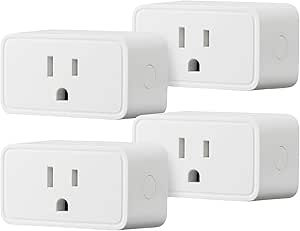 | Best Value for Alexa Homes | Pack size: 4 plugs | Compatibility: Amazon Alexa only | Connectivity: 2.4 GHz Wi-Fi | VIEW LATEST PRICE | See Our Full Breakdown |
| Amazon Echo Show 5 Smart Display with Alexa, Cloud Blue |  | Best Compact Smart Home Display | Display: 5.5 inches | Camera: 2 MP | Smart assistant: Alexa | VIEW LATEST PRICE | See Our Full Breakdown |
| Amazon Smart Plug with Alexa |  | Best Single Plug for Alexa Routines | Dimensions: 3.2 × 1.5 × 2.2 in (80 × 38 × 57 mm) | Weight: 3.1 oz (87 g) | Input: 120 VAC, 60 Hz, 15 A max | VIEW LATEST PRICE | See Our Full Breakdown |
| Amazon Echo Show 11 Smart Display, Full HD, Graphite |  | Best Premium Smart Home Display | Display: 11-inch Full HD touchscreen | Audio: Spatial audio; listed as up to 2× the bass of Echo Show 8 (2023 release) | Processor: AZ3 Pro | VIEW LATEST PRICE | See Our Full Breakdown |
| GHome Smart Plug, WiFi Smart Plug Compatible with Alexa and Google Home |  | Best for Flexible App Control | Connectivity: 2.4GHz Wi-Fi and Bluetooth | Voice assistant compatibility: Amazon Alexa and Google Home | Supported apps: GHome, Smart Life, and Tuya | VIEW LATEST PRICE | See Our Full Breakdown |
| Amazon Smart Air Quality Monitor |  | Best for Alexa Air-Quality Automation | Monitored factors: PM2.5, VOCs, carbon monoxide, humidity, and temperature | Smart home compatibility: Amazon Alexa | Alerts: Phone notifications and Echo announcements | VIEW LATEST PRICE | See Our Full Breakdown |
| Amazon Echo Dot (5th Gen) Smart Speaker, Deep Sea Blue |  | Best Compact Smart Home Starter | Generation: 5th Gen | Color: Deep Sea Blue | Dimensions: 3.9 × 3.9 × 3.5 in (100 × 100 × 89 mm) | VIEW LATEST PRICE | See Our Full Breakdown |
| Amazon Echo Dot Max Smart Speaker with Alexa, Graphite |  | Best Premium Smart Speaker Hub | Color: Graphite | Voice assistant: Alexa; designed to support Alexa+ | Smart home hub: Built in | VIEW LATEST PRICE | See Our Full Breakdown |
| TP-Link Tapo P125M Matter Smart Plug Mini, 15A/1800W, 3-Pack |  | Best Multi-Platform Smart Plug | Model: TP-Link Tapo P125M | Pack size: 3 plugs | Maximum load: 15A/1800W | VIEW LATEST PRICE | See Our Full Breakdown |
| Amazon Smart Thermostat with Alexa and Ring Compatibility |  | Best for Alexa-Based Climate Control | Compatibility: Alexa and Ring | Installation: DIY installation guided by the Alexa app | Wiring requirement: C-wire required | VIEW LATEST PRICE | See Our Full Breakdown |
| Amazon Echo Spot Smart Alarm Clock with Alexa, Black |  | Best Smart Alarm Clock | Color: Black | Smart assistant: Alexa | Display: Customizable clock face and colors | VIEW LATEST PRICE | See Our Full Breakdown |
| Linkind Matter Smart Plug |  | Best for Multi-Platform Smart Homes | Connectivity: Matter and 2.4 GHz Wi-Fi | Network requirement: IPv6 | Power capacity: 1800 W, 15 A | VIEW LATEST PRICE | See Our Full Breakdown |
| Kasa Smart Power Strip KP303 – 3 Individually Controlled Outlets, 2 USB Ports, Alexa & Google Home Compatible, White |  | Best Smart Power Strip | Model: KP303 | Smart outlets: 3, individually controlled | USB ports: 2, always on | VIEW LATEST PRICE | See Our Full Breakdown |
| Amazon Echo Show 15 (Newest Model), 15.6-Inch Full HD Smart Display with Fire TV and Alexa |  | Best for Family Organization and Entertainment | Display: 15.6-inch Full HD, 1080p | Smart assistant: Alexa | Entertainment: Built-in Fire TV; Fire TV remote included | VIEW LATEST PRICE | See Our Full Breakdown |
More Details on Our Top Picks
Govee Smart Plug WiFi Outlets, 4-Pack
The Govee 4-pack suits households that want several outlets controlled without committing to one voice assistant: it works with both Alexa and Google Assistant, unlike the Alexa-only Amazon Basics Smart Plug. App scheduling and group control make it easier to manage lamps or other compatible appliances together, while Bluetooth offers another way to connect alongside 2.4 GHz Wi-Fi. No hub is required, and the compact design helps keep the plugs practical for everyday outlets. The tradeoff is that it cannot join a 5 GHz Wi-Fi network, and its listing gives conflicting 10 A and 11 A current ratings. I would check the rating for the specific intended load before buying; shoppers wanting a clearly stated 15 A rating should compare it with either Amazon plug.
Pros:- Works with both Amazon Alexa and Google Assistant
- App supports schedules and grouped plug control
- Bluetooth and 2.4 GHz Wi-Fi connectivity; no hub required
- ETL- and FCC-certified compact outlets
Cons:- Does not support 5 GHz Wi-Fi
- Product details conflict between 10 A and 11 A current ratings
Best for: Households with Alexa and Google Assistant users who want app scheduling and group control across several compatible appliances.
Not ideal for: People whose Wi-Fi network is 5 GHz only, or buyers who need an unambiguous current rating for their intended appliance.
- Pack quantity:4
- Model:B5081
- Connectivity:Bluetooth and 2.4 GHz Wi-Fi
- Voice assistants:Amazon Alexa and Google Assistant
- Hub required:No
- Amperage:Listing states both 10 A and 11 A
- Plug type:Type B
- Certifications:ETL and FCC
Our verdict“Choose this pack for flexible Alexa and Google control across several outlets, but verify its conflicting amperage details before connecting a higher-draw appliance.”
Amazon Basics Smart Plug, Alexa-Compatible, 4-Pack
For an Alexa household that needs multiple simple on/off controls, the Amazon Basics 4-pack keeps setup and daily use inside the Alexa app. You can schedule plugs by time, sunrise, or sunset, and use voice commands and routines without a hub or another app. Its listed 15 A rating is clearly stated, unlike the conflicting amperage details for the Govee Smart Plug WiFi Outlets. That clarity and Alexa integration come with a firm limit: this model does not work with Google Assistant, so it is a poor fit for mixed-assistant homes. Compared with the single Amazon Smart Plug, this pack gives buyers four outlets to automate, while remaining focused on the same Alexa ecosystem. It also requires 2.4 GHz Wi-Fi.
Pros:- Four plugs managed through the Alexa app
- Supports remote control, routines, and schedules by time, sunrise, or sunset
- No hub or third-party app required
- Compact design leaves adjacent outlets accessible
Cons:- Compatible with Amazon Alexa only
- Requires a 2.4 GHz Wi-Fi network
Best for: Alexa users who want to automate several indoor appliances with schedules and routines managed in one app.
Not ideal for: Households using Google Assistant or a different smart home platform, and anyone with only a 5 GHz Wi-Fi network.
- Pack size:4 plugs
- Compatibility:Amazon Alexa only
- Connectivity:2.4 GHz Wi-Fi
- Amperage:15 A
- Dimensions:2.7 × 2.1 × 1.5 in
- Weight:2.4 oz
- Plug type:Type B
- Warranty:1-year limited
Our verdict“Pick this pack if you want four straightforward, clearly rated smart plugs controlled through Alexa and do not need another assistant.”
Amazon Echo Show 5 Smart Display with Alexa, Cloud Blue
The Echo Show 5 is a compact way to add a screen and Alexa control to a bedside table or kitchen counter. Its 5.5-inch display puts weather, news, streaming content, and compatible camera views within sight, while the 2 MP camera supports video calls. That makes it more useful as a small information and communication hub than the screen-free Amazon Echo Dot, but it offers less viewing space and fewer built-in smart home capabilities than the Echo Show 11. Physical camera and microphone controls, plus a camera shutter, give privacy-conscious buyers a direct way to disable those functions. The small screen is the main compromise: it is less suited to viewing from across a room, and calls are limited to people using the Alexa app or a screen-equipped Echo.
Pros:- Compact screen for news, weather, streaming, and compatible camera feeds
- 2 MP camera supports video calls
- Controls compatible smart home devices with Alexa
- Camera shutter and physical microphone and camera controls
Cons:- Small display is less suitable for viewing from across a room
- Video calls are limited to the Alexa app and screen-equipped Echo devices
- Smart home control depends on compatible devices
Best for: Buyers who want a small Alexa display for bedside updates, nearby video calls, and viewing compatible smart home cameras.
Not ideal for: People who want a large screen for room-wide viewing, broader smart home hub features, or video calls beyond Alexa-compatible contacts.
- Display:5.5 inches
- Camera:2 MP
- Smart assistant:Alexa
- Privacy features:Microphone and camera off button; built-in camera shutter
- Color:Cloud Blue
- Recycled materials:Fabric yarn and aluminum made from 100% recycled materials
Our verdict“Choose the Echo Show 5 for a space-saving Alexa screen near where you sit or sleep, not as a large-room display or broad-compatibility hub.”
Amazon Smart Plug with Alexa
The Amazon Smart Plug is a straightforward choice for adding one controllable outlet to an Alexa home. It supports timers, schedules, and routines without a hub, and its 15 A maximum output is clearly specified. A compact body leaves the second wall outlet available, which is useful when a plug shares space with another device. Unlike the Amazon Basics Smart Plug 4-pack, this is a single-plug option for buyers automating one lamp or appliance rather than several rooms. Its ability to reconnect to Alexa after power or Wi-Fi outages can reduce the need for manual setup after interruptions. The limits are just as clear: it works with Alexa only, requires 2.4 GHz Wi-Fi, and is rated for indoor use.
Pros:- Supports Alexa voice control, timers, schedules, and routines
- No smart home hub required
- Compact design keeps the second outlet available
- Can reconnect to Alexa after power or Wi-Fi outages
Cons:- Works only with Alexa and compatible devices
- Supports 2.4 GHz Wi-Fi, not 5 GHz
- Indoor use only
Best for: Alexa users who want to automate one indoor lamp or compatible appliance and keep the neighboring outlet free.
Not ideal for: Google Assistant or non-Alexa households, buyers who need multiple plugs in one purchase, or anyone seeking an outdoor-rated outlet.
- Dimensions:3.2 × 1.5 × 2.2 in (80 × 38 × 57 mm)
- Weight:3.1 oz (87 g)
- Input:120 VAC, 60 Hz, 15 A max
- Maximum output:15 A
- Wi-Fi:2.4 GHz, 802.11 b/g/n; does not support 5 GHz
- Use:Indoor only
- Compatibility:Alexa only; no other voice assistants or smart hubs
- Warranty:1-year limited
Our verdict“Choose this single plug for a simple Alexa-controlled indoor outlet; pick the Amazon Basics 4-pack if you need to automate several locations.”
Amazon Echo Show 11 Smart Display, Full HD, Graphite
The Echo Show 11 is the most capable screen-based smart home pick here, combining an 11-inch Full HD touchscreen with a built-in hub for compatible Alexa devices. Compared with the Echo Show 5, the larger display is better suited to shared spaces, video, and controlling devices at a glance; the tradeoff is that it needs more counter or wall space. Spatial audio, a centered auto-framing camera, and presence and temperature sensing add more than a bigger screen: they support room-filling entertainment, clearer-feeling calls, and personalized routines. Physical camera and microphone controls offer direct privacy control. Buyers should check Alexa+ availability if that feature is a deciding factor, and treat the sound comparison to Echo Show 8 as specific to the listed model rather than a universal benchmark.
Pros:- 11-inch Full HD touchscreen offers more room for shared viewing and device control
- Built-in hub supports thousands of Alexa-enabled devices
- Auto-framing camera supports video calls
- Presence, temperature, and visual ID sensing can inform personalized routines
Cons:- Larger screen needs more placement space than the Echo Show 5
- Alexa+ features may depend on service availability
- Some audio comparisons apply specifically to listed Echo Show 8 models
Best for: Alexa households seeking a large shared-room display with built-in smart home control, video calling, and sensor-based routines.
Not ideal for: Buyers short on counter or wall space, those who only need a compact bedside display, or anyone relying on Alexa+ features unavailable in their region or service setup.
- Display:11-inch Full HD touchscreen
- Audio:Spatial audio; listed as up to 2× the bass of Echo Show 8 (2023 release)
- Processor:AZ3 Pro
- Smart home features:Built-in hub; compatible with thousands of Alexa-enabled devices
- Sensors:Omnisense technology with temperature, presence, and visual ID detection
- Camera:Centered auto-framing camera with 3.3× zoom and noise reduction
- Privacy controls:Microphone and camera disable button; on-device and in-app camera controls
- Color:Graphite
Our verdict“Choose the Echo Show 11 if a large screen, built-in hub, and room-aware Alexa features matter more than a compact footprint.”
GHome Smart Plug, WiFi Smart Plug Compatible with Alexa and Google Home
The GHome Smart Plug is a straightforward way to automate lamps, fans, and other compatible appliances without committing to one voice assistant. It works with Alexa and Google Home, while support for GHome, Smart Life, and Tuya apps gives households more app options than the TP-Link Tapo P125M, which centers on Matter-compatible platforms. Scheduling, timers, group control, and device sharing cover the everyday jobs that make a plug useful: setting a lamp to turn on at a chosen time or letting family members manage shared devices.
The tradeoff is 2.4GHz-only Wi-Fi, and setup must begin in the GHome app before linking Alexa or Google Home. Choose the Tapo instead if Apple Home, SmartThings, or local network control during an internet outage matters more than app flexibility.
Pros:- Compatible with Alexa and Google Home voice control.
- Works with GHome, Smart Life, and Tuya apps.
- Offers schedules, timers, and group control for routine automation.
- Device sharing lets family members manage connected appliances.
Cons:- Connects to 2.4GHz Wi-Fi only.
- Requires initial setup in the GHome app before voice-assistant linking.
Best for: Households using Alexa or Google Home that want schedules and shared control through familiar third-party apps.
Not ideal for: Buyers whose router setup or smart-home requirements call for 5GHz Wi-Fi, Matter, or setup without a separate manufacturer app.
- Connectivity:2.4GHz Wi-Fi and Bluetooth
- Voice assistant compatibility:Amazon Alexa and Google Home
- Supported apps:GHome, Smart Life, and Tuya
- Automation:Schedules and timers
- Group control:Supported
- Device sharing:Supported
Our verdict“Choose the GHome plug if you want broad app options and basic Alexa or Google Home automation, but pick the Tapo P125M for Matter and local network control.”
Amazon Smart Air Quality Monitor
Among these smart home devices, the Amazon Smart Air Quality Monitor fills a role the Echo Dot speakers and smart plugs cannot: it tracks PM2.5, VOCs, carbon monoxide, humidity, and temperature, then reports conditions through the Alexa app. Its color-coded indicator offers a quick visual cue, while alerts and Echo announcements can bring a change in air quality to your attention without checking a dashboard repeatedly.
Its strongest advantage over the Echo Dot (5th Gen) is dedicated air monitoring and the ability to trigger compatible Alexa routines, such as climate-control responses. The Dot has temperature and motion sensors, but it does not provide this monitor’s broader set of readings. The limitation is platform focus: detailed information and setup require Alexa, and routines need compatible Alexa devices. It is a focused sensor, not a standalone purifier or an open-platform monitor.
Pros:- Tracks five indoor air and climate factors.
- Can send phone notifications and Echo announcements when conditions drop.
- Supports Alexa routines with compatible devices.
- Provides a color-coded indicator and an air-quality score in the Alexa app.
Cons:- Detailed readings and setup depend on the Alexa app.
- Climate-control routines require compatible Alexa devices.
Best for: Alexa households that want indoor air and climate readings to trigger alerts or routines on compatible devices.
Not ideal for: People who need a monitor that works across smart-home platforms or want air-quality control without Alexa-compatible equipment.
- Monitored factors:PM2.5, VOCs, carbon monoxide, humidity, and temperature
- Smart home compatibility:Amazon Alexa
- Alerts:Phone notifications and Echo announcements
- Air-quality display:Color-coded LED and score in the Alexa app
- Routine support:Can trigger compatible Alexa routines
- Setup:Plug in and configure through the Alexa app
Our verdict“Pick this monitor for Alexa-based air-quality alerts and automation; choose an Echo Dot instead if your priority is a speaker with basic temperature and motion sensing.”
Amazon Echo Dot (5th Gen) Smart Speaker, Deep Sea Blue
The Echo Dot (5th Gen) is the compact, lower-commitment route into Alexa: it combines voice assistance, music and podcast playback, and smart-home control in a 3.9-inch-wide speaker. Its motion and temperature sensors can also start routines, giving it more automation utility than a basic speaker. Compared with the Echo Dot Max, this model takes up less space and still covers everyday Alexa tasks, but the Max is the stronger fit for buyers seeking fuller sound, a built-in smart home hub, and presence sensing.
The Dot’s mono 1.6-inch driver is suited to casual listening rather than a room-filling audio setup. It also supports Matter and can extend compatible eero coverage, though that Wi-Fi feature depends on an existing eero network and setup. Choose it for a bedroom, desk, or first Alexa room; skip it if audio scale or a built-in hub is the main goal.
Pros:- Compact size suits desks, bedside tables, and smaller rooms.
- Supports Alexa voice assistance, music, audiobooks, and podcasts.
- Motion and temperature sensors can trigger smart-home routines.
- Supports Matter and can pair with compatible Echo devices or Fire TV.
Cons:- Mono playback from a 1.6-inch driver is less suited to room-filling sound than the Echo Dot Max.
- eero Built-in coverage requires a compatible eero network and additional setup.
- Bluetooth hands-free voice control is not supported for Mac OS X devices.
Best for: First-time Alexa users and people furnishing a bedroom, desk, or small room who want voice control plus basic sensor routines.
Not ideal for: Buyers seeking room-filling sound, a built-in smart home hub, or eero Wi-Fi extension without a compatible eero network.
- Generation:5th Gen
- Color:Deep Sea Blue
- Dimensions:3.9 × 3.9 × 3.5 in (100 × 100 × 89 mm)
- Weight:10.7 oz (304 g)
- Driver and channels:1.6-inch full-range driver; mono
- Wi-Fi:Dual-band 802.11a/b/g/n/ac, 2.4GHz and 5GHz
- Smart home compatibility:Wi-Fi, Bluetooth Low Energy Mesh, and Matter
- Sensors:Motion and temperature
- eero Built-in coverage:Up to 1,000 sq. ft. with a compatible eero network
Our verdict“Choose the Echo Dot for compact Alexa control and basic sensor routines; choose the Echo Dot Max if stronger sound and a built-in hub matter more.”
Amazon Echo Dot Max Smart Speaker with Alexa, Graphite
The Echo Dot Max is the more capable speaker-led hub in this lineup. Its room-filling sound and nearly three times the bass of the 2022 Echo Dot make it a better choice for regular listening than the smaller Echo Dot (5th Gen), while its built-in smart home hub and Omnisense presence and temperature sensing add automation options beyond basic voice commands. For a household building around Alexa, that mix can reduce the need for separate control hardware.
Those gains come with platform and setup dependencies. The Dot Max’s eero Built-in feature can extend coverage by up to 1,000 square feet, but only on a compatible eero network; pairing and home-theater features also depend on supported Echo or Fire TV devices. Compared with the compact 5th Gen Dot, this is the pick for sound and hub capabilities, not the simpler choice for a small room or basic assistant use.
Pros:- Designed for room-filling sound with nearly three times the bass of the 2022 Echo Dot.
- Built-in smart home hub supports a more consolidated Alexa setup.
- Omnisense presence and temperature detection can inform routines.
- Can pair with compatible Echo and Fire TV devices and extend compatible eero coverage.
Cons:- eero Built-in Wi-Fi extension requires an existing compatible eero network.
- Some multi-room and home-theater features require compatible devices.
Best for: Alexa households that want a stronger everyday speaker, built-in smart-home hub, and presence-based routines in one device.
Not ideal for: Buyers who want a compact, basic Alexa speaker or expect Wi-Fi extension and home-theater pairing to work without compatible equipment.
- Color:Graphite
- Voice assistant:Alexa; designed to support Alexa+
- Smart home hub:Built in
- Sensing technology:Omnisense presence and temperature detection
- Wi-Fi extension:eero Built-in; up to 1,000 sq. ft. on an existing compatible eero network
- Streaming services:Amazon Music, Apple Music, Spotify, and SiriusXM
- Pairing:Compatible Echo speakers and Fire TV devices
- Privacy controls:Microphone disable button and multiple privacy controls
Our verdict“Choose the Echo Dot Max if you want Alexa, stronger sound, and hub functions together; the 5th Gen Echo Dot is the more compact pick for basic use.”
TP-Link Tapo P125M Matter Smart Plug Mini, 15A/1800W, 3-Pack
The Tapo P125M is the clearest choice here for buyers who want a plug to work across more than Alexa and Google Home. Matter compatibility brings Apple Home, Amazon Alexa, Google Home, and Samsung SmartThings support, while local network control can keep working when internet access is unavailable. That makes it more flexible across platforms than the GHome Smart Plug, which offers several app options but does not list Matter or offline local control.
This three-pack also suits households automating several lamps or small appliances at once, and the compact shape helps keep neighboring outlets accessible. Its 15A/1800W maximum load gives a stated capacity, but buyers still need to check that connected devices fall within it. The main constraint is shared with GHome: Wi-Fi is 2.4GHz only. Choose GHome if its app flexibility better matches your setup; choose Tapo for multi-platform support and local control.
Pros:- Matter support spans Apple Home, Alexa, Google Home, and Samsung SmartThings.
- Local network control can work when internet access is unavailable.
- Compact design helps avoid blocking nearby outlets.
- Three plugs include app and voice control, schedules, and timers.
Cons:- Supports 2.4GHz Wi-Fi only.
- Connected equipment must stay within the 15A/1800W maximum load.
Best for: Households using Apple Home, Alexa, Google Home, or SmartThings that want several compact plugs with local network control.
Not ideal for: Buyers who need 5GHz Wi-Fi support or need a plug rated for loads beyond 15A/1800W.
- Model:TP-Link Tapo P125M
- Pack size:3 plugs
- Maximum load:15A/1800W
- Connectivity:2.4GHz Wi-Fi
- Smart home protocol:Matter
- Compatibility:Apple Home, Amazon Alexa, Google Home, and Samsung SmartThings
- Safety certification:UL certified
- Setup:Bluetooth-assisted setup
- Warranty:2-year limited
Our verdict“Choose the Tapo P125M for multi-platform Matter control and a three-plug setup; the GHome plug is a better match if its supported apps are your priority.”
Amazon Smart Thermostat with Alexa and Ring Compatibility
I’d choose this thermostat when the goal is to bring heating and cooling into an existing Alexa setup. You can adjust temperatures in the Alexa app, set schedules, or use compatible Alexa devices to trigger changes based on temperature readings or presence. That makes it more useful for everyday routines than a basic remote-control thermostat. Compared with the Amazon Echo Spot, which can show information and trigger routines, this device directly manages home climate. App-guided DIY installation may also suit homeowners comfortable with thermostat wiring, and the ENERGY STAR certification is a useful efficiency signal. The tradeoff is a firm C-wire requirement; automatic adjustments also depend on having compatible Alexa devices. I’d skip it if you want broad platform flexibility or lack the required wiring.
Pros:- Remote temperature adjustments through the Alexa app
- Schedules and compatible-device triggers support hands-off climate routines
- App-guided DIY installation can avoid a professional setup
- ENERGY STAR certification and possible local utility rebates
Cons:- Requires a C-wire, which may limit installation in older homes
- Automatic adjustments depend on compatible Alexa devices
- Alexa and Ring compatibility may not suit homes centered on other smart home platforms
Best for: Alexa households with compatible thermostat wiring that want app-based climate control and scheduled temperature changes
Not ideal for: Renters or homeowners without a C-wire, and buyers who want automatic presence adjustments without compatible Alexa devices
- Compatibility:Alexa and Ring
- Installation:DIY installation guided by the Alexa app
- Wiring requirement:C-wire required
- Control options:Alexa app, schedules, and compatible Alexa devices
- Thermostat technology:Honeywell Home Thermostat Technology
- Energy certification:ENERGY STAR
Our verdict“Choose it if your home already uses Alexa and has a C-wire; skip it if either condition is missing.”
Amazon Echo Spot Smart Alarm Clock with Alexa, Black
The Echo Spot is the most bedroom-focused choice here: its customizable clock display can surface time, weather, reminders, and music controls without turning a nightstand into a full entertainment hub. Alexa routines let an alarm connect with compatible smart home devices, while music and podcast playback add more utility than a standard clock. Compared with the wall-oriented Echo Show 15, the Spot takes up less visual space and is better suited to quick bedside interactions, but it gives up the larger screen and family dashboard. Its built-in eero extension can help an existing eero network reach farther, though it offers no such benefit on other network setups. I also value the microphone-off button and app privacy controls. This is a focused bedside device, not a substitute for a large smart display.
Pros:- Customizable clock face and colors make useful details easy to check
- Alexa routines connect alarms with compatible smart home devices
- Plays music and podcasts from the bedside
- Includes a microphone-off button and in-app privacy controls
Cons:- Wi-Fi extension works only with an existing eero network
- Smart home control depends on compatible devices
- Smaller display is less suited to video and shared household information than the Echo Show 15
Best for: Alexa users who want a bedside clock with routines, glanceable information, and a compact display
Not ideal for: Buyers seeking a large screen for video, family calendars, or Wi-Fi extension without an existing eero network
- Color:Black
- Smart assistant:Alexa
- Display:Customizable clock face and colors
- Wi-Fi extension:Up to 1,000 sq. ft. with an existing eero network
- Recycled materials:36%
- Privacy controls:Microphone-off button and in-app controls
Our verdict“Pick the Echo Spot for a compact Alexa bedside clock, not for a room-wide display or general-purpose entertainment screen.”
Linkind Matter Smart Plug
I’d put the Linkind plug on the shortlist for homes that use—or may later switch between—major smart home platforms. Matter support connects it with Apple Home, Alexa, Google Home, and SmartThings, while the AiDot app provides a route that doesn’t require a hub. Its local control during internet outages is a practical advantage over plugs whose routines rely on cloud access. Compared with the Kasa Smart Power Strip KP303, this is a single-device solution with broader stated platform support, while the Kasa strip can independently control three outlets and adds two USB ports. Setup is less universal than the compatibility list suggests: several platforms need a Matter-certified hub, and the network must support 2.4 GHz Wi-Fi and IPv6. Check those requirements before choosing it.
Pros:- Matter support spans several major smart home platforms
- Local control can keep connected-device commands working during internet outages
- Offers app, voice, remote, schedule, and timer controls
- Includes short-circuit and overload protection in a compact plug
Cons:- Requires 2.4 GHz Wi-Fi and IPv6
- Apple Home, Alexa, Google Home, and SmartThings use require a Matter-certified hub
- Controls one connected device, unlike the three-outlet Kasa KP303
Best for: Households mixing Apple Home, Alexa, Google Home, or SmartThings that want a single plug with Matter and local control
Not ideal for: Buyers without 2.4 GHz Wi-Fi, IPv6, or a compatible Matter hub for their chosen platform
- Connectivity:Matter and 2.4 GHz Wi-Fi
- Network requirement:IPv6
- Power capacity:1800 W, 15 A
- Voice assistants:Siri, Alexa, and Google Assistant
- Smart home platforms:Apple Home, Google Home, SmartThings, and AiDot
- Hub requirement:Matter-certified hub for Apple Home, Alexa, Google Home, and SmartThings; AiDot app can be used without a hub
- Safety features:FCC certified; fire-resistant materials; short-circuit and overload protection
Our verdict“Choose Linkind for a Matter-based, single-device connection across platforms, provided your network and hub meet its requirements.”
Kasa Smart Power Strip KP303 – 3 Individually Controlled Outlets, 2 USB Ports, Alexa & Google Home Compatible, White
The KP303 makes more sense than a single smart plug when several nearby devices need separate schedules or voice controls. Its three smart outlets operate independently, so one connected device can be switched off without cutting power to the others; the two USB ports add charging connections, though they stay always on. Compared with the Linkind Matter Smart Plug, the Kasa strip trades Matter’s broader platform reach and offline local control for a practical multi-outlet layout and stated ETL-certified surge protection. Alexa and Google Assistant support, plus Kasa app timers and remote access, cover common household routines. The limitations matter if you want energy tracking: there’s no power monitoring, and the USB ports have no stated fast-charging capability. I’d choose it for managing a small cluster of electronics, not for detailed consumption data.
Pros:- Three outlets can be controlled independently
- Two always-on USB ports add charging connections
- Works with Alexa and Google Assistant voice control
- ETL-certified surge protection and Kasa app scheduling
Cons:- Does not report power use or energy statistics
- USB ports are always on and have no stated fast-charging specifications
- Supports Alexa and Google Assistant rather than the broader Matter platform list offered by the Linkind plug
Best for: Alexa or Google Assistant households that want to schedule and control several nearby electronics separately
Not ideal for: Smart home users who need Matter platform support, energy-use monitoring, or individually switched USB ports
- Model:KP303
- Smart outlets:3, individually controlled
- USB ports:2, always on
- Surge protection:ETL-certified
- Voice assistant compatibility:Alexa and Google Assistant
- App control:Kasa Smart app for iOS and Android
- Color:White
Our verdict“Pick the KP303 when separate control of several plugged-in devices matters more than Matter support or energy monitoring.”
Amazon Echo Show 15 (Newest Model), 15.6-Inch Full HD Smart Display with Fire TV and Alexa
The Echo Show 15 earns its place as the roundup’s large, shared-screen option. Its 15.6-inch Full HD display gives calendars, to-do lists, weather, and smart home controls room to be seen across a household, while built-in Fire TV makes the screen useful for entertainment as well as planning. Compared with the bedside-focused Echo Spot, it is better suited to a kitchen or common area where several people can check information; it is also a much larger commitment in screen space. Video calls benefit from a centered auto-framing camera with zoom and noise reduction, and physical camera and microphone controls offer a clear privacy fallback. The tradeoffs are its footprint, possible subscriptions for some streaming services, and limited hardware and connectivity detail in the product information. Choose it for a shared hub, not a discreet smart display.
Pros:- Large Full HD screen supports visible household widgets and smart home controls
- Built-in Fire TV adds streaming and entertainment functions
- Auto-framing camera, zoom, and noise reduction support video calls
- Physical microphone and camera controls include a built-in shutter
Cons:- Large screen requires more room than compact displays such as the Echo Spot
- Some streaming services may require a subscription
- Product information does not detail hardware or connectivity specifications
Best for: Families who want a prominent shared display for calendars, household tasks, smart home controls, video calls, and streaming
Not ideal for: Buyers with limited wall or counter space, people seeking a compact bedside screen, or viewers who want every streaming service without subscriptions
- Display:15.6-inch Full HD, 1080p
- Smart assistant:Alexa
- Entertainment:Built-in Fire TV; Fire TV remote included
- Video calling:Centered auto-framing camera with 3.3x zoom and noise reduction
- Privacy:Microphone/camera-off button and built-in camera shutter
- Organization:Customizable widgets for calendars, to-do lists, and weather
- Additional features:Smart home dashboard, photo slideshow, and Active Media
Our verdict“Choose the Echo Show 15 when your household can use a large shared Alexa screen for organization and entertainment.”
How We Picked
I compared the 15 products by the job they perform, how much setup and ecosystem commitment they ask of a buyer, and whether their design fits ordinary rooms and routines. For plugs, I weighed outlet layout, independent control, Matter support, and pack size; for Echo devices, I compared screen or speaker format, likely placement, and how much visual interaction each adds. I also looked at practical ownership factors such as the number of devices a product can serve, how specialized its role is, and whether a buyer may need other compatible equipment.
The ranking favors devices that offer a useful mix of everyday value, flexibility, and straightforward use, rather than simply the most features or the largest screen. That puts a broadly compatible Matter plug ahead of more narrowly useful smart plugs, while specialized picks still earn a place when they solve a clear need. Amazon Alexa products remain strong choices for Alexa-centered homes, but receive less preference when their platform limits matter more than convenience. Because these products serve different jobs, the order reflects their usefulness to a broad range of smart-home buyers, with each pick assigned a distinct role.
Factors to Consider When Choosing Best Smart Home Devices
Before choosing a device, decide what you want to improve: voice access, lighting control, climate routines, or a shared screen for household information. The easiest way to overspend or create friction is to buy gadgets before checking how they fit together. These broader checks can help you build a system that remains useful as your needs change.
Choose an ecosystem before adding more devices
Start by checking which voice assistant and apps your household already uses, including the phones and speakers people reach for every day. A device that works with Alexa may be a simple fit for an Echo household, but that does not automatically make it easy to use through another platform. Matter support can widen the options, though it does not erase the need for a compatible controller, network, or setup process. A common mistake is to treat a compatibility badge as a promise that every feature works in every app. Check the exact functions supported by your chosen platform, especially routines and remote control. If you expect to switch ecosystems, favor flexibility over the lowest-friction choice for today.
Match the device to the job, not the gadget category
Write down the routine you want to change before choosing a product. A smart plug can schedule power to a suitable lamp, but it cannot make every appliance smart or control an appliance that requires a physical button press after power returns. A thermostat addresses heating and cooling routines, while an air-quality monitor provides information that may prompt you to take another action. Displays and speakers offer different ways to interact, so a screen is useful only if you expect to check visual information or touch controls. Buying a multipurpose-looking device without a clear routine often leaves its extra features unused. Start with one repeated annoyance and pick the simplest device that addresses it.
Plan outlet access and device placement
Smart plugs can block neighboring sockets, interfere with bulky adapters, or sit in awkward spots behind furniture. Measure the available space and check whether you need several independently controlled outlets or just one switched connection. A power strip can help at a desk, but it takes up more surface area and its USB ports do not necessarily provide smart control over connected devices. Screens need a location where people can see and use them without creating glare or clutter. Speakers also work best where voice commands are likely to be heard. Think through placement before buying a multi-pack, since unused devices are not a bargain for your home.
Separate convenience from safety and energy claims
Remote switching and schedules can make routines easier, but a smart plug is not a substitute for checking an appliance’s power needs or safety instructions. Compare the device’s electrical limits with the intended load, and avoid using a plug for equipment that should not be switched off unexpectedly. A thermostat can support more deliberate climate routines, but installation compatibility and wiring requirements matter more than voice control. Monitoring air quality can help you notice changes, yet a monitor does not filter or remove pollutants by itself. Buyers often assume that adding a sensor automatically creates an action; check whether you also need an automation or a separate device. Treat safety, installation, and the actual remedy as separate purchase decisions.
Pay for capacity and flexibility you will use
More outlets, a larger display, or a higher-end speaker only add value when they fit a real household need. A four-pack can be practical when several lamps need schedules, but it is unnecessary if you are automating one device. A large shared display may suit a kitchen or family space, while a smaller screen is easier to place beside a bed or on a compact counter. Matter support can be worth prioritizing when platform choice is uncertain; a single-ecosystem device may be simpler if your home already relies on that assistant. Avoid paying for screen size or features just because they appear more capable on a spec sheet. Spend on the capability that removes the most friction from your routine.
Frequently Asked Questions
Should I choose a Matter smart plug or an Alexa-only plug?
Choose Matter when you value the option to connect through more than one compatible smart-home platform or expect your setup to change. An Alexa-focused plug can be a straightforward fit if your household already uses Echo devices and you want a simple app-based setup. Matter support does not mean that every platform offers identical controls, so verify which functions work with your controller before buying. Also check whether your home has the compatible hub or controller the setup requires. If you are settled on Alexa and want a basic switched outlet, flexibility may matter less than ease of use.
Can I use a smart plug with any appliance?
No. A smart plug is best suited to devices that can safely be switched on and off by cutting power, such as many lamps. Some appliances need a physical button press after power is restored, while others should not be remotely switched or scheduled. Check the appliance instructions and the plug’s electrical rating before connecting anything. Avoid assuming that voice control makes a high-power or safety-sensitive device appropriate for a smart plug. If the device has a special startup sequence, confirm that it resumes the desired state after power returns.
Do I need an Echo display if I already have an Echo speaker?
Not necessarily. A speaker is enough for voice requests, timers, and audio routines if you rarely need to see information. A display is more useful when you want visual controls, on-screen information, or a screen in a shared space. The smaller Echo Show models take less room, while the Show 15 is a larger, more prominent household display with Fire TV. Consider where it will sit and how often someone will interact with it before choosing a screen. If the screen would mostly be idle, a speaker may be the more sensible fit.
What should I check before replacing my thermostat with a smart thermostat?
Check whether your heating and cooling system is compatible and whether the thermostat wiring supports the model before buying. Installation needs can vary by home, so do not assume that Alexa compatibility alone means it will work with your existing equipment. Consider who controls temperature settings and whether schedules would actually match the household’s routine. If your current system or wiring is unusual, get qualified guidance before starting installation. A smart thermostat is a more involved upgrade than a plug, so compatibility should come before voice features.
Is an air-quality monitor enough to improve indoor air?
No. A monitor reports conditions; it does not remove particles or gases from the air. Its value depends on whether the readings help you decide to ventilate, change a routine, or use separate air-treatment equipment suited to the issue. Check what the monitor measures and whether those readings match your concern rather than assuming that one device covers every indoor-air problem. Placement can also affect readings, so follow the product guidance and avoid hiding it in an unsuitable spot. Think of monitoring as information, not as a remedy by itself.
Conclusion
For most households, I would start with the TP-Link Tapo P125M Matter Smart Plug Mini as the best overall pick because it combines a compact format with broader platform flexibility. The best value depends on how many outlets you need: the Govee four-pack suits several simple automations, while the Kasa KP303 is a better match for a desk or entertainment area that needs separately controlled outlets. For a best premium shared-screen experience, choose the Echo Show 15; for beginners already using Alexa, the Amazon Smart Plug keeps the choice focused and familiar. Buyers with specific needs can turn to the Amazon Smart Thermostat for climate routines, the Air Quality Monitor for indoor-condition readings, or an Echo Dot when voice control matters more than a screen. Choose by the routine you want to improve first, then add devices that fit the same household setup.
NFL season / tailgating Picks
team gear
As an affiliate, we earn on qualifying purchases.