TL;DR

Get home appliances delivered free — and shop member deals
- Fast, free delivery on millions of items
- Access to Prime Big Deal Days deals on October 6–7
- Prime Video, Amazon Music and more included
Smart home security cameras work best when you match the camera to the job: check image quality and field of view, choose reliable power and storage, and aim it at useful approaches without capturing private spaces. Before buying, verify subscription terms, offline behavior, smart-home compatibility, and security settings; a camera can help you review events, but it cannot guarantee protection.
A camera can record a sharp-looking driveway and still fail to show who walked up it. Resolution is only part of the story; distance, glare, camera angle, and the way footage gets compressed can turn a promising clip into a blur.
That matters when you are comparing smart home security cameras. You need to know what the camera can see, how it sends alerts, where recordings go, and whether your setup still works when Wi-Fi drops or a subscription expires. A front-door camera, for example, has a different job from one watching a wide backyard.
This guide explains the choices in plain language, from image quality and field of view to power, storage, privacy, and placement. You will also get a practical way to compare models before you buy, so you can spend on the features that help in your home rather than the ones that merely look impressive on a product page.
Judge image quality using sample footage in similar lighting and at a similar distance; resolution alone cannot guarantee recognizable detail.
Choose battery power for flexible placement and wired power for steady operation or potential continuous recording, while checking installation needs.
Confirm what records locally, what requires cloud service, how long clips stay available, and what happens during an internet outage.
Aim cameras at relevant entrances, use detection zones and schedules, and avoid unnecessary views into private spaces or neighboring property.
Turn on multifactor authentication, use a unique password, update the camera, and verify the exact smart-home functions you plan to use.
Choose a camera that captures useful detail, not just impressive numbers
Smart home security cameras capture useful detail only when resolution, lighting, lens quality, distance, and angle work together. A higher resolution can help, but it cannot turn a distant, backlit figure into a clear face. Resolution affects how much detail a sensor records; it does not promise that every detail will remain visible in the saved clip.
Imagine a camera mounted above a garage, pointed across a long driveway. A wide field of view may include the garage, gate, and parked car, but people at the far end appear smaller. A narrower view aimed at the gate might show more useful detail where someone approaches. That is the tradeoff: wider coverage versus larger subjects.
Check how the camera handles both daylight and darkness. Infrared night vision commonly produces black-and-white footage, while some cameras use visible lights for color night images. Advertised night-vision range does not tell you how glare from a porch lamp or deep shadows will affect the scene. If you are shopping, look for sample clips recorded in lighting like yours, not only bright, polished product images.
For a small porch, a modest field of view aimed at the steps may be more useful than a very wide lens. For a broad yard, you may need two viewpoints rather than one camera trying to see everything. Think of it like a flashlight: a broad beam lights a bigger area, but a focused beam shows one spot more clearly.
wireless home security camera with night vision
As an affiliate, we earn on qualifying purchases.
As an affiliate, we earn on qualifying purchases.
Compare wired and battery cameras before you pick a location
Smart home security cameras come in wired and battery-powered designs, and the better choice depends on where you can place them and how often you need recordings. Wired cameras avoid routine charging and may support continuous recording, while battery cameras are easier to install and move but often save event-triggered clips to conserve power.
For example, a renter who wants to watch a front door may prefer a battery camera that attaches without running new cable. A homeowner monitoring a busy side entrance might favor a wired model, especially if frequent motion would drain a battery quickly. Neither option wins in every home: the easy-to-mount camera can mean more charging, while the always-powered camera can mean more involved installation.
Use this short comparison to match the tradeoff to your routine:
| Choice | What you gain | What to check |
|---|---|---|
| Battery | Flexible placement and less wiring | Charging frequency, event recording, cold-weather performance |
| Wired | Steady power and possible continuous recording | Power access, installation needs, and whether professional help is appropriate |
Power is only half the connection story. Most connected cameras use Wi-Fi for remote viewing and alerts, so a weak signal can delay uploads or leave gaps. Test the signal where you plan to mount the camera. If electrical work or new wiring is involved, use a licensed professional; switch off power before any permitted work and follow required safety steps rather than improvising with live wiring.
battery powered outdoor security camera
As an affiliate, we earn on qualifying purchases.
As an affiliate, we earn on qualifying purchases.
Set up alerts and recording so you get fewer useless pings
Smart home security cameras are easier to live with when you tune what triggers an alert and understand what gets recorded. Person, vehicle, pet, and package detection can sort motion into more useful categories, but performance varies by model and scene. Detection zones and schedules let you focus alerts on the gate after dark instead of the whole street all day.
Picture a camera overlooking a garden path. Without a zone, every passing car or branch shifting in the wind may send a notification. Draw a zone around the path and set a schedule for the hours you are away, then test it for a few days. If you keep getting alerts from headlights, adjust the zone or sensitivity rather than muting notifications altogether.
Know the difference between event clips and continuous recording. Battery models often record short clips when they detect motion; wired and recorder-based systems are more likely to offer continuous footage, depending on the model. A clip-based camera may save power, but a fast visitor could move through the scene before recording begins. Check how long clips last, whether the camera captures a lead-in period, and how retention works.
Some newer cameras use on-device processing for people or vehicles, while others rely more heavily on cloud services. Local processing can reduce cloud dependence and may speed up detection, but it does not prove that all footage stays on the device. Treat terms such as “AI detection” as a feature claim to verify: check which functions run locally, which need an internet connection, and which require a paid plan.
wired security camera with local storage
As an affiliate, we earn on qualifying purchases.
As an affiliate, we earn on qualifying purchases.
Pick storage that still suits you when the internet fails
Smart home security cameras can store video locally, in the cloud, or through both methods, and each choice handles failures differently. Local storage keeps footage on a memory card or recorder at home; cloud storage sends recordings to an online service. The first can reduce subscription dependence, while the second may preserve a clip if someone steals the camera or recorder.
Consider a camera watching a package drop. If it saves to a microSD card and the camera is damaged or taken, the recording may go with it. Cloud recording could keep a copy, but it depends on internet access, account access, service availability, and the provider’s subscription terms. A dual-storage setup can reduce reliance on either one alone, though it may cost more.
Before buying, check exactly what remains available without payment. Some models offer live viewing or local recording at no fee, while cloud history, longer retention, or advanced detection may require a subscription. Also ask how long footage stays available. A busy driveway can fill storage faster than a quiet entrance, and event clips do not use space the same way continuous recording does.
Some cameras can save locally during an internet outage, but you may lose remote viewing, notifications, or cloud backup until service returns. If you travel often, test the setup before relying on it: disconnect internet briefly and confirm what still records. For a small home, local card storage may be enough; for a remote property, the resilience of an off-site cloud copy may be worth the recurring fee.
smart home security camera with motion detection
As an affiliate, we earn on qualifying purchases.
As an affiliate, we earn on qualifying purchases.
Protect your footage and place cameras with privacy in mind
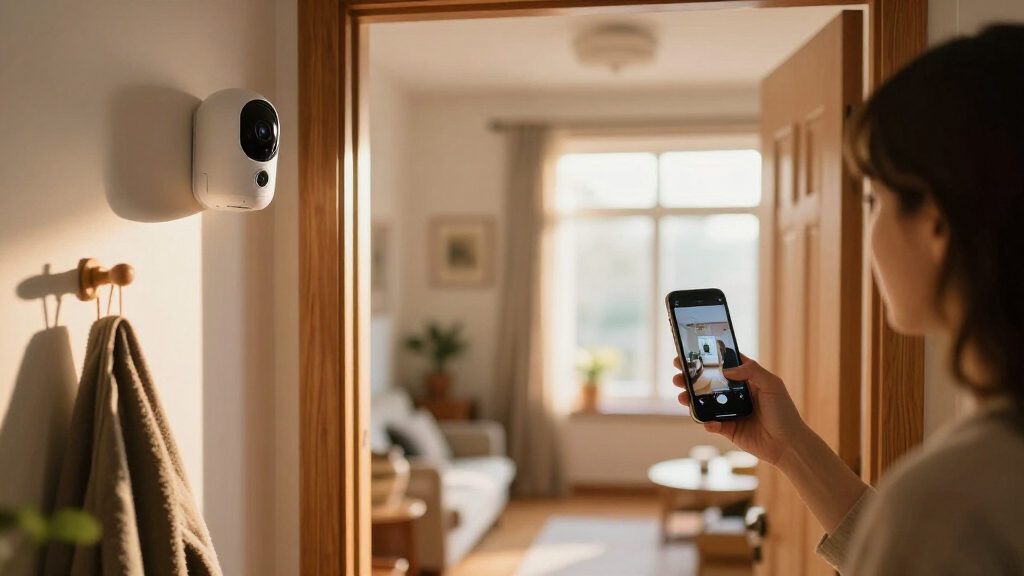
Smart home security cameras should cover useful approaches without collecting more private footage than you need. Account security, camera angle, and access settings all affect privacy. A camera aimed at your own front steps is different from one that records a neighbor’s windows or a shared indoor space.
Start with the view. Mount an outdoor camera to capture your entrance, driveway, or gate, then check the image from the app before settling on the angle. A few inches of adjustment can remove a neighbor’s patio while keeping the path visible. An indoor camera often works best in a common area, not pointed toward bedrooms or bathrooms. Local laws for camera placement and audio recording vary, so check the rules where you live, especially before recording sound or areas beyond your property.
Then secure the account. Use a unique password, turn on multifactor authentication, install updates promptly, and review who has shared access. If a former housemate still has an account invitation, remove it. Check the manufacturer’s data and retention policies too, including whether processing happens on the camera or in the cloud. No connected device is risk-free, but limiting access and keeping software current lowers common risks.
A camera is a monitoring tool, not a guarantee against theft or harm. Use it to improve awareness and preserve useful footage, not as a substitute for sensible locks, lighting, or emergency plans.
For night viewing through a window, infrared light often reflects off the glass and creates a bright haze. If you need to monitor a porch at night, mounting the camera outdoors or using a visible-light mode may give a cleaner image. A test after dark can reveal problems you would never see in a daytime setup.
Check smart-home compatibility before you build a routine around it
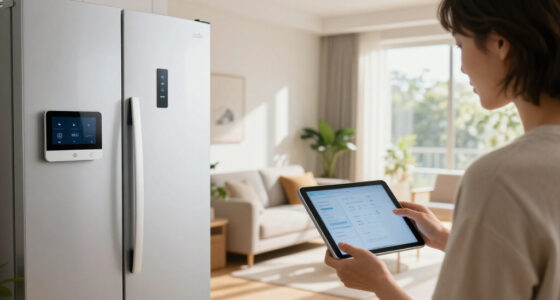
Smart home security cameras work with a voice assistant or home platform only when the specific functions you need are supported. A product listing that says “works with” does not guarantee that live view, alerts, recordings, and automations all work together. Check the exact model and feature before you make it part of a routine.
For example, you may want a door camera to appear on a smart display when someone rings the bell. The camera might support live viewing on that display but not send package alerts or trigger a light automation through your chosen platform. Test the intended task, not just the logo on the box. Compatibility can also differ between models from the same brand.
Make a short checklist before purchase: live view on your phone, playback without a fee, voice control if you use it, alerts in the app, and any automation you actually want. If your plan relies on the camera turning on a porch light, confirm that the camera and light can exchange that specific command. A setup that performs three jobs reliably is often more useful than one with a long feature list that does not fit your household.
Feature names also change quickly. Natural-language-style searches and AI event descriptions can make it easier to find a clip, but accuracy, cloud processing, and subscription requirements differ. Check current plan terms and support details rather than assuming a feature stays free or works offline. For a simple home, dependable motion alerts may beat a more elaborate system you rarely use.
Frequently Asked Questions
Do smart home security cameras need Wi-Fi?
Most connected cameras use Wi-Fi for remote viewing and alerts. Some recorder-based systems use wired network connections, and some cameras can save footage locally during an outage. Remote access generally requires a working internet connection.
Do security cameras always need a subscription?
No. Some models offer live viewing or local recording without a monthly fee, while cloud history, longer retention, or advanced detection may require a plan. Check the exact model’s current terms before buying.
Can a camera record when the internet is down?
Some cameras continue saving footage to a local card or recorder, but capabilities vary. You may lose remote viewing, notifications, or cloud backup until the connection returns, so check offline behavior in the product details.
How long do security cameras keep recordings?
Retention depends on storage capacity, recording settings, event frequency, and any subscription limit. A battery camera may save short motion-triggered clips, while a continuous-recording system can use storage much faster.
Can someone else view my camera footage?
People with shared account access may be able to view footage, and cloud providers handle data under their own policies. Review shared users and privacy settings, remove access you no longer want, and protect your account with a unique password and multifactor authentication.
Conclusion
Choose a camera by the job you need it to do: capture a clear approach, send useful alerts, and keep footage in a way you trust. Check the real view, storage terms, offline behavior, and privacy controls before you buy, then test the finished setup in daylight and after dark.
A camera should make your home easier to keep an eye on, not flood your phone with alerts or turn every window into a lens. Aim it well, secure the account, and let the quiet little watchman do its job.
Fall yard work Picks
leaf blowers
As an affiliate, we earn on qualifying purchases.