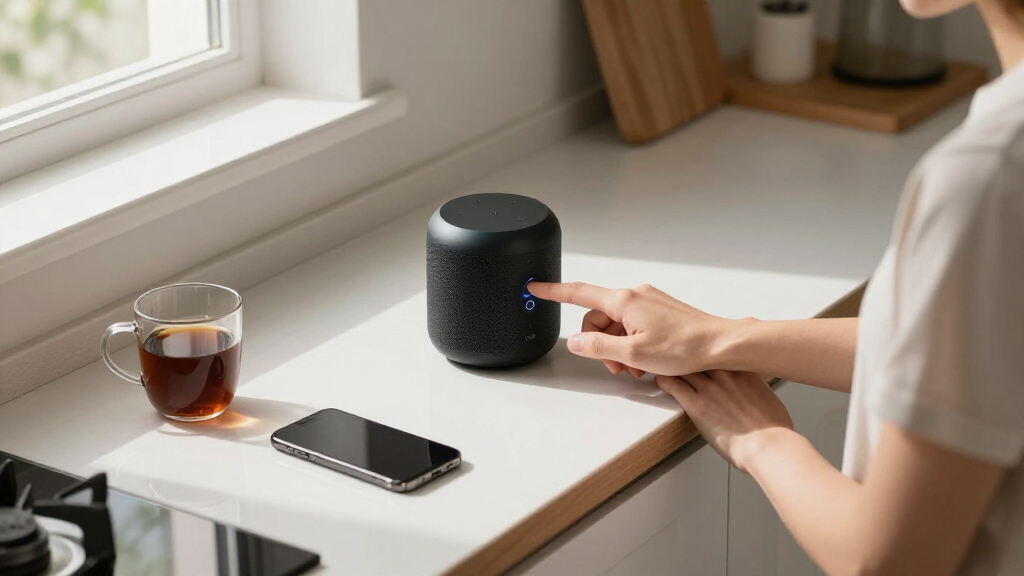

Smart home voice assistants have become the control center of the modern connected home, and in 2026 the choice comes down to three questions: which ecosystem you live in, whether you want a screen, and how much speaker quality matters. The Amazon Echo Show 5 earns my best overall pick because it combines a camera-equipped smart display, a built-in smart home hub, and Alexa’s unmatched device compatibility in one affordable package. If you want a bare-bones entry point, the Amazon Echo Dot (4th Gen) remains the best value in the category, while the Echo Dot Max delivers genuinely room-filling sound for those who want music, not just commands. The main tradeoff you’ll face is screen versus no screen, and Alexa’s ubiquity versus Google’s superior conversational answers. Keep reading for the full breakdown of all six options, including a privacy-first pick for Home Assistant users.

Get home appliances delivered free with Prime
- Fast, free delivery on millions of items
- Prime Video, Amazon Music and more included
- Member-only deals all year
Complete the kit



Key Takeaways
- The Echo Show 5 won best overall because its built-in smart home hub and screen let you control Zigbee and Thread devices directly, something none of the speaker-only picks in this lineup can do.
- Alexa dominates this comparison with four of six slots, reflecting its wider third-party device support, but the Google Home Smart Speaker is the stronger pick if your household already runs on Gmail, Google Calendar, and Android.
- The Echo Dot Max is the only option here that works as a genuine primary speaker for a living room; the Echo Dot 4th Gen and Echo Spot are better treated as utility assistants for small rooms and nightstands.
- The Third Reality Developer Edition sacrifices polish and audio quality entirely in exchange for local control and privacy, making it the clear niche pick for Home Assistant users and anyone uncomfortable with cloud-based voice processing.
- Screen size created the sharpest practical divide in testing criteria: the Echo Spot’s tiny display suits alarms and quick glances, while the Echo Show 5’s 5.5-inch panel is the minimum size where smart home dashboards become genuinely useful.


| smart home voice assistant | Color | Voice Assistant | Model | Connectivity |
|---|---|---|---|---|
| Amazon Echo Spot | Black | Alexa | Newest | — |
| Amazon Echo Show 5 | Cloud Blue | Alexa | — | — |
| Amazon Echo Dot | Deep Sea Blue | Alexa | — | Wi-Fi, Bluetooth |
| Amazon Echo Dot Max | Graphite | Alexa | Newest Echo Dot Max | — |
| Google Home Smart Speaker | White/Slate | Google Assistant | South Korea Model | Wi-Fi |
| Third Reality Voice/Music Assi | — | — | — | 2.4G WiFi only |
More Details on Our Top Picks
Amazon Echo Spot (newest model), Smart Alarm Clock with Alexa, Black
This option stands out for putting a usable screen where a clock belongs. The curved display shows time, weather, and timers at a glance, which is something the Echo Dot (4th Gen) simply cannot do without pulling out your phone. Compared with the Echo Show 5, the Spot trades screen size for a friendlier bedside footprint and a display designed to be glanced at rather than watched. The built-in eero Wi-Fi extender is a genuine bonus for bedrooms with weak signal, and the mic-off button gives hesitant buyers a tangible privacy control. The tradeoff is audio: sound is full and clear for a clock, but the Show 5 handles music with more bass authority.
Pros:- Vibrant sound with clear vocals and deep bass for its size
- Built-in eero Wi-Fi extender improves bedroom coverage
- Customizable display and routines for personalized use
- Physical mic-off button for privacy
Cons:- Requires a Wi-Fi connection for full functionality
- Display is too small for video content or camera feeds
- Alexa-first design limits flexibility outside the Amazon ecosystem
Best for: Anyone who wants a smart alarm clock that doubles as a compact Alexa control panel on the nightstand
Not ideal for: Buyers who mainly want music or video — the small screen and modest speakers are outclassed by dedicated speakers and displays
- Model:Newest
- Color:Black
- Voice Assistant:Alexa
- Built-in:eero Wi-Fi extender
- Display:Customizable smart display
- Materials:36% recycled materials
- Privacy:Mic off button
Our verdict“The Spot makes the most sense for sleepers who want glanceable smart home info and sunrise-style wake-ups without cluttering the nightstand.”
Amazon Echo Show 5 (newest model), Smart Display, Alexa-Enabled, Cloud Blue
If a screen is the point, this model is better suited to the job than the Echo Spot because its 5.5-inch display actually works for video calls, recipe steps, and security camera feeds. The 2x bass improvement makes casual listening genuinely pleasant, though it still falls short of the room-filling output of the Echo Dot Max. Privacy is handled thoughtfully here: a built-in camera shutter plus mic and camera off buttons address the concerns that keep some buyers away from cameras in bedrooms and kitchens. The compact size means it fits on shelves and counters where a Show 8 would crowd things out, but anyone expecting to watch video comfortably will find the screen cramped.
Pros:- Enhanced bass and clearer sound than prior generation
- Compact size suits kitchens, desks, and nightstands
- Video calling and security camera viewing on screen
- Camera shutter and mic/camera off controls
Cons:- 5.5-inch display limits comfortable video watching
- 2 MP camera is basic for video calls
- Screen adds cost over audio-only alternatives like the Echo Dot
Best for: Households that want a small screen for video calls, camera feeds, and visual Alexa answers in a kitchen or entryway
Not ideal for: Music-first buyers — the audio is decent but a dedicated speaker like the Echo Dot Max delivers far richer sound
- Display Size:5.5 inches
- Camera:2 MP
- Bass:2x the bass of previous generation
- Color:Cloud Blue
- Voice Assistant:Alexa
- Privacy Features:Mic/camera off button, built-in camera shutter, encrypted Ring video
- Materials:Recycled polyester yarn, recycled aluminum
- Packaging:Recyclable
Our verdict“This pick makes the most sense for buyers who want Alexa answers they can see, not just hear, in a small footprint.”
Amazon Echo Dot (4th Gen) – Smart speaker with Alexa, Deep Sea Blue
This is the entry point that makes the most sense for most first-time buyers, because it delivers full Alexa control at a price that lets you put one in every room. Compared with the Echo Dot Max, the audio is thinner and the bass less authoritative, but it covers the fundamentals: music, timers, routines, and smart home commands. The underrated advantage over the Echo Spot and Show 5 is the built-in motion and temperature sensors, which unlock automation tricks like turning lights on when you walk in — no extra hardware needed. The commitment to the Alexa ecosystem is the real constraint; buyers invested in Google or Home Assistant setups will find it a poor fit, as the Google Home speaker serves that side better.
Pros:- Very affordable entry into Alexa voice control
- Built-in motion and temperature sensors enable automations
- Doubles as a mesh Wi-Fi extender with eero built-in
- Compact design fits nearly anywhere
Cons:- Locked to the Alexa ecosystem
- Requires Wi-Fi for full functionality
- Sound is serviceable, not impressive, for music
Best for: Budget-conscious buyers building their first Alexa smart home, or anyone adding voice control to multiple rooms affordably
Not ideal for: Audiophiles and larger rooms — the compact driver runs out of headroom fast compared to the Echo Dot Max
- Generation:4th Gen
- Color:Deep Sea Blue
- Voice Assistant:Alexa
- Connectivity:Wi-Fi, Bluetooth
- Sensors:Built-in motion and temperature sensors
- Wi-Fi Extender:Mesh extender with eero built-in
- Smart Home Compatibility:Alexa-compatible smart devices
Our verdict“For buyers who want dependable Alexa voice control per dollar, this is the obvious starting point.”
Amazon Echo Dot Max (newest model), Alexa speaker with room-filling sound and enhanced bass, Graphite
This model earns the top spot because it removes the biggest weakness of the category: weak audio. With nearly 3x the bass of the previous generation, it fills a medium-sized room the way the Echo Dot (4th Gen) cannot, making it a legitimate music speaker rather than just a command puck. The built-in smart home hub sets it apart from every other pick here — the Echo Show 5 and Echo Spot both require separate hubs for certain protocols — and the eero extension covering up to 1,000 sq. ft. strengthens a whole-home mesh. The tradeoffs are real: it costs noticeably more than the standard Dot, and its size makes tight shelves and small nightstands awkward. Pairing two for home theater is possible, but that price climbs quickly.
Pros:- Room-filling sound with nearly 3x the bass of its predecessor
- Built-in smart home hub reduces extra hardware
- eero Wi-Fi extension covers up to 1,000 sq. ft.
- Supports device pairing and home theater setups
Cons:- Higher price than standard Echo Dot models
- Larger footprint may be bulky for small spaces
- Full hub and pairing features require compatible devices
Best for: Buyers who want one speaker that handles serious music, acts as a smart home hub, and extends Wi-Fi across a medium home
Not ideal for: Small apartments or single-room setups on a budget — the hub and bass power go to waste, and the Echo Dot does the basics for far less
- Model:Newest Echo Dot Max
- Color:Graphite
- Voice Assistant:Alexa
- Sound:Room-filling with nearly 3x bass
- Audio Technology:Omnisense
- Smart Home Hub:Built-in
- Wi-Fi Coverage:Up to 1,000 sq. ft. with eero Built-in
- Extras:Device pairing, home theater setup
Our verdict“If you want a single purchase that anchors an Alexa smart home and plays music you’ll actually enjoy, this is the one.”
Google Home Smart Speaker (South Korea Model) – Voice-Controlled Wi-Fi Speaker Assistant, White/Slate
Every other pick in this lineup runs Alexa, so this speaker earns its place as the Google Assistant alternative for buyers whose smart homes revolve around Nest, Chromecast, and Google routines. Compared with the Echo Dot (4th Gen), it offers a more balanced audio signature with genuine bass depth and treble clarity, making it the stronger pure-music choice among the compact options. But the caveat deserves emphasis: this is a South Korea model sold without a US power adapter, so stateside buyers need a converter and should expect possible regional setup friction. For committed Google households that understand what they’re buying, it’s a capable workhorse; for everyone else, the friction outweighs the ecosystem benefit.
Pros:- Native Google Assistant integration with Nest and Chromecast
- Balanced sound with deep bass and crisp treble
- Modern, compact design suits any room
- Alternative for buyers avoiding the Amazon ecosystem
Cons:- No US plug included; a power converter is required
- South Korea model may have limited regional compatibility and setup issues
Best for: Google-first households that already use Nest and Chromecast and know how to handle an imported power setup
Not ideal for: US buyers who want plug-and-play simplicity or Alexa-based homes — the regional model and missing adapter add avoidable hassle
- Model:South Korea Model
- Color:White/Slate
- Voice Assistant:Google Assistant
- Connectivity:Wi-Fi
- Sound:Rich audio with deep bass and crisp treble
- Compatibility:Nest, Chromecast, smart home devices
- Power Adapter:Not included; may require converter for US use
Our verdict“This makes sense only for Google-ecosystem loyalists willing to work around an import’s power and setup quirks.”
Third Reality Voice/Music Assistant Developer Edition – Home Assistant Compatible, Dual Microphones, 3W Speaker, WiFi
Every lineup needs a pick for the buyer who wants nothing to do with the cloud, and this option fills that slot. Unlike the Amazon Echo Dot (4th Gen), which routes every voice command through Amazon’s servers, this device ships with Home Assistant Voice and Music Assistants preloaded, meaning your wake word processing and automations can stay entirely on your own network. That privacy tradeoff comes with real friction: the 256MB of RAM and 512MB of storage are lean by design, so this is not a device for streaming-heavy households, and the 3W speaker sounds noticeably thinner than the room-filling output of the Echo Dot Max. Firmware flashing and on-device debugging support make this model better suited to hobbyists who enjoy customizing their setup, while anyone comparing it to the plug-and-play Echo Show 5 should understand they are giving up screens, polished voice recognition, and ecosystem integrations for full local control.
Pros:- Fully local voice control via preloaded Home Assistant Voice and Music Assistants — no cloud dependency
- Dual digital microphones deliver accurate wake-word capture for a device in this price class
- Open firmware flashing and on-device debugging support for serious customization
- Runs a lightweight Linux system that keeps processing private and responsive
Cons:- 2.4G WiFi only — no Ethernet or 5GHz connectivity limits placement flexibility
- 256MB RAM and 512MB storage restrict it to lightweight tasks, not heavy applications
- Requires technical skill to set up and maintain; far less polished than mainstream assistants
Best for: Smart home hobbyists already running Home Assistant who prioritize local, privacy-first voice control and enjoy tinkering with firmware
Not ideal for: Casual users who want a polished, app-driven experience — Alexa and Google devices offer far better voice recognition and music services out of the box
- Microphones:Dual digital microphones
- Speaker:3W/4Ω built-in speaker
- Connectivity:2.4G WiFi only
- Processor:Quad-core ARM A53
- RAM:256MB
- Storage:512MB flash
- Operating System:Linux-based
- Smart Home Platform:Home Assistant (Voice and Music Assistants preloaded)
Our verdict“This pick makes the most sense for Home Assistant enthusiasts who want privacy-first, hackable voice control — everyone else will be happier with an Echo Dot.”
How We Picked
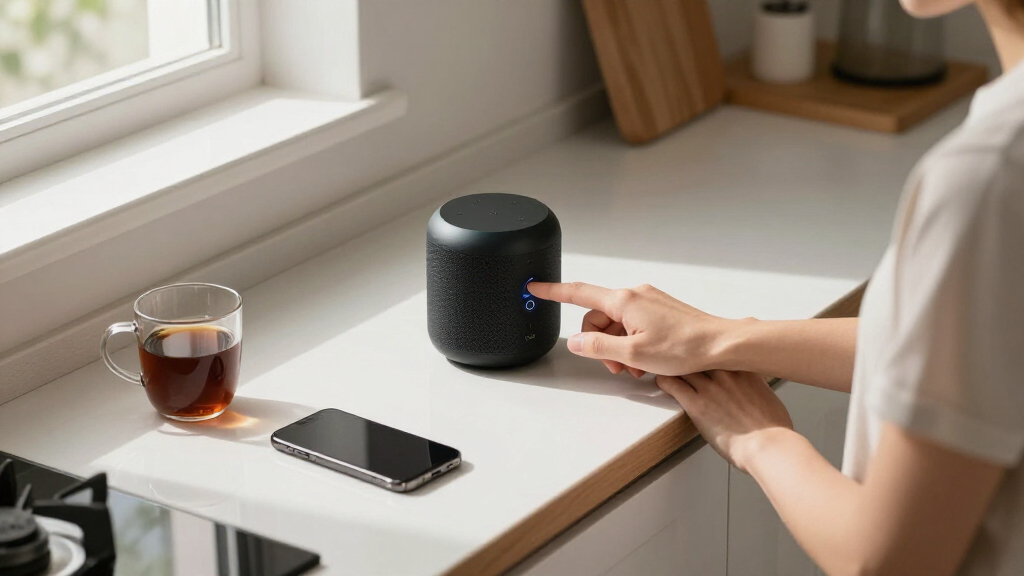
I evaluated these six smart home voice assistants against the criteria that actually determine day-to-day satisfaction: ecosystem compatibility, voice recognition accuracy, audio quality, smart home control capability, and value for money. Ecosystem compatibility carried the most weight because the biggest regret buyers report isn’t sound quality — it’s picking an assistant that doesn’t play well with their existing lights, thermostats, and phones. Devices with built-in hubs or local control options scored higher than cloud-only speakers, since responsiveness and privacy both improve when commands don’t have to leave the house.
The ranking order also reflects versatility. Products that can serve multiple roles — alarm clock, intercom, smart home dashboard, music speaker — placed above single-purpose devices at the same price. The Third Reality unit ranks last despite its unique privacy strengths because it demands technical setup that most buyers won’t tolerate, while the Echo Dot Max sits below the Show 5 simply because a great speaker without a hub does less for a smart home than a decent speaker with one.
| smart home voice assistant | Model | Color | Voice Assistant |
|---|---|---|---|
| Amazon Echo Spot | Newest | Black | Alexa |
| Amazon Echo Show 5 | — | Cloud Blue | Alexa |
| Amazon Echo Dot | — | Deep Sea Blue | Alexa |
| Amazon Echo Dot Max | Newest Echo Dot Max | Graphite | Alexa |
| Google Home Smart Speaker | South Korea Model | White/Slate | Google Assistant |
| Third Reality Voice/Music Assi | — | — | — |
Factors to Consider When Choosing Smart Home Voice Assistants
Before settling on a specific model, it helps to understand the bigger decisions that shape long-term satisfaction with a smart home voice assistant. These are the factors that separate a purchase you’ll forget about from one you’ll regret within a month.Ecosystem Lock-In Is the Decision You Can’t Easily Undo
The single most consequential choice isn’t which speaker to buy — it’s which assistant platform to commit to. Once you’ve built routines, connected dozens of smart devices, and trained your household to say one wake word, switching to a rival assistant means rebuilding all of it. Alexa supports the widest range of third-party smart home devices, which is why it fills most of this lineup, but Google’s assistant handles conversational follow-up questions and multi-step requests more gracefully. If your family lives in Google’s ecosystem — Gmail, Google Calendar, Android phones, YouTube — a single Google speaker may serve you better than three Alexa devices. A common mistake is buying whichever speaker is cheapest on sale, then discovering it can’t control the thermostat or doorbell brand you already own. Check your existing devices’ compatibility lists before you buy anything.
Decide Whether You Actually Need a Screen
Screens add real capability — weather at a glance, recipe steps, video calls, security camera feeds, visual timers — but they also add cost, a camera you may not want in certain rooms, and a brighter gadget on your nightstand. A useful rule: screens earn their price in hallways, kitchens, and entryways, where visual information beats voice responses. In bedrooms, a screen can be a liability unless it dims well, which is why the Echo Spot’s compact display works as an alarm clock while a full-size Show feels intrusive by a bed. Buyers also routinely overestimate how much they’ll use touch controls; voice still handles the majority of smart home interactions in most households. If you’re torn, start with one screened device in a shared space and keep bedroom units speaker-only.
Speaker Quality Should Match the Room, Not Your Ambition
Manufacturer audio claims are where smart speaker budgets go to die. A compact assistant speaker like the Echo Dot is engineered for voice clarity and podcasts in a bedroom or office — it will never fill a living room, no matter how the marketing reads. If music is a genuine priority, either buy the largest speaker in the range (the Echo Dot Max in this comparison) or plan to pair a smaller assistant speaker with a separate audio system via Bluetooth. A common pattern is buyers purchasing two or three cheap dots expecting whole-home music, then being disappointed. Match the speaker to the room’s actual size and your actual listening habits, and remember you can always add better audio later without replacing the assistant itself.
Privacy Settings Deserve Attention Before Purchase, Not After
Every cloud-based assistant in this category — Alexa and Google alike — records audio that is processed on company servers by default, and each platform handles recordings, retention, and deletion differently. What matters at purchase time is knowing your options: all the mainstream devices let you delete voice history automatically, mute microphones physically, and opt out of human review programs. The genuine privacy alternative is local voice processing, which the Third Reality unit in this lineup offers through Home Assistant, but it comes with the tradeoff of fewer skills, weaker natural language understanding, and a technical setup process. Decide where your comfort line sits before buying, because retrofitting privacy expectations onto a cloud device you resent is a recipe for unplugging it entirely.
Don’t Overpay for Features You’ll Never Configure
Smart home assistants are bundled with features most buyers never touch — shopping, skills and third-party apps, multi-room audio groups, voice profiles, and routines. Paying extra for a model whose headline feature is something you won’t set up is wasted money. A temperature sensor, a built-in hub, or better speakers are tangible benefits you’ll notice daily; a slightly newer wake word or a bundle of trial subscriptions usually aren’t. My advice is to identify the two or three things you genuinely want — setting timers, controlling lights, playing music — and buy the cheapest device that does those well. It’s easy to add capability later by buying a second unit for another room, which is often more useful than one premium device doing everything.
Plan for Expansion From Day One
Your first voice assistant is rarely your last. Households that start with one speaker typically add two or three more within a year, and that changes what you should buy first. Your primary device should be the most capable one — ideally with a built-in hub or screen — placed in the room where you’ll use it most. Cheaper satellite units then extend coverage to bedrooms and offices. Buyers who start with the cheapest possible device in the wrong room often end up replacing it rather than complementing it. Also check whether intercom and drop-in features matter to your household; they only become useful once you own multiple units, but they’re one of the most-used features in multi-assistant homes with kids.
Frequently Asked Questions
Should I choose Alexa or Google Assistant for my smart home?
If you’re starting from scratch and own many smart devices from different brands, Alexa is generally the safer bet because it supports the broadest range of third-party hardware, from budget bulbs to niche sensors. Google’s assistant pulls ahead if your household is already deep into Google services — it reads calendars, answers multi-part questions more naturally, and handles follow-up queries without repeating the wake word. Neither platform is a bad choice, but the switching cost is high once you’ve built routines and connected devices, so decide based on what you already own rather than on demo-room impressions. In this lineup, four of the six products are Alexa devices precisely because of that compatibility advantage, while the Google Home Smart Speaker is the pick for committed Google households.
Is the Echo Show 5 worth the extra cost over the Echo Dot?
It depends entirely on where the device will live and whether you’ll use the screen. The Show 5 costs meaningfully more than the Echo Dot, and that premium buys a camera for video calls, a screen for weather, timers, and security camera feeds, and — most importantly for a smart home — a built-in hub that can control Zigbee and some Thread devices without needing separate bridges. If you already have smart devices that need a hub, the Show 5 can actually save you money overall. If the device is destined for a bedroom or a spot where you’ll only speak commands and stream music, the Dot delivers 80% of the experience for roughly half the price.
Can I use more than one voice assistant in the same house?
Yes, and plenty of households do — an Alexa device in the kitchen and a Google speaker in the office, for example. The devices won’t talk to each other directly, so you can’t ask Alexa to play music on a Google speaker or share routines across platforms, but each will happily control the same smart lights and thermostats independently. The friction appears when one household member wants to use voice commands on shared devices and the platforms disagree, or when smart devices support one assistant more fully than the other. Running both works best when each is tied to a specific person or room rather than mixed throughout shared spaces. If you expect to expand over time, picking one platform is still the cleaner path.
What is the Third Reality Developer Edition actually for?
It’s a niche device built for people who run Home Assistant and want voice control that stays entirely local — meaning your voice commands are processed on your own network rather than sent to Amazon’s or Google’s servers. The tradeoffs are steep for a general buyer: the speaker is small, the natural language understanding is far less forgiving than Alexa or Google, and setup requires technical comfort with Home Assistant configuration. What you get in return is genuine privacy, no subscription dependence, and full integration with an existing local automation setup. It makes no sense as a first smart speaker for a casual household, but for a privacy-conscious tinkerer it’s one of the few products of its kind at this price.
Do older models like the Echo Dot 4th Gen still make sense in 2026?
For voice assistant duty, yes. The core Alexa experience — wake word recognition, smart home control, timers, music streaming — is nearly identical across generations because the intelligence lives in Amazon’s cloud, not the speaker hardware. What older models give up is newer audio tuning, some sensor additions, and occasionally faster response on newer chips. A discounted previous-generation Dot is one of the best values in the entire category if you’re adding a satellite assistant to a bedroom or office. The calculus changes if the device will be your primary music source, where the Echo Dot Max’s larger drivers and bass output justify the extra spend.
Conclusion
After comparing all six, my recommendations break down cleanly by buyer type. For best overall, the Amazon Echo Show 5 is the most complete smart home voice assistant here — the built-in hub, camera, and screen let it act as a genuine command center rather than just a speaker. The best value goes to the Amazon Echo Dot (4th Gen), which delivers the full Alexa experience at a price low enough to justify buying two. For best premium, the Echo Dot Max is the only option in this lineup that works as a legitimate primary speaker for a main living space. Beginners should start with the Echo Spot — its friendly alarm-clock format makes it the least intimidating entry point into voice control, and its compact screen teaches you whether you want a bigger display later. Google households get one clear option: the Google Home Smart Speaker. And for one specific need — local, private voice control through Home Assistant — the Third Reality Developer Edition stands alone, as long as you’re comfortable with a technical setup. Whatever you pick, buy for the ecosystem you already live in, and you won’t go wrong with any of these six.