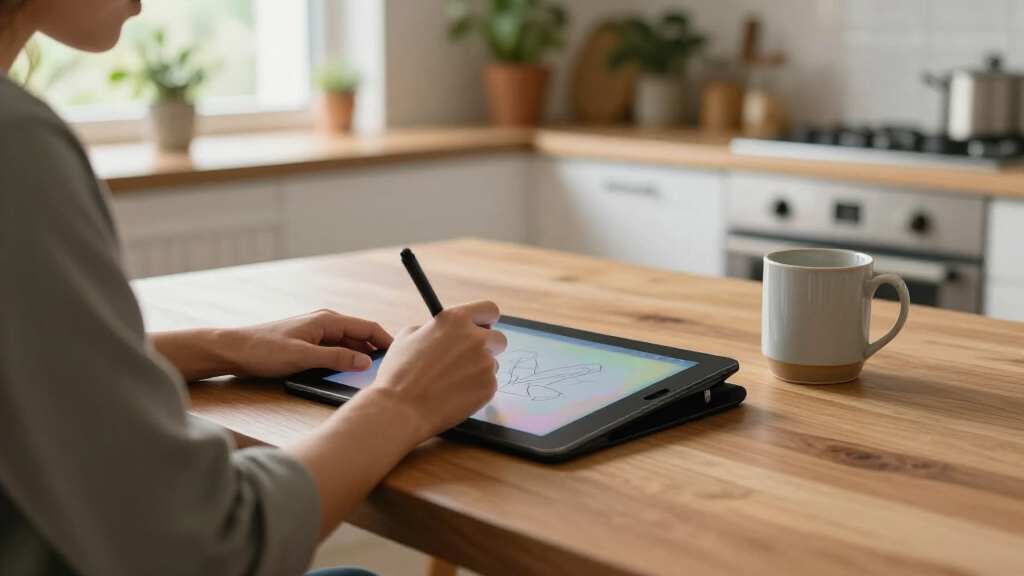

Digital handwriting tablets split into three very different families: E-Ink paper tablets built for distraction-free writing, sync notebooks that digitize notes from real paper, and budget LCD writing pads for quick disposable scribbles. The reMarkable Paper Pro with Marker Plus is my best overall pick because it nails the core promise of this category — handwriting that feels like paper with cloud sync that just works. If your budget is tighter, the XPPen 3-in-1 Color Digital Notebook offers color, offline storage, and real paper writing at a fraction of the price, while the Huion Note is the smart pick if you want to keep writing on actual notepads. The main tradeoff you’ll face is writing feel versus versatility: the best paper-like tablets do little else, while multi-function options compromise on that core handwriting experience. Read on for the full breakdown of all twelve.

Get home appliances delivered free with Prime
- Fast, free delivery on millions of items
- Prime Video, Amazon Music and more included
- Member-only deals all year
Complete the kit



Key Takeaways
- E-Ink models (reMarkable, Penstar eNote2) dominate on writing feel and battery life, but their closed ecosystems mean you’re locked into their cloud services and limited app support.
- The paper-plus-sync category (XPPen Note Plus, Huion Note, XPPen 3-in-1) is the biggest value story in 2026 — you write on real paper and get digital copies for roughly half the price of a reMarkable.
- The reMarkable Paper Pro appears three times in this lineup in different bundles; the base Marker Plus package (#10) is the one to buy unless you specifically want the folio covers.
- Sub-$30 LCD tablets (the 10.5-inch double-sided notepad) are not real handwriting tablets — they lack pressure sensitivity and saving, making them fridge-note tools rather than note-taking systems.
- Standalone screen tablets (T8, XPPen StarG640) suit people who want drawing and annotation too; pure writers should skip them because glass or plastic screens never match E-Ink friction.
| Real Paper Writing Graphics Drawing Tablet, USB Wired Digital Notepad with Handwriting Sync |  | Best for Live Teaching and Presentations | Stylus Support: YP30 electromagnetic pen and YP20 ink pen | Connectivity: USB wired | Compatibility: Windows and macOS | VIEW LATEST PRICE | See Our Full Breakdown |
| Penstar eNote2 E-Ink Digital Notebook with Pen, 10.3” AI Note-Taking Paper Tablet, 128GB Storage, 6500mAh Battery, Leather Folio Cover Bundle |  | Best Overall E-Ink Notebook | Screen: 10.3-inch E-Ink, 2480×1860 (300 ppi) | Pressure Sensitivity: 8192 levels | Storage: 128GB | VIEW LATEST PRICE | See Our Full Breakdown |
| XPPen Note Plus Digital Notebook with Pen |  | Best Value Paper-Hybrid Pick | Connectivity: Bluetooth 5.3 | Compatibility: Android 10.0+ / iOS 14.0+ | Pressure Sensitivity: 8192 levels | VIEW LATEST PRICE | See Our Full Breakdown |
| 10.5-Inch LCD Writing Tablet for Adults, Double-Sided, Reusable Digital Notepad |  | Best Budget Scratch Pad | Screen: 10.5-inch double-sided full-screen LCD | Weight: 6.8 oz | Thickness: 0.2 inches | VIEW LATEST PRICE | See Our Full Breakdown |
| reMarkable Paper Pure with Marker Plus and Ocean Blue Sleeve Folio |  | Best Distraction-Free Writing Experience | Display: 10.3-inch digital paper, black and white | Ink Latency: 21 ms | Features: Handwriting, note templates, handwriting-to-text, cloud integration | VIEW LATEST PRICE | See Our Full Breakdown |
| XPPen 3-in-1 Color Digital Notebook 10.95” Paper Note Taking Tablet |  | Best Full-Featured Android Option | Display: 10.95-inch AG nano-etched LCD, TCL NXTpaper 3.0 | Refresh Rate: 90Hz | Pen Sensitivity: 16,384 pressure levels, battery-free X3 Pro Pencil | VIEW LATEST PRICE | See Our Full Breakdown |
| reMarkable Paper Pro with Marker Plus and Basalt Book Folio |  | Best Premium Bundle | Display: 11.8-inch Canvas Color, low-glare | Reading Light: Adjustable | Included Accessories: Marker Plus, 6 spare tips, Basalt Book Folio, USB-C cable | VIEW LATEST PRICE | See Our Full Breakdown |
| Huion Note Digital Notebook with Real-Time & Offline Sync |  | Best Value Hybrid | Format: A5 notepad with digital capture | Battery Life: 18 hours use, 30 days standby | Connection: Bluetooth 5.0 | VIEW LATEST PRICE | See Our Full Breakdown |
| reMarkable Paper Pro Pure with Marker Plus and Mist Green Sleeve Folio |  | Best for Focused Writing | Display: 10.3 inches, high-contrast black and white | Ink Response: 21 ms digital ink | Included: Marker Plus, Mist Green Sleeve Folio | VIEW LATEST PRICE | See Our Full Breakdown |
| reMarkable Paper Pro with Marker Plus |  | Best Color E-Paper Pick | Display: 11.8-inch Canvas Color, low-glare | Reading Light: Adjustable | Included: reMarkable Paper Pro, Marker Plus, 6 spare marker tips | VIEW LATEST PRICE | See Our Full Breakdown |
| XPPen StarG640 Digital Graphic Drawing Tablet 6×4 Inch with Battery-Free Stylus |  | Best Budget Screenless Tablet | Size: 6×4 inches | Stylus: Battery-free PN01 | Compatibility: Mac, Windows, Chromebook | VIEW LATEST PRICE | See Our Full Breakdown |
| T8 Standalone Drawing Tablet with 8-Inch Screen, Android 13, Stylus Pen |  | Best Portable Standalone Option | Display: 8-inch Liquid Retina, 1200×800 resolution | Processor: MTK Octa-core | RAM: 4GB | VIEW LATEST PRICE | See Our Full Breakdown |
| digital handwriting tablet | Display |
|---|---|
| Real Paper Writing Graphics Dr | — |
| Penstar eNote2 E-Ink Digital N | — |
| XPPen Note Plus Digital Notebo | — |
| 10.5-Inch LCD Writing Tablet f | — |
| reMarkable Paper Pure with Mar | 10.3-inch digital paper, black and white |
| XPPen 3-in-1 Color Digital Not | 10.95-inch AG nano-etched LCD, TCL NXTpaper 3.0 |
| reMarkable Paper Pro with Mark | 11.8-inch Canvas Color, low-glare |
| Huion Note Digital Notebook wi | — |
| reMarkable Paper Pro Pure with | 10.3 inches, high-contrast black and white |
| reMarkable Paper Pro with Mark | 11.8-inch Canvas Color, low-glare |
| XPPen StarG640 Digital Graphic | None (screenless input tablet) |
| T8 Standalone Drawing Tablet w | 8-inch Liquid Retina, 1200×800 resolution |
More Details on Our Top Picks
Real Paper Writing Graphics Drawing Tablet, USB Wired Digital Notepad with Handwriting Sync
This pick stands out for one specific job: projecting handwriting in real time while you write on actual paper, which makes it a natural fit for teachers, engineers, and anyone presenting over Zoom or Teams. The dual-stylus setup (an electromagnetic YP30 and an ink YP20) means your physical notes and your digital copy stay identical — something the Penstar eNote2 can’t do, since it’s a standalone device rather than a computer peripheral. Compared with the XPPen Note Plus, this model trades wireless freedom for a rock-solid wired USB connection, so there’s no Bluetooth drop risk mid-lesson. The tradeoff is real, though: you’re tethered to a computer, and there’s a learning curve before the sync workflow feels natural. It’s a peripheral, not a notebook — buyers expecting a standalone device should look elsewhere in this lineup.
Pros:- Real-time sync of handwriting written on real paper to a computer screen
- Dual stylus system covers both digital capture and permanent ink notes
- Works with popular online meeting and drawing software
- Sturdy shock-resistant frame survives daily commutes
Cons:- Wired USB connection limits where and how you can use it
- No standalone function — useless without a connected computer
- Steeper learning curve than simple E-Ink notebooks
Best for: Teachers, tutors, and engineers who need to annotate live during online classes or meetings while keeping paper originals
Not ideal for: Anyone wanting untethered, standalone note-taking — the wired USB requirement means it must sit next to a computer
- Stylus Support:YP30 electromagnetic pen and YP20 ink pen
- Connectivity:USB wired
- Compatibility:Windows and macOS
- Material:Shock-resistant outer frame
- Writing Surface:Real paper with digital capture
- Portability:Fits most briefcases and backpacks
Our verdict“If your notes need an audience in real time, this is the cheapest credible way to broadcast your handwriting — as long as a USB cable doesn’t bother you.”
Penstar eNote2 E-Ink Digital Notebook with Pen, 10.3” AI Note-Taking Paper Tablet, 128GB Storage, 6500mAh Battery, Leather Folio Cover Bundle
The Penstar eNote2 earns the top spot for most buyers because it bundles nearly everything a digital notebook should do: a sharp 10.3-inch 300 ppi E-Ink screen, 8192 pressure levels, a huge 6500mAh battery rated for up to four weeks, and 128GB of storage on Android 14. Unlike the reMarkable Paper Pure, it supports over 35 file formats and third-party apps, so it doubles as an e-reader and document workhorse rather than a notes-only device. The AI note management adds search and organization the LCD writing tablet in this roundup simply can’t offer. The compromises: E-Ink means no color, the price sits at the premium end, and getting the most out of it assumes you’re comfortable navigating an Android interface. Compared with the XPPen Note Plus, you gain independence from your phone but lose real-paper writing.
Pros:- Four-week battery life with a 6500mAh cell
- 128GB storage plus 35+ supported file formats
- 8192 pressure levels for natural, paper-like writing
- Bundle includes folio cover and spare stylus tips
Cons:- Premium price point
- Android familiarity needed to unlock third-party apps
- No color display, limiting visual work
Best for: Students and professionals who want one device for handwritten notes, PDF annotation, and reading — without carrying a laptop
Not ideal for: Budget shoppers or anyone wanting color output for sketches and highlighted documents
- Screen:10.3-inch E-Ink, 2480×1860 (300 ppi)
- Pressure Sensitivity:8192 levels
- Storage:128GB
- Battery:6500mAh, up to 4 weeks
- OS:Android 14, 4GB RAM
- File Support:35+ formats (PDF, EPUB, MOBI, DOCX, MP3)
- Extras:Magnetic folio cover, spare tips, mic, 4 speakers, 9 customizable buttons
Our verdict“The most complete package here — buy it if you want a do-everything digital notebook and are willing to pay for the storage and battery to match.”
XPPen Note Plus Digital Notebook with Pen
For buyers who want the feel of a real pen on real paper but digital copies for free, the XPPen Note Plus makes the most sense at the mid-price tier. It pairs a standard D1 0.8mm ink refill with swappable A5 paper cores, then syncs everything to your phone over Bluetooth 5.3 — a more portable, phone-first approach than the Real Paper Writing Tablet, which demands a USB cable and a computer. Against the Penstar eNote2, it trades the E-Ink screen and standalone storage for a lighter 350g frame, lower cost, and the comfort of actual paper under the pen. The catch is that your notes live on your phone: there’s no onboard display, battery life is a modest 14 hours of active use, and you’ll keep buying replacement A5 cores, which slightly undercuts the eco-friendly pitch.
Pros:- True pen-on-paper feel with a standard D1 ink refill
- Stable Bluetooth 5.3 sync with built-in editing tools
- Swappable, customizable A5 paper cores
- Lightweight at 350g with 50-day standby
Cons:- Depends entirely on a compatible phone (Android 10+/iOS 14+)
- Ongoing cost and hassle of replacing A5 paper cores
- Short 14-hour active battery life
Best for: Paper loyalists who want digital backups of their notes without abandoning pen-on-paper entirely
Not ideal for: Anyone who wants to read or review notes on the device itself — there’s no screen, so everything routes through your phone
- Connectivity:Bluetooth 5.3
- Compatibility:Android 10.0+ / iOS 14.0+
- Pressure Sensitivity:8192 levels
- Paper:Customizable A5 inner cores, Swiss Mini Star D1 0.8mm refill
- Battery:1000mAh; 14 hours use, 50 days standby
- Weight:350g (245×176×13mm)
Our verdict“The sweet spot for note-takers who trust paper more than screens but still want searchable digital copies on their phone.”
10.5-Inch LCD Writing Tablet for Adults, Double-Sided, Reusable Digital Notepad
This double-sided LCD tablet plays a completely different role from everything else here: it’s a disposable-thoughts device, not an archive. There’s no syncing, no storage, no app — just a one-click clear button and a surface rated for 50,000–100,000 erases. At 6.8 oz and 0.2 inches thick, it’s the cheapest and lightest way to kill paper scraps for lists, quick math, or leaving notes on a counter. Compared with the XPPen Note Plus, you lose every digital feature — but you also lose the price, the pairing process, and the battery anxiety. The honest weakness is visibility: the LCD contrast struggles badly in dim rooms, so it’s a daylight-and-desk-lamp tool. If any note matters beyond the next hour, this is the wrong pick; if you just need a forever scratch pad, nothing here beats it on cost.
Pros:- Extremely low cost per use with 50,000+ erase cycles
- Featherweight 6.8 oz and 0.2-inch profile
- Two writing surfaces in one device
- One-click erase with nothing to pair or charge daily
Cons:- Poor visibility in low-light conditions
- No storage, syncing, or export of any kind
- Handwriting quality is basic compared with E-Ink rivals
Best for: Budget-conscious users who want a zero-friction scratch pad for lists, drafts, and disposable notes at home or school
Not ideal for: Anyone who needs to save, sync, or search notes — nothing written here can be exported or kept
- Screen:10.5-inch double-sided full-screen LCD
- Weight:6.8 oz
- Thickness:0.2 inches
- Durability:50,000–100,000 erase cycles
- Features:One-click clear, reusable, portable
Our verdict“A five-dollar-problem solver: perfect for throwaway notes, wrong for anything you’d want to read again tomorrow.”
reMarkable Paper Pure with Marker Plus and Ocean Blue Sleeve Folio
The reMarkable Paper Pure wins on focus. Its 21 ms digital ink latency is the fastest response in this batch, and the closed ecosystem means no notifications, no app store rabbit holes — just writing, tagging, and folders. Compared with the Penstar eNote2, the trade is clear: you give up Android apps, 35-file-format support, speakers, and likely battery headroom in exchange for the cleanest, most paper-like distraction-free environment on the market. Handwriting-to-text conversion and cloud integration mean notes still reach your other devices, but only through reMarkable’s pipeline. The black-and-white-only display rules out color sketching, and the bundled Marker Plus and sleeve folio push the price well past generic alternatives like the XPPen Note Plus. This pick makes the most sense for writers who treat their notebook as a sanctuary, not a tablet.
Pros:- 21 ms ink latency — the most responsive writing feel here
- Genuinely distraction-free, notification-free environment
- Handwriting-to-text conversion and cloud sync
- Premium Marker Plus and protective sleeve folio included
Cons:- Closed ecosystem with limited app and format support
- Black-and-white display only
- Premium bundle pricing for a notes-only device
Best for: Writers and deep-work professionals who want the closest thing to paper with cloud backup and zero digital distractions
Not ideal for: Power users who want third-party apps, multimedia, or an open Android system — the closed ecosystem will feel limiting fast
- Display:10.3-inch digital paper, black and white
- Ink Latency:21 ms
- Features:Handwriting, note templates, handwriting-to-text, cloud integration
- Stylus:Marker Plus included
- Accessory:Ocean Blue sleeve folio included
Our verdict“Buy it if undistracted writing is the whole point and ecosystem lock-in doesn’t scare you; skip it if you want a general-purpose tablet.”
XPPen 3-in-1 Color Digital Notebook 10.95” Paper Note Taking Tablet
Most digital handwriting tablets force a choice: a distraction-free e-ink device or a full tablet. The XPPen 3-in-1 sidesteps that tradeoff by running Android 14, so you can handwrite meeting notes on the paper-textured screen and then open any app you need. With 16K pressure levels, the battery-free X3 Pro Pencil outclasses the pen precision on the reMarkable Paper Pure, which matters if your notes include sketches or diagrams. The color LCD with three display modes is brighter and more flexible than monochrome e-ink, though it sacrifices the week-long battery life e-ink buyers expect. Compared with the Huion Note, this is a self-contained device rather than a capture accessory — but the narrow viewing angle and occasional lag under multitasking keep it from being flawless.
Pros:- 16,384 pressure levels give the stylus exceptional line control for notes and sketches
- Paper-like AG nano-etched display with low blue light certification reduces eye strain
- Android 14 support means it works with virtually any note, PDF, or productivity app
- 8000mAh battery with 20W fast charging handles full workdays
Cons:- Narrow viewing angle can make the screen hard to see off-center
- Performance dips when juggling multiple apps at once
- Full AI note features require a system upgrade
Best for: Students and professionals who want one device for handwritten notes, reading, and Android apps
Not ideal for: Buyers wanting a distraction-free writing tool — full Android access invites notifications and app temptations
- Display:10.95-inch AG nano-etched LCD, TCL NXTpaper 3.0
- Refresh Rate:90Hz
- Pen Sensitivity:16,384 pressure levels, battery-free X3 Pro Pencil
- Storage:6GB RAM + 128GB ROM
- Battery:8000mAh, 20W charging
- Weight:495g, 7mm thick
- Operating System:Android 14
Our verdict“This is the pick if you refuse to choose between a writing tablet and a real tablet — just accept the battery and distraction tradeoffs.”
reMarkable Paper Pro with Marker Plus and Basalt Book Folio
Of the two reMarkable Paper Pro listings in this lineup, this bundle is the one to buy if you’re committed — the included Basalt Book Folio and six spare marker tips mean you’re outfitted from day one rather than paying piecemeal later. The 11.8-inch Canvas Color display delivers the most realistic paper feel of any device here, noticeably richer for annotated PDFs and sketching than the monochrome reMarkable Paper Pure. Its adjustable reading light fills the one gap the Pure leaves open. That said, this is a premium price for a single-purpose device: unlike the XPPen 3-in-1, there’s no app ecosystem, no email, no browser — which is either the point or the dealbreaker depending on how you work.
Pros:- Large 11.8-inch color canvas handles documents and sketches with room to spare
- The most paper-like writing feel in this roundup
- Adjustable reading light enables comfortable use in dim environments
- Bundle includes folio and spare tips, saving accessory costs
Cons:- Premium price for a single-purpose device
- No third-party apps or traditional tablet functions
- Color display adds cost over the Pure without benefiting plain text notes
Best for: Dedicated note-takers and heavy PDF annotators who want the complete package with protection and accessories included
Not ideal for: Anyone who expects tablet functions like video, apps, or email — this is strictly a writing and reading device
- Display:11.8-inch Canvas Color, low-glare
- Reading Light:Adjustable
- Included Accessories:Marker Plus, 6 spare tips, Basalt Book Folio, USB-C cable
- Features:Handwriting, sketching, document annotation, organizational tools
Our verdict“The strongest all-in writing experience money can buy here, provided you genuinely want a closed, distraction-free system.”
Huion Note Digital Notebook with Real-Time & Offline Sync
The Huion Note takes a different path than everything else here: instead of replacing paper, it digitizes it. You write on a real A5 pad and the system captures a synced digital copy in real time — meaning you keep the feel of actual ink while getting searchable, shareable files afterward. That makes it dramatically cheaper than a reMarkable Paper Pro while adding tricks the reMarkable can’t match, like audio recording synced to your handwriting for lecture or meeting replay. It even doubles as a PC graphics tablet, a flexibility the closed reMarkable ecosystem lacks. The catch is dependence on your phone or tablet and the companion app for anything beyond capture, and the A5 size feels cramped compared with the 11.8-inch Paper Pro canvas.
Pros:- Real-time and offline sync turns handwritten paper pages into digital files
- Audio recording synced to notes is ideal for lectures and meetings
- Doubles as a graphics tablet when connected to a PC
- 18-hour battery life with 30 days standby
Cons:- Fully dependent on the companion app and a paired device
- A5 page size limits workspace compared with full-size tablets
Best for: Students and meeting-goers on a budget who love writing on real paper but need digital backup and audio sync
Not ideal for: Buyers who want a standalone device — this requires a paired phone or tablet and an app for full functionality
- Format:A5 notepad with digital capture
- Battery Life:18 hours use, 30 days standby
- Connection:Bluetooth 5.0
- Pen:Battery-free with magnetic sleeve and refills
- Compatibility:iOS and Android devices
- Extra Mode:Works as a PC graphics tablet
Our verdict“The smartest low-cost entry point if you want digital notes without abandoning paper — as long as you don’t mind living inside the app.”
reMarkable Paper Pro Pure with Marker Plus and Mist Green Sleeve Folio
If the reMarkable Paper Pro is a premium notebook-plus-library, the Paper Pure is the distilled version: a 10.3-inch monochrome screen built around one thing, writing. Its 21ms digital ink response makes pen strokes feel immediate, and the high-contrast black-and-white display is sharper for pure text than the color Pro, at a lower weight and price. Handwriting-to-text conversion, tags, and folders round out a genuinely productive workflow without app-store noise. Compared with the XPPen 3-in-1, you give up color, apps, and versatility entirely — a real limitation if you annotate diagrams or read color documents. Newcomers to digital paper should also expect a short adjustment period before the organizing system clicks.
Pros:- 21ms ink latency makes writing feel like real pen on paper
- High-contrast display is excellent for text and long reading sessions
- Tags, folders, and handwriting-to-text conversion build a real productivity workflow
- Mist Green Sleeve Folio included for protection
Cons:- Black-and-white only — no color content support
- Learning curve for users new to digital paper systems
- Pricing not clearly stated upfront in listings
Best for: Writers and note-takers who want zero distractions and the cleanest text-focused writing surface available
Not ideal for: Anyone working with color documents, sketches, or diagrams — the monochrome screen can’t display them properly
- Display:10.3 inches, high-contrast black and white
- Ink Response:21 ms digital ink
- Included:Marker Plus, Mist Green Sleeve Folio
- Features:Handwriting-to-text conversion, tags, folders, sharing
Our verdict“The purest writing tool in this roundup — choose it when focus matters more than features.”
reMarkable Paper Pro with Marker Plus
This reMarkable Paper Pro configuration is the same 11.8-inch color device as its bundle sibling, but sold with the Marker Plus and spare tips only — a sensible route if you already own a sleeve or prefer third-party covers. The color Canvas display and adjustable reading light give it a genuine edge over the monochrome Paper Pure for annotated PDFs, highlight-heavy documents, and light sketching, while keeping the same distraction-free philosophy. Against the XPPen 3-in-1, it wins on writing feel and battery but loses hard on capability — no apps, no browser, no media. Buyers should also note that the folio sold separately isn’t optional in practice; the ultra-slim body really wants protection, which narrows the price gap with the bundle version.
Pros:- 11.8-inch color Canvas display brings documents and sketches to life
- Marker Plus delivers the signature reMarkable paper-like writing feel
- Adjustable reading light suits any lighting condition
- Buying without the folio trims the entry cost if you already have a cover
Cons:- No traditional tablet functions, apps, or media playback
- Effectively requires a separate folio purchase for protection
- High price for a specialized single-purpose device
Best for: Owners of an existing case or folio who want the color reMarkable experience without redundant accessories
Not ideal for: Budget-conscious buyers — once you add a folio, the bundled version usually makes more financial sense
- Display:11.8-inch Canvas Color, low-glare
- Reading Light:Adjustable
- Included:reMarkable Paper Pro, Marker Plus, 6 spare marker tips
- Features:Color display, handwriting conversion, document organization
Our verdict“The right way into the color reMarkable if you’ve got a cover — otherwise pay the small premium for the full bundle.”
XPPen StarG640 Digital Graphic Drawing Tablet 6×4 Inch with Battery-Free Stylus
The XPPen StarG640 makes the list because it solves the most basic problem in digital handwriting: getting pen strokes onto a screen without spending much or charging anything. The battery-free PN01 stylus means there is nothing to keep powered, which is a real advantage over standalone options like the T8, whose 5-hour battery can die mid-lecture. Because it has no display of its own, it works as an input device for whatever screen you already own — and its Chromebook compatibility is a genuine differentiator for students on school-issued hardware, something most E-Ink notebooks like the Penstar eNote2 can’t match since they operate as closed systems. The tradeoff is obvious: a 6×4 inch active area feels cramped for anything beyond notes and sketches, and there’s a learning curve to drawing on one surface while watching another.
Pros:- Battery-free stylus requires zero charging or maintenance
- Chromebook support alongside Mac and Windows
- Extremely affordable entry point into digital handwriting
- 2mm-thin body slips into any laptop sleeve
Cons:- Screenless design forces you to draw blind, watching the computer instead of the pen
- 6×4 inch active area is too small for elaborate sketches or whiteboard-style teaching
Best for: Students and online teachers who need a cheap, plug-in handwriting input device for a Chromebook, laptop, or desktop
Not ideal for: Artists who want to see their strokes under the pen — the screenless design and small active area make detailed freehand work frustrating
- Size:6×4 inches
- Stylus:Battery-free PN01
- Compatibility:Mac, Windows, Chromebook
- Thickness:2 mm
- Display:None (screenless input tablet)
- Power Source:USB connected
- Primary Uses:Digital drawing, note-taking, online teaching
Our verdict“This is the pick if you want the cheapest, most dependable way to handwrite on a computer screen — as long as you’re comfortable with a pen that has no display of its own.”
T8 Standalone Drawing Tablet with 8-Inch Screen, Android 13, Stylus Pen
Where most tablets in this roundup fall into two camps — screenless pads like the XPPen StarG640 or dedicated E-Ink note-takers like the reMarkable Paper Pure — the T8 charts a third path: a fully self-contained Android device with its own screen. You draw directly on the 8-inch 1200×800 display, which eliminates the disconnect of the StarG640, and Android 13 opens the door to mainstream creative apps rather than a locked note-taking ecosystem. Compared to the reMarkable, that flexibility cuts both ways — you get apps, games, and tutorials, but also the distractions the reMarkable deliberately removes. The octa-core CPU with 4GB of RAM handles sketching comfortably, though the 5-hour battery and modest screen size mean it’s a coffee-shop companion, not a full workday tool.
Pros:- Fully standalone — no computer, phone, or host device required
- Draw directly on the screen rather than working blind like screenless pads
- Android 13 supports a wide range of creative apps plus bonus tutorials
- TF card expansion up to 256GB adds room for artwork and files
Cons:- 5-hour battery life limits long drawing or study sessions
- 8-inch display is tight for layered or finely detailed artwork
Best for: Hobbyist artists and doodlers who want a draw-on-screen experience anywhere without tethering to a computer
Not ideal for: Serious illustrators or long-session note-takers — the 8-inch screen and 5-hour battery run out quickly for extended or detailed work
- Display:8-inch Liquid Retina, 1200×800 resolution
- Processor:MTK Octa-core
- RAM:4GB
- Storage:64GB, supports TF card up to 256GB
- Battery:4000mA, up to 5 hours
- Operating System:Android 13
- Computer Required:No — fully standalone
Our verdict“The T8 suits casual creators who value portability and app freedom over the distraction-free focus and battery endurance of E-Ink alternatives.”
How We Picked
My ranking logic starts with the single question that defines this category: how closely does the device replicate writing on paper while still getting your notes into digital form? I weighted handwriting feel (pen friction, latency, pressure sensitivity) most heavily, followed by sync reliability — whether notes reach your phone or cloud automatically or require fiddly exports. Battery life and portability came next, since a paper tablet lives or dies by whether you actually carry it.
From there, I separated the lineup into fair fight categories rather than ranking a $25 LCD pad against a $600 E-Ink tablet. Build quality and ecosystem lock-in broke ties at the top — reMarkable’s hardware wins on feel, but I penalized its subscription-dependent sync when comparing against XPPen and Huion alternatives that do more for less. Value was judged on total cost of ownership, including required folios, markers, and cloud fees, not just sticker price. That’s why a few cheaper products rank above premium ones for specific buyer types.
Factors to Consider When Choosing Digital Handwriting Tablets
Before you pick a specific model, you need to settle a bigger question: what kind of handwriting experience do you actually want? The twelve tablets in this roundup represent three distinct product categories that overlap far less than their marketing suggests.E-Ink, LCD, or Real Paper with Digital Sync?
This is the decision that shapes everything else. E-Ink tablets like the reMarkable line and Penstar eNote2 offer the closest thing to real paper — matte texture, almost no glare, and battery life measured in weeks — but they’re single-purpose devices with limited app support. Real-paper sync notebooks (XPPen Note Plus, Huion Note) let you write on ordinary notepads and digitize as you go, which means you never lose the analog experience but accept a clip-on receiver and slightly clunkier digital output. Basic LCD pads are the cheapest option, but most can’t save or transfer notes at all — they’re erasable scratch paper, not a note system. A common mistake is buying an LCD pad expecting note archiving; if you ever need to search or export a note, LCD is the wrong category entirely.
The True Cost of Ecosystem Lock-In
The sticker price of an E-Ink tablet rarely tells the full story. reMarkable hardware requires a subscription for full cloud sync and typing features, which can add roughly $3 a month for as long as you own the device — fine for some, irritating for others who feel nickeled-and-dimed after a $500 purchase. Competitors like Penstar bundle large storage and offline features to sidestep this, though their software polish lags behind. Before committing, check whether the device exports to standard formats (PDF, PNG, plain text) without a paywall, and whether deleted notes can be recovered. Buyers who skip this step often discover the sync feature they bought the tablet for sits behind a recurring fee.
Screen Size and Portability Tradeoffs
Screen size in this category ranges from 6 inches up to nearly 12, and the right answer depends on how you write. A 10.3-inch display fits a full letter-size page at comfortable writing scale, which is why it’s the sweet spot for most note-takers. Larger screens like the Paper Pro’s 11.8-inch canvas are better for sketching, PDF markup, and split-page layouts, but they push the device into a bag rather than a jacket pocket. Smaller formats — the 8-inch T8 or a compact notepad — travel better but cramp longhand writing and force awkward page turns. My advice: if you write multi-page notes daily, don’t go below 10 inches; if the tablet is for quick lists and signatures, small and light wins.
Pressure Sensitivity and Pen Technology
Pressure levels matter far more for drawing and sketching than for handwriting, and this is where a lot of buyers overspend. Battery-free styluses (standard on XPPen and Huion models) remove the annoyance of charging a pen, which sounds minor until you’ve picked up a dead stylus before a meeting. The XPPen 3-in-1’s 16,384 pressure levels are genuinely useful for artists, but a writer taking text notes would never notice the difference between that and a fraction of the number. Latency — the lag between pen tip and ink appearing — affects writing feel more than any pressure spec, and E-Ink screens with fast refresh handle it best. Match the pen technology to your actual output: sketches justify the specs, sentences don’t.
Storage, Battery, and Offline Reality
Storage needs in this category are modest because handwriting files are small — even 32GB holds years of notes, so the Penstar’s 128GB is generous rather than game-changing. Battery is the more meaningful spec: E-Ink tablets run one to two weeks per charge, while color-screen devices like the T8 need daily charging like a phone. If you plan to work offline — flights, remote fieldwork, exam halls — verify the device stores notes locally first and syncs later, rather than requiring a live connection. Sync notebooks with offline modes (Huion Note’s real-time plus offline capture) handle this best. A tablet that dies mid-meeting or loses unsynced notes fails at its one job.
Frequently Asked Questions
Is a reMarkable tablet worth it if I already take notes on an iPad?
Only if distraction is your main problem. The reMarkable Paper Pro does one thing — handwriting — and its lack of apps, notifications, and browsers is the entire point; if you find yourself scrolling instead of writing on an iPad, that constraint is worth real money. However, if you regularly need your notes alongside email, web research, or video calls, the iPad already wins and a reMarkable becomes a second device to charge and carry. The Paper Pro’s color screen and weeks-long battery are genuine advantages over a tablet, but its sync features require a subscription. Writers and deep-work fans get their money’s worth; multitaskers usually don’t.
What’s the difference between a sync notebook and a true digital tablet?
A sync notebook like the XPPen Note Plus or Huion Note pairs a receiver with an ordinary paper notepad: you write on real paper, and the device captures a digital copy in real time or saves it for later transfer. The upside is you keep the tactile experience of actual paper and never worry about a screen to scratch or shatter. The tradeoff is that your digital notes arrive as captured images or strokes rather than living documents — editing, reflowing text, or searching handwriting is clunkier than on an E-Ink tablet built around its own software. Sync notebooks also mean buying replacement paper pads over time. They’re ideal for people who love paper but need backups, not for people who want a full digital workflow.
Can a cheap LCD writing tablet actually store my notes?
Almost always no, and this is the most common disappointment in the category. Basic LCD pads like the 10.5-inch double-sided model in this lineup function as erasable scratch surfaces — press a button and everything vanishes, with no memory, no export, and no connection to your phone. Their real strengths are zero eye strain, instant on, months of battery, and a price under $30, which makes them great for kids, fridge lists, quick math, and temporary sketches. If any note you write might matter tomorrow, an LCD pad is the wrong tool. Spend the extra money on even a budget sync notebook and your notes will actually persist somewhere.
Do I need a color E-Ink screen for handwriting?
For pure text notes, color adds very little — black ink on a paper-white background is what 95% of note-taking needs. Color earns its keep when you annotate PDFs with highlighted passages, color-code diagrams, or read documents where color carries meaning, which is why the reMarkable Paper Pro justifies its premium for students and document-heavy professionals. Be aware that color E-Ink screens trade some contrast and refresh speed for the palette, so text can look slightly softer than on monochrome E-Ink. If you’re deciding between the Paper Pro and a cheaper monochrome model purely for writing, save the money. Buy color only if your notes are visual, not just verbal.
Which option works best without any subscription or recurring fees?
The XPPen and Huion sync notebooks are the strongest fee-free picks — both digitize notes to an app over USB or Bluetooth with no cloud subscription, and their battery-free pens mean no accessory costs either. The Penstar eNote2 is the best subscription-free E-Ink option, bundling 128GB of local storage and an AI note feature without a monthly charge, though its software ecosystem is less polished than reMarkable’s. Even with reMarkable hardware, you can avoid fees by using USB export to a computer, but you lose automatic cloud sync and typing conversion, which is most of the convenience. If lifetime cost matters more than refinement, the sync notebooks win outright. Budget the folio covers and any required markers into your comparison, since some bundles exclude them.
Conclusion
Best overall goes to the reMarkable Paper Pro with Marker Plus — nothing else in this lineup matches its writing feel, and its color E-Ink screen makes PDF annotation genuinely pleasant; just budget for the optional sync subscription. For best value, the XPPen 3-in-1 Color Digital Notebook delivers color capture, huge pressure sensitivity, and offline storage at less than half the reMarkable’s price. Best premium is the Paper Pro with Basalt Book Folio bundle if you want the complete, protected package from day one. Beginners should start with the Huion Note or XPPen Note Plus — real paper plus easy sync teaches you whether a digital workflow fits you before you spend E-Ink money. For distraction-free purists on a budget, the Penstar eNote2 is the affordable paper-tablet entry point, the reMarkable Paper Pure bundles suit single-purpose writers who don’t need color, and the T8 and XPPen StarG640 serve a different crowd entirely — creators who want drawing and annotation alongside their handwriting. Match the tool to your notes, not the other way around, and the right pick becomes obvious.
Fall Picks
fall essentials
As an affiliate, we earn on qualifying purchases.